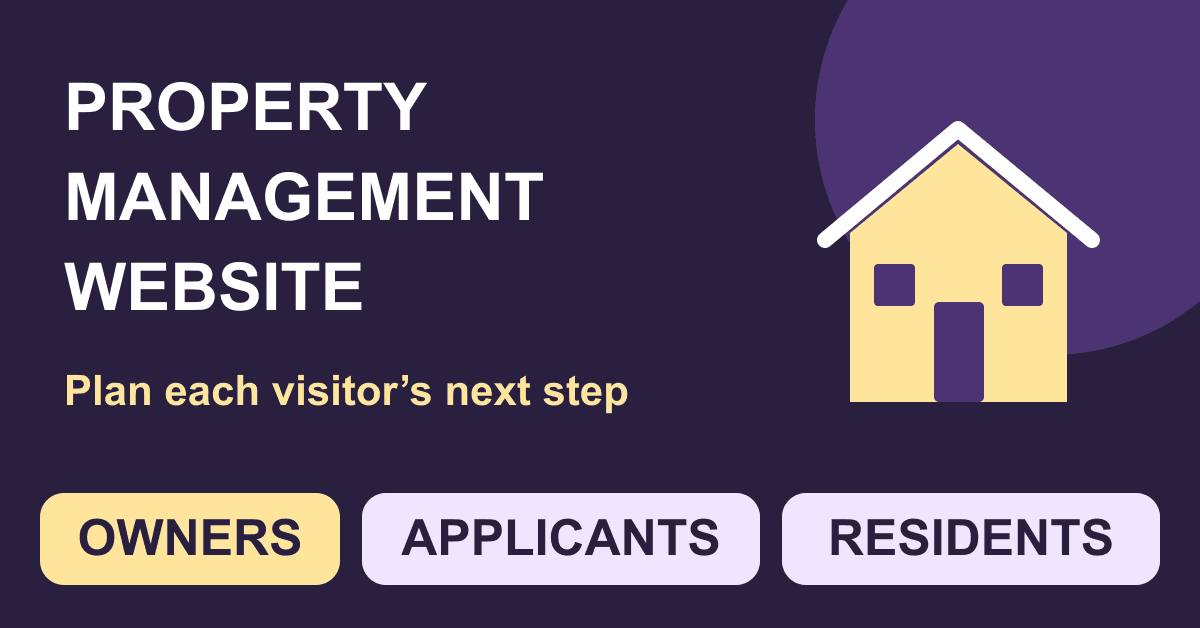
These eleven steps cover a public business site and its connection to verified property-management services. Residential rentals, commercial portfolios, holiday accommodation and HOA management have different workflows and rules. The legal examples below use a US residential baseline; obtain the review appropriate to your locations and activities. This is a planning guide, not a working tenant portal or a claim of legal compliance.
Guides Karan Singh BhakuniUpdated 3 Nov 2026
Create a Property Management Website: 11 Practical Steps
Karan Singh BhakuniUpdated 3 Nov 2026- 11 min read
- 12 sections
- 3 comparison tables
- 8 questions answered
The short answer
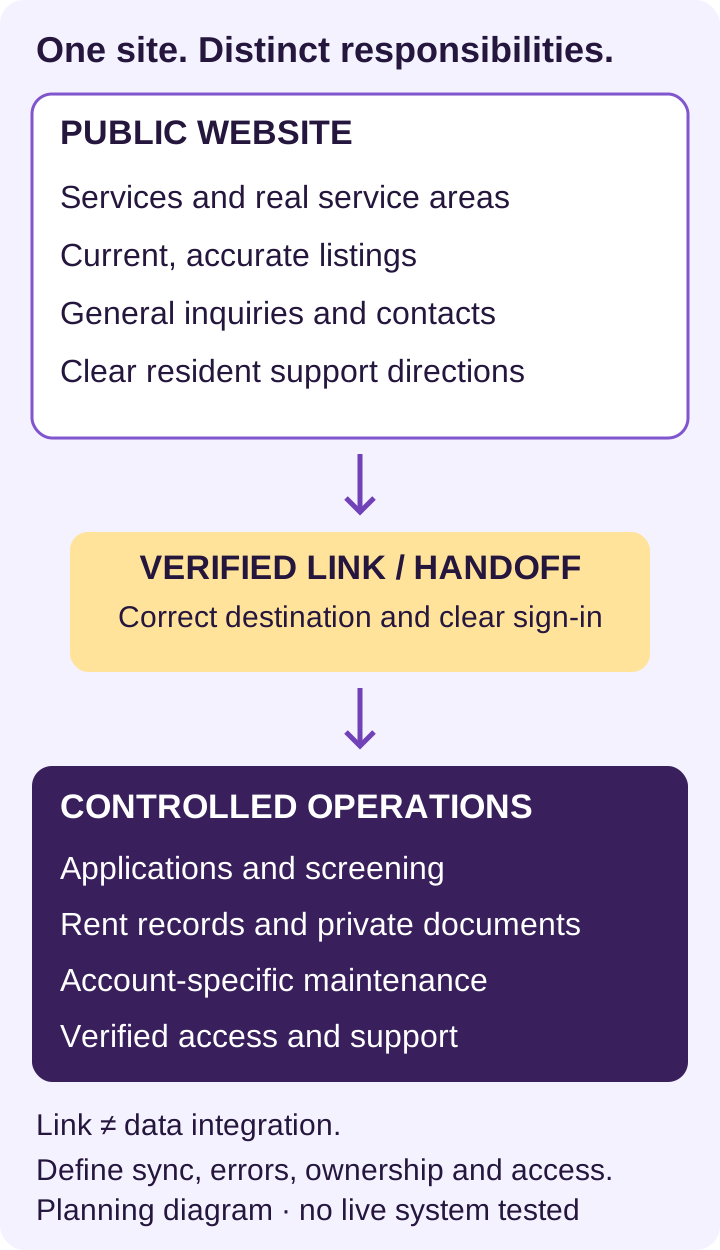
Create a property management website by defining the jobs it must handle for owners, applicants and current residents, then building and testing those paths. A public site can explain services, publish accurate vacancies and receive general inquiries. Rent ledgers, screening, private documents and resident accounts need an appropriately configured operational system; a form, login-shaped page or checkout button alone does not supply that system.
Want the site rather than the reading? Build one free with Grigora
Contents12 sections
Read nextHow to Create a Blog for Students: 9 Practical Steps
1. Define three visitor paths
| Visitor | Task | Public website route |
|---|---|---|
| Property owner | Understand services and request a management proposal. | Service scope, areas actually served, genuine credentials and a short inquiry path. |
| Prospective resident | Find a current vacancy and understand the next step. | Accurate listing, availability, relevant charges/requirements and a verified application/tour route. |
| Current resident | Reach the correct support or account system. | Clearly labeled resident portal, ordinary maintenance route and separate urgent-contact guidance. |
Write down which audience matters on each page. Distinguish sales inquiries from existing-resident support. If a service is not monitored continuously, say so accurately. Give urgent issues a verified contact path and clear limits; an ordinary web form should not be represented as an emergency response service.
2. Inventory the operational software and data
List the systems already used for vacancies, applications, screening, leases, payments, maintenance and owner reporting. Identify the authoritative record, responsible team and approved public destination for each task. A link to an existing resident portal can be a suitable first release; do not rebuild sensitive operations solely to make the site look self-contained.
For a custom portal, define authentication, authorization, data storage, transaction history, notices, support, recovery and security review before development. A generated prototype or a vendor feature list is not evidence that your actual workflow is secure, integrated or suitable for tenant records.
3. Choose the publishing route and complete budget
Compare a hosted website/CMS, a site supplied by your property-management provider, or a custom build against the actual tasks. Test a representative listing and service page before committing. A builder’s wide range of use cases is a starting point; confirm the particular listing, filter, form, export and maintenance workflows your team needs.
Record setup labor, website plan/hosting, domain renewal, property software, seats/units, integration work, payment/provider charges and maintenance separately. Inspect monthly minimums, annual commitments, onboarding, renewal and usage terms in current quotes. Do not copy another portfolio’s advertised per-unit price as your total bill.
Grigora can provide hosted public pages and CMS/directory content for a listing-oriented site, subject to the actual builder/template. Paid website plans include hosting, SSL/CDN and domain connection; registration/renewal and outside services are separate. Its trial is temporary. Check current plan and builder-specific features; do not assume that a website checkout is a rent ledger or that an API means automatic synchronization with your property software.
4. Put domain, accounts and responsibilities under proper control
Keep business ownership, billing, renewal notices and recovery access under the appropriate company-controlled accounts. Invite providers individually with necessary permissions rather than circulating the main login. Document who can publish a vacancy, change a portal link, access submissions and approve a launch. Review temporary access at handover.
If replacing a site, inventory existing URLs, content, domain/DNS records, email services and important integrations before changing anything. Plan redirects and a recoverable cutover with the responsible provider. A new homepage should not silently break active listing links, resident access or business email.
5. Build the pages around real services
- Home: what you manage, where you work and separate next steps for owners, applicants and residents.
- Services and service areas: actual scope, responsibilities, limits and process after an inquiry; use only markets genuinely served.
- Available properties: current searchable/browsable listings if this is part of the offering, with meaningful filters supported by real data.
- Resident resources: verified account and maintenance destinations, contact hours and clear urgent-contact instructions.
- About/contact: real team and business information, relevant licensing/credentials checked for the jurisdiction, and a clear inquiry route.
A FAQ section should answer recurring decisions such as service areas, inquiry steps, listing updates and how existing residents reach support. Do not use it to invent service guarantees or replace the actual lease, application or maintenance process. Keep property-specific facts on the relevant listing.
A Blog Section is optional. Publish useful local/service information only when someone can verify and maintain it. A short accurate site is preferable to a collection of generic location pages or legal advice that does not reflect your work. Use genuine testimonials, permissions and substantiated credentials; do not fabricate owners, occupancy results or portfolio size.
6. Model listings so they can stay accurate
| Field group | Publication check |
|---|---|
| Identity and status | Stable property/unit identifier, approved public address/location, availability and last-verified date. |
| Description | Property type, rooms, size/units, relevant facilities and accessibility features stated accurately. |
| Price and terms | Actual rent basis, relevant charges/deposit information, availability and conditions reviewed for applicable local requirements. |
| Media | Permission to publish, correct property/version, no misleading edits or private resident details. |
| Next step | Working tour/application/contact destination tied to this listing, with correct staff routing. |
| Lifecycle | Named owner for changes, clear unavailable/archived state and a plan for old links. |
Use a CMS collection or verified provider feed to avoid manually contradicting the same facts across several pages. Define how imported fields map to published content, who approves changes and how failures are noticed. Do not imply live availability if updates depend on a person uploading a spreadsheet. Test missing values, unavailable units and duplicate records before adding a large inventory.
Also worth readingHow to Update a Website: 10 Steps from Draft to Live
7. Collect only the inquiry information you need
For a general owner inquiry, ask for a contact method and only the property/service details needed to respond. For a vacancy inquiry, carry the relevant listing identifier so the team knows the subject. Avoid collecting identity documents, Social Security numbers, bank/card details, screening reports or private lease documents through an ordinary public contact form. Direct sensitive processes to the approved system.
Map where each field goes, who receives it, who can access it, how long it is kept and how it is removed appropriately. The FTC’s business data-security guide recommends collecting only necessary information, limiting access and planning protection and disposal. A privacy notice or HTTPS alone does not verify the whole data workflow. Do not expose sensitive submissions through public CMS fields, analytics events or ordinary notification emails.
Show an honest confirmation and follow-up expectation. Assign a responsible recipient and check failures rather than assuming every form submission becomes a response. Separate permission to answer an inquiry from any optional marketing subscription. Use synthetic test records during setup, not actual tenant documents.
8. Review housing content, permissions and accessibility
For US residential advertising, 24 CFR 100.75 prohibits discriminatory notices, statements and advertisements based on protected characteristics. Its scope includes words and visual material, not just a banner or policy link. Review listing language, photographs, application paths and ad targeting with the appropriate housing professional; state/local requirements and the particular activity can add obligations.
If tenant consumer reports are used, the FTC’s landlord guidance describes FCRA obligations around obtaining reports, decisions and notices. Those processes are separate from publishing a form or adding a screening link. Define responsibility with the actual provider and qualified advisers rather than implementing an unsupported automatic approval rule.
Plan accessibility for the public site and connected workflows. Check keyboard operation, visible focus, contrast, headings, image alternatives, form labels/instructions/errors and usable contact alternatives. The US Department of Justice’s web guidance describes relevant barriers and responsibilities; applicability needs the proper review. A responsive template, overlay or clean automated scan is not a complete accessibility evaluation or legal guarantee.
9. Verify each portal link and integration
For a link, confirm the authorized destination, business/property association and expected sign-in behavior. For a true integration, also identify data direction, field mapping, authentication, access, update timing, duplicates, errors, logs, provider terms and support. Write down what is automatic and what remains manual. A working button is not proof that records synchronized.
Use the verified property/payment provider’s appropriate test process for rent or fees. Check who handles receipts, balances, refunds, failed payments, disputes and reconciliation before describing collection as operational. Keep merchant/API secrets out of public pages and CMS content. Never infer recurring rent accounting from an ordinary one-time checkout.
10. Test complete visitor journeys before launch
Use an acceptance record to rigorously test your website with the actual pages and approved provider test environments. Record date, device/browser, expected result, observed result, unresolved issues and the person responsible for correction. The following are test cases to perform, not tests already completed by this article.
| Journey | What to verify |
|---|---|
| Owner inquiry | Service/area information is accurate; required fields are understandable; submission reaches the right team with a truthful confirmation. |
| Vacancy to next step | Listing details/status/charges match the source; filters and unavailable states work; the correct application/tour destination opens. |
| Resident support | Portal links are authorized; ordinary and urgent maintenance instructions are distinct and current. |
| Private workflow | Appropriate authorized tests confirm one account cannot access another person’s records; provider errors/recovery are handled. |
| Reader access | Phone/desktop and keyboard/assistive-technology checks cover important paths; media and forms remain understandable. |
| Cutover | Domain/HTTPS, old URLs, redirects, business email and approved integrations are checked without exposing real personal data. |
11. Publish with an update owner and recovery plan
Resolve launch-blocking factual, access and routing issues, approve the final public content and verify the published site signed out. Preserve the prior system as needed for an agreed recoverable cutover. A generated preview is a draft; publish only when the responsible team accepts the actual workflows and known limitations.
Regular maintenance and updates should follow real changes: vacancies, rents/charges, service scope, contacts, policies, provider links or access responsibilities. Assign who receives change notices and how soon the public site is reconciled with its authoritative records. Do not wait for an arbitrary monthly refresh while an unavailable unit is still advertised as available.
Use appropriate analytics to understand public visitor paths without sending tenant identifiers or sensitive form content into tracking tools. Review broken links, form delivery, listing freshness, account access and recovery arrangements. Measure actual inquiries or completed relevant tasks separately from page views; a site launch does not promise occupancy, savings or investment returns.
Frequently asked questions
No. Public services, listings and general contact differ from authenticated applications, rent ledgers, private documents and operational reporting. Identify the actual system responsible for each task.
Usually owners, prospective residents and current residents have distinct needs. Give each an accurate path rather than combining sales inquiries, applications and urgent support in one generic form.
Yes, when it is the approved destination and the links/workflow are verified. Clearly label the handoff and account expectations. A link is different from a data integration or a new custom portal.
Only the contact and subject information needed to respond, with appropriate routing and privacy practices. Sensitive identity, financial, screening and lease records need an approved controlled process, not ordinary public form/CMS fields.
Do not assume it supplies rent accounting. Recurring obligations, balances, receipts, failed payments, refunds and reconciliation need an appropriate verified operational system and provider setup.
No. Legal obligations depend on the jurisdiction and activity; content, images, targeting, forms and access need review. Accessibility requires more than a responsive layout or automated score.
When the authoritative facts change, with an assigned person/process for updating and checking the public page. Show a clear unavailable/archived state and handle old links appropriately.
The complete setup, plan/hosting, domain renewal, property software, units/seats, provider/transaction costs, integration and ongoing support. Check current quotes, minimums and renewal terms rather than copying another portfolio’s advertised price.
Practical writing on building a site, growing an audience and sending email people open. No more than one a week.

Karan Singh Bhakuni
118 articles on the Grigora blog
More on Guides

Start a Blog
How to Create a Blog for Students: 9 Practical Steps
A nine-step guide for personal student blogs, class publications and clubs: choose the audience and platform, plan posts, review sources and privacy, publish, and arrange a term-end handoff.
23 Nov 202314 min read
Guides
How to Update a Website: 10 Steps from Draft to Live
Choose the right editing workflow, preserve a recovery point, make focused changes and test before publishing. Includes Grigora editing guidance and a practical release checklist.
23 Oct 202313 min read

Start a Blog
How to Start a Makeup Blog: 11 Practical Steps
Build a makeup blog around useful tutorials and observations you can support. Includes a review worksheet, photo checks, platform choices, a first-content plan, and disclosure guidance.
28 Nov 202314 min read