“Temporary” describes your plan, not a special kind of website. A normal published page can remain accessible after the event, a trial or a marketing deadline unless the service actually removes it or you close it. A countdown reaching zero does not by itself stop registrations, payments or access.
Guides Karan Singh BhakuniUpdated 3 Nov 2026
How to Create a Temporary Website and Close It Properly
Karan Singh BhakuniUpdated 3 Nov 2026- 10 min read
- 8 sections
- 4 comparison tables
- 7 questions answered
The short answer
Create a temporary website by defining one purpose and an end date, choosing an appropriate publishing tool, building the essential page, testing its actual action and planning what happens afterward. An event page, limited campaign or project preview can be small. It still needs accurate information, a responsible owner and a working closure process.
Want the site rather than the reading? Build one free with Grigora
Contents8 sections
Read nextWebsite Tutorial: Create, Edit, and Publish with Grigora
Write the opening and closing plan first
Use a short brief to prevent a quick page from becoming an abandoned service. Identify the audience, main task, opening time, closing time and time zone. Name an owner and a backup who can update the page, handle inquiries and carry out closure.
| Decision | What to record |
|---|---|
| Purpose | For example, explain a pop-up event and direct adults to the approved registration service. |
| Availability | When information goes live, when the action closes and whether the page remains useful afterward. |
| Action and system | The actual form, booking or payment destination; who receives it and what counts as success. |
| End state | A closed notice, useful event archive, relevant replacement, restricted internal record or removal. |
| Resources and cost | Domain, hosting/plan term, integrations, media, staff time, renewals and cancellation responsibilities. |
| Data and records | What is collected, why, who can access it and the appropriate retention or deletion process. |
A hypothetical workshop could close registration on 18 November at 17:00 in the stated local time zone, run on 20 November and then display a clear “This event has ended” notice with an appropriate support route. That is a planning example, not a real event or a claim that your platform schedules these changes automatically.
Choose the smallest publishing route that fits
| Route | When it can fit | What to verify |
|---|---|---|
| A page on your existing site | A short campaign or event under an existing organization. | Publishing permission, URL, navigation, form destination and closure without affecting other pages. |
| A hosted builder or CMS | You need to edit the content without maintaining a custom deployment. | Current plan, hosted address/domain, forms, permissions, exports and cancellation terms. |
| A static page on a deployment service | You already have a simple HTML/CSS project or build output. | Build/publish process, updates, hosting limits, form/backend needs and retirement. |
| A restricted preview | Only specified reviewers should see an unfinished project. | Real access controls on pages and files; an unusual URL is not sufficient. |
An existing page often avoids unnecessary domain and hosting setup. A standalone landing page can also fit a focused public task. A new domain is optional; compare an existing path, subdomain or provider address, including who controls the address after the project.
A site running only on your own computer is a local development environment, not automatically a public website. Sharing it requires an appropriate publishing or preview route. If you only need to share a file briefly, an approved file-sharing service with suitable access and expiry controls may fit better than a new marketing website.
For a static route, Netlify’s current deployment documentation describes manually deploying a built/output folder with HTML, CSS, JavaScript and related files. Manual deployment does not run your build command. That is a publishing option, not proof of automatic expiry, private access or a working registration backend. Check the current service terms and features for the actual project.
Grigora can be considered for public pages and CMS content. Review the current plan and trial terms rather than budget around an old price or assume a trial covers the full event and follow-up period. Confirm the required form and closure behavior. Temporary projects still need the same appropriate account, data and operational controls as other sites.
Build a complete page around the visitor’s task
Start with a clear title and a brief explanation of the event, offer or project. State who it is for, what is included, important conditions, relevant dates and time zone, location or attendance format and the actual next step. Explain the organizer and how to get help. Remove template text, fictional testimonials and unused navigation.
- Event: Date/time/time zone, location or online format, attendance conditions, registration process, accessibility/help contact and what happens after registration.
- Offer or campaign: Exact scope, eligibility, deadline, price and currency where relevant, terms and the correct purchase or inquiry route.
- Survey: Purpose, intended audience, necessary questions, closing date, data handling and a clear explanation of whether responses are anonymous or identifiable.
- Project preview: Version, what is ready for review, known limitations, feedback route and appropriate access restrictions.
Choose button labels that describe what actually happens: “Request an invitation” is different from “Confirm attendance.” If another service handles registration or payment, identify the destination and link to the specific relevant page. A general homepage or a visual form with no configured receiver is not a completed process.
Use readable text and useful images you are allowed to publish. Keep the page workable on phones and with keyboard navigation. Give form fields clear labels and feedback, and do not make essential information depend on autoplay video, a large poster or an inaccessible file.
Publish and test the whole action
Create the page or build the project, replace placeholder content, preview it and configure the intended public address or restricted access. Confirm HTTPS works for the actual URL. Publish only after the content, rights and destination have been checked. A new address is not ready merely because its first screen looks correct.
| Test | Evidence to check |
|---|---|
| Read the essentials | A new visitor can identify what the page offers, its date/deadline and an appropriate next step. |
| Use the actual URL | The shared link opens the intended page on desktop and phone, including required sign-in where appropriate. |
| Complete the action | A controlled test reaches the correct registration, inquiry or payment test workflow and the responsible receiver. |
| Understand the outcome | The acknowledgment reflects actual receipt or confirmed status; failures and full/closed states are explained. |
| Check deadline behavior | The action closes in the responsible system at the intended time, not just in a decorative countdown. |
| Check files and access | Downloads work and restricted content/files reject unauthorized users. |
| Preview the end state | The planned closed notice, archive, replacement or removal behaves as expected. |
Use fictional or approved test data and an appropriate payment test environment when needed. Do not place a real order merely to test a public article’s advice. The website testing guide explains how to record a reproducible problem and verify its fix. Record actual device/browser coverage rather than claim every visitor’s experience has been tested.
Also worth readingCreate a Property Management Website: 11 Practical Steps
Decide whether the page should be public or indexed
A temporary page can be public, private, searchable or deliberately excluded from supported search engines. These are different choices. If the content is confidential, use actual authentication or suitable access restrictions. Noindex, a hidden link or an obscure provider URL does not prevent someone who has access from viewing or sharing the content.
For Google, noindex guidance explains that the crawler must be able to access the page to see the instruction; blocking it with robots.txt can prevent that. Search removal is not necessarily immediate. Other engines can have their own behavior, so verify the relevant webmaster guidance and the actual page response. Do not use search visibility settings as a privacy control.
Do not expect a newly published short campaign to receive search traffic on a fixed schedule. Share the approved link through the channels appropriate to its audience. If a stable organization already has an appropriate site, keeping useful event or campaign information there can also make its ownership and future updates clearer.
Close the action before retiring the page
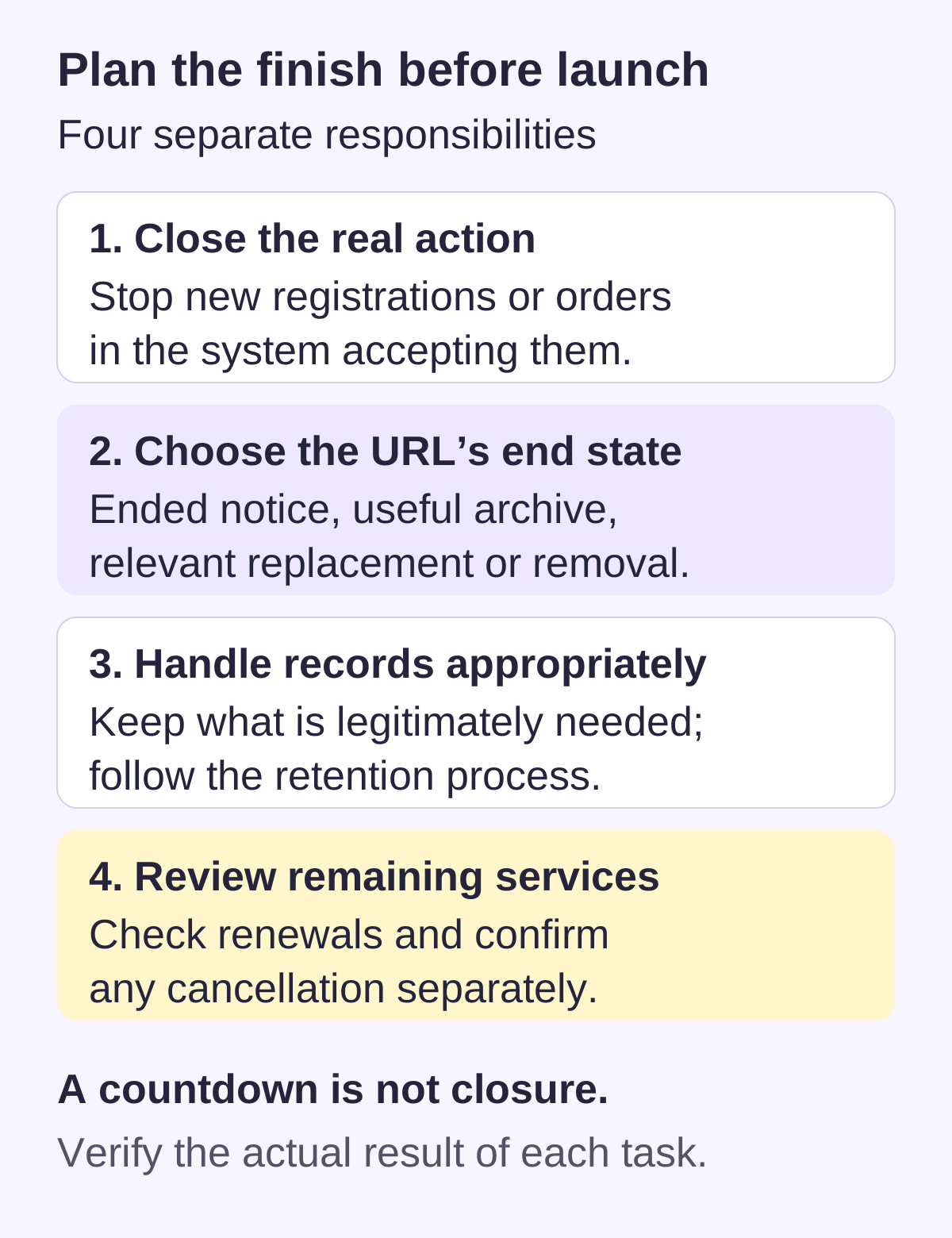
When the deadline arrives, first stop or change the active action in the system that actually accepts it. Disable new registrations or purchases where intended, update availability and explain what existing participants or customers should do. Removing a button from one page may leave a direct form, payment link or external registration endpoint active.
| End state | Appropriate use |
|---|---|
| Keep an ended-event page | Useful public information remains, clearly dated; registration is closed and support or authorized resources are available. |
| Redirect to a genuine replacement | There is a relevant successor page that answers the visitor’s intent. Test the destination and avoid redirect loops. |
| Remove the page | No useful public page or relevant replacement remains; configure appropriate not-found/gone behavior if the platform supports it. |
| Restrict an internal archive | The organization needs a record that should not remain public; verify its actual permissions. |
Do not send every retired URL to an unrelated homepage just to keep traffic. For technical context, Google’s HTTP status documentation distinguishes permanent and temporary redirects and describes how not-found/gone responses are processed. Use the response appropriate to the real state, and verify what your host returns. That guidance describes Google’s handling, not a promise of equivalent results in every engine.
Handle records, integrations and billing separately
- Records: Preserve the content and operational evidence you legitimately need. Follow the appropriate retention process for submissions and customer information; do not export every personal record indefinitely “just in case.”
- Files and copies: Check media storage, public downloads, old deployment URLs and external embeds. Unpublishing the main page does not prove every copy is inaccessible.
- Connections: Review forms, webhooks, email notifications, payment links and third-party apps. Remove unnecessary access using the relevant service’s normal process.
- Domain and DNS: Decide what must continue working before removing records or letting a domain lapse. Check other websites, email, redirects and ownership responsibilities.
- Subscriptions: Review each hosting, builder, domain and integration renewal independently. Confirm cancellation or plan changes and keep the relevant confirmation; page removal does not prove billing has stopped.
If you keep a public closure notice or redirect, retain the hosting and address arrangements needed to serve it. If you extend the project, update the scope, dates, cost and maintenance owner deliberately. A “temporary” label should not hide an ongoing commitment or make visitors rely on stale information.
Temporary website FAQs
Not necessarily. It is usually a normal published site with a planned lifespan. Verify any automatic-expiry feature and what it affects, then test or manage closure. Do not rely on a trial ending or a visual timer as your complete retirement process.
No. An appropriate page on an existing site, subdomain or hosted address can be enough. Choose an address you can control for the full project and follow-up period, including any closure notice or redirect.
A free option or trial may fit a simple project, but check current duration, limits, branding, domains, forms, access and costs. Count the required follow-up period and external services too. Short duration does not automatically mean free or simpler data responsibilities.
Only if the actual accepting system is configured to enforce the deadline. A timer or hidden button can leave a direct registration form or payment link active. Check the relevant system, time zone, closed state and existing participant process.
No. Noindex concerns supported search indexing; it does not authenticate visitors or protect linked files. Use actual access restrictions for confidential previews and verify the intended permissions.
Choose the state that helps visitors. A dated ended-event page can remain useful; a relevant successor may justify a redirect. If no useful page or replacement remains, appropriate removal may fit. Avoid unrelated redirects and verify actual server behavior.
Do not assume so. Page visibility, subscriptions, domain renewal, external forms, media, integrations and stored submissions can be separate. Review each one and handle records according to the legitimate purpose and applicable requirements.
Practical writing on building a site, growing an audience and sending email people open. No more than one a week.

Karan Singh Bhakuni
118 articles on the Grigora blog
More on Guides

Guides
Website Tutorial: Create, Edit, and Publish with Grigora
A practical first-site walkthrough: gather facts, create an AI or template draft, make focused edits, test the preview, publish and verify the public address.
10 Jul 20239 min read

Guides
Create a Property Management Website: 11 Practical Steps
Plan a public property-management website around real visitor tasks. Separate marketing from authenticated rental operations, maintain truthful listings, protect inquiry data and verify the handoff…
26 Sept 202311 min read

Guides
How to Create a Classroom Website: A Practical Teacher’s Guide
Build a useful public classroom hub, decide what belongs in a private school system, and test the pages families actually need.
12 Sept 202312 min read