You can document learning, investigate an error, compare approaches or explain a project decision. You do not need to be an expert in every language. Be accurate about your experience and what you tested. A blog can provide useful public work samples, but it does not guarantee a job, audience or income.
Start a Blog Karan Singh BhakuniUpdated 3 Nov 2026
How to Start a Coding Blog: Write Posts Readers Can Run
Karan Singh BhakuniUpdated 3 Nov 2026- 10 min read
- 11 sections
- 2 comparison tables
- 5 questions answered
The short answer
To start a coding blog, choose a developer and a problem you can help, select a simple publishing platform, and write one explanation with code readers can reproduce. State the environment, provide the required files and commands, show the expected result and explain the limits.
Want the site rather than the reading? Build one free with Grigora
Contents11 sections
Read nextHow to Write Blog Posts Faster: 30 Practical Tips
1. Choose a reader and a focused first topic
Begin with a task you have actually investigated: a confusing API, a small bug, a setup problem or a concept you can explain with a working example. “JavaScript” is a broad subject; “remove duplicate tags after trimming spaces” is a concrete first post. The purpose can be public notes as well as teaching.
Define the prerequisites. Beginners learning their first loop and experienced developers seeking advanced tips need different context. Explain required language knowledge, tools and inputs, without assuming the article must serve every experience level. Research existing explanations to find what is missing, then contribute your own evidence and reasoning.
Do not start a security, performance or AI claim with a conclusion you cannot support. A benchmark needs a stated method and limitations; a security recommendation needs appropriate current review. For an ordinary learning post, it is fine to say what you tried, what worked in that environment and what remains untested.
2. Pick a publishing route you can maintain
| Route | What it can simplify | What to check |
|---|---|---|
| Hosted article platform | Editor, hosting and public article pages | Code formatting/copying, media, export, rights and actual distribution controls |
| Managed blog site | Hosting and a more customizable archive/navigation | Editor workflow, code blocks, public URLs, renewal cost and export |
| A static or repository-based blog | Versioned source and a build/deploy workflow you control | Build dependencies, accessibility, deployment, maintenance and recovery |
Choose the route that fits your publishing needs. Coding ability does not obligate you to build a CMS before you can write. A custom site can be a project in itself, but it also adds work. Test one complete post before committing to a design system or several paid services.
Choosing the right domain name is optional when the publishing service supplies an address. If you buy a domain, check spelling, renewal, account ownership and recovery. Include actual platform, domain, media and maintenance costs in your budget; a free software package does not mean every part of the operation is free.
On Grigora, use the workflow available in your project. The Classic CMS guide covers preparing posts and details; the newer AI editor differs. Check code display, media and public output in that actual workflow. Do not assume the blog editor provides package execution, built-in keyword research or every email integration.
3. Set up a readable archive and contact route
Use clear titles, a small set of useful categories and navigation to the posts. An About page can explain your real background and the blog’s scope. A contact or correction route should be monitored; you do not need to expose personal information or offer several channels you cannot maintain.
Keep code as selectable text, not only a screenshot. Preserve indentation and characters, label the language where useful, and make long lines manageable on a phone without forcing the whole page sideways. Screenshots and diagrams should explain something the code alone does not, with suitable alternatives and captions.
Use readable contrast, headings and keyboard-accessible links or controls. If you publish a live demo, check the actual deployed version and provide enough context when it is unavailable. Do not ask readers to run an unexplained command merely because it appears in a tutorial.
4. Make the first tutorial reproducible
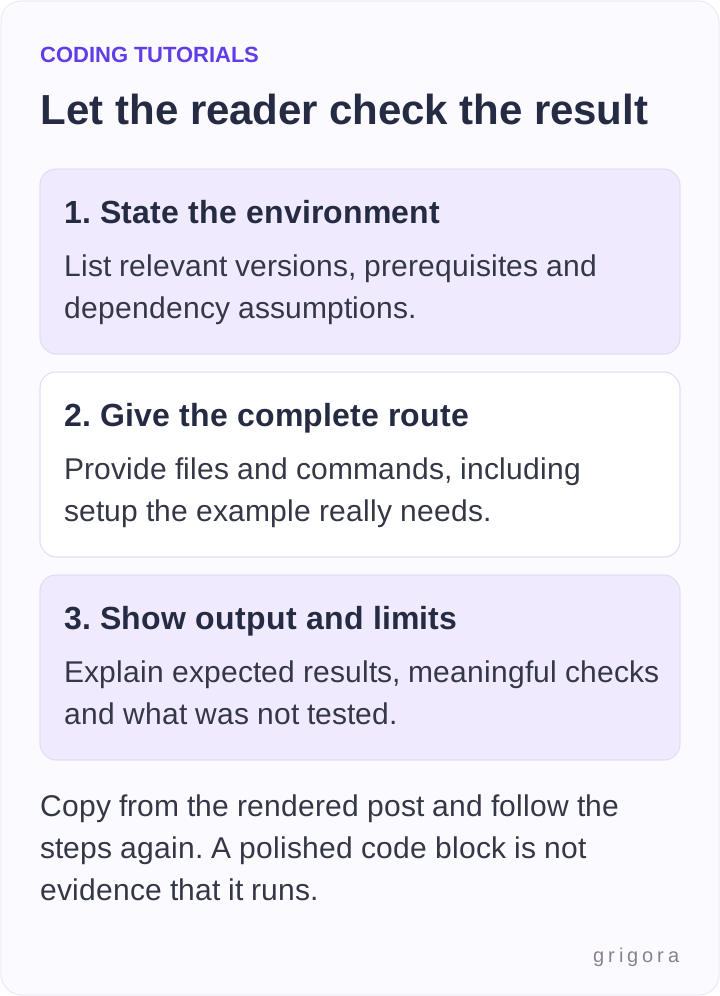
| Include | Useful detail |
|---|---|
| Problem and scope | What the example does, what it does not do and what the reader already needs |
| Environment | Runtime/tool versions, operating-system assumptions and relevant dependencies |
| Files and commands | Exact file names, installation/run steps and working directory when it matters |
| Input and expected result | A small example and a check that distinguishes success from merely running |
| Explanation and limits | Why the approach works, relevant edge cases and what was not tested |
| Sources and reproducible version | Official references and a permitted repository tag/commit or downloadable source if provided |
Run the published instructions from a clean starting point appropriate to the example. If dependencies are involved, record their versions and the project’s normal reproducible-install process. Do not silently rely on a global package, private file, secret token or setup step absent from the post.
A small example of a checkable coding post
An original tutorial topic could be normalizing a list of tags. This example trims and lowercases string entries, drops blanks and non-strings, then removes duplicates while retaining first-seen order. It rejects a non-array input. Those are explicit choices, not universal requirements for every tag system.
Save the following as tags.cjs and run node tags.cjs. It uses Node’s built-in strict assertions, with no external package or network request. The example was checked with Node.js 22.22.0; check your own runtime when reproducing it.
const assert = require('node:assert/strict');

function normalizeTags(input) {
  if (!Array.isArray(input)) {
    throw new TypeError('Expected an array');
  }
  const tags = input
    .filter(value => typeof value === 'string')
    .map(value => value.trim().toLowerCase())
    .filter(Boolean);
  return [...new Set(tags)];
}

assert.deepEqual(
  normalizeTags([' JavaScript ', 'javascript', '', null, 'HTML']),
  ['javascript', 'html']
);
assert.deepEqual(normalizeTags([]), []);
assert.throws(() => normalizeTags('javascript'), TypeError);
console.log('3 checks passed');
Expected output: 3 checks passed. If an assertion fails, the process reports an error instead of reaching that line. The checks cover a mixed list, an empty list and an invalid input type. They are not a performance benchmark or proof that the function meets every application’s requirements.
Explain the decisions: non-strings are ignored, case is normalized and first-seen order is retained. If the real application needs case-sensitive tags, locale-specific behavior or rejection of invalid entries, the requirements and code must change. Good technical writing makes those choices visible instead of presenting one snippet as universally correct.
Also worth readingHow to Start an Art Blog: From Studio Notes to Useful Posts
5. Protect rights, credentials and confidential work
Use synthetic example data rather than customer records or private repository content. Check screenshots, terminal output and files for credentials and identifying details. If a real credential was exposed, GitHub’s guidance puts revoking or rotating it first; deleting a visible line alone does not invalidate the credential or remove copies.
Check the licence and permissions for code, images and other material you reuse. GitHub’s licensing guidance explains that public visibility is not the same as a general reuse licence. Attribute as required and distinguish your own work from adapted examples. If you publish a repository, make the intended licence and version clear.
For AI-assisted drafts or code, verify every reference, command and claimed result. Do not present generated output as a test you ran or a product you used. Keep a claim only when you can explain and support it; a confident explanation is not evidence.
6. Review the finished post before sharing
- Copy code from the rendered article and run the documented commands, not just the original editor file.
- Check expected output, stated environment and meaningful error or edge cases.
- Read the explanation after following the steps: identify hidden prerequisites and unsupported claims.
- Open source links, repository versions and any live demo.
- Check phone readability, code indentation, image alternatives and keyboard access.
- Verify permissions, disclosures, publication state and any intended notification settings.
Keep the result of those checks with the source notes. State actual coverage precisely, including unsupported environments. A “tested” label without versions, cases or limits gives readers little to assess. If someone reports a problem, ask for the relevant environment and reproducible details without requesting secrets or private data.
7. Share relevant work and learn from feedback
Search Engine Optimization (SEO) can help an accessible public post be understood through a specific title, logical headings, useful links and an accurate explanation. Do not equate length, number of posts, social shares or a third-party authority score with guaranteed rankings. A concise complete answer can be more useful than a long padded one.
Share the article in communities where it answers a real question and promotion is permitted. Provide a useful response rather than dropping a link into unrelated threads. Collaborations and guest posts should respect the publisher’s terms and your rights to the material. A backlink or job opportunity is not an automatic outcome.
Comments and newsletters are optional. Keep a channel you can maintain and appropriate permission for ongoing email. Measure useful questions and actual outcomes your tools support; page views alone do not prove learning, hiring or income. Technical feedback can improve the post even when it does not produce traffic.
8. Keep code and explanations current
A content calendar can include new posts and review work. Prioritize updates when dependencies, APIs or the underlying method change, or when a reader finds an error. Record what was rechecked and retain links to a specific older version where useful. Changing a date is not a substitute for verification.
You do not need a universal weekly quota. Leave time for reproducing examples, source checks and corrections. If an old tutorial cannot be maintained, explain its supported scope or archive it appropriately rather than quietly letting broken commands appear current.
9. Consider career and business uses realistically
A coding blog can show your technical reasoning and communication. Where relevant and permitted, link selected work from applications or a portfolio. Employers may or may not review it; follow the application’s requested format and do not describe publishing as a guaranteed career acceleration.
Affiliate marketing, sponsorships, services or products such as e-books or online courses are possible business models, subject to eligibility, audience, costs and actual demand. No universal traffic threshold or income timeline applies to every coding blog. A tool review should reflect actual experience and limitations.
Make relevant commercial relationships clear. U.S. FTC guidance calls for honest endorsements and visible material-connection disclosures where applicable. Do not claim an untried course or service is excellent merely to fill a recommendation list.
Frequently asked questions
Yes. Write within your understanding, use appropriate sources, run your examples and be clear about your experience and limits. Learning notes are useful without pretending to be an expert or offering unsupported security/performance advice.
No. A hosted platform or managed blog can let you focus on writing. Building a static or custom blog is optional and adds its own maintenance. Test code display, copying, publishing and export in the route you choose.
One clear question, prerequisites, the environment, necessary files/commands, meaningful inputs and expected output, an explanation and tested limits. Link to appropriate official references and identify any reused material or repository version.
Choose a sustainable cadence that includes code verification, review and maintenance. There is no universal weekly requirement. Correcting a broken important guide may deserve priority over a new post.
It can provide public work samples or support a suitable business, but hiring, readership and earnings are uncertain. Follow employer requirements and account for time, costs, eligibility and actual demand rather than treating publishing as a guarantee.
Choose one problem you can reproduce and write the smallest explanation that lets another developer check the result. Build the archive from useful, maintained examples instead of a promised number of posts.
Practical writing on building a site, growing an audience and sending email people open. No more than one a week.

Karan Singh Bhakuni
118 articles on the Grigora blog
More on Start a Blog

Guides
How to Write Blog Posts Faster: 30 Practical Tips
A practical workflow and 30 writing tips, with a reusable brief and a timing worksheet to improve your process while keeping accuracy and review in place.
16 Nov 202312 min read

Start a Blog
How to Start an Art Blog: From Studio Notes to Useful Posts
Build an art blog around work you can explain. Choose a reader, document your process, prepare useful images and captions, and publish with a maintainable routine.
7 Nov 202312 min read

Start a Blog
How to Start a Devotional Blog: Plan, Write and Publish
Define who the devotional is for, choose a text and reflection format, check quotation permissions, and publish a first post with care. Includes an editorial plan, a reusable writing outline and a…
1 Nov 202312 min read