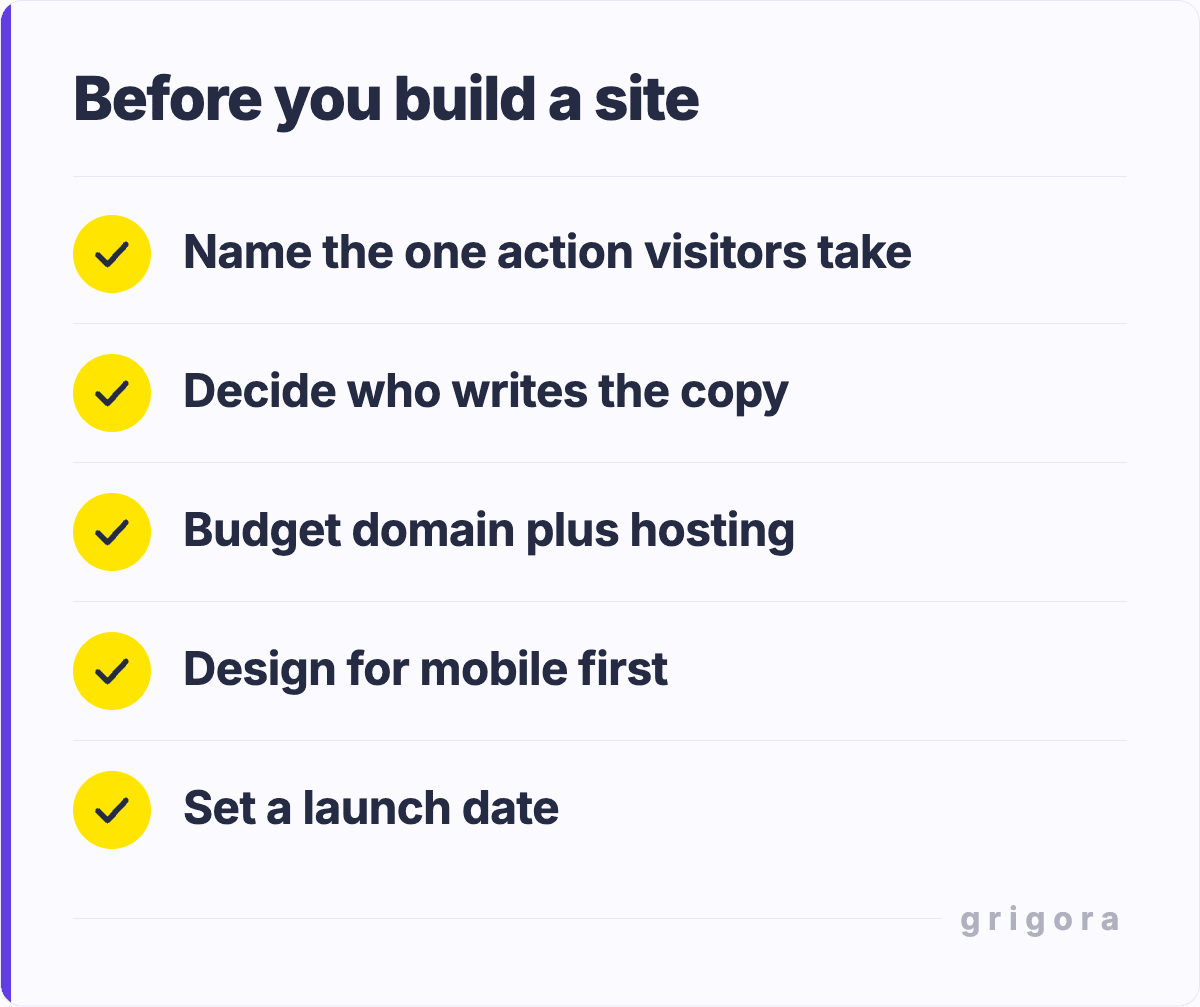
Before building a website, decide who it serves, what visitors need to do, what content and features support that task, and who will run it after launch. Then choose a feasible platform and budget, test the important user paths and keep evidence of what works. The 25 checks below turn broad advice into concrete decisions rather than a promise of traffic, sales or a trouble-free site.
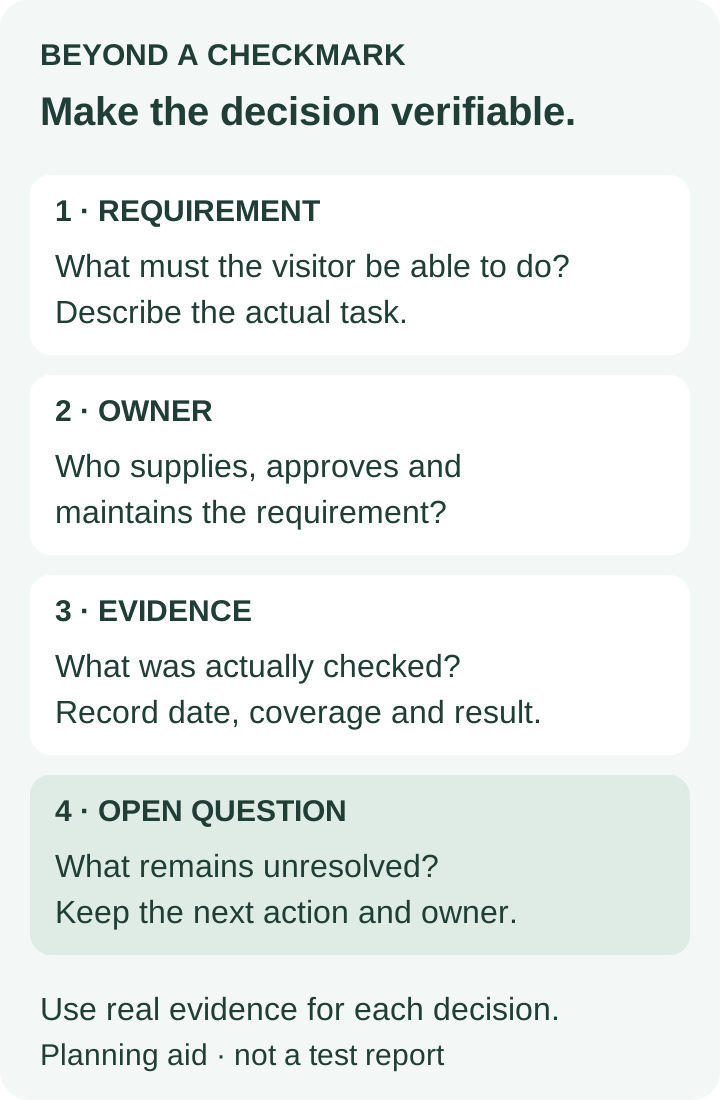
For each item, record the decision, owner, evidence and unresolved question. Mark an item complete when its actual requirement is satisfied; a purchased tool, installed plugin or attractive preview is not evidence that the whole workflow works. Some features, such as a store, blog, social feed or analytics tool, may be unnecessary for your site.
A starting reminder. Budget for your actual route: hosting may be included in a platform plan, and a provided address may suit an early project. A launch date depends on readiness and approvals.
1. Purpose: write the main job of the site in one sentence. For example, helping an appropriate visitor understand a service and request a quote. Keep the statement about a user task, not an unsupported sales target.
2. Audience: identify the intended readers, their questions, language and access needs. Use actual customer/user knowledge where available; label assumptions and check them instead of inventing a research persona.
3. Scope and user journey: map the important route from entry page to useful information and the intended next step. List pages, reusable layouts, languages and features, with clear exclusions for the first release.
4. Budget: record setup costs, renewal charges, usage limits, paid services and the time needed for content and maintenance. Compare total billing commitments, not only an advertised monthly equivalent.
5. Time and approval: assign content/review owners and realistic availability. Record dependencies and who can approve scope changes; distinguish hands-on hours from waiting for assets, decisions or accounts.
Building and maintaining the site can require a significant time investment. Estimate the actual tasks and review rounds before choosing a date, and identify what changes if content or approvals arrive late. The separate website-hours guide includes a scoped planning example.
Checks 6–10: Platform, accounts and real features
6. Platform fit: build a representative page and the hardest required workflow before committing. Check current plan terms, editor controls, content/export needs and integrations; do not choose solely from a theme screenshot.
7. Name and domain: use a readable name, check conflicts and record who controls registration, renewals and DNS. A custom domain may suit a public business site; a provided platform address can suit some early projects.
8. Hosting and limits: establish whether hosting is included or separately managed. Check storage/traffic policies, support, region and recovery needs. A CDN or uptime statement is not a promise that every page or external service is always available.
9. Ownership and recovery: keep the organization’s accounts under appropriate ownership and access controls. Record admin roles, recovery methods, backup/export coverage and how restoration will be checked. An export is not necessarily a complete working backup.
10. Integrations and commerce: identify exact booking, form, payment or delivery services and their eligibility requirements. Test the complete intended flow, including failure and confirmation, and record what the platform or provider does not supply.
If you plan to sell products, especially downloads, check payment approval, access/delivery, price, support and refund requirements for the real offer. A button linking to a payment page does not by itself establish automated order fulfillment or tax handling.
Route
Responsibility to verify
Hosted website/CMS platform
Actual paid/free terms, provided/custom address, editor features, account recovery, limits and export.
Self-hosted software
Hosting plus supported software/theme/plugin maintenance, backups, security and who handles them.
Custom implementation
Development and hosting responsibilities, integrations, release/recovery process and maintainable handover.
Grigora offers AI-assisted site creation and a classic visual builder with editor-specific CMS workflows. Paid website plans include hosting, SSL/CDN and domain connection; check current terms and your actual editor. The classic post guide states its scope. Verify required features with real content instead of assuming any one platform fits every site.
Checks 11–15: Content, design and access
11. Content and truthfulness: assign who writes, checks and updates each page. Use accurate service/product details and genuine qualifications, reviews and work examples. Do not invent customer testimonials or case-study results to fill a layout.
12. Visual hierarchy and branding: use readable type, useful spacing, adequate contrast and a consistent visual system. Check the page with real-length headings and text. A color does not universally cause trust or purchases.
13. Responsive behavior: inspect important layouts and interactions on relevant screen sizes. Check readable text, tap targets, menus, tables and forms, including unusually long content. A mobile preview alone is limited evidence.
14. Navigation and findability: choose labels and grouping that help readers find the needed page. Test the important routes with intended users where feasible. There is no universal five-item maximum; a search box is useful when the content warrants it.
15. Media and accessibility: verify each image’s rights, purpose, crop, caption and text alternative; provide appropriate alternatives for audio/video. Keep essential information in readable text and test keyboard, zoom, headings and form labels as applicable.
For visitors using different screen sizes, your website must be responsive in the ways their tasks require. Test the actual page and workflow rather than assuming that “mobile-friendly” in a template description proves every state is usable.
W3C’s Easy Checks offers an entry point for accessibility review. It explicitly describes these as limited initial checks; passing them does not establish comprehensive accessibility. Plan appropriate evaluation and user involvement for the site and its obligations.
Checks 16–20: Security, privacy, speed and measurement
16. Connection and account security: use HTTPS, appropriate authentication, least-needed access and maintained software. Review third-party scripts and forms. Encryption in transit is one layer; it does not establish a trustworthy business or protect every stored record.
17. Data and legal requirements: inventory what forms, analytics, checkout and providers collect or share. Determine applicable privacy, consent, consumer and accessibility requirements for the actual jurisdictions/activity. Write policies that match real practices.
18. Performance: measure important pages under stated device/network conditions, examine large media and unnecessary scripts, and compare lab tests with available real-user data. Replace a vague “loads fast” claim with the metric, conditions and actual result.
19. Search discoverability: use descriptive titles, useful text/headings, logical links and intended public visibility. Check important URLs, redirects and sitemap/canonical behavior as appropriate. Publishing or submitting a sitemap does not guarantee indexing or rankings.
20. Analytics: choose measurements tied to the actual task, such as a completed inquiry or booking. Verify the event really represents success and avoid duplicate counting. Collect only appropriate data and consider whether a simpler measurement is sufficient.
An SSL certificate supports HTTPS/TLS when correctly configured; MDN’s TLS guidance explains protection for communications. Also check account access, software, forms and storage. Meet applicable data protection regulations through the real data workflow rather than relying on a lock icon or generic privacy page.
For a concrete performance vocabulary, Google’s Core Web Vitals guidance identifies good thresholds of LCP ≤ 2.5 seconds, INP ≤ 200 milliseconds and CLS ≤ 0.1, assessed at the 75th percentile and segmented by mobile/desktop. These describe loading, responsiveness and visual stability; they are not a universal two-second full-page load rule or proof of higher rankings. Record what you measured and whether it is lab or field data.
The Google SEO Starter Guide explains discoverability and states that no technique automatically ranks a site first. Keep useful content and functional access central. Social sharing or a blog can support a purpose, but neither is mandatory for every website.
Checks 21–25: User actions, release and ongoing ownership
21. Calls to action and forms: make the next step appropriate to the page. Explain what submitting a form or buying actually does; test labels, validation, success/failure and actual delivery. Do not require a sales CTA on every informational or policy page.
22. Testing and acceptance: define the pages, browsers/devices and user paths being checked, record results and fix material blockers. Use controlled test data and appropriate test/payment modes. Be precise about coverage and remaining limitations.
23. Feedback: provide a usable contact or issue-report route with a responsible owner. Ask intended users where they became confused, separate observations from assumptions and avoid treating one comment as universal research.
24. Maintenance: assign content corrections, software/provider updates, renewals, backups/recovery and regular checks of critical flows. Document access and responsibilities so the website is operable after the original builder leaves.
25. Launch and review: verify final URLs, intended visibility, domain/HTTPS and any scoped redirects; keep a recovery plan. Share accurate previews through suitable channels, then review actual performance and problems against the original task.
Before release, test your website for any bugs that prevent the intended tasks, and record the scope of that review. A good-looking screenshot does not show that a form arrives, a keyboard user can open a menu or a checkout handles failure.
Regular updates and improvements should have an owner, a reason and a way to check their effect. Keep a short change record and recheck affected user paths after changes. Visitors, leads, orders and revenue are different measures; none is assured by completing a checklist.
Use this record for the 25 considerations. It is a planning method, not evidence that a website has been tested or meets every legal or accessibility requirement.
Use a decision record instead of a vague tick
Field
Illustrative contact-form requirement
Decision
A visitor can send an inquiry from the Contact page and see an understandable result.
Owner
Name the actual person responsible for the form and its destination.
Evidence
Record the actual controlled test, date, device/browser, result and delivery confirmation.
Unresolved issue
State any untested state, blocked provider setting or missing responsibility; keep it open.
This example is a requirement template, not a report that a form was submitted or delivered. Replace the fields with actual evidence. Separate essential launch blockers from improvements that can be scheduled later, with the decision maker accepting the remaining scope honestly.
Frequently asked questions
Define the intended reader, main task and content needed to complete it. Then map scope, ownership, platform feasibility, budget and approval before polishing visual details.
No. A store, blog, newsletter, social feed or analytics tool should serve a real purpose and be supportable. Verify the essentials for your site rather than buying every possible feature.
Many hosted builders support basic sites without coding, but real feature requirements still need checking. Specialized integrations, maintenance or accessibility work may need appropriate expertise.
No. HTTPS protects communications when configured correctly. Account access, software, data storage, forms, third-party tools and recovery also need appropriate protection.
There is no universal two-second full-load rule. Use defined metrics and conditions; Core Web Vitals separately measure loading, interactivity and stability. An individual lab test and real-user measurements provide different evidence.
Use understandable labels and grouping suited to the content and reader tasks. There is no universal five-item limit. Test whether intended users can find what they need, including on a phone and with keyboard access.
No. Search engines still need to access, understand and choose to index the content. A sitemap can help discovery, but it is not a ranking promise or a substitute for useful linked pages.
When the agreed essential content and user paths work under the defined checks, material blockers are resolved and ownership/recovery are clear. Record remaining limits honestly and continue appropriate review after release.
Get the next guide by email
Practical writing on building a site, growing an audience and sending email people open. No more than one a week.