Protection involves the whole route: domain and hosting accounts, publishing tools, application code, external services and the people using them. Even a small site with no customer login can be defaced, used to redirect visitors or lose control of its domain. Match the controls to what the site does and the information it handles.
Guides Karan Singh BhakuniUpdated 3 Nov 2026
Why Website Security Is Important and What to Check
Karan Singh BhakuniUpdated 3 Nov 2026- 9 min read
- 7 sections
- 2 comparison tables
- 5 questions answered
The short answer
Website security is important because a compromised site can expose information, mislead visitors, interrupt services and create costly recovery work. Security measures reduce those risks and help you detect and respond to problems. They do not make any website immune to attacks or guarantee uninterrupted service.
Want the site rather than the reading? Build one free with Grigora
Contents7 sections
Read nextWhy Post to a Blog Regularly? 11 Benefits and a Schedule
What website security protects
- Visitors and information: reduce the risk of unauthorized access, exposure, malicious redirects or deceptive content.
- Content and operations: keep the right people able to publish and maintain the site, with a way to restore important work.
- Transactions and service: reduce disruption to inquiry, booking, payment and support routes.
- Trust and obligations: support responsible handling of information and applicable duties without assuming one tool establishes compliance.
The effects of an incident vary. A brochure site, a membership service and an online shop do not have identical data or recovery needs. Work out what matters most before buying a collection of security products. A serious-looking dashboard or a clean scan is not proof that every risk has been assessed.
Common problems to plan for
| Risk | What it can mean for a website |
|---|---|
| Account takeover or phishing | Someone gains publishing, hosting, domain or recovery access and changes the site or its settings. |
| Vulnerable software or configuration | An attacker exploits an unpatched component, excessive permission or insecure application behavior. |
| Malicious content or third-party code | Injected scripts, redirects or compromised dependencies affect visitors and site behavior. |
| Service disruption | An outage or denial-of-service attack makes important pages or actions unavailable. |
| Data exposure or loss | Private information becomes accessible or important content and records cannot be recovered. |
An outage alone is not proof of an attack, and an unusual traffic spike is not automatically a data breach. Investigate evidence with the provider or responsible technical team. Avoid importing an alarming industry statistic as if it described the risk to your particular site.
HTTPS is necessary connection protection, not a complete audit
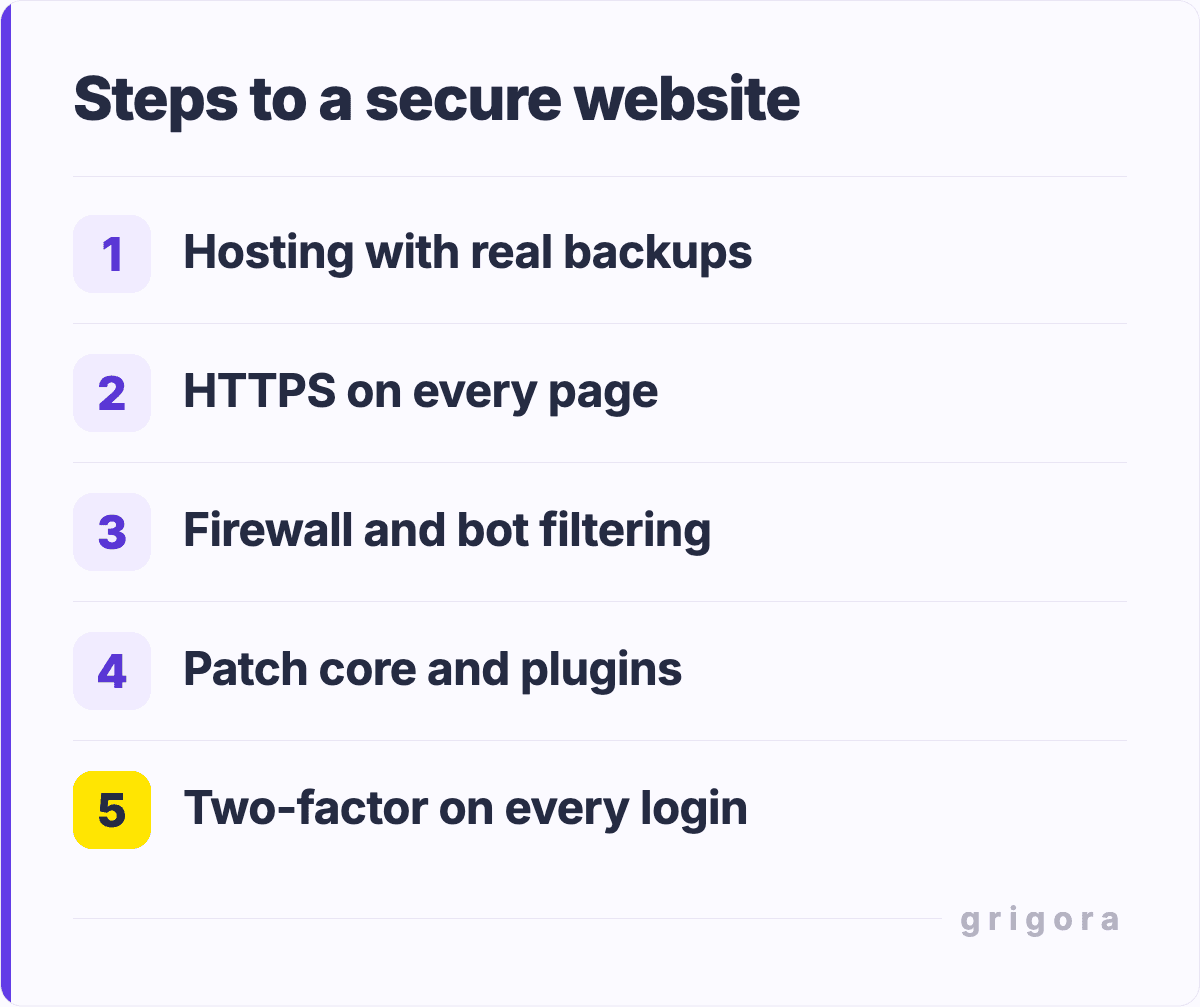
Modern HTTPS uses Transport Layer Security (TLS), even though certificates are often called “SSL certificates.” Mozilla’s TLS documentation describes encryption, integrity and authentication for the connection. Use HTTPS throughout the site, including resources, and resolve certificate or mixed-content problems with the responsible provider.
HTTPS does not prove that a business is honest, the application has no vulnerabilities or stored data is appropriately protected. An attacker-controlled site can also have an HTTPS connection. Encryption in transit and protection of stored information are separate responsibilities.
The Grigora SSL Checker can inspect certificate and connection details such as name coverage, expiry and selected TLS/redirect settings for public hosts. Its source-defined checks are narrower than a site security audit: they do not establish secure application logic, proper permissions or absence of malware. Review any “not checked” result and investigate the relevant issue; a grade is not a safety guarantee.
Seven areas to review
1. Protect the accounts that control the site
Use unique strong passwords and a password manager. Enable multifactor authentication where available, especially for domain, hosting, publishing and recovery-email accounts. Keep recovery methods under the business’s control, protect recovery codes and remove access that is no longer needed. Avoid sharing an administrator login for routine editing.
The NIST small-business MFA guidance distinguishes ordinary codes from phishing-resistant options. Use a suitable security key or other supported phishing-resistant authentication where practical, particularly for privileged accounts. MFA reduces risk; it does not remove the need to recognize phishing or protect active sessions and recovery paths.
2. Know who maintains each component
List the platform, server, CMS, themes, plugins, scripts and integrations involved. Apply security fixes to the parts you control and follow relevant vendor advisories. Remove unnecessary components and permissions. Plan update testing and recovery in proportion to risk instead of waiting for a fixed monthly date when an urgent issue requires earlier action.
With a managed builder such as Grigora, some infrastructure work is handled by the provider. Confirm the actual responsibility split and features for your setup. You still need to protect account access, review team permissions, choose appropriate integrations and handle the information you collect. Hosting, a CDN or HTTPS does not automatically cover every one of these tasks.
3. Limit access and data exposure
Give people and connected services only the permissions they need. Review access when a contractor leaves or a role changes. Keep private submissions, backups and exports out of public pages or openly shared folders. Do not put secret keys or passwords in browser-visible code, published examples or public repositories.
Collect only information you need and decide who may access it, where it goes and how long it should be retained. Review relevant legal documents and applicable privacy or transaction duties for the business and jurisdictions involved. A privacy policy describes commitments; it does not implement the technical protections or establish that the process meets every obligation.
Also worth readingHow to Rewrite Website Content: A Worked Example and Checklist
4. Use appropriate application controls
For custom code, address authorization, safe handling of input/output, uploads, sessions and dependencies with someone qualified for the system. SQL injection, for example, is not solved simply by adding a firewall or an input field check. The OWASP prevention guidance explains parameterized queries as a primary defense for applicable database code.
Have security vulnerabilities investigated in an authorized scope. A web application firewall can filter some malicious requests and rate limits can reduce certain abuse, but neither replaces fixing vulnerable code or checking access. A static site can reduce some server-side attack surface while still depending on accounts, deployment tools and external scripts or forms.
5. Keep recoverable backups
Identify what must be restored: content, configuration, files and relevant records, not just the public homepage. Confirm the backup coverage, frequency, retention, access and restoration process with the provider. A downloaded copy of a page may not include your forms, orders, settings or other operational data.
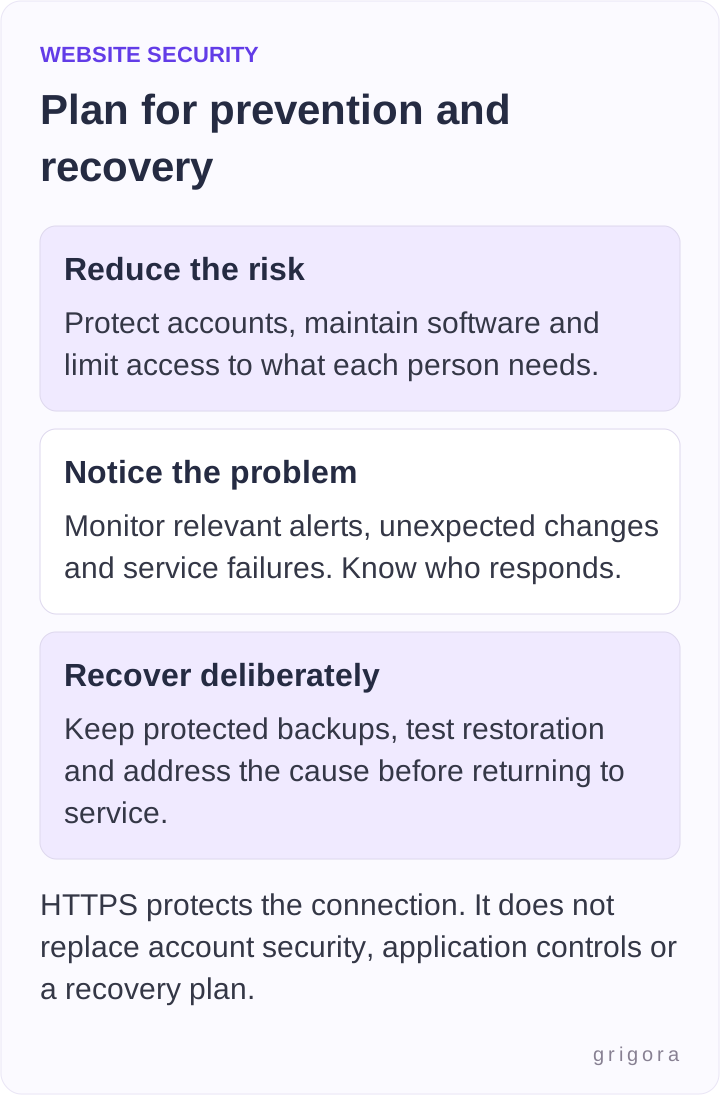
CISA’s StopRansomware Guide recommends protected offline, encrypted backups and regular restoration testing for critical data. A continuously synced copy can also copy damage or deletion. Choose a suitable protected recovery arrangement for your service; do not assume a backup exists or works without checking.
6. Monitor useful signals
Know where to see relevant account changes, failed or unexpected logins, publication changes, service failures and provider alerts. Route important alerts to someone who can act. Keep suitable logs without unnecessarily collecting or exposing sensitive information. Ordinary traffic analytics alone do not show every security event or what every visitor did.
For Google visibility, the Search Console Security issues report can show Google’s findings about harmful behavior such as hacked content, malware or social engineering. Affected pages may receive search or browser warnings. A clean report is not a comprehensive security certification, and buying an SSL certificate is not a ranking strategy or a guarantee of recovery.
7. Prepare a response route
Keep a short plan with the site owner, hosting/platform support route, technical help and the people responsible for data or customer communications. Know how to regain access if the usual administrator is unavailable. NIST’s incident-response resources provide a starting point for a more detailed plan suited to the business.
Make an owner-and-evidence checklist
This is a proposed review worksheet, not a claim that your site or provider has passed. Replace vague “done” entries with the responsible person and relevant evidence. Keep sensitive recovery details in an appropriately protected place, not a public checklist.
| Area | Question and evidence to record |
|---|---|
| Accounts | Who can control domain, hosting, publishing and recovery? Review access and available MFA. |
| Maintenance | Who receives advisories and applies relevant fixes? Record component and responsibility information. |
| Connection and data | Who resolves HTTPS issues? Confirm private data is not publicly accessible and access matches the need. |
| Recovery | What is backed up, for how long and by whom? Record a safe restoration check and unresolved gaps. |
| Monitoring and response | Who receives alerts, preserves relevant records and contacts the provider or specialist? |
If you suspect a compromise
- Contact the responsible provider or technical/security lead promptly using a trusted route. Record what you observed and when.
- Coordinate containment and protection of visitors while preserving relevant logs and evidence; do not rush to delete everything before understanding the event.
- Regain account control from a trusted environment, review unauthorized accounts/sessions and address affected credentials or keys with appropriate help.
- Find and remediate the cause and assess affected information before restoring from an appropriately checked clean backup. Restoring an old copy alone may leave the entry point or attacker access in place.
- Follow applicable notification/reporting obligations and give accurate communications. After recovery, verify the main routes, monitor for recurrence and improve the plan.
The right sequence depends on the incident and affected systems; a live payment-data incident needs more specialist coordination than a simple content mistake. Get qualified help when the scope is unclear. Avoid treating a generic cleanup checklist as proof that the site is safe to reopen.
Frequently asked questions
No. HTTPS protects the connection. Account access, application behavior, stored information, integrations, monitoring and recovery still need suitable controls. A certificate does not establish that a business or page is trustworthy.
Yes. Domain and publishing accounts, content and any forms or external scripts can still be abused. Start with account control, appropriate maintenance and recoverability, then assess the additional risks of the functions you use.
Use an ongoing process matched to risk and vendor advisories. Review after important changes, new integrations or access changes and respond to urgent issues promptly. A fixed monthly review does not replace handling a newly disclosed critical problem.
No. Every tool has a scope, limits and possible missed findings. Review what it checked, what was not checked and what requires manual or authenticated assessment. Use authorized testing and qualified help where appropriate.
Responsibilities are shared according to the actual service. The provider may maintain infrastructure while you remain responsible for accounts, team access, content, chosen integrations and data handling. Confirm the division rather than assuming every security or backup feature is included.
Practical writing on building a site, growing an audience and sending email people open. No more than one a week.

Karan Singh Bhakuni
118 articles on the Grigora blog
More on Guides

Guides
Why Post to a Blog Regularly? 11 Benefits and a Schedule
Regular blogging can support reader expectations, useful resources and a repeatable process. Choose a cadence that leaves time for evidence, editing and maintenance.
16 Oct 20239 min read

Guides
How to Rewrite Website Content: A Worked Example and Checklist
Decide what needs changing, draft from verified facts and test the published page. Includes a copyable rewrite brief and an annotated fictional service-page example.
4 Sept 202311 min read

Guides
How to Create an Actor Website: Reels, Résumé and Contact
Build a useful actor portfolio around real materials and a clear casting contact route. Plan the pages, review media permissions, protect private audition material and test the site before sharing it.
2 Sept 202311 min read