

“Email is not dead. Bad email is.”A modern group emailing tool exists to fix exactly that problem.
A modern group emailing tool is a simple, permission based way to send emails to a defined group of people without turning it into a full blown marketing campaign. It sits between personal email and heavy email marketing platforms.
Unlike traditional tools that focus on funnels, automations, and sales pipelines, a modern group emailing tool focuses on clarity, speed, control, and human communication. It is designed for announcements, updates, internal communication, community messages, and creator audience outreach.
A modern group emailing tool is software that allows businesses, communities, and creators to send emails to specific groups of contacts with proper consent, simple editing, reliable delivery, and basic analytics. It is ideal for announcements, updates, and group communication without the overhead of full email marketing automation.
Why Group Emailing Still Matters
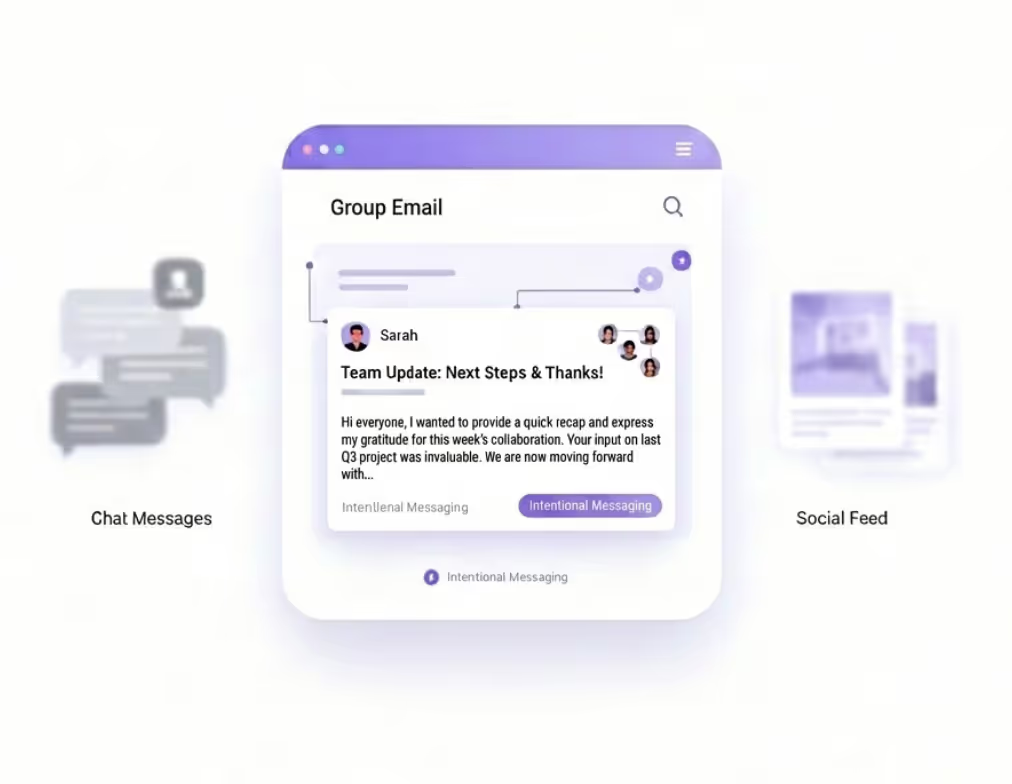
Group emailing matters today more than ever because not every message is a marketing campaign.
Slack messages get buried. Social posts disappear in feeds. WhatsApp groups become noisy. Email remains the only channel where messages are intentional, searchable, and personal.
For modern teams and creators, group emails are used to:
Share important updates
Notify users or members
Communicate changes clearly
Maintain trust with direct communication
What has changed is expectations. People now expect:
Clean emails
No spam
Clear opt in
Human tone
A modern group emailing tool respects all of that.
Core Use Cases
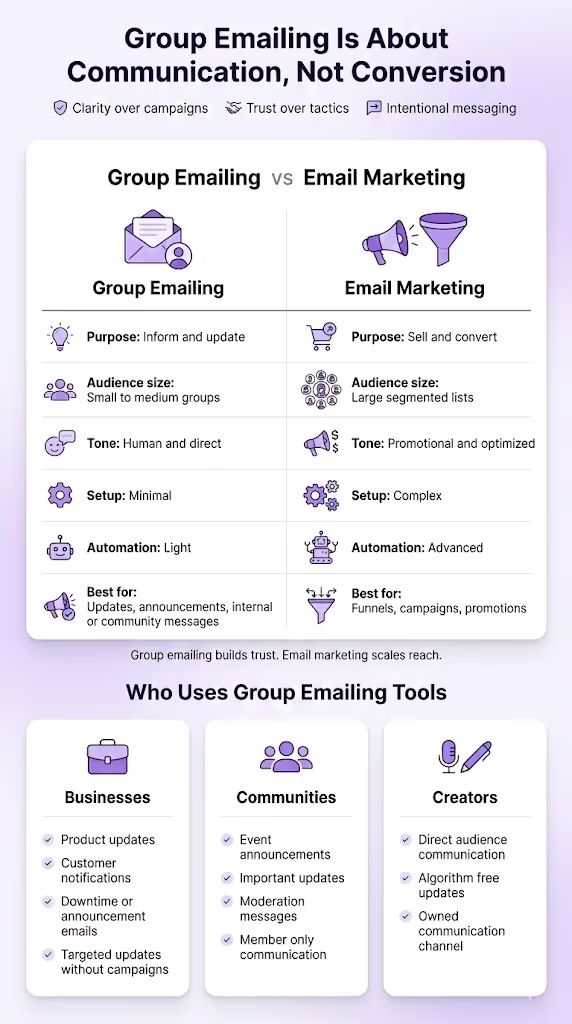
Group emailing works best when the goal is communication, not conversion. This is the key difference most tools fail to understand. A modern group emailing tool is built for clarity and intent, not aggressive marketing tactics.
Group Emailing vs Email Marketing
This distinction is critical, especially for founders, product teams, and creators.
| Aspect | Group Emailing | Email Marketing |
|---|---|---|
| Purpose | Inform and update | Sell and convert |
| Audience size | Small to medium groups | Large segmented lists |
| Tone | Human and direct | Promotional and optimized |
| Setup complexity | Minimal | High |
| Automation depth | Light | Advanced |
| Ideal for | Updates, announcements, internal or community messages | Funnels, campaigns, promotions |
Group emailing is about trust. Email marketing is about scale.
Trying to use marketing tools for group communication often leads to overengineering and poor engagement.
Who Uses Group Emailing Tools
Modern group emailing tools are used by people who value speed, simplicity, and control.
1. Businesses
Businesses use group emails to:
Send product updates
Notify customers about changes
Communicate downtime or announcements
Reach specific user segments without campaigns
For SaaS teams, this avoids turning every message into a newsletter.
2. Communities
Communities rely on group emails for:
Event announcements
Important updates
Moderation messages
Member only communication
Email provides a calmer, more respectful channel than social platforms.
3. Creators
Creators use group emailing to:
Talk directly to their audience
Share updates without algorithms
Maintain ownership of their communication
For creators, group emails feel personal, not promotional.
Contacts and Groups
Everything in group emailing starts with how well you manage people, not emails. A modern group emailing tool keeps contact management simple, intentional, and permission driven.
Contact Collection and Imports
A good group emailing system allows you to collect contacts from multiple sources without friction.
With Grigora, contacts can come from:
Website forms
Manual additions
CSV imports
Existing user databases
The focus is not on volume, but on clean and usable contact data. Each contact should exist for a reason, not because they were scraped or bulk added.
Creating and Managing Email Groups
Groups are the backbone of modern group emailing.
Instead of complex segments and rules, modern tools rely on clear, purpose driven groups, such as:
Product users
Community members
Event attendees
Internal teams
In Grigora, groups are easy to:
Create
Rename
Update
Reuse
This makes it possible to send the same update to the right people without rebuilding logic every time.
Consent and Permissions
Consent is no longer optional. It is foundational.
A modern group emailing tool ensures:
Contacts opt in knowingly
Groups are permission based
Unsubscribe options are always available
Grigora handles this at the system level so you do not have to manually manage compliance.
Email Creation
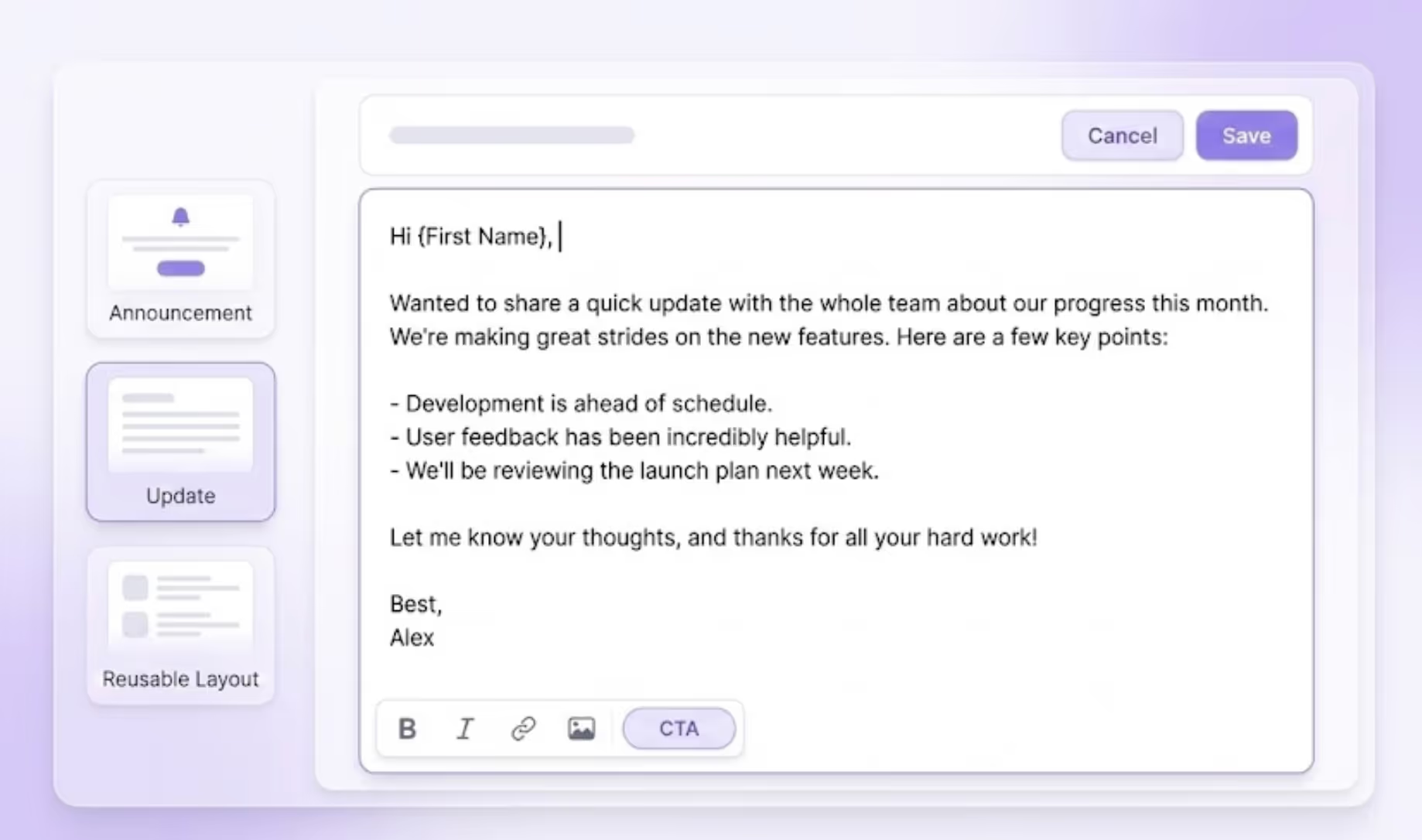
The moment you open the editor is where most email tools either help you or slow you down. A modern group emailing tool keeps the writing experience fast, distraction free, and human.
Email Editor Experience
The editor should never feel like a design tool first. It should feel like writing a message.
With Grigora, the email editor focuses on:
Drag and drop blocks for structure
Clean text editing for quick writing
Rich content support like images, links, and buttons when needed
You can start with plain text and enhance only if required. This keeps emails readable and personal instead of overdesigned.
Templates and Reusable Layouts
Templates exist to save time, not limit creativity.
A modern group emailing tool provides:
Simple announcement templates
Update style layouts
Reusable structures for recurring emails
In Grigora, you can reuse layouts without locking yourself into rigid branding. This keeps consistency while allowing flexibility.
Personalization Basics
Personalization in group emails should be subtle and respectful.
Instead of heavy dynamic content, modern tools focus on:
Name personalization
Context aware greetings
Group relevant messaging
Grigora keeps personalization lightweight so emails still feel written by a human, not generated by a system.
Sending and Deliverability
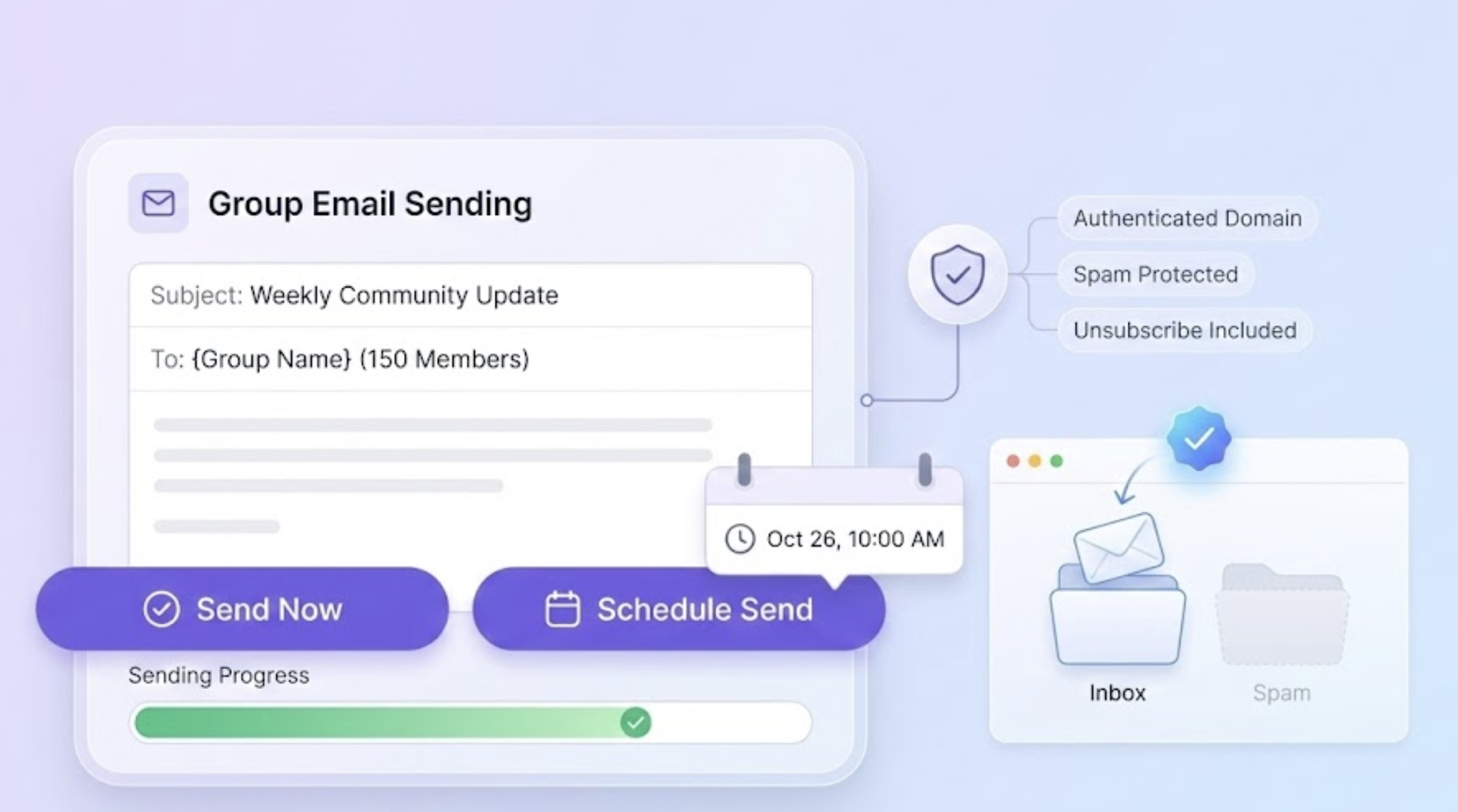
Writing a good email means nothing if it does not reach the inbox. A modern group emailing tool treats deliverability as a core feature, not an afterthought.
Sending Options
Modern group emailing is about control, not blasting.
With Grigora, you get two clear options:
Instant send when the message is time sensitive
Scheduled send when timing matters
Scheduling helps you send emails at the right moment without manual follow ups. There is no unnecessary complexity, just intentional sending.
Deliverability Essentials
Deliverability is where many tools fail quietly.
A modern group emailing tool must handle:
Domain authentication to establish sender trust
Spam protection to avoid inbox filtering
Proper unsubscribe handling
Grigora manages these essentials in the background so your emails stay compliant and reliable without technical setup headaches.
Automation and Insights
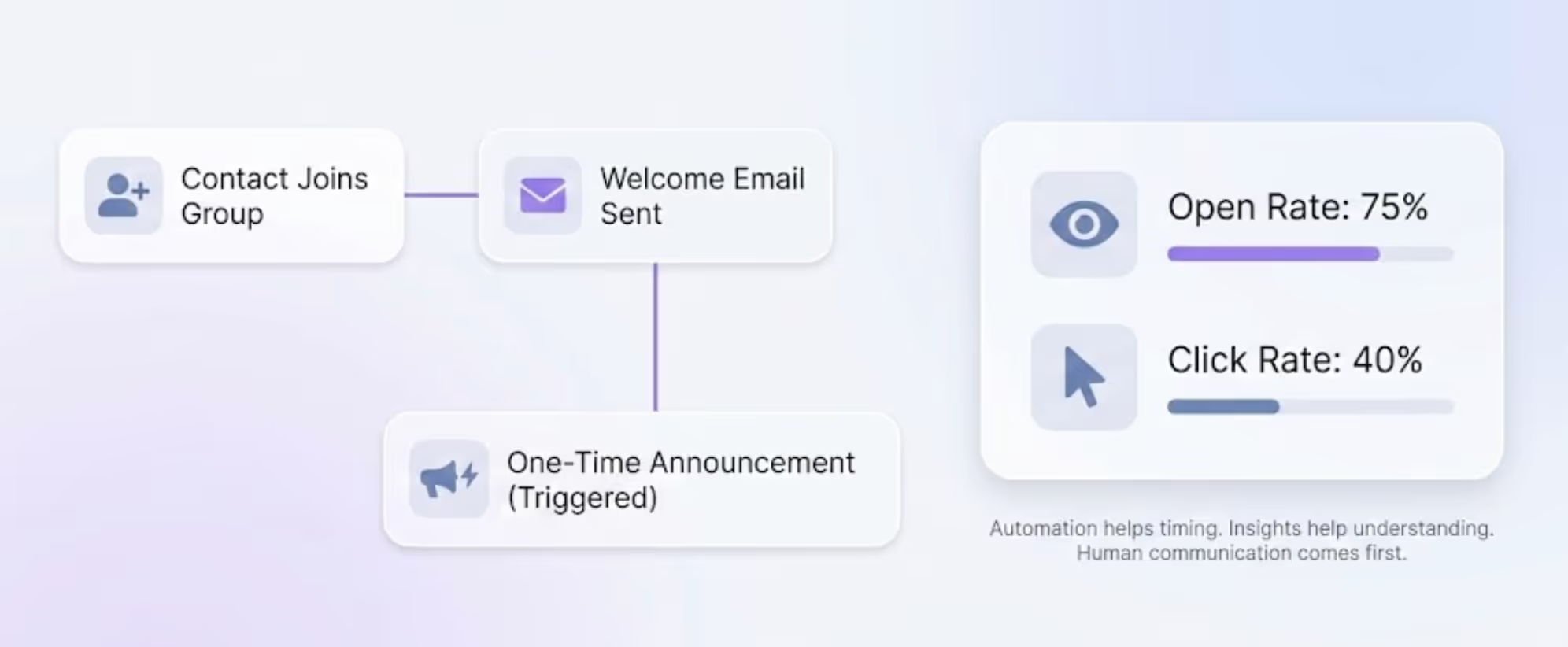
Automation in group emailing should support communication, not replace it. A modern group emailing tool keeps automation minimal, predictable, and transparent.
Basic Automation
Instead of complex workflows, group emailing relies on simple automation, such as:
Automatic welcome emails when someone joins a group
One time announcement sequences
Triggered updates based on basic actions
Grigora focuses on useful automation, not overwhelming flow builders. This keeps messages timely without losing the human touch.
Performance Tracking
Insights help you understand if your message worked, not manipulate behavior.
A modern group emailing tool tracks:
Opens to measure reach
Clicks to measure interest
These metrics are enough to improve communication without turning emails into experiments.
Grigora presents insights in a clean, readable way so you can quickly understand what resonated and what did not.
How to Create and Send Group Emails in Grigora
This is where Grigora truly separates itself. Creating and sending a group email should feel as simple as writing a message, not running a campaign.
Setting Up Contacts and Groups in Grigora
The first step is organizing people, not emails.
In Grigora, you start by:
Log in to Grigora Mail and click Contacts from the left sidebar.
On the Contacts page, switch to the Groups tab.
Click Create Group, enter a group name, add a description, and then add members to complete the setup.
Click the Create Group button to finish, your group will be created successfully.
Groups are explicit and intentional. There is no hidden logic or confusing segmentation rules.
If you know who you want to email, you are already done with half the work.
Creating a Group Email
Once your group is ready, creating the email is straightforward.
The flow looks like this:
Select the group you want to email from the Groups section and click "Email Group".
Alternatively, click the Compose button and enter the group name in the Recipients field.
Write your message, and add links or visuals.
The editor stays out of your way. You focus on the message.
This feels closer to writing a thoughtful email than building a campaign.
Sending and Scheduling Emails
After writing, you choose how to send:
Send instantly for urgent updates
Schedule for a specific date and time
There is no forced optimization, no hidden settings, no unnecessary toggles.
You stay in control of timing and intent.
Tracking Results in Grigora
Once the email is sent, Grigora shows you:
Open rates to understand reach
Click rates to understand engagement
That is it. No noise. No overanalysis.
Why Grigora as a Group Emailing Tool
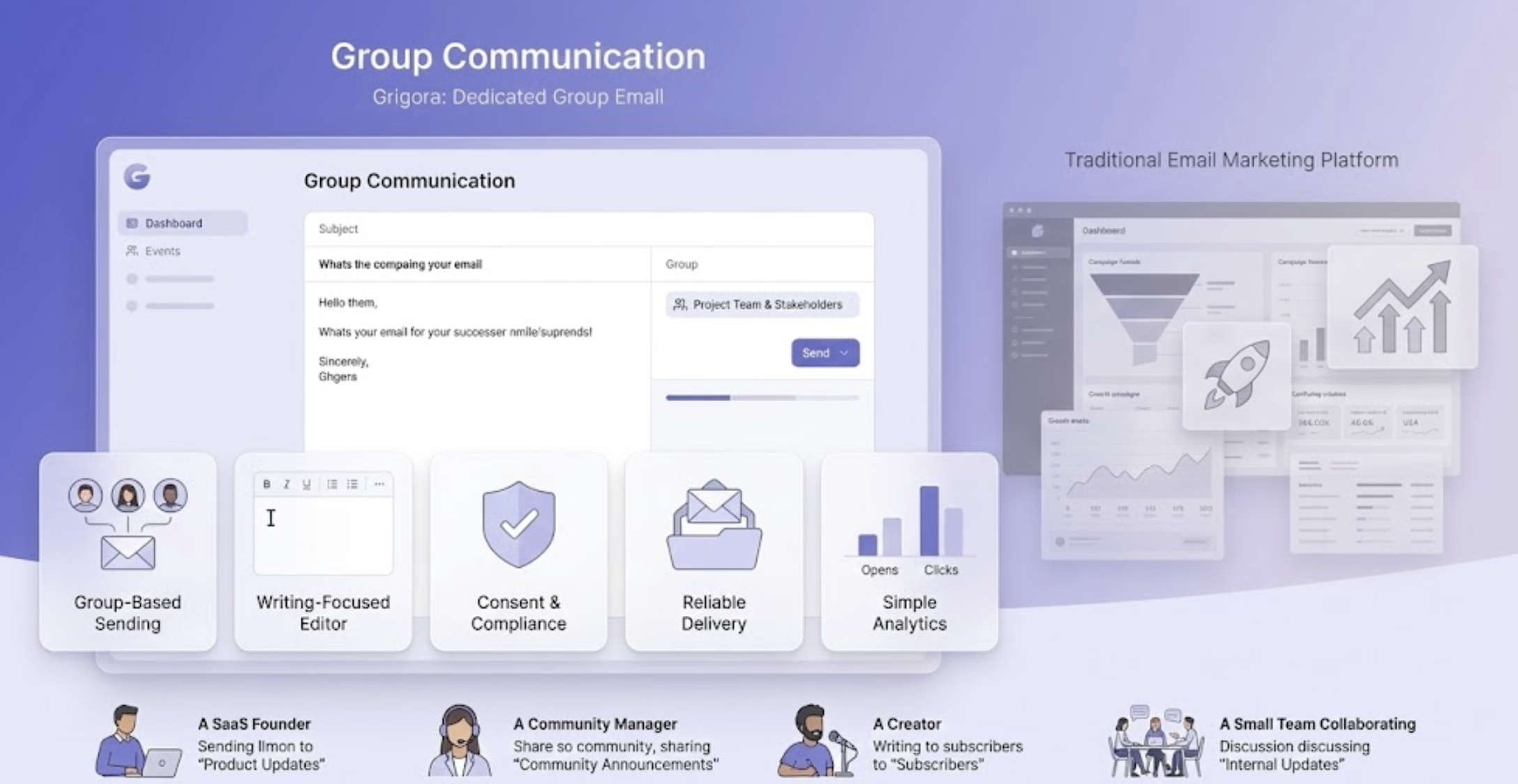
Most tools treat group emailing as a smaller version of email marketing. Grigora does the opposite. It treats group emailing as its own communication layer, designed for clarity, trust, and speed.
Built In Group Email Features
Grigora’s group emailing is not an add on. It is built into the platform.
Key strengths include:
Simple group based sending, not campaign based logic
Clean editor that prioritizes writing over design
Built in consent handling so compliance is automatic
Reliable delivery setup without technical overhead
Native analytics that focus on understanding, not manipulation
This makes Grigora ideal for teams that want to communicate without turning every email into a marketing experiment.
It is designed for people who value communication over conversion hacks.
Ideal Use Cases for Grigora Users
Grigora works best when:
You send regular updates to defined groups
You manage a community, product, or internal audience
You want email without complexity
You care about inbox trust
Typical users include:
SaaS founders sending product updates
Community builders sharing announcements
Creators communicating with subscribers
Small teams managing internal emails
Grigora fits naturally into workflows where email is a tool, not a growth trick.
Conclusion
Email works best when it feels personal, respectful, and intentional.
Grigora brings group emailing back to its roots by removing unnecessary layers and focusing on what actually matters. Write clearly. Send thoughtfully. Reach the right people.
For teams, communities, and creators who want email without friction, Grigora is not just a tool. It is a calmer way to communicate.
FAQs
What is a group emailing tool
A group emailing tool allows you to send emails to a defined set of contacts or groups with proper consent, simple editing, and reliable delivery. It is designed for updates and communication rather than marketing campaigns.
How is Grigora Mail different from email marketing platforms
Grigora Mail focuses on group communication, not funnels or promotions. It removes heavy automation and campaign logic, making it ideal for announcements, updates, and direct communication.
Can small teams use Grigora Mail for group emails
Yes. Grigora is especially well suited for small teams because it is easy to set up, requires minimal configuration, and does not add unnecessary complexity.
How do I create and send a group email in Grigora Mail
You add contacts, create a group, write your email using the editor, choose instant or scheduled sending, and track opens and clicks after sending. The entire process is designed to stay simple and fast.