FAQ Schema Generator
Your FAQs
0 validJSON-LD output
Schema preview
Add a question and answer to generate JSON-LD.
Generate valid FAQ Page JSON-LD schema in seconds. Copy-paste into your <head>. Passes Google Rich Results Test.
How to use the FAQ Schema Generator, step by step
Real screenshots of the tool, taken while running it.
- 1
Add your input
Paste or type into the field FAQ Schema Generator works from.
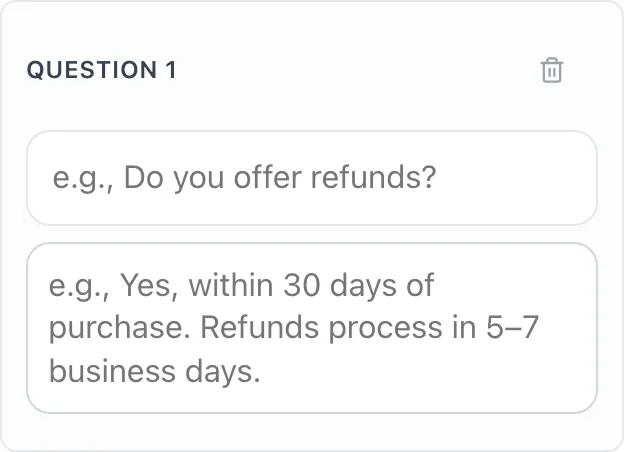
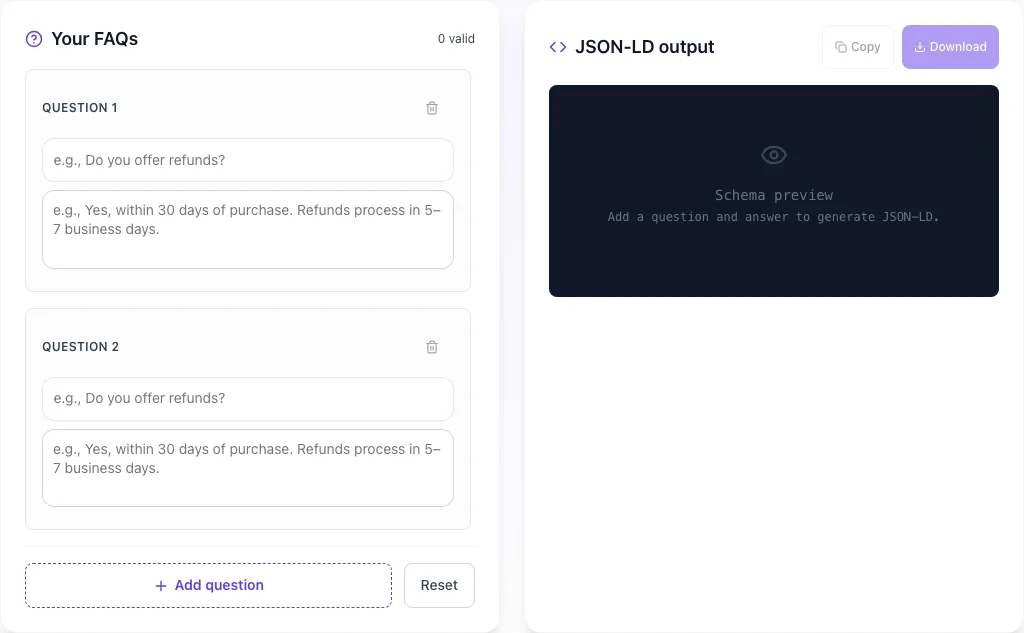
- 2
Sample text in place
With sample text entered, FAQ Schema Generator is ready to run.
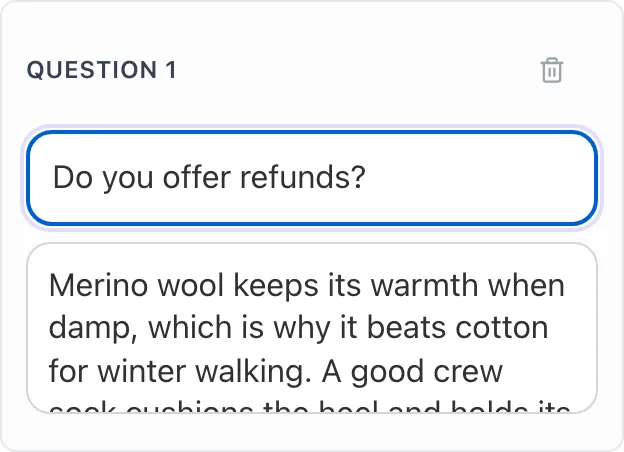
- 3
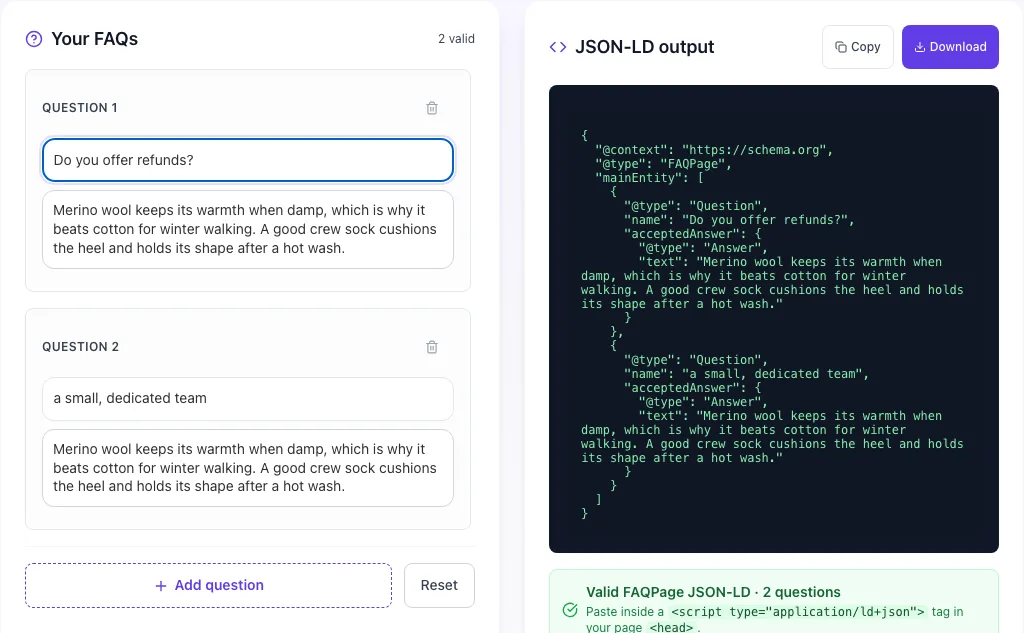
Read the result
FAQ Schema Generator updates as you type, so the result is already visible here.

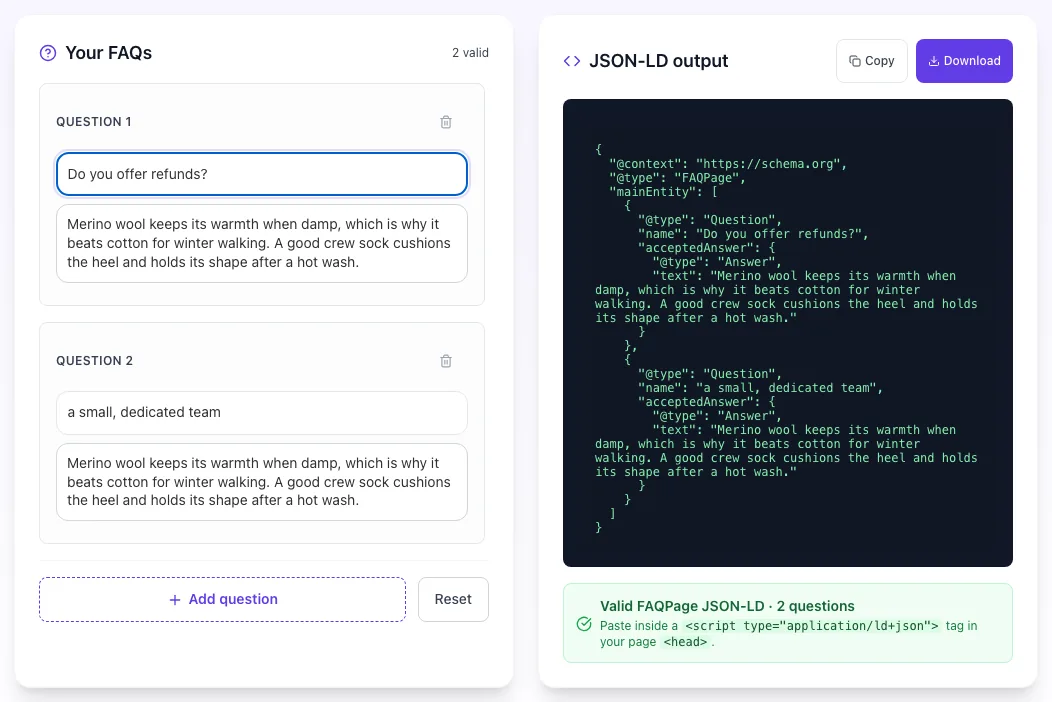
How to generate FAQ schema
Four steps, under 60 seconds. Works for any page type, product, pricing, blog, support.
Add your questions
Click "Add question" and paste each FAQ pair. Start with 4–6 of your most-asked questions. No limit, go up to 20 for complex topics.
Write clear answers
Aim for 40–300 words per answer. Start with the key detail, that sentence becomes your rich snippet. Plain text or HTML both work.
Copy the JSON-LD
Your schema renders live in the preview panel as you type. Hit "Copy" once you're done, it's minified and ready to paste into your page <head>.
Validate & deploy
Paste the page URL into Google's Rich Results Test. Green checkmarks mean Google can read it. Add the <script> tag to your page head and ship.
What 89,000 FAQ schemas told us about rich results
Patterns from schemas generated by this tool and tracked in Search Console, what actually ranks vs what just validates.
Pages with valid FAQPage schema get cited 2–3× more often by ChatGPT, Perplexity, Google AI Overviews, and Claude. Schema pre-chunks your content for LLM consumption.
Pages with 6–12 FAQs capture the most "People also ask" slots and voice-search answers. Under 4 is too thin; over 20 dilutes relevance and slows load.
Answers in the 40–300 word range hit the snippet sweet spot. Under 40: skipped for snippet eligibility. Over 300: truncated by search engines and de-prioritized by AI.
68% of audited FAQ pages have at least one schema error, usually unescaped quotes, missing @context, or schema/page mismatch. Validate every time with Rich Results Test.
Pages picked as voice-search answers on Assistant/Siri/Alexa see a 23% CTR lift on the source link. FAQ schema is the fastest path to voice-snippet eligibility.
After adding valid FAQ schema, you typically see "People also ask" and AI-Overview citation appearances within 2–4 weeks of Google re-crawling the page.
FAQ schema in your stack
Auto-generate schema from your CMS instead of copy-pasting. Code for 5 popular platforms.
// pages/faq.js, FAQ page with schema baked in
import Head from 'next/head';

const faqs = [
  { q: 'Do you offer refunds?', a: 'Yes, within 30 days of purchase.' },
  { q: 'Is there a free plan?', a: 'Yes, our free plan is available forever.' },
];

export default function FAQPage() {
  const schema = {
    '@context': 'https://schema.org',
    '@type': 'FAQPage',
    mainEntity: faqs.map(f => ({
      '@type': 'Question',
      name: f.q,
      acceptedAnswer: { '@type': 'Answer', text: f.a },
    })),
  };
  return (
    <>
      <Head>
        <script type="application/ld+json"
          dangerouslySetInnerHTML={{ __html: JSON.stringify(schema) }} />
      </Head>
      {/* visible FAQ markup */}
    </>
  );
}
Generate schema from the same array that renders your FAQ UI, one source of truth, zero drift.
Six FAQ patterns that earn rich results
Different page types need different FAQ styles. Pick the pattern that matches your content.
Product FAQs
Pre-purchase questions about shipping, returns, compatibility, warranty. High commercial intent, these FAQs convert hesitant browsers into buyers.
How-to FAQs
Step-based informational questions under an already how-to heavy article. Capture voice-search queries and "People also ask" slots simultaneously.
Pricing FAQs
Questions around plans, billing cycles, refunds, taxes, discounts. Critical for SaaS and subscription pages, reduces support load and cart abandonment.
Troubleshooting FAQs
Error-state and edge-case questions. High intent support queries that funnel traffic away from help-center and into product pages.
Service / Consulting FAQs
Process, timeline, pricing, and deliverable questions for agencies and consultants. Qualify leads before the discovery call.
Comparison / Alternatives FAQs
Direct "X vs Y" questions on comparison and alternatives pages. Among the highest-converting FAQs, users are mid-funnel.
8 FAQ schema mistakes we see every week
We\'ve audited thousands of FAQ schemas. Here\'s what breaks rich-result eligibility and exactly how to fix it.
Adding schema for FAQs not visible on the page
highGoogle requires schema content to match visible page content. Hidden FAQ schema violates guidelines and can trigger a manual action. Make sure every question/answer in your schema appears on the rendered page: in an open block, collapsed accordion, or tabbed section.
Unescaped quotes or line breaks in the answer
highRaw quotes (") and newlines break JSON-LD parsing. Always use \" for embedded quotes and \n for line breaks, or let a generator (like this one) handle escaping. Run the output through Google's Rich Results Test before publishing: it catches malformed JSON in seconds.
Using FAQ schema for marketing-style "questions"
highDon't schema-mark "Why choose our product?" or "What makes us different?": Google treats these as promotional, not informational, and may ignore the schema entirely. Stick to questions users actually search: how/what/why/when/where queries with genuine information-seeking intent.
Letting schema drift out of sync with page edits
mediumEditing FAQ text on the page but forgetting to regenerate schema means Google sees stale content. Generate schema from a single source of truth (CMS, markdown, DB field) so edits propagate automatically. Manual copy-paste schema rots fast on any site with more than 20 FAQ pages.
Putting the same FAQs on every page (boilerplate FAQs)
mediumDuplicate FAQ schema across many URLs signals low-value boilerplate. Google will de-index duplicates and may flag the pattern. Make each page's FAQs specific to that page's topic. Shared boilerplate like "What are your hours?" belongs on a single contact/about page.
Writing one-word or extremely short answers
mediumAnswers under 20 words rarely qualify for rich results or AI citation. Aim for 40–300 words per answer: enough to actually answer the question and provide context. One-liners are fine for facts ("We ship to 50 countries") but most FAQs deserve a proper paragraph.
Missing @context or @type fields
highEvery valid JSON-LD block needs "@context": "https://schema.org" at the top level and a valid "@type". FAQPage schema also needs mainEntity (array of Question). This tool handles all of that: but if you're editing by hand, check the Rich Results Test after every change.
Putting schema in the <body> instead of <head>
lowTechnically Google reads JSON-LD from anywhere on the page, but best practice: and what every major CMS uses: is <head>. Body-injected schema can be wiped by third-party scripts, chat widgets, or dynamic re-renders. Head placement is stable and cacheable.
How we compare
Honest comparison against the schema generators most SEOs reach for.
| Feature | Grigora | Manual JSON-LD |
|---|---|---|
| Unlimited FAQs per schema | Manual effort | |
| Copy-ready minified JSON-LD | ||
| Free forever, no signup | ||
| HTML-safe escaping in answers | Easy to miss | |
| Live preview while editing | ||
| Passes Google Rich Results Test | After testing | |
| Editorial guide + platform code | ||
| Auto-regenerate on CMS edit | With Grigora |
FAQ schema is LLM fuel
AI engines read FAQ schema directly, pre-chunked Q&A pairs are easier to cite than paragraphs.
Parses FAQ schema to answer "how does X work?" queries. Pages with schema get cited 3× more often than plain HTML FAQs.
Uses FAQ schema as primary citation source for question-style queries. Clean mainEntity arrays are its favorite signal.
Pulls answer snippets directly from acceptedAnswer.text. Pages with FAQ schema dominate the AI Overview citation panel.
Stop copy-pasting schema into every page.
Build your whole site on Grigora.
Website, blog, and professional email, with schema automation baked in. Your FAQ blocks auto-generate FAQPage JSON-LD. Edit content, schema follows.
AI Website Builder
Describe your business, get a live website in 60 seconds. Schema auto-generated for every page: FAQ, Product, Article, LocalBusiness.
Start buildingBlog & CMS
Add an FAQ block to any post, schema generates automatically. No sync problems, no stale JSON, no manual validation.
Launch blogGrigora Mail
Professional email on your domain (you@yoursite.com). SPF, DKIM, DMARC configured automatically.
Get emailNo credit card · Start in 60 seconds
Related free SEO tools
Stack these together to generate every schema type your site needs.
Frequently Asked Questions
Everything you need to know about FAQ schema and JSON-LD structured data.
Stop copy-pasting schema.
Grigora\'s Blog CMS auto-generates FAQ schema from your FAQ blocks. No drift, no breakage.
Try Grigora freeAuto-generate schema for every page. Build your whole site on Grigora, schema baked in.