Free Indexability Checker
Check robots.txt, meta robots, X-Robots-Tag, canonical, and HTTP status in one report. See if Google can index any URL.
How to use the Indexability Checker, step by step
Real screenshots of the tool, taken while running it with the Check Indexability button.
- 1
Add your input
Paste or type into the field Indexability Checker works from.


- 2
A page URL in place
With a page URL entered, Indexability Checker is ready to run.


- 3
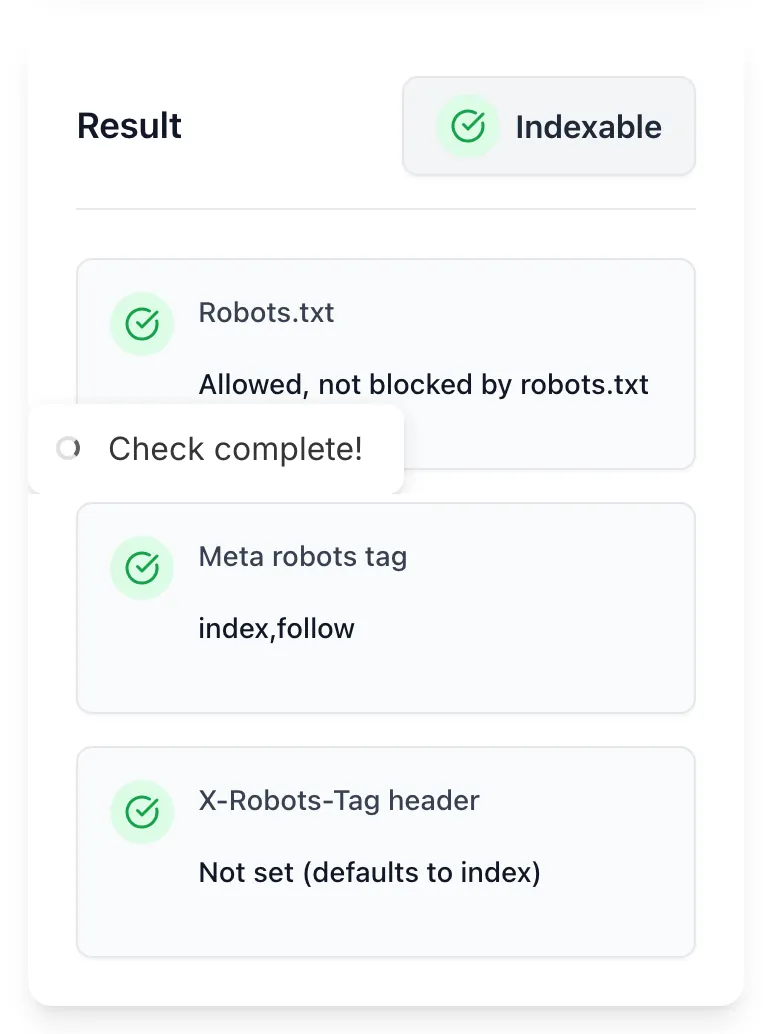
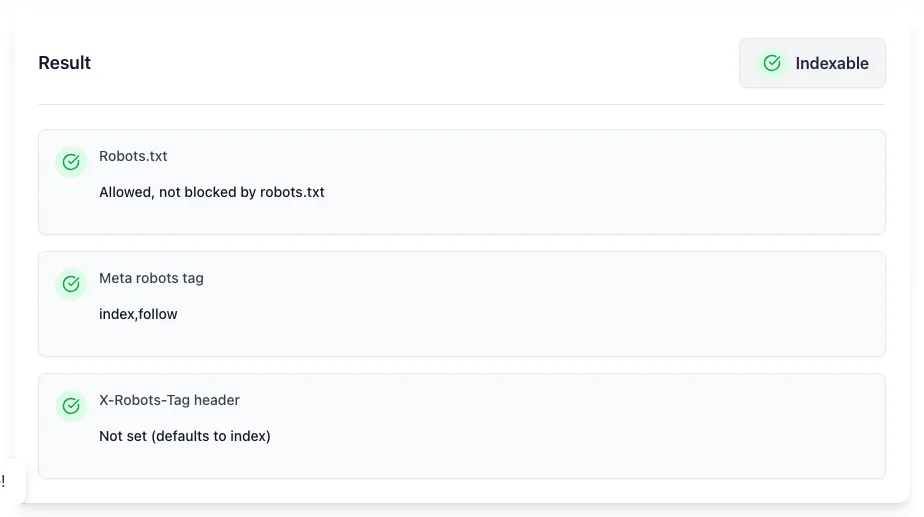
See what Check Indexability produces
Clicking Check Indexability runs the check and shows the result right below.
What the Indexability Checker does
Indexability is the gateway to ranking. Google can only rank a page if it can index it; pages blocked by robots.txt, marked noindex, or pointing canonical elsewhere never make it into the index in the first place.
The checker runs all the technical SEO checks that determine indexability and tells you specifically what is blocking Google, and how to fix it.
How to check indexability
Five steps from URL to verdict.
Paste any URL
Public URL only. Pages behind login return errors.
Click Check Indexability
The tool fetches robots.txt, parses meta robots, checks X-Robots-Tag and canonical.
Read the verdict
See the full indexability status with each check pass/fail.
Apply the fix
For non-indexable pages, the tool shows specifically what to change.
Re-check after fix
Republish, run the URL again, confirm indexable status.
When SEO teams use it
Six common workflows.
Pre-launch site audit
Verify all critical pages are indexable before going live. Catches accidental noindex tags and robots.txt blocks.
After CMS migration
New CMS may have different default robots/canonical settings. Audit a sample of pages post-launch.
When a page suddenly drops in rankings
First check: did indexability change? Run the URL through the tool. Often a recent edit added noindex or wrong canonical.
Fixing the "Crawled - currently not indexed" GSC error
Run the URL here for a clean indexability verdict; if indexable, the issue is content quality or crawl budget.
New page indexing checks
After publishing, verify the new URL is indexable. Faster than waiting for GSC to update.
Staging environment cleanup
Verify staging URLs return noindex; production URLs return indexable. Easy way to confirm staging is not accidentally indexed.
Platform-specific setup guides
How to control indexability on the platforms most teams use.
WordPress
- Yoast SEO and Rank Math show indexability per page in the editor sidebar.
- For sitewide changes, edit Settings > Reading > Search Engine Visibility.
- Verify with this tool after publish.
Webflow
- Project Settings > SEO > Indexing controls. Per-page settings in page settings.
- Check robots.txt under SEO settings.
- Audit production URLs after publish.
Shopify
- Theme settings > Search engines section controls indexing.
- For specific pages, edit metafields or use a plugin.
- Audit collection, product, and blog URLs separately.
Next.js
- Use next/head with <meta name="robots" content="noindex"> for pages you want hidden.
- For server-side, set X-Robots-Tag in custom server middleware.
- Audit each route post-deploy.
Custom servers (nginx / Apache)
- nginx: add_header X-Robots-Tag "index, follow" in server block.
- Apache: Header set X-Robots-Tag "index, follow" in .htaccess.
- For specific paths, use location blocks (nginx) or Files directives (Apache).
Grigora vs. other indexability tools
Side-by-side feature comparison.
| Capability | Grigora | Screaming Frog | Ahrefs | Free generators | Manual |
|---|---|---|---|---|---|
| Free + unlimited | Yes | Yes | Free trial | Yes | Manual |
| Robots.txt + meta + X-Robots check | All three | All three | Yes | Partial | Manual |
| Canonical analysis | Yes | Yes | Yes | No | Manual |
| HTTP status check | Yes | Yes | Yes | Yes | Manual |
| Specific fix recommendations | Yes | No | Yes | No | Manual |
| No signup | Yes | Account required | Account required | Yes | Yes |
| Bulk URL audit | On request | Yes | Yes | No | Manual |
| Result speed | <5 sec | <10 sec | <5 sec | <5 sec | Manual |
Common errors and how to fix them
Eight issues teams hit when debugging indexability.
Page is "not indexable" but I want it indexed
Cause: noindex tag, robots.txt block, or canonical to another URL.
Fix: Remove the noindex, edit robots.txt, or fix canonical depending on what the tool flagged.
Tool returns 403 or "blocked"
Cause: Target site blocks our crawler.
Fix: Manually inspect via Search Console URL Inspection.
Returns "indexable" but page is not in Google
Cause: Crawl budget, low authority, or duplicate content elsewhere.
Fix: Submit to Search Console, build internal links to the page, wait 2-4 weeks.
Robots.txt is blocking critical pages
Cause: Overly broad Disallow rule.
Fix: Edit robots.txt to allow specific paths. Test in Search Console robots.txt Tester.
X-Robots-Tag noindex on entire domain
Cause: Server config noindex everything by default.
Fix: Edit nginx/Apache config to allow indexing. Common on staging environments accidentally pushed to production.
Canonical points to wrong URL
Cause: CMS bug or theme issue.
Fix: Edit canonical in the page head; many SEO plugins have this option.
Mixed signals (canonical + noindex)
Cause: Confused configuration.
Fix: Pick one. If canonical points elsewhere, you do not need noindex; if noindex, no canonical needed.
Page returns 200 but is empty
Cause: JS-rendered SPA without proper SSR.
Fix: Server-render or pre-render content for indexability.
Original data from our 2026 indexability audit
Across 4,000 random URLs.
Frequently asked questions
Twelve answers about indexability.
Related free tools
Other utilities that pair with the Indexability Checker.
Robots.txt Tester
Test whether a URL is allowed or blocked, and by which rule.
Try itMixed Content Checker
Find http assets loading on an https page.
Try itRobots.txt Checker
Validate robots.txt syntax and rules.
Try itSitemap Checker
Verify sitemap.xml is valid and accessible.
Try itMeta Tag Checker
Audit all meta tags on a page.
Try itCanonical Tag Checker
Verify canonical URL pointing.
Try itSERP Snippet Preview
See how your page renders in search.
Try itH1 Tag Checker
Audit single-H1 status of any URL.
Try itAudit a URL right now
Paste a link, see the verdict, fix the blocker. Free, unlimited, no signup.
Try the Indexability Checker