
A Pixpa alternative for a content website with newsletters and a store
Grigora is a Pixpa alternative for businesses that need a CMS, newsletter and store from $12/month billed annually. Pixpa is better suited to photographers who need client proofing, image delivery and print-lab workflows, which Grigora does not offer. Compare first-term discounts with ongoing costs and check website versus standalone gallery plans before choosing.
Published by Grigora · Updated · Sources and method
Is Grigora the right Pixpa alternative?
Grigora is a Pixpa alternative for businesses that need a CMS, newsletter and store from $12/month billed annually. Pixpa is better suited to photographers who need client proofing, image delivery and print-lab workflows, which Grigora does not offer. Compare first-term discounts with ongoing costs and check website versus standalone gallery plans before choosing.
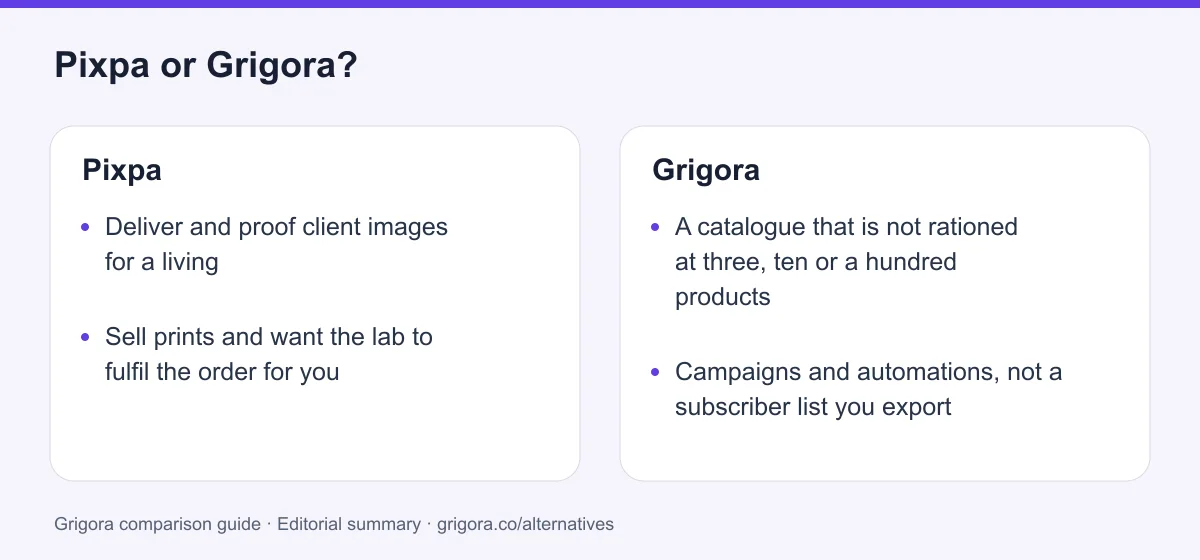
Choose Grigora if you want…
- A catalogue that is not rationed at three, ten or a hundred products
- Campaigns and automations, not a subscriber list you export
- A plan metered by usage rather than by gigabytes of originals
- Directories, moderated comments and AI writing in the CMS
- Published billing rates and usage allowances
Stick with Pixpa if you…
- •Deliver and proof client images for a living
- •Sell prints and want the lab to fulfil the order for you
- •Want 24/7 human chat on the cheapest plan you can buy
Pixpa or Grigora: the decision in one view
Pixpa alternatives at a glance
How Grigora and the other portfolio-led platforms compare once the site has to do more than display work.
Swipe the table sideways to see every column
| Platform | Best for | Free access | Starting price | Sales fees | Data and site portability |
|---|---|---|---|---|---|
| Grigora | Site, newsletter and store in one plan | Free trial | From $12/mo billed annually | 0% platform fee; Stripe/Razorpay fees apply | Posts/content; rebuild design |
| Pixpa | Client proofing, delivery and print sales | No (15-day trial) | From $5.40/mo first term | 0% (processing only) | Content only |
| Squarespace | Polished portfolio templates | No (trial) | From $19/mo | 0% on Core and above | Partial |
| SmugMug | Photo hosting at volume | No (trial) | ~$11/mo | Print profit model | Images only |
| Format | Portfolio sites for photographers | No (trial) | ~$6/mo | 0% on most plans | Content only |
| Pic-Time | Client galleries only, no website | Yes (limited) | Usage tiers | 0% on paid tiers | Images only |
Only the Grigora and Pixpa figures were read live on 11 September 2026. Rows marked with a tilde are approximate list prices carried from each vendor's public pricing page and were not re-verified for this page. Payment-processor fees apply wherever a store exists. Verify current pricing on each provider's site.
Sources for the overview table
- Grigora: official reference 1
Reasons to consider moving from Pixpa to Grigora
Consider these trade-offs against your existing setup before planning a move.
The gigabytes ran out before the ideas did
3 GB on Basic and 5 GB on Creator go quickly once original files are in play, and extra storage is an add-on stacked on the plan rather than part of it. Grigora also publishes storage allowances, so check your original-file volume before choosing a plan.
The shop hit its ceiling at three products
Pixpa's store is capable, and capped: three products on Basic, ten on Creator, a hundred on Professional, with inventory tracking and customer accounts reserved for Advanced. On Grigora the store is the same on every paid plan.
The list had no send button
Popups, forms and checkout opt-ins fill Contacts and Email Lists, and then the only next step is a CSV. Grigora includes the campaign builder, the automations and the segmentation alongside the list.
The renewal was not the advertised price
The $5.40 rate is a first billing cycle offer layered on a standard yearly discount that Pixpa quotes as 20% off the monthly rate. Grigora currently lists $12, $20 and $45 per month billed annually; check renewal terms rather than assuming any provider’s rates cannot change.
What Pixpa does well
- A complete client proofing and delivery workflow on every plan
- Print and download sales with auto-fulfilment through a lab
- 0% commission on every sale on every tier
- 24/7 human chat and email support with no paid priority tier
Where Pixpa falls short
- Storage tiers of 3, 5, 25 and 100 GB, with paid add-ons above
- Store products capped at 3, 10 and 100 below the top plan
- No email sending of any kind, only collection and export
- The advertised yearly price is a first-term rate, and the renewal is not published
Grigora vs Pixpa at a glance
What each platform puts first, and what it rations behind it.
| Feature | Pixpa | Grigora |
|---|---|---|
| Starting paid plan | $5.40/mo first term | $12/mo billed annually |
| Free plan | No, 15-day trial | Free trial |
| Client proofing galleries | Every plan | No |
| Print lab auto-fulfilment | WHCC or your own lab | No |
| Store products on the entry plan | 3 | Published plan allowances apply |
| Email campaigns and automations | No | Included |
| Original-file storage | 3 GB to 100 GB | Storage allowances vary by plan |
| Free SEO tools suite | No | Free tools |
| White label for agencies | No | $199/mo plan |
Grigora vs Pixpa: feature by feature
A category-by-category breakdown, pricing, AI, design, e-commerce, email, SEO, performance, and support.
Client proofing, favorites and delivery
Fit: PixpaTake the honest one first, because it is the reason Pixpa exists. A full proofing and delivery workflow sits inside the same subscription as the website, on every tier including the cheapest: unlimited private client albums, multi-user favorites so a couple can each pick their frames, image comments and ratings, secure delivery behind a download PIN, and unlimited standalone branded gallery links of up to 250 images each that a client can forward to family. Grigora has none of this and nothing close to it.
| Feature | Grigora | Pixpa |
|---|---|---|
| Private client albums | No | Unlimited, on every plan |
| Multi-user favorites, comments and ratings | No | Yes |
| Secure delivery with a download PIN | No | Yes |
| Standalone branded gallery links | No | Unlimited, up to 250 images each |
| Proofing on the entry plan | No | Yes, from $5.40/mo first term |
Takeaway: If your week ends with sending a client six hundred frames to choose from, Pixpa wins this category outright and Grigora does not compete for it.
Prints, downloads and who talks to the lab
Fit: PixpaSelling an image is not the same job as selling a product, and Pixpa treats it as its own path. Image sales are not counted against the store product limit at all, so a gallery of two thousand frames can all be purchasable while the catalogue is still capped at three items. Print orders can auto-fulfil through WHCC or a lab you nominate, so the order leaves your hands at checkout. Grigora sells digital downloads and physical products with 0% commission, but the lab order is yours to place.
| Feature | Grigora | Pixpa |
|---|---|---|
| Digital downloads | Yes | Yes |
| Sell images as prints | As products you fulfil | Built into the gallery |
| Auto-fulfilment to a print lab | No | WHCC or a custom lab |
| Image sales counted against product caps | Check catalogue and storage allowances | No, storage is the only ceiling |
| Platform commission on the sale | 0% | 0% |
Takeaway: Grigora can take the money for a print. Pixpa can also get it printed and posted without you opening another tab.
What each plan actually counts
Fit: GrigoraPixpa's ladder is built from two things: gigabytes of original files, and features switched off below a tier. Basic gives you 3 GB, Creator 5 GB, Professional 25 GB, Advanced 100 GB, and anything beyond that is a paid add-on stacked on top of the plan. The standalone Client Galleries line exists largely because photographers run out of room on the website plans. Grigora's plans are metered on sites, AI credits and email subscribers instead, and every paid tier carries the same feature set.
| Feature | Grigora | Pixpa |
|---|---|---|
| What the plan meters | Sites, AI credits, subscribers | Storage, pages, products, contributors |
| Original-file storage | Storage allowances vary by plan | 3 / 5 / 25 / 100 GB |
| Extra storage | Not sold as an add-on | Paid add-on, USD price not published |
| Entry plan gates | Full feature set on Starter | 10 pages, 200 images, 1 blog, 3 products, 0 contributors |
| Features held back for the top tier | White Label only, a $199/mo plan | Payment forms, customer accounts, inventory, abandoned cart |
Takeaway: Pixpa's tiers are made of gigabytes and locked switches. Grigora's are made of how much of the same product you use.
The store fitted around the photographs
Fit: GrigoraPixpa's store is a genuine catalogue, not a donate button: variants, coupons, country and region tax and shipping rules, guest checkout and checkout on your own domain. It is simply rationed. Three products on Basic, ten on Creator, a hundred on Professional, and inventory tracking only on Advanced. For a photographer selling a print, a preset pack and a workshop that is plenty. For anyone with a real catalogue it is a wall you meet early.
| Feature | Grigora | Pixpa |
|---|---|---|
| Products in the catalogue | Published plan allowances apply | 3 / 10 / 100, unlimited on Advanced |
| Variants and product options | Every paid plan | Creator plan and above |
| Stock tracking | Every paid plan | Advanced plan only |
| Abandoned cart recovery | Not offered | Advanced plan only |
| Checkout gateways | Stripe and Razorpay | Stripe, PayPal or offline |
| Platform commission | 0% | 0% |
Takeaway: Pixpa's store is real but rationed by tier. Check Grigora’s current product and storage allowances, though PayPal is a genuine gap on the Grigora side.
A subscriber list with nowhere to send
Fit: GrigoraThis is the sharpest single difference. Pixpa collects email addresses well: newsletter sections, subscriber forms, marketing popups with exit intent on Professional and above, a checkout opt-in, and a central Contacts and Email Lists view with CSV export and auto-replies on form submissions. What it does not do is send. There is no campaign composer, no broadcast, no scheduling and no sequence. Every newsletter means a second platform and an export.
| Feature | Grigora | Pixpa |
|---|---|---|
| Subscriber capture forms | Yes | Yes |
| Subscriber list in the dashboard | 2,500 to 25,000 by plan | Contacts and Email Lists |
| Campaign builder and sending | Included | No |
| Automations and segmentation | Included | No |
| Exit-intent marketing popups | Not offered | Professional plan and above |
| Mailbox on your own domain | From $5/mailbox | Not offered |
Takeaway: Pixpa fills the list and hands you a CSV. Grigora sends the email the list was collected for.
The blog that sits behind the gallery
Depends on your needsCredit where it is due: Pixpa's blog is not an afterthought bolted to a portfolio. Unlimited posts, categories and tags, scheduled publishing, multiple author profiles, moderated comments, automatic RSS, reading time, configurable sidebars and several listing and post layouts, with per-post SEO fields. The only structural limit is that Basic allows one blog while higher plans allow several. Grigora matches it on writing and pulls ahead only when the content stops being posts and pictures.
| Feature | Grigora | Pixpa |
|---|---|---|
| Unlimited posts | Yes | Yes |
| Categories, tags and author profiles | Yes | Yes |
| Moderated comments | Included, with admin replies | Included, moderated |
| Separate blogs on one site | Confirm the required blog structure and plan limits | 1 on Basic, unlimited above |
| Directories and structured collections | Built in | Galleries and blogs only |
| AI writing in the editor | Included | Not documented |
Takeaway: For writing this is close to a draw. Pixpa only falls behind when the content has to be something other than a post or a picture.
SEO Manager against a toolkit
Fit: GrigoraPixpa's SEO Manager does the on-page work properly and does it for every object: per-item meta titles and descriptions on pages, posts, products and galleries, a social share image per page, editable clean slugs, canonical tags, 301 redirect management, a noindex toggle, a declared site language and server-side rendering so crawlers get real HTML. What is absent is everything above the page: no keyword research, no rank tracking, no site audit, no schema editor, and multilingual handled by Gtranslate or Weglot rather than natively.
| Feature | Grigora | Pixpa |
|---|---|---|
| Per-item meta titles and descriptions | Yes | Yes |
| Canonical tags and 301 redirects | Yes | Yes |
| Schema and structured data controls | Included | No schema editor |
| IndexNow submission | Yes | Not documented |
| Research and rank tracking | free SEO tools | No |
| Multilingual and hreflang | Limited | Third-party Gtranslate or Weglot |
Takeaway: Pixpa covers the on-page basics for every gallery and post, then stops exactly where research, schema and submission begin.
The first-term price and the one that renews
Fit: GrigoraPixpa advertises $5.40 a month and the figure is real, but it is a first-term figure. Pixpa's own pricing FAQ says the standard yearly discount is 20% off the monthly rate, and that the current Limited Time offer adds a further 25% which applies to your first billing cycle. The monthly rates of $9, $15, $20 and $25 are the stable numbers on that page. The standard yearly rate is not printed anywhere, and the 2-yearly renewal rate is contradicted by Pixpa's own FAQ, so neither is quoted here.
| Feature | Grigora | Pixpa |
|---|---|---|
| Advertised entry rate, billed yearly | $12/mo billed annually | $5.40/mo |
| Is that the standing rate | Yes | No, a first billing cycle offer |
| Month-to-month rate | $15/mo | $9.00/mo |
| Standard yearly rate published | Yes | No, the FAQ states 20% off monthly |
| Free plan | Free trial | No, a 15-day trial |
| Money-back window | Free trial instead | 30 days |
Takeaway: Compare renewals rather than launch offers, and note that Pixpa does not publish what the renewal is.
Support, ownership and what you keep
Depends on your needsPixpa answers faster and on more channels than Grigora does, and it does it on the cheapest plan rather than selling priority as an upgrade. Against that, Pixpa gives you nothing to resell and no mailbox on your domain, its subscription billing is card only, and the free first-year domain runs through partner Ionos and reverts to Ionos renewal pricing after twelve months. Neither platform hands over the design.
| Feature | Grigora | Pixpa |
|---|---|---|
| Support channels | Email, priority on higher plans | 24/7 chat and email, no phone |
| Paid priority support tier | Higher plans | None, same support on every plan |
| Export the site code | No | No |
| Mailbox on your own domain | From $5/mailbox | Not offered |
| Resell under your own brand | $199/mo White Label plan | No |
| Free domain | Not bundled | Year 1 via Ionos, then Ionos renewal pricing |
Takeaway: Pixpa is easier to get hold of. Grigora offers content export. Leave either one and the layout is rebuilt.
Explore Grigora before switching from Pixpa
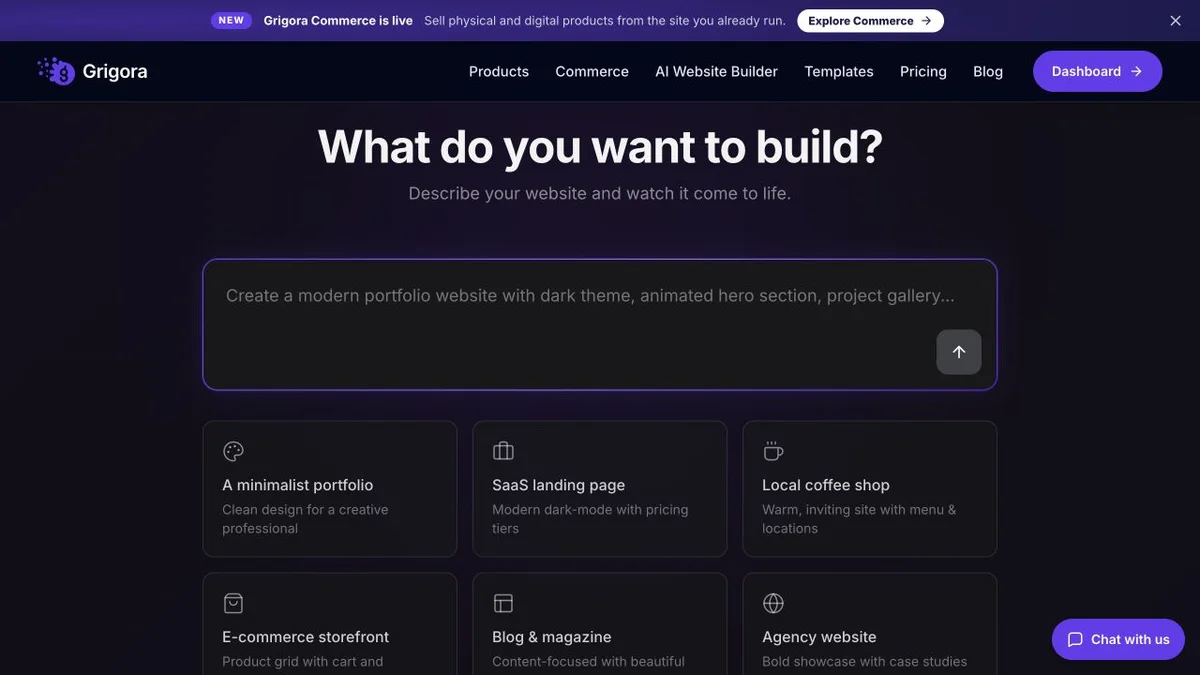
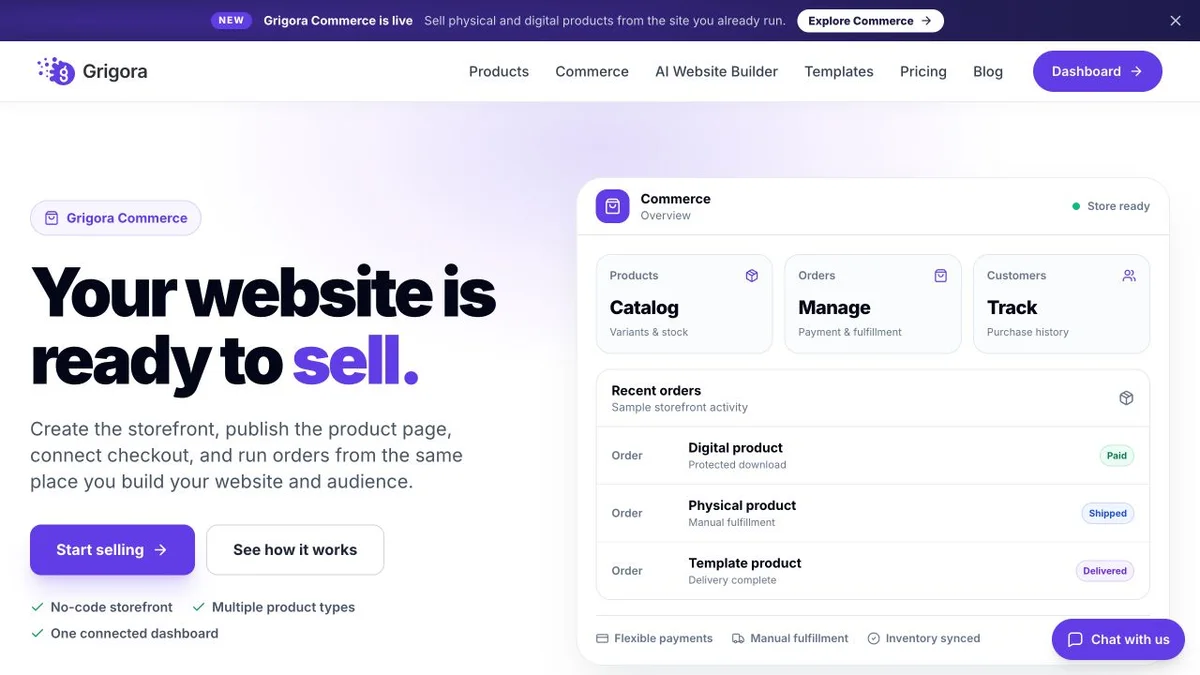
Current public product pages and plans, so you can inspect what you would be moving to. Open any image at full size.
Grigora vs Pixpa pricing
Pixpa's entry price is the lowest on this page. Read what it is metered on, and what happens at renewal.
Website, newsletter & store in one plan
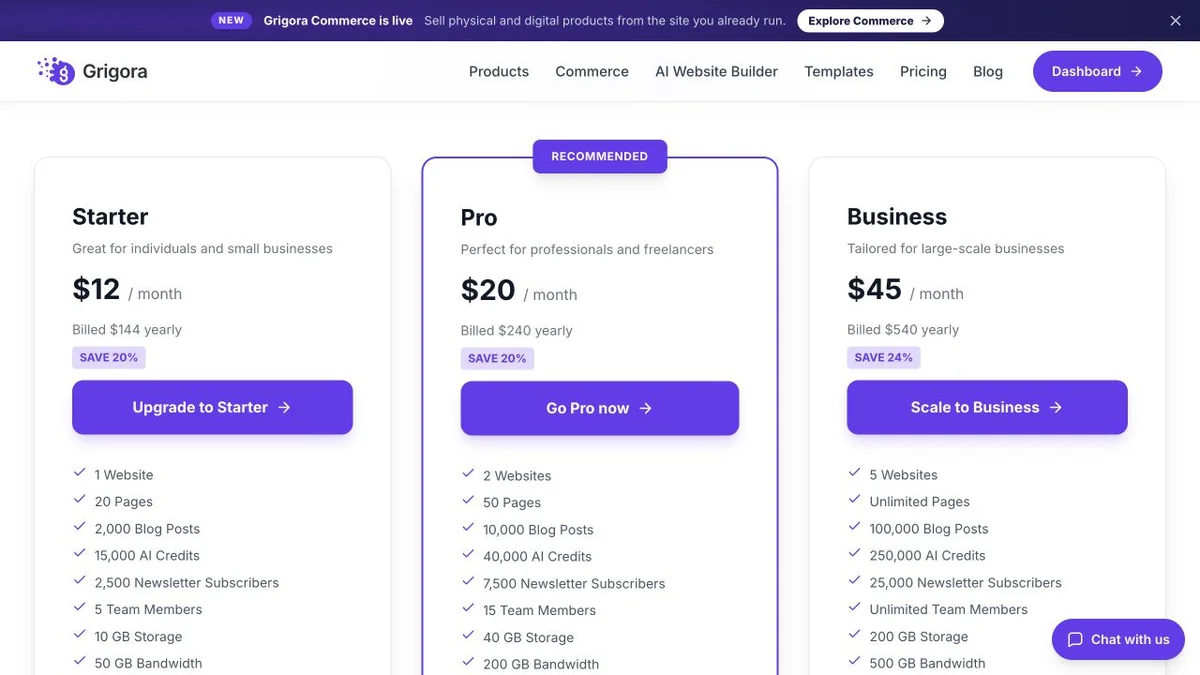
Grigora Starter, Pro and Business rates are $12, $20 and $45 per month billed annually ($144, $240 and $540 per year), or $15, $25 and $59 month to month. Plan limits apply to sites, storage, bandwidth, AI credits and newsletter subscribers. Payment-provider fees and optional paid services are additional.
Portfolio and galleries first, the rest by tier
Read live from pixpa.com/pricing on 11 September 2026; USD taken from the page's own structured data. The yearly rates are a Limited Time offer that Pixpa's FAQ says applies to the first billing cycle, so they are not renewal prices and the standard yearly rate is not published. USD 2-yearly rates are not published either. A separate Client Galleries line runs from $4.80/mo yearly for proofing and delivery with no public website. Pixpa markets the four plans above as its all-in-one range. No free plan; there is a 15-day trial and a 30-day money-back guarantee.
Pixpa Basic has a lower listed price and offers photography proofing features that Grigora does not. Grigora Starter at $12/month billed annually includes CMS, newsletter and store features. Compare the renewal quote, storage allowance and exact product workflow; future prices are not guaranteed.
The real cost: Grigora vs Pixpa
A portrait and wedding photographer with a portfolio site, roughly 40 GB of client galleries a year, a print store, a blog and 2,000 subscribers. Two of these rows go to Pixpa.
| What you pay for | Pixpa | Grigora |
|---|---|---|
| Plan for the website | $5.40 to $15/mo first term, $9 to $25 monthly | $12–$45/mo billed annually at current rates |
| Client proofing and delivery | Included on every plan | Not available, a separate proofing tool |
| Print lab fulfilment | Automatic via WHCC or your lab | You place the lab order yourself |
| Storage for 40 GB of originals | Advanced tier, or Professional plus a paid add-on | Select a plan with sufficient storage |
| Store products | 3, 10 or 100 until the top plan | Published plan allowances apply |
| Emailing 2,000 subscribers | Separate email platform | Included from Starter (2,500 subs) |
| SEO tooling | Third-party research and audit tools | free tools plus IndexNow |
Payment-processor fees apply on both sides; Pixpa's own FAQ quotes roughly 2.9% plus 30 cents from Stripe or PayPal. Pixpa's storage add-on prices rendered in local currency only, so the USD figure is not published. Pixpa pricing read 11 September 2026 from pixpa.com.
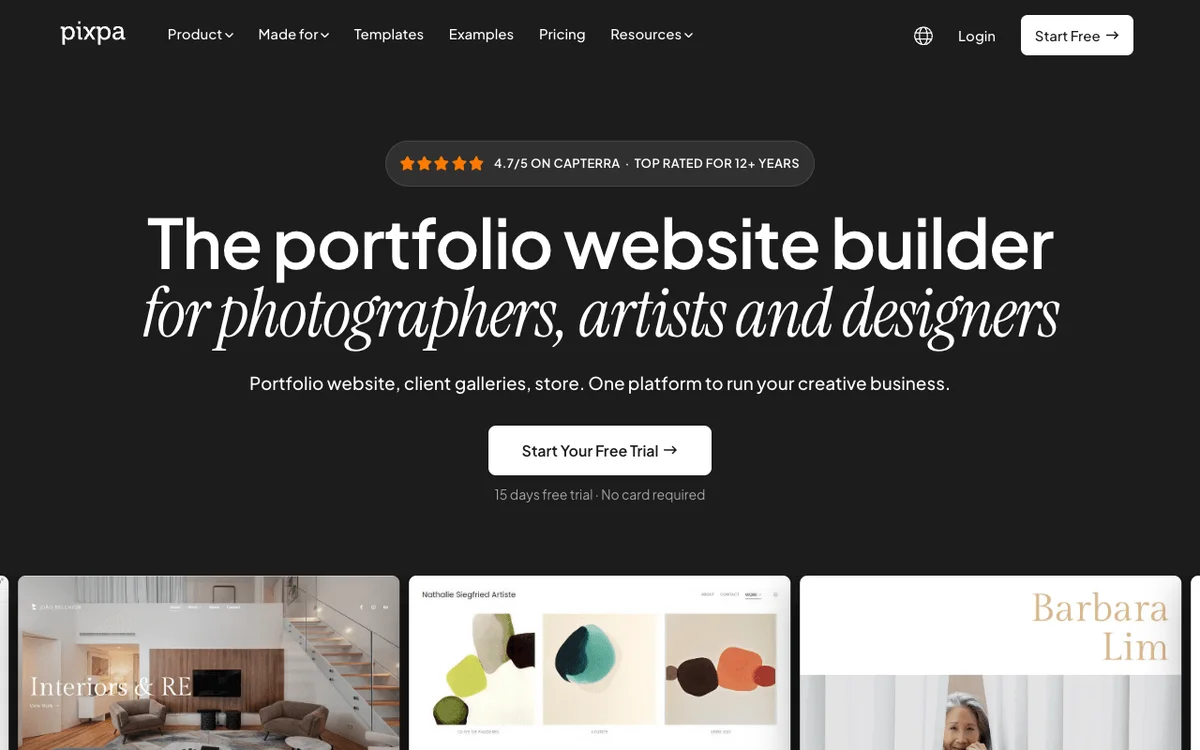
Pixpa and Grigora: public website references
These captures show each product’s public website. See the feature and pricing sections for capabilities and plan details.

Is Grigora the right Pixpa alternative for you?
Where Grigora is the stronger choice, and where Pixpa keeps the job.
Pixpa alternative for a creative business with a catalogue
Presets, prints, workshops, licences and merchandise on one site, without meeting a three, ten or hundred product ceiling as the shop grows.
… for photographers who want to email the list
Capture subscribers from the site and then actually send to them. Campaigns, automations and segmentation are in the same plan rather than in a second product fed by CSV.
… for studios that publish as well as shoot
A blog, directories, moderated comments and AI writing in one CMS, with schema controls and IndexNow instead of on-page fields alone.
Pixpa is the right call if your business is delivering images
If the work is proofing, favoriting and delivering client galleries and selling prints through a lab, Pixpa does that inside one subscription and Grigora does not do it at all. Choose Pixpa and do not look back.
Which one is right for you?
Choose Grigora if…
- The catalogue will outgrow three, ten or a hundred products
- The subscriber list needs a send button, not an export
- You would rather not pay per gigabyte of originals
- You publish structured content, not only galleries and posts
- You are an agency that wants a platform to resell
Choose Pixpa if…
- •Client proofing and delivery is the core of the work
- •Print sales should fulfil through WHCC or your own lab
- •You want 24/7 chat support on the cheapest plan available
How to switch from Pixpa to Grigora
Contacts can be exported; confirm the available export formats for posts and products. Galleries and the design do not, so plan a rebuild, and decide up front whether you still need proofing.
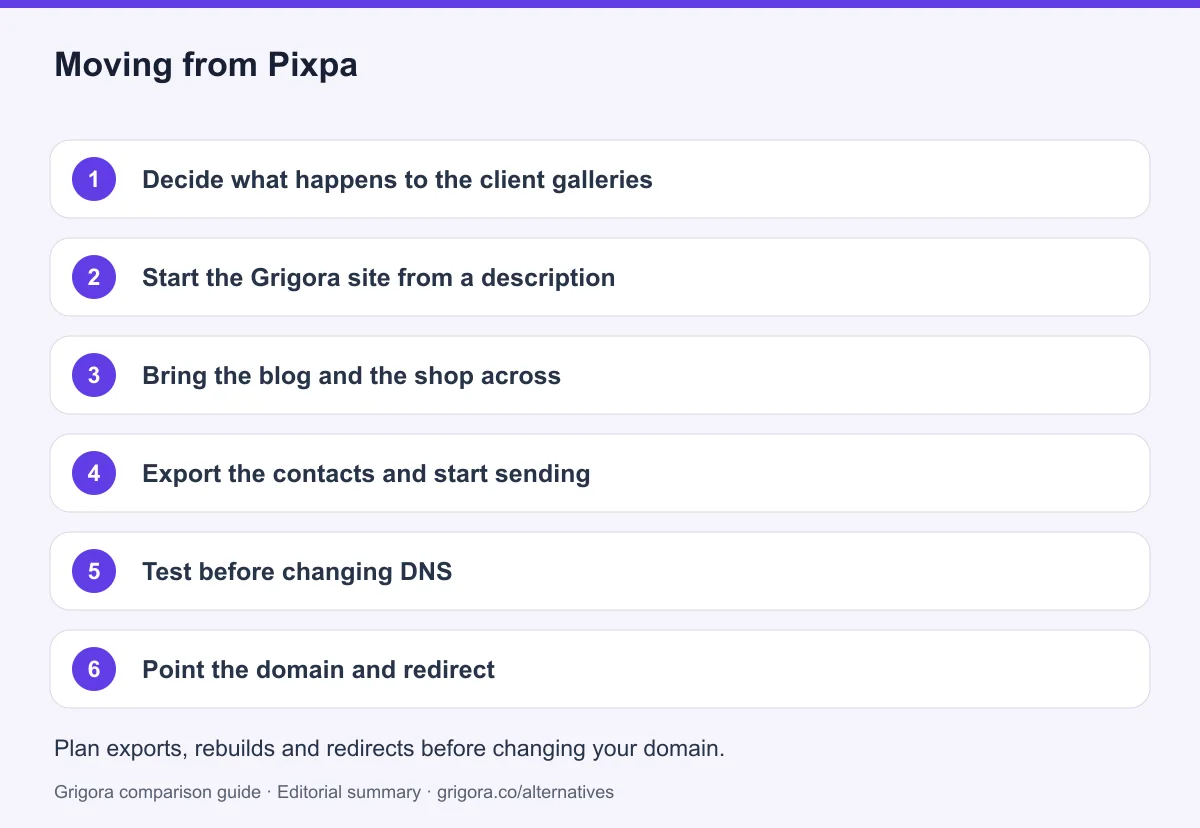
- 1
Decide what happens to the client galleries
Grigora has no proofing workflow. Either move proofing to a dedicated gallery tool, or keep a Pixpa Client Galleries plan for delivery only and run the public site on Grigora.
- 2
Start the Grigora site from a description
Describe the studio in a sentence and the AI generates a first draft with pages, layout and copy. Swap in your own images and pick a template if you would rather start from one of the 131.
- 3
Bring the blog and the shop across
Confirm the export format available in your Pixpa account, then map or copy posts and product data into Grigora's CMS and store. Check the target plan’s product, variant and storage allowances before rebuilding the full catalogue.
- 4
Export the contacts and start sending
Pull the CSV from Pixpa's Contacts and Email Lists view and import it into Grigora's subscriber list. From there the campaign builder and automations are in the same dashboard.
- 5
Test before changing DNS
Preserve original-resolution images, gallery access rules, client selections and order records. Keep proofing on Pixpa or a dedicated gallery service, and verify available post/product export formats before promising a direct import. Check page titles, descriptions, canonical URLs, internal links, image alt text, forms and checkout on the new site. Keep an old-to-new URL map, add relevant 301 redirects and monitor indexing after launch; redirects cannot guarantee unchanged rankings.
- 6
Point the domain and redirect
Connect your domain, map old gallery and post URLs to their new addresses to map previous addresses to their closest replacement, and check the Ionos renewal date if the domain came free with Pixpa in year one.
Why people look for a Pixpa alternative in 2026
Pixpa is a well-made product for a specific person. It is aimed at photographers, artists, illustrators, designers, models and architects, and it is organised around the thing those people do most: putting images in front of someone and letting them choose. The client gallery is not a side feature. It is the centre of the product, and it is present on the cheapest plan rather than dangled two tiers up. People rarely leave Pixpa because the galleries disappointed them. They leave because the business grew a shape the rest of the platform was not built to hold.
The gigabytes run out before the ideas do
Every Pixpa website plan is defined by a storage number for original files: 3 GB on Basic, 5 GB on Creator, 25 GB on Professional and 100 GB on Advanced. For anyone shooting raw and delivering full-resolution sets, those numbers describe months rather than years. Extra storage is sold as an add-on billed on top of the plan, and the USD price for it is not published on the pricing page, which rendered those figures in local currency only. The clearest evidence of the squeeze is that Pixpa sells a separate Client Galleries line at all: five tiers priced purely on storage, from 10 GB up to unlimited, for people whose website plan cannot hold the work.
The store stops at three, ten or a hundred
Pixpa's shop is more capable than most portfolio platforms manage. There are variants and product options, discount coupons, country and region shipping rules, tax rules, guest checkout and a checkout on your own domain, with 0% taken by Pixpa on any of it. What it does not do is scale with you without an upgrade. Basic allows three products, Creator ten, Professional a hundred, and only Advanced is unlimited. Inventory management, customer accounts, payment forms and abandoned cart recovery are Advanced-only features, which means a shop that wants stock counts is on the top plan regardless of how small it is. Image sales are the exception and are genuinely uncapped, which tells you exactly which customer the store was designed for.
The subscriber list has no send button
This is the one that surprises people. Pixpa collects email addresses thoroughly. There are newsletter sections, subscriber forms, marketing popups with exit intent on the higher plans, an opt-in at checkout, auto-replies on form submissions, and a central Contacts and Email Lists view with CSV export. Then it stops. There is no campaign composer, no broadcast send, no scheduling and no sequences. A studio that wants to tell two thousand past clients about autumn mini sessions has to move that list into a separate email platform and manage it there, which is a second subscription and a second place where the data lives.
The last reason is pricing shape rather than pricing level. Pixpa's headline is $5.40 a month billed yearly, which is genuinely low. Pixpa's own pricing FAQ explains that the standard yearly discount is 20% off the monthly rate and that the current Limited Time offer adds another 25% which applies to your first billing cycle. So $5.40, $9.00, $12.00 and $15.00 are first-term prices computed off monthly rates of $9, $15, $20 and $25. What renews is not printed on the page, and the FAQ contradicts itself about the 2-yearly option, so nobody should budget on the headline number without checking it at renewal.
How Grigora compares
Grigora is not a portfolio platform that learned to sell. It starts from the assumption that a site is a business: it publishes, it takes money and it emails people. That changes what the plan contains and, more importantly, what the plan counts. Grigora publishes allowances for pages, storage, bandwidth, sites, AI credits and email subscribers; compare those alongside the required gallery features. Starter at $12 a month billed annually is the whole product with smaller allowances, not a cut-down version of it.
One plan that publishes, sells and sends
On every paid Grigora plan you get AI website generation from a text description plus website templates, a block editor with custom code injection, and a CMS with posts, categories, author profiles, directories and collections, moderated comments with admin replies and AI writing. Alongside that sits email marketing with a subscriber list, campaign builder, automations and segmentation, and an online store with a catalogue, variants, stock, digital downloads and 0% platform commission. SEO covers metadata, schema controls, sitemaps and IndexNow submission, with free SEO tools on the marketing site. Hosting, SSL and CDN are included, and professional mailboxes start at $5 each. For a photographer who also writes, teaches and sells, that is one bill instead of three.
The honest gaps are worth stating alongside it. Grigora's checkout is Stripe and Razorpay only, so there is no PayPal. There is no point of sale, no gift cards, no wholesale tiers, no multi-channel selling, no paid memberships, no bookings and no courses. Support is email with priority on higher plans, which is a step down from Pixpa's 24/7 chat on every tier. If any of those are load-bearing for your studio, weigh them properly rather than taking the feature count on trust.
Where Pixpa still wins: the client gallery
Grigora has no proofing workflow, and there is no clever way to phrase that. Pixpa gives you unlimited private client albums, favorites that several people can build at once, comments and ratings on individual images, delivery behind a download PIN, and unlimited branded gallery links of up to 250 images that a client can pass around. It then lets those images sell as prints or downloads with no product cap and sends the order straight to WHCC or a lab of your choosing. If that description is your working week, Pixpa is the better product and this comparison ends there. The question worth asking is a different one: is the gallery the business, or is it one part of a business that also publishes, sells a catalogue and emails a list? Answer that and the choice makes itself.
Frequently asked questions
Grigora is a Pixpa alternative for businesses that need a CMS, newsletter and store from $12/month billed annually. Pixpa is better suited to photographers who need client proofing, image delivery and print-lab workflows, which Grigora does not offer. Compare first-term discounts with ongoing costs and check website versus standalone gallery plans before choosing.
Read live on 11 September 2026, Pixpa's website plans are Basic $5.40/mo, Creator $9.00/mo, Professional $12.00/mo and Advanced $15.00/mo billed yearly, or $9.00, $15.00, $20.00 and $25.00 month to month. The yearly figures are a Limited Time offer that Pixpa's own FAQ says applies to the first billing cycle, so the standing yearly rate is not published. A separate Client Galleries line starts at $4.80/mo billed yearly.
Only the collecting half. Pixpa captures subscribers through forms, marketing popups and checkout, stores them in Contacts and Email Lists, and exports them as CSV. There is no campaign composer, no sending, no scheduling and no automation, so newsletters need a separate platform. Grigora includes the campaign builder, automations and segmentation with 2,500 to 25,000 subscribers depending on plan.
Original-file storage is 3 GB on Basic, 5 GB on Creator, 25 GB on Professional and 100 GB on Advanced, covering client galleries, e-commerce galleries and downloadable files. Extra storage is a paid add-on billed on top of the plan; its USD price is not published, as the pricing page rendered those figures in local currency only. Grigora also has storage allowances; compare the actual file volume and whether a photography delivery workflow is required.
No. Grigora has no proofing, favoriting or client-delivery workflow, and no print-lab fulfilment. If that is central to your work, either stay on Pixpa or keep a Pixpa Client Galleries plan for delivery and run the public website on Grigora.
The content moves. Export blog posts, product data and your Contacts CSV from Pixpa and import them into Grigora's CMS, store and subscriber list. Galleries and the layout do not transfer, so the site is rebuilt, which the AI first draft makes quick. Redirect old gallery and post URLs to map previous addresses to their closest replacement.
Sources and comparison method
Published by Grigora, one of the products compared here. This is a comparison of public product documentation and published plans. Recommendations reflect the use cases described; they are not independent performance benchmarks. Homepage screenshots show how each product presents itself and do not establish feature availability.
Check the billing term, currency, regional availability, usage limits and add-ons before purchasing. A content export does not necessarily include the design, integrations or a working store. Migration steps need testing on your own site.
- Pixpa website pricing
Website allowances and first-billing-cycle promotional pricing.
- Pixpa Client Galleries pricing
Standalone client gallery plans separate from full website packages.
- Grigora pricing and included features
Annual and monthly billing, plan allowances, included features and trial terms.
Grigora references: plans and limits, commerce, MCP access, and help documentation.
Compare Grigora with other platforms


Make the switch from Pixpa to Grigora
Bring your portfolio, CMS, store and newsletter together from $12/month billed annually. Check the storage and catalogue requirements, then try Grigora.
14-day free trial • No credit card required • Cancel anytime