Storefront design
Multiple product-page templates, brand colors, media galleries, video, social proof, and responsive layouts.
Create the storefront, publish the product page, connect checkout, and run orders from the same place you build your website and audience.
Commerce
Overview
Products
Catalog
Variants & stock
Orders
Manage
Payment & fulfillment
Customers
Track
Purchase history
Recent orders
Sample storefront activity
Digital product
Download emailed
Physical product
Manual fulfillment
Template product
Delivery complete
Design and publish
List and sell
SEO and audience
Orders and fulfillment tracking
Product to payout
Your storefront and your back office are the same system. Edit a product once and the page, the stock count, and the order record all stay in step.
Choose a product type, pricing model, media, variants, inventory, and delivery details.
Start with a commerce template, then match the page to your brand and content.
Use Stripe, Razorpay, PayPal, or Paddle checkout.
Track orders, customers, inventory, manual fulfillment, refunds, discounts, invoices, and shipping or tax settings.
Built for more business models
Start with the product model that fits today, then expand without rebuilding your site or moving your content.
Downloads, guides, assets, and software
Inventory, variants, and shipping setup
Simple purchase flows for products and services
Sell sessions and packages as one-time purchases
Set a minimum or let buyers choose the amount
Sell reusable creative and business files
Store templates
Explore five light-themed storefronts from the Grigora template library, then make one your own.
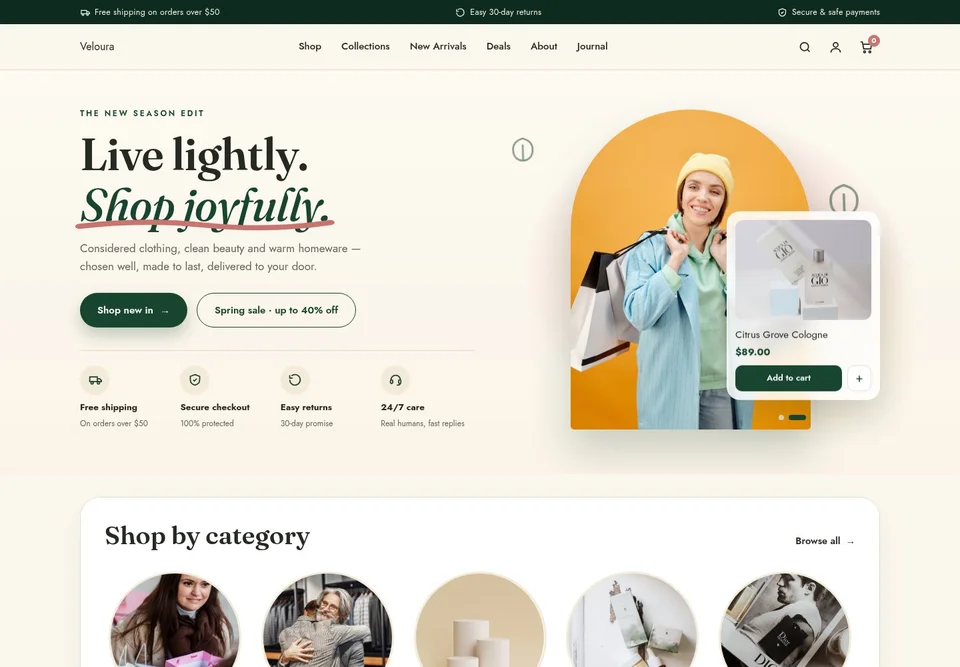
Fresh colors and playful product cards
View template
Soft neutrals with botanical accents
View template
Elegant typography and warm ivory
View template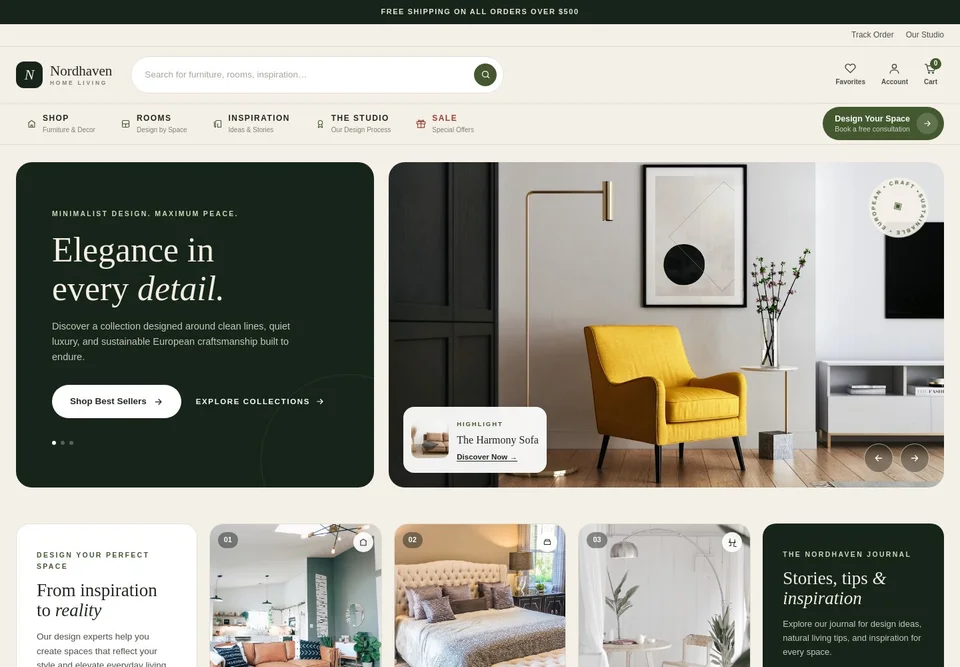
Airy interiors with forest-green accents
View template
Minimal layouts for handmade collections
View templateCommerce without the patchwork
A storefront is only the visible layer. Grigora connects presentation, payment setup, catalog operations, and post-purchase tracking.
Multiple product-page templates, brand colors, media galleries, video, social proof, and responsive layouts.
SEO titles, descriptions, social images, canonical URLs, robots controls, and structured data.
Collections, options, variants, SKUs, stock, product statuses, and reusable commerce blocks.
Track payment, customers, purchase history, refunds, digital deliveries, and manual fulfillment status.
Configure tax settings, invoices, receipts, business identity, discounts, and delivery notes; tax compliance remains your responsibility.
Connect your own Stripe, Razorpay, PayPal, or Paddle account, track fulfillment in Grigora, and configure shipping and tax settings for your workflow. Your business remains responsible for carrier decisions, delivery, filings, and tax or legal compliance.
Payments
Processed by Stripe, Razorpay, PayPal, or Paddle
Fulfillment
Tracked in Grigora; shipped by you
Tax settings
Configurable; filings remain yours
Questions, answered
The practical details to know before opening your store.
Yes. Create a Grigora account, add products, connect checkout, and publish your storefront alongside your website.
The commerce system supports physical goods and digital products such as downloads, templates, and services, with one-time and pay-what-you-want pricing. Subscriptions and recurring billing are not available yet. Course and membership listings can be configured, but access delivery remains the merchant's responsibility.
Grigora supports Stripe, Razorpay, PayPal, and Paddle for Commerce checkout. Checkout must use one of these supported payment gateways.
Connect your own Stripe, Razorpay, PayPal, or Paddle account for hosted checkout. Card details are handled by the selected provider, and its processing fees, supported countries, payment methods, and account terms apply.
Grigora provides product variants, SKUs, stock quantities, delivery requirements, shipping notes, manual or Stripe tax settings, discounts, invoices, and manual fulfillment tracking. Grigora is not a carrier, fulfillment provider, tax adviser, or filing service; the merchant remains responsible for shipping and tax compliance.
Yes. Choose from multiple product-page layouts, customize colors and media, add social proof, and control SEO titles, descriptions, social images, canonical URLs, robots settings, and structured data.
New to selling downloads? Our guide to how to sell digital products compares what Etsy, Gumroad, Payhip and your own store keep from each sale, and explains the tax rules.
Create your Grigora account, add your first product, connect checkout, and publish a storefront alongside your website.
Start selling