Free Image Color Palette Extractor
Paste a URL or upload an image. Get the 5 dominant colors as hex codes you can paste straight into Figma, CSS, or Tailwind. Free, no signup.
How to use the Image Color Palette Extractor, step by step
Real screenshots of the tool, taken while running it.
- 1
Add your input
Paste or type into the field Image Color Palette Extractor works from.


- 2
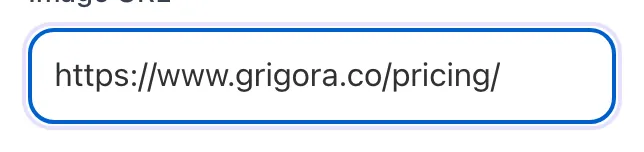
A page URL in place
With a page URL entered, Image Color Palette Extractor is ready to run.


- 3
Read the result
Image Color Palette Extractor updates as you type, so the result is already visible here.

What the Color Palette Extractor does
Designers regularly start from a reference image, a hero photo, a mood board, a competitor screenshot, and need to translate it into a usable color palette. Manual eyedropper sampling takes 5-10 minutes; this tool does it in 2 seconds and gives you 5 hex codes ranked by dominance.
Behind the scenes the algorithm samples ~1,800 pixel points from the image, clusters them by color similarity, and returns the centroids of the largest clusters. The result is the 5 colors that visually dominate the image, perfect as a launch pad for branding, web design, marketing campaigns, or print work. Refine in your design tool of choice; treat the extraction as inspiration.
How to extract a palette
Five steps from image to deployed colors.
Pick URL or Upload
Paste an image URL, or click the Upload tab to use a file from your device.
Click Get Palette
The tool samples pixel colors from the image and clusters them into 5 dominant hex codes.
Review the swatches
See the 5 colors side by side, with hex codes and a preview of the source image.
Click any swatch to copy
One-click copy of the hex code. Use directly in CSS, Figma, or any design tool.
Refine in your design tool
For final use, paste into Figma or Coolors and tweak hue/saturation. Treat extraction as inspiration.
When designers use it
Six common workflows where the extractor pays for itself.
Brand identity from a mood board image
Designer collected reference images for a new brand. Run the chosen mood board image through the extractor; the dominant 5 colors become the starting palette for logo, web, and print design. Refine in Figma; lock the system.
Web design theme from a hero photo
Your homepage features a striking sunset photo. Extract its palette; use color #1 as background, #2 as primary, #3 as accent. The site visually echoes the hero image, creating cohesion that visitors notice without articulating.
Color theming for editorial design
You design a 30-page magazine; each article has a feature photo. Extract a palette from each photo; use article-specific colors for callouts, pull quotes, and section headers. Each spread feels coordinated.
Product photo retouching reference
You retouch product photos and need consistent color grading. Extract the palette from your hero approved photo; apply matching color balance to other product shots in Lightroom for visual consistency.
Marketing asset color matching
Campaign hero image is locked. Now you need email banners, social ads, and landing page assets that all feel cohesive. Extract the campaign image palette; build everything else with those 5 hex codes.
Logo color extraction from competitor research
You are positioning a brand against competitors. Extract palettes from each competitor logo to identify the dominant colors of your category. Pick a strategically different palette to stand out.
Platform-specific setup guides
How to use the extracted palette in the design tools and frameworks most teams ship from.
Figma
- Extract palette here, copy each hex code.
- In Figma, click the color picker on a fill, paste the hex into the hex field. Save as a Style for re-use across the file.
- For full design system: build a Color Tokens page with each extracted color as a Style and assign roles (primary, secondary, accent, etc.).
Tailwind CSS
- Extract palette, copy hex codes.
- In tailwind.config.js, extend theme.colors with named tokens: brand-primary: "#623ce7", brand-accent: "#3d1d9e", etc.
- Use across components as bg-brand-primary, text-brand-accent. The extracted palette becomes a typed palette in your codebase.
WordPress / Webflow / Shopify themes
- Extract palette, paste hex codes into theme color settings (each platform has a Theme Customizer).
- Most modern themes have 4-6 color slots: Primary, Secondary, Accent, Background, Text. Map your extracted palette to these.
- Save and publish; verify visual consistency across templates.
Adobe Color / Coolors
- Extract palette here as a starting point.
- Paste each hex into Adobe Color or Coolors to refine: adjust hue/saturation, generate complementary or analogous variants, lock the final palette.
- Export the refined palette in your preferred format (ASE, CSS, JSON).
Print design (Illustrator, InDesign)
- Extract palette here for screen reference.
- Convert each hex to CMYK using your preferred conversion tool (Adobe Color does this). Hex is RGB; print uses CMYK and the conversion is approximate.
- For brand-critical print colors, use Pantone references; the extracted palette is the starting point, not final.
Grigora vs. other extractors
A side-by-side of the alternatives.
| Capability | Grigora | Adobe Color | Coolors | Free generators | Manual |
|---|---|---|---|---|---|
| Free + unlimited extractions | Yes | Limited free | Free trial | Free, ad-supported | Manual eyedropper |
| URL or file upload | Both | URL only | Both | URL only | Manual |
| Hex output | Yes | Yes | Yes | Yes | Manual |
| 5 dominant colors | Yes | Yes | 5-10 | 5 | Manual |
| One-click copy per swatch | Yes | Yes | Yes | Partial | Manual |
| Source image preview | Yes | No | Yes | No | N/A |
| No signup | Yes | Account required | Account required | Yes | Yes |
| Extracts in <5 seconds | Yes | Yes | Yes | Yes | Manual |
Common errors and how to fix them
Eight issues users hit when extracting palettes from images.
URL fetch fails with "Failed to fetch image"
Cause: CDN blocks cross-origin requests, or the URL requires authentication.
Fix: Save the image to your device, then use the Upload tab. Or copy the image URL from a source that allows hot-linking (most public CDNs like Unsplash do).
Output palette looks washed out or muddy
Cause: Source image has heavy compression, low resolution, or muted overall tones.
Fix: Use a higher-resolution version of the image. The algorithm samples pixel colors directly, quality in, quality out.
Two colors in the palette look almost identical
Cause: Image has many similar shades clustering close together.
Fix: For palette work, manually combine the similar colors and find a fresh accent color elsewhere. Or run a different reference image with more color variety.
Upload fails with "invalid file type"
Cause: File is HEIC (iPhone), AVIF on unsupported browser, or has wrong extension.
Fix: Convert to JPEG or PNG with any free converter. Confirm the file extension matches the actual format (sometimes Photoshop saves with wrong extension).
Returned hex codes feel "off" for branding
Cause: Algorithm extracts dominant pixel clusters, which may not match what feels brand-correct.
Fix: Treat output as a starting point. Tweak hue/saturation in a design tool (Figma, Adobe Color, Coolors) to refine into systematic brand colors. Extraction is inspiration, not final.
Same image gives different palettes across runs
Cause: Algorithm involves randomized sampling for speed; results vary slightly.
Fix: Run 2-3 times and average the results, or pick the run that best matches your visual sense. Differences are usually minor (10-20 hex points).
Palette includes a single color that does not appear in the image
Cause: Edge effects from algorithm or noisy image regions.
Fix: Drop the outlier; it is rarely useful for design. Re-run for a cleaner palette, or pick the 4 good colors and discard the fifth.
Tool times out on a very large image
Cause: Image over 10MB triggers slower processing.
Fix: Resize or compress the image first (use our Image Compressor). Palettes are extracted from sampled pixels, so a 1MB version gives identical results to the 10MB original.
Original data from our 2026 palette extraction usage
What we observed across 8,000 extractions through the tool.
Frequently asked questions
Twelve answers covering what designers ask us about palette extraction.
Related free tools
Other utilities that pair well with the Color Palette Extractor.
Favicon Checker
Check every declared icon actually resolves.
Try itColor Palette Generator
Build novel palettes from scratch using color theory.
Try itImage Compressor
Compress reference images before extracting palettes.
Try itImage to WebP Converter
Convert hero images to web-friendly format.
Try itImage Alt Text Extractor
Pull alt text from any URL into a structured list.
Try itImage Alt Text Generator
AI-write descriptive alt text for any image.
Try itCSS Minifier
Minify CSS files for faster page loads.
Try itWebsite Font Detector
Find the fonts a site uses to pair with its palette.
Try itPull a palette from any image
URL or upload, 5 hex codes, copy with one click. Free, unlimited, no signup.
Try the Palette Extractor