Free Passive Voice Detector
Detect passive voice in pasted text or a public URL. Highlight likely passive phrasing for stronger writing. Free, instant.
How to use the Passive Voice Detector, step by step
Real screenshots of the tool, taken while running it with the Detect Passive Voice button.
- 1
Add your input
Paste or type into the field Passive Voice Detector works from.

- 2
Sample text in place
With sample text entered, Passive Voice Detector is ready to run.

- 3
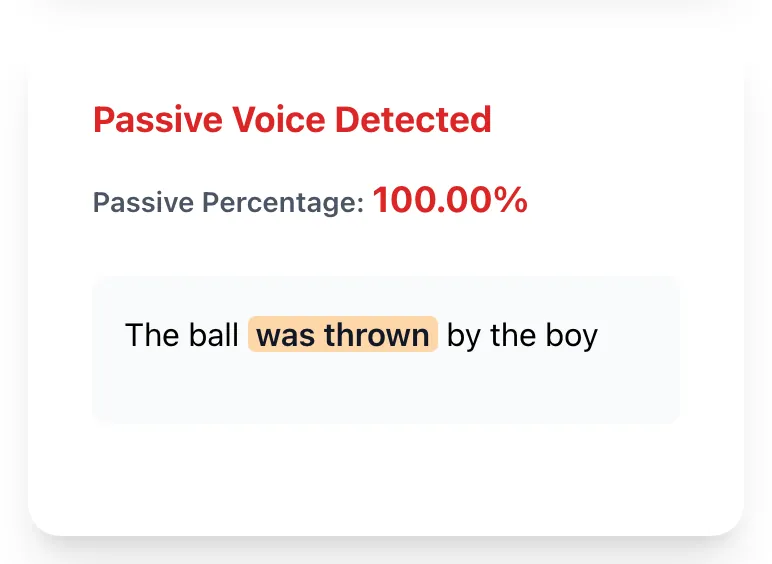
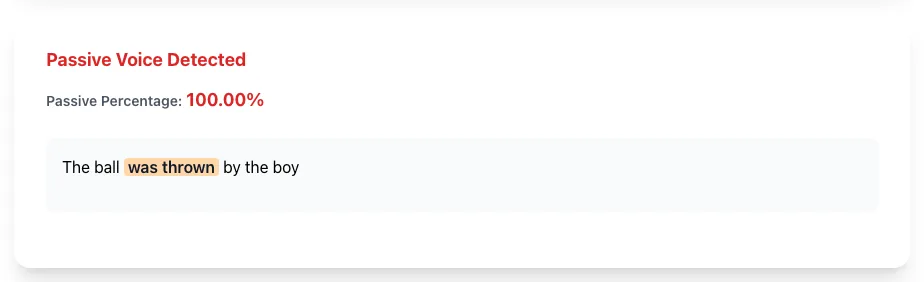
See what Detect Passive Voice produces
Clicking Detect Passive Voice runs the check and shows the result right below.
What this tool does
Passive Voice Detector delivers fast, reliable results for detect passive voice in pasted text. highlight likely passive phrasing for stronger writing. free, instant.
Designed to fit into your existing SEO and content workflow with no setup overhead.
How to use it
Five steps.
Paste your text
Drop in a draft and analyze likely passive phrasing.
Review the highlights
See likely passive phrases highlighted where an English rule matched.
Check the percentage
Compare your passive rate against benchmarks for your content type.
Edit flagged sentences
Rewrite only the passive sentences where active voice would be clearer.
Re-check after edits
Run the analysis again to confirm the percentage dropped to your target range.
When teams use it
Six common workflows.
Editors polishing blog drafts
Compare a draft before and after editing, then keep the rewrites that make the actor and action clearer.
SEO consultants auditing client content
Identify pages with high passive voice as part of broader readability audits, prioritize for refresh based on traffic value.
Marketers writing landing page copy
Paste draft copy before publishing and review likely passive phrasing that may weaken a direct call to action.
Technical writers refining documentation
Balance the higher passive tolerance of technical writing while still catching the worst offenders that hurt readability.
Non-native English writers self-checking
Catch passive constructions that come naturally from L1 patterns but feel stilted in English.
Email copywriters tightening sequences
Review likely passive phrases in promotional and transactional emails where direct instructions are usually easier to follow.
Platform guides
Integrate with major platforms.
Microsoft Word
- Open File > Options > Proofing > Writing Style > Settings.
- Check the Passive Voice option.
- Run Spelling and Grammar to see flags.
- For deeper analysis, paste into Grigora for percentage and benchmarks.
Google Docs
- Google Docs has built-in spelling but no passive detector by default.
- Install the Grammarly Chrome extension for real-time flags.
- Or copy text into Grigora for a one-shot check.
- For team-wide enforcement, use Grammarly Business.
Hemingway Editor
- Visit hemingwayapp.com.
- Paste your text.
- Read green-highlighted passive sentences.
- Compare the two tools directionally because their detection rules may differ.
Grammarly
- Install the Chrome or desktop app.
- Sign in (free or premium).
- Open any document; passive flags appear automatically.
- Click each flag to accept or reject the suggestion.
CI integration
- Choose a passive detector library that supports your build environment.
- Set a review threshold for the content type.
- Run it against Markdown or extracted prose on each commit.
- Treat rule matches as review prompts rather than automatically failing every sentence.
Grigora vs. alternatives
Side-by-side.
| Capability | Grigora | Hemingway Editor | Grammarly | ProWritingAid | Manual |
|---|---|---|---|---|---|
| Passive voice detection | Yes | Yes | Yes | Yes | Manual |
| Passive sentence detection | Yes | Limited | Yes | Limited | Manual |
| Explains rule-based limitations | Yes | Varies | Varies | Varies | N/A |
| Percentage benchmark | Yes | Yes | Yes | No | Calculation |
| Free without signup | Yes | Free tier | Free tier | Yes | N/A |
| Paste-text analysis | Yes | Yes | Yes | Yes | Copy-paste |
| API for automation | Coming soon | Premium | Premium | No | Custom |
| Highlights "be" + past participle | Yes | Yes | Yes | Limited | Manual |
Common errors and fixes
Eight issues users hit.
Detector misses reduced passive
Cause: A reduced passive like "the report submitted yesterday" lacks the explicit auxiliary the English rule expects.
Fix: Review reduced clauses manually when they matter to your edit.
Copular sentence flagged as passive
Cause: A linking verb plus an adjective can resemble the pattern used for passive voice.
Fix: Read the full sentence and ignore the highlight when it describes a state rather than an action.
An active rewrite changes the meaning
Cause: The sentence may not identify the actor, so an editor can infer the wrong subject.
Fix: Choose the actor from context and review the rewritten sentence before publishing.
Passive percentage looks high in technical docs
Cause: Scientific and engineering conventions often use passive phrasing when the procedure or result matters more than the actor.
Fix: Set an internal threshold that fits your publication, then review the highlighted phrases instead of applying a general prose target.
Imperatives mistaken for passive
Cause: Phrases like "be advised" can match the same English pattern used for passive constructions.
Fix: Review the phrase in context and leave it unchanged when the imperative is intentional.
Detector slow on long documents
Cause: A very long document takes more text processing and can be harder to review as one result.
Fix: Split long documents into logical sections and analyze each section separately.
Web extraction missed body text
Cause: A SPA page returned an empty shell to our static extractor.
Fix: Paste the rendered text manually or wait for our headless rendering fallback.
Misses passive in non-finite clauses
Cause: "The data being processed remains incomplete" has a non-finite passive clause.
Fix: These are generally low-impact; manual editing catches them when refining for tone.
Method at a glance
What the current implementation measures.
Frequently asked questions
Twelve answers.
Related free tools
Other utilities.