SERP Preview Tool
Edit Search Listing
SERP Preview Tool, Preview

Your Page Title
Optimize your snippets for higher click-through rates.
How to use the Serp Preview Tool, step by step
Real screenshots of the tool, taken while running it.
- 1
Add your input
Paste or type into the field Serp Preview Tool works from.
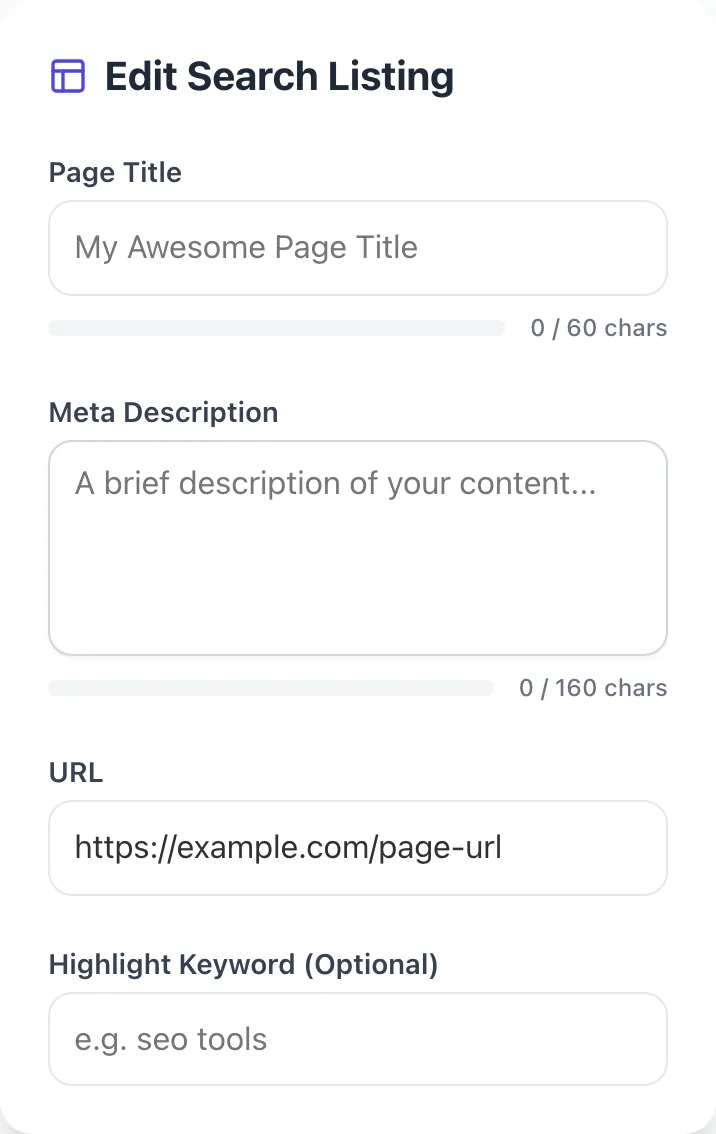
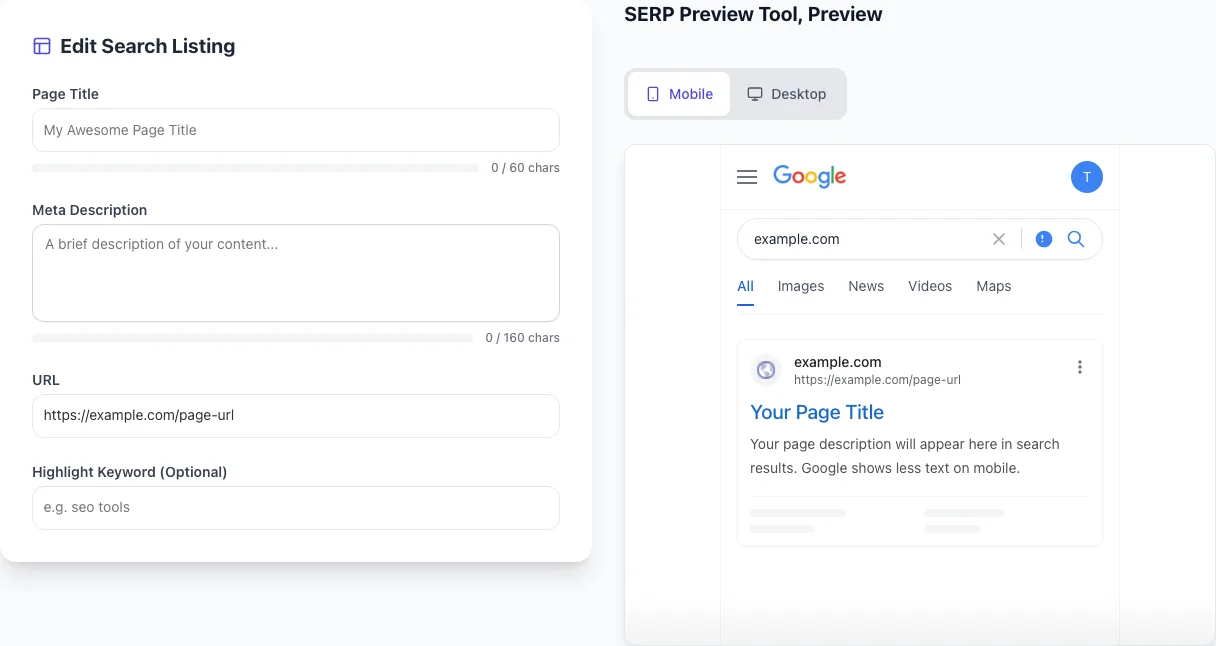
- 2
Sample text in place
With sample text entered, Serp Preview Tool is ready to run.
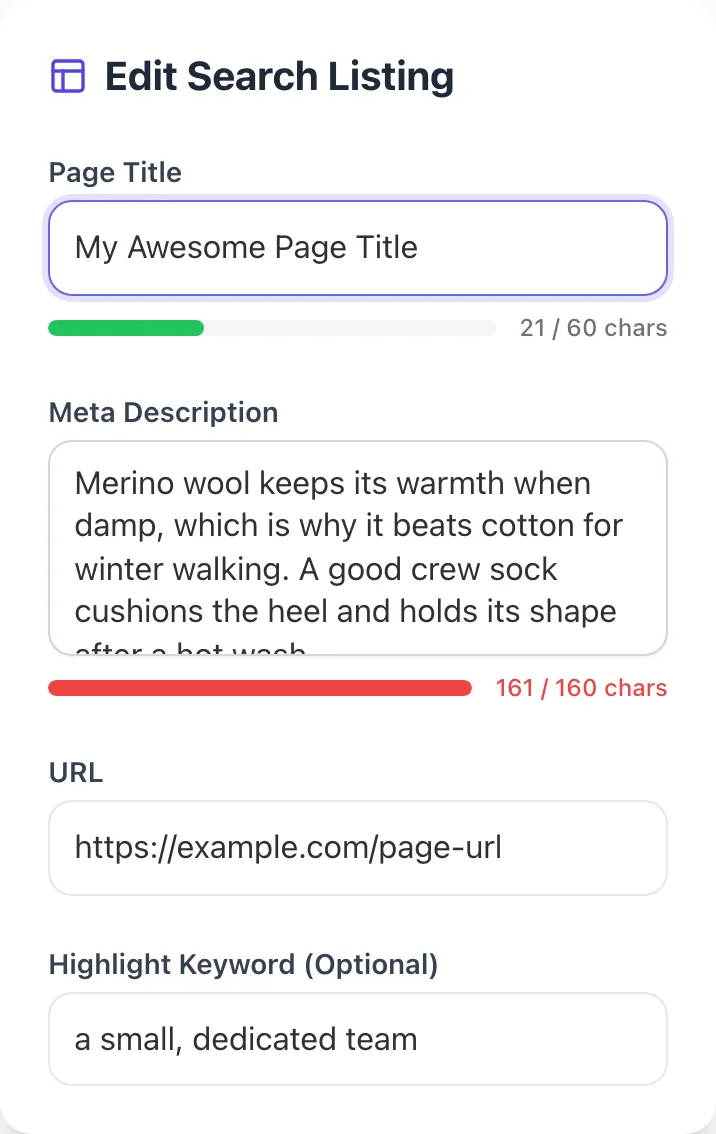
- 3
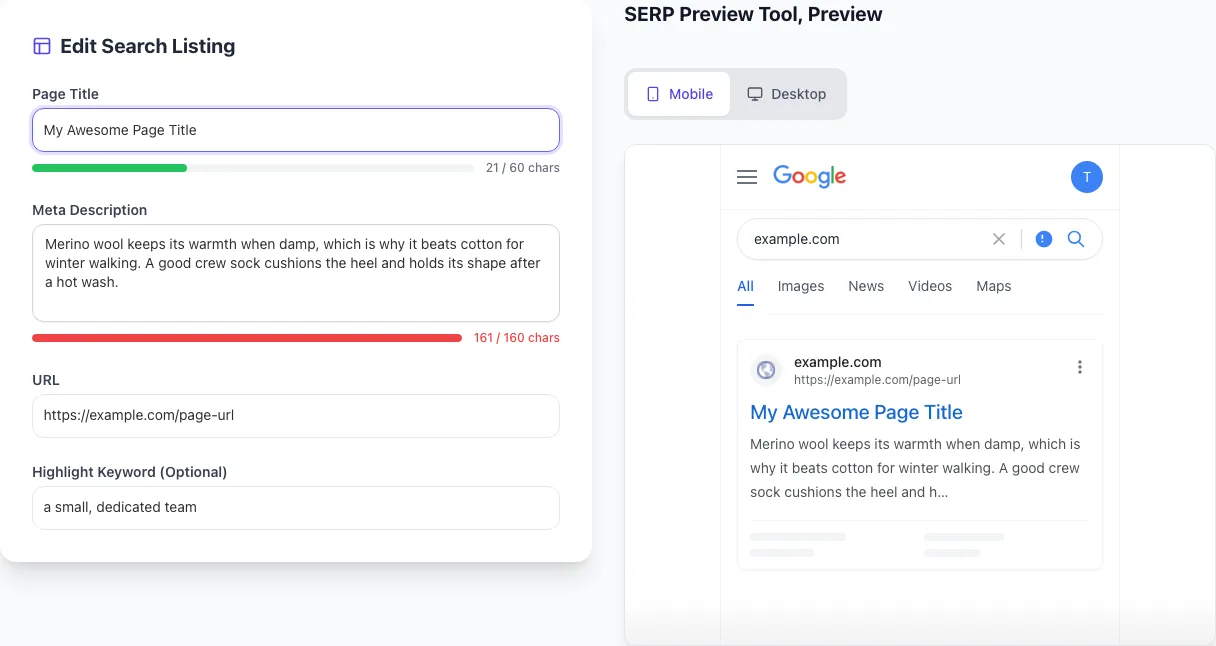
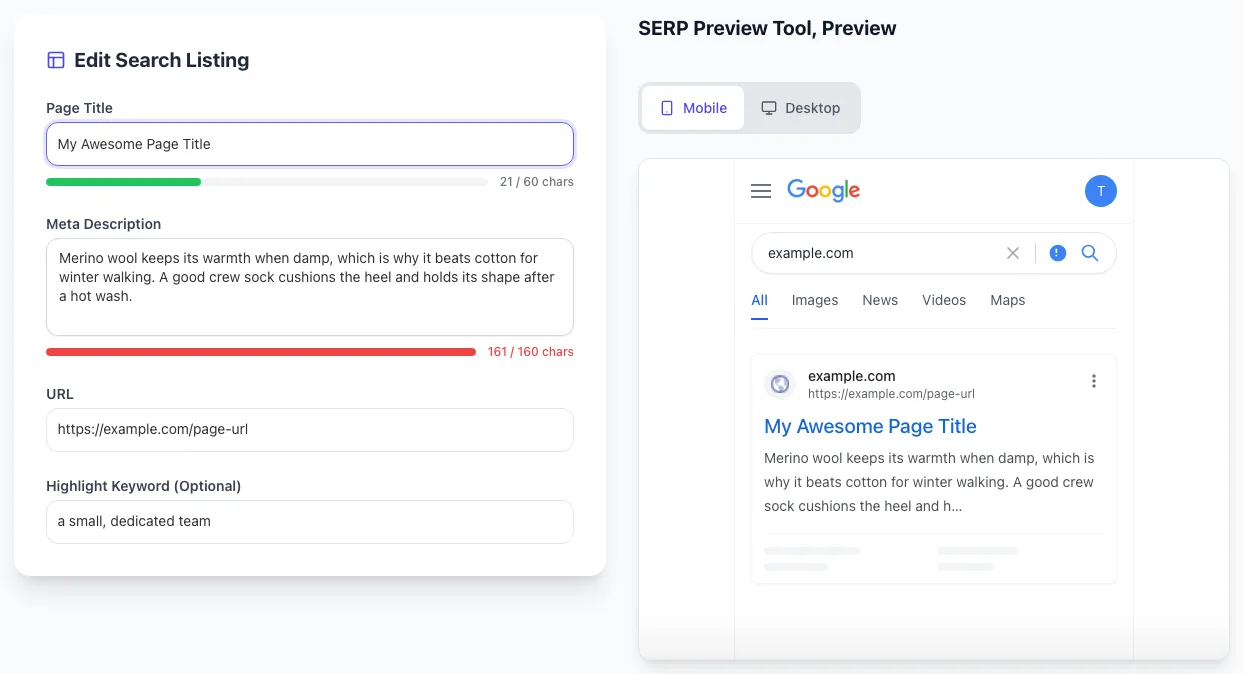
Read the result
Serp Preview Tool updates as you type, so the result is already visible here.
What this tool does
SERP Preview Tool delivers fast, reliable results for see how your title and description render in google search results. pixel-accurate desktop & mobile preview. free.
Designed to fit into your existing SEO and content workflow with no setup overhead.
How to use it
Five steps.
Enter your title and description
Type your proposed title (or paste from CMS) and meta description. Optionally add URL for breadcrumb display.
Toggle desktop or mobile view
Switch between desktop SERP (580px title width) and mobile SERP (530px title width). Mobile truncates earlier.
Check truncation
See exactly where your title and description get cut off. Adjust to keep the hook in the visible portion.
Iterate variations
Test 3-5 title variations side-by-side. Choose the one that reads most compelling within length limits.
Apply in your CMS
Copy final title and description into WordPress, Shopify, Webflow, or any CMS. Verify with manual SERP check after a few days.
When teams use it
Six common workflows.
Pre-publish title and description QA
Preview your title and description in SERP styling before publishing. Catches truncation, awkward formatting, and weak hooks that would otherwise sit live and underperform for months.
A/B testing title variations
Generate 3-5 title variations and preview each in SERP. Compare visual impact side-by-side. Choose the one that reads most compelling within length limits before deploying.
Mobile SERP optimization
Mobile traffic is 60%+ of SERPs in 2026 with tighter character limits. Preview specifically in mobile mode to ensure first 30 characters carry the message before truncation.
Competitor SERP analysis
Search your target keyword and screenshot top 10 SERPs. Use the preview tool to test your title against the competitor lineup. Stand out visually and on hook strength.
Migration validation
After redesigns or template changes, preview every key page's SERP rendering to ensure titles and descriptions render correctly post-deploy.
Knowledge Panel and SERP feature planning
Plan how your branded SERP looks: sitelinks, Knowledge Panel, related queries. Optimize Organization schema, Sitelinks Searchbox schema, and homepage to maximize branded SERP real estate.
Platform guides
Integrate with major platforms.
WordPress
- Install Yoast or Rank Math for title/description editing per page
- Edit fields and use this preview tool to check rendering
- Adjust until truncation is acceptable and hook is in first 30 chars
- Publish, then validate with site:yourdomain.com search after a few days
Shopify
- Edit page SEO in product/collection page > Search engine listing
- Preview in this tool with desktop + mobile modes
- Use Smart SEO or SEO Manager app for bulk title/description editing across catalog
- Monitor SERP rendering via Google Search Console > Performance after deployment
Webflow
- Set page-level title and description in Page Settings > SEO
- Preview rendering with this tool before publishing
- Use SEO Page Settings dynamic data binding for CMS Collections (e.g., {{ Title }} - {{ Brand }})
- Validate post-publish with manual SERP search in incognito
Next.js
- Use next/seo or next/head for per-route title and description
- Preview each route in this tool before deploy
- Implement default title template (e.g., %s | Brand) in next-seo config
- Wire SERP CTR monitoring via GSC API for ongoing optimization
Squarespace
- Edit SEO Title and Description in Page Settings > SEO
- Preview in this tool
- Squarespace defaults to "Page Name | Site Title" pattern. Override per page if needed
- Verify Open Graph image is set separately for social share preview
Grigora vs. alternatives
Side-by-side.
| Capability | Grigora | Mangools | Portent | Free | Manual |
|---|---|---|---|---|---|
| Desktop + mobile SERP preview | Yes | Yes | Yes | Limited | Manual |
| Pixel-width truncation accuracy | Yes | Partial | Yes | Partial | Manual |
| Live editable title/description | Yes | Yes | Yes | Yes | Manual |
| Favicon and breadcrumb display | Yes | Partial | Yes | No | Manual |
| Multiple variation comparison | Yes | Limited | Limited | No | Manual |
| Free with no signup | Yes | Yes | Yes | Limited | N/A |
| AI Overview / SGE preview | No | Limited | Limited | No | Manual |
| Country-specific SERP rendering | Limited | Yes | Yes | No | Manual |
Common errors and fixes
Eight issues users hit.
Title truncated mid-word with ellipsis
Cause: Title exceeds 60 characters or 580 pixels: Google cuts off at the boundary, often mid-word, leaving "...".
Fix: Trim to under 60 chars. Front-load the keyword in first 30 chars. Brand at the end (gets truncated first if needed). Test in mobile preview specifically.
Google rewrites title to something irrelevant
Cause: Google's algorithm decided the written title doesn't serve query intent: usually due to keyword stuffing, click-bait, or mismatch with H1.
Fix: Rewrite title to align with H1, match query intent, avoid spam triggers. Track rewrites in GSC > Performance and refine. Rewrite rate should drop below 40% with cleanup.
Meta description shows random sentence from page
Cause: No meta description set, or description blocked/empty: Google auto-pulls a sentence from page body, often awkward or off-topic.
Fix: Always set a unique meta description per page. Lead with primary benefit, include keyword naturally, stay under 160 chars. Even if Google rewrites, you've set the baseline.
Favicon missing or low-quality in SERP
Cause: No favicon, or low-resolution 16x16 favicon: appears as generic globe icon or blurry image in SERPs.
Fix: Add a 32x32 SVG or PNG favicon to your site root and reference in HTML. Google updated favicon display in 2020: high-quality favicons stand out and lift CTR 1-2%.
Description longer than 160 chars truncated
Cause: Description exceeds Google's display limit, leaving CTA or final benefit cut off mid-sentence.
Fix: Trim to 110-160 chars. Front-load the most compelling content. Test in mobile preview (which truncates earlier than desktop).
Brand stuffing in titles ("Brand | Brand | Brand")
Cause: Multiple brand mentions in title: Google detects and either rewrites or strips duplicates, wasting title real estate.
Fix: Mention brand once, at the end. "Page Topic - Modifier | Brand" is the clean pattern. If multiple brands need attribution (acquisitions, multi-brand orgs), use just the parent brand.
Click-bait titles getting CTR but failing rankings
Cause: Title promises something the page doesn't deliver: users bounce immediately, sending poor engagement signals to Google.
Fix: Align title promise with page content exactly. CTR matters but dwell time and bounce rate matter more. Honest titles that deliver outperform click-bait long-term.
Multiple pages competing in same SERP
Cause: Two of your pages rank in top 10 for the same query: Google can't prefer one strongly, both get diluted, neither hits top 3.
Fix: Identify duplicate-target pages with `site:domain.com "your keyword"`. Consolidate the strongest, redirect others via 301. Update internal links. Resubmit sitemap.
Original data
2026 study.
Frequently asked questions
Twelve answers.
Related free tools
Other utilities.