Free AI Pros and Cons Generator
Generate balanced pros and cons for any topic. AI-powered, structured, copy-paste ready. Free, instant.
How to use the Pros And Cons Generator, step by step
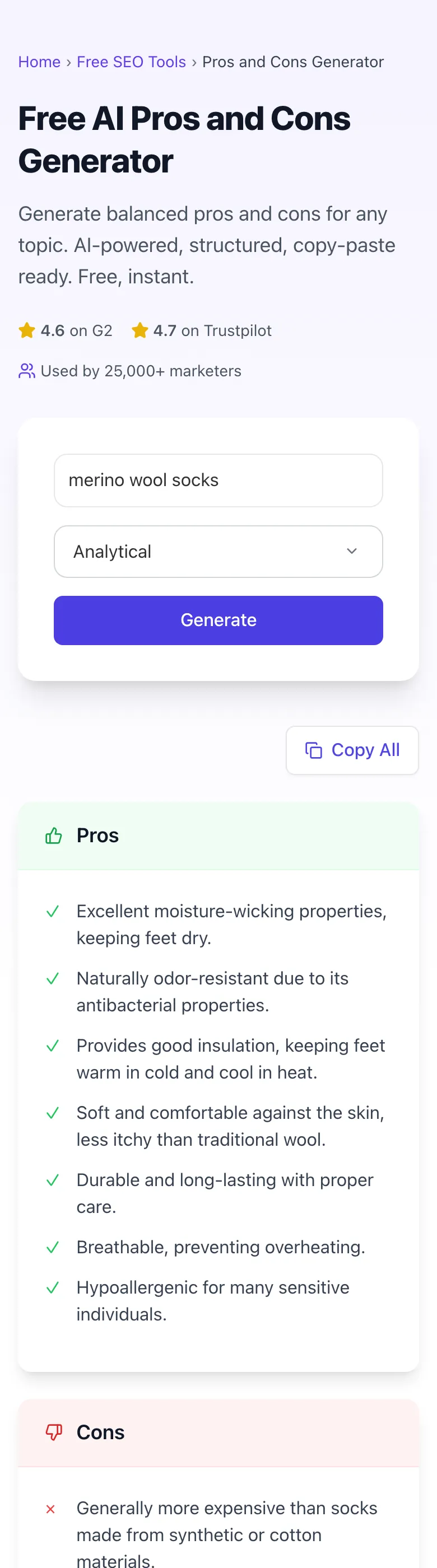
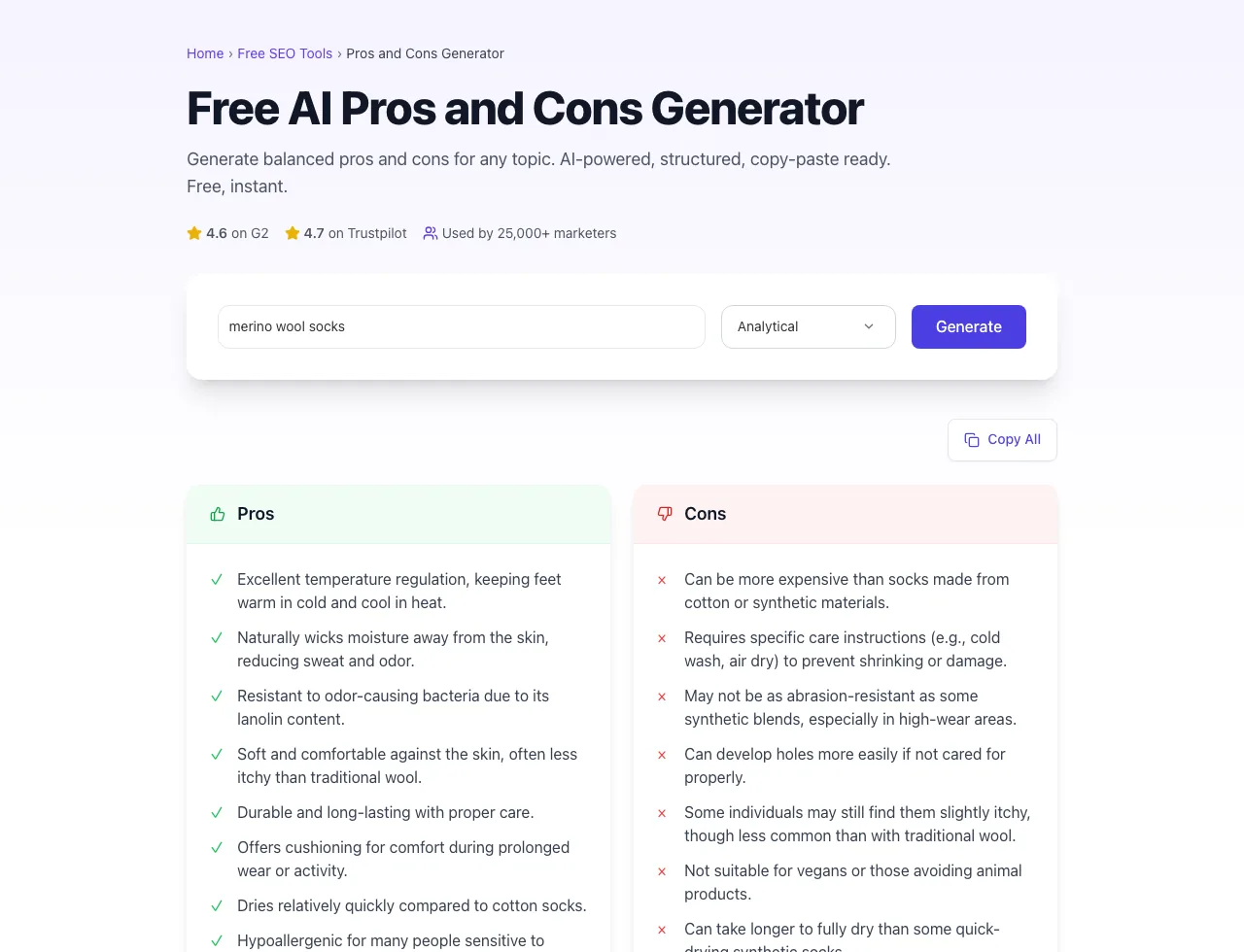
Real screenshots of the tool, taken while running it with the Generate button.
- 1
Add your input
Paste or type into the field Pros And Cons Generator works from.

- 2
Sample text in place
With sample text entered, Pros And Cons Generator is ready to run.

- 3
See what Generate produces
Clicking Generate runs the check and shows the result right below.
What this tool does
Pros and Cons Generator delivers fast, reliable results for generate balanced pros and cons for any topic. ai-powered, structured, copy-paste ready. free, instant.
Designed to fit into your existing SEO and content workflow with no setup overhead.
How to use it
Five steps.
Enter the topic
Type the product, service, or decision you're analyzing. Be specific ("MacBook Pro 16-inch M5" not "laptops").
Pick a tone (optional)
Choose analytical, casual, or technical depending on whether you're writing for a B2B buyer, consumer reader, or expert audience.
Generate pros and cons
Click Generate to receive 5-7 pros and 4-6 cons in importance-ordered, parallel structure.
Verify and edit
Review each item against your actual experience or recent reviews; replace generic items with specific measurements; delete fabricated cons.
Add disclosure and publish
Add FTC disclosure if affiliate links are present, write a 2-3 sentence verdict, and publish with optional schema.org Review markup.
When teams use it
Six common workflows.
Affiliate review site comparing products
A product review affiliate publisher writing 5-10 reviews per week needs structured pros/cons that pass FTC review, support featured snippets in Google, and convert better than competitors stuck with generic AI-generated bullet lists.
B2B SaaS evaluator writing tool roundups
A B2B writer publishing "Top 10 [Category] Tools" articles needs 5-7 pros and 4-6 cons per tool with consistent structure across the roundup, helping enterprise buyers make $50K+ purchase decisions from a single article.
Career or life-decision content
A career advice site analyzing decisions like "Should I take a remote vs in-office job?" needs balanced pros/cons that don't lean toward one outcome, helping readers weigh tradeoffs against their personal context.
Consumer comparison content (X vs Y)
A consumer-focused site comparing two specific products (iPhone vs Pixel, Toyota vs Honda) needs parallel pros/cons columns side-by-side, ideally with a synthesis paragraph that directs each reader segment to the right pick.
Internal decision documentation
A product manager documenting build-vs-buy or vendor-selection decisions needs structured pros/cons in an internal Notion doc or PRD, ensuring all stakeholders see the same analysis before commitment.
Local service decision guides
A local home-services site (HVAC, plumbing, contractors) writing decision content like "Tankless vs Tank Water Heater" needs honest pros/cons that consider regional factors (climate, water hardness, pricing) without overclaim.
Platform guides
Integrate with major platforms.
WordPress (Block Editor)
- Generate the pros/cons list in Grigora's tool.
- In WordPress, add a Columns block with 2 columns.
- Add a List block in each column. Pros on left with green check icons, Cons on right with red X icons.
- For schema, paste the JSON-LD Review schema with positiveNotes and negativeNotes into a Custom HTML block.
- Preview before publishing.
Webflow
- Generate the pros/cons content.
- In Webflow Designer, add a 2-column Grid component.
- Add Text Blocks for the pros and cons headings, then Lists for items.
- Style with brand-color check and X icons.
- Add Review schema in Page Settings > Custom Code if seeking rich-result eligibility.
Notion (internal docs)
- Generate the pros/cons.
- In Notion, create a new page or section with a 2-column layout.
- Use bullet lists with the green/red emoji or checkmark/x icons.
- Tag the page with the relevant decision (e.g., "Vendor Evaluation Q2 2026").
- Share with stakeholders for asynchronous review.
Google Docs (collaborative editing)
- Generate the pros/cons.
- In Google Docs, insert a 2-column table.
- Paste pros into left column, cons into right.
- Use the Suggesting mode for stakeholder edits.
- Resolve all suggestions before sharing the final version.
Markdown (developer-focused docs)
- Generate the pros/cons.
- Format as a 2-column markdown table or two adjacent bullet lists.
- Use markdown emoji shortcodes for visual icons (:white_check_mark: :x:).
- Commit to your docs repo (GitBook, Docusaurus, MkDocs).
- Verify the rendered output displays the table correctly in your docs platform.
Grigora vs. alternatives
Side-by-side.
| Capability | Pros and Cons Generator | Jasper | Copy.ai | Anyword | Manual |
|---|---|---|---|---|---|
| Free tier available | Yes. Unlimited | Free trial only | Free with limits | Free trial | No |
| Pros/cons-specific structure | Yes. Purpose-built | No (template) | No (template) | No (template) | Manual |
| Importance-ordered output | Yes | No | No | No | Manual |
| FTC disclosure-aware language | Yes | No | No | No | Manual |
| Tone control (analytical/casual/technical) | Yes | Yes | Yes | Yes | Manual |
| Output ready for schema.org Review | Yes | No | No | No | Manual |
| Pricing for solo creator | Free | $69/mo | $29/mo | $49/mo | Free with limits |
| Comparison table support (X vs Y) | Yes | Limited | Limited | Limited | Manual |
Common errors and fixes
Eight issues users hit.
Manufactured-balance cons ("Almost too good")
Cause: Tried to balance a 7-pro list with 5 cons by inventing soft cons.
Fix: Delete the manufactured cons; if real cons are sparse, the product genuinely has few: write 7 pros / 2 real cons honestly.
No FTC disclosure on affiliate review
Cause: Affiliate links present but disclosure missing from the article.
Fix: Add a clear disclosure line at the top: "This page contains affiliate links: we may earn a commission at no extra cost to you."
Pros/cons not ordered by importance
Cause: Defaulted to alphabetical or order-of-thought.
Fix: Reorder so the most material item appears first; readers form opinions from the first 3-4 bullets.
Mixed categories in one list
Cause: Pros include both performance items and price items intermixed.
Fix: Group by category if useful, otherwise sort strictly by reader-impact importance: don't mix unsorted.
Vague generic items ("user-friendly")
Cause: AI default output used generic adjectives.
Fix: Replace with specific measurements: "Setup completes in 4 minutes (vs 15 for Acme)" instead of "Easy to use".
Pros and cons reversed for negatively-framed items
Cause: Listed "Heavy weight" as a pro because it signals durability.
Fix: Each item belongs in the list where most readers would consider it; if "heavy" is a real con for portability buyers, list it as a con.
Outdated review with stale specifics
Cause: Content was published 2 years ago and never updated; mentions deprecated features.
Fix: Add an update log at the bottom, refresh the pros/cons against current product state, update the published date.
No verdict or recommendation
Cause: List of pros/cons without synthesis paragraph at the end.
Fix: Add a closing 2-3 sentence verdict: "Pick this if you prioritize X; skip if Y matters more": readers want guidance, not raw data.
Original data
2026 study.
Frequently asked questions
Twelve answers.
Related free tools
Other utilities.