Free Redirect Checker
Check redirect chains for any URL. Detect 301, 302, loops, and final destination. Free, instant.
How to use the Redirect Checker, step by step
Real screenshots of the tool, taken while running it with the Check Redirects button.
- 1
Add your input
Paste or type into the field Redirect Checker works from.


- 2
A page URL in place
With a page URL entered, Redirect Checker is ready to run.


- 3
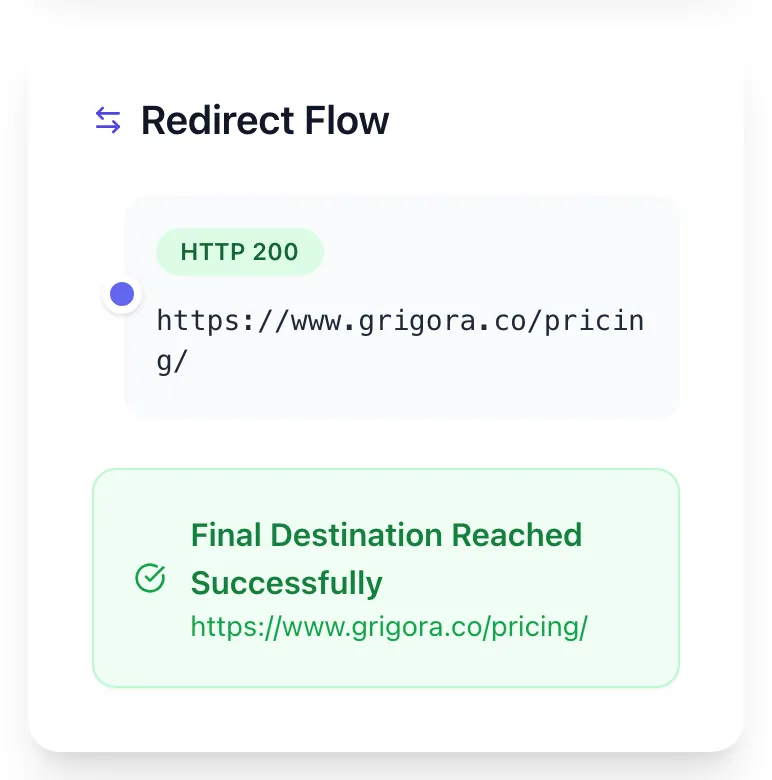
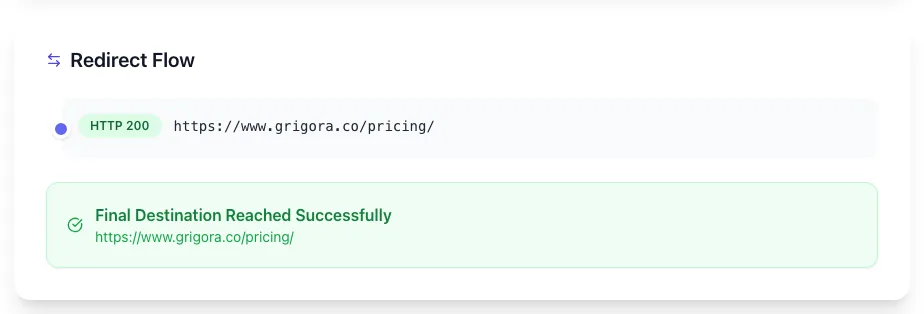
See what Check Redirects produces
Clicking Check Redirects runs the check and shows the result right below.
What this tool does
Redirect Checker delivers fast, reliable results for check redirect chains for any url. detect 301, 302, loops, and final destination. free, instant.
Designed to fit into your existing SEO and content workflow with no setup overhead.
How to use it
Five steps.
Paste the URL
Enter any HTTP or HTTPS URL. Full redirect chain will be traced through up to 20 hops.
Run the check
Our crawler simulates Googlebot user-agent and follows every redirect, capturing each status code along the way.
Review the chain
See each hop with its status (301/302/307/308), TTFB, and whether the hop happened at Cloudflare edge or origin server.
Identify issues
Loops, soft 404s, mixed permanent/temporary chains, and missing query-string preservation are all flagged with severity.
Fix and re-test
Update your .htaccess, Nginx config, Cloudflare rule, or next.config.js. Re-run the checker until you see a single 301 hop to your final destination.
When teams use it
Six common workflows.
Audit redirect chains after a site migration
After moving from WordPress to Shopify or Magento to BigCommerce, paste your top 200 URLs to verify every old URL 301s to the right new URL in a single hop. Catches multi-hop chains that bleed link equity during the first 30 days post-migration.
Detect redirect loops on staging before launch
Run your staging URLs through the checker before pushing to production. Catches loop bugs introduced by conflicting Cloudflare rules and origin .htaccess rules: single most common pre-launch outage cause.
Verify HTTP-to-HTTPS migration
Test that every page on the site emits 301 (not 302) when accessed via HTTP, and that the redirect goes straight to HTTPS without intermediate hops. Required after enabling SSL on a previously HTTP-only domain.
Diagnose Cloudflare vs origin redirect conflicts
When Cloudflare Page Rules emit one status and origin .htaccess emits a different status, the checker shows you exactly which layer wins for each URL. Resolves "I changed the .htaccess but nothing happened" debugging.
Fix soft 404s harming crawl budget
Identify URLs that 302 redirect to your homepage when they should be 404. Google treats homepage-redirected 404s as soft 404s and deprioritizes crawling. Switching to true 404 or 410 reclaims crawl budget for indexable pages.
Validate Vercel and Next.js redirect rules
After updating next.config.js redirects, deploy and run our checker to confirm permanent: true emits 308 (Google treats as 301) and that pattern matches with named groups (e.g., :slug*) work as intended.
Platform guides
Integrate with major platforms.
Apache (.htaccess)
- Open .htaccess in your site root via SSH or hosting file manager.
- Add: RewriteEngine On (must be first directive).
- For single redirects: Redirect 301 /old-page /new-page
- For pattern redirects: RewriteRule ^old/(.*)$ /new/$1 [R=301,L,QSA]
- Save and test with curl -I https://yoursite.com/old-page. Must show "HTTP/1.1 301 Moved Permanently".
Nginx
- Open your site config in /etc/nginx/sites-available/yoursite.
- Inside the server block: location /old-page { return 301 /new-page; }
- For pattern matches: location ~ ^/old/(.*)$ { return 301 /new/$1; }
- Test config: nginx -t. Must report "syntax is ok".
- Reload: systemctl reload nginx and verify with curl -I.
Cloudflare
- Log into Cloudflare dashboard and select your domain.
- Navigate to Rules > Redirect Rules.
- Click Create Rule and choose Single Redirect or Bulk Redirect.
- Set source URL pattern, target URL, and status code (always 301 for permanent moves).
- Deploy the rule, then test with curl -I from a non-Cloudflare network or our checker.
Vercel (next.config.js)
- Open next.config.js in your Next.js project root.
- Add: async redirects() { return [{ source: "/old", destination: "/new", permanent: true }]; }
- permanent: true emits 308 (treated as 301 by Google); permanent: false emits 307.
- Deploy: vercel --prod (redirects do not hot-reload).
- Test with curl -I https://yoursite.com/old.
WordPress (Redirection plugin)
- Install the Redirection plugin from the WP plugin directory.
- Navigate to Tools > Redirection in admin.
- Click Add New, enter source URL and target URL.
- Set HTTP code to 301 (default in this plugin, unlike core WP which uses 302).
- Save and test the redirect with our checker. Verify status is 301 and chain is single-hop.
Grigora vs. alternatives
Side-by-side.
| Capability | Grigora | httpstatus.io | Redirect Detective | Free | Manual |
|---|---|---|---|---|---|
| Detects 301 vs 302 vs 307 vs 308 | Yes | Yes | Yes | Limited | Manual |
| Visualizes full redirect chain | Yes | Yes | No | Yes | No |
| Loop detection with hop limit | Yes | No | Yes | Yes | No |
| Cloudflare vs origin layer identification | Yes | No | No | No | No |
| Bulk URL checking (100+ at once) | Yes | Pro tier | No | Pro tier | Manual |
| Free unlimited checks | Yes | Trial only | Limited | Plan-capped | Yes |
| Mobile vs desktop user-agent simulation | Yes | No | Yes | No | Manual |
| Final destination status code reporting | Yes | Yes | Limited | Yes | Manual |
Common errors and fixes
Eight issues users hit.
ERR_TOO_MANY_REDIRECTS in browser
Cause: A redirect loop exists between two URLs that point back to each other.
Fix: Identify the cycle in our checker output. Most often this is HTTP-vs-HTTPS or www-vs-non-www rules conflicting. Pick one canonical URL pattern and rewrite all rules to point at it directly.
Status reports 302 when 301 was intended
Cause: Platform default fell through (WordPress, Shopify, and some plugins emit 302 unless explicitly told otherwise).
Fix: Add explicit status code: in Apache use [R=301,L], in Nginx use return 301, in Next.js set permanent: true. Re-test our checker until it reports 301.
Redirect chain 4+ hops deep
Cause: Multiple migrations introduced redirects without flattening previous ones.
Fix: Update each intermediate redirect to point directly at the final destination URL. The chain should resolve in one hop. Re-run the checker to verify.
Final destination returns 404
Cause: Old URL redirected to a page that has since been deleted, leaving the redirect orphaned.
Fix: Either restore the destination, redirect to a new relevant page, or change the original 301 to 410 (Gone) so search engines deindex the old URL cleanly.
Query strings dropped across redirect
Cause: Redirect rule did not include query-string preservation flag.
Fix: Apache: add [QSA] flag. Nginx: use $request_uri. Cloudflare and Vercel: enable preserve query string in the rule editor. Re-test with a URL containing utm_source=test.
Redirect works in browser but not for Googlebot
Cause: Server-side rule excludes user-agent matching Googlebot, or robots.txt blocks the destination.
Fix: Check server logs for actual Googlebot requests. Remove any user-agent exclusions in redirect rules. Verify robots.txt does not Disallow the new URL path.
HTTPS redirect chains with non-www redirect
Cause: Two separate rules apply: HTTP-to-HTTPS first, then non-www-to-www second.
Fix: Combine into a single sitewide rule: any HTTP request 301 directly to https://www.canonicaldomain.com/{path}. Eliminates the intermediate hop.
Redirect cached aggressively in browser
Cause: Browsers cache 301 redirects for up to 1 year and ignore changes.
Fix: Test in incognito or curl with -H "Cache-Control: no-cache". To clear user-side cache faster, switch to a 302 temporarily, deploy the new 301 target, then re-deploy as 301 once propagated.
Original data
2026 study.
Frequently asked questions
Twelve answers.
Related free tools
Other utilities.
Mixed Content Checker
Find http assets loading on an https page.
Try itBroken Image Checker
Find every image on a page that fails to load.
Try itMeta Tag Generator
Generate page meta tags.
Try itMeta Description Generator
AI-write descriptions.
Try itSERP Snippet Preview
Visualize SERP rendering.
Try itOpen Graph Checker
Audit OG tags.
Try itMeta Title Checker
Audit page title.
Try itLink Metadata Scraper
Pull all metadata from URL.
Try itSSL Checker
Check the certificate, expiry and HTTPS redirect for a domain and its www twin.
Try it