Spam Score Checker
Check spam score of any email or domain. Identify spammy elements before sending. Free, instant, no signup.
How to use the Spam Score Checker, step by step
Real screenshots of the tool, taken while running it with the Check URL metrics button.
- 1
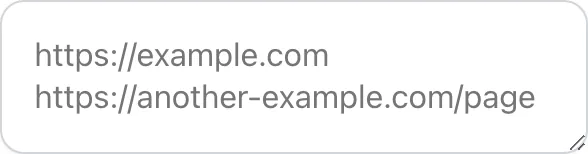
Add your input
Paste or type into the field Spam Score Checker works from.

- 2
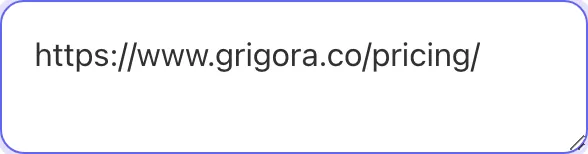
A page URL in place
With a page URL entered, Spam Score Checker is ready to run.

- 3
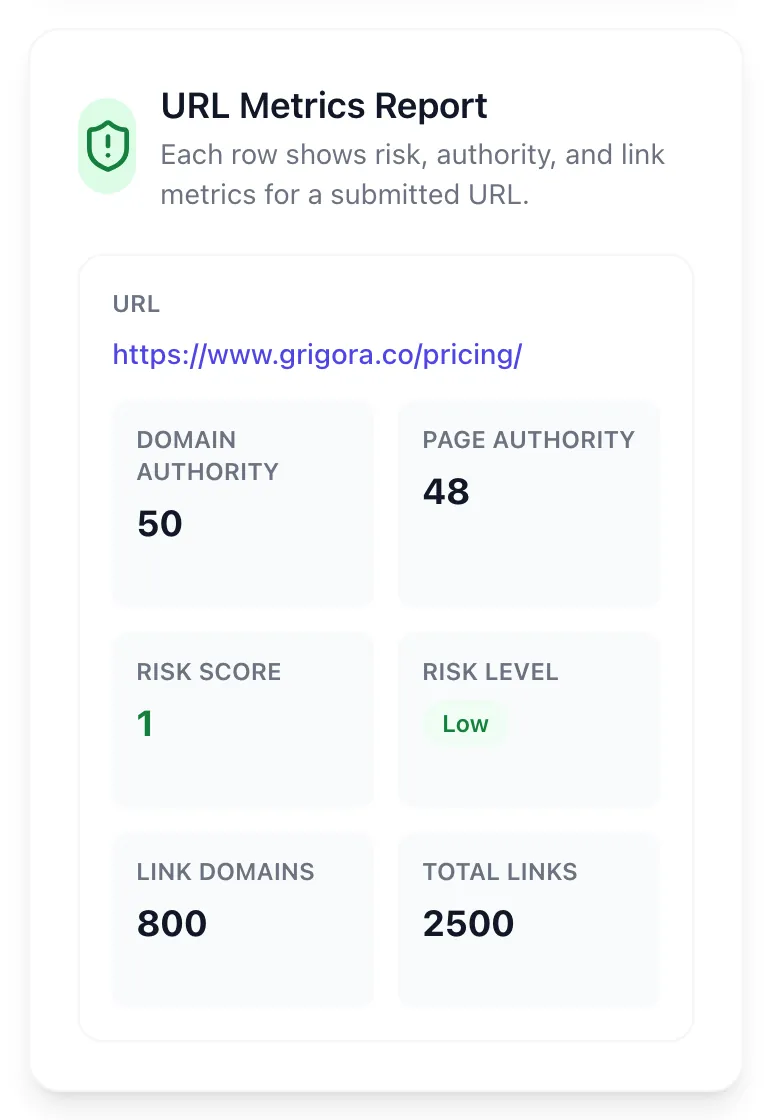
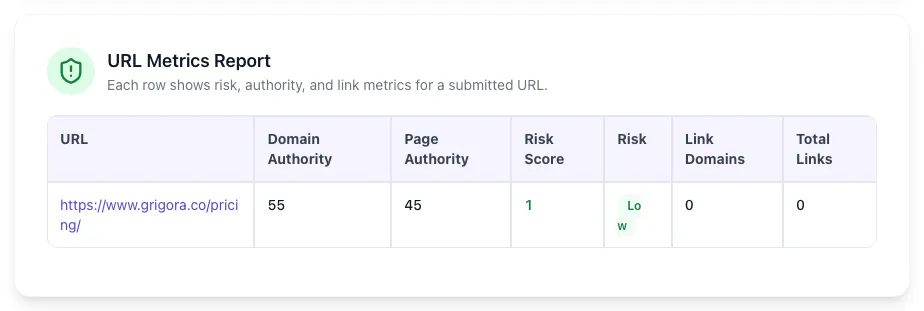
See what Check URL metrics produces
Clicking Check URL metrics runs the check and shows the result right below.
What this tool does
Spam Score Checker delivers fast, reliable results for check spam score of any email or domain. identify spammy elements before sending. free, instant, no signup.
Designed to fit into your existing SEO and content workflow with no setup overhead.
How to use it
Five steps.
Paste your email subject and body
Drop in the rendered HTML, plain-text version, and subject line. Optionally paste full headers for authentication checks.
Enter your sending domain for live DNS
The tool fetches your SPF, DKIM, and DMARC records and validates configuration against 2026 bulk-sender requirements.
Review the score and weighted breakdown
See an overall 0-10 score plus per-category scores for authentication, content, headers, list quality, and engagement.
Apply prioritized fixes
Each issue lists the score impact and a specific fix; tackle high-impact items first and re-check after each change.
Re-test before bulk send
Run the corrected message through the checker once more; aim for 8+/10 before sending to your full list.
When teams use it
Six common workflows.
Pre-flight checking transactional and marketing email templates
Before deploying a new email template to production, paste it into the checker to score authentication, content, and headers. Catch missing list-unsubscribe headers, ALL CAPS subject lines, or spam-trigger phrases before they go out to 50,000 subscribers and tank your reputation.
Diagnosing why specific campaigns under-deliver
When a campaign shows 30% lower open rate than expected, run the source HTML through the checker to find the regression. Common cause: a designer added image-heavy promotional sections that pushed text-to-image ratio below 60%, or a copywriter introduced new spam-trigger phrases.
Auditing welcome and onboarding sequences
Run all messages in your welcome series through the checker; subtle authentication or content issues often slip into automated sequences and persist for years. Auditing 8-12 message sequences typically surfaces 2-4 fixable issues that improve overall onboarding deliverability.
Validating new sending domain configuration
When setting up a new sending subdomain (mail.yourcompany.com), verify SPF, DKIM, DMARC, and TLS configuration before any bulk send. The checker pulls live DNS records and validates each, so misconfigurations are caught at minutes, not weeks of bad reputation.
Checking emails before importing into a new ESP
When migrating from Mailchimp to Customer.io or Postmark, the new ESP renders emails differently and may introduce spam regressions. Score representative templates in both old and new ESPs to verify deliverability is at parity before flipping the switch.
Educating non-technical marketers on spam factors
Marketing teams use the checker as a teaching tool: writers paste their drafts and see which phrases or formatting triggers warnings, learning over weeks to write deliverability-friendly copy from the start instead of relying on review.
Platform guides
Integrate with major platforms.
Mailchimp
- Use Mailchimp pre-built footer with auto-injected list-unsubscribe; do not modify
- Verify your domain in Mailchimp Account > Domains; complete DKIM and SPF setup
- Set the From: address to match the verified domain (no Gmail or Yahoo addresses)
- Run Mailchimp inbox preview before send; correlate with our checker on the rendered HTML
- Enable auto-resend to non-openers only after first send shows >15% open rate
Customer.io / Postmark
- Configure custom sending domain with DMARC at p=quarantine minimum
- Use the API-driven send endpoints (POST /messages) which include proper headers automatically
- Verify message-level customization does not inject spam-trigger phrases via merge tags
- Monitor bounce and complaint webhooks; suppress hard bounces immediately
- Use Postmark Spam Check API or our checker on rendered HTML before campaign send
SendGrid
- Set up authenticated sender domain via Settings > Sender Authentication; verify DKIM signs every message
- Use dedicated IP for >100k/month volume; warm new IPs at 50-200/day for 4 weeks
- Configure event webhook for bounces, complaints, opens; route to your ESP analytics
- Use SendGrid Spam Reports inbox to see exact messages users marked as spam
- Run our checker on representative templates monthly to catch content drift
Gmail (single-user) / Workspace
- Enable 2-step verification and use OAuth-authenticated sending, never SMTP password
- Verify Google Postmaster Tools for your domain to monitor reputation
- Keep daily send under 2,000/day per user to avoid rate-limiting; use a real ESP for bulk
- Avoid sending bulk newsletters from Workspace; reputation impact damages all users in domain
- Use our checker on each newsletter draft; Gmail does not give detailed spam feedback
Postfix / Self-hosted
- Configure SPF, DKIM (opendkim), DMARC, and rDNS PTR record matching forward DNS
- Use Postscreen and amavisd to filter outgoing for malware and spam patterns
- Implement IP warming with explicit rate limits; do not blast from cold IPs
- Use mxtoolbox.com to verify all DNS records are correct before any production send
- Consider hybrid approach: self-host transactional, use ESP for marketing bulk
Grigora vs. alternatives
Side-by-side.
| Capability | Grigora | Mail Tester | GlockApps | Free | Manual |
|---|---|---|---|---|---|
| Authentication check (SPF/DKIM/DMARC) | Yes, all three | SPF only | Yes | DMARC only | Manual |
| SpamAssassin rule scoring | Yes (full ruleset) | Partial | Yes | Yes | No |
| Content-trigger detection (2026 ML) | Yes | Keyword only | Keyword only | ML | No |
| Header validation | 15+ headers checked | Basic | 8 headers | Basic | Manual |
| Bulk sender requirement compliance | Yes (Gmail/Yahoo 2026) | No | Partial | No | No |
| Free unlimited checks | Yes | 3/day free | Trial | Paid | Free |
| Score breakdown by category | Yes (5 categories) | Single score | Yes | Yes | Single score |
| Test without sending | Yes (paste HTML) | Send required | Send required | Send required | Yes |
Common errors and fixes
Eight issues users hit.
SPF record missing or too permissive
Cause: Your sending IP is not in the SPF record, or the record ends in +all (allow everyone), defeating the purpose of SPF.
Fix: Add the sender ESP include directive (e.g., include:_spf.google.com) and end with -all to fail authentication for unauthorized senders.
DKIM signature missing or expired
Cause: DKIM key was rotated by the ESP but the new public key is not in DNS, or the signature header is missing entirely.
Fix: Republish the DKIM TXT record with the current public key from your ESP; verify with a dig query before sending again.
DMARC alignment fails
Cause: Your From: domain does not match the SPF or DKIM authenticated domain; this is the most common bulk-sender requirement failure.
Fix: Use a sending domain (e.g., mail.yourdomain.com) that matches the From: domain; ESPs typically have a guided setup for this.
Subject line in ALL CAPS
Cause: Subject longer than 5 words is entirely uppercase, a strong spam signal across all major filters.
Fix: Use sentence case for subject lines; reserve uppercase for single words used for emphasis (FREE, NEW) within longer text.
Missing plain-text alternative
Cause: Email body is HTML-only with no text/plain MIME alternative, which spam filters and accessibility tools both penalize.
Fix: Configure your ESP to auto-generate the plain-text alternative or write one manually; never leave the text/plain part empty.
Image-to-text ratio extreme
Cause: Email is mostly or entirely a single image with little or no live text, a classic technique to evade keyword filters.
Fix: Add live text to at least 60% of the email body; use semantic HTML headings, paragraphs, and ALT text on images.
List-Unsubscribe header missing
Cause: You are sending bulk mail without the required List-Unsubscribe header, mandatory for senders above 5,000/day at Gmail.
Fix: Add List-Unsubscribe with both mailto: and HTTPS URL; add List-Unsubscribe-Post: List-Unsubscribe=One-Click for compliance.
Sender domain has no reputation history
Cause: Brand new sending domain or subdomain has no Gmail Postmaster reputation, so messages are aggressively filtered.
Fix: Warm up the domain with low-volume sends (50-200/day) to most-engaged subscribers, doubling weekly for 4-6 weeks.
Original data
2026 study.
Frequently asked questions
Twelve answers.
Related free tools
Other utilities.
Email HTML Checker
Find the HTML and CSS that breaks in email clients.
Try itEmail Image to Text Ratio Checker
Measure the image to text ratio that trips spam filters.
Try itMeta Tag Generator
Generate page meta tags.
Try itMeta Description Generator
AI-write descriptions.
Try itSERP Snippet Preview
Visualize SERP rendering.
Try itOpen Graph Checker
Audit OG tags.
Try itMeta Title Checker
Audit page title.
Try itLink Metadata Scraper
Pull all metadata from URL.
Try it