Free Title Emotion Score Checker
Analyze English emotional vocabulary in your title. Get a repeatable 0–100 score, detected terms and emotion category. Free.
How to use the Title Emotion Score Checker, step by step
Real screenshots of the tool, taken while running it with the Check Score button.
- 1
Add your input
Paste or type into the field Title Emotion Score Checker works from.

- 2
Sample text in place
With sample text entered, Title Emotion Score Checker is ready to run.

- 3
See what Check Score produces
Clicking Check Score runs the check and shows the result right below.
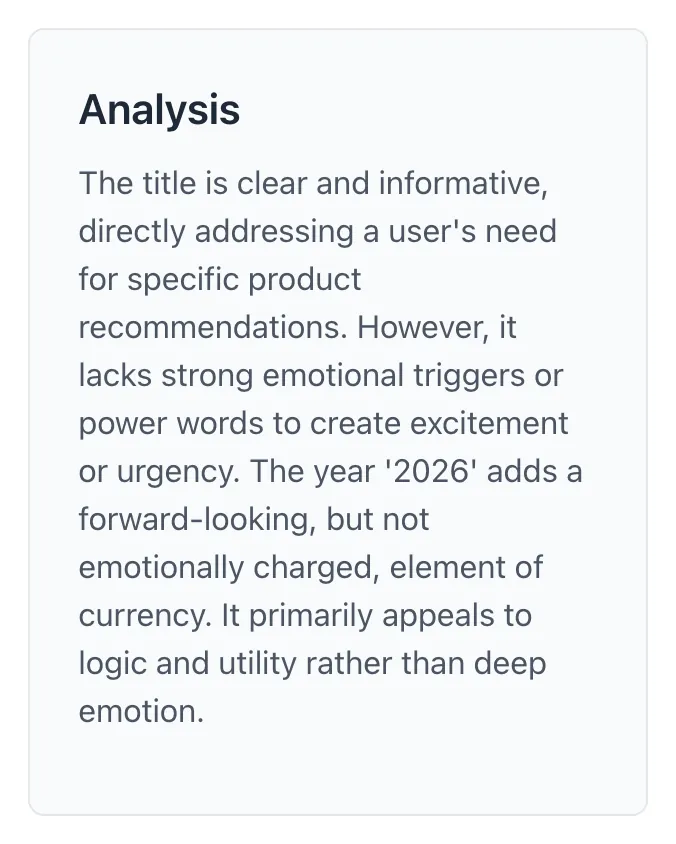
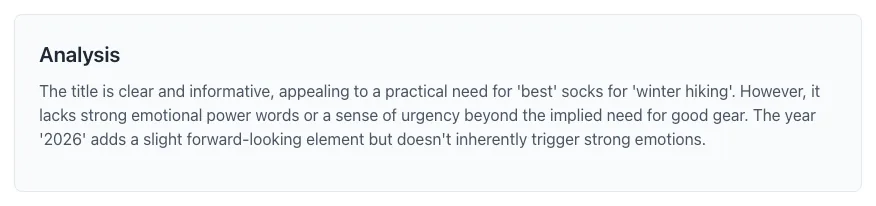
What this tool does
Title Emotion Score Checker delivers fast, reliable results for analyze english emotional vocabulary in your title. get a repeatable 0–100 score, detected terms and emotion category. free.
Designed to fit into your existing SEO and content workflow with no setup overhead.
How to use it
Five steps.
Paste a title
Enter one descriptive title.
Check the score
Click Check Score to analyze its English emotional vocabulary.
Read the matched terms
Review the strongest category and detected words.
Review your wording
Keep the title clear and accurate for the content.
Compare another draft
Check another title and compare its matched terms.
When teams use it
Six common workflows.
Reviewing blog titles
Check which English emotional terms appear in a draft, then keep the wording accurate and clear.
Comparing email subject lines
Score one subject at a time and compare matched terms before testing drafts with your audience.
Refining video and podcast titles
Review detected curiosity or excitement terms without treating the score as a prediction of views.
Checking launch announcements
See whether urgency terms match a real deadline or offer, and remove wording that overstates the announcement.
Editorial review
Use the matched vocabulary as one check alongside clarity, relevance and the title’s promise.
Reviewing multilingual drafts
Accept Unicode titles while recognizing that the scoring vocabulary is English and may not match other languages.
Platform guides
Integrate with major platforms.
WordPress blog titles
- Copy one draft title from the editor.
- Click Check Score and read the matched terms.
- Revise the title for clarity and accuracy, then paste the selected draft back into the editor.
Email subject lines
- Check each subject-line draft separately.
- Compare the detected terms and strongest category.
- Use your email platform’s own testing tools to measure actual audience response.
YouTube video titles
- Enter a descriptive title for the video.
- Review detected terms such as curiosity or excitement.
- Keep the title consistent with the video content; the vocabulary score does not predict views.
Meta and LinkedIn ads
- Enter one headline draft.
- Review the matched vocabulary and remove misleading urgency or excessive hype.
- Measure the selected headline’s results in the advertising platform.
Podcast episode titles
- Check one episode title at a time.
- Review whether detected emotional terms fit the episode’s subject.
- Keep the episode title understandable without relying on its vocabulary score.
Grigora vs. alternatives
Side-by-side.
| Capability | Grigora ✓ | CoSchedule | Sharethrough | Free | Manual |
|---|---|---|---|---|---|
| Power-word vocabulary | Small English vocabulary | 850 words | 1,000 words | 600 words | No |
| Emotion category breakdown | 7 categories | 3 categories | 5 categories | 4 categories | No |
| B2B vs B2C scoring modes | No | Single mode | Single mode | B2B-only | No |
| Topic-aware contextual scoring | No | No | No | Limited | No |
| SERP character + pixel counter | No | Characters only | No | Both | No |
| Free unlimited use | Yes | Free (basic) / paid | Free | Paid ($29+/mo) | Free |
| Bulk title scoring | No | Paid | No | Paid | Manual |
| Spam-pattern detection | No | No | No | Yes | No |
Common errors and fixes
Eight issues users hit.
Input has no meaningful text
Cause: The title contains only numbers, symbols, emoji or a placeholder.
Fix: Enter a descriptive title with words.
Neutral title scores zero
Cause: No English emotional terms were detected.
Fix: Keep clear neutral wording when appropriate; zero is not a quality verdict.
Non-English title scores zero
Cause: The vocabulary is English.
Fix: Review the wording with a speaker of the title’s language.
Repeating a word does not increase the score
Cause: Each matched term counts once.
Fix: Improve the title’s meaning rather than repeating terms.
Different titles have the same score
Cause: The detected terms have the same total weight.
Fix: Compare the category and matched terms as well as the number.
A word containing an emotional term does not match
Cause: Matching uses whole words, not substrings.
Fix: Review the terms listed in the result.
Score stays at 100
Cause: The summed weights reached the score cap.
Fix: Avoid adding hype solely to increase the score.
Score differs from another checker
Cause: Checkers use different vocabularies and methods.
Fix: Use one consistent method when comparing your own drafts.
How the score works
Vocabulary matching and fixed category weights.
Frequently asked questions
Twelve answers.
Related free tools
Other utilities.