Free Website Icon Generator
Generate favicons in all sizes (16x16 to 512x512). PNG, ICO, manifest. Free, instant, no signup.
How to use the Website Icon Generator, step by step
Real screenshots of the tool, taken while running it with the Generate Icons button.
- 1
Choose a file
Upload an image. Nothing is kept on a server longer than the request needs.
- 2
The file is ready
The image loads locally so you can see it before running anything.


- 3
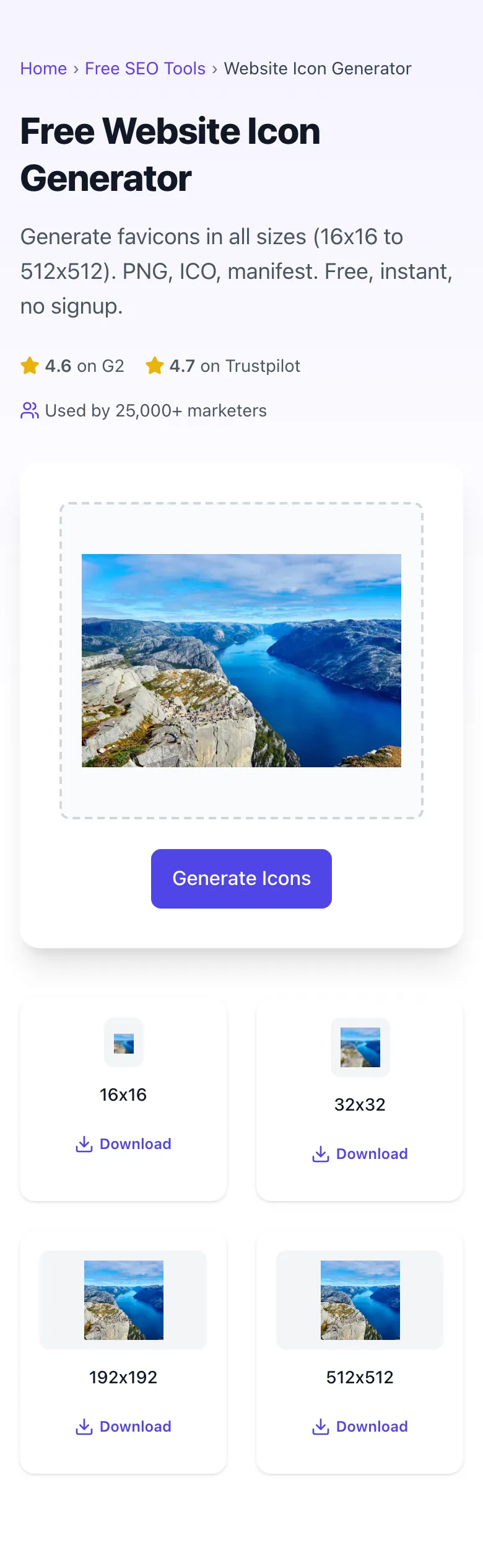
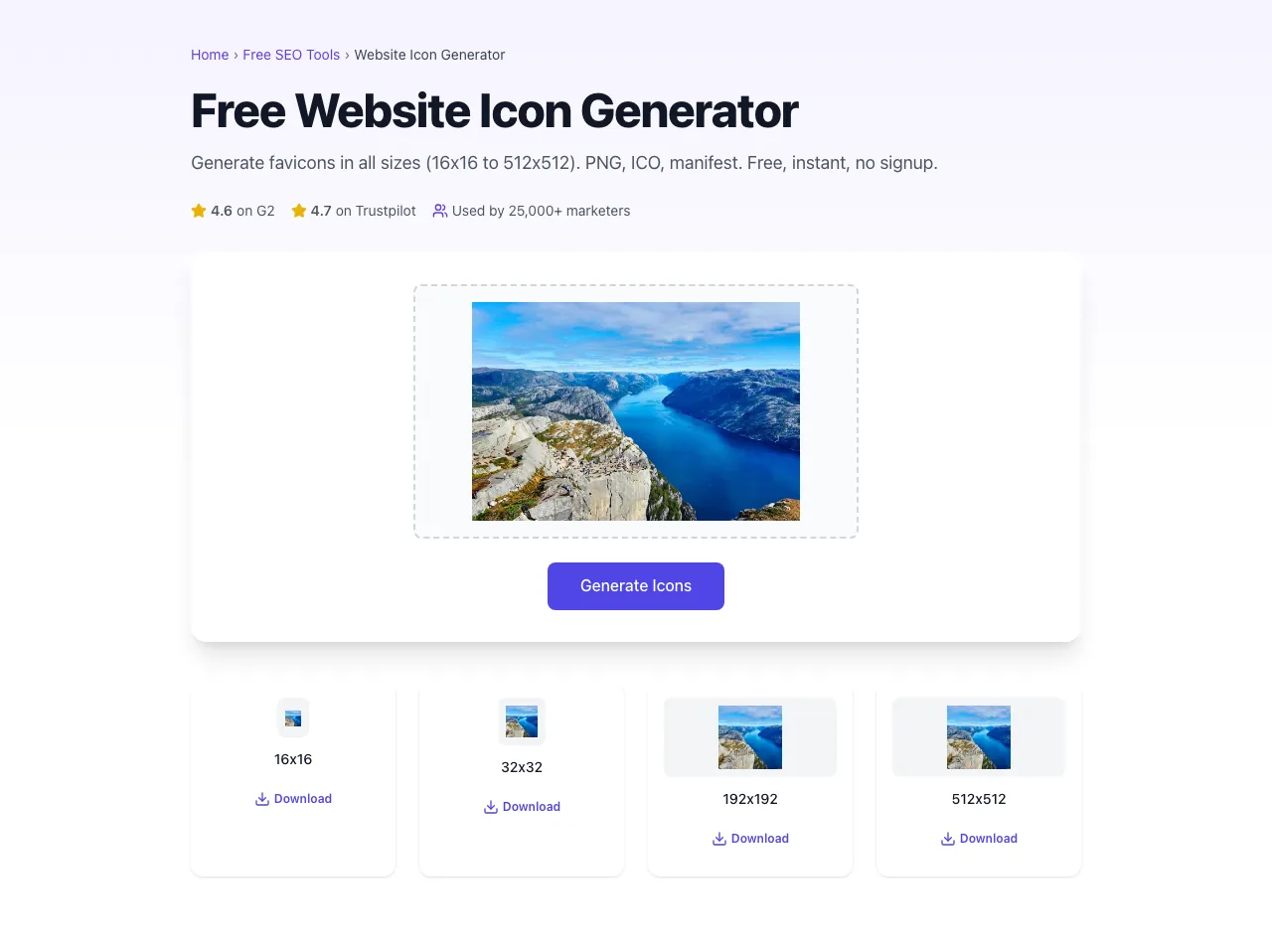
See what Generate Icons produces
Clicking Generate Icons runs the check and shows the result right below.
What this tool does
Website Icon Generator delivers fast, reliable results for generate favicons in all sizes (16x16 to 512x512). png, ico, manifest. free, instant, no signup.
Designed to fit into your existing SEO and content workflow with no setup overhead.
How to use it
Five steps.
Upload a square source image
Use a 512x512 or larger PNG/SVG with transparent background. Logos with strong central focus work best at small sizes.
Generate the complete icon set
The tool produces 16x16, 32x32, 64x64, 180x180, 192x192, 512x512 PNGs plus favicon.ico and manifest.json.
Download the zip and extract files
Place all generated files in your site root (or /favicons/ directory) so the browser can fetch them by URL.
Add the <link> tags to your <head>
Copy the provided HTML snippet into your site's <head> tag. Includes favicon, apple-touch-icon, and manifest references.
Test on real devices and browsers
Verify in Chrome (browser tab), iOS Safari (Add to Home Screen), Android Chrome (Install App), and the Manifest tab in DevTools.
When teams use it
Six common workflows.
New site launch
Generate a complete favicon set as part of pre-launch checklist. Cover browser tabs, iOS, Android, PWA, and Windows in one pass.
Brand refresh and rebrand
Quickly regenerate every favicon size from a new logo design. Maintains visual consistency across browser tabs, mobile, and PWA installs.
PWA conversion
When converting a static site to a Progressive Web App, generate the manifest.json icons (192, 512) and maskable variants for adaptive icons.
Multi-tenant SaaS
Generate per-tenant favicons programmatically as part of customer onboarding so each customer's subdomain has their own brand favicon.
Accessibility and design audit
Audit existing sites for missing favicon sizes: over 60% of sites are missing the apple-touch-icon or manifest icons.
Mobile app companion site
Mobile app marketing sites use favicons that match their app icon for visual recognition between web and app contexts.
Platform guides
Integrate with major platforms.
WordPress
- Generate favicon set with this tool and download the zip.
- Go to Appearance > Customize > Site Identity > Site Icon.
- Upload the 512x512 PNG; WordPress auto-generates the smaller sizes.
- For full control, upload all sizes via FTP to the site root and add <link> tags via a child theme functions.php hook.
Next.js
- Place favicon files in the /public directory or /app directory (Next.js 13+ App Router).
- For Next.js 13+ App Router, name files icon.png, apple-icon.png, manifest.webmanifest in /app. Next.js auto-generates <link> tags.
- For Pages Router, manually add <link> tags via _document.js or per-page next/head.
- Reference manifest.json explicitly in <head>.
Shopify
- In Shopify admin, navigate to Online Store > Themes > Customize > Theme settings > Favicon.
- Upload a 32x32 PNG; Shopify uses this for browser tabs.
- For full apple-touch-icon support, upload all favicon files to /assets via the theme code editor.
- Add <link> tags in theme.liquid <head>.
Webflow
- Open Project Settings > General > Site Icons.
- Upload favicon (32x32) and webclip (256x256 for apple-touch-icon).
- Webflow auto-injects the link tags. For full coverage with manifest.json, use Webflow Site-wide Custom Code in <head>.
- Publish to your custom domain and verify in DevTools.
Static HTML / Custom builds
- Place all favicon files in your site root or a /favicons/ directory.
- Add the complete <link> tag block in your <head> template.
- Reference manifest.json with <link rel="manifest" href="/manifest.json">.
- Serve with appropriate Content-Type headers and 7-day Cache-Control.
Grigora vs. alternatives
Side-by-side.
| Capability | Grigora | Favicon.io | RealFaviconGenerator | Free | Manual |
|---|---|---|---|---|---|
| All standard sizes (16, 32, 64, 180, 192, 512) | Yes | Yes | Limited | Yes | Manual |
| favicon.ico multi-resolution | Yes | Yes | Single size | Yes | Manual |
| manifest.json with icons array | Yes | Yes | No | Yes | No |
| apple-touch-icon (180x180) | Yes | Yes | Yes | Yes | Manual |
| Maskable icon for Android adaptive | Yes | Paid | No | Paid | No |
| SVG favicon output | Coming soon | Paid | No | Yes | No |
| HTML snippet generator | Yes | Yes | No | Yes | Manual |
| Free with no signup | Yes | Yes | Yes | Yes | Yes |
Common errors and fixes
Eight issues users hit.
Favicon does not appear in browser tab
Cause: Missing favicon.ico at root or no <link rel="icon"> tag in <head>.
Fix: Place favicon.ico at the site root and add explicit <link> tags. Hard-refresh and check in DevTools > Network.
iOS home screen icon shows screenshot instead of icon
Cause: apple-touch-icon link tag is missing or pointing to a non-existent file.
Fix: Add <link rel="apple-touch-icon" sizes="180x180" href="/apple-touch-icon.png"> with a real 180x180 PNG.
Favicon appears blurry on retina displays
Cause: Only 16x16 ICO served; browsers scale up for high-DPI tabs.
Fix: Provide 32x32 and 64x64 PNGs alongside ICO. Modern browsers pick the highest-resolution match available.
Manifest.json icons missing on Android
Cause: manifest.json not referenced in <head> or icons array does not include 192x192 and 512x512.
Fix: Add <link rel="manifest" href="/manifest.json"> and ensure the manifest icons array includes both required sizes.
Favicon shows old version after update
Cause: Browsers cache favicons for 30+ days regardless of HTTP cache headers.
Fix: Append a version query parameter (?v=2) or rename the file. Force-refresh in DevTools > Application > Clear storage.
Favicon disappears in dark mode tab
Cause: Pure black favicon on transparent background becomes invisible against dark tabs.
Fix: Add a solid background color or use SVG favicon with prefers-color-scheme media query.
iOS replaces transparency with black ugly background
Cause: apple-touch-icon was uploaded with transparent background; iOS does not preserve transparency for home screen icons.
Fix: Re-export apple-touch-icon as 180x180 with a solid background matching brand color.
Wrong Content-Type causes manifest icons not to load
Cause: Server serves manifest.json as text/plain or application/json instead of application/manifest+json.
Fix: Configure server MIME types so .json files in /manifest path return application/manifest+json (or both work in modern browsers).
Original data
2026 study.
Frequently asked questions
Twelve answers.
Related free tools
Other utilities.
Favicon Checker
Check every declared icon actually resolves.
Try itMeta Tag Generator
Generate page meta tags.
Try itMeta Description Generator
AI-write descriptions.
Try itSERP Snippet Preview
Visualize SERP rendering.
Try itOpen Graph Checker
Audit OG tags.
Try itMeta Title Checker
Audit page title.
Try itLink Metadata Scraper
Pull all metadata from URL.
Try it