Start with an idea or a relevant template. Refine it around your party rentals audience and the information they need.
Describe your party rentals website
Tell the AI who you serve, what you offer and the style you want. Include rental inventory catalog and detailed item pages & pricing in your brief, or choose a relevant template.
Name your audience and the next action you want visitors to take.
Review and make it yours
Ask the AI Editor for any change, or click an element to show what you mean. Add your own photographs and review rental inventory catalog, detailed item pages & pricing, event inspiration gallery & packages before sharing your website.
Confirm every claim and replace sample content with your actual details.
Preview, then publish
Check the website on phones, tablets and desktop screens. Publish with hosting and SSL, and connect a domain you own when your plan includes custom domains.
Test your contact form and every external service link after publishing.
The details that help visitors choose
Rental Inventory Catalog. One clear website.
A party rental website is a catalogue plus a way to get the enquiry, and Grigora builds one for your tent, table, chair and inflatable inventory without code. Describe the business and the AI drafts the pages, copy and images, ready for you to change by describing any edit in the AI Editor.
Rental Inventory Catalog
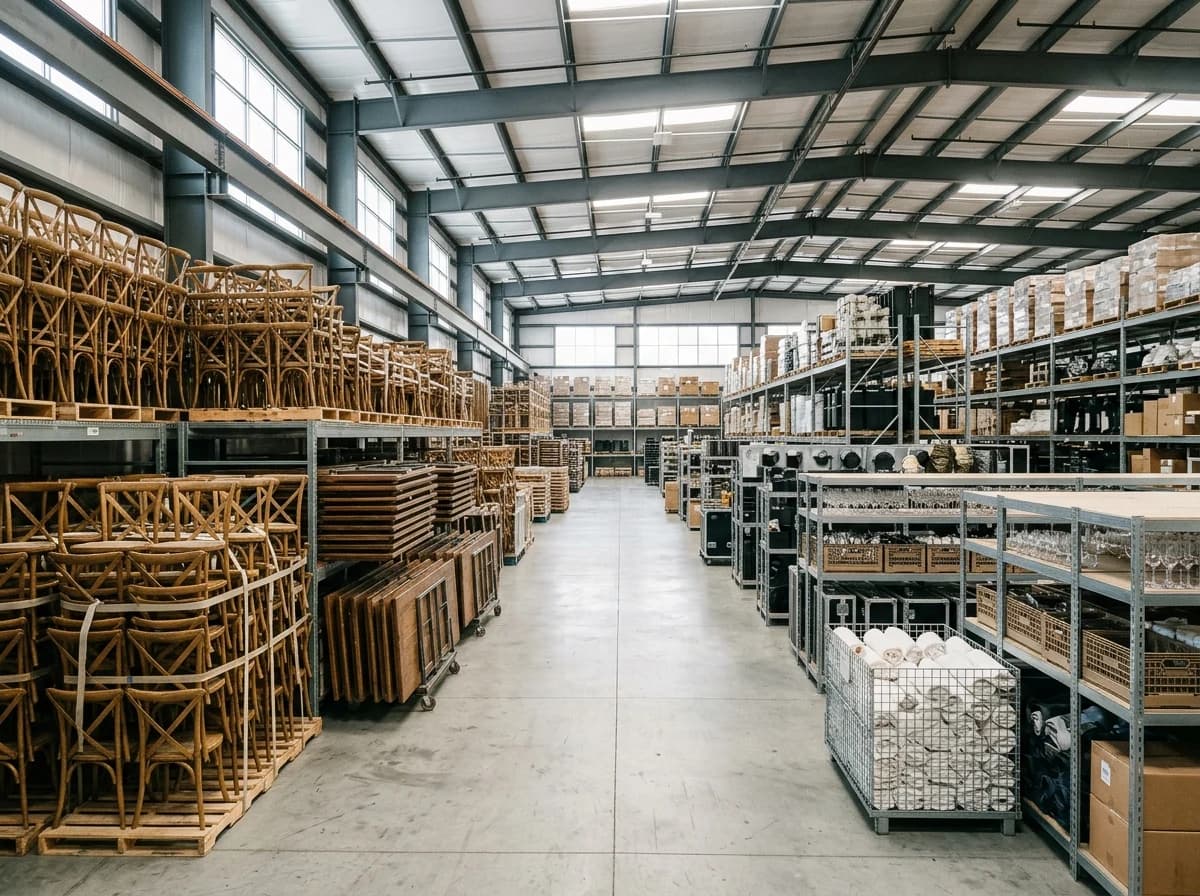
Showcase your full range of rental items with high-quality photos (e.g., tents, tables, chairs, bounce houses, catering equipment, decor). Organize them into clear categories and allow users to filter by event type or item type.
Detailed Item Pages & Pricing
Each rental item needs a dedicated page with multiple photos, clear dimensions, material details, and transparent pricing (e.g., daily rate, package deal). Explain any delivery, setup, or cleaning fees upfront to avoid surprises.
Event Inspiration Gallery & Packages
Feature photos of your rental items in action at real events. Offer curated rental packages (e.g., 'Wedding Starter,' 'Kids Party Fun') to inspire clients and simplify decision-making. Show the transformative power of your rentals.
Showcase your full range of rental items with high-quality photos (e.g., tents, tables, chairs, bounce houses, catering equipment, decor). Organize them into clear categories and allow users to filter by event type or item type.
Your work, clearly presented
Interactive design inspiration. Illustrative photography and sample copy.
Plan the pages your visitors will use
The right information. A complete picture of your work.
A practical party rentals website content guide. Choose the pages that fit what you do and keep the important answers close.
Rental Inventory Catalog
Showcase your full range of rental items with high-quality photos (e.g., tents, tables, chairs, bounce houses, catering equipment, decor). Organize them into clear categories and allow users to filter by event type or item type.
Detailed Item Pages & Pricing
Each rental item needs a dedicated page with multiple photos, clear dimensions, material details, and transparent pricing (e.g., daily rate, package deal). Explain any delivery, setup, or cleaning fees upfront to avoid surprises.
Event Inspiration Gallery & Packages
Feature photos of your rental items in action at real events. Offer curated rental packages (e.g., 'Wedding Starter,' 'Kids Party Fun') to inspire clients and simplify decision-making. Show the transformative power of your rentals.
Service Area & Delivery Information
Clearly state your service area (cities, counties) and any associated delivery fees. Explain your delivery, setup, and pickup process, including lead times and any requirements clients need to meet.
Testimonials & Reviews
Feature glowing reviews from satisfied clients about your quality, reliability, cleanliness, and customer service. Positive social proof is essential for building trust and encouraging new bookings for critical events.
Learn from the pages visitors use.
Review site analytics to understand which pages people visit. Keep rental inventory catalog and contact information easy to reach, and update them when your work changes.
Choose how visitors to your party rentals website reach you. Make each action fit the services and processes you already use.
Give enquiries a clear route
Help visitors ask about rental inventory catalog. Use a contact form that collects the details your team needs, and explain what happens after an enquiry.
Your team reviews requests and confirms the next step.
Connect the services you use
Keep specialist workflows for your party rentals website in the services you already use. Add clear links and explain their process before visitors leave your site.
Your chosen provider handles its own availability, confirmations and account access.
Add commerce when it fits
If you sell products or agreed services, add Grigora Commerce product pages, a cart and checkout with your connected Stripe, Razorpay, PayPal, or Paddle account. Explain prices, terms and fulfillment before accepting payment.
Your team manages orders and fulfillment; payment provider fees and terms apply.
Good party rentals website SEO starts with useful pages. Make rental inventory catalog, your contact details and your story easy to find.
Illustrative search result
Your website
https://party-rentals.example/
Your website | Party Rentals
Explore rental inventory catalog and detailed item pages & pricing, learn about our approach and find out how to contact us.
Fictional example. Search engines choose the final title and snippet.
Titles and descriptions you can edit
Give pages for rental inventory catalog and detailed item pages & pricing clear titles. Write descriptions that match their actual content.
Useful information for your audience
Explain rental inventory catalog with original copy and relevant photographs. Keep contact details and any locations you serve accurate.
Connected hosting and published pages
Publish with hosting, HTTPS and a sitemap. Use clear navigation so visitors and search engines can reach your pages. Custom domains are available on paid plans.
Use relevant photographs, helpful image descriptions and original copy about your work and the people you serve.
Build and review your first party rentals website draft with no card needed. Choose a plan before the trial ends to keep the site online.
A first draft you can review and customize
Website hosting, SSL and CDN included
Page, form and newsletter usage limits to review
Choose room for your website to grow
Compare plans for your domain and the content your party rentals website needs. Paid plans keep your site online after the trial and let you connect a domain you own.
Connect a domain you own
Keep the site online after the trial
Choose capacity for your pages, content and enquiries
Check current plan limits and feature eligibility before choosing. Connected payment providers have their own terms and processing fees.
The last check before going online
Ready for your first online visitor?
Walk through your party rentals website as a visitor would. Review these details before publishing, and again whenever your content changes.
0 of 5 items reviewed
Before you go online
Party Rentals website builder FAQs.
Clear answers about creating a party rentals website, its content and the tools you can use.
How does Grigora ensure my party rental website is reliable and loads quickly?
Grigora provides free SSL, CDN, and hosting for all websites, ensuring your site is secure, loads quickly, and is always available. Automatic load balancing and server auto-scaling guarantee that your website can handle traffic efficiently, providing a smooth experience for potential customers browsing your rental offerings.
We invoice most of our wedding and corporate clients instead of taking a card online at time of booking - does Grigora support that?
Yes. Alongside Stripe, Razorpay, PayPal, or Paddle checkout, Grigora Commerce can generate invoices, so you can quote a wedding or corporate package and bill it directly instead of forcing every booking through instant checkout.
Can I list the same tent or table in different sizes and colors, and see how many of each are left to rent out?
Yes. Product options and variants let you create separate SKUs per size, color, or style - a 20x40 tent versus a 20x20 clear-top tent, for example - and inventory is tracked per variant so you know what's still available.
Can I add a damage waiver or delivery/setup fee when someone books a rental item?
Yes, product options let you attach add-ons like a damage waiver or setup fee to a rental listing on top of the base rental price, so those charges show up at checkout instead of getting negotiated after the fact.
We deliver and pick up our own tents, tables, and chairs instead of shipping them - can I set a flat delivery charge instead of carrier shipping rates?
Yes, shipping settings are configurable, so you can set your own flat delivery and pickup rate rather than relying on carrier-based shipping options meant for mailed packages.
Can I put photos of past parties and events we've set up on the site, separate from the bookable rental catalog?
Yes, build a directory collection with a multi-image field to create an event gallery or portfolio - a place to show completed setups that's distinct from your product pages for rentable inventory.
Can customers book a bounce house for a specific date on my website?
Not through a live availability calendar, because Grigora has no date-based booking engine. What works is a booking request form carrying the event date, delivery address and items wanted, next to a catalogue with real stock counts. You confirm the date from your own calendar, which is how most rental outfits already operate.
How do I take a deposit online for a tent or table rental?
Sell the deposit as its own product priced at whatever you hold, or list the item with a deposit amount and collect the balance on delivery. Checkout runs through your Stripe, Razorpay, PayPal, or Paddle account, and each order produces a receipt you can reference when the crew loads the truck.
Can I move my party rental website off Wix?
Yes, as a rebuild, because there is no importer for sites made with the AI builder. Describe your business, let the AI draft it, paste over your existing text, re-upload your inventory photos, then add redirects from your old page URLs so links in directories and quotes still land somewhere.
How much does a party rental website cost?
Grigora starts at $15 a month on the Starter plan, or $144 a year, which works out to $12 a month, with Pro at $25 a month, and there is a free trial rather than a free tier. Deposits and online orders settle into your own Stripe, Razorpay, PayPal, or Paddle account under that processor's fees.