
Recipe Index / Categories
Organize your recipes into clear, intuitive categories (e.g., 'Breakfast,' 'Dinner,' 'Desserts,' 'Vegan,' 'Quick & Easy'). A searchable index helps users easily find recipes by ingredient, diet, or meal type.
AI website builder for recipes
Organize recipes with readable ingredients, steps and original photographs for home cooks.
Your work deserves a good first impression
Explore templates for recipes websites. Preview a design, then make the content, photographs and colours your own.
A first draft, with room to make it yours
Start with an idea or a relevant template. Refine it around your recipes audience and the information they need.
Tell the AI who you serve, what you offer and the style you want. Include recipe index / categories and high-quality food photography in your brief, or choose a relevant template.
Name your audience and the next action you want visitors to take.Edit your draft visually. Add your own photographs and review recipe index / categories, high-quality food photography, printable recipe cards before sharing your website.
Confirm every claim and replace sample content with your actual details.Check the website on phones, tablets and desktop screens. Publish with hosting and SSL, and connect a domain you own when your plan includes custom domains.
Test your contact form and every external service link after publishing.The details that help visitors choose
A recipe website is a searchable, browsable archive of your cooking that you own rather than rent from a social feed, and Grigora builds one for food bloggers and home cooks from a plain description of what you make. Tell it your cuisine and style, and the AI generates a first draft with layout, copy and images that you edit visually, no code.
Organize your recipes into clear, intuitive categories (e.g., 'Breakfast,' 'Dinner,' 'Desserts,' 'Vegan,' 'Quick & Easy'). A searchable index helps users easily find recipes by ingredient, diet, or meal type.
Visual appeal is paramount. Each recipe needs stunning, high-resolution photos of the finished dish, and ideally, step-by-step process shots. This makes recipes irresistible and guides users through the cooking process.
Offer a clean, printer-friendly version of each recipe. This is a highly valued feature for home cooks, allowing them to easily print ingredients and instructions without unnecessary ads or navigation elements.
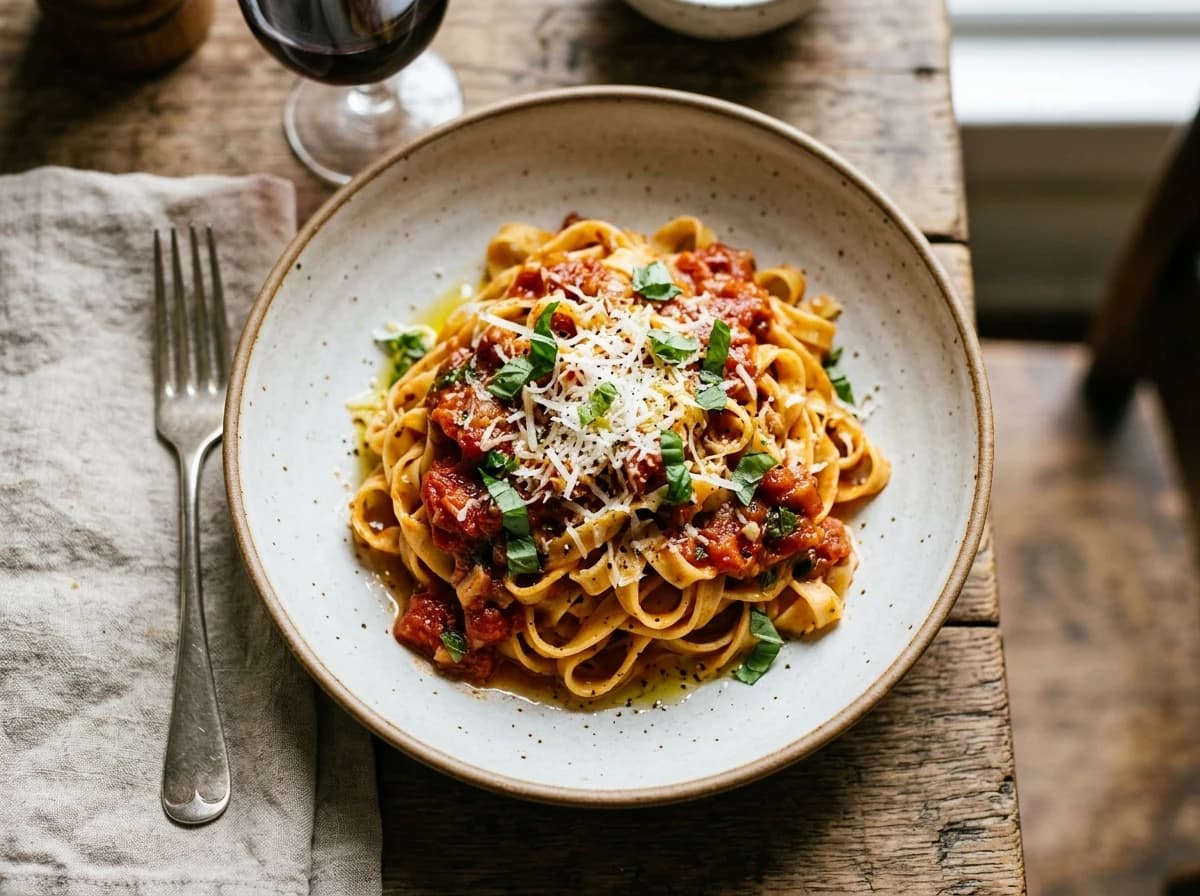 Cozy Home Kitchen
A clear first impression
Organize your recipes into clear, intuitive categories (e.g., 'Breakfast,' 'Dinner,' 'Desserts,' 'Vegan,' 'Quick & Easy'). A searchable index helps users easily find recipes by ingredient, diet, or meal type.
Your work, clearly presentedInteractive design inspiration. Illustrative photography and sample copy.
Plan the pages your visitors will use
A practical recipes website content guide. Choose the pages that fit what you do and keep the important answers close.
Organize your recipes into clear, intuitive categories (e.g., 'Breakfast,' 'Dinner,' 'Desserts,' 'Vegan,' 'Quick & Easy'). A searchable index helps users easily find recipes by ingredient, diet, or meal type.
Visual appeal is paramount. Each recipe needs stunning, high-resolution photos of the finished dish, and ideally, step-by-step process shots. This makes recipes irresistible and guides users through the cooking process.
Offer a clean, printer-friendly version of each recipe. This is a highly valued feature for home cooks, allowing them to easily print ingredients and instructions without unnecessary ads or navigation elements.
Allow users to rate and review recipes. This social proof helps new visitors choose popular or well-tested recipes and builds a sense of community around your culinary content.
Share your culinary journey, philosophy, and what inspires your cooking. This personal touch builds connection with your audience and differentiates your recipes from generic food sites, fostering loyalty.
Beyond just recipes, offer valuable content like meal prep guides, ingredient spotlights, kitchen hacks, or seasonal cooking tips through a dedicated blog. This establishes you as a culinary authority and boosts SEO.
Review site analytics to understand which pages people visit. Keep recipe index / categories and contact information easy to reach, and update them when your work changes.
Explore the tools behind your websiteMake the next step obvious
Choose how visitors to your recipes website reach you. Make each action fit the services and processes you already use.
Help visitors ask about recipe index / categories. Use a contact form that collects the details your team needs, and explain what happens after an enquiry.
Your team reviews requests and confirms the next step.
Keep specialist workflows for your recipes website in the services you already use. Add clear links and explain their process before visitors leave your site.
Your chosen provider handles its own availability, confirmations and account access.
If you sell products or agreed services, add Grigora Commerce product pages, a cart and checkout with your connected Stripe or Razorpay account. Explain prices, terms and fulfillment before accepting payment.
Your team manages orders and fulfillment; payment provider fees and terms apply.
SEO for recipes websites
Good recipes website SEO starts with useful pages. Make recipe index / categories, your contact details and your story easy to find.
Your website
https://recipes.example/Explore recipe index / categories and high-quality food photography, learn about our approach and find out how to contact us.
Fictional example. Search engines choose the final title and snippet.
Give pages for recipe index / categories and high-quality food photography clear titles. Write descriptions that match their actual content.
Explain recipe index / categories with original copy and relevant photographs. Keep contact details and any locations you serve accurate.
Publish with hosting, HTTPS and a sitemap. Use clear navigation so visitors and search engines can reach your pages. Custom domains are available on paid plans.
Room to start. Room to grow.
Try the AI builder and review your first recipes website draft. Check the pricing page for current features and usage limits.
Compare plans for your domain and the content your recipes website needs. Paid plans add custom domains and Directory Maker for structured content.
Check current plan limits and feature eligibility before choosing. Connected payment providers have their own terms and processing fees.
The last check before going online
Walk through your recipes website as a visitor would. Review these details before publishing, and again whenever your content changes.
0 of 5 items reviewed
Before you go online
Clear answers about creating a recipes website, its content and the tools you can use.
Absolutely! Grigora's drag-and-drop editor and 50+ ready-made templates make it incredibly easy to create a visually appealing recipe website without any coding. You can customize blocks to display ingredients, instructions, and mouth-watering photos. All Grigora sites are responsive and mobile-friendly, ensuring your recipes look great on any device, and include free SSL, CDN, and hosting.
Grigora's Directory Maker feature is perfect for organizing and displaying your recipes. You can create custom listings for each recipe, complete with categories, images, and detailed instructions. This allows your visitors to easily browse, search, and find the recipes they're looking for, making your recipe website user-friendly and highly functional.
Yes, Grigora includes robust SEO tools to help your recipes get discovered. You'll find built-in on-page SEO suggestions, a keyword research tool to find popular recipe terms, meta tag customization, and schema markup generation (great for recipes!). This ensures your culinary creations appear higher in search results, attracting more food enthusiasts to your site.
Definitely! Grigora features a built-in blogging platform that's ideal for a food blog. You can share cooking tips, culinary stories, or elaborate on your recipes. Utilize the AI blog writer and outline generator to help craft engaging posts, and AI image generation for stunning food photography. The AI internal link suggestions can also connect your blog posts to relevant recipes.
Grigora's built-in newsletter system is perfect for building your audience. You can easily create newsletter subscription forms and popups to capture emails from visitors who love your recipes. The system allows you to manage subscribers and send automated newsletters from new blog posts, keeping your audience engaged with your latest culinary creations and updates.
Grigora offers a privacy-friendly analytics dashboard to help you understand how visitors engage with your recipe website. You can track traffic, popular recipes, and overall engagement. For more detailed insights, you can integrate Google Analytics. This data helps you tailor your content to what your audience enjoys most, improving your site's appeal.
Yes, Grigora allows you to use a custom domain name for your recipe website, such as 'myrecipecookbook.com'. This helps establish your brand and makes your website memorable for your audience. Custom domain support, along with free SSL and CDN, ensures a professional and high-performing online presence for your culinary endeavors.
Yes. Grigora's on-page SEO controls let you configure schema.org structured data for each recipe page, which is what enables Google's enhanced recipe search results, without needing to write any code.
Build a recipe directory using Grigora's CMS: a structured content collection with typed fields such as option (for cuisine or diet tags), text and rich text (for instructions), image or multi-image (for step photos), and reference (to link related recipes), so visitors can filter and browse instead of scrolling through blog posts.
Yes. Grigora Commerce supports digital downloads with protected delivery, so you can sell an e-cookbook or recipe bundle as a one-time purchase or pay-what-you-want offer alongside your free recipes, with checkout handled through Stripe or Razorpay.
No. Grigora includes automatic migration from Wix, Webflow, and Blogger, so your existing content moves over instead of you starting from scratch.
Yes. Grigora's Newsletters and Email Builder let you write, design, and send a recipe roundup to subscribers from the same platform you publish your site on, so you don't need a separate email service.
Yes, if you plan for it. Put recipes in a directory collection with typed fields for main ingredient, diet, cook time and course, then readers browse and filter on those fields. Tags on ordinary blog posts work for smaller collections, but typed fields hold up better once you pass a hundred recipes.
One that separates the recipe data from the page design. Here the CMS handles posts, categories, tags and scheduling, while directories hold structured fields like servings and cook time. That means changing your recipe card layout once updates every recipe, instead of editing hundreds of posts by hand.
Offer something concrete for the signup. A content locker can hold a printable version of the recipe, a meal plan or a technique guide behind a newsletter form. Subscribers go into your list, and you send new recipes straight from the same place you publish them.
Starter is $15 a month billed annually, $144 for the year, and Pro is $25 a month. You start on a free trial rather than a free forever plan. If you sell a cookbook, payments go through your own Stripe or Razorpay account and their processing fees apply.
Describe your recipes website. Get a first draft you can edit and make your own.
Start building free