Product Features & Capabilities
Clearly outline the core functionalities: event creation, seat mapping, pricing tiers, payment processing, access control, customer support ticketing, reporting. Highlight unique selling points.
AI website builder for ticketing systems
Present your ticketing software's actual capabilities and link to its demos or signup process.
Your work deserves a good first impression
Explore templates for ticketing systems websites. Preview a design, then make the content, photographs and colours your own.
A first draft, with room to make it yours
Start with an idea or a relevant template. Refine it around your ticketing systems audience and the information they need.
Tell the AI who you serve, what you offer and the style you want. Include product features & capabilities and integrations & ecosystem in your brief, or choose a relevant template.
Name your audience and the next action you want visitors to take.Ask the AI Editor for any change, or click an element to show what you mean. Add your own photographs and review product features & capabilities, integrations & ecosystem, use cases & industry solutions before sharing your website.
Confirm every claim and replace sample content with your actual details.Check the website on phones, tablets and desktop screens. Publish with hosting and SSL, and connect a domain you own when your plan includes custom domains.
Test your contact form and every external service link after publishing.The details that help visitors choose
Selling tickets from your own site means listing each event, taking payment and controlling how many seats go out, and Grigora supports that through its website builder and Commerce tools rather than a dedicated ticketing engine. You describe the event or the venue, the AI drafts the pages, and you change anything by asking for it in the AI Editor.
Clearly outline the core functionalities: event creation, seat mapping, pricing tiers, payment processing, access control, customer support ticketing, reporting. Highlight unique selling points.
List compatible CRMs, marketing automation tools, payment gateways (Stripe, PayPal), and other third-party services. Emphasize how your system fits into existing workflows.
Showcase how your ticketing system benefits various clients: live music venues, theaters, sports arenas, conferences, customer service teams. Provide specific examples and success stories.
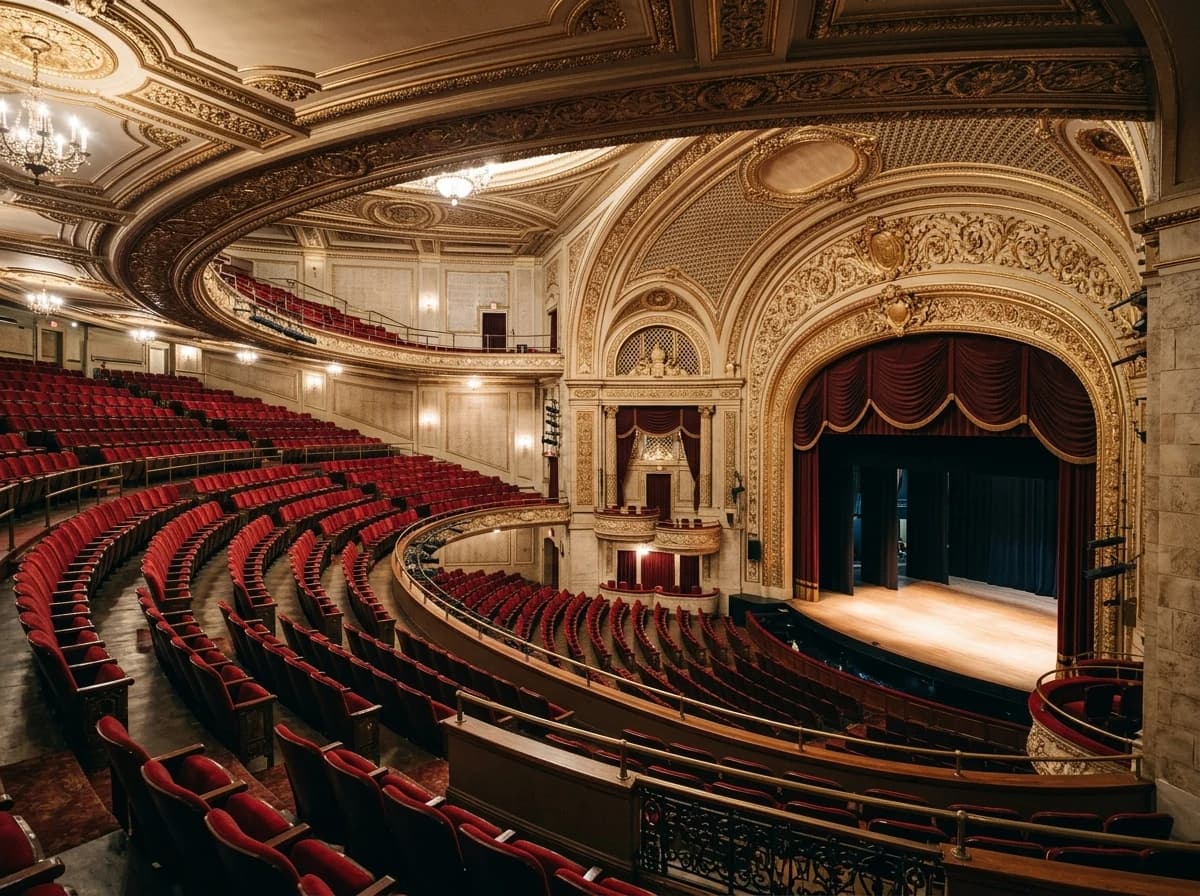
 Historic Downtown Playhouse
A clear first impression
Clearly outline the core functionalities: event creation, seat mapping, pricing tiers, payment processing, access control, customer support ticketing, reporting. Highlight unique selling points.
Your work, clearly presentedInteractive design inspiration. Illustrative photography and sample copy.
Plan the pages your visitors will use
A practical ticketing systems website content guide. Choose the pages that fit what you do and keep the important answers close.
Clearly outline the core functionalities: event creation, seat mapping, pricing tiers, payment processing, access control, customer support ticketing, reporting. Highlight unique selling points.
List compatible CRMs, marketing automation tools, payment gateways (Stripe, PayPal), and other third-party services. Emphasize how your system fits into existing workflows.
Showcase how your ticketing system benefits various clients: live music venues, theaters, sports arenas, conferences, customer service teams. Provide specific examples and success stories.
Detail your security measures for transactions, data protection, and anti-fraud mechanisms (e.g., secure QR codes, identity verification). This is critical for event organizers and customers.
Present clear, transparent pricing models for different tiers or usage volumes. Offer a free trial or demo option to encourage engagement.
Offer guides on event promotion, customer service optimization, or maximizing ticket sales. This positions your company as an industry expert and valuable resource.
Review site analytics to understand which pages people visit. Keep product features & capabilities and contact information easy to reach, and update them when your work changes.
Explore the tools behind your websiteMake the next step obvious
Choose how visitors to your ticketing systems website reach you. Make each action fit the services and processes you already use.
Help visitors ask about product features & capabilities. Use a contact form that collects the details your team needs, and explain what happens after an enquiry.
Your team reviews requests and confirms the next step.
Keep specialist workflows for your ticketing systems website in the services you already use. Add clear links and explain their process before visitors leave your site.
Your chosen provider handles its own availability, confirmations and account access.
If you sell products or agreed services, add Grigora Commerce product pages, a cart and checkout with your connected Stripe or Razorpay account. Explain prices, terms and fulfillment before accepting payment.
Your team manages orders and fulfillment; payment provider fees and terms apply.
SEO for ticketing systems websites
Good ticketing systems website SEO starts with useful pages. Make product features & capabilities, your contact details and your story easy to find.
Your website
https://ticketing-systems.example/Explore product features & capabilities and integrations & ecosystem, learn about our approach and find out how to contact us.
Fictional example. Search engines choose the final title and snippet.
Give pages for product features & capabilities and integrations & ecosystem clear titles. Write descriptions that match their actual content.
Explain product features & capabilities with original copy and relevant photographs. Keep contact details and any locations you serve accurate.
Publish with hosting, HTTPS and a sitemap. Use clear navigation so visitors and search engines can reach your pages. Custom domains are available on paid plans.
Room to start. Room to grow.
Build and review your first ticketing systems website draft with no card needed. Choose a plan before the trial ends to keep the site online.
Compare plans for your domain and the content your ticketing systems website needs. Paid plans keep your site online after the trial and let you connect a domain you own.
Check current plan limits and feature eligibility before choosing. Connected payment providers have their own terms and processing fees.
The last check before going online
Walk through your ticketing systems website as a visitor would. Review these details before publishing, and again whenever your content changes.
0 of 5 items reviewed
Before you go online
Clear answers about creating a ticketing systems website, its content and the tools you can use.
Grigora provides a built-in privacy-friendly analytics dashboard, offering insights into traffic, engagement, and performance. You can also integrate Google Analytics for more detailed reporting. These tools help you understand which software features are most interesting to visitors, how potential users find your site, and how they navigate your content, allowing you to refine your product messaging and marketing strategy.
Grigora ensures your website is secure and performs optimally by including free SSL, CDN, and hosting. Automatic load balancing and server auto-scaling guarantee that your site can handle traffic spikes, keeping it responsive and available. This robust infrastructure is vital for establishing trust and providing reliable information to clients in the critical ticketing industry.
Yes. Grigora Commerce tracks inventory per product, so you can set an exact ticket count for a show, session, or seating section. Once that inventory hits zero, the ticket type stops accepting orders automatically, so you don't have to manually pull it down when a show sells out.
Yes. Product options and variants let you create multiple ticket types under a single event listing, each with its own SKU, price, and inventory count. That means early-bird, VIP, and general admission all live as variants of one product page instead of separate listings.
Yes. Grigora Commerce supports discounts applied to a specific ticket product or across checkout, which covers early-bird pricing, partner promo codes, or a push to move remaining seats before an event.
Digital downloads with protected delivery let you attach a ticket file, such as a PDF pass, that releases to the buyer automatically once payment clears through Stripe or Razorpay, so you're not routing attendees through a separate ticketing app just to get their pass.
Yes, as a one-time purchase. There are no Stripe subscriptions or recurring products, so a season pass is sold once, as its own product, right next to your one-time event listings on the same site.
Build an event page, then add each ticket type as a product with a price and a stock quantity. Buyers pay at checkout through your Stripe or Razorpay account and receive an order confirmation and receipt. You work from the order list on the day, since there is no built-in e-ticket or scanning system.
Website plans start at $15 a month on Starter, or $144 a year, which works out to $12 a month, with Pro at $25 a month and a free trial rather than a free tier. Card processing is billed by Stripe or Razorpay under your own account, so those rates come from your payment provider, not from a per-ticket platform charge here.
There is no per-date capacity calendar, so create a separate product for each date or session and give each one its own stock number. Group them on a single event page or in a collection. When one night sells out, only that product closes, and the others stay on sale.
Buyers get an order confirmation and receipt by email with their name and what they bought. At the door you check that against the order list, or export it into whichever scanning app you already use. If you need barcodes, seat selection or turnstile check-in, pair the site with a dedicated ticketing service.
Describe your ticketing systems website. Get a first draft you can edit and make your own.
Start building free