
A practical AlpacApp alternative when you would rather not assemble the rest yourself
AlpacApp combines a visual builder with Liquid blocks, Notion publishing and Premium ZIP export. Grigora offers a native CMS, newsletter and store from $12/mo billed annually. Compare building an integrated site with maintaining a set of connected tools.
Published by Grigora · Updated · Sources and method
Is Grigora the right AlpacApp alternative?
Grigora is an AlpacApp alternative for a website that needs a native CMS, newsletters and storefront management. AlpacApp remains a useful option when Liquid block development, Notion authoring or exporting the site as a ZIP are priorities. Its official pricing lists Always Free and Premium at $13/mo, without confirming currency or an annual rate. Grigora exports content rather than site code.
Choose Grigora if you want…
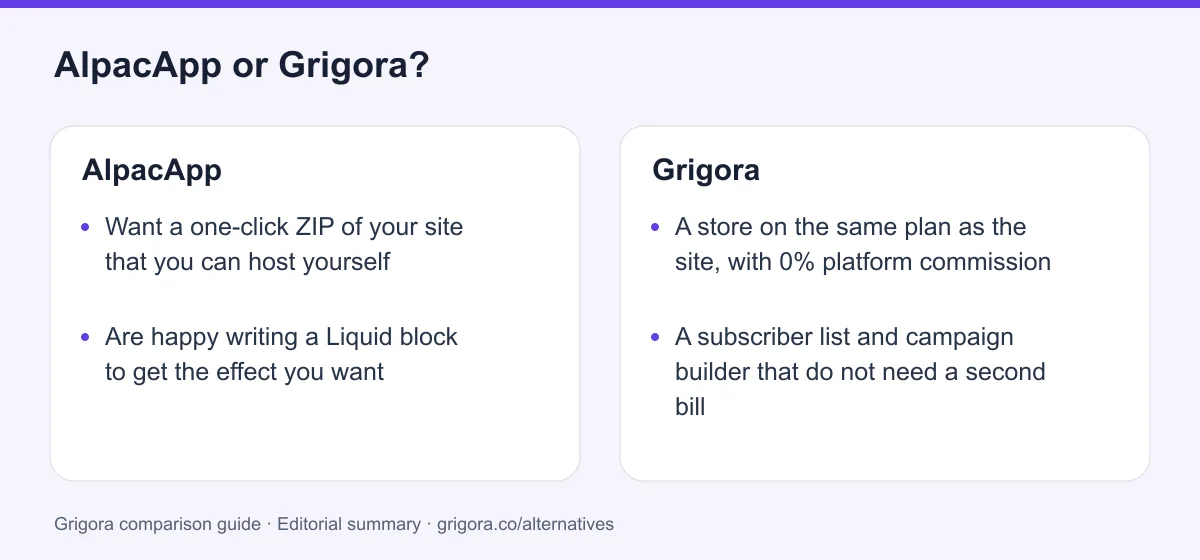
- A store on the same plan as the site, with 0% platform commission
- A subscriber list and campaign builder that do not need a second bill
- A post editor, categories and author profiles without Notion
- A first draft generated from a sentence, not six templates to pick from
- One dashboard for pages, posts, products and sends
Stick with AlpacApp if you…
- •Want a one-click ZIP of your site that you can host yourself
- •Are happy writing a Liquid block to get the effect you want
- •Already write everything in Notion and want that to stay the CMS
AlpacApp or Grigora: the decision in one view
AlpacApp alternatives at a glance
How Grigora and the other lightweight builders compare once you count what has to be bolted on.
Swipe the table sideways to see every column
| Platform | Best for | Free access | Starting price | Sales fees | Data and site portability |
|---|---|---|---|---|---|
| Grigora | Site, newsletter and store on one plan | Free trial | From $12/mo billed annually | 0% platform fee; Stripe/Razorpay fees apply | Posts/content; rebuild design |
| AlpacApp | Extending a site with your own Liquid blocks | Yes, 'Always Free' | $13/mo Premium | No store to charge on | Yes, ZIP on Premium |
| Super.so | Turning a Notion workspace into a site | Yes (one branded site) | $144/site/year or $16/site/month | No native store | Content stays in Notion; rebuild design |
| Carrd | One-page sites and link pages | Yes (3 sites) | Pro from $9/yr; custom domains $19/yr | No native store; embedded checkout | Client-side ZIP on Pro Plus |
| Weebly | Simple sites with a Square store | Yes | From $13/mo billed annually | Store included, processing fees | Static HTML; blog/store data separately |
| Wix | Templates and an app market | Yes (Wix ads) | From $17/mo | Store included, processing fees | No |
Grigora and AlpacApp figures were read directly on 11 September 2026; the other rows are reported list prices and are not independently verified here. AlpacApp prints $13/mo with no currency label. Verify current pricing on each provider's site.
Sources for the overview table
- Grigora: official reference 1
- Super.so: official reference 1, official reference 2
- Carrd: official reference 1, official reference 2
- Weebly: official reference 1, official reference 2
When to consider a AlpacApp alternative
The assembly points where a cheap builder turns into four subscriptions.
The second bill arrives with the first campaign
The signup block pushes addresses into a Mailchimp audience and stops there. Every list, template, automation and send after that is a Mailchimp account with its own pricing.
Blog publishing depends on Notion
AlpacApp uses Notion as its content source. Compare that authoring workflow with Grigora’s native posts, authors and comments, without assuming Notion changes ownership of your content.
There is nothing to switch on when you want to sell
AlpacApp does not document native catalog and order management. You can connect an external checkout, or choose a platform with the product workflow built in.
Custom means writing a Liquid block
The escape hatch is genuine, and it is still a template file you have to write, test and maintain. Most owners want the feature, not the file.
What AlpacApp does well
- One-click ZIP export of the whole site on Premium
- Liquid custom blocks carrying your own HTML, CSS and JavaScript
- Notion as the authoring surface, with a proper rendering pipeline
- Custom-domain connection and SSL on the free tier; domain registration is separate
Where AlpacApp falls short
- No ecommerce of any kind, at either tier
- Email is capture into Mailchimp, with no sending in the product
- Blogging requires Notion, with no native editor or taxonomy
- Six templates, one GitHub repository behind the Documentation link
Grigora vs AlpacApp at a glance
What comes in the box, and what you are expected to assemble around it.
| Feature | AlpacApp | Grigora |
|---|---|---|
| Starting paid plan | $13/mo (no currency stated) | $12/mo billed annually |
| Online store | No | Included, 0% commission |
| Email marketing | Capture into Mailchimp only | List, campaigns, automations |
| Blog CMS | Notion integration only | Native posts and categories |
| Custom code blocks | Liquid blocks you author | Custom code injection |
| Site export | ZIP on Premium | No |
| Templates | 6 | Website templates |
| AI site generation | No | From a text description |
| Free SEO tools suite | No | Free SEO tools |
Grigora vs AlpacApp: feature by feature
A category-by-category breakdown, pricing, AI, design, e-commerce, email, SEO, performance, and support.
Leaving with the site in a folder
Fit: AlpacAppAlpacApp Premium includes project export as a ZIP containing website files. This can help move a static site to another host, although forms, Notion feeds and external services may still need configuration. Grigora exports content but does not export the site layout as runnable code.
| Feature | Grigora | AlpacApp |
|---|---|---|
| One-click export of the whole site | No | ZIP on Premium |
| Host the result on your own servers | No | Yes |
| Export posts and entries | Yes | They already live in Notion |
| Moving the design elsewhere | Rebuild | Upload a folder |
Takeaway: Grigora loses this one cleanly: AlpacApp Premium gives you a folder, and Grigora gives you a rebuild.
What staying on the free tier costs you
Fit: AlpacAppAlpacApp's free tier is branded 'Always Free' and it is not a trial. It carries the full editor, the built-in blocks, custom Liquid blocks, an SSL certificate, the Notion integration and basic support, on an alpac.site subdomain. The unusual part is the custom domain: connecting your own .com costs nothing and is not a row on the pricing table at all, where most builders put it behind their cheapest paid plan. The two real costs of staying free are the 'Built with AlpacApp' banner and the fact that Export Project is switched off.
| Feature | Grigora | AlpacApp |
|---|---|---|
| Custom domain without paying | On paid plans, from $12/mo | Free, stated on their homepage |
| SSL certificate | Yes | Yes |
| Builder badge on free sites | Free trial available | 'Built with AlpacApp' banner stays |
| Export on the free tier | Free trial | No |
| Published free-tier limits | Limits stated per plan | None published |
Takeaway: A free domain with free SSL and no published expiry is the most generous thing about AlpacApp, and it is worth taking seriously.
Selling anything at all
Fit: GrigoraThis is not a thin store, it is the absence of one. There is no cart, no checkout, no product catalogue, no inventory and no order management anywhere in AlpacApp. The application bundle contains no references to Stripe, Paddle, carts, checkouts, payments or commerce, there is no store block in the library and no store row on the pricing page at either tier. The advertised use cases are photographers, landing pages, portfolios, brands and wedding sites, and that is an accurate description of what it can do. Grigora includes the store on every paid plan, Starter included.
| Feature | Grigora | AlpacApp |
|---|---|---|
| Native store | Yes | No |
| Catalogue, variants and stock | Yes | No |
| Digital downloads | Yes | No |
| Checkout gateways | Stripe and Razorpay | None in the product |
| Platform commission | 0% | No store to charge on |
Takeaway: A separate hosted checkout or commerce service is an option. Compare its integration work and cost with a native storefront.
Where the subscriber goes after the form
Fit: GrigoraAlpacApp's block engine exposes a Mailchimp audience field and a subscribe call, so a signup block can push an address straight into a Mailchimp list. That is the whole of the email feature. There is no list management, no campaign composer, no broadcast or automation sending, no templates and no deliverability tooling in the product, so everything after the address is captured happens in Mailchimp on a separate Mailchimp bill. Grigora holds the list, builds the campaign and runs the automation in the same subscription.
| Feature | Grigora | AlpacApp |
|---|---|---|
| Collect an address on the site | Yes | Mailchimp audience field |
| Hold the list in the same product | 2,500 to 25,000 subscribers | No |
| Send a campaign | Campaign builder included | In Mailchimp, separate bill |
| Automations and segmentation | Yes | No |
| Professional mailbox | From $5 per mailbox | Separate provider |
Takeaway: AlpacApp's email feature ends at the moment the address is captured, which is the moment the work starts.
Six templates, then a blank canvas
Fit: GrigoraThe live template list returned exactly six designs on 11 September 2026: Reykjavik, Marrakesh, New York, Rio de Janeiro, Vienna and Montreal. They are well made and they are named after cities rather than industries, which tells you how they are meant to be used. If none of the six fits, the starting point is heavy customisation or an empty page. Grigora ships website templates and, more to the point, generates a first draft with pages, layout and copy from a sentence describing the business.
| Feature | Grigora | AlpacApp |
|---|---|---|
| Templates available | Website templates | 6 |
| First draft from a text description | AI generation | No |
| AI credits included | 15,000 to 250,000 by plan | No AI features published |
| AI writing for posts | Yes | No |
| If no template fits | Generate one | Blank canvas |
Takeaway: Six starting points is a reasonable design decision for a portfolio and a real problem for a business site.
What a published AlpacApp page emits
Fit: GrigoraCredit where it is due, because the marketing site undersells this. Published AlpacApp sites are genuine server-rendered static HTML rather than a JavaScript shell, and they come with an automatic sitemap.xml and robots.txt, a per-page meta description, Open Graph and Twitter card tags, a lang attribute and an alt text field labelled for SEO. What is missing is the layer above the defaults: no canonical tag appeared on the template demos checked, there is no schema tooling, no exposed redirect manager, no noindex controls, and the auto sitemap stamps every URL with today's date and changefreq daily, which is a weak crawl signal.
| Feature | Grigora | AlpacApp |
|---|---|---|
| Server-rendered static HTML | Yes | Yes |
| Meta, Open Graph and Twitter cards | Yes | Yes |
| Sitemap and robots.txt | Yes | Auto, changefreq daily on every URL |
| Canonical tags | Yes | Not present on the demos checked |
| Schema controls and IndexNow | Yes | No |
| Free SEO tools suite | Free SEO tools | No |
Takeaway: The output is cleaner than the marketing implies, but the crawl signals stop where the defaults stop.
Who keeps it running, and what you lean on when stuck
Fit: GrigoraAlpacApp is an independent single-founder product built in Montreal. It began as yawb.io, launched in February 2023 and renamed in April 2023, and the rename is still half finished in public: the blog footer still reads yawb.io, the docs link still points at the old organisation and the images are still served from a yawb bucket. The app itself is still being deployed, with a January 2026 date on the live bundle. The self-serve surface around it is thinner: the Documentation link in the navigation and the footer goes to one GitHub repository rather than a docs site, and the community block library is nine blocks, every one published by AlpacApp itself.
| Feature | Grigora | AlpacApp |
|---|---|---|
| Support tiers | Email, priority on higher plans | Basic on free, Priority on Premium |
| Published response times | Not published | Not published |
| Self-serve learning material | free SEO tools plus guides on the site | One GitHub repository behind 'Documentation' |
| Third-party block or plugin ecosystem | No | Nine blocks, all first-party |
| Last push to those block repositories | Not applicable | November 2023 |
Takeaway: Neither side publishes a response time, but when an AlpacApp build goes wrong the self-serve material is a single repository.
Explore Grigora before switching from AlpacApp
Current public product pages and plans, so you can inspect what you would be moving to. Open any image at full size.
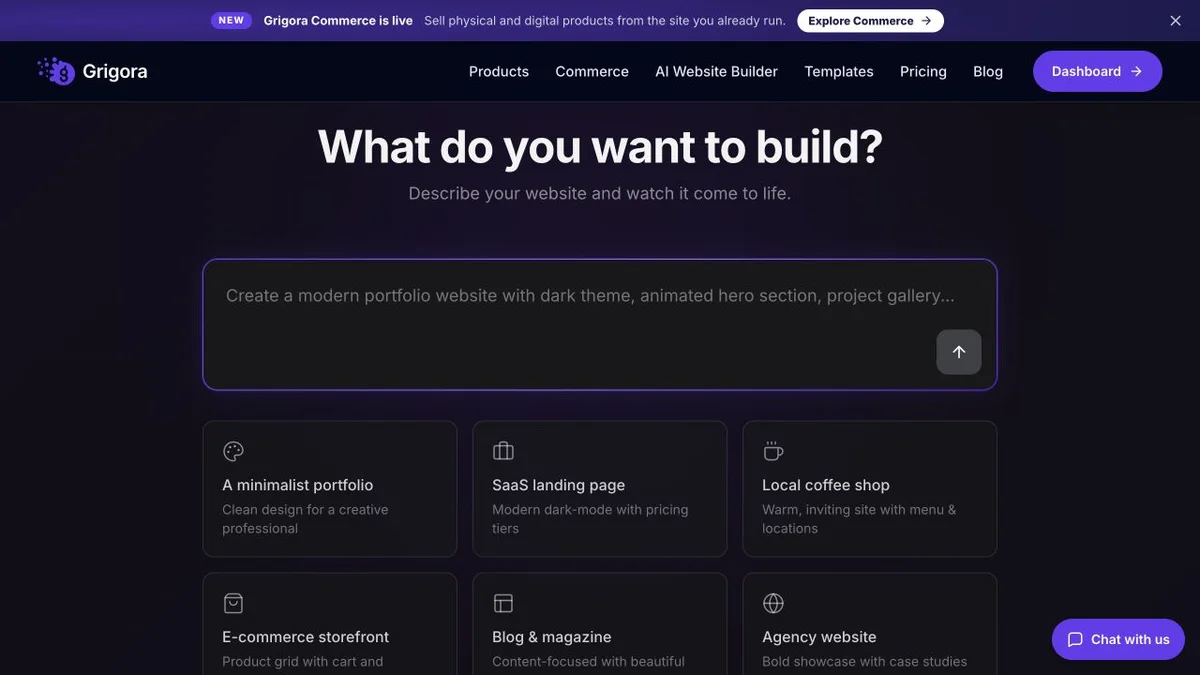
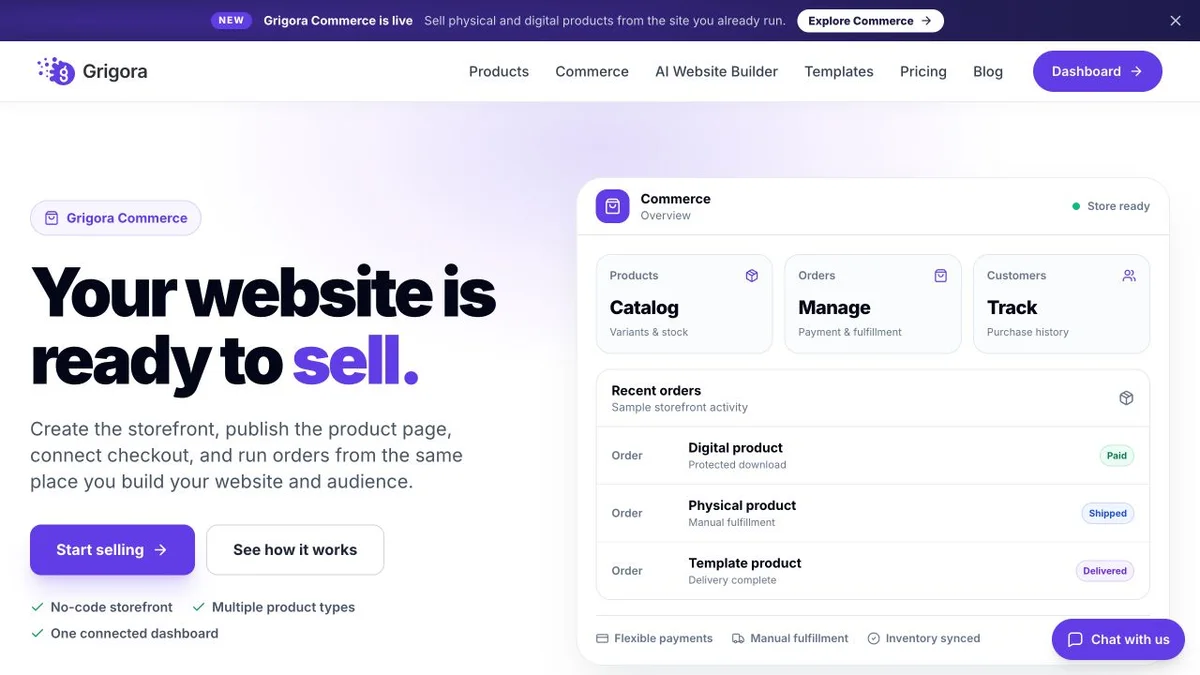
Grigora vs AlpacApp pricing
Two plans, three differences between them, and every missing capability priced somewhere else.
Site, CMS, newsletter and store on one plan
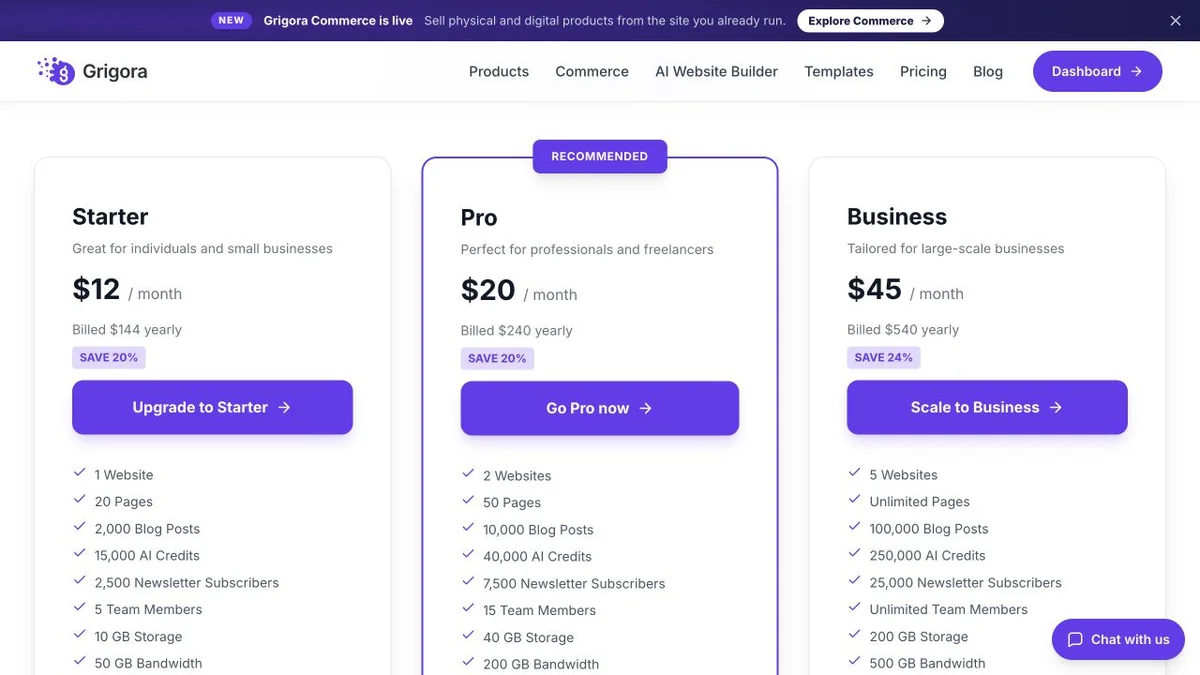
USD annual equivalents shown: Starter $12, Pro $20 and Business $45 per month; month-to-month prices are $15, $25 and $59. A free trial is available. Paid plans include website, CMS, newsletter and store features with stated page, storage, bandwidth and AI allowances. Stripe or Razorpay processing fees apply; fulfillment is manual and domain registration is separate.
Free, or Premium, and nothing in between
Read directly from alpac.app/pricing on 11 September 2026 and cross-checked against a 2024 archive capture showing the same $13/mo. No currency is stated on the page. The page does not say whether $13/mo covers one project or the account, and no free-tier quotas are published.
Premium's $13/mo buys three things: banner removal, Export Project and priority support. Grigora Starter at $12/mo billed annually buys the store, the newsletter and the CMS as well as the site.
The real cost: Grigora vs AlpacApp
Price the builder and AlpacApp looks cheap. Price the assembled version, the one that publishes, sends and sells, and the shape changes. This models a small business site with a blog, a mailing list and a few things to sell.
| What you pay for | AlpacApp | Grigora |
|---|---|---|
| Builder plan | $13/mo Premium, currency not stated | $12 to $45/mo billed annually |
| Blog and CMS | A Notion workspace, and its bill if you need a paid tier | Included, with categories and authors |
| Mailing list and campaigns | Mailchimp, from the first send onward | Included, 2,500 to 25,000 subscribers |
| Taking payment | Not possible in AlpacApp, so a second platform | Included, 0% platform commission |
| A feature the builder does not have | Write the Liquid block, or find one | Blocks plus custom code injection |
| Leaving with your files | Export ZIP on Premium | Content exports, the layout is rebuilt |
AlpacApp figures read on 11 September 2026 from alpac.app/pricing; no currency is printed on that page. Payment-processor fees apply wherever a store exists. Notion and Mailchimp costs depend on your own usage and are not quoted here.
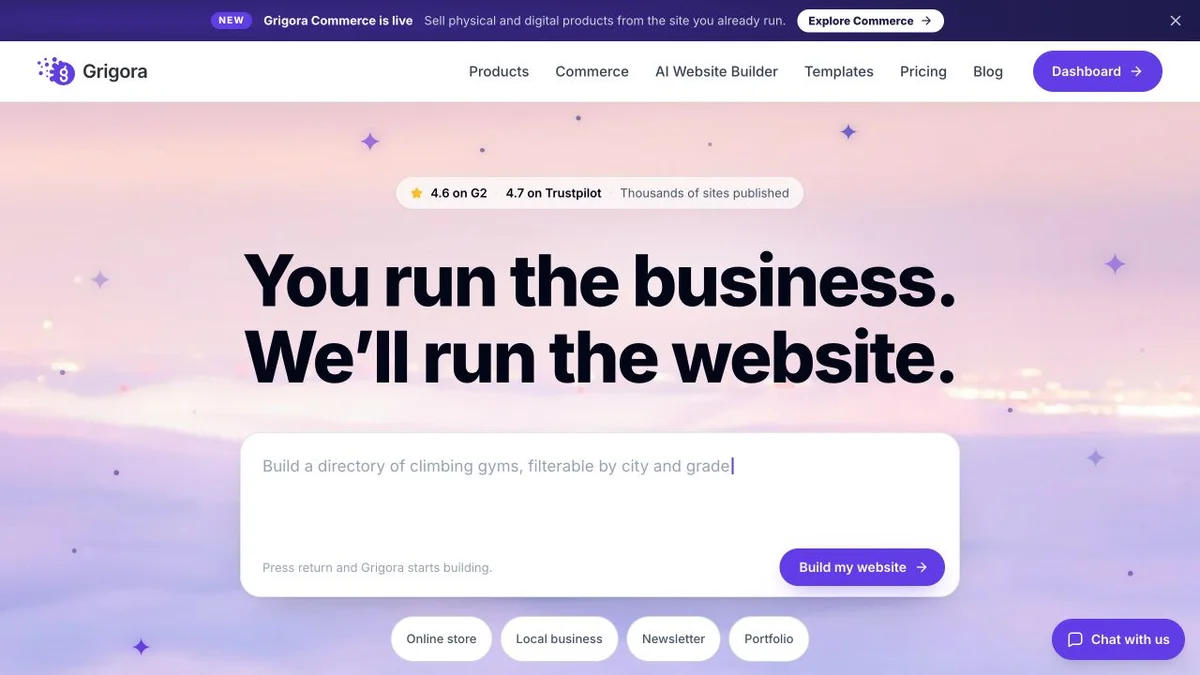
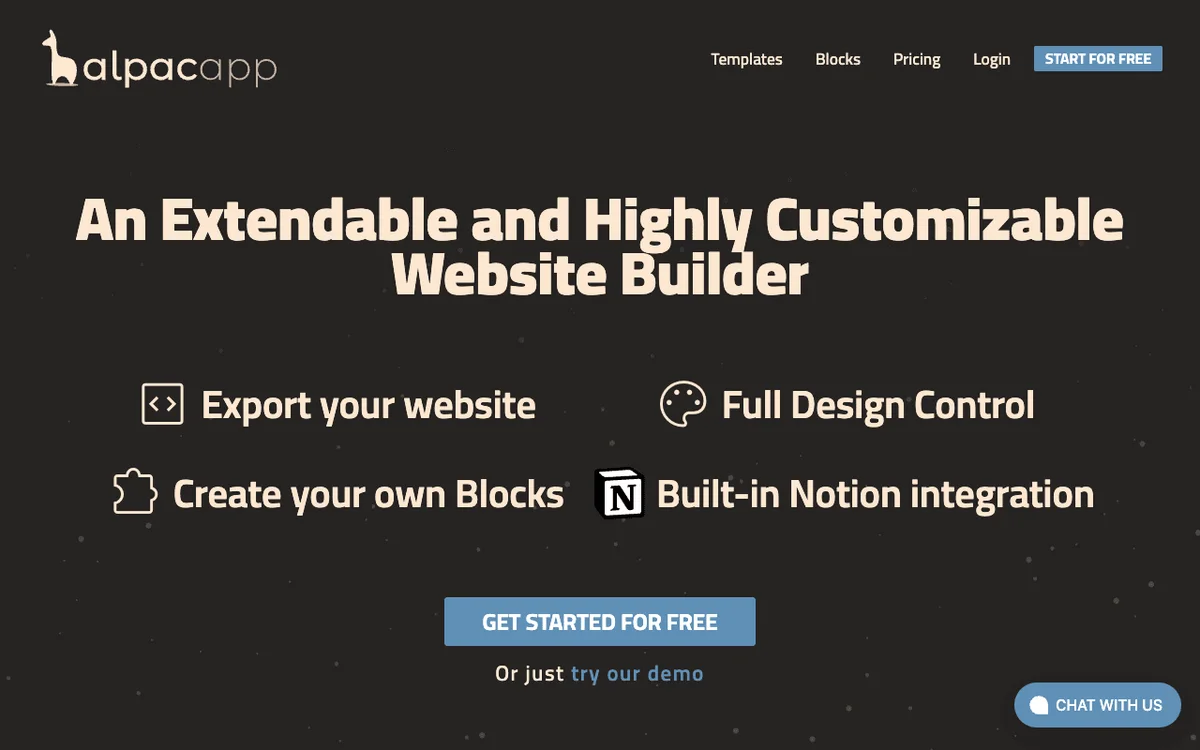
AlpacApp and Grigora: public website references
These captures show each product’s public website. See the feature and pricing sections for capabilities and plan details.
Is Grigora the right AlpacApp alternative for you?
Where the assembled stack stops paying off, and where it still makes sense.
Best AlpacApp alternative for a business that sells
Catalogue, variants, stock and digital downloads arrive with the site rather than as a second platform, and Grigora takes 0% platform commission through supported Stripe or Razorpay checkout.
… for anyone who publishes and emails
Write the post, hold the list and send the campaign in one place instead of running the builder, a Notion workspace and a Mailchimp account against each other.
… for people who do not want to write a block to get a feature
Liquid blocks are a fine answer if you can write one. If you cannot, the honest answer is that the feature does not exist, and Grigora ships the common ones already built.
AlpacApp is the right call if the export matters most
If your priority is owning a ZIP of the finished site and extending the builder with your own code, AlpacApp does both and Grigora does neither. This page will not argue you out of it.
Which one is right for you?
Choose Grigora if…
- The site has to take an order, not just describe the work
- You want the subscriber list and the sends on the same bill
- You would rather not make Notion a dependency of your blog
- Six templates is not enough and a blank canvas is worse
- You are an agency that wants a platform to resell at $199/mo
Choose AlpacApp if…
- •A one-click ZIP of the site is worth more than the missing features
- •You are comfortable writing Liquid to extend the builder
- •Notion is already your writing tool and you want it to stay that way
How to switch from AlpacApp to Grigora
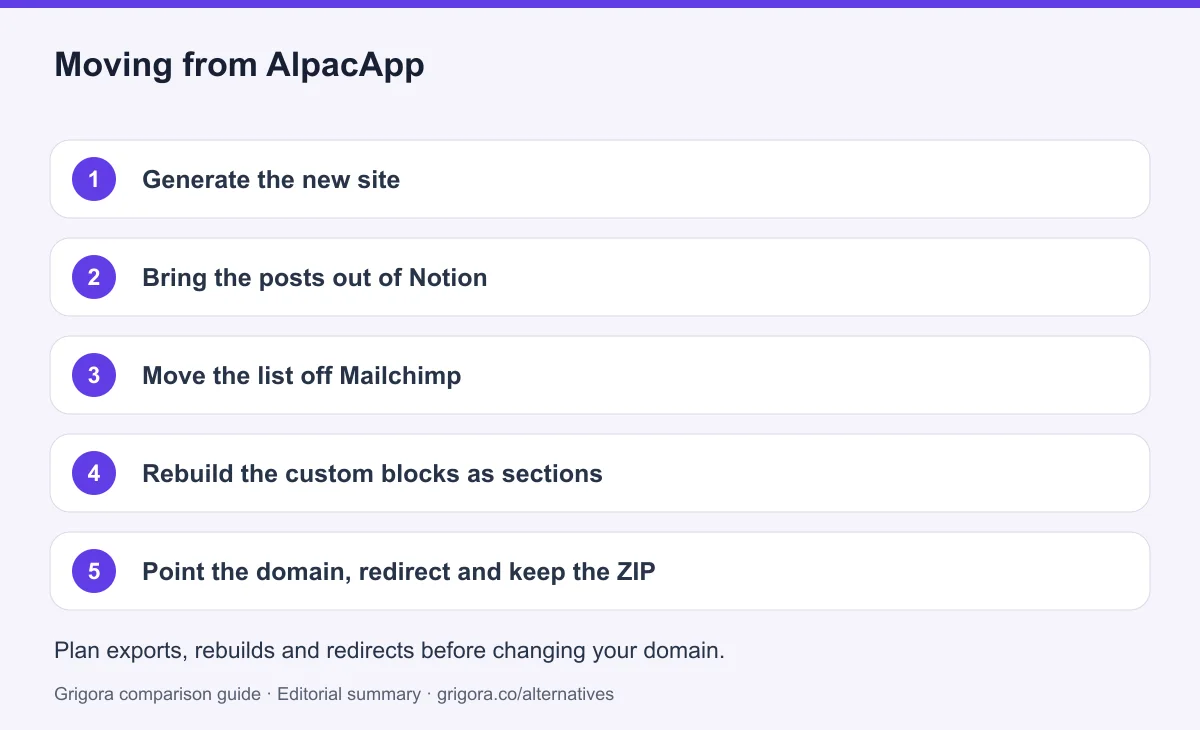
Plan the move across three systems: AlpacApp pages and custom blocks, the Notion content source, and any Mailchimp audience. Export each separately and confirm the target formats before moving the full site.
- 1
Generate the new site
Describe your business and generate a Grigora draft. Rebuild one representative page to confirm its layout and integrations meet your requirements.
- 2
Bring the posts out of Notion
Export the Notion database and original media. Map post titles, URLs, dates, authors and categories to Grigora fields, and validate a small sample before transferring all entries.
- 3
Move the list off Mailchimp
Export the Mailchimp audience with consent and suppression status. Import only eligible subscribers within the selected Grigora plan limits, then test signup and unsubscribe flows.
- 4
Rebuild the custom blocks as sections
Inventory each Liquid block and its dependencies. Recreate simple layouts in Grigora, but check custom behavior separately: Liquid templates do not run unchanged as injected browser code.
- 5
Point the domain, redirect and keep the ZIP
Keep a final ZIP backup before canceling Premium. Test the replacement site, preserve existing URL paths where possible, and add 301 redirects on URLs you control. Monitor search traffic after the domain change; rankings are not guaranteed.
Why people look for an AlpacApp alternative in 2026
AlpacApp is not a bad product, and the people who leave it rarely say it is. It is a small, deliberate builder from an independent founder in Montreal, with a free tier that is unusually generous and a design philosophy that trusts you to extend it. The reason people start shopping is that the trust cuts both ways. Extensibility is the answer to most of the gaps, and extensibility means work you do yourself, or a subscription you pay somewhere else. Somewhere between the second integration and the first invoice from another vendor, the cheap builder stops being cheap.
Premium buys three things, and none of them is a capability
The pricing table has two columns. Always Free carries the editor, the built-in blocks, custom blocks, an SSL certificate, the Notion integration and basic support. Premium at $13/mo adds removal of the 'Built with AlpacApp' banner, Export Project, and priority support. That is the complete difference between the tiers, read directly off the page in September 2026 and unchanged since at least 2024. It is a refreshingly honest table, and it also means upgrading does not unlock a store, a mailer or a CMS, because those are not there to unlock. The page prints no currency label, and it does not say whether the $13 covers one project or the whole account.
The blog is in Notion and the list is in Mailchimp
Blogging on AlpacApp is the Notion integration. The renderer maps Notion blocks to styled markup properly, and if your team already drafts in Notion the loop is genuinely pleasant. But there is no post editor, no categories or tags, no scheduling and no author management in AlpacApp itself, so the CMS is only as good as the Notion workspace behind it and it stops existing if you close that workspace. Email has the same shape. A signup block can push an address into a Mailchimp audience, and that is where AlpacApp's involvement ends. Lists, templates, segments, automations, deliverability and the actual sending all happen on a separate platform with a separate bill.
Nothing in it can take money
AlpacApp does not document a native catalog, stock or order-management workflow. A business can link or embed an external checkout, then manage sales through that service. Moving to Grigora is one option when integrated product orders and publishing are useful; it is not the only way to sell from an existing site.
How Grigora compares
Grigora starts from the opposite assumption. Instead of a small core you extend, the plan contains the pieces a working site normally needs, already wired together, and the first draft is generated rather than picked from a list. The trade is explicit: less freedom to build your own block format, far less to assemble before the site earns anything.
One plan with the assembly already done
Starter at $12 a month billed annually includes the site, a CMS with posts, categories, author profiles, directories and moderated comments, a newsletter with 2,500 subscribers and a campaign builder, and a store with catalogue, variants, stock and digital downloads at 0% platform commission on Stripe or Razorpay. Pro at $20 and Business at $45 raise the site count, the AI credits and the subscriber ceiling. There are website templates, schema controls, sitemaps, IndexNow submission and free SEO tools on the marketing site. Priced against AlpacApp Premium at $13/mo, the difference is not one dollar a month, it is whether the blog, the list and the checkout arrive with it.
Where AlpacApp still wins
Two places, and both matter. Export Project hands you a ZIP of the finished site that you can host anywhere, which is a real answer to lock-in and something Grigora does not offer: Grigora exports content, not the layout. And Liquid custom blocks let a capable person add a feature the platform never shipped, then reuse and share it, which no amount of block library covers. If owning the output and extending the builder are the top two lines of your brief, AlpacApp is the better tool and the rest of this page is beside the point. If what you want is a site that publishes, mails and sells without four accounts behind it, that is the trade Grigora is built to make.
Frequently asked questions
Grigora is an AlpacApp alternative for a website that needs a native CMS, newsletters and storefront management. AlpacApp remains a useful option when Liquid block development, Notion authoring or exporting the site as a ZIP are priorities. Its official pricing lists Always Free and Premium at $13/mo, without confirming currency or an annual rate. Grigora exports content rather than site code.
Two plans. 'Always Free' at no cost, with the editor, built-in and custom blocks, SSL, the Notion integration and basic support, and Premium at $13/mo, which adds removal of the 'Built with AlpacApp' banner, Export Project and priority support. Read from alpac.app/pricing on 11 September 2026. The page prints no currency label, publishes no annual rate, and does not say whether Premium covers one project or the account.
AlpacApp does not document a native catalog, cart or order-management tool. You can link to an external hosted checkout, but that creates a separate commerce workflow. Grigora includes storefront and order features, with supported checkout through Stripe or Razorpay.
Only through Notion. AlpacApp renders posts from a connected Notion workspace and handles them automatically, but there is no post editor, no categories or tags, no scheduling and no author management inside the product. If you do not use Notion, you have no blog. Grigora's CMS is native and includes categories, author profiles and moderated comments.
Capture only. A signup block can push an address into a Mailchimp audience. There is no list management, campaign composer, automation, template system or deliverability tooling in AlpacApp, so sending happens in Mailchimp on a separate bill. Grigora includes the list, campaigns, automations and segmentation for 2,500 to 25,000 subscribers depending on plan.
Yes, through a content and design rebuild. Save the Premium ZIP export if available, export Notion content and media, and preserve consent and suppression status in any Mailchimp audience export. Liquid templates and external service connections need separate rebuilding or replacement. Test URL redirects and forms before moving the domain.
Sources and comparison method
Published by Grigora, one of the products compared here. This is a comparison of public product documentation and published plans. Recommendations reflect the use cases described; they are not independent performance benchmarks. Homepage screenshots show how each product presents itself and do not establish feature availability.
Check the billing term, currency, regional availability, usage limits and add-ons before purchasing. A content export does not necessarily include the design, integrations or a working store. Migration steps need testing on your own site.
- AlpacApp pricing
Official client-rendered pricing lists Always Free and Premium at $13/mo; currency and annual billing are not specified.
- AlpacApp builder and custom blocks
Official builder description, Liquid custom blocks, Notion integration and project export.
Grigora references: plans and limits, commerce, MCP access, and help documentation.
Compare Grigora with other platforms



Stop assembling, start publishing
Site, CMS, newsletter and store on one plan from $12/mo, with nothing to bolt on first. Try Grigora free, no credit card required.
14-day free trial • No credit card required • Cancel anytime