
A Super.so alternative for a site that does not live inside Notion
Super turns a Notion page into a branded website in minutes, and for a docs site or a portfolio that is a fair trade. The trade is that Notion becomes your CMS, so the site inherits Notion's structure, Notion's editing model and Notion's bad days. Grigora keeps the content in its own CMS, with a store and a newsletter in the same plan, from $12/mo.
Published by Grigora · Updated · Sources and method
Is Grigora the right Super.so alternative?
Grigora is a Super.so alternative when you want the website, CMS, newsletter and store in one platform. Super is a strong fit when your team already maintains content in Notion and wants to publish it directly. Moving to Grigora changes the editing source and requires rebuilding layouts, rather than preserving a live Notion sync.
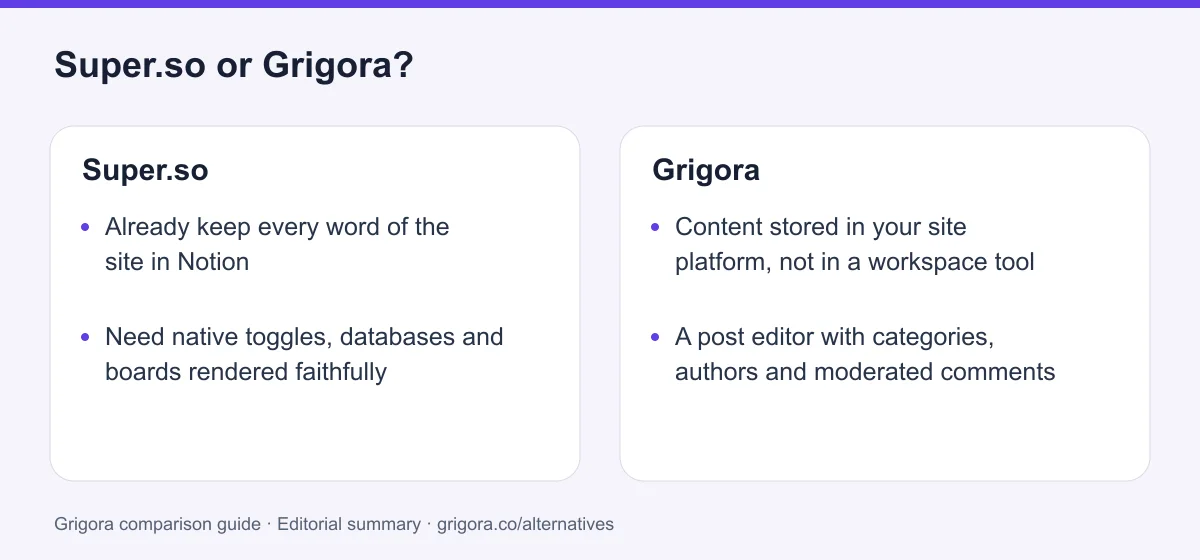
Choose Grigora if you want…
- Content stored in your site platform, not in a workspace tool
- A post editor with categories, authors and moderated comments
- A store with variants, stock and downloads at 0% commission
- A newsletter with subscribers, campaigns and automations
- One plan covering up to 5 sites instead of one bill per site
Stick with Super.so if you…
- •Already keep every word of the site in Notion
- •Need native toggles, databases and boards rendered faithfully
- •Want a docs or changelog site live this afternoon
Super.so or Grigora: the decision in one view
Super.so alternatives at a glance
Lightweight site tools, and what each one expects you to keep your content in.
Swipe the table sideways to see every column
| Platform | Best for | Free access | Starting price | Sales fees | Data and site portability |
|---|---|---|---|---|---|
| Grigora | A site with its own CMS, store and newsletter | Free trial | From $12/mo billed annually | 0% platform fee; Stripe/Razorpay fees apply | Posts/content; rebuild design |
| Super.so | A Notion workspace published as a website | Yes (one branded site) | $144/site/year or $16/site/month | No store | Content stays in Notion; rebuild design |
| Notion Sites | Publishing straight from Notion itself | Yes | Bundled with Notion | No store | Notion export |
| Carrd | One-page sites and link pages | Yes (3 sites) | Pro from $9/yr; custom domains $19/yr | No native store; embedded checkout | Client-side ZIP on Pro Plus |
| Google Sites | Internal pages inside Google Workspace | Yes, with a Google account | Free; domain and optional Workspace separate | No native store | Takeout archive; rebuild site behavior |
| Framer | Design and animation fidelity | Yes | Reported from $10/mo | No native store | CMS via plugins; confirm full site export |
Grigora and Super.so figures verified 11 September 2026 on grigora.co and super.so/pricing. The other rows are indicative and were not re-checked on that date. Verify current pricing on each provider's site.
Sources for the overview table
- Grigora: official reference 1
- Super.so: official reference 1, official reference 2
- Carrd: official reference 1, official reference 2
- Google Sites: official reference 1, official reference 2
- Framer: official reference 1, official reference 2
Why people switch from Super.so to Grigora
The points where renting Notion as your CMS starts to cost something.
The CMS belongs to someone else
Your publishing pipeline runs through a tool you do not control. When Notion has a bad day the cache saves your readers, not your ability to fix a wrong price or a broken link.
Notion's model becomes your editorial model
No post editor, no author or taxonomy system, no scheduling. Every structural need turns into another column in a database and another meta: property typed by hand.
Nothing commercial is included
No store, no payments, no list, no subscribers. All four arrive as third-party embeds, which need custom code, which needs Personal at $16 a site.
The bill grows in three directions
Per site, then analytics escalating by traffic tier from $10 to $400 a month, then $5 per team member, then Notion underneath. Grigora Business is $45/mo for five sites.
What Super.so does well
- Content stays in Notion, so nobody learns a second editor
- One URL becomes a whole site with navigation in minutes
- Native toggles, databases, galleries and boards render faithfully
- A cached static layer keeps pages serving during Notion downtime
Where Super.so falls short
- Notion is the CMS, with no post editor, authors or taxonomy of Super's own
- No store, payments, subscriber list or email marketing at all
- Per-site pricing plus analytics and team add-ons that stack
- Sub-path hosting is a contact-the-founders sale from $50 plus fees
Grigora vs Super.so at a glance
One publishes a Notion workspace. One is the workspace, the site and the shop.
| Feature | Super.so | Grigora |
|---|---|---|
| Starting paid plan | $144/site/yr ($16 monthly) | $12/mo billed annually |
| Where your content lives | Your Notion workspace | Grigora's own CMS |
| Built-in page editor | Notion, plus Super's theming | Block editor with custom code |
| Online store | No | Catalogue, variants, stock, 0% |
| Email marketing | RSS and ATOM feeds only | 2,500 to 25,000 subscribers |
| Post categories and authors | Notion properties | Built in |
| Custom domain | Personal plan and up | Every paid plan |
| Free SEO tools suite | No | Free tools |
| Billing model | Per site, plus add-ons | Per plan, 1 to 5 sites |
Grigora vs Super.so: feature by feature
A category-by-category breakdown, pricing, AI, design, e-commerce, email, SEO, performance, and support.
Writing in Notion, publishing with Super
Fit: Super.soThis is the reason Super exists and it is a real advantage. Your team already drafts the docs, the changelog and the help centre in Notion. Super crawls one page URL, finds the subpages, builds the navigation, and renders native Notion structures faithfully: toggles, databases, galleries, boards, synced blocks. Grigora has a good editor, but it is still a second place to put words.
| Feature | Grigora | Super.so |
|---|---|---|
| Edit content in the tool you already write in | No | Yes |
| Native toggles, databases, galleries and boards | No | Yes |
| Site structure built from existing subpages | You build the pages | Crawled automatically |
| Time from existing content to a live site | Minutes, from a description | Minutes, from one URL |
| Published pages cached independently of the source | Content is local | Cached static layer |
Takeaway: If every word of the site is already in Notion, Super is the shortest distance between that and a domain.
What a Notion database cannot model
Fit: GrigoraPosts on a Super site are rows in a Notion database rendered as a collection. Per-post SEO is handled with meta:title, meta:description, meta:image, meta:author and meta:canonical properties you add to that database by hand. There is no post editor of Super's own, no author or taxonomy model, and no scheduled publishing: Pro's manual publishing controls gate when synced changes go live, they do not hold a post for a future date.
| Feature | Grigora | Super.so |
|---|---|---|
| Native post editor | Block editor with AI writing | Notion only |
| Categories and tags | Built in | Notion properties |
| Author profiles | Yes | A meta:author text property |
| Moderated comments with admin replies | Yes | No |
| Directories and collections | Built in | Notion databases |
| Per-post SEO | Metadata and schema controls | meta: properties per row |
Takeaway: Your editorial model can only be as rich as the Notion database underneath it, and a Notion database was not designed to be a CMS.
Selling from a Notion page
Fit: GrigoraThere is no cart, catalogue, checkout, inventory or payment processing anywhere in Super. Selling means dropping a Gumroad button, a Stripe payment link or a Lemon Squeezy widget into a Notion block through Super's embed or custom code. Custom code starts at Personal, so the free plan cannot even do that. Grigora has a store on every paid plan with 0% platform commission.
| Feature | Grigora | Super.so |
|---|---|---|
| Product catalogue | Yes | No |
| Variants and stock | Yes | No |
| Digital downloads | Yes | No |
| Checkout | Stripe or Razorpay, 0% platform fee | A third party's embed |
| Custom code needed to sell at all | No | Personal plan and up |
Takeaway: Super charges no commission because it never touches the money, and it never touches the money because there is no store.
RSS is not a mailing list
Fit: GrigoraSuper's nearest thing to email is publishing a Notion database as an RSS or ATOM feed, from the Personal plan up. There are no lists, broadcasts, automations or subscriber records. Even collecting an address is outsourced: Super's own documentation points you at a public Notion Form embedded on the page, with responses landing in your Notion database. Super stores no submissions and offers no notifications, spam handling or field validation of its own.
| Feature | Grigora | Super.so |
|---|---|---|
| Subscriber list | 2,500 to 25,000 by plan | No |
| Campaigns, segmentation and automations | Yes | No |
| Where form responses are stored | In Grigora | In your Notion database |
| Publish a Notion database as an RSS feed | No | Personal plan and up |
| Professional mailboxes | From $5 per mailbox | No |
Takeaway: A feed tells readers you published. A list lets you tell them anything else.
One bill per site, then the add-ons
Fit: GrigoraSuper prices per site, not per account. That is cleaner than a seat model if you run exactly one site, and it compounds badly if you do not. Five paid sites are five subscriptions. Analytics is a separate add-on billed on the combined traffic of every analytics-enabled site, starting at $10/month for Tier 1 (up to 10,000 monthly page views) and climbing to $400/month at Tier 11, escalating a tier automatically as views grow. Teams collaboration is another $5 per member per month, and the Notion workspace has its own features and limits; check whether your team needs a paid Notion plan.
| Feature | Grigora | Super.so |
|---|---|---|
| Entry paid plan, one site | $12/mo ($144/yr) | $16/mo ($144/site/yr) |
| Running three sites | Business, $45/mo for 5 | Three separate subscriptions |
| Site analytics | Bring your own | $10/mo to $400/mo add-on |
| Extra editors | Not billed per member | Teams, $5 per member/month |
| A second tool required underneath | None | A Notion workspace |
Takeaway: The headline is $16. The bill is $16 per site, plus analytics that raise themselves, plus members, plus Notion.
SEO settings bolted onto Notion pages
Depends on your needsSuper's SEO fundamentals are solid and sensibly defaulted: meta title falls back to the Notion page title, meta description to the first H3, text or quote block, the OG image to the Notion page cover, and every one is overridable per page. There is an auto-generated sitemap, an indexing on and off toggle, free SSL and social preview cards. None of it is on the free plan, page redirects and hidden pages need Pro at $28/mo, and there is no documented robots.txt editing, schema markup tooling or reporting surface at all.
| Feature | Grigora | Super.so |
|---|---|---|
| Per-page title, description and OG image | Yes | Personal plan and up |
| Canonical tags | Metadata controls | meta:canonical property |
| Schema markup controls | Yes | Not documented |
| Sitemap | Generated, plus IndexNow submission | Generated from pages added to Super |
| Redirects and hidden pages | Included | Pro plan, $28/mo |
| Free SEO tools suite | Free tools | No |
Takeaway: Compare the published SEO controls with your actual content and workflow. Test representative pages for crawlability, metadata and performance; platform features do not guarantee rankings or AI citations.
The day Notion has an incident
Depends on your needsGive Super proper credit here: it serves a cached static layer, so published pages keep loading when Notion is down. That is more than most Notion front ends manage. What stops is everything else. You cannot edit, the sync cannot run, and a correction cannot be published until your CMS vendor is back. Grigora keeps the content in its own database, so editing and publishing stay on one system, though Grigora is a hosted platform with its own availability to answer for too.
| Feature | Grigora | Super.so |
|---|---|---|
| Published pages keep serving | Yes | Cached static layer |
| You can still edit content | Yes | No |
| You can still publish a correction | Yes | No |
| Number of vendors between you and a fix | One | Two |
Takeaway: The cache protects your readers. It does not protect your ability to change anything.
Getting the site onto your own domain
Fit: GrigoraThe free Super site sits on a super.site subdomain with a Made with Super badge. A custom domain, custom code, custom fonts and password protection all start at Personal. Putting the site at yourdomain.com/docs or /blog, which is useful when maintaining an existing URL structure, is listed only under Custom solutions: from $50 plus fees for modifications, arranged by contacting the founders rather than by self-serve signup.
| Feature | Grigora | Super.so |
|---|---|---|
| Custom domain | Every paid plan | Personal plan and up |
| Custom code injection | Included | Personal plan and up |
| Site at yourdomain.com/docs or /blog | Pages and CMS on one domain | Custom solutions, from $50 plus fees |
| Sites covered by one plan | 1 to 5 | One subscription each |
Takeaway: On Super, your own domain and your own code both begin at $16 a month per site, and a sub-path begins at a sales conversation.
Explore Grigora before switching from Super.so
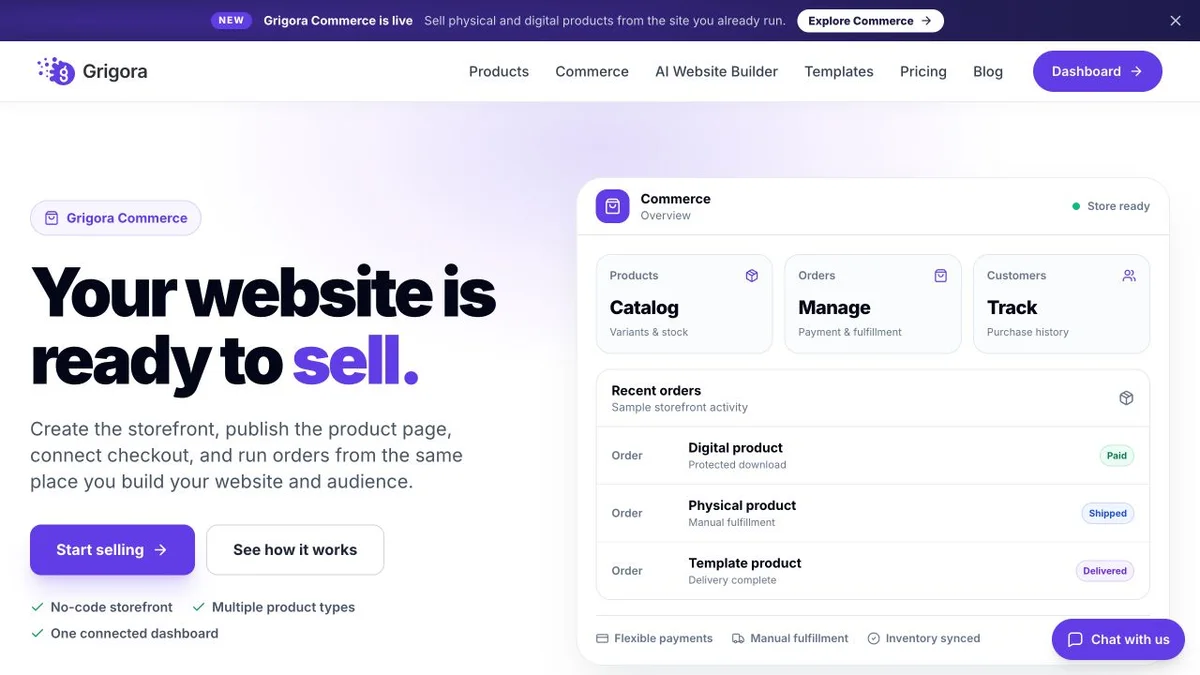
Current public product pages and plans, so you can inspect what you would be moving to. Open any image at full size.

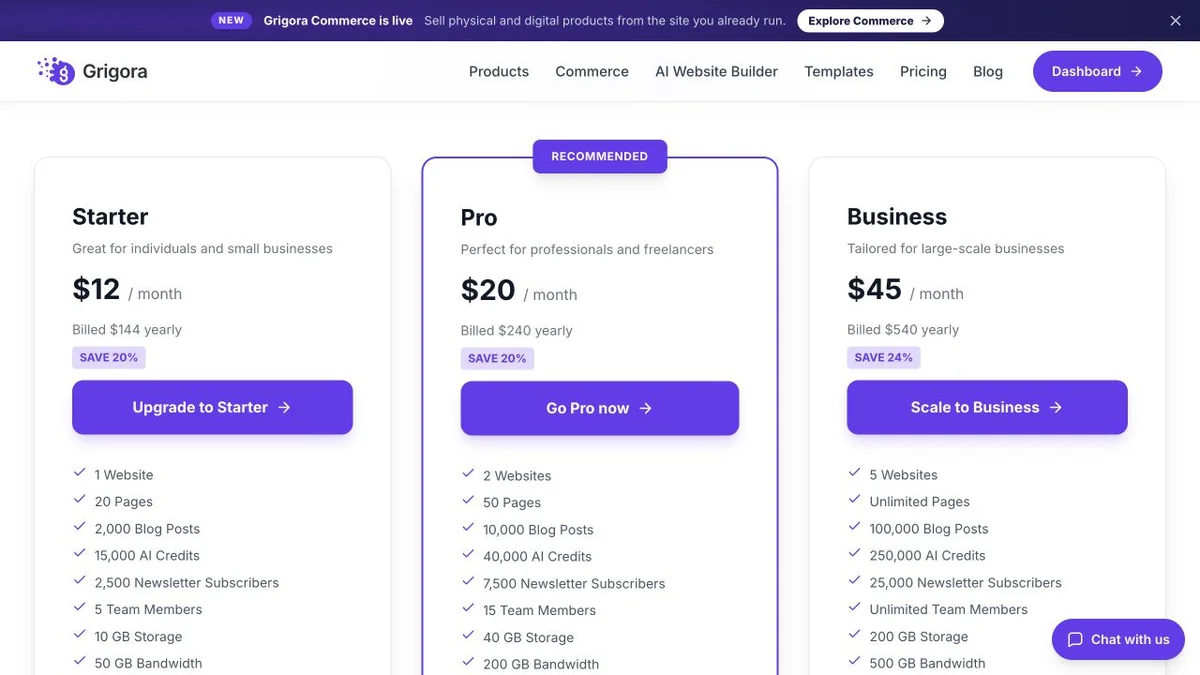
Grigora vs Super.so pricing
Both entry plans land on $144 a year. Only one of them is a whole platform.
Website, CMS, newsletter and store in one plan
Annual rates shown. The CMS, newsletter and store are included on every plan, with 0% platform commission on your own gateway. White Label is a separate plan at $199/mo.
Priced per site, with add-ons billed separately
Super.so pricing as listed 11 September 2026 on super.so/pricing and super.so/pricing-annual. Prices are per site. Add-ons are billed on top: Analytics from $10/month (Tier 1, up to 10,000 monthly page views) to $400/month at Tier 11, charged on combined traffic across all analytics-enabled sites and escalating a tier automatically as views grow, or $100 to $4,000 a year; Teams at $5 per member/month or $50 per member/year. A Notion workspace is required underneath and is not priced here. Older figures still circulate, including a $12 Plus plan in Super's own blog and a $15 Pro plan in third-party reviews; neither matches the live page. No refund policy or free-trial length is published.
Super Personal is $144 a year for one Notion front end. Grigora Starter is $144 a year for a site, a CMS, a store and 2,500 newsletter subscribers.
The real cost: Grigora vs Super.so
A three-person team publishing a marketing site and a docs site, selling one $29 download, and wanting a list of the people who read them.
| What you pay for | Super.so | Grigora |
|---|---|---|
| Two sites on custom domains | Two Personal plans, $288/yr | Pro, $240/yr covers 2 sites |
| Where the posts are stored | Your Notion workspace, billed separately | Grigora CMS, in the plan |
| Three people editing | Teams add-on, $5 per member/month, plus Notion seats | Not billed per member |
| Site analytics | Add-on from $10/mo, rising a tier as traffic grows | Bring your own |
| Selling the $29 download | Embed Gumroad or Stripe, their fees apply | Included store, 0% platform commission |
| Gated or member-only pages | Password protection from Personal; memberships not confirmed | No paywalls or member logins |
Payment-processor fees apply on both sides. Super's analytics add-on is billed on the combined traffic of every analytics-enabled site, so two busy sites can push a single bill up a tier. Notion's own pricing was not checked on this date, so no figure for it is included above.
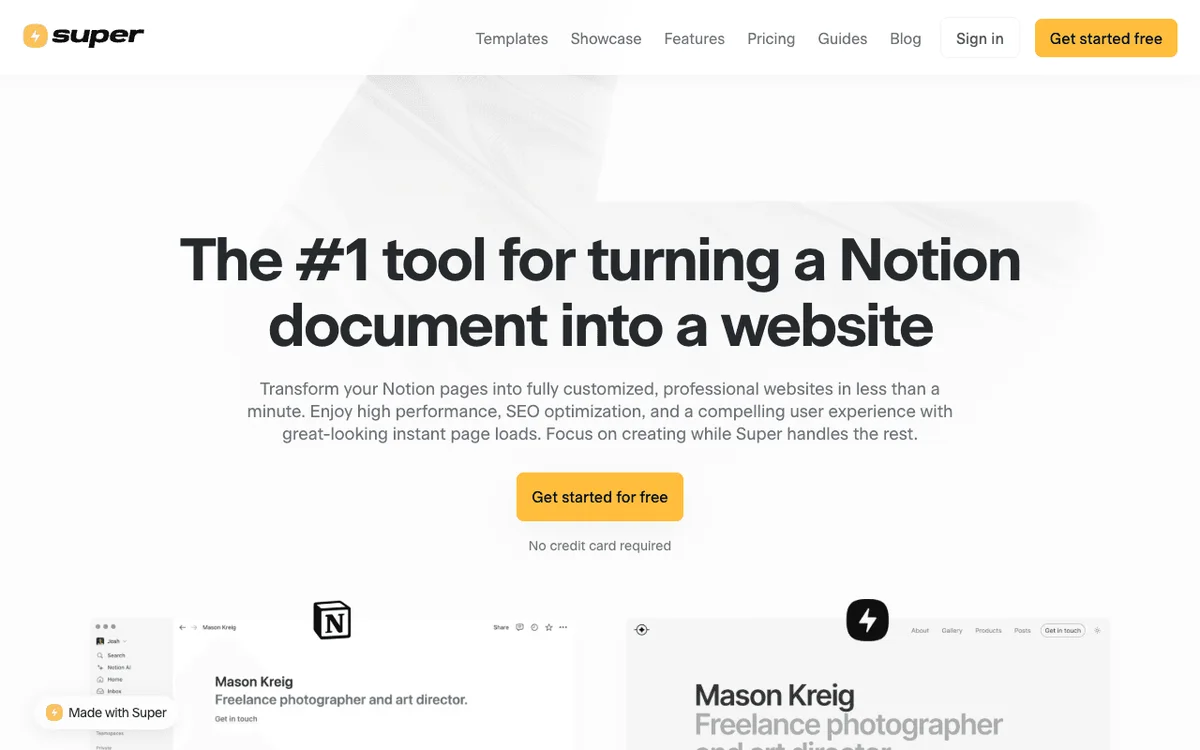
Super.so and Grigora: public website references
These captures show each product’s public website. See the feature and pricing sections for capabilities and plan details.

Is Grigora the right Super.so alternative for you?
Where each platform is the honest answer.
Best Super.so alternative for sites that sell
A catalogue with variants, stock and downloads on every paid plan, instead of a payment button embedded in a Notion block.
… for publishing at any real volume
Categories, author profiles, moderated comments and directories, rather than properties bolted onto database rows.
… for anyone building a mailing list
Subscribers, campaigns, segmentation and automations from Starter, rather than an RSS feed and a third-party form.
Super.so is the right call if…
Your content genuinely already lives in Notion, the site is documentation or a portfolio, and native Notion blocks rendering faithfully matters more than owning the CMS.
Which one is right for you?
Choose Grigora if…
- You want the content and the website on the same system
- You sell products or digital downloads
- You run more than one site and dislike per-site bills
- You need categories, authors and comments, not database properties
- You want a newsletter without a second subscription
Choose Super.so if…
- •Your whole team writes in Notion and will not move
- •The site is docs, a wiki or a changelog
- •Native Notion blocks must render exactly as written
How to move from Super.so to Grigora
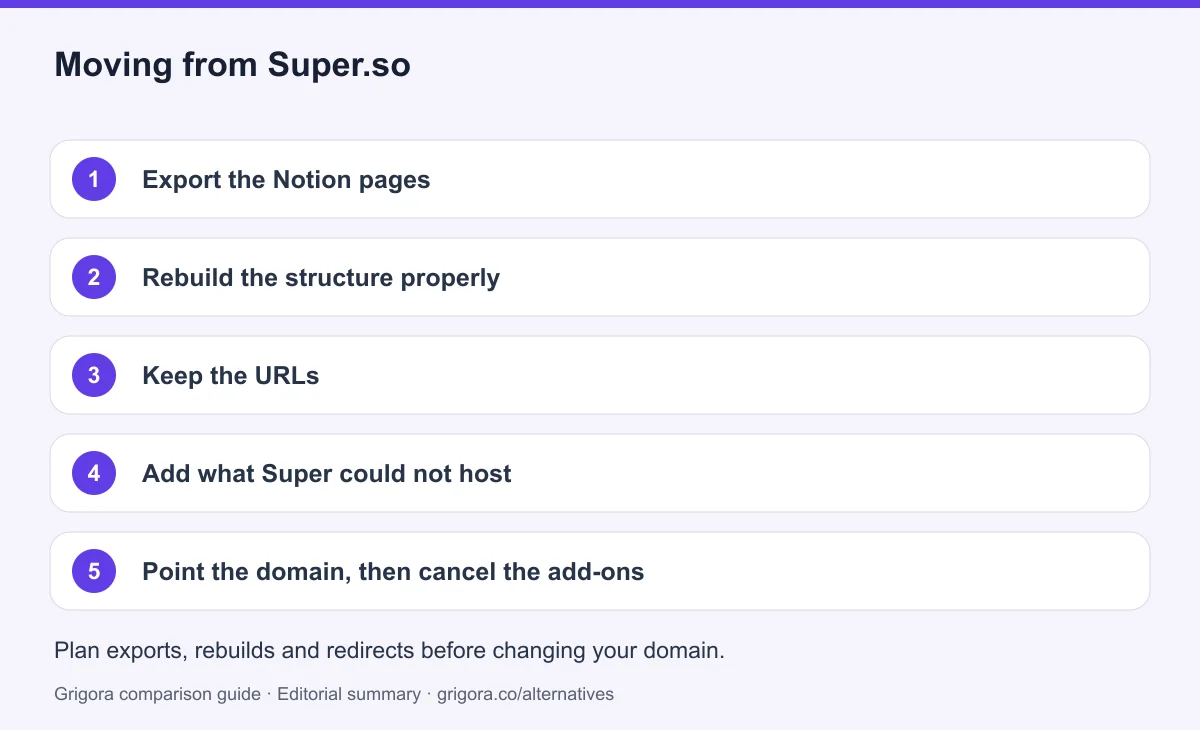
Nothing has to be rebuilt from memory. Your content is in Notion and Notion exports cleanly, so the work is mostly deciding what structure it should have had all along. Before moving everything, test a representative content export and check supported import formats. Keep media backups, reconcile product variants and retain subscriber consent and unsubscribe records; an export does not guarantee a direct import.
- 1
Export the Notion pages
Export the workspace or the relevant pages as Markdown and HTML from Notion. Images come out alongside the text.
- 2
Rebuild the structure properly
Bring posts into the Grigora CMS with real categories, author profiles and comments instead of meta: properties, and rebuild the marketing pages in the block editor.
- 3
Keep the URLs
List the live paths on your Super site first, then match them in Grigora and set redirects for anything you rename.
- 4
Add what Super could not host
List products in Grigora Commerce, and import the addresses you collected through your embedded form into the newsletter.
- 5
Point the domain, then cancel the add-ons
Keep the old service active while you test the new site. Match existing URL paths or configure permanent redirects, verify canonicals and the sitemap, and test forms and checkout on mobile. Change DNS after these checks, then monitor indexing and errors before cancelling services you no longer need. Rankings may change during a migration.
Why people look for a Super.so alternative in 2026
Super has a very clear proposition and it delivers on it. Paste a Notion page URL, watch it crawl the subpages, pick a theme, connect a domain, and a docs site or a portfolio exists before lunch. The people who leave rarely leave because that first hour disappointed them. They leave because of what the arrangement means six months later, once the site has a shop to add, a list to build, or a second site to pay for.
Notion is the CMS, and it shows
A Super blog is a Notion database rendered as a collection. Each post is a row. Per-post SEO is a set of properties you add by hand to that database: meta:title, meta:description, meta:image, meta:author and meta:canonical. It works, and it is a reasonable design given the constraint, but the constraint is total. There is no post editor of Super's own. There are no author profiles, only a text property called meta:author. There is no category or tag system beyond whatever Notion properties you invent. There is no scheduled publishing either: the manual publishing controls on the Pro plan gate when synced changes go live, they do not hold a finished post for Tuesday morning. Every structural need you have turns into another column and another convention your team has to remember.
The dependency runs deeper than features. Your publishing pipeline passes through a tool you do not control and did not choose for this purpose. Super mitigates the worst of it with a cached static layer, so published pages keep serving when Notion is down, and that is a real piece of engineering worth crediting. It protects your readers. It does not protect you. During an incident you cannot edit, the sync cannot run, and a wrong price or a broken link stays wrong until somebody else's status page turns green. There is also a longer-term version of the same exposure: Notion now ships its own Notion Sites feature, and Super publishes a positioning post defending against it, which is an unusual position for any product to be in relative to the platform it is built on.
Nothing commercial is included
There is no cart, no product catalogue, no checkout, no inventory and no payment processing anywhere in Super's pricing table, features page or documentation. Super's docs index has no e-commerce section at all. If you want to sell, you embed Gumroad, a Stripe payment link or Lemon Squeezy into a Notion block. That is why Super takes no commission: it never handles the money. The third party's fees apply instead, and the embed itself needs custom code, which begins on the Personal plan at $16 a site, so the free plan cannot even carry a payment button.
Email is the same story with a different ending. There are no lists, no broadcasts, no automations and no subscriber records. The nearest native capability is publishing a Notion database as an RSS or ATOM feed, available from Personal upward. Collecting an address is outsourced too: Super's own documentation routes you to a publicly shared Notion Form embedded in the page, with responses stored in your Notion database. Super keeps no submissions and provides no notifications, spam filtering or field validation. A contact form on a Super site is a Notion feature wearing your brand.
The bill grows in three directions at once
Super prices per site rather than per account, which is genuinely fairer if you run exactly one. Run four and you hold four subscriptions. On top of those, Analytics is a separate add-on that starts at $10 a month for Tier 1, up to 10,000 monthly page views, and climbs by tier to $400 a month at Tier 11, or $100 to $4,000 a year. It is billed on the combined traffic of every analytics-enabled site you own and moves up a tier automatically as those views grow, which means the line item that rises fastest is the one attached to your success. Teams collaboration, with roles, permissions and site transfers, is a further $5 per member per month. And a Notion plan sits underneath the whole arrangement for any workspace with more than one editor. Super's pricing page does not say whether a paid Notion plan is required, so no figure for it appears on this page, but it is real money and it belongs in your sum.
One more cost is easy to miss. Sub-path hosting, which puts the site at yourdomain.com/docs or /blog instead of a subdomain, is the thing that keeps a content section on your main domain's search authority. On Super it appears only under Custom solutions, which starts at $50 plus fees for modifications and is arranged by contacting the founders. It is not a plan you can pick at checkout.
How Grigora compares
Grigora starts from the opposite assumption. The content belongs to the website platform, so there is no second system to keep in sync and no second vendor between you and a published correction. You describe the business and the AI generates a site, or you start from a website template, and then you work in a block editor with custom code injection where you need it.
The same $144 a year, a very different amount of website
Super Personal is $144 per site per year. Grigora Starter is $144 a year, and the coincidence is useful because it makes the comparison exact. For that money Super gives you one Notion front end on your own domain, with custom code, custom fonts, password protection, RSS output and the SEO settings. Grigora gives you the site plus a CMS with posts, categories, author profiles, directories and moderated comments with admin replies; email marketing with 2,500 subscribers, a campaign builder, segmentation and automations; an online store with a catalogue, variants, stock and digital downloads at 0% platform commission on Stripe or Razorpay; SEO metadata, schema controls, sitemaps and IndexNow submission, alongside free SEO tools; and 15,000 AI credits. Hosting, SSL and the CDN are included and there is nothing to patch.
The gap widens with scale rather than closing. A second site on Super is a second $144. On Grigora, Pro at $20 a month covers two sites and Business at $45 a month covers five, with 25,000 subscribers and 250,000 AI credits. Add three editors and Super adds $5 each per month plus Notion seats; Grigora does not bill per member. Add traffic and Super's analytics add-on climbs a tier on its own; Grigora leaves analytics to whatever you already use, which is a point against Grigora if in-dashboard stats matter to you, and Super's are genuinely tidy.
Where Super.so still wins
If your documentation, changelog and wiki genuinely live in Notion and your team will not move, Super is the right answer and switching would be a downgrade. Nobody learns a new editor. The content updates in the tool people already have open. Toggles, databases, galleries, boards and synced blocks render natively and quickly, and Super maintains a compatible-blocks reference so you know what will survive. A general builder can only show those as a fragile embed, or not at all. The static cache is thoughtful engineering. Per-site billing is honest for a single site. Grigora has none of that Notion fidelity, no paid memberships or content paywalls, and Super's own membership feature is worth watching: it appears in the docs navigation but not in the pricing comparison table, and 2026 write-ups still route Super users to MemberSpace or Outseta, so treat it as unconfirmed rather than absent. The question is not whether Super is good at its job. It is whether you want your website's content, shop and mailing list to depend on a document tool's roadmap and uptime.
Frequently asked questions
Grigora is a Super.so alternative when you want the website, CMS, newsletter and store in one platform. Super is a strong fit when your team already maintains content in Notion and wants to publish it directly. Moving to Grigora changes the editing source and requires rebuilding layouts, rather than preserving a live Notion sync.
As listed on super.so/pricing in September 2026: a free site on a super.site subdomain, Personal at $16/site/month or $144/site/year, Pro at $28/site/month or $264/site/year, and Custom solutions from $50 plus fees. Analytics is a separate add-on from $10/month to $400/month by traffic tier, and Teams is $5 per member/month. Older $12 and $15 figures still circulate online and do not match the live page.
Not natively. Super has no cart, catalogue, checkout, inventory or payment processing, so selling means embedding Gumroad, a Stripe link or Lemon Squeezy through custom code, which is a Personal-plan feature. Grigora includes a store with variants, stock and downloads on every paid plan at 0% platform commission.
No. There are no lists, broadcasts, automations or subscriber records. The closest native capability is publishing a Notion database as an RSS or ATOM feed from the Personal plan up, and capturing an address needs an embedded Notion Form whose responses are stored in Notion, not in Super. Grigora includes 2,500 to 25,000 subscribers with campaigns and automations.
Published pages keep serving, because Super maintains a cached static layer. What stops is editing, syncing and publishing, so a correction cannot go live until Notion is back. On Grigora the content sits in the same platform that publishes it, so there is one vendor between you and a fix rather than two.
It is not confirmed. A Super Memberships section appears in the docs.super.so navigation, but it does not appear in the live pricing comparison table and 2026 third-party write-ups still point Super users at MemberSpace or Outseta for member logins. Password-protected pages are available from the Personal plan. Grigora does not offer paid memberships or content paywalls either.
Sources and comparison method
Published by Grigora, one of the products compared here. This is a comparison of public product documentation and published plans. Recommendations reflect the use cases described; they are not independent performance benchmarks. Homepage screenshots show how each product presents itself and do not establish feature availability.
Check the billing term, currency, regional availability, usage limits and add-ons before purchasing. A content export does not necessarily include the design, integrations or a working store. Migration steps need testing on your own site.
- Super.so pricing
Primary source for the product, plan or migration scope discussed in this comparison.
- Super.so pricing
Primary source for the product, plan or migration scope discussed in this comparison.
- Grigora pricing and plan limits
Annual and monthly billing, free trial, page/bandwidth/storage allowances, support and optional services.
Grigora references: plans and limits, commerce, MCP access, and help documentation.
Compare Grigora with other platforms



Make the switch from Super.so to Grigora
Your content, your website, your shop and your list on one platform, from $12/mo. Try Grigora free, no credit card required.
14-day free trial • No credit card required • Cancel anytime