
A Framer alternative when the site has to sell, not just impress
Framer combines a visual design canvas, CMS and AI agents. Grigora combines a block-based website with newsletter and store tools from $12/mo billed annually. Compare editing, motion and the integrations your business needs.
Published by Grigora · Updated · Sources and method
Is Grigora the right Framer alternative?
Grigora is a Framer alternative for businesses that want a website, newsletter and store in one plan. Framer suits teams that value its visual canvas, animation tools, CMS and design ecosystem. Both offer AI assistance; test a representative editing task and compare the integrations, usage limits and total cost your site needs.
Choose Grigora if you want…
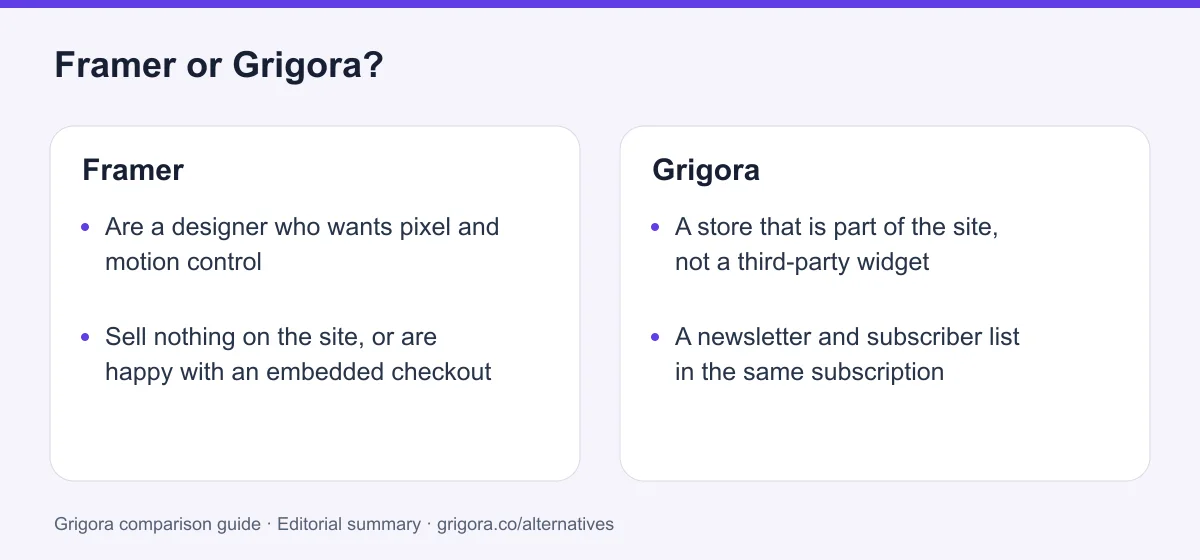
- A store that is part of the site, not a third-party widget
- A newsletter and subscriber list in the same subscription
- An AI-generated draft within a block-editing workflow
- Moderated comments and directories without plugins
- A block-editing workflow for the future site owner
Stick with Framer if you…
- •Are a designer who wants pixel and motion control
- •Sell nothing on the site, or are happy with an embedded checkout
- •Value the template marketplace and design community
Framer or Grigora: the decision in one view
Framer alternatives at a glance
How Grigora and the other design-led builders compare on what a business actually needs.
Swipe the table sideways to see every column
| Platform | Best for | Free access | Starting price | Sales fees | Data and site portability |
|---|---|---|---|---|---|
| Grigora | Site, newsletter and store in one plan | Free trial | From $12/mo billed annually | 0% platform fee; Stripe/Razorpay fees apply | Posts/content; rebuild design |
| Framer | Design and animation fidelity | Yes (Framer domain) | From $10/mo | No native store | CMS via plugins; confirm full site export |
| Webflow | Designer-grade builds with CMS | Yes | From $15/mo | 0% except 2% Ecommerce Standard; processing extra | Static code on eligible Workspace; CMS/store separately |
| Squarespace | Polished templates | No (trial) | From $19/mo | 2% on Basic, 0% on Core+ | Partial |
| Wix | Templates and app market | Yes (Wix ads) | From $17/mo | 0% (processing only) | No |
| Carrd | One-page sites | Yes (3 sites) | Pro from $9/yr; custom domains $19/yr | No native store; embedded checkout | Client-side ZIP on Pro Plus |
List pricing (billed yearly) as of September 2026; payment-processor fees apply wherever a store exists. Verify current pricing on each provider's site.
Sources for the overview table
- Grigora: official reference 1
- Framer: official reference 1, official reference 2
- Webflow: official reference 1, official reference 2
- Carrd: official reference 1, official reference 2
Why people switch from Framer to Grigora
The friction points Framer users hit most often, and how Grigora handles them.
Integrated store operations
Framer sells sites. Selling on one means a third-party checkout with its own subscription, product list and branding.
The list lives somewhere else
Forms capture emails, then hand them to another platform. Every campaign is an integration away.
The credits ran out
Framer agents and AI features use credits. Compare the included allowance and top-up costs with your actual editing workload; Grigora also has AI limits.
A different editing workflow
Test how the owner updates content in Framer’s CMS, agents and canvas. Grigora’s block editor may suit a different handover and maintenance workflow.
What Framer does well
- Detailed canvas, animation and interaction controls
- A large, high-quality template marketplace
- A capable CMS with dynamic pages
- Fast hosting and clean output
Where Framer falls short
- No native online store
- No email marketing
- AI features are metered by credits
- A visual canvas that requires layout review
Grigora vs Framer at a glance
Where the plan price stops and the second subscription starts.
| Feature | Framer | Grigora |
|---|---|---|
| Starting paid plan | $10/mo | $12/mo |
| Online store | Third-party embed | Included |
| Email marketing | No | Included |
| AI usage | Credits by plan | 30K to 250K credits |
| AI first-draft site | AI agents and site drafting | Yes |
| Comments & moderation | No | Built in |
| Animation and interactions | Specialist tools | Basic |
| Free SEO tools suite | No | Free tools |
| White label for agencies | No | $199/mo plan |
Grigora vs Framer: feature by feature
A category-by-category breakdown, pricing, AI, design, e-commerce, email, SEO, performance, and support.
Design, animation & templates
Fit: FramerFramer provides a free-form canvas, responsive breakpoints, component variants and animation tools. Grigora provides a block editor and generated site drafts. The right choice depends on design requirements and who maintains the site.
| Feature | Grigora | Framer |
|---|---|---|
| Freeform canvas | No | Yes |
| Scroll and hover animation | Basic | Specialist tools |
| Component variants | Blocks | Yes |
| Template marketplace | Template library | Large, community made |
| Design distinctiveness | AI art directions | Whatever you can draw |
Takeaway: Framer is a strong fit for detailed visual and motion design.
Selling on the site
Fit: GrigoraFramer does not include a native product-store backend. Selling usually uses an external checkout or commerce integration, with fees and administration determined by that service. A separate monthly subscription is not required for every payment-link use case. Grigora includes a native catalogue and store on its paid plans.
| Feature | Grigora | Framer |
|---|---|---|
| Native store | Yes | No |
| Catalog, variants and stock | Yes | Third-party |
| Digital downloads | Yes | Third-party |
| Orders inside the same dashboard | Yes | No |
| Platform commission | 0% | Depends on the embed |
Takeaway: Framer commerce usually uses a third-party service or integration. Check its fees and operational scope; a separate monthly subscription is not inevitable for every payment link.
Newsletter & email
Fit: GrigoraFramer collects form submissions. It does not send campaigns, run automations or hold a subscriber list, so a newsletter means another platform and an integration. Grigora includes the list, the campaigns and the automations.
| Feature | Grigora | Framer |
|---|---|---|
| Email included | 2,500 to 25,000 subscribers | No |
| Campaign builder | Included | External platform |
| Automation and segmentation | Included | External platform |
| Signup forms | Native | Native, then export |
| Professional inbox | From $5/mailbox | Separate provider |
Takeaway: Framer ends at the form. Grigora carries on to the send.
AI agents, drafting and usage credits
Depends on your needsFramer now documents agents that edit pages and CMS collections, generate items and revise copy. Its pricing lists 1,000 included monthly credits on Basic and 3,000 on Pro, with additional credits available. Grigora publishes its own AI allowance. Credit units differ, so counts do not establish equivalent output or quality.
| Feature | Grigora | Framer |
|---|---|---|
| Full site from a prompt | Yes | AI-assisted page creation |
| AI credits included | 30,000 to 250,000 | Metered by plan |
| AI blog writing | Yes | CMS agents create and revise content |
| AI translation | No | Yes |
Takeaway: Test the same brief and editing task in both products, then compare usable results and the credits consumed.
CMS, blog & directories
Depends on your needsFramer's CMS is genuinely good: collections, fields, dynamic pages, and a clean editing panel. Its limits are the item caps by plan and the absence of comments. Grigora's CMS adds structured directories and moderated comments as standard.
| Feature | Grigora | Framer |
|---|---|---|
| Collections and dynamic pages | Yes | Yes |
| Blog with categories and authors | Yes | Yes |
| Directories | Built in | Build with collections |
| Comments and moderation | Included, with admin replies | No |
| Item limits | 2,000 to 100,000 posts | Capped by plan |
Takeaway: Comparable for a blog. Grigora is ahead the moment readers need to reply.
Who can edit it
Depends on your needsFramer has a visual canvas and CMS editing, with AI agents for changes. Grigora uses editable blocks and CMS tools. Neither workflow requires every content edit to be made by a designer; test an actual handover with the person who will maintain the site.
| Feature | Grigora | Framer |
|---|---|---|
| Page layout workflow | Block editor | Visual canvas and AI agents |
| Routine content editing | CMS and page editor | CMS editing and agents |
| Mobile layout checks | Review responsive output | Responsive breakpoints and preview |
Takeaway: Compare a real content update and mobile layout review rather than assuming a fixed learning time.
SEO & speed
Depends on your needsBoth offer metadata, sitemaps and hosted content delivery. Actual loading performance depends on the page, images, scripts and implementation. Framer lists localisation as an add-on, including on Basic; Grigora’s language workflow should be checked for the site you need.
| Feature | Grigora | Framer |
|---|---|---|
| Meta, schema and sitemap controls | Yes | Yes |
| Page speed | Managed delivery | Measure representative pages |
| IndexNow submission | Yes | No |
| Free SEO tools suite | Free tools | No |
| Localisation | Limited | Localisation add-on |
Takeaway: Compare controls and test representative pages for crawlable content, accurate metadata and performance. No platform guarantees rankings or citations in AI answers.
Agencies & white label
Fit: GrigoraFramer is popular with design studios and has no white-label product; the client sees Framer. Grigora sells White Label as a plan at $199/mo so the platform can be resold under the agency's own name and pricing.
| Feature | Grigora | Framer |
|---|---|---|
| Resell under your own brand | $199/mo White Label plan | No |
| Your own pricing and plans | Yes | No |
| Multi-site management | One dashboard | Workspace |
| Client editing experience | Simple | Needs training |
Takeaway: Studios build in Framer. Agencies that want a product to resell need something else.
Ownership & export
Depends on your needsFramer documents CMS export through plugins, but its two official help articles conflict on downloading a complete site for self-hosting. Confirm the current export workflow and test the resulting files before making portability a buying requirement. Moving into Grigora still requires mapping content and rebuilding the layout in its editor.
| Feature | Grigora | Framer |
|---|---|---|
| Export content | Yes | CMS CSV/JSON via plugins |
| Export site code | No | Official guidance conflicts; confirm workflow |
| Move the design elsewhere | Rebuild | Verify supported export; test the result |
| Support | Email; priority, phone and onboarding by plan | Community, priority on Pro |
Takeaway: Test CMS export separately from layout and runtime portability; confirm the conflicting site-export guidance with Framer.
Explore Grigora before switching from Framer
Current public product pages and plans, so you can inspect what you would be moving to. Open any image at full size.
Grigora vs Framer pricing
Framer's plans are cheap for a site. Add the store and the newsletter and the bill changes shape.
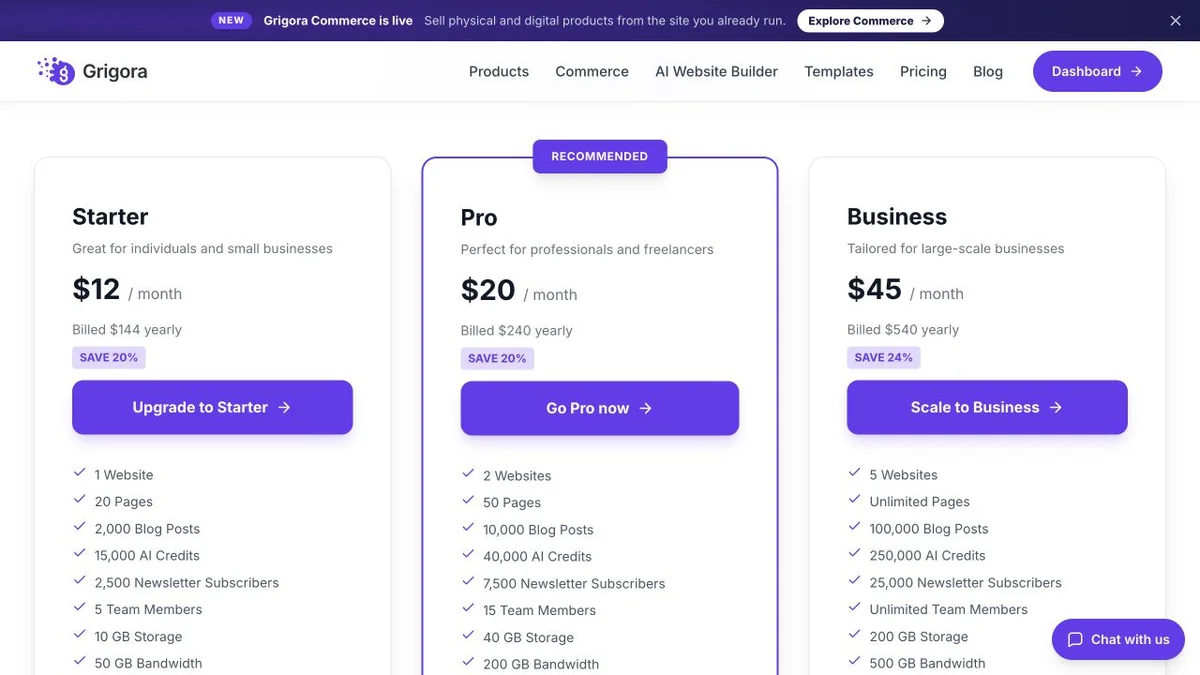
Website, newsletter & store in one plan
Annual rates shown. The CMS, newsletter and store are included on every paid plan, with 0% platform commission on connected checkout; processor fees apply.
Site plan, everything else elsewhere
Framer Basic is $10/mo and Pro $30/mo with yearly billing in the current US reference pricing. Additional editors are $20/mo, while viewers are free. Localisation, higher usage and other add-ons can change the total; confirm the term and quote at checkout. Commerce and newsletters use separate integrations.
Grigora Starter at $12/mo includes the store and the newsletter. Framer Basic at $10/mo is the site alone, and both of those arrive as separate products with separate bills.
The real cost: Grigora vs Framer
Framer's plan price is honest for what it covers. Count what it does not cover.
| What you pay for | Framer | Grigora |
|---|---|---|
| Site plan | $10 to $30/mo per site | $12 to $45/mo (all-in) |
| Online store | Third-party checkout subscription | Included |
| Email marketing | Separate platform | Included (2,500 to 25,000 subs) |
| AI usage | Credits, capped by plan | 30K to 250K credits |
| Comments on posts | Third-party embed | Included |
| SEO tooling | Third-party tools | free tools |
| Professional inbox | Separate provider | From $5/mailbox (optional) |
Payment-processor fees apply wherever a store exists.
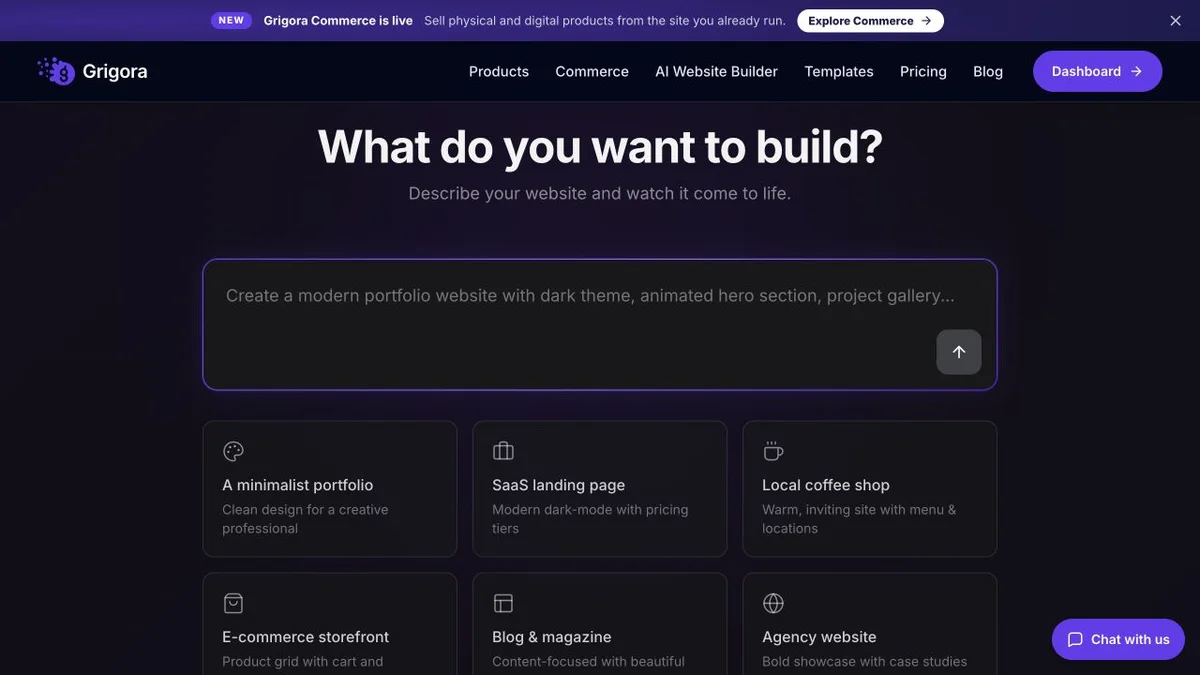
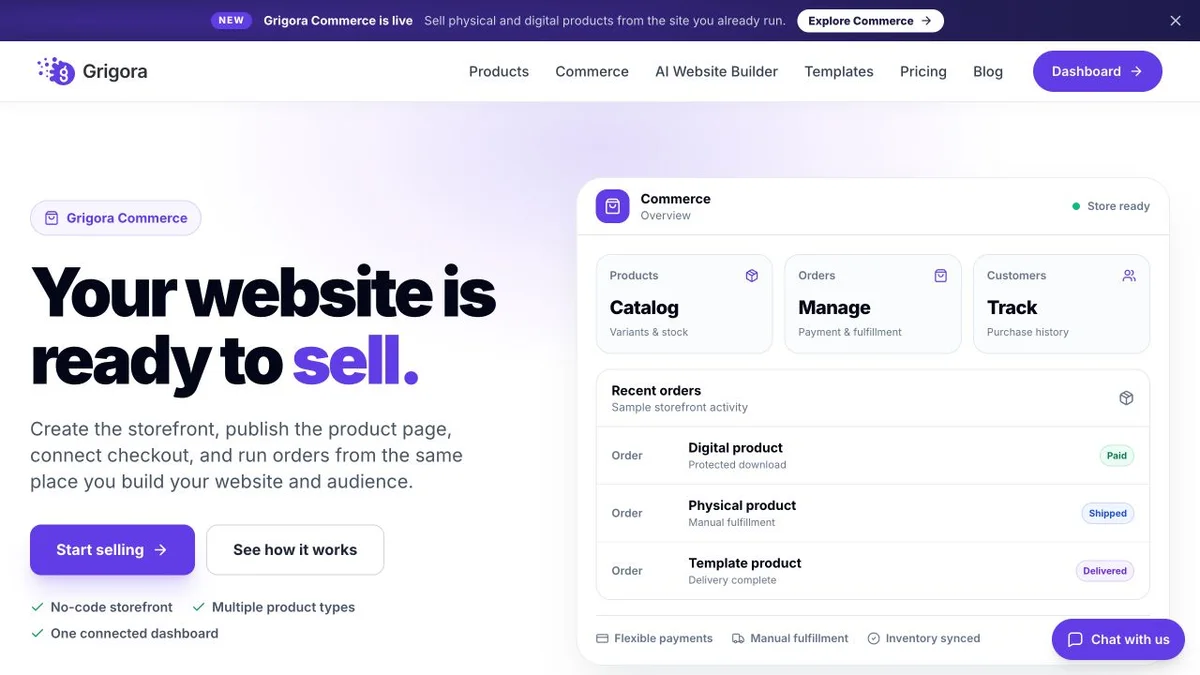
Framer and Grigora: public website references
These captures show each product’s public website. See the feature and pricing sections for capabilities and plan details.
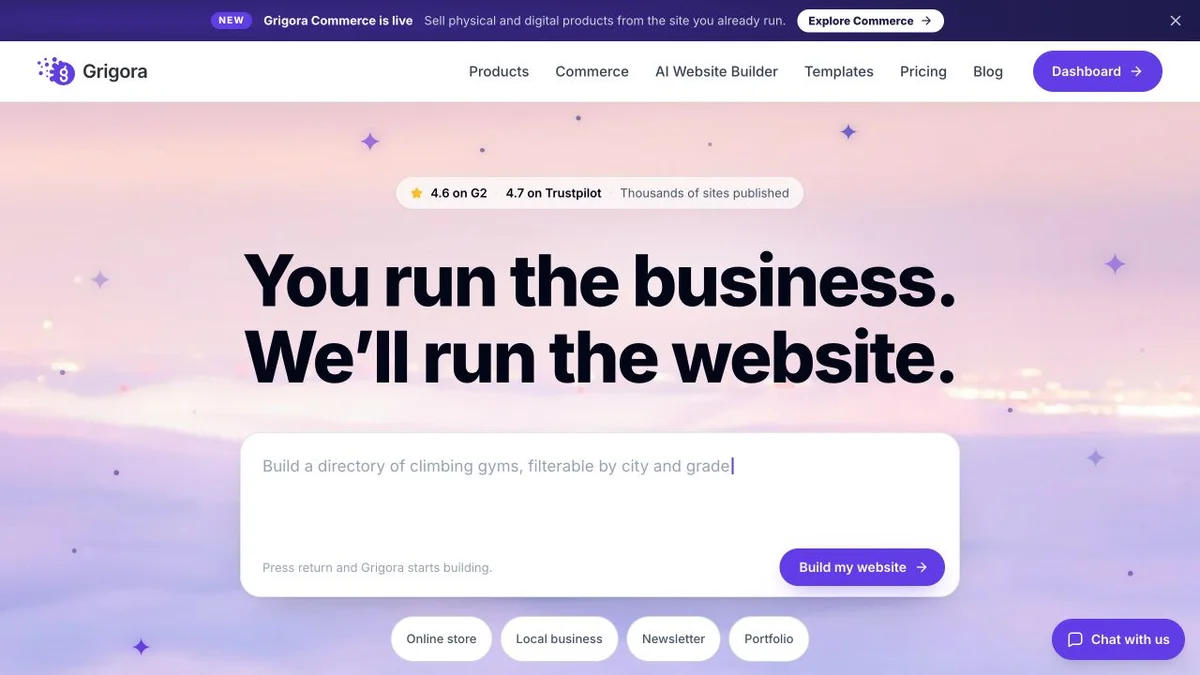

Is Grigora the right Framer alternative for you?
Where Grigora is the stronger choice, and where Framer keeps the brief.
For small businesses that sell
The store is native, so a shop or a set of downloads does not mean a second product with its own admin.
… for creators with a list
Publish, collect subscribers and send the campaign from one dashboard instead of Framer plus an email tool.
… for owners who edit their own site
A block editor with a publishing workflow to test against the owner’s regular updates.
Not a fit: brand launches and portfolios
If the site is the design, Framer's canvas is the right tool and this page will not talk you out of it.
Which one is right for you?
Choose Grigora if…
- The site needs to sell and the store should be native
- You want a newsletter in the same plan
- You want a draft generated, not a canvas to fill
- The owner prefers Grigora’s block-editing workflow
- You are an agency that wants to resell a platform
Choose Framer if…
- •Design and motion are the point of the site
- •You do not sell on the site, or an embed is fine
- •You live in the template and component ecosystem
How to switch from Framer to Grigora
Plan a layout rebuild, then test Framer’s available CMS export or plugin workflow against Grigora’s supported imports. Back up assets, reference fields and localised content separately. External newsletter, forms and commerce services need their own migration checks.
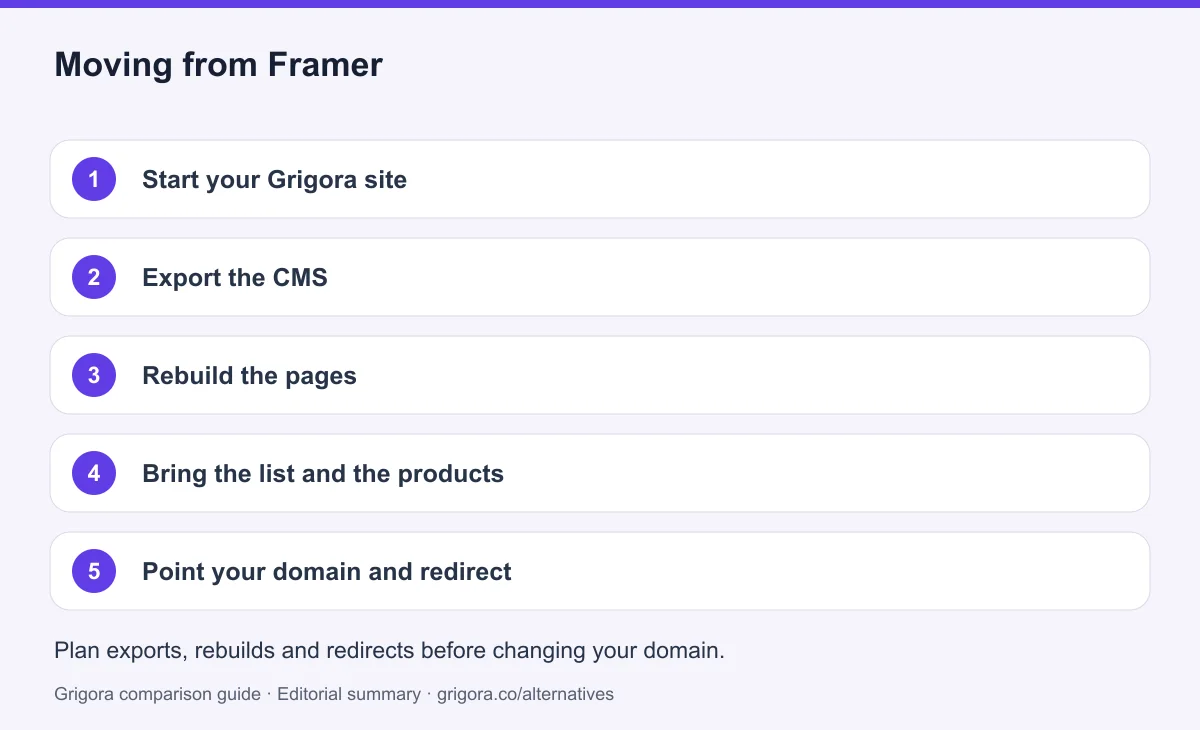
- 1
Start your Grigora site
Describe the business in a sentence and the AI generates a first draft with pages, layout and copy.
- 2
Export the CMS
Export a sample CMS collection using the available Framer export or plugin workflow, back up assets, and confirm the Grigora import format. Custom fields, references and localised content may need transformation.
- 3
Rebuild the pages
Home, about, services and contact are quick to reproduce in the block editor. Accept that the motion will be simpler.
- 4
Bring the list and the products
Export opted-in contacts and products from the services connected to Framer. Preserve unsubscribe records, subscriptions and order history separately, and test the replacement checkout before ending any service.
- 5
Point your domain and redirect
Keep the current service active while testing the replacement. Preserve existing URL paths where possible, configure permanent redirects where you control the old address, and check canonicals, sitemaps, forms and checkout on mobile. Change DNS after these checks, then monitor errors and indexing before cancelling services you no longer need. Rankings can change during migration.
Why people look for a Framer alternative in 2026
Framer combines a visual design canvas, CMS, animation controls and AI agents. It can suit teams that want detailed control over the presentation. Grigora brings newsletter and store operations into its managed website workflow, so the choice depends on the required design and business tools.
A site plan is only the site
Basic is $10 a month and Pro is $30, billed yearly, and those are fair prices for hosting and a CMS. Neither includes a way to take money or a way to send email. A business that needs both is running Framer plus a checkout plus an email platform, each with its own login and invoice.
The AI has a meter
Framer’s current AI tools go beyond a layout draft: agents can change pages and work with CMS collections and items. Basic and Pro include different credit allowances, and more credits can be added. Compare actual tasks and consumption rather than raw credit totals across vendors.
Hand over the editing workflow
Framer’s canvas exposes layout and responsive controls, while its CMS and agents support content work. Grigora uses a block editor with an integrated publishing workflow. A useful evaluation is to have the future site owner update a page, publish a post and check mobile output in both.
How Grigora compares
Grigora comes at the same job from the other end. The starting point is a description of the business, not a blank canvas, and the plan includes the parts Framer leaves to other vendors.
Everything a site needs to trade
Starter at $12 a month billed annually includes the site, the CMS with directories and moderated comments, a newsletter with 2,500 subscribers, and a store with no platform commission through connected Stripe or Razorpay checkout; processing fees apply. The equivalent Framer setup is Basic plus a checkout plus an email tool.
Where Framer still wins
Framer is a strong candidate when animation, component variants and detailed visual control are central requirements. Grigora is worth considering when newsletter and product-store operations matter more. Neither is universally easier or visually superior for every brief.
Frequently asked questions
Grigora is a Framer alternative for businesses that want a website, newsletter and store in one plan. Framer suits teams that value its visual canvas, animation tools, CMS and design ecosystem. Both offer AI assistance; test a representative editing task and compare the integrations, usage limits and total cost your site needs.
As listed in September 2026, Framer's site plans are Basic at $10/mo and Pro at $30/mo, billed yearly, with a Free plan on a framer.app address and Enterprise on request. Prices are per site.
Framer does not include a native product-store backend. It can use third-party commerce integrations and checkout links; fees and ongoing subscriptions depend on that service. Grigora includes catalogue, inventory and checkout tools on its paid plans, with processor fees applying to payments.
No. Framer collects form submissions but does not send campaigns or hold a subscriber list. A newsletter means a separate email platform. Grigora includes email marketing with 2,500 to 25,000 subscribers depending on plan.
Framer uses credits for agents and other AI features; its current pricing lists 1,000 included monthly credits on Basic and 3,000 on Pro, with top-ups available. Grigora also has plan-based AI allowances. Credit units differ, so compare the real tasks you need to complete.
Framer documents CMS CSV/JSON exports through plugins. Its official site-export articles conflict, so confirm the supported workflow and test files before relying on a self-hostable copy. Moving into Grigora requires a content map and layout rebuild; check localised content, integrations, URL paths and redirects before launch.
Sources and comparison method
Published by Grigora, one of the products compared here. This is a comparison of public product documentation and published plans. Recommendations reflect the use cases described; they are not independent performance benchmarks. Homepage screenshots show how each product presents itself and do not establish feature availability.
Check the billing term, currency, regional availability, usage limits and add-ons before purchasing. A content export does not necessarily include the design, integrations or a working store. Migration steps need testing on your own site.
- Framer pricing
Basic and Pro yearly rates, CMS limits, editor pricing, localisation and AI credits.
- Framer CMS and agents
AI agents can work on collections and items; compare real editing tasks.
- Framer HTML export guidance
Says HTML self-hosting export is unavailable; conflicts with the portability guide.
- Framer data portability guide
Documents CMS CSV/JSON via plugins and site-output download; confirm the supported site-export workflow because another official article conflicts.
- Grigora pricing and included allowances
Annual and monthly prices, trial, team and usage allowances, newsletter tools and optional services.
Grigora references: plans and limits, commerce, MCP access, and help documentation.
Compare Grigora with other platforms


Make the switch from Framer to Grigora
Keep the site, gain the store and the newsletter, from $12/mo. Try Grigora free, no credit card required.
14-day free trial • No credit card required • Cancel anytime