
A Webflow alternative without the learning curve
Webflow gives designers real control, and asks for real time in return. Grigora generates a first draft from a sentence, then keeps every block editable, with the newsletter and the store included instead of sold as a separate plan family.
Published by Grigora · Updated · Sources and method
Is Grigora the right Webflow alternative?
Grigora is a Webflow alternative for teams that want a managed website, CMS, newsletter and store in one workflow. Webflow is a stronger fit for designers who need detailed responsive layouts and interactions. Its static code export is useful, but CMS, forms and ecommerce still need separate migration planning.
Choose Grigora if you want…
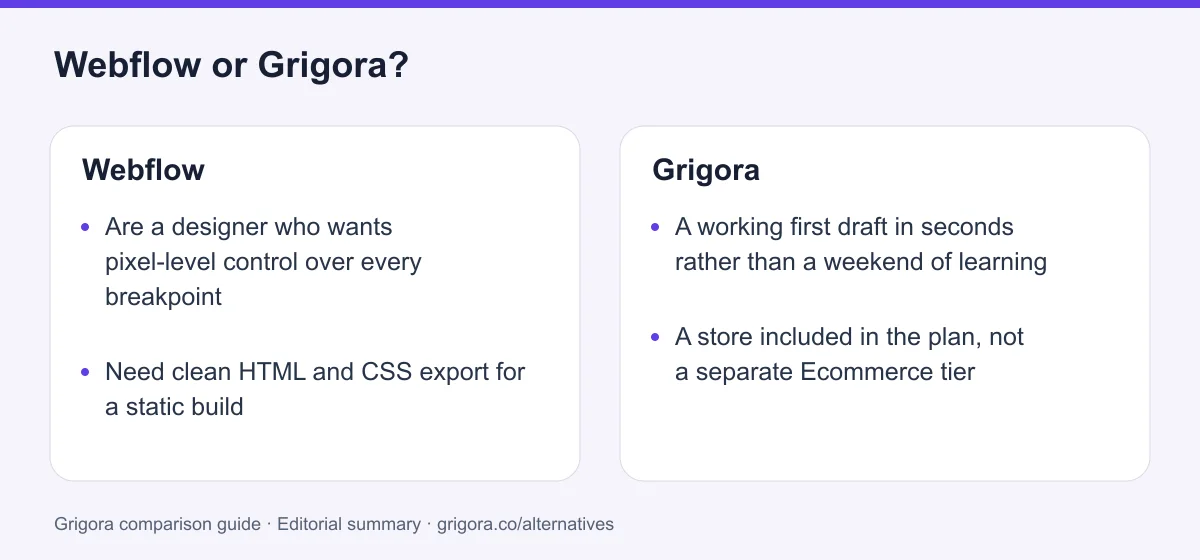
- A working first draft in seconds rather than a weekend of learning
- A store included in the plan, not a separate Ecommerce tier
- A newsletter and subscriber list in the same subscription
- Moderated comments without a third-party embed
- To resell the platform under your own brand
Stick with Webflow if you…
- •Are a designer who wants pixel-level control over every breakpoint
- •Need clean HTML and CSS export for a static build
- •Have complex interaction and animation requirements
Webflow or Grigora: the decision in one view
Webflow alternatives at a glance
How Grigora and the other main Webflow alternatives compare on the essentials.
Swipe the table sideways to see every column
| Platform | Best for | Free access | Starting price | Sales fees | Data and site portability |
|---|---|---|---|---|---|
| Grigora | All-in-one (site + newsletter + store) | Free trial | From $12/mo billed annually | 0% platform fee; Stripe/Razorpay fees apply | Posts/content; rebuild design |
| Webflow | Designer-grade builds | Yes | From $15/mo | 0% except 2% Ecommerce Standard; processing extra | Static code on eligible Workspace; CMS/store separately |
| Wix | Templates & app market | Yes (Wix ads) | From $17/mo | 0% (processing only) | No |
| Squarespace | Design-led sites | No (trial) | From $19/mo | 2% on Basic, 0% on Core+ | Partial |
| Shopify | Serious online stores | No (trial) | Basic $29/mo billed annually | 0% with Shopify Payments; third-party fees apply | Data/themes; platform features need rebuilding |
| WordPress.com | Blogs & content sites | Yes (ads) | From $4/mo | Varies by payment feature and plan | Content; themes and plugins separately |
List pricing (billed annually) as of August 2026; payment-processor fees apply to all. Verify current pricing on each provider's site.
Sources for the overview table
- Grigora: official reference 1
- Webflow: official reference 1, official reference 2
- Shopify: official reference 1, official reference 2
- WordPress.com: official reference 1, official reference 2
Why people switch from Webflow to Grigora
The friction points Webflow users hit most often, and how Grigora handles them.
The learning curve is the product
Webflow's power comes from exposing CSS concepts directly. That is a feature for designers and a wall for everyone else. Grigora generates a first draft and keeps it editable.
Selling means another plan family
Ecommerce is separate from site plans, and the entry ecommerce tier takes 2% of orders. Grigora includes the store at 0% commission on every plan.
No newsletter in the box
Webflow sites collect emails and hand them to an external platform. Grigora keeps subscribers, campaigns and content in one workspace.
What Webflow does well
- The highest ceiling for visual design control in this category
- Clean, fast, semantic output with a strong SEO reputation
- Genuine code export, rare among hosted builders
- Powerful, properly structured CMS
Where Webflow falls short
- Steep learning curve compared with prompt-first builders
- Selling requires a separate Ecommerce plan family
- Ecommerce Standard adds a 2% Webflow transaction fee
- No built-in newsletter; export needs a paid Workspace plan
Grigora vs Webflow at a glance
The differences that actually move your monthly bill.
| Feature | Webflow | Grigora |
|---|---|---|
| Starting paid plan | $15/mo | $12/mo |
| Online store in the plan | Separate Ecommerce plan | Included |
| Newsletter included | No | 2,500–25,000 subs |
| Time to a first draft | Hours to days | Seconds (AI) |
| AI credits included | Limited | Up to 250,000 |
| Comments & moderation | Third-party embed | Built in |
| White label for agencies | Client billing only | Buy the plan |
| Code export | Paid Workspace, static only | Content export |
| Free SEO tools suite | No | Free tools |
Grigora vs Webflow: feature by feature
A category-by-category breakdown, pricing, AI, design, e-commerce, email, SEO, performance, and support.
Pricing & value
Fit: GrigoraWebflow simplified its lineup in May 2026, merging the old CMS and Business plans into a single Premium tier. The site plan is only part of the bill: selling means a separate Ecommerce plan, and export requires a paid Workspace plan on top.
| Feature | Grigora | Webflow |
|---|---|---|
| Cheapest paid plan | $12/mo | $15/mo (Basic) |
| Plan with a full CMS | Included from Starter | $25/mo (Premium) |
| Selling online | Included | Separate Ecommerce plan |
| Newsletter in that price | Yes | No |
| Free plan | Free trial | Yes (webflow.io subdomain) |
Takeaway: Webflow's entry price is close, but a comparable setup needs a Premium site plan plus an Ecommerce plan, where Grigora includes both.
Learning curve & speed to launch
Fit: GrigoraThis is the honest headline difference. Webflow exposes the box model, positioning and breakpoints directly, which is exactly why designers like it and exactly why it takes time to learn. Grigora starts from a prompt and hands you an editable draft.
| Feature | Grigora | Webflow |
|---|---|---|
| First draft from a sentence | Yes | No |
| Requires understanding CSS concepts | No | Yes |
| Typical time to a usable site | Minutes | Hours to days |
| Ceiling on design control | Block editor | Very high |
Takeaway: Webflow rewards the investment with control. If you do not want to make that investment, it is the wrong tool.
E-commerce & online store
Fit: GrigoraOn Webflow, selling is a different plan family rather than a feature of your site plan, and the entry Ecommerce tier carries a 2% Webflow transaction fee on top of processor fees. Grigora includes the store on every plan with no platform commission.
| Feature | Grigora | Webflow |
|---|---|---|
| Store included in the site plan | Yes | No |
| Platform commission | 0% on all plans | 2% on Ecommerce Standard, 0% on Plus/Advanced |
| Digital products | Yes | Yes |
| Connected checkout | Stripe, Razorpay | Stripe, PayPal |
| External checkout links | PayPal, Paddle (no order sync) | Limited |
Takeaway: To sell without a platform cut on Webflow you need Ecommerce Plus or higher. Grigora is 0% from the entry plan.
Blog, CMS & directories
Fit: GrigoraWebflow's CMS is genuinely strong and models structured content properly. The constraints are the plan gates and the item limits: Premium includes 20,000 CMS items and 40 collections, while Ecommerce Standard drops to 2,000 items.
| Feature | Grigora | Webflow |
|---|---|---|
| Structured collections | Yes | Yes |
| CMS on the entry plan | Yes | Premium tier |
| CMS item limits | 2,000–100,000 posts | 20,000 on Premium, 2,000 on Ecom Standard |
| Built-in comments & moderation | Included, with admin replies | Third-party embed |
| AI blog writer | Yes | No |
Takeaway: Both model content properly. Grigora does not gate the CMS behind a higher tier, and includes comments.
Newsletter & email
Fit: GrigoraWebflow has no built-in newsletter. Collecting emails means a form plus an external platform such as Mailchimp or Klaviyo, and a second bill. Grigora includes the subscriber list and campaigns, plus professional inboxes on your domain.
| Feature | Grigora | Webflow |
|---|---|---|
| Newsletter included | 2,500–25,000 subscribers | No |
| Send from your own domain | Yes | Via third party |
| Professional inbox | From $5/mailbox | Separate provider |
| Contacts in the same workspace | Yes | No |
Takeaway: Any Webflow site that emails its audience is paying a second vendor for it.
AI features
Fit: GrigoraWebflow has been adding AI assistance, but the core workflow is still designing by hand. Grigora treats the prompt as the starting point for the whole site.
| Feature | Grigora | Webflow |
|---|---|---|
| AI first-draft site from a prompt | Yes | No |
| AI credits included | 15,000–250,000 | Limited |
| AI blog and copy writing | Yes | Partial |
Takeaway: Two different starting points: a blank canvas versus a generated draft you edit.
Analytics & reporting
Depends on your needsWebflow offers native Analyze and external integrations. Grigora includes privacy-friendly analytics in the dashboard next to the content and orders it describes.
| Feature | Grigora | Webflow |
|---|---|---|
| Built-in site analytics | Yes | Limited |
| Privacy-friendly, cookie-light tracking | Yes | Via third party |
| Reporting tied to content and orders | Same workspace | External tools |
Takeaway: Both provide analytics options; evaluate the reports and total plan costs instead of assuming Webflow only supports external tools.
White label & agencies
Fit: GrigoraWebflow is popular with agencies and supports client billing and workspace seats, but client sites remain Webflow sites and the platform carries Webflow's name. Grigora sells White Label as a plan so the platform carries yours.
| Feature | Grigora | Webflow |
|---|---|---|
| Resell under your own brand | White Label plan | No |
| Your own pricing and plans | Yes | No |
| Client billing | Yes | Yes |
| Team seats and workspaces | Team features | Workspace plans |
Takeaway: Webflow handles agency workflow well. It does not let the platform ship under your brand.
SEO & site speed
Depends on your needsWebflow has a deserved reputation for clean, fast, semantic output and full control over meta and markup. Grigora matches the fundamentals with server-rendered pages and a CDN, and adds a large free SEO toolkit.
| Feature | Grigora | Webflow |
|---|---|---|
| Clean semantic output | Yes | Yes |
| Meta, schema and sitemap controls | Yes | Yes |
| Free SEO tools suite | Free tools | No |
| IndexNow submission | Yes | No |
Takeaway: Compare the published SEO controls with your actual content and workflow. Test representative pages for crawlability, metadata and performance; platform features do not guarantee rankings or AI citations.
Ownership, export & support
Fit: WebflowCredit where it is due: Webflow's code export is a real advantage and few competitors match it. The caveats are that it requires a paid Workspace plan rather than the site plan, and the exported bundle is static, so CMS, ecommerce, forms and search do not come with it.
| Feature | Grigora | Webflow |
|---|---|---|
| Export HTML, CSS and JS | No | Paid Workspace plan |
| Export covers dynamic features | Content export | No, static only |
| Export your content | Yes | Partial |
| Support | Email, priority on higher plans | Email, forum, large community |
Takeaway: If a static code export is a hard requirement, Webflow wins this outright.
Explore Grigora before switching from Webflow
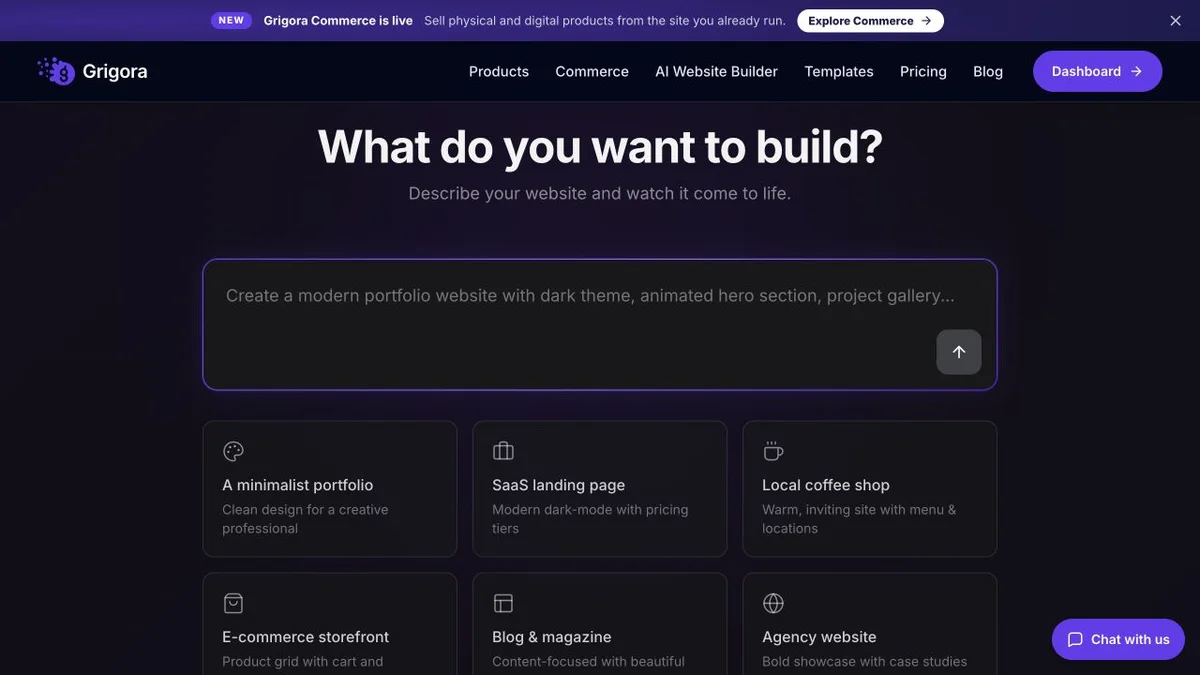
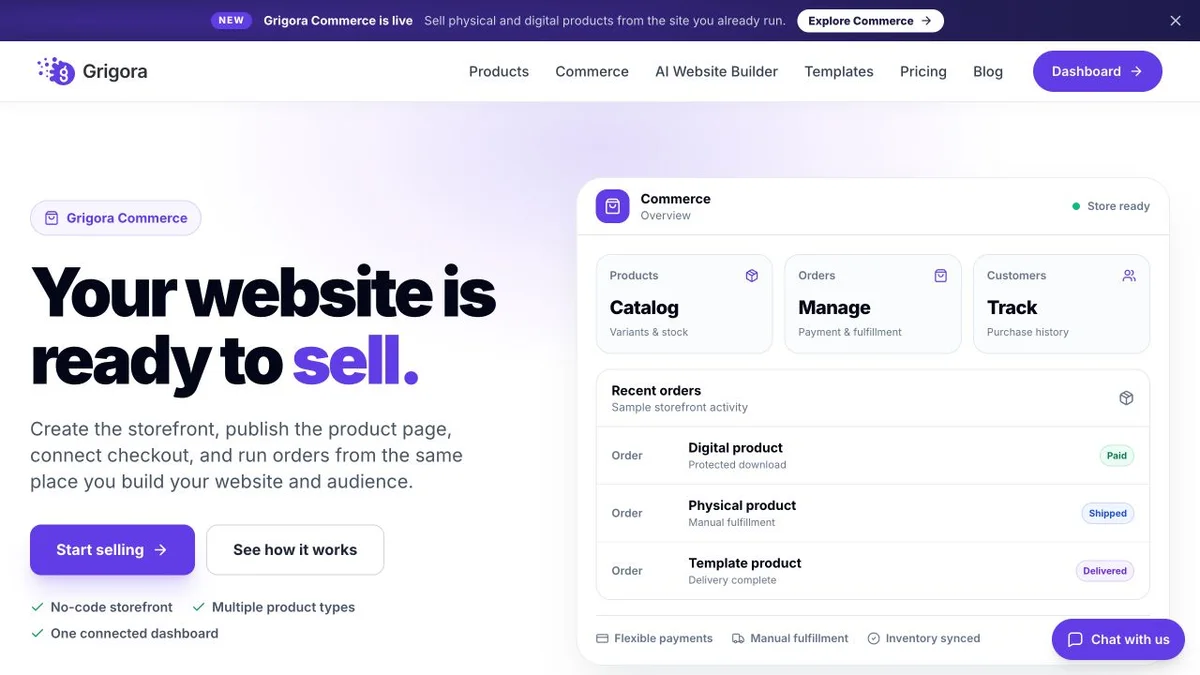
Current public product pages and plans, so you can inspect what you would be moving to. Open any image at full size.
Grigora vs Webflow pricing
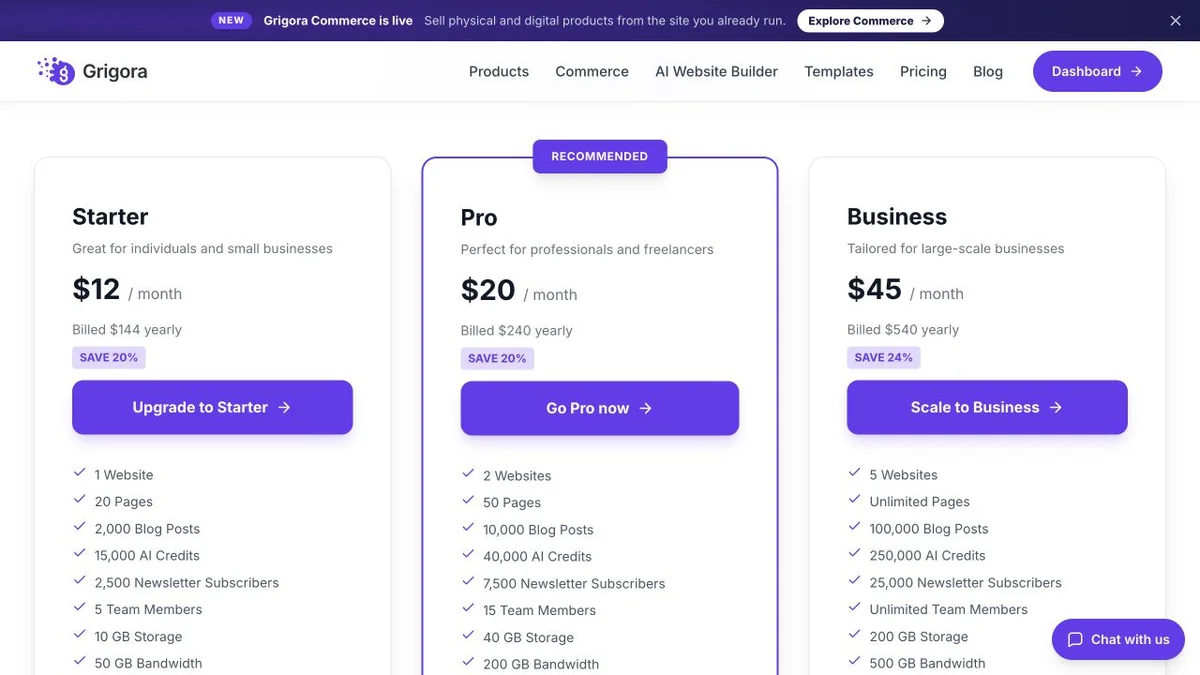
Webflow separates site plans, ecommerce plans and workspace plans. Grigora puts the site, the newsletter and the store in one price.
Website, newsletter & store in one plan
Annual rates shown, matching how Webflow advertises. Month-to-month is higher. The CMS, newsletter and store are included on every plan.
Site plan, with ecommerce and export as separate purchases
Plans simplified in May 2026: the former CMS and Business tiers merged into Premium. Code export requires a paid Workspace plan, which is billed separately from site plans.
Grigora Starter ($12/mo) includes a CMS, a newsletter and a 0% commission store. The nearest Webflow equivalent is Premium ($25/mo) plus an Ecommerce plan, and still no newsletter.
The real cost: Grigora vs Webflow
Webflow's site plan is one of several. Selling, exporting and emailing each add a separate line.
| What you pay for | Webflow | Grigora |
|---|---|---|
| Base site plan | $15–$25/mo | $12–$45/mo (all-in) |
| Online store | Separate Ecommerce plan | Included |
| Platform commission | 2% on Ecommerce Standard | 0% on every plan |
| Newsletter | External platform | Included (2,500–25,000 subs) |
| Code export | Paid Workspace plan | Content export included |
| SEO tooling | Third-party subscriptions | free tools |
Payment-processor fees apply on both platforms. Figures are list prices billed annually.
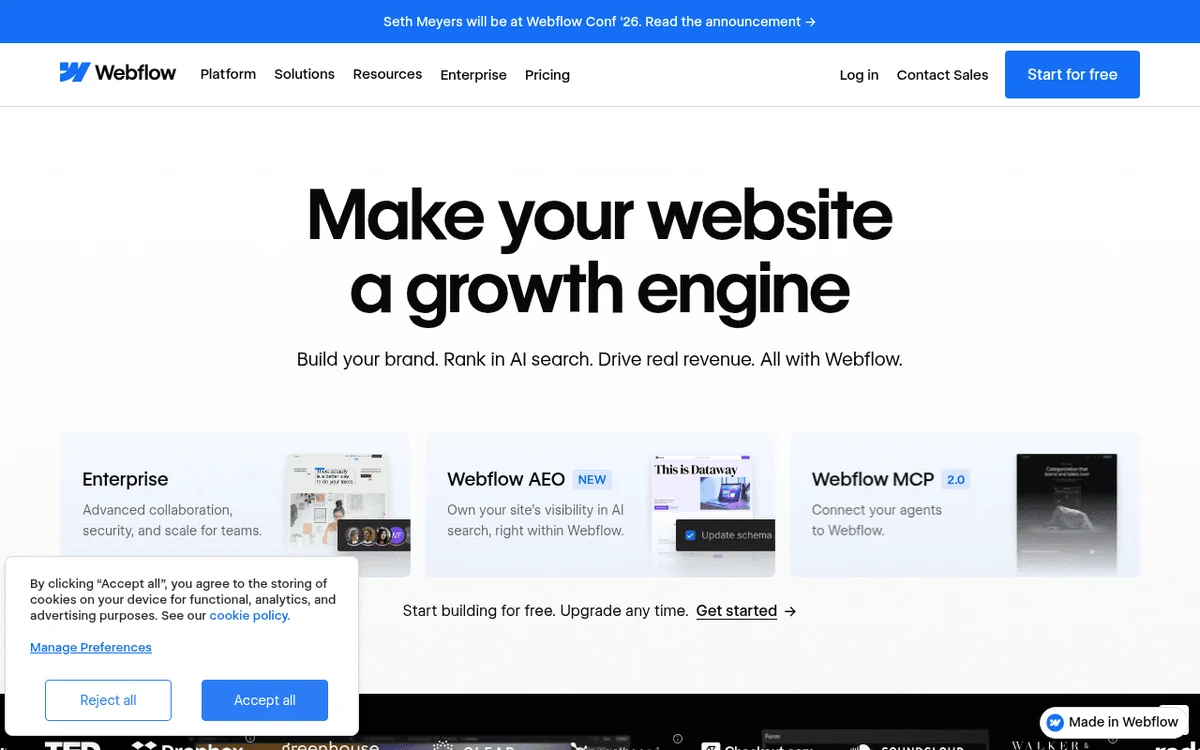
Webflow and Grigora: public website references
These captures show each product’s public website. See the feature and pricing sections for capabilities and plan details.

Is Grigora the right Webflow alternative for you?
Where Grigora is a suitable Webflow alternative, by use case.
Best Webflow alternative for non-designers
Describe the business and get an editable first draft, instead of learning the box model before you can publish.
… for small stores
Sell from the entry plan with no platform commission, rather than moving to a separate Ecommerce plan family.
… for content sites
A CMS on the entry plan with no item gate, plus built-in comments and an AI blog writer.
… for agencies
Resell the platform under your own brand and pricing, which Webflow's workspace model does not offer.
Which one is right for you?
Choose Grigora if…
- You want a working site today, not after a learning curve
- You want the store included rather than a separate plan
- You need a newsletter without a second vendor
- You want comments and analytics in the same dashboard
- You are an agency that wants to resell under your own brand
Choose Webflow if…
- •You are a designer who wants control over every breakpoint
- •You need a static HTML and CSS export
- •Complex interactions and animation are central to the brief
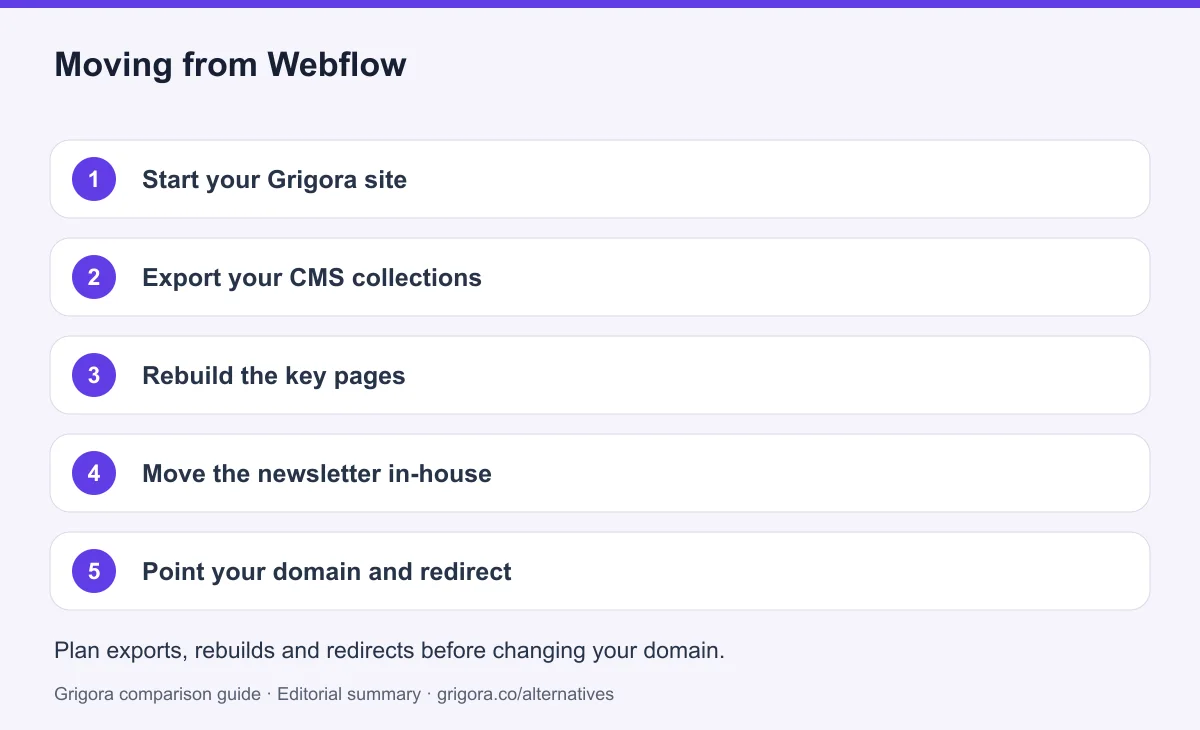
How to switch from Webflow to Grigora
Webflow can export CMS data as CSV, so your content moves cleanly. The design is rebuilt, and the AI does most of that work. Before moving everything, test a representative content export and check supported import formats. Keep media backups, reconcile product variants and retain subscriber consent and unsubscribe records; an export does not guarantee a direct import.
- 1
Start your Grigora site
Describe your business in a sentence and the AI generates a first-draft site with pages, layout and copy.
- 2
Export your CMS collections
Export each Webflow collection to CSV, then map fields, references and media to supported Grigora content structures. Test a sample first; custom fields and relationships do not transfer automatically.
- 3
Rebuild the key pages
Webflow's design does not transfer between platforms. Recreate your main pages with Grigora blocks.
- 4
Move the newsletter in-house
Import your subscriber list into Grigora Mail and retire the external email platform.
- 5
Point your domain and redirect
Keep the old service active while you test the new site. Match existing URL paths or configure permanent redirects, verify canonicals and the sitemap, and test forms and checkout on mobile. Change DNS after these checks, then monitor indexing and errors before cancelling services you no longer need. Rankings may change during a migration.
Why people look for a Webflow alternative in 2026
Webflow occupies a genuinely useful position: a visual tool that produces the kind of markup a front-end developer would be happy with. For agencies and designers it is often the right answer, and this comparison does not pretend otherwise.
The learning curve is real
Webflow exposes the box model, positioning and breakpoints directly. That is the source of its power and the reason a first project can take days rather than an afternoon. If nobody on your team wants to learn CSS concepts, that cost never goes away.
The bill is assembled from parts
A site plan covers the website. Selling requires a separate Ecommerce plan, and the entry ecommerce tier adds a 2% Webflow fee on top of processor fees. Code export, often cited as the reason to choose Webflow, sits on a paid Workspace plan rather than the site plan.
No newsletter, by design
Webflow does not try to be an email platform, which is a reasonable product decision and an extra subscription for you.
How Grigora compares
Grigora takes the opposite approach: fewer knobs, more included. You describe the business, get a draft, and edit blocks rather than boxes.
One plan, fewer moving parts
Starter at $12 a month billed annually includes the website, the CMS, a newsletter with 2,500 subscribers and a store with no platform commission. The comparable Webflow setup is a Premium site plan plus an Ecommerce plan plus an email provider.
Where Webflow still wins
Design ceiling and code export. If you need to hand a client a static bundle of HTML and CSS, or you are building something with intricate scroll-driven interaction, Webflow remains the better tool and no amount of AI generation changes that.
Frequently asked questions
Grigora is a Webflow alternative for teams that want a managed website, CMS, newsletter and store in one workflow. Webflow is a stronger fit for designers who need detailed responsive layouts and interactions. Its static code export is useful, but CMS, forms and ecommerce still need separate migration planning.
Grigora starts at $12/mo billed annually versus Webflow Basic at $15/mo. The larger difference is scope: Grigora includes the CMS, a newsletter and a 0% commission store, whereas a comparable Webflow setup needs an Ecommerce site plan plus an external email platform, with an optional paid Workspace for additional features.
Compared with prompt-first builders, yes. Webflow exposes CSS concepts such as the box model, positioning and breakpoints directly. That is why designers value it and why a first project typically takes hours or days rather than minutes.
Webflow's Ecommerce Standard plan carries a 2% Webflow transaction fee. Ecommerce Plus and Advanced are 0%. Payment processor fees from Stripe or PayPal apply on all plans. Grigora charges 0% platform commission on every plan.
Yes, and it is a genuine advantage. The caveats are that export requires a paid Workspace plan rather than a site plan, and the exported bundle is static, so CMS content, ecommerce, forms and search do not come with it.
Yes. In May 2026 Webflow simplified its site plans, merging the former CMS and Business tiers into a single Premium plan that includes 20,000 CMS items and 40 collections.
Sources and comparison method
Published by Grigora, one of the products compared here. This is a comparison of public product documentation and published plans. Recommendations reflect the use cases described; they are not independent performance benchmarks. Homepage screenshots show how each product presents itself and do not establish feature availability.
Check the billing term, currency, regional availability, usage limits and add-ons before purchasing. A content export does not necessarily include the design, integrations or a working store. Migration steps need testing on your own site.
- Webflow pricing
Primary source for the product, plan or migration scope discussed in this comparison.
- Webflow export and migration guidance
Primary source for the product, plan or migration scope discussed in this comparison.
- Grigora pricing and plan limits
Annual and monthly billing, free trial, page/bandwidth/storage allowances, support and optional services.
Grigora references: plans and limits, commerce, MCP access, and help documentation.
Compare Grigora with other platforms


Make the switch from Webflow to Grigora
Build your site, newsletter and online store in one place, from $12/mo. Try Grigora free, no credit card required.
14-day free trial • No credit card required • Cancel anytime