
A WordPress alternative for people who would rather publish than patch
WordPress is free until you add hosting, a theme, a page builder, a security plugin, a backup plugin, an SEO plugin and an email tool. Grigora is one managed platform with the website, CMS, newsletter and store already in it, from $12/mo.
Published by Grigora · Updated · Sources and method
Is Grigora the right WordPress alternative?
Grigora is a WordPress alternative for owners who want a managed website, CMS, newsletter and store in one workflow. Self-hosted WordPress offers greater code and plugin control, while WordPress.com provides managed hosting. WordPress.com now permits plugins on paid plans; compare the specific service and plan rather than treating every WordPress site as self-managed.
Choose Grigora if you want…
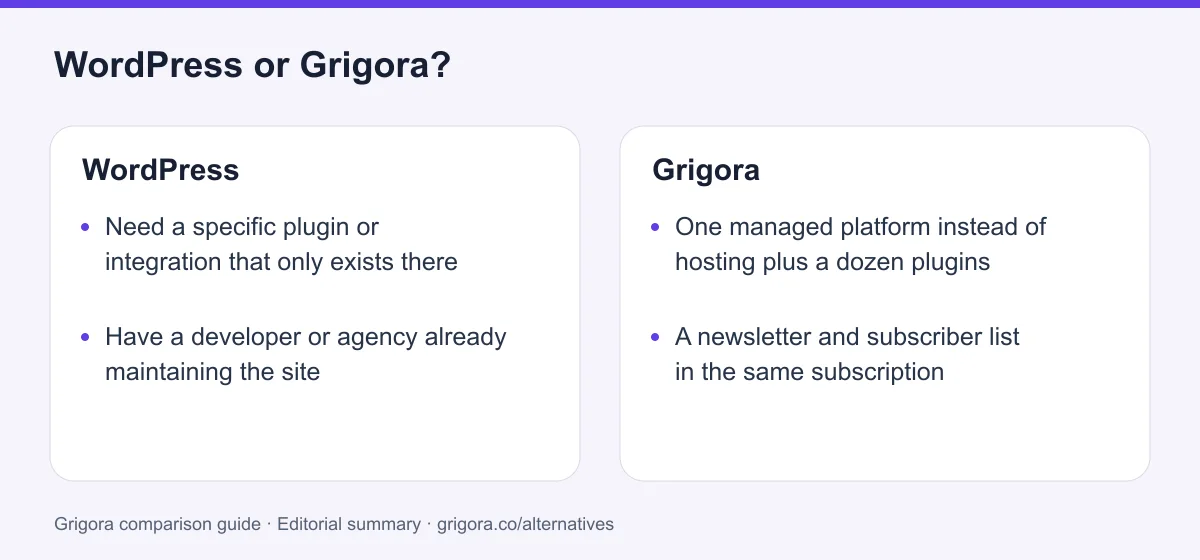
- One managed platform instead of hosting plus a dozen plugins
- A newsletter and subscriber list in the same subscription
- A store without installing and configuring WooCommerce
- Security, backups and updates handled for you
- A first-draft site generated from a sentence
Stick with WordPress if you…
- •Need a specific plugin or integration that only exists there
- •Have a developer or agency already maintaining the site
- •Want full server and database control, or a custom stack
WordPress or Grigora: the decision in one view
WordPress alternatives at a glance
How Grigora and the other main WordPress alternatives compare on the essentials.
Swipe the table sideways to see every column
| Platform | Best for | Free access | Starting price | Sales fees | Data and site portability |
|---|---|---|---|---|---|
| Grigora | All-in-one sites, fully managed | Free trial | From $12/mo billed annually | 0% platform fee; Stripe/Razorpay fees apply | Posts/content; rebuild design |
| WordPress.org | Maximum flexibility, if you maintain it | Software is free | Hosting + plugins | 0% (processing only) | Yes |
| WordPress.com | Hosted WordPress without a server | Yes (limited) | From $4/mo | Varies by payment feature and plan | Content; themes and plugins separately |
| Wix | Templates and app market | Yes (Wix ads) | From $17/mo | 0% (processing only) | No |
| Squarespace | Design-led sites | No (trial) | From $19/mo | 2% on Basic, 0% on Core+ | Partial |
| Webflow | Designer-grade builds | Yes | From $15/mo | 0% except 2% Ecommerce Standard; processing extra | Static code on eligible Workspace; CMS/store separately |
List pricing (billed annually) as of August 2026. WordPress.org software is free; the cost is hosting, premium themes and plugins. Verify current pricing on each provider's site.
Sources for the overview table
- Grigora: official reference 1
- WordPress.com: official reference 1, official reference 2
- Webflow: official reference 1, official reference 2
Why people switch from WordPress to Grigora
The friction points WordPress users hit most often, and how Grigora handles them.
Update night
Core, theme and plugin updates arrive constantly, occasionally conflict, and always land on someone. On a managed platform there is nothing to patch.
The bill is a pile, not a price
Hosting, a builder licence, an SEO plugin, a backup plugin, a security plugin and an email platform each renew separately, on different dates, at different prices.
Security is your problem
WordPress runs a huge share of the web, which makes it the default target for automated attacks. Hardening it is a job, and it never finishes.
Nobody remembers how it was built
Inherited sites accumulate plugins and custom snippets nobody documented. Editing anything becomes a risk assessment.
What WordPress does well
- The largest plugin and theme ecosystem anywhere
- Free, open-source software with full file and database ownership
- A huge developer market and two decades of documentation
- Excellent editorial model and content portability
Where WordPress falls short
- You own hosting, security, backups and updates
- The real cost is a stack of separate renewing subscriptions
- No newsletter, and a store means installing and configuring WooCommerce
- Performance depends entirely on your host, theme and plugin count
Grigora vs WordPress at a glance
The differences that actually move your monthly bill and your weekends.
| Feature | WordPress | Grigora |
|---|---|---|
| Starting cost | Hosting + plugins | $12/mo all-in |
| Plugins to install and update | Typically 10 to 25 | None |
| Security and backups | Your responsibility | Managed |
| Newsletter included | No | Included |
| Online store included | WooCommerce setup | Built in |
| AI first-draft site | No | Yes |
| Plugin and theme ecosystem | Largest anywhere | Built-in features only |
| Free SEO tools suite | Plugin required | Free tools |
| White label for agencies | Build it yourself | Buy the plan |
Grigora vs WordPress: feature by feature
A category-by-category breakdown, pricing, AI, design, e-commerce, email, SEO, performance, and support.
Pricing & value
Depends on your needsWordPress.org is free open-source software; hosting and any paid themes, plugins or implementation are separate. WordPress.com is a managed service, and free themes and plugins can cover many needs. Grigora bundles a managed website, CMS, newsletter and store. Compare the specific stack rather than assuming a fixed plugin bill.
| Feature | Grigora | WordPress |
|---|---|---|
| Software licence | Included | Free (.org) |
| Hosting | Included | Separate, $5 to $50/mo |
| Premium theme or builder | Included | Common annual licence |
| Newsletter platform | Included | Separate subscription |
| Predictable monthly total | $12 to $45/mo | Varies widely |
Takeaway: A small WordPress setup can cost less; compare the tools and maintenance actually required.
Ease of use & setup
Fit: GrigoraSelf-hosted WordPress needs hosting and an installation, often simplified by a managed host. WordPress.com handles hosting setup. Both provide a block editor, while Grigora offers an AI-generated site draft and its own editing workflow.
| Feature | Grigora | WordPress |
|---|---|---|
| Time to a first live draft | Minutes | Hours to days |
| Server or host setup | None | Required for .org |
| AI site generation | Yes | No |
| Consistent editing experience | Yes | Depends on theme and builder |
| Mobile editing | Yes | Varies by builder |
Takeaway: WordPress rewards people who already know WordPress. Grigora assumes you do not.
Maintenance, security & uptime
Fit: GrigoraSelf-hosted WordPress requires a plan for core, theme and plugin updates, backups and security. A managed host or WordPress.com can handle part of that work. Grigora manages its platform infrastructure, while you still maintain content, access and connected services.
| Feature | Grigora | WordPress |
|---|---|---|
| Core and plugin updates | Handled for you | Your responsibility |
| Backups | Automatic | Plugin or host feature |
| Security hardening | Managed | Plugins and vigilance |
| Risk of an update breaking the site | None to manage | Real and recurring |
| Staging environment | Not needed for edits | Host dependent |
Takeaway: Compare who performs updates and recovery for the actual hosting service you use.
Plugins, themes & extensibility
Fit: WordPressAn honest category. Nothing here matches the WordPress ecosystem: tens of thousands of plugins, every integration you can name, and a developer market to build the rest. Grigora covers the common ground natively and does not pretend to match that breadth.
| Feature | Grigora | WordPress |
|---|---|---|
| Plugin ecosystem | Built-in features | Largest in the industry |
| Theme marketplace | website templates | Thousands |
| Custom code and hooks | Custom code injection | Full PHP access |
| Niche integrations | Limited | Almost always available |
| Developer availability | Smaller pool | Everywhere |
Takeaway: If your site depends on one specific plugin, WordPress wins and this page will not argue.
Blog, CMS & directories
Depends on your needsWordPress began as blogging software and it shows: the editorial model of posts, categories, authors and comments is the one everyone else copied. Grigora matches that model natively and adds structured directories without a plugin.
| Feature | Grigora | WordPress |
|---|---|---|
| Posts, categories and authors | Yes | Yes |
| Built-in comments and moderation | Included, with admin replies | Included |
| Structured collections and directories | Built in | Plugin or custom post types |
| AI blog writing | Yes | Plugin required |
| Import and export posts | Yes | Yes |
Takeaway: Comparable on editorial. Grigora gets there without a plugin list; WordPress gets further if you install one.
E-commerce & online store
Fit: GrigoraWooCommerce is free to install and genuinely capable, and most real stores end up buying extensions for shipping, subscriptions, bookings or payments. Grigora's store is part of the platform on every plan.
| Feature | Grigora | WordPress |
|---|---|---|
| Store included in the price | Yes | WooCommerce plus extensions |
| Catalog, variants and stock | Yes | Yes |
| Digital and physical products | Yes | Yes |
| Setup effort | Enabled in the dashboard | Install and configure |
| Platform commission | 0% | 0% (extensions cost money) |
Takeaway: WooCommerce scales further. Grigora's store is running before you have finished choosing extensions.
Newsletter & email
Depends on your needsWordPress.com includes a newsletter publishing feature. Self-hosted WordPress can use plugins and delivery services for newsletters. Grigora includes newsletter tools in its paid website plans. Compare sending limits, automation and costs for the exact setup.
| Feature | Grigora | WordPress |
|---|---|---|
| Email included | 2,500 to 25,000 subscribers | No |
| Campaign builder | Included | Third-party platform |
| Automation and segmentation | Included | Third-party platform |
| Signup forms tied to the site | Yes | Plugin or embed |
| Professional inbox | From $5/mailbox | Separate provider |
Takeaway: WordPress.com includes newsletters; self-hosted sites choose a plugin or sending provider.
SEO & site speed
Depends on your needsWordPress SEO is excellent once configured, which is why Yoast, RankMath and AIOSEO exist. Speed depends entirely on your host, theme and plugin count. Grigora ships fast pages and SEO controls without the configuration step.
| Feature | Grigora | WordPress |
|---|---|---|
| Meta, schema and sitemap controls | Built in | Plugin required |
| Page speed out of the box | Managed delivery | Depends on host and plugins |
| IndexNow submission | Yes | Plugin required |
| Free SEO tools suite | Free tools | No |
| URL structure control | Yes | Yes |
Takeaway: Compare the published SEO controls with your actual content and workflow. Test representative pages for crawlability, metadata and performance; platform features do not guarantee rankings or AI citations.
White label & agencies
Fit: GrigoraAgencies have built WordPress businesses for two decades, and the platform gives them nothing to sell: hosting, maintenance and support are the agency's own problem to package. Grigora sells White Label as a plan.
| Feature | Grigora | WordPress |
|---|---|---|
| Resell under your own brand | White Label plan | Build it yourself |
| Your own pricing and plans | Yes | Your own stack |
| Client maintenance burden | Handled by the platform | Yours to carry |
| Multi-site management | One dashboard | Multisite or a tool |
Takeaway: WordPress agencies sell maintenance because someone has to do it. Grigora removes the job.
Ownership, export & support
Fit: WordPressSelf-hosted WordPress is a suitable ownership story on this site: your files, your database, your server, exportable in full. Grigora exports your content but not the platform.
| Feature | Grigora | WordPress |
|---|---|---|
| Export content | Yes | Yes |
| Full database and file access | No | Yes |
| Move to another host | Content only | Whole site |
| Support | Email, priority on higher plans | Forums or your host |
Takeaway: WordPress wins ownership outright. Support is whoever you have paid to care.
Explore Grigora before switching from WordPress
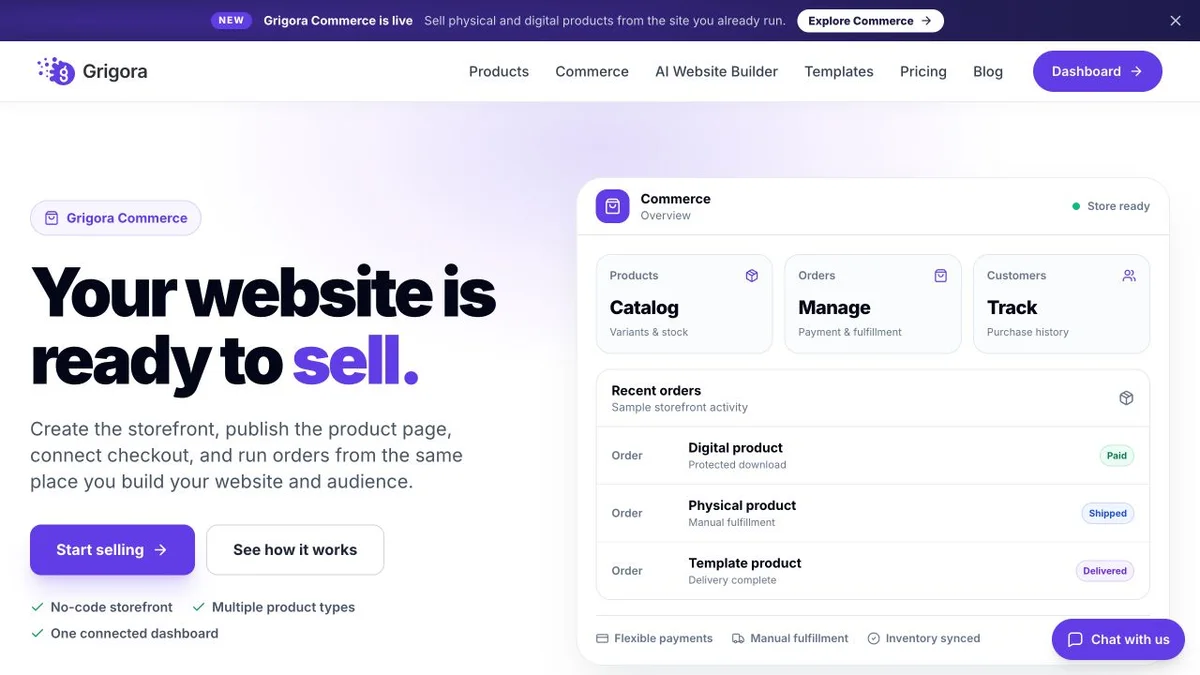
Current public product pages and plans, so you can inspect what you would be moving to. Open any image at full size.

Grigora vs WordPress pricing
WordPress software is free. A WordPress website is not. Here is what each side actually charges.
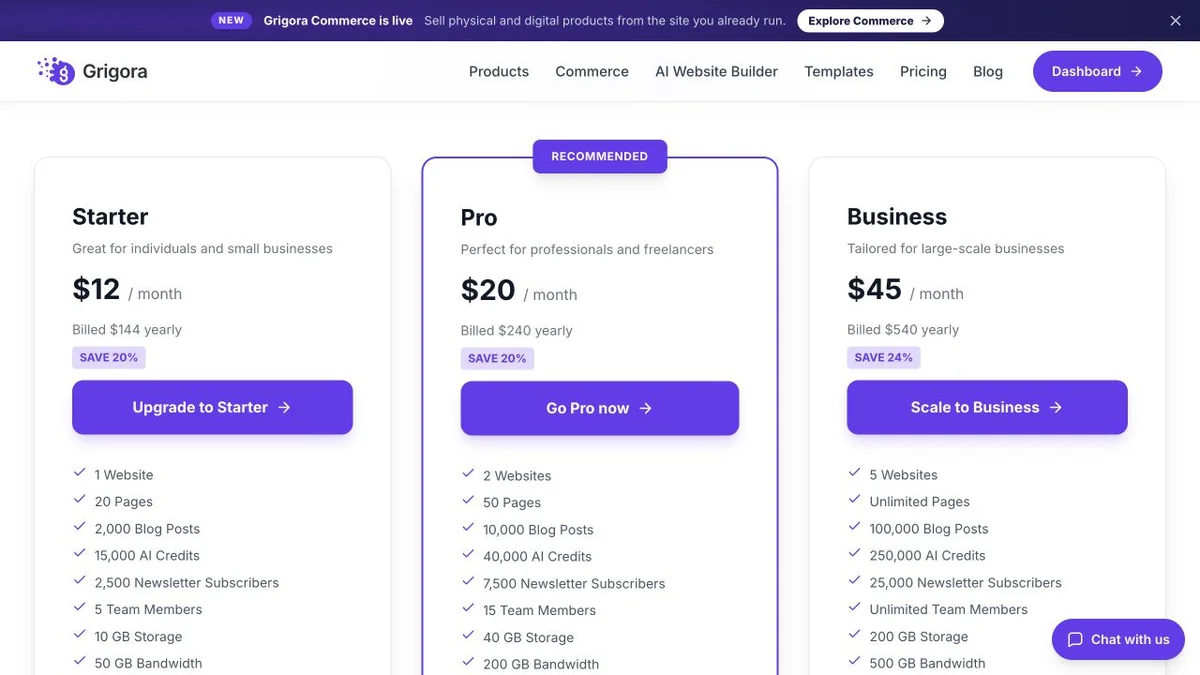
Website, newsletter & store in one plan
Annual rates shown. Hosting, CDN, SSL, backups, the CMS, the newsletter and the store are included on every plan, with 0% platform commission on any gateway.
Free software, priced stack
WordPress.com pricing billed annually, August 2026. On self-hosted WordPress.org the software is free and hosting, premium themes, premium plugins and maintenance are not.
Grigora Starter at $12/mo covers hosting, the CMS, the newsletter and the store. The closest hosted WordPress equivalent that lets you install plugins is Business at $25/mo, and the newsletter is still extra.
The real cost: Grigora vs WordPress
The licence is free. Count what a working WordPress business site actually renews each year.
| What you pay for | WordPress | Grigora |
|---|---|---|
| Platform and hosting | $5 to $50/mo hosting | $12 to $45/mo (all-in) |
| Premium theme or page builder | Common annual licence | Included |
| SEO, backup and security plugins | Often three subscriptions | Included |
| Email marketing | Separate platform | Included (2,500 to 25,000 subs) |
| Store | WooCommerce plus paid extensions | Included |
| Maintenance and updates | Your time or a retainer | Managed |
| Professional email inbox | Separate provider | From $5/mailbox (optional) |
Payment-processor fees apply on both platforms. Plugin prices vary widely; the pattern of several renewing licences does not.
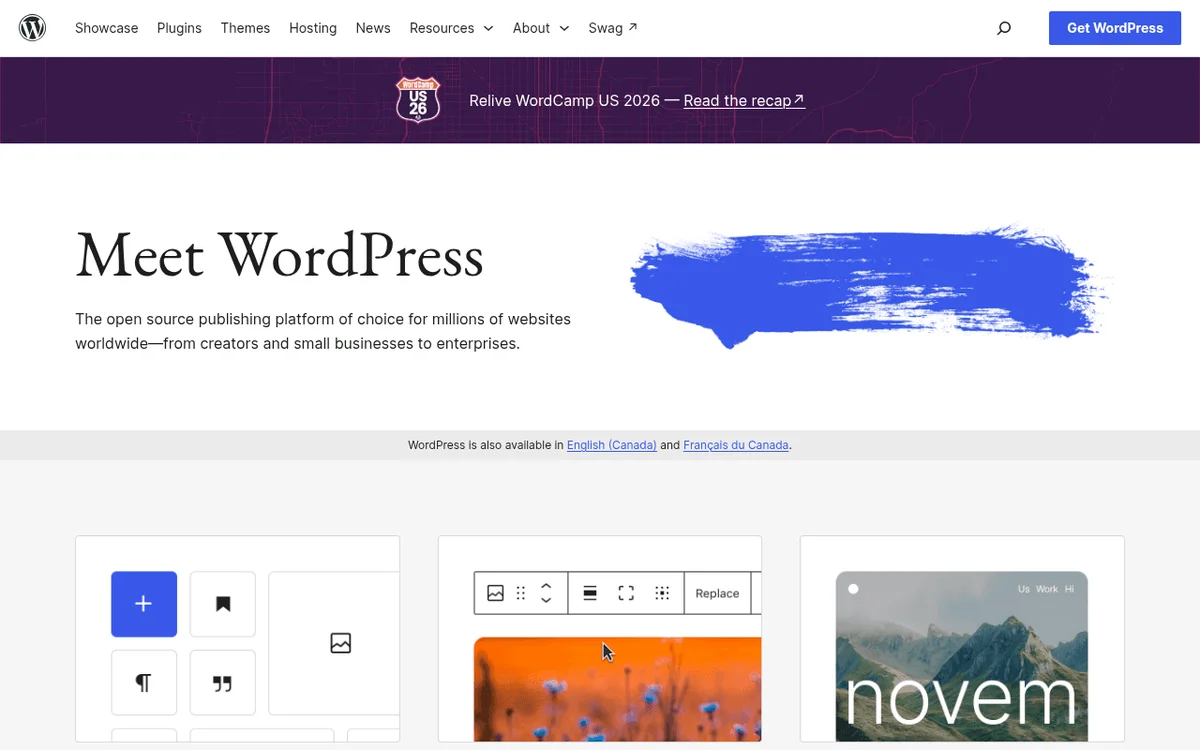
WordPress and Grigora: public website references
These captures show each product’s public website. See the feature and pricing sections for capabilities and plan details.

Is Grigora the right WordPress alternative for you?
Where Grigora is a suitable WordPress alternative, by use case.
Best WordPress alternative for small businesses
A site, a blog, a contact form, a newsletter and a small store, without a maintenance plan or an agency retainer.
… for bloggers and creators
The editorial model you already know, with comments and a newsletter included instead of two more subscriptions.
… for people who inherited a WordPress site
If you did not build it, cannot update it safely and are afraid to touch it, a managed platform ends that problem.
… for agencies
Stop selling maintenance retainers to cover update night. Resell a managed platform under your own brand instead.
Which one is right for you?
Choose Grigora if…
- You want to publish, not administer a stack
- One predictable bill beats six renewal dates
- You need a newsletter and a store without adding plugins
- Nobody on your team wants to own security and updates
- You are an agency that wants to resell under your own brand
Choose WordPress if…
- •You need a specific plugin or integration that exists only there
- •You want full server, file and database control
- •You already have a developer or agency maintaining it
How to switch from WordPress to Grigora
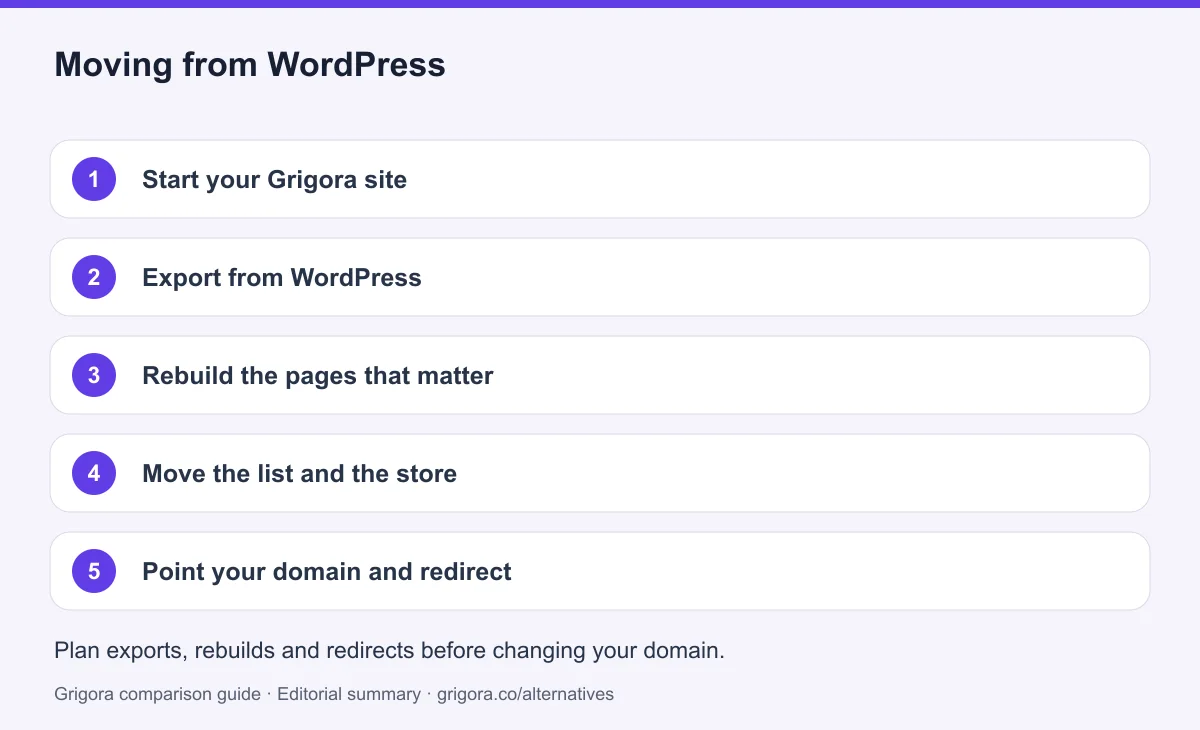
WordPress exports posts, pages and media in a standard file, which provides source files for the move. The theme is rebuilt, and the AI does most of that work. Before moving everything, test a representative content export and check supported import formats. Keep media backups, reconcile product variants and retain subscriber consent and unsubscribe records; an export does not guarantee a direct import.
- 1
Start your Grigora site
Describe your business in a sentence and the AI generates a first-draft site with pages, layout and copy.
- 2
Export from WordPress
Create a WordPress content export and back up the media library. Map fields and test a sample against Grigora’s supported import format before migrating the rest; the export file does not transfer the theme or every plugin’s data.
- 3
Rebuild the pages that matter
Home, services, about and contact are quick to reproduce in the block editor, usually better than the originals.
- 4
Move the list and the store
Import your subscribers into the built-in newsletter, and your products into Grigora Commerce if you sell.
- 5
Point your domain and redirect
Keep the old service active while you test the new site. Match existing URL paths or configure permanent redirects, verify canonicals and the sitemap, and test forms and checkout on mobile. Change DNS after these checks, then monitor indexing and errors before cancelling services you no longer need. Rankings may change during a migration.
Why people look for a WordPress alternative in 2026
WordPress is not a bad platform. It is an unmanaged one. Everything that makes it flexible, an open plugin architecture, full server access, twenty years of third-party code, also makes it something that has to be looked after. Most people looking for an alternative are not unhappy with what WordPress can do. They are tired of being the person responsible for it.
Free software, expensive website
The software costs nothing and the website costs whatever the stack costs. Managed hosting, a premium theme, a page builder licence, an SEO plugin, a backup plugin, a security plugin and an email platform is a normal setup, and every one of those renews on its own schedule at its own price. People rarely add it up until they try to.
Update night is a real job
Core releases, theme releases and plugin releases arrive continuously. Most are fine. The ones that are not tend to surface as a broken layout or a white screen at an inconvenient moment, and the fix requires knowing which of twenty plugins changed. Agencies charge maintenance retainers for exactly this reason.
Popularity is a security cost
Running a large share of the web makes WordPress the default target for automated vulnerability scanning. The core software is well maintained; the abandoned plugin installed three years ago is the risk. Hardening a site is ongoing work, not a one-time setting.
How Grigora compares
Grigora takes the opposite position. Instead of an open platform you assemble and maintain, it is a closed one that arrives finished: hosting, CDN, SSL, backups, the CMS, the newsletter and the store are all part of the same subscription, and there is no plugin directory because there is nothing to bolt on.
One bill instead of six
Starter at $12 a month billed annually includes the website and hosting, the CMS with directories and moderated comments, a newsletter with 2,500 subscribers, and a store with no platform commission on your own gateway. On WordPress those are four or five separate line items before hosting.
Where WordPress still wins
Extensibility and ownership, and neither is close. If your site depends on a specific plugin, a custom post type someone built, a niche integration, or full access to the database and files, WordPress is the right answer and switching would cost you something real. This page is for the much larger group of sites that only ever needed pages, posts, a form, a list and a few products.
Frequently asked questions
Grigora is a WordPress alternative for owners who want a managed website, CMS, newsletter and store in one workflow. Self-hosted WordPress offers greater code and plugin control, while WordPress.com provides managed hosting. WordPress.com now permits plugins on paid plans; compare the specific service and plan rather than treating every WordPress site as self-managed.
The WordPress.org software is free and open source. The website is not. You pay for hosting, usually a premium theme or page builder, and commonly SEO, backup and security plugins, plus an email platform. WordPress.com is the hosted version and starts at $4/mo, with plugins available on all paid plans.
Not always. WordPress software is free, and an inexpensive host plus free extensions may cost less. Grigora starts at $12/mo billed annually and bundles a website, CMS, newsletter and store. Compare your actual hosting, extension, email and maintenance costs.
No. There is no core software, no themes and no plugins to update, and backups, SSL and security are handled by the platform. That is the main practical difference from self-hosted WordPress.
WordPress provides a content export, but its format and custom fields must be mapped to Grigora’s supported import structure. Back up original media separately, test a representative post and page, and rebuild the theme. Preserve URL paths where possible, add relevant redirects, and monitor indexing after the move; search rankings can change.
The plugin ecosystem and full server ownership. Grigora covers the common ground natively, including blogging, comments, directories, forms, a newsletter and a store, but there is no plugin directory, and you do not get file or database access.
Sources and comparison method
Published by Grigora, one of the products compared here. This is a comparison of public product documentation and published plans. Recommendations reflect the use cases described; they are not independent performance benchmarks. Homepage screenshots show how each product presents itself and do not establish feature availability.
Check the billing term, currency, regional availability, usage limits and add-ons before purchasing. A content export does not necessarily include the design, integrations or a working store. Migration steps need testing on your own site.
- WordPress pricing
Primary source for the product, plan or migration scope discussed in this comparison.
- WordPress official documentation
Primary source for the product, plan or migration scope discussed in this comparison.
- Grigora pricing and plan limits
Annual and monthly billing, free trial, page/bandwidth/storage allowances, support and optional services.
Grigora references: plans and limits, commerce, MCP access, and help documentation.
Compare Grigora with other platforms


Make the switch from WordPress to Grigora
Build your site, newsletter and online store in one place, with nothing to install or patch. Try Grigora free, no credit card required.
14-day free trial • No credit card required • Cancel anytime