
A Pagecloud alternative for integrated content, newsletter and store workflows
Grigora is a Pagecloud alternative for a managed website, CMS, newsletter and store from $12/month billed annually. Pagecloud offers flexible layout control, popups and banners, with ecommerce priced as an additional product. Evaluate mobile behavior and usage limits in the exact layout mode and plan; Grigora still requires responsive design checks.
Published by Grigora · Updated · Sources and method
Is Grigora the right Pagecloud alternative?
Grigora is a Pagecloud alternative for a managed website, CMS, newsletter and store from $12/month billed annually. Pagecloud offers flexible layout control, popups and banners, with ecommerce priced as an additional product. Evaluate mobile behavior and usage limits in the exact layout mode and plan; Grigora still requires responsive design checks.
Choose Grigora if you want…
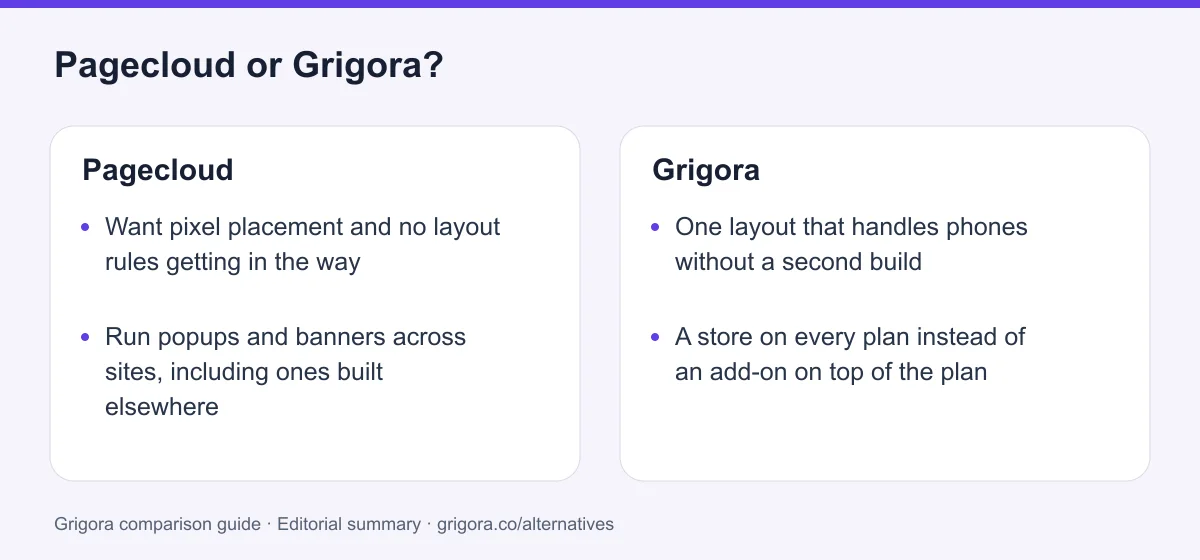
- One layout that handles phones without a second build
- A store on every plan instead of an add-on on top of the plan
- A subscriber list and campaigns in the same subscription
- A first draft written by AI from a sentence about the business
- Five sites on one $45 plan rather than a per-site surcharge
Stick with Pagecloud if you…
- •Want pixel placement and no layout rules getting in the way
- •Run popups and banners across sites, including ones built elsewhere
- •Are happy to hand-tune a mobile layout for every page you publish
Pagecloud or Grigora: the decision in one view
Pagecloud alternatives at a glance
How Grigora compares with Pagecloud and the other drag-and-drop builders people shortlist alongside it.
Swipe the table sideways to see every column
| Platform | Best for | Free access | Starting price | Sales fees | Data and site portability |
|---|---|---|---|---|---|
| Grigora | Site, newsletter and store in one plan | Free trial | From $12/mo billed annually | 0% platform fee; Stripe/Razorpay fees apply | Posts/content; rebuild design |
| Pagecloud | Freeform canvas, popups and banners | Free to design, plan to publish | From $22/mo | Store is a paid add-on | Source code access |
| Wix | Templates and an app market | Yes (Wix ads) | From $17/mo | 0% (processing only) | No |
| Squarespace | Polished, opinionated templates | No (trial) | From $19/mo | 2% on Basic, 0% on Core+ | Partial |
| Weebly | Simple sites tied to Square | Yes | From $13/mo billed annually | 0% (Square processing) | Static HTML; blog/store data separately |
| Webflow | Designer control with a CMS | Yes | From $15/mo | 0% except 2% Ecommerce Standard; processing extra | Static code on eligible Workspace; CMS/store separately |
List pricing (billed yearly) as of September 2026; payment-processor fees apply wherever a store exists. Verify current pricing on each provider's site.
Sources for the overview table
- Grigora: official reference 1
- Weebly: official reference 1, official reference 2
- Webflow: official reference 1, official reference 2
Reasons to consider moving from Pagecloud to Grigora
Consider these trade-offs against your existing setup before planning a move.
The mobile layout is a second project
Pagecloud's docs are clear that a site renders as a scaled desktop layout on phones until you build one in the Mobile Layout Builder, and that manual layouts often need extra adjustment. Twenty pages means twenty more layouts, and positions do not carry back to desktop.
Nothing can be brought in
Pagecloud's own pricing FAQ says certain blogs can be imported but code and websites cannot. Arriving means rebuilding every page by hand on a canvas, which is also why a paid build service exists.
The invoice keeps growing sideways
A store is an add-on on top of the plan. A second site is a surcharge. Email is a different company entirely. The $22 entry price is the floor, not the total.
The meters arrive before the traffic does
Fifteen thousand visitors, 150 published pages and 250 form submissions a month is a modest ceiling for a growing business, and the next tier up is $36 a month for the same single site.
What Pagecloud does well
- A true freeform canvas with no layout rules in manual mode
- Popups, banners and exit intent as a first-class product, usable on any website
- Semrush keyword research inside the editor, plus cookieless analytics
- Cheap per-site agency pricing and source code access on premium plans
Where Pagecloud falls short
- Mobile is a second layout you build by hand, page by page
- No way to import an existing website or its code
- E-commerce is always an add-on on top of the site plan
- Standard plans are single-site and metered on pages, visitors, forms and popups
Grigora vs Pagecloud at a glance
What the canvas gives you, and what the phone layout and the add-ons take back.
| Feature | Pagecloud | Grigora |
|---|---|---|
| Starting paid plan | $22/mo | $12/mo billed annually |
| Phone layout | Second layout, built by hand | Reflows from one layout |
| Place any element at any pixel | Yes | Blocks and sections |
| Online store | Add-on from $9/mo, on top | Included |
| Email marketing | No | Included |
| Popups on any website | Metered on every plan | No |
| AI site generation | AI writing assistant only | Full site from a prompt |
| Monthly visitor allowance | 15,000 to 100,000 | Bandwidth allowances apply |
| Free SEO tools suite | No | Free tools |
Grigora vs Pagecloud: feature by feature
A category-by-category breakdown, pricing, AI, design, e-commerce, email, SEO, performance, and support.
The drag-anywhere canvas
Fit: PagecloudTake this one at face value. Pagecloud's manual layout mode has no grid telling you where an element may sit, and their own marketing puts it bluntly: unlike other builders, Pagecloud has no restrictive layouts. You can paste content in from another page or a document and drop it exactly where you want it. Grigora's editor is built from blocks and sections, which is faster to work in and much harder to push out of shape, but it will not let you nudge a heading eleven pixels left because the kerning looks better that way.
| Feature | Grigora | Pagecloud |
|---|---|---|
| Place an element at any pixel | No | Yes |
| Paste content straight onto the canvas | Into blocks | Yes |
| Layout rules you can ignore | Structured blocks | None in manual mode |
| Auto-reflowing columns available | Everywhere | Auto layout mode |
| Custom code injection | Yes | Source code access on premium plans |
Takeaway: If the value of the tool is that nothing constrains you, Pagecloud wins this category and Grigora will not pretend otherwise.
What happens when someone opens it on a phone
Fit: GrigoraThis is the other side of the canvas. Pagecloud's documentation states that by default your site appears as a scaled version of the desktop layout on mobile devices, and that you use the Mobile Layout Builder to build an optimised mobile mode. Manual layouts, the ones that make Pagecloud appealing in the first place, often need additional mobile adjustments. The two views only partly sync: deletions and sort order carry across, but the position of an object in the mobile layout has no effect on its position on desktop. Grigora has one layout and it reflows.
| Feature | Grigora | Pagecloud |
|---|---|---|
| Phone layout by default | Responsive from the same layout | Scaled desktop until you build one |
| Second layout to maintain | No | Mobile Layout Builder, per page |
| Position syncs between views | One layout, nothing to sync | Deletions and order sync, position does not |
| Manual layouts reflow on their own | Yes | Auto layout columns only |
| Where mobile work happens | Same editor, one pass | Desktop editor only, no phone editor |
Takeaway: Manual Pagecloud layouts can require separate mobile adjustments; Auto layout behaves differently. Review responsive behavior on both platforms.
Selling: the add-on stacked on the plan
Fit: GrigoraPagecloud's store is capable. Inventory, variants, filters, automatic tax at the cart, real-time carrier shipping, digital goods, donations and 40+ payment gateways with no platform commission on sales. It is also never part of a website plan. Pagecloud says it plainly: add e-commerce to any plan, the cost is in addition to your plan. The cheapest working store is the $22 Launch plan plus the $9 Starter add-on, billed annually, capped at 100 products. Grigora includes the catalogue, variants, stock and digital downloads on every paid plan with 0% platform commission.
| Feature | Grigora | Pagecloud |
|---|---|---|
| Store included in the site plan | Yes | No |
| Cheapest working store, billed annually | $12/mo billed annually | $22 + $9 = $31/mo |
| Product cap at the entry tier | Catalogue included | 100 products |
| Platform commission on sales | 0% | 0%, but 2% on gift cards at Starter |
| Checkout gateways | Stripe and Razorpay | 40+ gateways |
| Point of sale, wholesale tiers, Amazon and eBay | No | Advanced and Unlimited add-ons |
Takeaway: Pagecloud sells you a website and then sells you the ability to take money on it; Grigora charges once.
The list, and who sends to it
Fit: GrigoraPagecloud has forms, and the plans meter how many submissions you may receive: 250 a month on Launch, 1,000 on Grow, 10,000 on Optimize. What it does not have anywhere in the website product is a subscriber list, a campaign builder, segmentation or a send. The features page treats email marketing as something you embed from elsewhere. The only in-platform email is store-triggered and lives behind the paid add-on, where a Mailchimp connection and abandoned cart recovery appear on the $29/mo Advanced tier. The free Google Workspace year on annual plans is a mailbox, not a newsletter.
| Feature | Grigora | Pagecloud |
|---|---|---|
| Subscriber list you own | 2,500 to 25,000 | No |
| Campaign builder | Included | Third-party embed |
| Automations and segmentation | Included | Cart automation on Advanced add-on |
| Form submissions per month | Form-lead allowances vary by plan | 250 to 10,000 by plan |
| Professional mailbox | From $5/mailbox | Free Google Workspace year one on annual |
Takeaway: Pagecloud stops at the form, and meters it. Grigora carries the address through to the campaign.
Posts, collections and content that repeats
Fit: GrigoraPagecloud has a genuine blog: unlimited posts, an AI writing assistant, an import tool for existing blogs and a widget that lists posts in a grid or a list on any page. It is shallow rather than absent. Categories, tags, author profiles, scheduling and RSS are not documented in the help centre, the custom blog listing page is still flagged as early access behind a beta toggle, and there is no content modelling layer at all: no collections, no custom fields, no pages driven by a dataset. On a freeform canvas that matters, because anything repeatable has to be placed by hand.
| Feature | Grigora | Pagecloud |
|---|---|---|
| Blog with posts | Yes | Yes |
| Categories, authors and scheduling | Built in | Not documented |
| Directories and collections | Built in | No content modelling layer |
| Pages generated from a dataset | Yes | No |
| Comments with moderation and admin replies | Yes | Not documented |
| Custom blog listing page | Standard | Early access beta |
Takeaway: Fine for a handful of posts. The moment content repeats, a canvas is the wrong shape for it.
SEO: Semrush in the editor versus tools around the site
Depends on your needsPagecloud has a genuinely unusual inclusion here. Semrush keyword research runs inside the editor, so you research, save and insert keywords without opening another tab, and it sits alongside per-page meta with a Google preview, heading hierarchy control, redirects, a broken link finder that feeds them, automatic SSL and cookieless GDPR-friendly analytics that stores no personal data. No per-tier query quota is published, so treat it as included rather than unlimited. Grigora answers with schema controls, sitemaps, IndexNow submission and free SEO tools on the marketing site.
| Feature | Grigora | Pagecloud |
|---|---|---|
| Per-page meta and SERP preview | Yes | Yes |
| Keyword research inside the editor | No | Semrush, no published quota |
| Schema controls | Yes | Product microdata only |
| IndexNow submission | Yes | No |
| Broken link and 404 finder | Redirect controls | In the analytics dashboard |
| Free SEO tools suite | Free tools | No |
Takeaway: Pagecloud wins the writing loop, Grigora wins the technical controls, and neither gap decides the purchase on its own.
Four meters and one site per plan
Fit: GrigoraPagecloud's standard plans are single-site and metered on several axes at once. Launch, Grow and Optimize each include exactly one site, with published pages capped at 150, 200 and 300, monthly visitors at 15,000, 50,000 and 100,000, form submissions at 250, 1,000 and 10,000, and popup impressions at 5,000, 25,000 and 50,000. A second site is a surcharge of $18 to $26 a month rather than something the plan absorbs. Storage and bandwidth allowances are not published anywhere. Grigora counts sites, AI credits and subscribers, and leaves visitors alone.
| Feature | Grigora | Pagecloud |
|---|---|---|
| Sites on the entry plan | 1 at $12, 2 at $20, 5 at $45 | 1 on Launch, Grow and Optimize |
| Second site | Included from Pro | $18 to $26/mo surcharge |
| Monthly visitor ceiling | Bandwidth allowances apply | 15,000 on Launch |
| Published page cap | Page allowances vary by plan | 150 to 300 |
| Storage and bandwidth published | Hosting, SSL and CDN included | Not published |
Takeaway: Pagecloud publishes visitor limits; Grigora publishes bandwidth and other allowances. Estimate expected usage before choosing either plan.
Agencies: cheap extra sites or your own brand on the product
Depends on your needsPagecloud is serious about agencies. Agency at $116/mo billed annually carries 5 sites, 25 team members, unlimited form submissions and 1.5 million monthly visitors, Agency+ at $196/mo doubles the sites, and extra sites drop to $16 and $13 a month. Every premium plan ships HTML, CSS and JavaScript source code access for developer handoff, unlimited draft sites and shareable links to unpublished pages, and Pagecloud runs its own build service for clients who would rather not do it themselves. What it does not offer is resale under your own name, which is exactly what Grigora's White Label plan is for.
| Feature | Grigora | Pagecloud |
|---|---|---|
| Five sites on one plan | Business, $45/mo | Agency, $116/mo |
| Team seats | Team-member allowances vary by plan | 2 to 25 by plan |
| Cheapest extra site | Within plan limits | $13/mo on Agency+ |
| Resell under your own brand | White Label at $199/mo | No |
| Done-for-you build service | No | Crafted by Pagecloud, from 250 a month, currency not stated |
Takeaway: Pagecloud is cheaper per client site, Grigora is the only one of the two you can put your own name on.
Explore Grigora before switching from Pagecloud
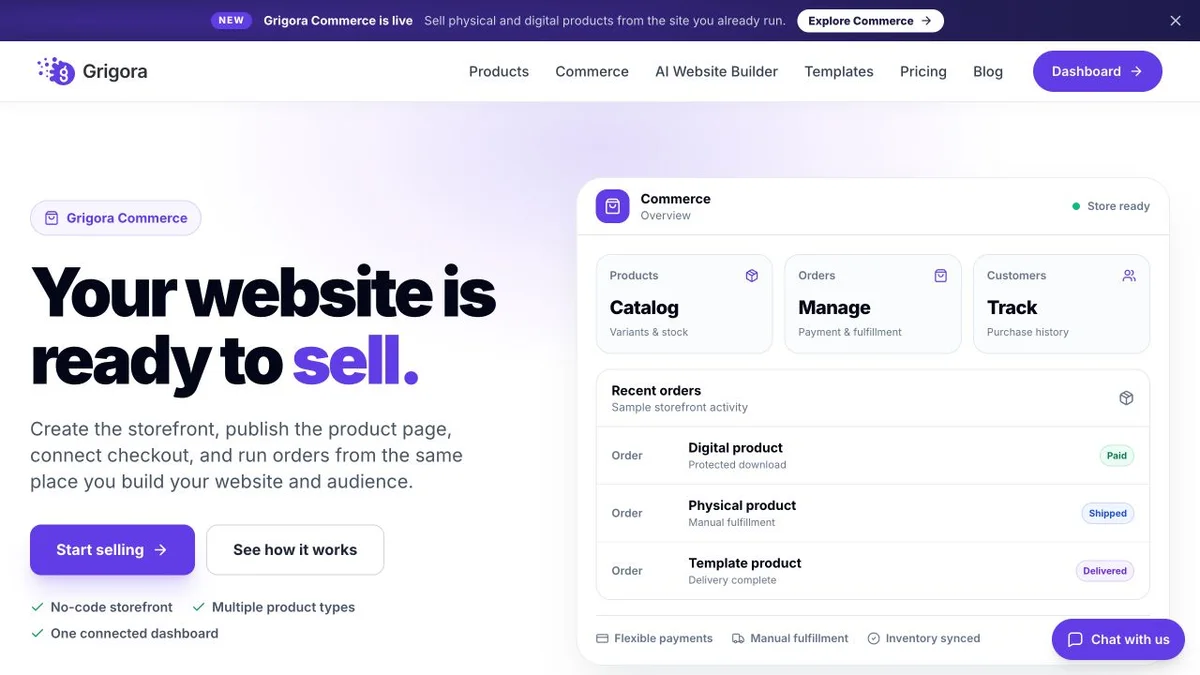
Current public product pages and plans, so you can inspect what you would be moving to. Open any image at full size.
Grigora vs Pagecloud pricing
Pagecloud prices the canvas. The store, the email tool and the second layout are all costs that sit outside it.
Website, newsletter and store in one plan
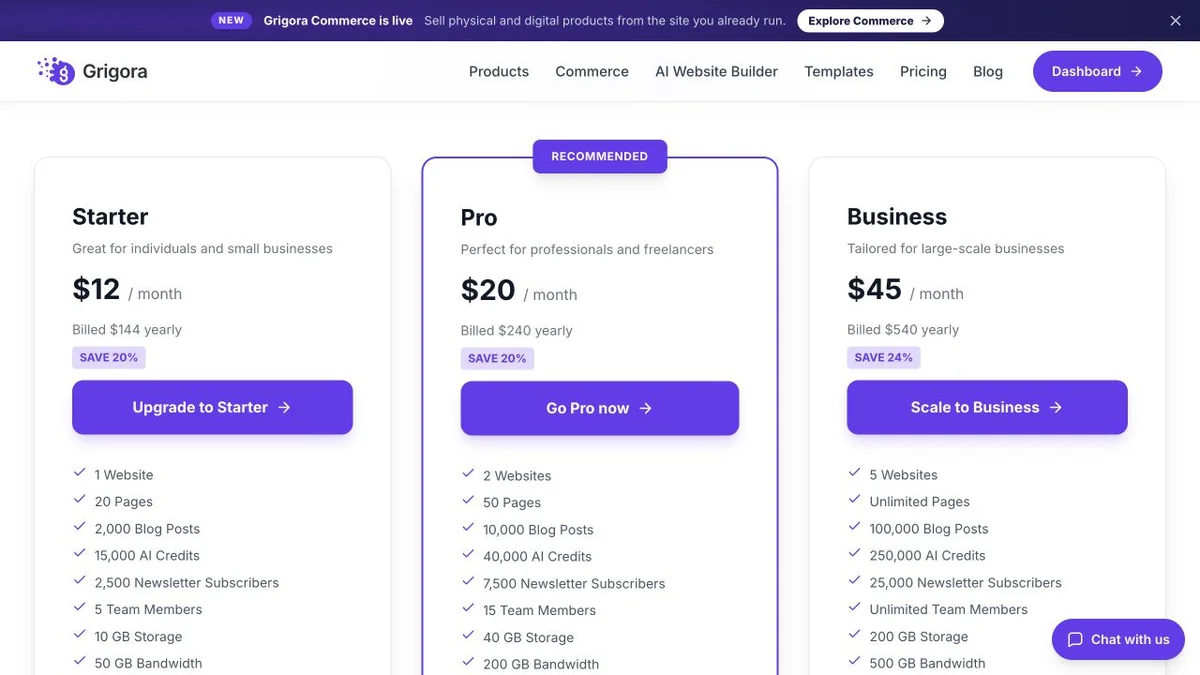
Grigora Starter, Pro and Business rates are $12, $20 and $45 per month billed annually ($144, $240 and $540 per year), or $15, $25 and $59 month to month. Plan limits apply to sites, storage, bandwidth, AI credits and newsletter subscribers. Payment-provider fees and optional paid services are additional.
One site, four meters, commerce sold separately
Pagecloud pricing read live on pagecloud.com, pagecloud.com/pricing/agency and pagecloud.com/pricing/e-commerce on 11 September 2026; the page states all prices are in USD. E-commerce is an add-on on top of these plans at $9, $29 or $59/mo billed annually. There is no free plan in the table: you can design without paying, and Pagecloud's own pages disagree about what may be published for free, so treat the free tier as unconfirmed.
Grigora Starter at $12/mo already sells and sends email. The comparable Pagecloud setup is Launch at $22 plus the $9 store add-on, which is $31/mo billed annually and still has no newsletter and no phone layout until you build one.
The real cost: Grigora vs Pagecloud
Model a small business with one site, roughly twenty pages, a short product list and a monthly email. Count the second layout as work, because that is what it is.
| What you pay for | Pagecloud | Grigora |
|---|---|---|
| Site plan, billed annually | $22 to $69/mo, one site | $12 to $45/mo, one to five sites |
| Phone layout for twenty pages | Built by hand in the Mobile Layout Builder | Reflows from the same layout |
| Online store | Add-on from $9/mo on top of the plan | Included |
| Email marketing | Separate platform | Included, 2,500 to 25,000 subscribers |
| Popups and banners | Included, 5,000 to 50,000 impressions | Not available |
| A second site | $18 to $26/mo surcharge | Included from Pro at $20/mo |
Payment-processor fees apply on both sides wherever a store exists. Pagecloud annual plans include a free custom domain listed at $15 value and a free Google Workspace year one; storage and bandwidth allowances are not published.
Pagecloud and Grigora: public website references
These captures show each product’s public website. See the feature and pricing sections for capabilities and plan details.

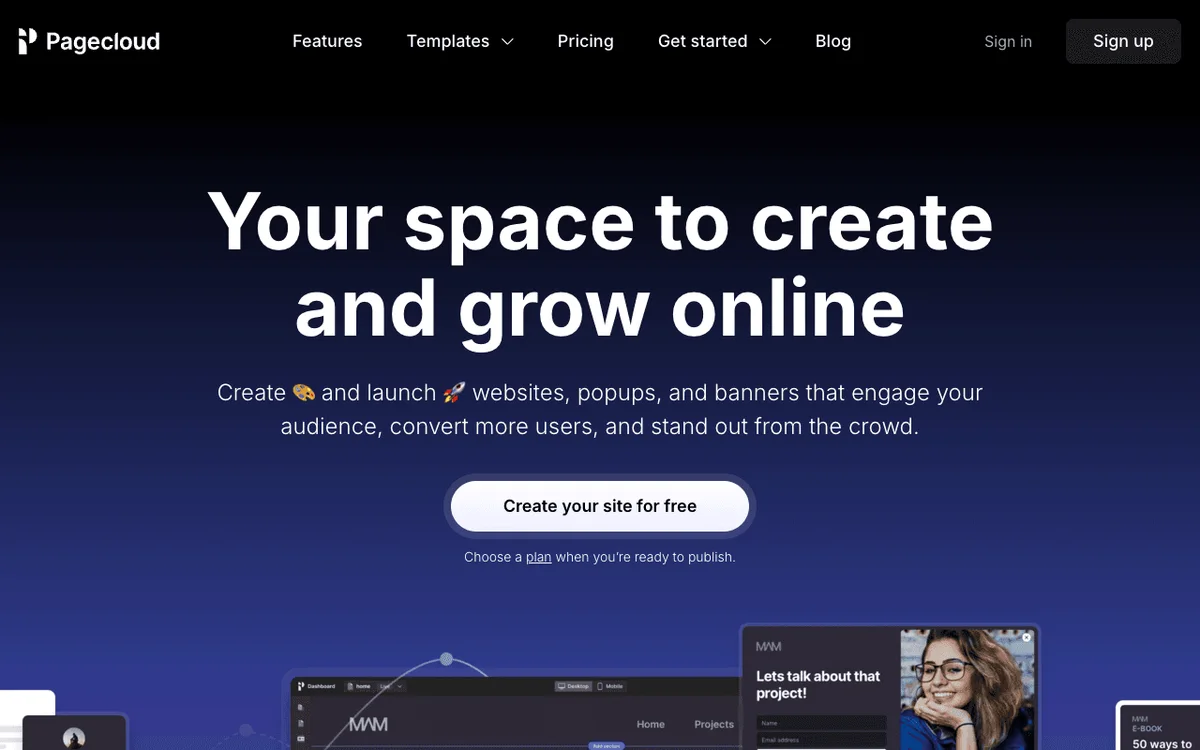
Is Grigora the right Pagecloud alternative for you?
Where one reflowing layout beats a free canvas, and where it does not.
Pagecloud alternative for sites read mostly on phones
Most local and service traffic arrives on a phone. Grigora's layout adapts on its own, so you are not maintaining a desktop version and a mobile version of the same twenty pages.
… for businesses that actually sell something
The catalogue, variants, stock and digital downloads are on the $12 plan with no platform commission, instead of an add-on that starts at $9 a month and caps at 100 products.
… for owners who publish and email from one place
Write the post, collect the subscriber, send the campaign. Pagecloud meters form submissions and then hands the address to another tool.
Pagecloud is the right call if pixel control and popups are the job
If you place elements by eye, run exit-intent popups across several properties including sites built elsewhere, and you are content to tune a mobile layout per page, Pagecloud is the better fit and this page will not argue.
Which one is right for you?
Choose Grigora if…
- You do not want to build and maintain a separate phone layout
- The site has to take money without another subscription
- You want the newsletter and the list in the same plan
- You would rather start from an AI draft than an empty canvas
- You run more than one site, or you want to resell the platform
Choose Pagecloud if…
- •Freeform pixel placement is the reason you are buying a builder
- •Popups, banners and exit intent are a core part of the plan
- •You want Semrush keyword research inside the page editor
How to switch from Pagecloud to Grigora
Pagecloud does not export a site you can lift and drop elsewhere, so treat this as a rebuild rather than a transfer. The AI draft does most of the structural work, and the result still needs desktop and mobile review.
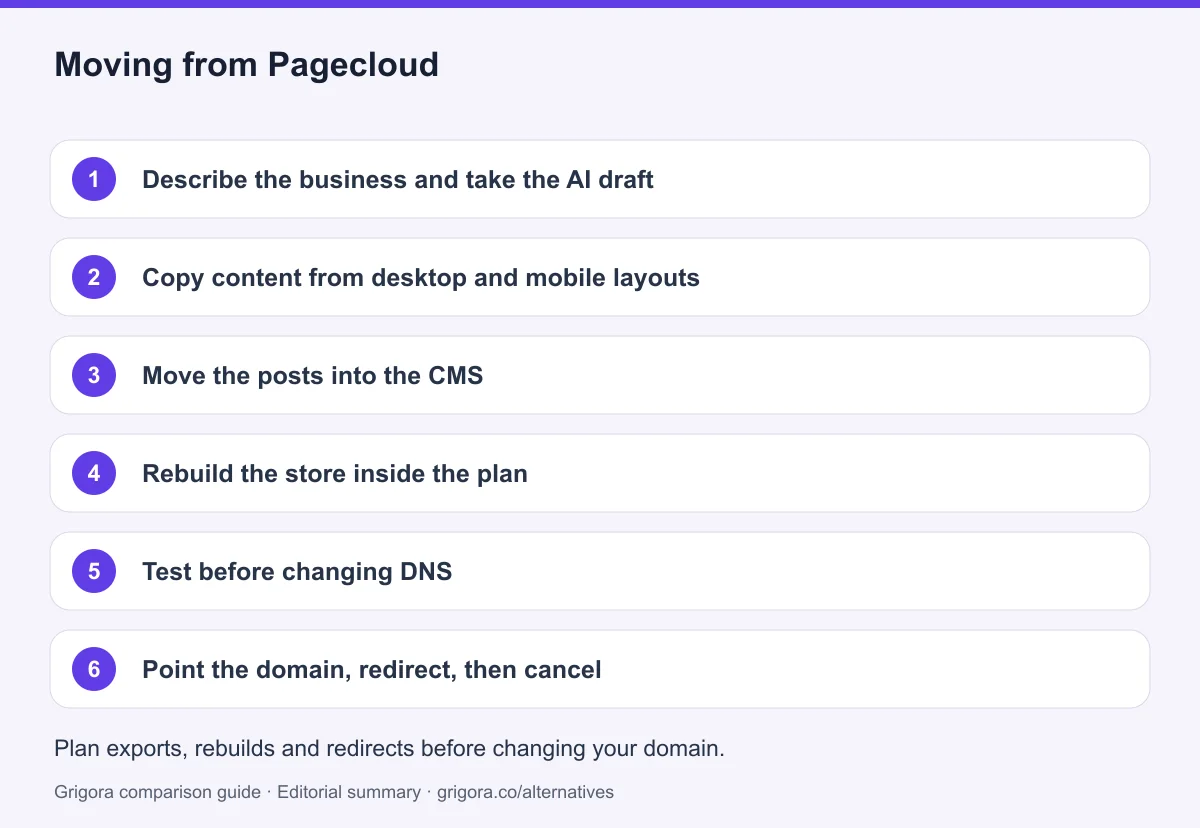
- 1
Describe the business and take the AI draft
Write a sentence or two about what you do. Grigora generates pages, layout and starting copy, then review the content and layout for accuracy.
- 2
Copy content from desktop and mobile layouts
Check both Pagecloud layouts for unique text, images and interactions, then recreate a responsive version in Grigora and verify it on mobile.
- 3
Move the posts into the CMS
Recreate posts with categories, author profiles and comments switched on, using the AI writing tools to speed up the tidying. Keep the old URLs written down as you go.
- 4
Rebuild the store inside the plan
Add products, variants, stock and any digital downloads in Grigora's store and connect Stripe or Razorpay. Note that point of sale, wholesale tiers and Amazon or eBay listings do not carry over.
- 5
Test before changing DNS
Capture both desktop and mobile Pagecloud layouts, including any content visible only on one device. Audit popups, analytics, commerce add-ons and external email integrations before recreating the site. Check page titles, descriptions, canonical URLs, internal links, image alt text, forms and checkout on the new site. Keep an old-to-new URL map, add relevant 301 redirects and monitor indexing after launch; redirects cannot guarantee unchanged rankings.
- 6
Point the domain, redirect, then cancel
Connect your domain, redirect the old URLs to reduce broken links, and cancel the Pagecloud plan along with the e-commerce add-on and the email tool that was sitting beside it. If you relied on popups, plan a replacement before you switch off.
Why people look for a Pagecloud alternative in 2026
Pagecloud has been shipping since 2015 and it is still independent, still built in Ottawa, and still improving. The company earned its following with one idea: the page should do what you tell it, not what a template thinks is tidy. Drop a heading where you want the heading. Paste a chunk of a document straight onto the canvas. Nudge an image until the composition feels right. Anyone who has fought a rigid grid understands immediately why people like it. The complaints almost never concern the desktop result. They concern everything that happens after the desktop result is finished.
The desktop version is done, and the phone version has not started
Freeform placement and automatic responsiveness are in tension, and Pagecloud resolves it by asking you to do the work twice. Their documentation states that by default a site will appear as a scaled version of the desktop site on mobile devices, and that you use the Mobile Layout Builder to build an optimised mobile mode. Only Auto layout columns stack and reflow on their own; manual layouts, which is the mode people choose Pagecloud for, often require additional mobile layout adjustments. The two views are linked but not mirrored: delete an element or reorder content and the change carries across, yet the position of an object in the mobile layout has no bearing on where it sits on desktop. In practice that means a twenty page site is forty layouts, and every new page is two pieces of work forever. There is also no editor on a phone, so all of the phone tuning happens on a desktop screen while you imagine a phone.
Nothing can be brought in, so arriving costs a rebuild
Pagecloud's own pricing FAQ is unusually direct about this: although certain blogs can be imported, there is currently no way to import code or websites directly into Pagecloud. If you have an existing site anywhere else, moving to Pagecloud means recreating every page by hand on a canvas that has no layout to inherit. That is a real cost, and the company clearly knows it, because it sells a done-for-you build service that lists site migration among its line items, with subscriptions starting at 250 a month, a figure the page prints without naming a currency. The same lock works in the other direction later on. Premium plans do give you HTML, CSS and JavaScript source code access for developer handoff, which is more than most builders offer, but a canvas built at fixed positions is not a layout that transplants cleanly.
The plan price is a floor, not a total
Launch is $22 a month billed annually, which reads as good value until you add what a business usually needs. Selling anything is an add-on on top of the plan, and Pagecloud says so in those words: add e-commerce to any plan, the cost is in addition to your plan. The cheapest working store is $31 a month billed annually and stops at 100 products. Lifting that to 2,500 products with abandoned cart recovery and a multilingual catalogue means the $29 add-on, which takes a Grow plan store to $65 a month. Email marketing is not in the website product at all, so a newsletter is another vendor. A second site is a surcharge between $18 and $26 a month rather than something a plan absorbs. And all three standard tiers meter you four ways at once, on published pages, monthly visitors, form submissions and popup impressions, with Launch capped at 15,000 visitors. Storage and bandwidth allowances are not published anywhere, so those you cannot even plan around.
How Grigora compares
Grigora starts from a different assumption: that most people want a working business website rather than a drawing surface, and that the phone version should not be a separate deliverable. You describe the business in a sentence, the AI produces a first draft with pages, structure and copy, and you edit it in a block editor that keeps the layout intact while you work. What you give up is the eleven pixel nudge. What you get back is time, and a much shorter invoice.
One layout that reflows, and the extras already switched on
Because Grigora's blocks are responsive by construction, there is no second layout to build and no positions to keep in sync. Publish a page and it works on a laptop, a tablet and a phone. Around that sit the things Pagecloud sells separately or not at all: a CMS with posts, categories, author profiles, directories and moderated comments with admin replies; email marketing with a subscriber list, a campaign builder, automations and segmentation; and a store with a catalogue, variants, stock and digital downloads at 0% platform commission, where the only cut is the processor's, through Stripe or Razorpay. Starter is $12 a month billed annually with one site and 2,500 subscribers, Pro is $20 with two sites and 7,500, and Business is $45 with five sites and 25,000. SEO comes with metadata and schema controls, sitemaps, IndexNow submission and free tools on the marketing site, and hosting, SSL and CDN are included with nothing to patch. Agencies who want to sell the platform as their own can take the White Label plan at $199 a month, and professional mailboxes start at $5 each.
Where Pagecloud still wins: the canvas and the popups
Two things on this page are not close. The first is freeform control. If your work depends on placing elements exactly where your eye says they belong, Grigora's blocks will feel like a constraint, and Pagecloud's manual layout mode is the better instrument. The second is popups. Pagecloud treats them as a product, metering impressions on every tier from 5,000 up to 1.5 million, with modals, slide-ins, exit intent and scheduled banners, and it explicitly supports running them on websites built elsewhere. Grigora has no answer to that. Semrush keyword research inside the editor is a third, smaller win, useful enough that writers notice it, though no per-tier quota is published. Choose on the honest question: if the site is a composition and popups drive the funnel, stay with Pagecloud and budget for the mobile pass. If the site is the business, and it needs to sell, send and behave on a phone without being built twice, Grigora costs less and does more.
Frequently asked questions
Grigora is a Pagecloud alternative for a managed website, CMS, newsletter and store from $12/month billed annually. Pagecloud offers flexible layout control, popups and banners, with ecommerce priced as an additional product. Evaluate mobile behavior and usage limits in the exact layout mode and plan; Grigora still requires responsive design checks.
Read live on pagecloud.com on 11 September 2026, billed annually: Launch $22/mo, Grow $36/mo, Optimize $69/mo, Agency $116/mo and Agency+ $196/mo. Month to month those are $26, $45, $89, $145 and $245. E-commerce is an add-on on top at $9, $29 or $59/mo billed annually. The page states all prices are in USD.
Not in the pricing table, where every tier is paid. Pagecloud describes a forever-free trial where you design without paying and choose a plan when you want to publish, while its signup screen words things differently, so treat the free publishing question as unconfirmed. Grigora offers a free trial, and paid plans start at $12/mo billed annually.
Partly. Pagecloud's documentation says a site appears as a scaled version of the desktop layout on mobile until you build one in the Mobile Layout Builder, and only Auto layout columns reflow on their own. Deletions and sort order sync between the two views, positions do not. Grigora uses one responsive layout, so there is no separate mobile version to maintain.
No plan includes it. Pagecloud states that e-commerce is added to any plan at a cost in addition to your plan, with add-on tiers at $9, $29 and $59/mo billed annually. The store itself is capable, with variants, tax, carrier shipping and 40+ gateways, and there are no platform transaction fees, though gift cards carry 2% on the entry add-on. Grigora includes the store on every paid plan at 0% platform commission.
You rebuild rather than transfer. Pagecloud has no site export that another builder can read, and its own FAQ says websites and code cannot be imported into Pagecloud either. In Grigora you take the AI first draft, copy the content across once with no mobile version to duplicate, rebuild the store and redirect the old URLs to map previous addresses to their closest replacement.
Sources and comparison method
Published by Grigora, one of the products compared here. This is a comparison of public product documentation and published plans. Recommendations reflect the use cases described; they are not independent performance benchmarks. Homepage screenshots show how each product presents itself and do not establish feature availability.
Check the billing term, currency, regional availability, usage limits and add-ons before purchasing. A content export does not necessarily include the design, integrations or a working store. Migration steps need testing on your own site.
- Pagecloud website pricing
Website plan structure and usage allowances; confirm current prices in the billing selector.
- Pagecloud ecommerce pricing
Commerce add-on pricing and capabilities separate from the website plan.
- Grigora pricing and included features
Annual and monthly billing, plan allowances, included features and trial terms.
Grigora references: plans and limits, commerce, MCP access, and help documentation.
Compare Grigora with other platforms


Make the switch from Pagecloud to Grigora
Build the layout once, not twice, and get the store and the newsletter in the same $12/mo plan. Try Grigora free, no credit card required.
14-day free trial • No credit card required • Cancel anytime