
The WebWave alternative that connects content, audience and commerce
Build more than the website. Grigora brings your CMS, newsletter and store into the same workspace from $12/month billed annually. WebWave offers strong design freedom and lower first-year prices; Grigora is our overall pick for a business that wants publishing, sending and selling to work together.
Published by Grigora · Updated · Sources and method
Is Grigora the right WebWave alternative?
Build more than the website. Grigora brings your CMS, newsletter and store into the same workspace from $12/month billed annually. WebWave offers strong design freedom and lower first-year prices; Grigora is our overall pick for a business that wants publishing, sending and selling to work together.
Choose Grigora if you want…
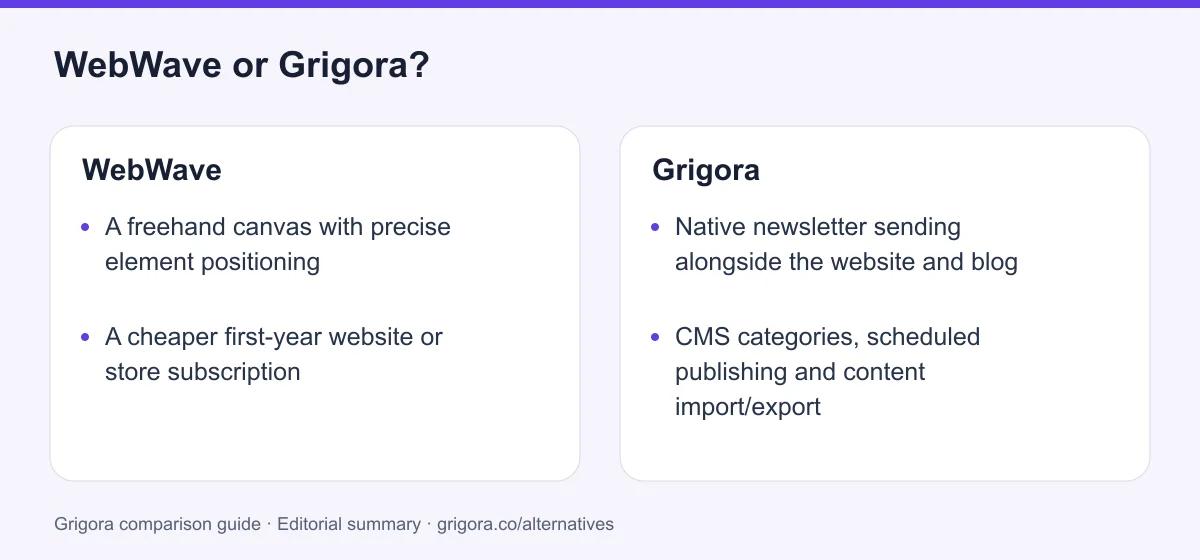
- Native newsletter sending alongside the website and blog
- CMS categories, scheduled publishing and content import/export
- Store operations included on the entry paid plan
- Two or five sites inside one account plan
WebWave may suit you if…
- •A freehand canvas with precise element positioning
- •A cheaper first-year website or store subscription
- •Unlimited pages on Pro and Business
- •Included mailbox storage and a first-year .com domain on the annual offer
WebWave or Grigora: the decision in one view
WebWave alternatives at a glance
Compare creative freedom with the publishing and audience workflow you need.
Swipe the table sideways to see every column
| Platform | Best for | Free access | Starting price | Sales fees | Data and site portability |
|---|---|---|---|---|---|
| Grigora | Website, CMS, newsletter and store together | Free trial | From $12/mo billed annually | 0% platform fee; Stripe/Razorpay fees apply | Posts/content; rebuild design |
| WebWave | Freehand visual design | 14-day trial | From $6/mo, first-year annual offer; tax extra | 0% platform fee on Business; provider fees apply | Confirm export scope with vendor |
| Vzy | Simple mobile-editable sites | Free creation; paid publishing | From $10/mo billed annually, per site | Digital products; confirm sales fees | Site export on Pro |
USD prices checked 8 October 2026. WebWave offers shown are for the first year, billed annually and before tax. Confirm renewal terms. Sources for all three platforms are linked below.
Sources for the overview table
- Grigora: official reference 1
- WebWave: official reference 1, official reference 2
- Vzy: official reference 1, official reference 2
Why consider Grigora instead of WebWave?
Choose a platform for your regular business work, as well as the design.
Publish and send from the same place
Bring newsletter sending into the platform that holds the website and content.
Start with publishing and commerce together
Grigora Starter includes the CMS and store; WebWave separates a one-page entry plan, Pro publishing and Business payments.
Keep multiple projects in one plan
Grigora Pro includes two websites and Business includes five, with clear account-level allowances.
Make content easier to manage
Use CMS categories, scheduled publishing, structured collections and content import/export for a repeatable workflow.
What WebWave does well
- Freehand canvas and precise responsive design control
- AI generation and custom code support
- Lower reviewed first-year prices
- Unlimited pages on Pro/Business and no platform store commission
- Included mailbox storage and first-year .com on annual cards
Where WebWave falls short
- Native newsletter campaign sending not established in reviewed docs
- Entry plan limited to one page without a blog
- Online store payments require Business
- Homepage FAQ prices differ from live pricing cards
- First-year wording requires a separate renewal check
Grigora vs WebWave at a glance
WebWave has the canvas. Grigora connects the publishing, sending and selling workflow.
| Feature | WebWave | Grigora |
|---|---|---|
| Entry annual price | $6/mo first year ($72) | $12/mo ($144/yr) |
| AI website generation | Yes | Yes |
| Design approach | Freehand element placement | Visual page and block editing |
| Blog and CMS | Pro and Business | All paid plans |
| Newsletter campaigns | External email marketing integration | Included |
| Online payments | Business | All paid plans |
| Platform commission | 0%; provider fees apply | 0%; provider fees apply |
| Entry page allowance | 1 | 20 |
| Included sites | Retail plans priced per site | 1 / 2 / 5 by plan |
| Mailboxes | Storage included by tier | Separate paid product |
Grigora vs WebWave: feature by feature
A category-by-category breakdown, pricing, AI, design, e-commerce, email, SEO, performance, and support.
AI generation and design control
Fit: WebWaveWebWave’s freehand canvas is a real strength. Designers can position elements directly and tune responsive layouts. Grigora also offers AI and visual editing, but its appeal here is the connected business workflow. Choose WebWave if canvas-level positioning is the main requirement.
| Feature | Grigora | WebWave |
|---|---|---|
| AI first draft | Yes | Yes |
| Editing approach | Visual blocks and pages | Freehand canvas |
| Responsive layouts | Yes | Yes |
| Custom code | Supported | HTML, CSS and JavaScript |
Takeaway: WebWave is a strong design choice. Grigora is our overall pick when the website is part of a wider publishing and customer workflow.
Publishing tools from the entry plan
Fit: GrigoraGrigora Starter combines ordinary site pages with a CMS, newsletter and store. WebWave’s entry plan is a one-page website; blogging starts on Pro. WebWave is generous with unlimited pages and articles on Pro and Business. Grigora’s advantage is the combination of editorial tools and audience sending, rather than a claim of higher page limits.
| Feature | Grigora | WebWave |
|---|---|---|
| Entry plan pages | 20 | 1 |
| Blog on entry plan | Yes | No |
| Categories, drafts and scheduling | Documented CMS tools | Confirm your required editorial workflow |
| Content import/export | Included | Confirm formats and scope |
| Higher-tier page capacity | 50 on Pro; unlimited on Business | Unlimited on Pro and Business |
Takeaway: Choose Grigora for publishing and audience growth together. WebWave Pro suits a large site when page capacity is the priority.
Selling without a separate store tier
Fit: GrigoraBoth platforms offer commerce and charge no platform commission. WebWave reserves online store payments for Business. Grigora includes store tools on all paid plans, with physical and digital products, inventory and manual fulfillment tracking. WebWave Business still has a lower first-year plan price, so the Grigora recommendation rests on the combined store and newsletter workflow.
| Feature | Grigora | WebWave |
|---|---|---|
| Online payments | Every paid plan | Business |
| Platform commission | 0%; provider fees apply | 0%; provider fees apply |
| Products and shipping settings | Yes | Yes |
| Connected checkout | Stripe and Razorpay | Check regional payment options |
| Recurring checkout | Stripe-only | Confirm with WebWave |
Takeaway: Grigora makes selling part of the same publishing and sending plan; the zero-commission claim is shared by both products.
A plan for several brands
Fit: GrigoraGrigora’s site allowances are explicit: one on Starter, two on Pro and five on Business. WebWave’s retail pricing is attached to individual websites, while its separate agency offering supports client work and white label. Compare that agency offer separately if reselling the builder is the goal.
| Feature | Grigora | WebWave |
|---|---|---|
| Standard-plan sites | 1 / 2 / 5 | Retail subscription per website |
| Native newsletter for the sites | Included, subject to plan limits | External provider |
| Agency white label | Separate offering | Separate agency offering |
Takeaway: Grigora is convenient for several sites that need the same content, newsletter and store toolkit.
Where WebWave offers more for less
Fit: WebWaveWebWave’s reviewed first-year prices are lower, and its upper tiers advertise unlimited pages. Annual cards also include a first-year .com domain, with mailbox storage varying by tier. These are meaningful benefits. Grigora offers a broader included audience workflow, with metered page, storage, bandwidth and AI allowances.
| Feature | Grigora | WebWave |
|---|---|---|
| Entry annual offer | $144/year | $72 for the first year |
| Store-capable annual offer | $144/year | $108 for the first year |
| Bundled domain registration | Separate | First-year .com on annual cards |
| Pro page capacity | 50 | Unlimited |
| Business storage | 200 GB | Unlimited advertised |
Takeaway: WebWave wins on the reviewed first-year subscription price. Choose Grigora for the connected workflow rather than an unsupported savings claim.
Explore Grigora before switching from WebWave
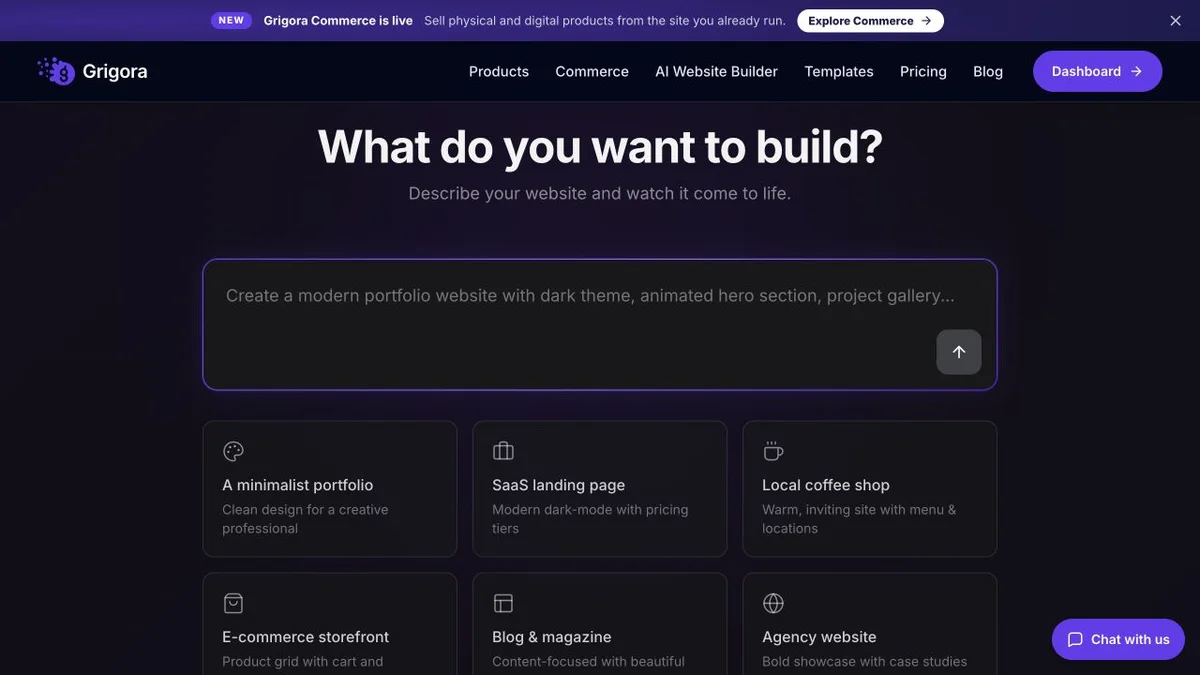
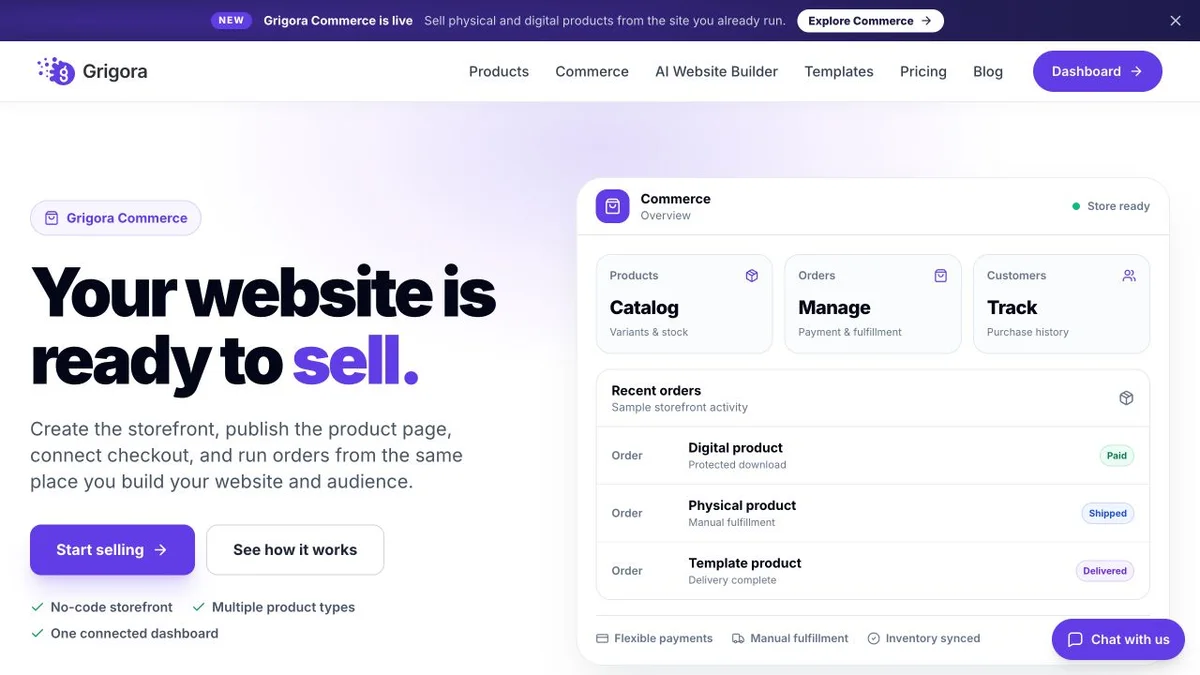
Current public product pages and plans, so you can inspect what you would be moving to. Open any image at full size.
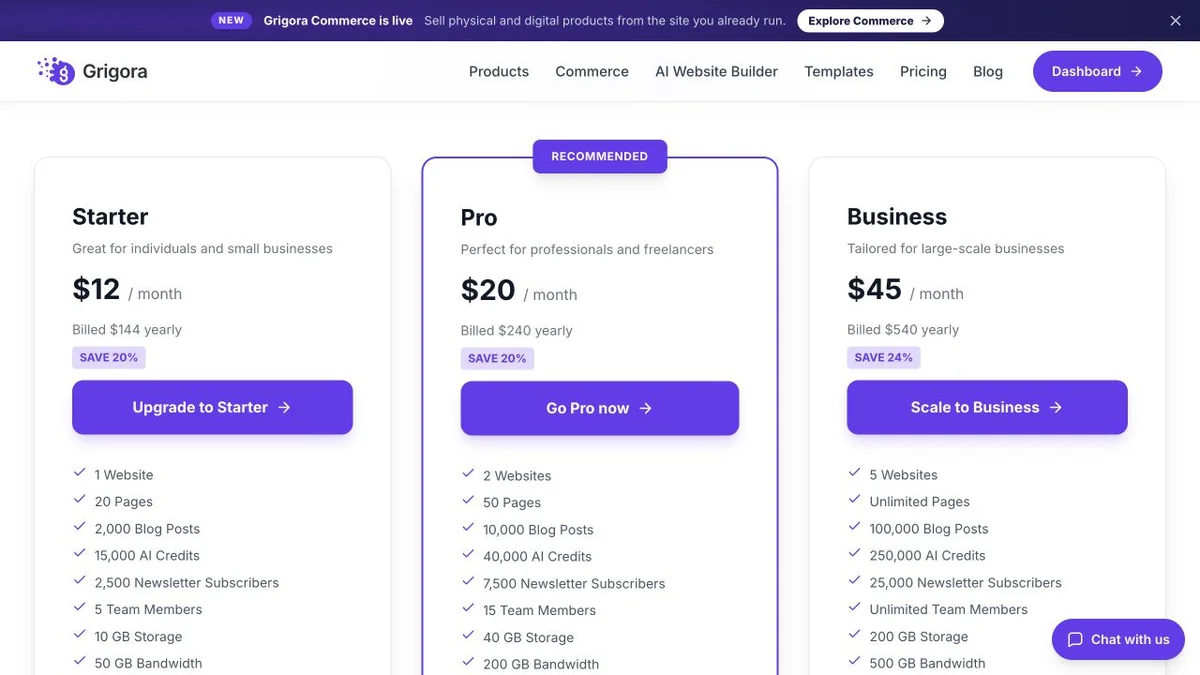
Grigora vs WebWave pricing
Current live cards, with first-year offers and billing terms spelled out.
Website, CMS, newsletter and store together
USD annual equivalents shown. New accounts get a 14-day trial without a card. AI, posts, storage and bandwidth have plan allowances. Domain registration and professional mailboxes are separate; payment-provider fees apply.
First-year USD offers; tax excluded
Annual billing selected in the live widget on 8 October 2026. Cards label all displayed prices as first-year net prices. Renewal rates are not separately stated. Annual cards include a first-year .com domain. Homepage FAQ prices differ; confirm the current offer, domain renewal and tax before buying.
WebWave has the lower first-year subscription price. Grigora is our overall recommendation when native newsletter sending and an integrated CMS/store workflow matter more than the cheapest website plan.
Budget for the WebWave workflow you need
Illustration for one business website, a store and a newsletter. Compare WebWave Business with Grigora Starter, not WebWave’s one-page plan.
| What you pay for | WebWave | Grigora |
|---|---|---|
| Store-capable annual subscription | $108 first year on Business | $144/year on Starter |
| Newsletter sending | External service; price depends on list and sending needs | Included within 2,500-subscriber allowance |
| Platform sales commission | 0%; processor fees still apply | 0%; processor fees still apply |
| Domain registration | First-year .com included on annual cards; renewal separate | Purchased separately |
| Business mailbox | 20 GB email storage on Business | Optional paid mailbox product |
| Beyond the first year | Confirm renewal quote; do not extend promotional pricing | Use current plan terms at renewal |
Grigora brings the store, CMS and newsletter into one workspace. WebWave’s cheaper first-year store plan may still cost less overall; the result depends on external sending and optional services.
Different plan limits. No assumed price for third-party email, domains, taxes or migration work. Provider fees apply on both.
WebWave and Grigora: public website references
These captures show each product’s public website. See the feature and pricing sections for capabilities and plan details.


Is Grigora the right WebWave alternative for you?
Put the daily workflow at the center of the decision.
A business with a content and email calendar
Keep CMS publishing and newsletters within one website platform.
A shop that also builds an audience
Run products, orders and website content beside newsletter sending.
A publication or directory
Use organized CMS content and collections rather than maintaining only ordinary site pages.
Two or five connected projects
Choose a Grigora plan that covers multiple websites.
A designer who wants a freehand canvas
WebWave’s precise positioning can be the deciding advantage.
A budget-first website or small store
WebWave’s lower first-year offer may suit you; price the renewal and any external email service.
Which one is right for you?
Choose Grigora if…
- Native newsletter sending alongside the website and blog
- CMS categories, scheduled publishing and content import/export
- Store operations included on the entry paid plan
- Two or five sites inside one account plan
Choose WebWave if…
- •A freehand canvas with precise element positioning
- •A cheaper first-year website or store subscription
- •Unlimited pages on Pro and Business
- •Included mailbox storage and a first-year .com domain on the annual offer
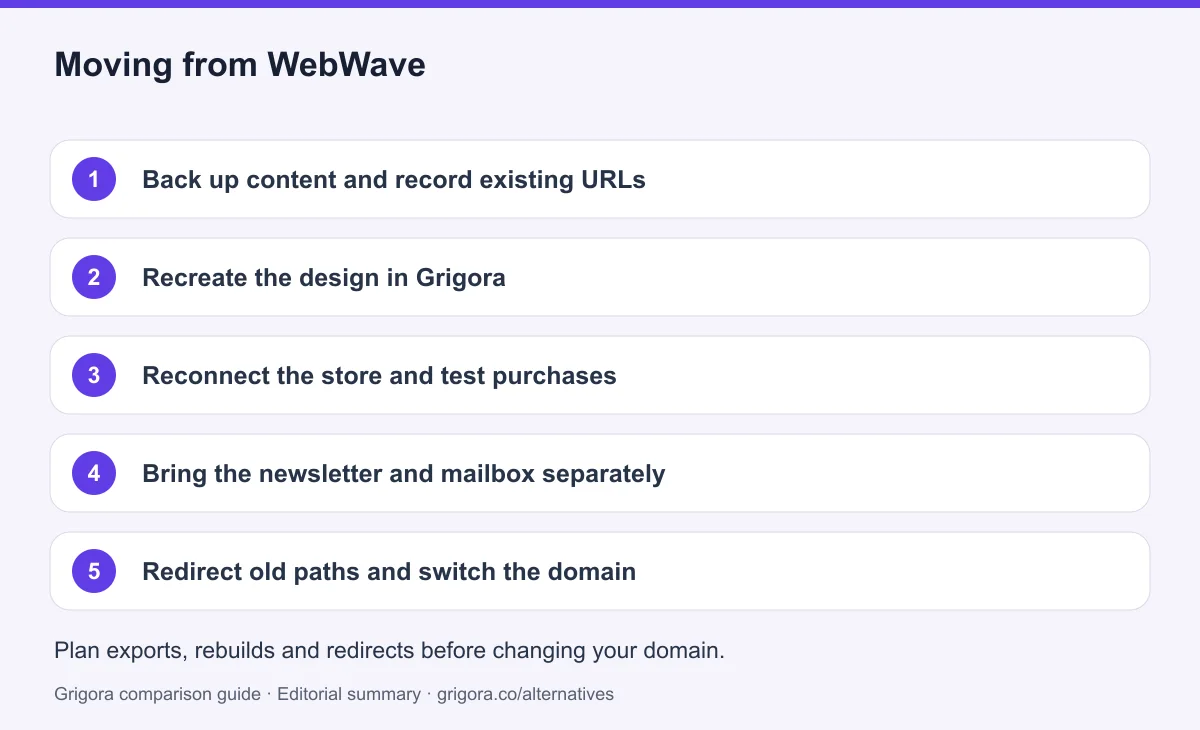
How to move from WebWave to Grigora
Plan a rebuild of the layout and integrations. Confirm WebWave’s export options and Grigora’s accepted content formats before relying on an automated transfer. A design export does not guarantee a working CMS or store import.
- 1
Back up content and record existing URLs
Save page and article text, media, metadata, product details and important settings. Confirm available exports and retain copies of order and customer records.
- 2
Recreate the design in Grigora
Generate a draft, adapt the visual layout and rebuild the navigation. Test a representative article import and organize the CMS before moving the rest.
- 3
Reconnect the store and test purchases
Rebuild products, variants, stock, shipping and tax settings. Connect your provider and test checkout, order records and delivery. Existing subscriptions or orders do not automatically move.
- 4
Bring the newsletter and mailbox separately
Move consented subscribers from the actual email marketing service, retaining suppression and unsubscribe records. Back up business mailbox messages and coordinate mail records separately from website DNS.
- 5
Redirect old paths and switch the domain
Check mobile layouts, forms, payments, canonicals and sitemap. Add redirects for changed URLs, then update DNS while keeping the old service available. Monitor traffic and errors before cancelling it.
Why Grigora is our overall WebWave alternative
A website that grows through regular content and repeat customers needs more than an editor. Grigora’s advantage is that publishing, audience sending and store operations sit in the same platform. For a small team, that can make maintaining the business easier even when another builder has a lower entry price.
Validate the workflow before you migrate
Use the trial to complete an actual publishing cycle: create a page, publish an article, send a test newsletter and place a test order. Check the plan allowances against your expected activity. If precise canvas placement or unlimited page capacity matters more, test WebWave on the same brief. Our recommendation is based on the combined business workflow, not a claim that one editor wins every task.
Frequently asked questions
Grigora is our overall pick when you want the website, CMS, native newsletter and store together. WebWave remains a strong option for freehand design, unlimited higher-tier pages and a lower first-year website subscription.
The live USD cards checked on 8 October 2026 show annual first-year equivalents of $6/month for One pager, $7 for Pro and $9 for Business: $72, $84 and $108 for the year. Monthly cards show $9, $12 and $18. Tax is excluded; renewal rates are not separately stated. Homepage FAQ prices differ from these cards.
Its current homepage and pricing page describe a 14-day trial without a card. The homepage FAQ says the site is paused after the trial unless you choose a paid plan. Treat older free-forever descriptions as outdated until WebWave confirms otherwise.
Yes, it has a native store. Business supports online payments, and WebWave states it charges no platform commission. Payment-provider fees still apply. Grigora also has no platform commission; its store tools are available on every paid plan.
WebWave includes mailbox storage by plan and documents GetResponse integration for email marketing. Those are distinct services: a business inbox is not a native newsletter campaign tool. Native campaign sending was not established in the reviewed pages; Grigora includes newsletters with published subscriber allowances.
A direct import of the full design, CMS and store is not documented in this comparison. Confirm export formats, rebuild the layout, test content imports and reconnect checkout. Handle marketing subscribers and business mailboxes separately, and preserve old URLs with redirects.
Sources and comparison method
Published by Grigora, one of the products compared here. This is a comparison of public product documentation and published plans. Recommendations reflect the use cases described; they are not independent performance benchmarks. Homepage screenshots show how each product presents itself and do not establish feature availability.
Check the billing term, currency, regional availability, usage limits and add-ons before purchasing. A content export does not necessarily include the design, integrations or a working store. Migration steps need testing on your own site.
- WebWave live pricing cards
Checked in Chrome on 8 October 2026: annual first-year equivalents $6/$7/$9 for One pager/Pro/Business; monthly $9/$12/$18. Net prices, tax excluded. Renewal rates are not separately stated. The introductory paragraph still calls the entry tier Starter.
- WebWave homepage and trial FAQ
14-day trial and paid continuation; AI generation and freehand editing. Homepage FAQ quotes $3.50/$5/$7.50 first-year prices that differ from the live pricing widget; this comparison uses the widget.
- WebWave creating a website
Canvas editing, responsive design and website creation workflow.
- WebWave selling online
Native store, discounts, shipping options and no platform commission. Payment-provider fees remain separate.
- WebWave GetResponse integration
Official instructions for external email marketing and lead forms; the reviewed pages do not establish native newsletter campaign sending.
- WebWave agency and white label
Agency workflow and white-label offering; compare separately from the retail site plans.
- Grigora pricing and plan limits
Annual totals, monthly prices, 14-day trial, site and page allowances, newsletter subscribers, CMS import/export and included commerce. Checked 8 October 2026.
- Grigora product suite
AI and visual editing, hosted CMS, structured collections and content portability.
- Grigora Commerce
Physical and digital products, variants, inventory and manual fulfillment; connected Stripe and Razorpay checkout, with recurring checkout currently Stripe-only.
- Vzy pricing and publishing status
Overview-table annual pricing and Pro site export. See Vzy’s linked updates for paid-only publishing.
- Vzy updates
Paid publishing from Vzy 4.2 and digital-product sales with Stripe.
Grigora references: plans and limits, commerce, MCP access, and help documentation.
Compare Grigora with other platforms



Build your next chapter with Grigora
Create the website, publish your content, grow your newsletter and run your store from one workspace. Start a 14-day free trial, no card required.
14-day free trial • No credit card required • Cancel anytime