Free Nofollow Tag Checker
Audit nofollow vs follow links on any URL. Find leaky links, missed link equity, sponsored opportunities. Free, instant.
How to use the Nofollow Tag Checker, step by step
Real screenshots of the tool, taken while running it with the Find Links button.
- 1
Add your input
Paste or type into the field Nofollow Tag Checker works from.

- 2
A page URL in place
With a page URL entered, Nofollow Tag Checker is ready to run.

- 3
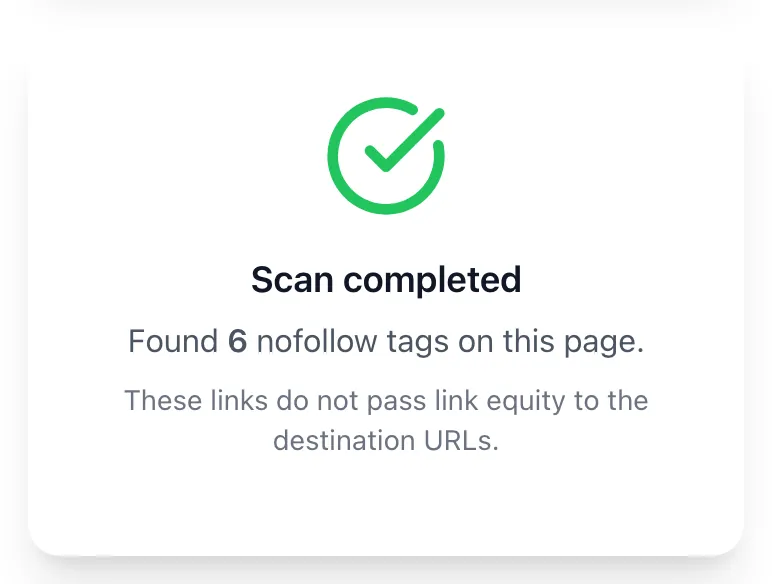
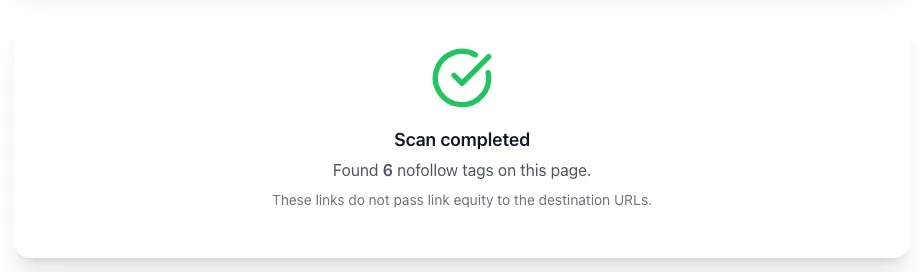
See what Find Links produces
Clicking Find Links runs the check and shows the result right below.
What this tool does
Nofollow Tag Checker delivers fast, reliable results for audit nofollow vs follow links on any url. find leaky links, missed link equity, sponsored opportunities. free, instant.
Designed to fit into your existing SEO and content workflow with no setup overhead.
How to use it
Five steps.
Enter a URL
Paste any page URL or upload a list for bulk checking.
Run the scan
Tool fetches the page and parses every link's rel attribute.
Review attribute breakdown
See followed, nofollow, sponsored, and ugc counts with destination domains.
Filter affiliate patterns
Auto-detect Amazon Associates, ShareASale, and other affiliate URLs without sponsored attribution.
Review and remediate
Use the on-page results to update links and rel attributes in your CMS.
When teams use it
Six common workflows.
Affiliate marketers running compliance audits
Verify all affiliate links have rel="sponsored" before FTC review or Google's annual link spam update.
In-house SEO at content publishers
Audit outbound link rel attribution across thousands of articles to ensure sponsored vs editorial is properly distinguished.
SEO agencies onboarding new clients
Run a full-site rel attribute audit in week 1 to identify quick wins and FTC compliance gaps before they become liabilities.
Forum and community managers
Confirm user-generated links use rel="ugc" rather than no attribution, signaling proper UGC context to search engines.
E-commerce product reviewers
Audit product review pages with embedded affiliate links to ensure sponsored attribution and FTC disclosure are aligned.
Technical SEO consultants
Combine the Nofollow Tag Checker with Ahrefs and Majestic data to deliver inbound and outbound link compliance reports.
Platform guides
Integrate with major platforms.
WordPress (Yoast SEO)
- Install Yoast SEO Premium with link suggestion features.
- Yoast detects affiliate URL patterns and prompts to add sponsored attribute.
- Use the WP Editor link toolbar to manually toggle rel attributes per link.
- Run the Nofollow Tag Checker to verify all affiliate links are properly attributed before publishing.
Ahrefs
- Use Ahrefs Site Explorer to view outbound link rel distribution per page.
- Cross-reference Ahrefs findings with the Grigora Nofollow Tag Checker for granular attribute breakdown.
- Use Ahrefs Site Audit to find internal nofollow issues at scale.
- Combine on-page (Grigora) and off-page (Ahrefs) audits quarterly for comprehensive link health.
Majestic
- Majestic's Trust Flow and Citation Flow metrics weight followed and nofollowed links differently.
- Use Majestic to understand inbound link rel mix from referring domains.
- Use the Grigora tool for outbound rel auditing on your own site.
- Both inbound and outbound audits inform overall link strategy.
Screaming Frog
- Run Screaming Frog crawl with "Internal" tab showing rel attributes.
- Export to CSV for deeper analysis.
- For external rel attribute distribution, use the External tab and filter by rel.
- Combine Screaming Frog's breadth with Grigora's focused audit for thorough coverage.
Google Search Console
- Search Console does not directly report rel attributes but flags manual actions related to unnatural links.
- After auditing with the Nofollow Tag Checker, fix issues and request review of any pending manual actions.
- Use Search Console's Disavow tool only as a last resort after fixing rel issues on your end.
Grigora vs. alternatives
Side-by-side.
| Capability | Grigora | Ahrefs | Screaming Frog | Free | Manual |
|---|---|---|---|---|---|
| Free unlimited URL checks | Yes | 10/day | Free trial | Yes (limited) | Manual |
| Sponsored + ugc + nofollow distinction | All three | Nofollow only | All three | Nofollow only | Manual |
| Bulk crawl mode | Yes | No | Yes | No | Manual |
| Affiliate URL pattern detection | Yes | No | Yes | No | Manual |
| Cloaking detection | Verified owners | No | Yes (paid) | No | Manual |
| JavaScript rendering | Optional | Paid only | Yes | No | Manual |
| On-page results view | Yes | CSV only | Both | CSV | Manual |
| No login required | Yes | Account | Account | Yes | Yes |
Common errors and fixes
Eight issues users hit.
Affiliate links missing rel="sponsored"
Cause: CMS template applies generic rel="nofollow" instead of the more specific sponsored attribute.
Fix: Update affiliate plugin or template to apply rel="sponsored noopener" on detected affiliate URL patterns.
Internal links incorrectly nofollowed
Cause: CMS or template default applies nofollow to all internal links, blocking PageRank flow within site.
Fix: Remove nofollow on internal navigation, footer, and content links; reserve nofollow for external untrusted destinations.
rel attribute appears in source but not detected by Google
Cause: Link rendered via JavaScript after page load and Googlebot did not execute the script.
Fix: Render rel attributes server-side using SSR or static generation, or use prerendering services for JavaScript-heavy sites.
Comments and forum links missing ugc attribute
Cause: Older Disqus or WordPress configuration applies nofollow rather than the more specific ugc attribute.
Fix: Update plugin to latest version (post-2020) which applies rel="ugc" by default; older plugins still work but lack the granular signal.
Tool reports zero links on a clearly populated page
Cause: Page rendered entirely via JavaScript with no static-HTML link presence.
Fix: Switch to JavaScript rendering mode in advanced settings or pre-render the page with SSR.
Sponsored attribute shown on user comment
Cause: Comment system mistakenly applies sponsored to all links rather than ugc.
Fix: Audit comment system rel handling and update to apply ugc for user-submitted links and sponsored only for site-paid placements.
Mixed rel="nofollow ugc" on the same link
Cause: Two attributes applied; Google interprets this as both ugc context and nofollow hint.
Fix: This is valid markup; remove one only if you want a more specific signal. Most sites can keep both for backward compatibility.
External link to noindex page incorrectly nofollowed
Cause: Site applies nofollow to outbound links to ensure no equity passes, but destination is also noindex (defeating the purpose).
Fix: Remove nofollow if the destination is noindex; the noindex on destination already prevents indexing without your link signal.
Original data
2026 study.
Frequently asked questions
Twelve answers.
Related free tools
Other utilities.