Free Title Rewrite Ideas Tool
Generate 6 AI rewrite variants of any blog or page title. Test for clicks, SEO, emotion. Free, instant.
How to use the Title Rewrite Ideas Tool, step by step
Real screenshots of the tool, taken while running it.
- 1
Add your input
Paste or type into the field Title Rewrite Ideas Tool works from.

- 2
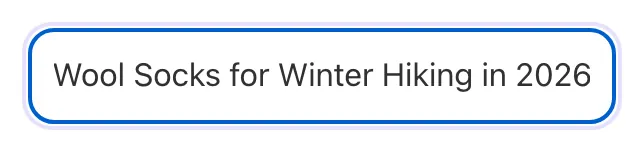
Sample text in place
With sample text entered, Title Rewrite Ideas Tool is ready to run.

- 3
Read the result
Title Rewrite Ideas Tool updates as you type, so the result is already visible here.
What this tool does
Title Rewrite Ideas Tool delivers fast, reliable results for generate 6 ai rewrite variants of any blog or page title. test for clicks, seo, emotion. free, instant.
Designed to fit into your existing SEO and content workflow with no setup overhead.
How to use it
Five steps.
Paste your title
Drop one existing or draft title into the input field.
Pick a tone
Choose the tone that best matches the page or article.
Generate 6 variants
Tool produces a small set of rewrite options across different framings, so you can compare without decision fatigue.
Compare and shortlist
Read the variants, remove anything off-brand, and choose the clearest option.
Ship the winner and track CTR
Update your CMS title; monitor CTR in Google Search Console for 2-4 weeks; iterate to next variant if performance lags.
When teams use it
Six common workflows.
Bloggers refining headlines before publishing
Content writers paste their working title, generate 6 variants, then pick the option that fits the SERP, topic, and brand voice.
Newsletter and email marketers
Subject lines drive open rates more than any other factor. Email marketers generate 6 candidate variants, A/B test the top 2-3, and watch open rates over baseline.
YouTube and podcast creators
Video and audio thumbnails compete heavily on title click-through. Creators generate variants for each upload, test against thumbnails, and iterate based on impressions-to-views ratio in YouTube Analytics.
Performance marketers running Google/Meta/LinkedIn ads
Ad platforms reward CTR with lower CPM. Marketers generate several ad headline variants, ship a shortlist to adsets, and let the platform optimize.
Editorial teams enforcing headline standards
Editors require every article have at least 3 generated variants reviewed before publication. The discipline trains writers to write better headlines over time and prevents weak titles from shipping.
SEO agencies optimizing client content
Agencies review page titles during audits, run important titles through the generator one by one, and recommend the strongest rewrite per page.
Platform guides
Integrate with major platforms.
WordPress + Yoast/Rank Math
- In Yoast or Rank Math SEO panel, the meta title preview shows your current title.
- Copy the current title, paste into our generator, and get 6 variants.
- Pick the strongest variant under 60 characters; paste back into Yoast SEO Title.
- Use the SERP Preview feature in your SEO plugin to confirm display.
- Update and re-publish; track CTR in Google Search Console under Performance > Pages over the next 2-4 weeks.
Email subject lines (Mailchimp, Klaviyo, ConvertKit)
- Generate 8-10 subject line variants for the campaign.
- Use ESP A/B test feature: send top 2-3 variants to 10-20% of list.
- Wait 4 hours for open rate stabilization (most opens happen in first 2-4 hours).
- ESP automatically sends the winner to remaining 80-90%.
- Track which emotion category wins for your audience; use insight in future campaigns.
YouTube video titles
- Before uploading, paste your draft title into the generator.
- Generate 6 variants emphasizing curiosity and clarity.
- Pick the strongest variant under 60 characters for full mobile feed display.
- Use YouTube Studio Title A/B test to test 2-3 variants on the same video.
- After 2 weeks, lock in the winning variant; YouTube ranks long-term performance.
Meta and LinkedIn ads
- Generate 6 ad headline variants before launching.
- Submit 3-4 variants per adset; Meta and LinkedIn auto-optimize within campaign.
- Avoid variants scoring above 85. Ad platforms downrank aggressive titles.
- After 1-2 weeks, replace bottom-CTR variants with new variants of similar score range.
- Track CPL or CPA by variant; the best variant typically halves cost per lead vs the worst.
News and editorial publications
- Generate variants emphasizing question and curiosity-gap angles for news.
- Use the strict-length mode to fit publication-specific limits (e.g., AP style 80-character headline).
- Run variants by editor for tone match and editorial standards.
- Track CTR in publishing CMS analytics; news titles often need refresh based on developing story.
- For evergreen news features, regenerate variants quarterly to capture seasonal search trends.
Grigora vs. alternatives
Side-by-side.
| Capability | Grigora ✓ | CoSchedule | Sharethrough | Free | Manual |
|---|---|---|---|---|---|
| AI-powered variant generation | Yes (5+ per request) | Score only, no generation | Score only | Limited (5/day free) | Manual |
| Free unlimited use | Yes | Free (basic) / paid | Free | Paid ($29-99/mo) | Free |
| Tone/voice selector | 6 modes | No | No | Limited | No |
| SERP character guidance | Basic | Characters only | No | Both | No |
| Emotional angle variety | Yes | Single score | Engagement prediction | Yes (3 categories) | No |
| Bulk processing | No | Paid only | No | Paid only | Manual |
| Multi-language support | 9+ languages | English only | English only | English-primary | Any (manual) |
| Spam-pattern detection | Yes | Limited | No | Yes | No |
Common errors and fixes
Eight issues users hit.
All variants sound similar to the original
Cause: Input title was already strong on most angles; tool produced minor word swaps rather than fundamentally different framings.
Fix: Try different tone/angle settings; or use a deliberately weak baseline title to force the AI to explore wider variations.
Variants exceed character/pixel limit
Cause: AI optimized for emotional impact without respecting SERP display limits.
Fix: Enable strict-length mode in settings; or trim filler words ("the", "of", "for") from winners; aim for 55 characters max.
Generated titles do not match the article content
Cause: You provided only the title to the tool; AI inferred article topic and may have inferred wrong.
Fix: Provide a 2-3 sentence summary of the actual article; AI generates variants grounded in your specific content.
Brand voice mismatch in suggestions
Cause: Tool defaults to generic-marketer voice; your brand is more casual or formal than that.
Fix: Use the tone selector (casual, professional, edgy, formal); or provide examples of your past high-performing titles for voice grounding.
Suggestions trigger spam patterns
Cause: AI added too many emotional words, all-caps, or excessive punctuation chasing engagement.
Fix: Choose the clearest variant and remove hype, excessive punctuation, or wording that does not match the article.
No variants include the target keyword
Cause: Curiosity-gap or emotional patterns prioritized engagement over keyword match.
Fix: Enter the target keyword as a required term; variants must include it; or post-edit winners to insert keyword in first 30 chars.
Generated titles are not in the input language
Cause: AI defaulted to English when input language was ambiguous (e.g., short titles).
Fix: Set the language explicitly in settings; or provide a longer input that contains language-specific characters.
Title looks great but performs poorly in production
Cause: The score predicted strong CTR, but mismatch between title promise and article content drove high bounce rate.
Fix: Always sanity-check that variants accurately describe the article; high CTR with high bounce hurts rankings via Helpful Content signals.
Original data
2026 study.
Frequently asked questions
Twelve answers.
Related free tools
Other utilities.