
Create Your Artists Website with AI in Seconds
Grigora provides artists with a seamless drag-and-drop platform to create stunning online portfolios and grow their audience.
Or start from a Artists brief
Artists AI templates to start from
Explore designs for a Artists site. Open one to preview it, or describe your site above and let the AI build one from scratch.
How to build a artists website
Grigora gives an artist a website that is both a portfolio and a shop, built from a few sentences describing your practice, your mediums and the work you want to sell. The AI drafts the whole site, then you rearrange it visually with no code. Work goes into a directory collection with typed fields for series, medium, year and dimensions, so hundreds of pieces stay browsable rather than buried in a feed. Anything for sale becomes a Commerce product: an original with one in stock, a limited edition with variants and a countdown, a digital file delivered after checkout. Shipping, discounts, orders, refunds and receipts are managed in the dashboard, with payments through your own Stripe or Razorpay account. A blog carries statements and studio notes, and newsletters tell collectors about shows. Hosting, SSL and a custom domain are included. Begin with the free trial.
Show your artists the way people want to see it
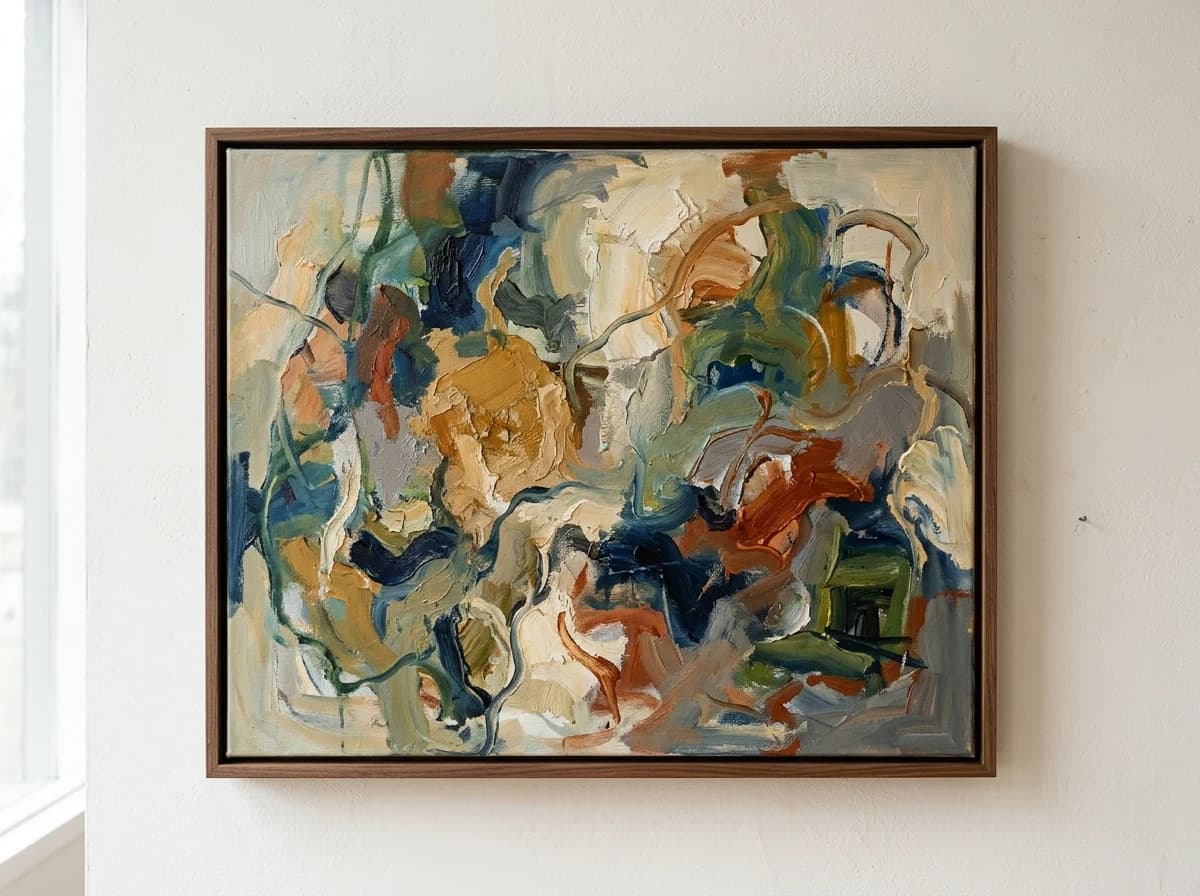
Photography carries a artists site further than any layout does. Grigora gives every image a place to sit, keeps it sharp on a phone, and loads it without slowing the page.



Why Artists choose Grigora over generic builders
Generic tools like Wix or Squarespace aren't built for creative professionals. We are. See the difference a dedicated platform makes.
Wix, Squarespace, etc.
All-in-one Platform
Get found when collectors search 'artists near me' or 'best art style'
Grigora automatically handles technical SEO, including Schema.org markup and Core Web Vitals optimization, to help your art portfolio rank #1.
Visibility Amplified
Our platform ensures your art ranks higher in search results, connecting you with galleries, collectors, and fans worldwide.
Lightning-Fast Load Times
Keep visitors engaged with blazing-fast portfolio loading speeds, crucial for high-resolution artwork and user experience.
Artist Website Guide
What Every Artist Website Needs to Succeed
For visual artists, musicians, writers, or performers, your website is your digital gallery, portfolio, and primary channel for connecting with collectors, fans, or collaborators. In a vibrant creative landscape, from independent Etsy sellers to gallery-represented painters, a compelling online presence is crucial for showcasing your unique style, sharing your story, and making your art accessible to a global audience. It's your artistic statement to the world.
Portfolio / Gallery
Showcase your best work with high-resolution images or media files. Organize by series, medium, date, or theme. Each piece should have its own dedicated page with details like title, year, medium, dimensions, and availability.
Directory MakerArtist Statement / About
Share your artistic philosophy, inspiration, techniques, and journey. This personal narrative helps viewers connect with your work on a deeper level and understand your vision.
Exhibitions & Events
List past and upcoming exhibitions, shows, open studios, or performances. Include dates, locations, and any relevant links. This keeps collectors and fans informed of where they can experience your work.
Contact / Commissions
Make it easy for galleries, collectors, or potential clients to reach you. Provide an email address and a contact form, and clearly state your availability for commissions or collaborations.
Forms & LeadsCV / Biography
Provide a professional artist's CV or a detailed biography outlining your education, awards, publications, and professional affiliations. This builds credibility and professional recognition.
Process & Studio TourMost artists skip this!
Offer a glimpse into your creative process, your studio, or behind-the-scenes moments. This demystifies art-making, builds deeper engagement, and adds authenticity to your brand.
Blogging & SEO3 Mistakes Artists Make With Their Website
Poor Quality or Inconsistent Imagery in Gallery
For visual artists, the artwork itself is the product. Using blurry, poorly lit, or inconsistently sized images of your work greatly diminishes its perceived value and professionalism. Invest in high-quality photography that accurately represents your art's colors and textures.
Missing or Vague Artist Statement/Biography
Collectors and curators want to understand the artist behind the work. A website without a compelling artist statement or a clear biography fails to provide context, inspiration, or personal connection, making it harder for viewers to engage deeply with the art.
No Clear Path for Contact or Purchase (Even if external)
Artists often make it difficult for interested parties to inquire about purchases, commissions, or exhibitions. A website without a prominent contact form, email address, or clear links to external sales platforms (if applicable) creates friction and can lead to lost opportunities.
Ready to Master Your Online Canvas and Showcase Your Art?
Grigora's drag-and-drop builder and directory maker allow you to create stunning, high-resolution galleries and portfolios. Build a website that perfectly frames your art, shares your story, and connects you with collectors and fans worldwide.
Start Building for FreeNo credit card required
Everything you need to run a modern artists
Grigora isn't just a website builder. It's a complete operating system for your online presence.
Stunning Portfolio Layouts
Showcase your art with elegant, customizable gallery designs that make your work shine on any device.
Integrated Blog & Updates
Share your artistic journey, process, and inspirations with a built-in blogging system that engages your audience.
Client Commission Forms
Streamline new project requests with custom forms, making it easy for clients to connect and commission work.
Event & Exhibition Listings
Promote your upcoming shows, workshops, and events with dedicated sections and easy-to-manage listings.
Secure Image Protection
Protect your intellectual property with built-in features that deter unauthorized downloads and image theft.
High-Resolution Galleries
Display your artwork in breathtaking detail without compromising website speed or user experience.
From a blank canvas to a stunning online gallery in minutes
Choose Your Design
Select from artist-focused templates designed to beautifully display visual content.
Upload Your Artwork
Easily add your high-resolution images, videos, and descriptions with our intuitive drag-and-drop editor.
Launch & Promote
Go live with a professional website optimized for search engines and social sharing, attracting new viewers.
Add commerce to the website you build.
When selling fits your business, add products, publish branded product pages, take payments, and manage orders through Grigora Commerce.
Flexible catalog
Sell physical goods and digital products with collections, variants, SKUs, pricing, and stock controls.
Checkout that fits
Use connected Stripe or Razorpay checkout, or route buyers through an external checkout URL.
Operational controls
Track inventory, customers, orders, and manual fulfillment; configure shipping and tax settings, discounts, and invoices.
Merchant-controlled operations
Connect your own payment account while keeping carrier, delivery, and tax-compliance decisions in your hands.
Payments are processed by your connected provider; fulfillment and tax compliance remain your responsibility.
Commerce
Overview
Products
Catalog
Variants & stock
Orders
Manage
Payment & fulfillment
Customers
Track
Purchase history
Recent orders
Sample storefront activity
Digital product
Protected download
Physical product
Manual fulfillment
Template product
Delivery complete
Powering thousands of websites and growing







Loved by the artistic community
Join thousands of artists growing their audience and business with Grigora.
"I started using Grigora because I was tired of juggling different tools for SEO and content creation. What really amazed me was how smart the AI is. It didn’t just build my website, it actually optimized it for me. From keyword suggestions to schema markup, meta tags, and analytics, everything was taken care of."

Hemal B.
"Our website went down unexpectedly, and Grigora made it really easy to get back online quickly. The setup was simple, the dashboard is easy to navigate, and support was responsive when I needed help connecting the domain. Everything’s been working smoothly since."

Firm For The Culture
"Our team trialled Grigora CMS to see if we could speed up client site launches, and we’ve been impressed. The platform offers a solid feature set, templates, flexible content models, and a clean editor, all of which help us deliver projects faster. Deployments are smooth and the built-in performance optimizations keep pages loading quickly."

Mark Dalton
"Grigora is fast, reliable, and incredibly easy to use, even for someone building a website for the first time. The interface feels smooth and intuitive, and the AI Builder can generate beautiful websites in minutes. I’m also impressed by the team’s transparency and responsiveness."

Satoshi K.
"Easy to use! 5 stars."

Jenna Milesi
"I’ve been genuinely impressed. The platform is blazing fast, intuitive, and extremely easy to use, even for someone who doesn’t have a technical background. Grigora makes building websites feel effortless. I highly recommend Grigora to freelancers, entrepreneurs, and agencies."

Adam Bri
"Easy Setup to produce a professional-looking website in under an hour using drag-and-drop tools and smart templates. All-in-One Platform that hosts, SSL, CDN, and SEO tools are built in, no need to manage separate subscriptions. Helpful support team assists with questions."

Matthew R.
"This platform is incredible! It combines the power of AI with the intelligence of a standard website builder. It's truly powerful for creating and tweaking pages. I'm so happy I got it."

Barry Pelkey
"I moved my wordpress blog site to Grigora, since wordpress got to complex to maintain. Compelling argument: Grigora can import all your posts from wordpress. The Grigora team is really innovative. They integrated SEO as part of the fabric of the system."

Richard de Laat
"After years of juggling WordPress, plugins, and separate tools for SEO, email, and hosting, discovering Grigora felt like a revelation. The interface is clean and fluid, the drag-and-drop builder is intuitive, and the loading speed is outstanding."

Paul Stefan Jureschi
"I've used a lot of website builders, but it's always taken me a lot of time to get things integrated. Grigora offers website building and hosting, email marketing, and basic keyword research in a single interface. It's easy to use and offers migration from Wordpress."

Jessica B.
"Grigora brings together web development, SEO, and email marketing in one powerful ecosystem. This one stands out for how smoothly it integrates AI into the creative process. The ability to auto-generate FAQs and blog posts with built-in schema markup saves me hours of manual optimization."

POCHOLO G.
"I am not very experienced with web designing, but Grigora has proven to be a very helpful website builder with AI features. I no longer have to rely on other web developers for my hotel business, as I can now create and manage my website on my own. It also allows me to handle SEO, which saves both time and money."

RAVINDER A.
"Grigora positions itself as an all-in-one platform designed to make website creation radically faster. It blends the simplicity of Webflow or Squarespace with the depth of WordPress, but with an emphasis on speed, built-in SEO, and AI-driven content automation. It feels refreshingly unified."

Kai White
"The ease of building a site. The intuitive interface allows me to quickly customize layouts, add images, and arrange content exactly how I want it. The drag-and-drop functionality operates so smoothly and quickly that it turns the design process into an enjoyable experience. I don't see myself going back to wordpress."

Michael W.
"The ease of use and the excellent onboarding experience from the Grigora team, as well as the intuitive user interface and excellent website design elements makes Grigora a standout. The websites I've generated with them are the best I've ever created."

Herman Louw


Frequently asked questions
Yes, Grigora's website builder with its drag-and-drop editor, 50+ customizable blocks, and ready-made templates is perfect for artists. You can create a professional, responsive, and mobile-friendly website to display your artwork with high-quality images, ensuring it looks exceptional on any device.
The directory maker feature is ideal for creating categorized galleries of your artwork. You can list each piece with detailed descriptions, materials, and creation dates, providing context for your work. AI image generation can also help enhance your artwork photos for optimal presentation.
Grigora includes robust SEO tools to boost your art visibility. This features built-in on-page SEO suggestions, a keyword research tool for art-related terms, meta tag customization, and schema markup generation. URL optimization and Google Search Console integration will help your website rank higher in relevant searches.
Yes, Grigora's interactive form builder allows you to create custom lead capture forms for art inquiries or commission requests. You can also use newsletter subscription forms and popups to build an email list, which can be managed with Grigora's built-in newsletter system for sending show announcements and updates.
Grigora features a built-in privacy-friendly analytics dashboard, providing insights into traffic and engagement. You can also integrate Google Analytics for more detailed data. These tools help artists understand which pieces are most popular and how visitors interact with their portfolio, allowing for better promotional strategies.
Grigora's built-in blogging platform is ideal for publishing artist statements, insights into your creative process, or exhibition news. The AI blog writer and outline generator can assist in crafting eloquent posts that connect with your audience and share your artistic journey.
Yes. Grigora Commerce tracks inventory per SKU, so if you list a run of 25 prints, each sale reduces the count and the listing reflects sold out once stock hits zero. Use product variants for different sizes or framing options, each with its own SKU, price, and inventory count.
Yes. Grigora Commerce supports digital downloads with protected delivery alongside physical goods, so a single product page can offer an original painting, a physical print, and a digital download of the same artwork, each priced and fulfilled differently through Stripe or Razorpay checkout.
Use a directory instead of the blog for your body of work. Directories are structured content collections with typed fields, so you can set up a "Paintings" or "Series" directory with fields for medium, dimensions, year, and image, keeping large bodies of work organized and browsable rather than listed chronologically like posts.
Yes, on a per-product basis. Grigora Commerce supports pay-what-you-want pricing, so you could enable it for sketches or older inventory you want to move while keeping fixed one-time pricing on current work.
Not if it's on Wix, Webflow, or Blogger. Grigora offers automatic migration from those platforms, bringing your existing site content over instead of requiring you to recreate every page and image manually.
What people ask about artists websites
How do I sell an original painting online and handle shipping?
List the piece with a stock of one so it closes when bought, then set shipping rates by weight or as flat rates per region for large works. When an order comes in you fulfil it manually, mark it shipped, and the buyer gets an invoice and receipt automatically.
How is this different from Squarespace for an artist portfolio?
The starting point differs: you describe your practice and get a complete drafted site rather than filling a template. Beyond that, structured collections for the catalogue, a store for originals, editions and files, newsletters and SEO tooling sit in one subscription instead of arriving as separate add ons.
What should an illustrator include on a portfolio website?
Selected work grouped by client or type, a clear list of the services you take on, rates or a rate range if you publish one, a short about section, and a contact form. Add a shop for prints and digital files, and a list signup for new work announcements.
How much does an artist website cost?
Expect $15 a month on Starter, billed annually at $144 a year, or $25 a month for Pro. There is a free trial to build on before paying, but no permanent free tier. Sales are processed by your own Stripe or Razorpay account at their rates.
Common searches related to artists
- website builder for artists
- how to sell original paintings online
- artist portfolio website with online store
- sell prints of your artwork online
- website for selling digital art downloads
- artist website builder vs Squarespace
- migrate art portfolio site from Wix
- portfolio website builder for illustrators
Other types of websites you can create with AI
Ready to bring your art to the world?
Join 10,000+ artists showcasing their genius with Grigora. Launch your stunning, high-performance website by tonight.
14-day free trial • No credit card required • Cancel anytime