How to create your heavy equipment rental website.
Start with an idea or a relevant template. Refine it around your heavy equipment rental audience and the information they need.
Describe your heavy equipment rental website
Tell the AI who you serve, what you offer and the style you want. Include equipment catalog & categories and rental rates & terms in your brief, or choose a relevant template.
Name your audience and the next action you want visitors to take.
Review and make it yours
Edit your draft visually. Add your own photographs and review equipment catalog & categories, rental rates & terms, equipment availability & booking inquiry before sharing your website.
Confirm every claim and replace sample content with your actual details.
Preview, then publish
Check the website on phones, tablets and desktop screens. Publish with hosting and SSL, and connect a domain you own when your plan includes custom domains.
Test your contact form and every external service link after publishing.
The details that help visitors choose
Equipment Catalog & Categories. One clear website.
A heavy equipment rental website puts your fleet, your rates and your yards in front of contractors before they call, and Grigora builds one for rental yards and machinery dealers from a description of the business. The AI drafts the site, copy and images included, across one of 130+ templates, and you edit it visually with drag and drop.
Equipment Catalog & Categories
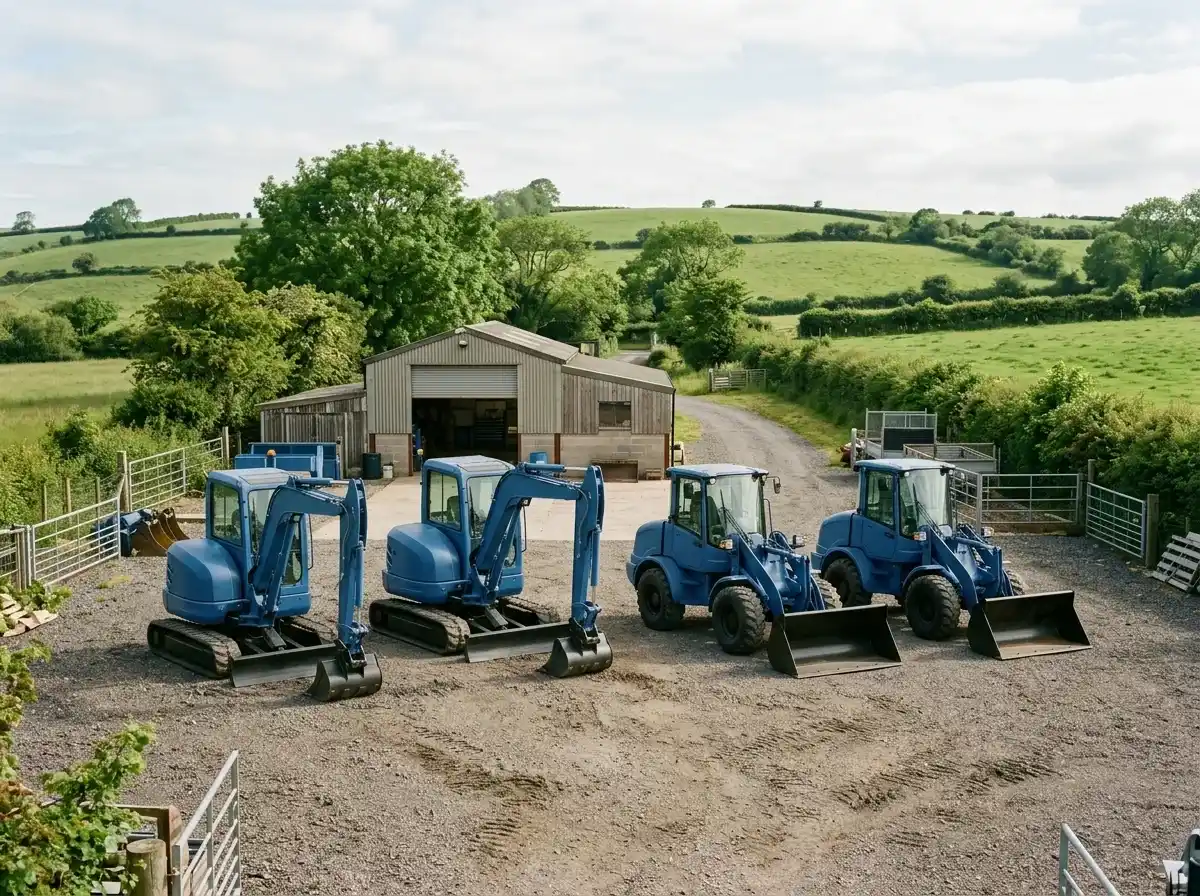
Display your complete fleet of heavy equipment, organized by clear categories (e.g., excavators, bulldozers, loaders, aerial lifts, compactors). Provide high-quality images, detailed specifications, and relevant attachments for each piece. Allow for easy searching and filtering.
Rental Rates & Terms
Be transparent about your pricing structure – daily, weekly, monthly rates. Clearly outline rental terms, minimum rental periods, delivery/pickup fees, and any insurance requirements. Clear pricing upfront builds trust and helps clients budget effectively.
Equipment Availability & Booking Inquiry
Provide a way for clients to check equipment availability in real-time or submit an inquiry for specific dates and locations. An online request form or integration with an inventory system streamlines the booking process and reduces calls. Specify your service area.
Display your complete fleet of heavy equipment, organized by clear categories (e.g., excavators, bulldozers, loaders, aerial lifts, compactors). Provide high-quality images, detailed specifications, and relevant attachments for each piece. Allow for easy searching and filtering.
Your work, clearly presented
Interactive design inspiration. Illustrative photography and sample copy.
Plan the pages your visitors will use
The right information. A complete picture of your work.
A practical heavy equipment rental website content guide. Choose the pages that fit what you do and keep the important answers close.
Equipment Catalog & Categories
Display your complete fleet of heavy equipment, organized by clear categories (e.g., excavators, bulldozers, loaders, aerial lifts, compactors). Provide high-quality images, detailed specifications, and relevant attachments for each piece. Allow for easy searching and filtering.
Rental Rates & Terms
Be transparent about your pricing structure – daily, weekly, monthly rates. Clearly outline rental terms, minimum rental periods, delivery/pickup fees, and any insurance requirements. Clear pricing upfront builds trust and helps clients budget effectively.
Equipment Availability & Booking Inquiry
Provide a way for clients to check equipment availability in real-time or submit an inquiry for specific dates and locations. An online request form or integration with an inventory system streamlines the booking process and reduces calls. Specify your service area.
Maintenance, Safety & Support
Emphasize your commitment to safety and equipment reliability. Detail your maintenance schedules, inspection protocols, and certifications. Clearly outline your support services, including emergency breakdown assistance and on-site technical support. This builds immense trust.
Delivery & Logistics Capabilities
Explain your delivery and pickup services, including your service radius, transport capabilities for large equipment, and any associated costs. Highlight your ability to deliver equipment precisely when and where it's needed, a crucial factor for project timelines.
Project Showcase & Industry Applications
Feature case studies or a photo gallery of your equipment in action on various job sites or project types (e.g., commercial construction, road building, landscaping, demolition). This helps prospective clients visualize your fleet's utility and your company's experience in their specific sector.
Learn from the pages visitors use.
Review site analytics to understand which pages people visit. Keep equipment catalog & categories and contact information easy to reach, and update them when your work changes.
Choose how visitors to your heavy equipment rental website reach you. Make each action fit the services and processes you already use.
Give enquiries a clear route
Help visitors ask about equipment catalog & categories. Use a contact form that collects the details your team needs, and explain what happens after an enquiry.
Your team reviews requests and confirms the next step.
Connect the services you use
Keep specialist workflows for your heavy equipment rental website in the services you already use. Add clear links and explain their process before visitors leave your site.
Your chosen provider handles its own availability, confirmations and account access.
Add commerce when it fits
If you sell products or agreed services, add Grigora Commerce product pages, a cart and checkout with your connected Stripe or Razorpay account. Explain prices, terms and fulfillment before accepting payment.
Your team manages orders and fulfillment; payment provider fees and terms apply.
Good heavy equipment rental website SEO starts with useful pages. Make equipment catalog & categories, your contact details and your story easy to find.
Illustrative search result
Your website
https://heavy-equipment-rental.example/
Your website | Heavy Equipment Rental
Explore equipment catalog & categories and rental rates & terms, learn about our approach and find out how to contact us.
Fictional example. Search engines choose the final title and snippet.
Titles and descriptions you can edit
Give pages for equipment catalog & categories and rental rates & terms clear titles. Write descriptions that match their actual content.
Useful information for your audience
Explain equipment catalog & categories with original copy and relevant photographs. Keep contact details and any locations you serve accurate.
Connected hosting and published pages
Publish with hosting, HTTPS and a sitemap. Use clear navigation so visitors and search engines can reach your pages. Custom domains are available on paid plans.
Use relevant photographs, helpful image descriptions and original copy about your work and the people you serve.
Try the AI builder and review your first heavy equipment rental website draft. Check the pricing page for current features and usage limits.
A first draft you can review and customize
Website hosting, SSL and CDN included
Page, form and newsletter usage limits to review
Choose room for your website to grow
Compare plans for your domain and the content your heavy equipment rental website needs. Paid plans add custom domains and Directory Maker for structured content.
Connect a domain you own
Organize content with custom directory fields
Choose capacity for your pages, content and enquiries
Check current plan limits and feature eligibility before choosing. Connected payment providers have their own terms and processing fees.
The last check before going online
Ready for your first online visitor?
Walk through your heavy equipment rental website as a visitor would. Review these details before publishing, and again whenever your content changes.
0 of 5 items reviewed
Before you go online
Heavy Equipment Rental website builder FAQs.
Clear answers about creating a heavy equipment rental website, its content and the tools you can use.
How can Grigora help me build a website to showcase my heavy equipment rental inventory?
Grigora's drag-and-drop website builder with 50+ customizable blocks and 50+ templates is ideal for heavy equipment rental businesses. You can easily create detailed pages for various machinery like excavators, bulldozers, or cranes, complete with high-quality images, specifications, and rental terms. The responsive design ensures your inventory is easily browsed on any device by contractors and construction companies.
Can I highlight different types of heavy equipment, their applications, and safety guidelines?
Yes, Grigora's Directory Maker is perfect for creating sections to display heavy equipment categorized by type, project size, or industry. You can include images, detailed specs, and information on suitable applications. Our built-in blogging platform can also be used to share articles on equipment maintenance, site safety, or industry news, positioning your company as a knowledgeable resource.
Does Grigora offer SEO tools to help my heavy equipment rental website attract more clients?
Grigora provides robust SEO tools to boost your website's visibility. This includes built-in on-page SEO suggestions, a keyword research tool to target terms like 'excavator rental your city' or 'construction equipment hire,' and meta tag customization. You can also generate schema markup for equipment listings and optimize URLs, crucial for local and industry-specific searches. Google Search Console integration helps monitor your site's performance.
How can I manage inquiries and lead generation for my heavy equipment rental business?
While Grigora doesn't have a built-in booking system, you can effectively manage inquiries using our interactive form builder. Create custom lead capture forms for specific equipment requests, availability checks, or quote requests. For advanced lead management or to integrate with external CRM systems, you can leverage Zapier via webhooks, connecting Grigora to thousands of other applications to streamline your workflow.
Can I use AI to generate descriptions for my heavy equipment or blog posts about construction projects?
Absolutely. Grigora includes powerful AI tools that can assist significantly with content creation. You can use the AI blog writer and outline generator to create articles on construction project management or equipment selection. The AI paragraph rephraser can help you craft compelling and detailed descriptions for your heavy equipment pieces, saving you time and enhancing your website's content.
What kind of analytics tools are available to track interest in my heavy equipment rental offerings?
Grigora offers a built-in privacy-friendly analytics dashboard, providing insights into traffic, engagement, and performance. You can also integrate Google Analytics for more detailed reporting. These tools help you understand which equipment categories are most popular, how contractors find your site, and how they navigate your inventory, allowing you to refine your offerings and marketing strategies.
How does Grigora ensure my heavy equipment rental website is fast and secure?
Grigora ensures your website is secure and performs optimally by including free SSL, CDN, and hosting. Automatic load balancing and server auto-scaling guarantee that your site can handle traffic spikes, keeping it responsive and available during critical construction planning periods. This robust infrastructure is vital for establishing trust and providing a smooth experience for clients.
Can I list every excavator, skid steer, and attachment in my fleet with its own specs and photos?
Build your fleet as a Grigora directory instead of hand-coding a page per machine. Each unit gets typed fields - image or multi-image for photos, text fields for weight/dig depth/lift capacity, an option field for equipment category, a switch field to flag whether it's currently available or out on a job, and a reference field to link compatible attachments - so the listing stays structured as your fleet grows.
I run more than one rental yard - how do I show customers which location actually has a given machine?
Give each yard its own directory entry with a map field for its address, then use a reference field on every piece of equipment to point back to the yard(s) that stock it. A customer looking at a specific dozer or telehandler can see which branch has it before they call, instead of you fielding availability calls for every location.
Can customers actually pay a deposit through my website, or is Commerce only good for retail products?
Grigora Commerce can charge a day-rate or deposit on an equipment listing through Stripe or Razorpay checkout. If you already run a dedicated rental/reservation system for contracts and damage waivers, you can instead point the listing to an external checkout URL so the equipment page just hands off to your existing booking flow.
Can I stop emailing the same spec sheet or operator manual to every contractor who asks?
List load charts, dig-depth charts, and operator manuals as digital downloads with protected delivery in Commerce - priced as a fixed one-time purchase or with pay-what-you-want pricing - so contractors get secure access on their own instead of you re-sending the same PDF for every job.
Can I get a dispatch@ or service@ address on my own domain without a separate email provider?
Grigora Mail runs on your custom domain starting at $5/month with up to 10 aliases, so dispatch, rentals, and service inquiries can each land in their own address inside one Gmail-like inbox - with the built-in AI assistant to draft quick replies to availability questions - instead of everything piling into one shared inbox.
How much does an equipment rental website cost?
Paid plans start at $15 a month on Starter billed annually, which is $144 a year, and Pro is $25 a month. There is a free trial rather than a free tier. Deposits and payments run through your own Stripe or Razorpay account, and dispatch mailboxes are $5 a month each.
How do I show daily, weekly and monthly rental rates?
Put the rate periods in typed fields on each machine record so every listing shows day, week and month rates in the same place and format. If you would rather quote, publish the day rate as a guide and route the rest to an enquiry form with dates and delivery address.
Is this like Booqable, with a rental availability calendar?
No. Grigora has no per-date availability calendar, reservation engine or check-out and check-in flow. It handles the public catalogue, spec pages, enquiry forms and a deposit taken through checkout. Availability keeps living in the rental software or the whiteboard you run the yard on today.
How do I switch a rental yard website from Wix?
There is no Wix importer, so plan on rebuilding rather than transferring. Describe the yard, take the AI draft, then re-enter machines as directory items with their specs and re-upload photos. Redirect your old equipment page URLs so contractors who bookmarked a machine still reach the right listing.