
A Tilda alternative when the page cap and the per-site price start to bite
Tilda combines predefined blocks with Zero Block design and animation tools. Compare its per-site page limits, Feeds blog workflow, team licensing and export options with Grigora’s managed CMS, newsletter and store. Both platforms have plan allowances; choose according to the design and publishing workflow you need.
Published by Grigora · Updated · Sources and method
Is Grigora the right Tilda alternative?
Grigora is a Tilda alternative for a business that wants website publishing, newsletters and a store in one platform. Tilda is a stronger fit for art-directed layouts, Zero Block animation and static code export on Business. Compare page allowances carefully: Grigora also has page limits on Starter and Pro.
Choose Grigora if you want…
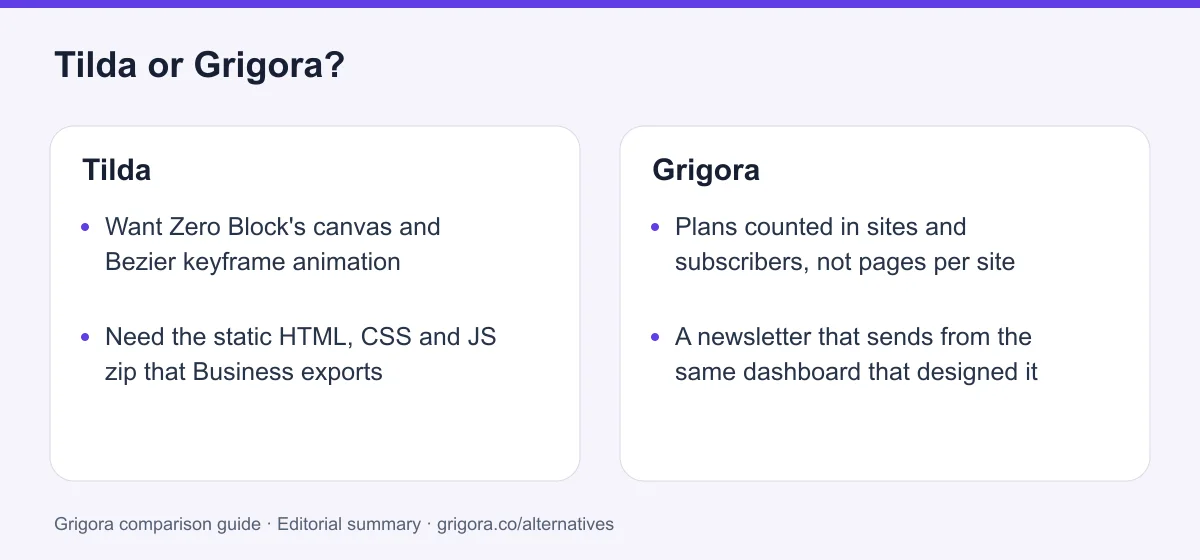
- Plans counted in sites and subscribers, not pages per site
- A newsletter that sends from the same dashboard that designed it
- Files, PDFs and digital downloads hosted on the platform
- A store with no platform commission on your own gateway
- A published price for every part of the bill
Stick with Tilda if you…
- •Want Zero Block's canvas and Bezier keyframe animation
- •Need the static HTML, CSS and JS zip that Business exports
- •Run several client sites and want the lowest per-site price
Tilda or Grigora: the decision in one view
Tilda alternatives at a glance
How Grigora and the other design-led builders compare on limits, price and what you can take with you.
Swipe the table sideways to see every column
| Platform | Best for | Free access | Starting price | Sales fees | Data and site portability |
|---|---|---|---|---|---|
| Grigora | Site, newsletter and store in one plan | Free trial | From $12/mo billed annually | 0% platform fee; Stripe/Razorpay fees apply | Posts/content; rebuild design |
| Tilda | Art-directed long-reads and landing pages | Yes (50 pages, Tilda badge) | From $10/mo annual | None documented | Source code, Business only |
| Webflow | Designer-grade builds with CMS | Yes | From $15/mo | 0% except 2% Ecommerce Standard; processing extra | Static code on eligible Workspace; CMS/store separately |
| Squarespace | Polished templates | No (trial) | From $19/mo | 2% on Basic, 0% on Core+ | Partial |
| Wix | Templates and app market | Yes (Wix ads) | From $17/mo | 0% (processing only) | No |
| Framer | Design and animation fidelity | Yes (Framer domain) | From $10/mo | No native store | CMS via plugins; confirm full site export |
List pricing (billed yearly where offered) as of September 2026; payment-processor fees apply wherever a store exists. Verify current pricing on each provider's site.
Sources for the overview table
- Grigora: official reference 1
- Webflow: official reference 1, official reference 2
- Framer: official reference 1, official reference 2
Why people switch from Tilda to Grigora
The four places the block library runs out of room.
The 1,000-page wall has no door
Landing pages accumulate quickly when every campaign gets one. Tilda's FAQ says the per-site page limit cannot be expanded, so the answer is a second website, which is the next plan up.
One website on Personal, and the rungs above are unpriced
Personal covers a single site. Business covers five. The 10, 15, 20 and 30 site upgrades are documented in the help centre but their prices appear only inside the logged-in dashboard.
The team costs extra and you cannot find out how much
Terms of Service clause 7.10 puts the Collaborators licence outside the plan price, with the amount visible only in Site Settings. The advertised monthly figure is a one-person number.
Half the marketing stack still has to be bought
The campaign builder does not send, there is no subscriber list or automation, and files cannot be uploaded at all. Email and file hosting both become separate vendors.
What Tilda does well
- Zero Block is a real design canvas with a built-in vector editor
- Timeline animation with Bezier easing, parallax and pin-on-scroll
- 600 plus blocks and 210 plus templates for editorial layouts
- Static source code export and API access on the Business plan
Where Tilda falls short
- 1,000 pages per website, and the FAQ says it cannot be raised
- No native email sending, subscriber list or automation
- No file uploads at all; 5 MB video cap and 1,680 px image downscaling
- Team access is licensed separately and its price is not published
Grigora vs Tilda at a glance
What each plan lets you build, and what it stops you building.
| Feature | Tilda | Grigora |
|---|---|---|
| Entry paid plan (annual) | $10/mo, 1 website | $12/mo, 1 site |
| Pages per website | 1,000, cannot be raised | Page allowances vary by plan |
| Free plan page limit | 50 pages, 100 blocks | free trial available |
| Block library | 600+ blocks, 210+ templates | Block editor, website templates |
| Email sending | Design only, send via Mailchimp or SendGrid | Included, 2,500 to 25,000 subscribers |
| File and PDF hosting | No | Included, plus digital downloads |
| Team access | Licensed separately from the plan | Not a separate line item |
| Source code export | Business plan only | No |
| Free SEO tools suite | No | Free tools |
Grigora vs Tilda: feature by feature
A category-by-category breakdown, pricing, AI, design, e-commerce, email, SEO, performance, and support.
Zero Block, the vector editor and keyframe motion
Fit: TildaThe honest one first. Zero Block is not a fancier section editor, it is a free-form canvas: layers, absolute positioning, a grid, Auto Layout, opacity and shape tools, a built-in vector editor, and per-breakpoint control. Step-by-Step Animation adds a timeline with Bezier easing, parallax, pin-on-scroll and fixed-on-scroll, all set visually. Designers get parity with a Figma wireframe without writing CSS. Grigora's block editor is faster to learn and nowhere near as expressive.
| Feature | Grigora | Tilda |
|---|---|---|
| Free-form canvas with layers | No | Zero Block |
| Built-in vector editor | No | Yes |
| Timeline keyframes with easing curves | No | Step-by-Step Animation |
| Scroll behaviours (parallax, pin, fixed) | Basic | Yes |
| Block library size | Block editor, website templates | 600+ blocks, 210+ templates |
| Custom code injection | Yes | Paid plans only |
Takeaway: If the page has to be art-directed and animated, Tilda wins this category and it is not close.
600 blocks, 1,000 pages: the ceiling on the library
Fit: GrigoraTilda’s paid website page limit and Feeds post allowance are different units. Its FAQ lists a 1,000-page site cap, while Feeds supports a separate blog workflow. Grigora Starter has 20 pages and 50 GB bandwidth, Pro has 50 pages and 200 GB, and Business has unlimited pages with 500 GB bandwidth. Storage and subscriber limits also vary by plan.
| Feature | Grigora | Tilda |
|---|---|---|
| Pages per website | 20 / 50 / unlimited pages by plan | 1,000, cannot be raised |
| Free plan pages | Free trial | 50 pages, 100 blocks |
| Blocks on the free plan | Free trial | 100 of 600+ |
| Custom domain on free | Yes | No |
| Platform badge on free pages | No | Made on Tilda, fixed on |
| Forms on the free plan | Free trial | No |
Takeaway: Count website pages and blog posts separately. Grigora Starter and Pro have lower page allowances than Tilda’s paid site cap.
Priced per website: Personal's single site and the hidden rungs
Depends on your needsTilda charges by how many websites you keep, and for a freelancer that is genuinely cheap: five sites for $20 a month with annual payment is a low per-site cost that Grigora does not match. The friction starts below and above that. Personal is strictly one website, so a second project means moving up a plan. Above Business there are 10, 15, 20 and 30 site upgrades documented in the help centre whose prices appear only once you are logged in.
| Feature | Grigora | Tilda |
|---|---|---|
| Websites on the entry paid plan | 1 site at $12/mo | 1 site at $10/mo annual |
| Two websites | Pro, $20/mo | Business, $20/mo annual |
| Five websites | Business, $45/mo | Business, $20/mo annual |
| Ten or more websites | White Label plan at $199/mo | Upgrade tiers, price not published |
| Resell under your own brand | White Label plan | No |
Takeaway: Tilda is the cheaper way to park five sites; Grigora is the cheaper way to run one that trades.
The Email Campaign Builder that does not send
Fit: GrigoraTilda ships a real newsletter designer, and the live pricing-compare page is candid about what happens next: you send through your own Mailchimp or SendGrid account, or take the HTML to another service. There is no native sending engine, no subscriber list management and no drip automation. The only native email is a one-to-one reply to a lead inside Tilda CRM. Grigora keeps the list, the campaign and the automation in the same subscription as the site.
| Feature | Grigora | Tilda |
|---|---|---|
| Newsletter designer | Included | Email Campaign Builder |
| Native sending | Yes | No |
| Subscriber list management | 2,500 to 25,000 by plan | Lives in your ESP |
| Automation and drip sequences | Included | No |
| Segmentation | Included | In your ESP |
| Professional mailbox | From $5/mailbox | Separate provider |
Takeaway: Tilda hands you the artwork. Something else still has to press send.
Tilda Feeds, and content that is not a post
Fit: GrigoraFeeds is a proper blog CMS and deserves credit: a dedicated post editor, unlimited posts, categories and tags, scheduled publishing, search and sorting, several feeds on one site, and sitemap and robots handling. The shape is the limit. Beyond Feeds and the product Catalog there are no custom content types, so a directory of members, venues or case studies has no home. Grigora adds structured collections and moderated comments as standard.
| Feature | Grigora | Tilda |
|---|---|---|
| Blog with categories and tags | Yes | Tilda Feeds |
| Scheduled publishing | Yes | Yes |
| Arbitrary content types | Directories and collections | Posts and products only |
| Comments with moderation | Included, with admin replies | No |
| Author profiles | Included | Manual |
| AI writing in the CMS | Yes | AI text generation on the page |
Takeaway: Anything that is not a post or a product has to be faked as a page, and pages are the thing Tilda counts.
Catalog, checkout and the file you cannot upload
Fit: GrigoraTilda's store is real: cart, product options, promo codes, dynamic discounts, customer accounts, an order dashboard, store statistics, CSV and YML import and export, and a catalogue up to 5,000 products on Personal or 50,000 on Business. Two gaps matter. Tilda's FAQ states plainly that you cannot upload files to Tilda, so PDFs and downloads go on Google Drive or Dropbox, which rules out selling a digital product cleanly. Delivery is manually configured flat options rather than live carrier rates, and no Tilda page documents automatic tax calculation at checkout.
| Feature | Grigora | Tilda |
|---|---|---|
| Cart and catalogue | Yes | 5,000 products, 50,000 on Business |
| Digital downloads | Hosted and delivered | Host the file elsewhere |
| File and PDF uploads | Yes | No |
| Self-hosted video | Supported | 5 MB per file |
| Image handling | Full resolution | Downscaled to 1,680 px |
| Platform commission | 0% | None documented |
Takeaway: You can sell a jumper on Tilda. Selling a PDF means hosting it somewhere Tilda does not control.
The zip file: source code export and the API
Fit: TildaThe second honest concession. Tilda's Business plan exports the whole site as a static HTML, CSS and JS zip you can host on your own server, and opens an API. That is a genuine exit route and a genuine client hand-off format, and most hosted builders do not offer it. Grigora has no code export, no headless API and no self-hosting. Content moves; the build does not.
| Feature | Grigora | Tilda |
|---|---|---|
| Static site export | No | Business plan |
| API access | No | Business plan |
| Self-hosting the output | No | Your own server |
| Export on the entry plan | No | No |
| Content export | Yes | CSV and YML for products |
Takeaway: If leaving with the files matters, Tilda Business is the only plan on this page that lets you.
Collaborators, billed outside the plan price
Fit: GrigoraClause 7.10 of Tilda's Terms of Service, version dated 3 September 2026, says the Collaborators licence fee is not included in the price of the plan and is paid separately. The amount is shown only inside Site Settings, so a team cannot price Tilda before signing up. One collaborator can be trialled free for 30 days. Grigora publishes team allowances by plan. Optional mailboxes, domains and payment-provider costs should be budgeted separately.
| Feature | Grigora | Tilda |
|---|---|---|
| Team access included in the plan | Yes | No |
| Seat price published before signup | Yes | Visible in Site Settings only |
| Free trial of a seat | free trial | One collaborator, 30 days |
| Optional add-ons | Mailboxes from $5 | Collaborator licence, price not published |
Takeaway: The advertised $10 or $20 a month is a single-operator price, and you find out the team price after you join.
SEO Assistant, 301s and what the free plan withholds
Depends on your needsOn a paid plan Tilda's SEO coverage is solid and conventional: an SEO Assistant, title and description editing, H1 to H6 control, ALT text, friendly URLs, automatic robots.txt and sitemap.xml, canonical tags, 301 redirects, a custom 404, Open Graph, Search Console verification, no-index switches, AMP and Turbo pages and a broken link checker. On the free plan you get meta tags, headings and ALT text, and nothing else. Grigora matches the on-page controls, adds IndexNow and a large free toolkit, and does not gate redirects behind a tier.
| Feature | Grigora | Tilda |
|---|---|---|
| Meta, headings and ALT | Yes | Yes |
| Sitemap and robots.txt | Yes | Yes |
| 301 redirects | Yes | Personal and above |
| Custom 404 design | Yes | Personal and above |
| IndexNow submission | Yes | No |
| Free SEO tools suite | Free tools | No |
Takeaway: Compare the published SEO controls with your actual content and workflow. Test representative pages for crawlability, metadata and performance; platform features do not guarantee rankings or AI citations.
Explore Grigora before switching from Tilda
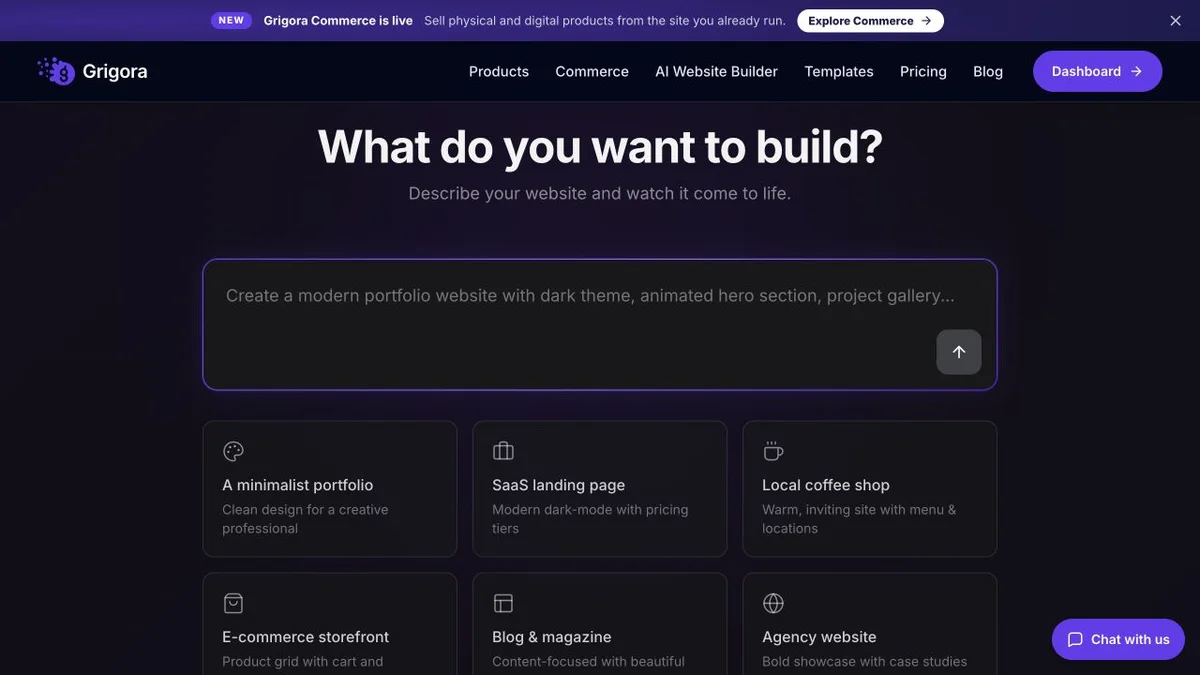
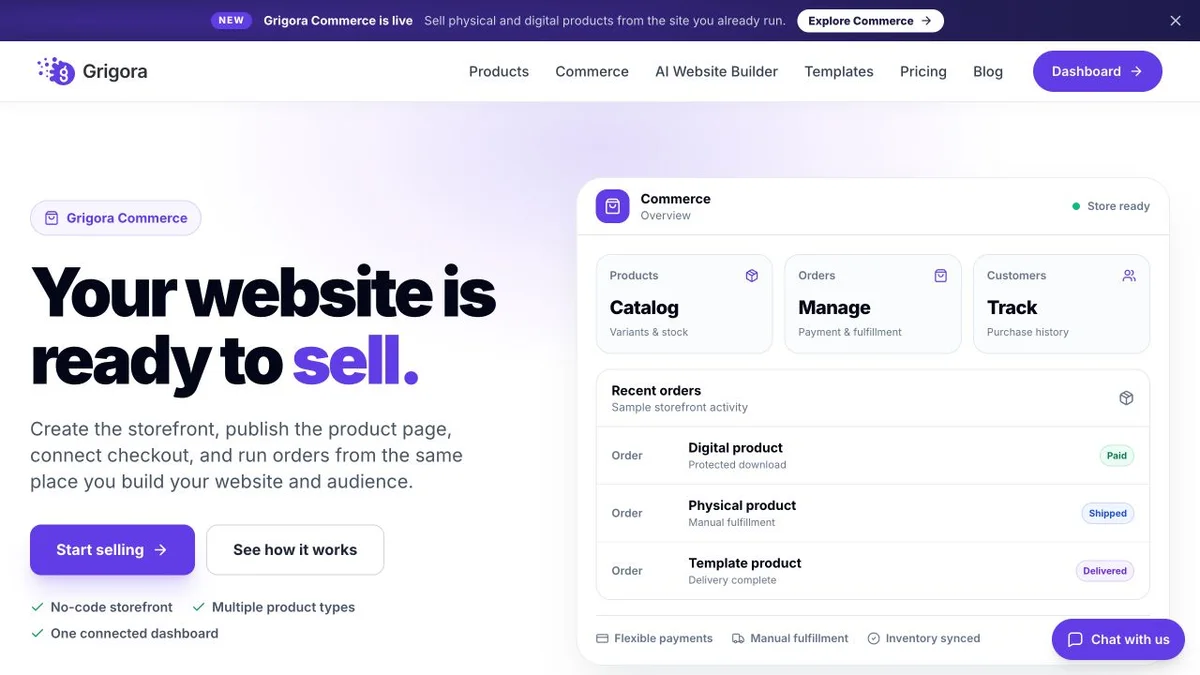
Current public product pages and plans, so you can inspect what you would be moving to. Open any image at full size.
Grigora vs Tilda pricing
Tilda charges by how many websites you keep and caps how many pages each one may hold.
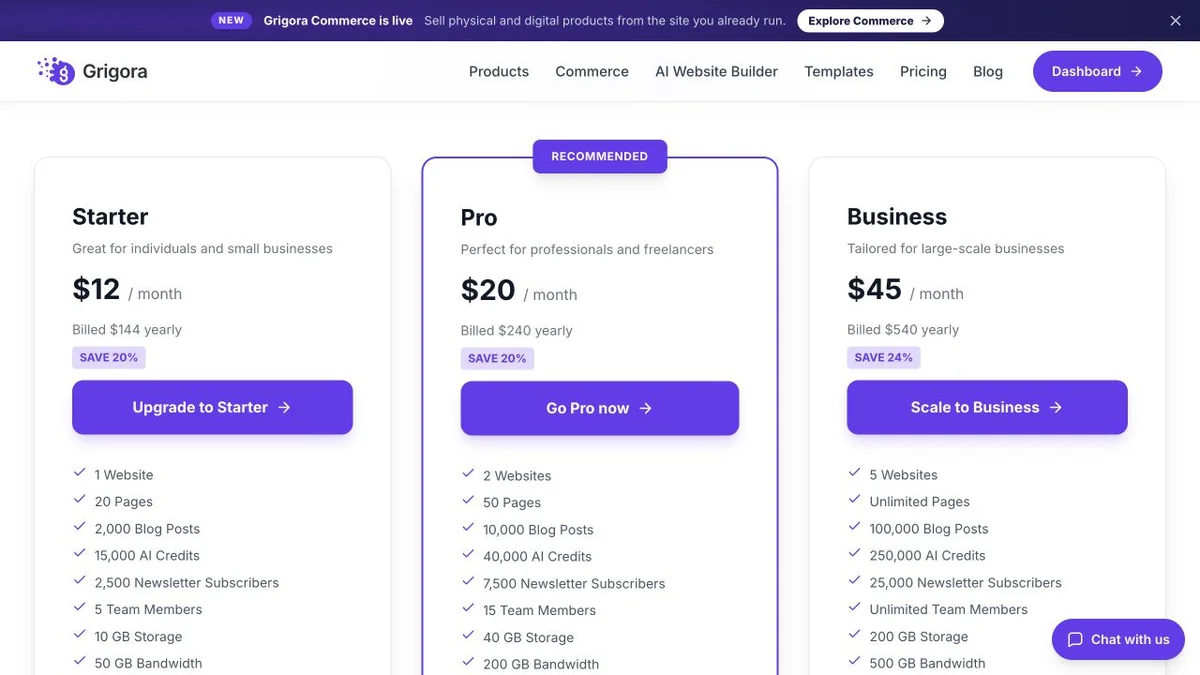
Website, newsletter & store in one plan
Annual rates shown. The CMS, newsletter and store are included on every plan, with 0% platform commission on your own gateway. Professional mailboxes are optional from $5 each; White Label has separate plans.
Priced per website, capped per page
Tilda pricing as listed on tilda.cc/pricing/ and tilda.cc/pricing-compare/ on 11 September 2026. Tilda prints the per-month figure only, so annual totals are not quoted here. The Collaborators team licence is charged separately under ToS clause 7.10 and its price is not published. Removal of the Made on Tilda label requires annual payment on Personal.
Tilda Personal at $10 a month with annual payment is the cheaper website. Grigora Starter at $12 is the cheaper business, because the sending, the file hosting and the store are already in it and the plan is not counted out in pages.
The real cost: Grigora vs Tilda
Take a two-person studio running one content-heavy site with a small shop and a monthly newsletter, for a year. Tilda's headline is low. Count the parts that sit outside it.
| What you pay for | Tilda | Grigora |
|---|---|---|
| Plan for 1 website | $10/mo with annual payment | $12/mo annual |
| Plan for 5 websites | $20/mo with annual payment | $45/mo annual |
| Page allowance per site | 1,000, cannot be raised | Page allowances vary by plan |
| Second team member | Collaborator licence, price not published | Not a separate line item |
| Sending the newsletter | Your own Mailchimp or SendGrid bill | Included, 2,500 to 25,000 subscribers |
| Hosting PDFs and downloads | Google Drive or Dropbox | Included, digital downloads native |
| Leaving with the build | Static zip export on Business | Content only, no code export |
Tilda figures from tilda.cc/pricing/ on 11 September 2026; the Collaborators fee and the Business 10 to 30 upgrade prices are not published. Payment-processor fees apply on both platforms.
Tilda and Grigora: public website references
These captures show each product’s public website. See the feature and pricing sections for capabilities and plan details.

Is Grigora the right Tilda alternative for you?
Where the page cap and the per-site price push people across, and where Tilda keeps the brief.
Best Tilda alternative for content-heavy sites
For a directory or resource library, test the content structure as well as the page count. Grigora offers CMS and directory features with plan-based page, storage and bandwidth allowances.
… for anyone who has to send the newsletter
Tilda designs the campaign and hands it to your own Mailchimp or SendGrid account. Grigora holds the list, sends the campaign and runs the automation in the same plan.
… for selling files, not just objects
You cannot upload a file to Tilda, so a paid PDF, template pack or audio download lives on a third-party drive. Grigora hosts and delivers digital downloads with no platform commission.
Tilda is the right call if the page is the product
For an art-directed long-read, a campaign micro-site or a portfolio where the motion carries the message, Zero Block and Step-by-Step Animation are the better tools, and the Business plan will hand you the zip at the end.
Which one is right for you?
Choose Grigora if…
- Your page count grows faster than a fixed 1,000 per site
- The newsletter has to send, not just look right
- You sell downloads and need the files hosted
- More than one person edits the site
- You want every line of the bill published before you sign up
Choose Tilda if…
- •Zero Block and keyframe animation are the reason you are buying
- •You want the static source code zip on the way out
- •You keep five or more small sites and want the lowest per-site price
How to switch from Tilda to Grigora
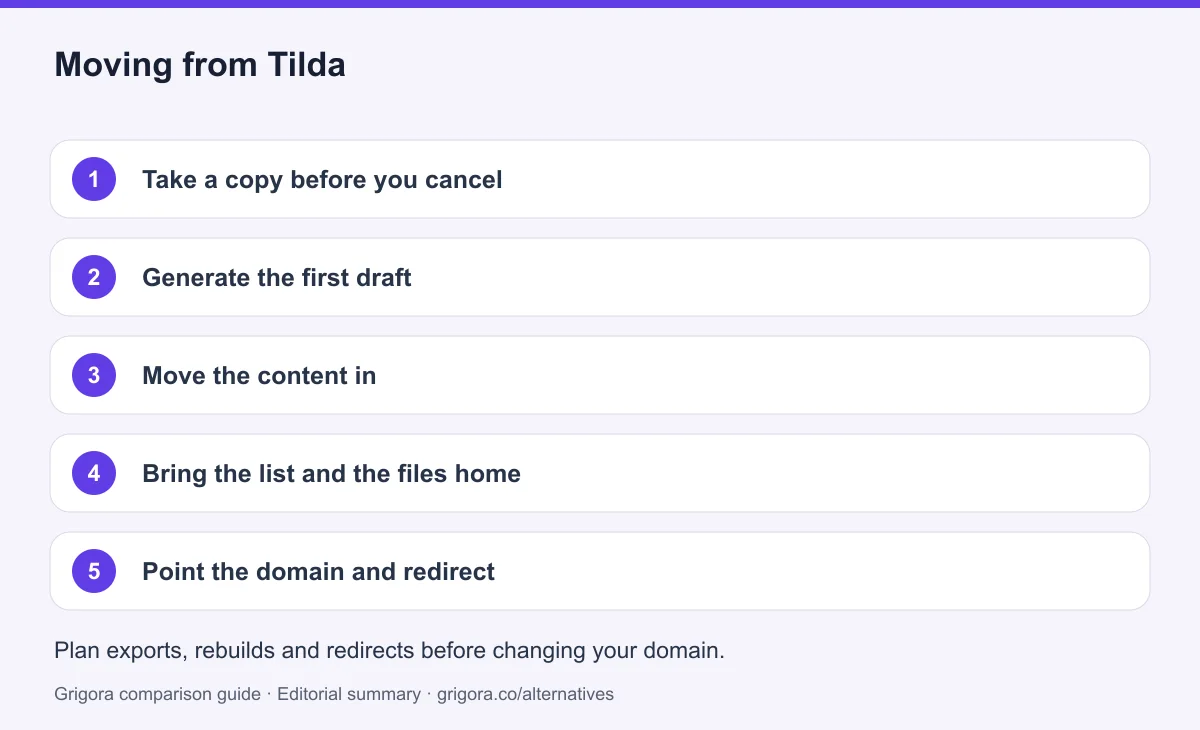
Tilda exports products as CSV or YML, and Business exports the site as a static zip you can keep as a reference. The Tilda layout itself does not import anywhere, so plan on rebuilding with the AI first draft doing the heavy lifting. Before moving everything, test a representative content export and check supported import formats. Keep media backups, reconcile product variants and retain subscriber consent and unsubscribe records; an export does not guarantee a direct import.
- 1
Take a copy before you cancel
If you are on Business, run the source code export and keep the zip. Export products as CSV or YML, and save your Feeds posts. The free and Personal plans have no code export, so screenshot the pages you want to reproduce.
- 2
Generate the first draft
Describe the business in a sentence and Grigora generates pages, layout and copy. Start from that rather than rebuilding 600 blocks by hand.
- 3
Move the content in
Import Feeds posts into the CMS with categories and authors, import products from the CSV, and put anything that was never a post or a product into a directory collection.
- 4
Bring the list and the files home
Import subscribers from the Mailchimp or SendGrid account Tilda was feeding, and re-upload the PDFs and downloads that were living on Google Drive or Dropbox.
- 5
Point the domain and redirect
Keep the old service active while you test the new site. Match existing URL paths or configure permanent redirects, verify canonicals and the sitemap, and test forms and checkout on mobile. Change DNS after these checks, then monitor indexing and errors before cancelling services you no longer need. Rankings may change during a migration.
Why people look for a Tilda alternative in 2026
Almost nobody leaves Tilda because of the design tools. Zero Block, the vector editor and Step-by-Step Animation are the reason people arrived, and 600 plus blocks across 210 plus templates make editorial layouts genuinely quick to assemble. The complaints are about allowances: how many pages one site may hold, how many sites one plan may hold, how many people may open the editor, and which parts of the product are simply not there.
The page ceiling is fixed at 1,000
Every Tilda website is capped at 1,000 pages, and Tilda's own FAQ says there is no way to expand the limit. For a portfolio that is irrelevant. For a business that spins up a landing page per campaign, a location page per city or a guide per product, it is a date in the calendar. The only remedy Tilda offers is another website, and another website means the next plan up.
Personal is one site, and the rungs above it are unpriced
Personal is $15 a month, or $10 a month with annual payment, and it covers exactly one website. Business is $25 a month, or $20 with annual payment, and covers five plus the source code export and API. Above that, help.tilda.cc documents upgrades for 10, 15, 20 and 30 websites whose prices are shown only inside the logged-in dashboard. Team access is a separate charge again: Terms of Service clause 7.10 states that the Collaborators licence fee is not included in the plan price and is paid separately, with the amount visible only in Site Settings.
It designs the newsletter and will not host a file
Tilda's Email Campaign Builder makes a responsive newsletter and then stops. The live pricing comparison says you send it through your own Mailchimp or SendGrid account, or export the HTML elsewhere. There is no list management and no automation. Separately, the FAQ confirms you cannot upload files to Tilda at all: PDFs and downloads belong on Google Drive or Dropbox, self-hosted video is capped at 5 MB per file, and uploaded images are downscaled to 1,680 pixels on the long side. Two common jobs, email and file delivery, both leave the platform.
How Grigora compares
Grigora starts from the opposite question. Rather than asking how much of the design system this plan unlocks, it asks what a working business site has to do, and puts those things in every paid plan.
Plans counted in sites, credits and subscribers
Starter is $12 a month billed annually for one site, 15,000 AI credits and 2,500 email subscribers. Pro is $20 for two sites, 40,000 credits and 7,500 subscribers. Business is $45 for five sites, 250,000 credits and 25,000 subscribers. Pages are not the unit, so a growing library of guides or campaign landing pages is not a countdown. Every plan includes the CMS with directories and moderated comments, native email sending with segmentation and automation, a store with digital downloads and no platform commission on your own gateway, and hosting with SSL and CDN. Checkout runs through Stripe or Razorpay.
Where Tilda still wins: the canvas, the motion and the zip
Three things go the other way and this page will not pretend otherwise. Zero Block gives a level of hand control Grigora's block editor does not attempt, and the animation timeline has no equivalent. The Business plan exports the whole site as static HTML, CSS and JavaScript you can host yourself, which Grigora does not offer in any form. And five websites for $20 a month with annual payment is a per-site price Grigora's $45 Business plan cannot match. If the page is the product, you keep several small sites, and leaving with the files matters more than sending the email, Tilda is the better buy.
Frequently asked questions
Grigora is a Tilda alternative for a business that wants website publishing, newsletters and a store in one platform. Tilda is a stronger fit for art-directed layouts, Zero Block animation and static code export on Business. Compare page allowances carefully: Grigora also has page limits on Starter and Pro.
As listed on tilda.cc on 11 September 2026, Personal is $15/mo month-to-month or $10/mo with annual payment for one website, and Business is $25/mo or $20/mo with annual payment for five websites plus source code export and API access. There is a permanently free plan limited to 1 website, 50 pages and 100 blocks on a tilda.cc subdomain. Tilda prints the per-month figure only, so annual totals are not published. Site-count upgrades above Business, and the separate Collaborators team licence, have prices that appear only inside the logged-in dashboard.
Tilda lists up to 1,000 pages per paid website and 50 pages on Free; Feeds blog posts have a separate allowance. Grigora Starter has 20 pages and 50 GB bandwidth, Pro has 50 pages and 200 GB, and Business has unlimited pages with 500 GB bandwidth. Storage and subscriber limits also vary by plan.
It designs them but does not send them. Tilda's Email Campaign Builder produces a responsive newsletter, and the live pricing comparison states you send it through your own Mailchimp or SendGrid account or export the HTML to another service. There is no native sending, subscriber list management or automation. Grigora includes sending, segmentation and automations for 2,500 to 25,000 subscribers by plan.
No platform commission is documented. Nothing on the live pricing page or in the Terms of Service version dated 3 September 2026 sets a commission, and orders are charged through your own Stripe, PayPal, Verifone or CloudPayments account, so the processor's fees apply. Tilda does not publish an explicit zero percent guarantee, so treat it as undocumented rather than promised. Grigora states 0% platform commission on its own plans.
Export supported product data and archive Feeds posts and media, then map them to Grigora’s supported catalogue and CMS fields. Test variants, relationships and formatting before moving everything. Rebuild the layout; Tilda Business source-code export is a useful reference, not an editable Grigora project. Preserve URL paths, configure redirects and verify checkout before launch.
Sources and comparison method
Published by Grigora, one of the products compared here. This is a comparison of public product documentation and published plans. Recommendations reflect the use cases described; they are not independent performance benchmarks. Homepage screenshots show how each product presents itself and do not establish feature availability.
Check the billing term, currency, regional availability, usage limits and add-ons before purchasing. A content export does not necessarily include the design, integrations or a working store. Migration steps need testing on your own site.
- Tilda pricing
Primary source for the product, plan or migration scope discussed in this comparison.
- Tilda export and migration guidance
Primary source for the product, plan or migration scope discussed in this comparison.
- Grigora pricing and plan limits
Annual and monthly billing, free trial, page/bandwidth/storage allowances, support and optional services.
Grigora references: plans and limits, commerce, MCP access, and help documentation.
Compare Grigora with other platforms


Make the switch from Tilda to Grigora
Keep publishing, stop counting pages. Site, store and newsletter in one plan from $12/mo. Try Grigora free, no credit card required.
14-day free trial • No credit card required • Cancel anytime