
The Webstudio alternative for content, newsletters and commerce
Bring your website and its everyday operations into one workspace. Grigora combines AI website building with a built-in CMS, newsletters and store tools. Webstudio remains a strong choice for CSS-level design, external content systems and self-hosting.
Published by Grigora · Updated · Sources and method
Is Grigora the right Webstudio alternative?
Choose around the work your team does after launch. Grigora brings business workflows together; Webstudio gives designers control over the frontend and the services behind it.
Choose Grigora for…
- Publishing and newsletters together
- Built-in products, inventory and orders
- AI website and content tools
- Managed hosting and website export
Choose Webstudio for…
- •Detailed CSS and responsive design
- •Keeping your existing headless CMS
- •Static or dynamic site export
- •An open-source visual builder core
Webstudio or Grigora: the decision in one view

Webstudio and Grigora at a glance
Two different approaches to building and running a website.
Swipe the table sideways to see every column
| Platform | Best for | Free access | Starting price | Sales fees | Data and site portability |
|---|---|---|---|---|---|
| Grigora | Website, publishing, audience and store operations | Free trial | From $12/mo billed annually | 0% platform fee; Stripe / Razorpay / PayPal / Paddle fees apply | Complete website and code export |
| Webstudio | Visual frontend design with external services | Free building and staging | Pro $15/mo billed annually | Depends on connected commerce services | Static and dynamic export |
Reviewed 27 October 2026. Webstudio Cloud charges per account; Grigora plans include a defined number of websites. Compare the full setup, not just the headline price.
Sources for the overview table
- Grigora: official reference 1
Why consider Grigora instead of Webstudio?
For teams that want fewer steps between creating a page and running the business behind it.
Keep editorial work in one place
Manage drafts, scheduled posts, categories and structured content alongside your website. Pages and blog posts are unlimited.
Connect publishing with reader updates
Manage audiences and newsletter campaigns in the same workspace. Confirm sending setup and the capacity your audience needs.
Manage the store beside the content
Handle products, inventory and orders without designing a separate administration workflow. Test payment and fulfillment requirements before moving.
Grigora vs Webstudio
| Feature | Webstudio | Grigora |
|---|---|---|
| Design workflow | Visual CSS, tokens and custom breakpoints | AI website editor and drag-and-drop editor |
| Content model | Connect an external CMS through Resources | Built-in CMS, collections and blog publishing |
| AI assistance | Inception design exploration and agent workflows | Website generation, editing and content tools |
| Newsletter workflow | Plan the connection to your email service | Audience, campaigns and sending setup in one workspace |
| Store operations | Evaluate a separate commerce backend | Products, inventory, orders and payment integrations |
| Hosting choice | Webstudio Cloud or exported self-hosted sites | Managed hosting with website and code export |
| SEO controls | Metadata, redirects and dynamic sitemaps | Metadata, redirects, sitemaps and content tools |
Grigora vs Webstudio: feature by feature
A category-by-category breakdown, pricing, AI, design, e-commerce, email, SEO, performance, and support.
Design control or day-to-day operations?
Depends on your needsWebstudio exposes CSS properties, reusable styles and responsive controls. That suits teams who want to shape a design system directly. Grigora is worth evaluating when the same team also publishes content, emails readers and manages orders.
| Feature | Grigora | Webstudio |
|---|---|---|
| Design ownership | Choose AI-assisted or visual website building | Work directly with CSS concepts in the visual editor |
| After launch | Run publishing, newsletters and a store together | Maintain the frontend and chosen service connections |
Takeaway: Rebuild one representative page and ask the person maintaining the site to make the next update.
Keep your CMS or bring content into Grigora
Depends on your needsWebstudio can fetch external content, create dynamic routes and bind fields to components and metadata. It is a frontend for your existing content stack. Grigora includes its own content administration, so moving means deciding which records and editorial workflows should move too.
| Feature | Grigora | Webstudio |
|---|---|---|
| Content source | Native posts and structured collections | External CMS, database or API |
| Migration effort | Map fields and rebuild templates | Existing content can stay in its source system |
Takeaway: A working headless CMS is a reason to consider staying. Consolidation is useful only if it simplifies the team’s work.
Both offer export; hosting responsibilities still matter
Depends on your needsWebstudio’s open-core approach includes an open-source visual builder and commercial features. Exporting a website and running the builder yourself are separate decisions. Grigora also offers website and code export; hosted business services still need a replacement plan if you leave.
| Feature | Grigora | Webstudio |
|---|---|---|
| Site portability | Website and code export | Static or dynamic project export |
| Operational planning | Review forms, orders and newsletter dependencies | Review runtime, API credentials and external services |
Takeaway: Before changing hosts, test the exported site’s dynamic features as well as its visible pages.
Explore Grigora before switching from Webstudio
Current public product pages and plans, so you can inspect what you would be moving to. Open any image at full size.

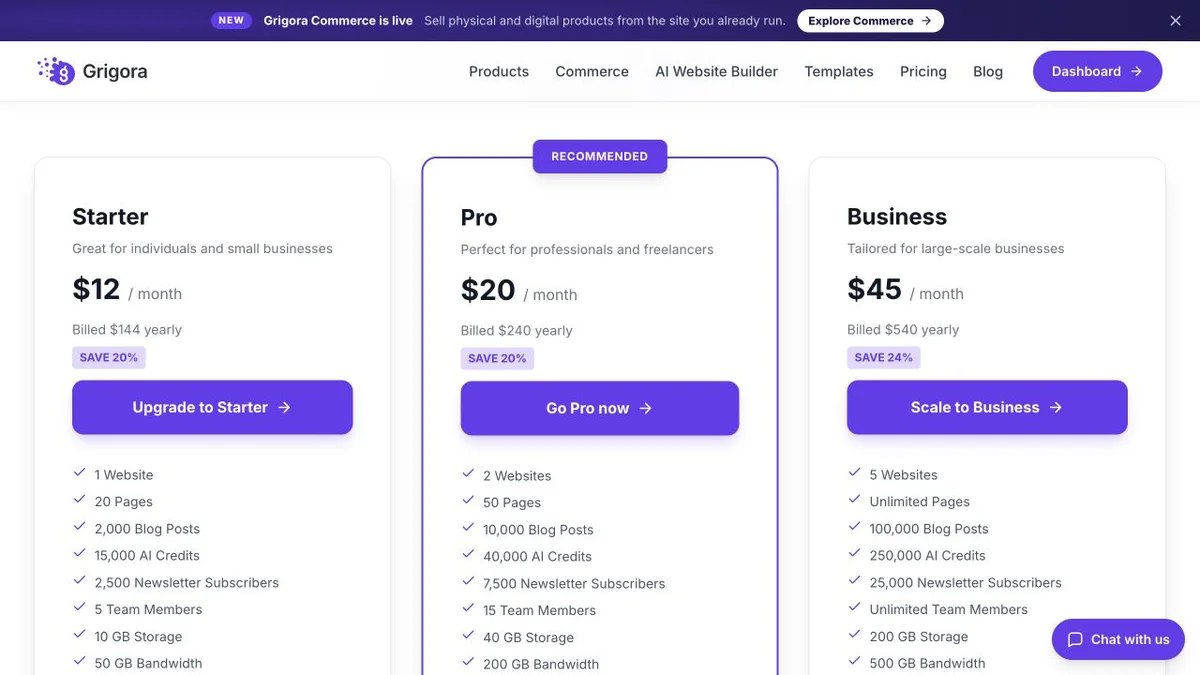
Webstudio vs Grigora pricing
USD prices, checked 27 October 2026. Annual totals are paid upfront.
Managed website plans with business tools
Unlimited pages and blog posts. Storage and AI allowances vary; confirm audience, traffic and sending requirements. Domains, mailboxes and payment-provider charges are separate.
Webstudio Cloud: one account, multiple projects
Additional Cloud pageviews cost $20 per 100,000. Usage limits apply across the account. External CMS, AI providers and self-hosting costs should be budgeted separately; these are Cloud prices.
Grigora Starter has a lower subscription for one site at these rates. Webstudio’s account-wide pricing may be attractive for multiple sites. Compare the services and site count you actually need.
Budget for the complete workflow
Subscription price is only one part of the decision. List the tools you can retire and the specialist services you still need.
| What you pay for | Webstudio | Grigora |
|---|---|---|
| Content administration | Keep the cost and maintenance of your chosen CMS | CMS included; budget for mapping existing content |
| Audience and sales | Include email and commerce services used by the site | Built-in tools; sending and payment-provider costs still apply |
| Hosting operations | Cloud usage or your own hosting and maintenance | Managed hosting within plan allowances |
| Rebuilding the site | Staying avoids a rebuild if the existing setup meets your needs | Allow time for layouts, content and integration testing |
The better value is the setup your team can maintain reliably. Do not assume that exporting files transfers every business workflow.
This is a planning checklist, not a quote or a measured savings claim.
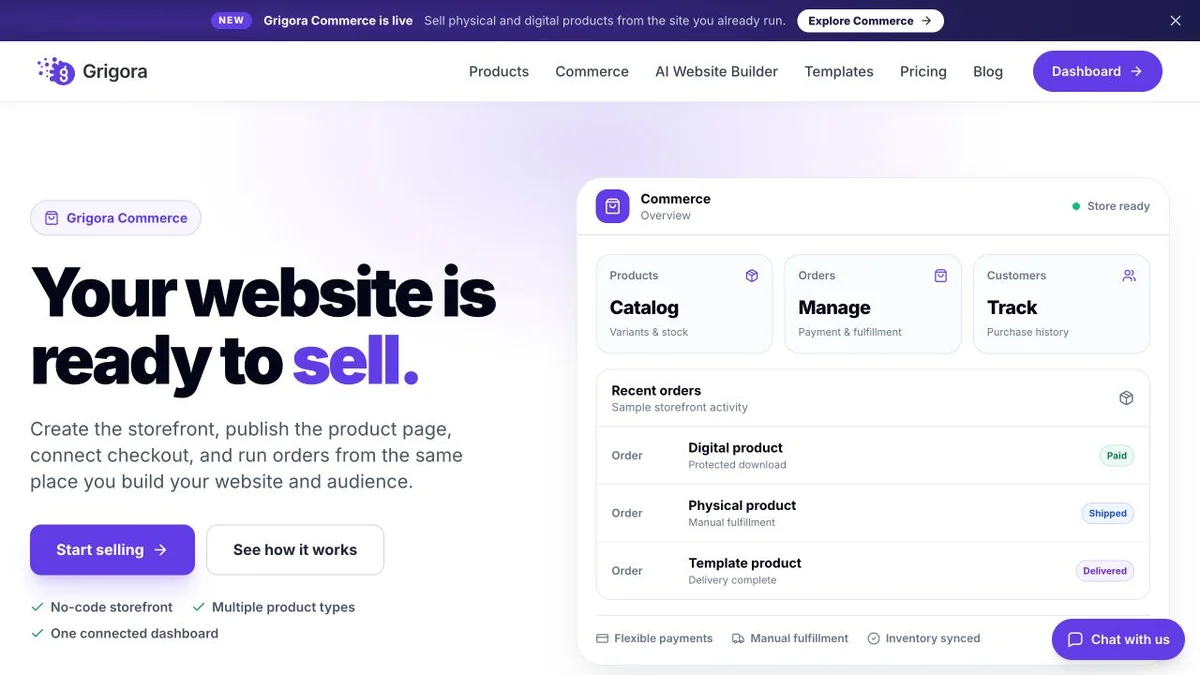
Webstudio and Grigora: public website references
These captures show each product’s public website. See the feature and pricing sections for capabilities and plan details.


Moving from Webstudio to Grigora
Plan a rebuild, not a one-click layout transfer. A Webstudio export is a useful backup, but it is not a confirmed Grigora import format.
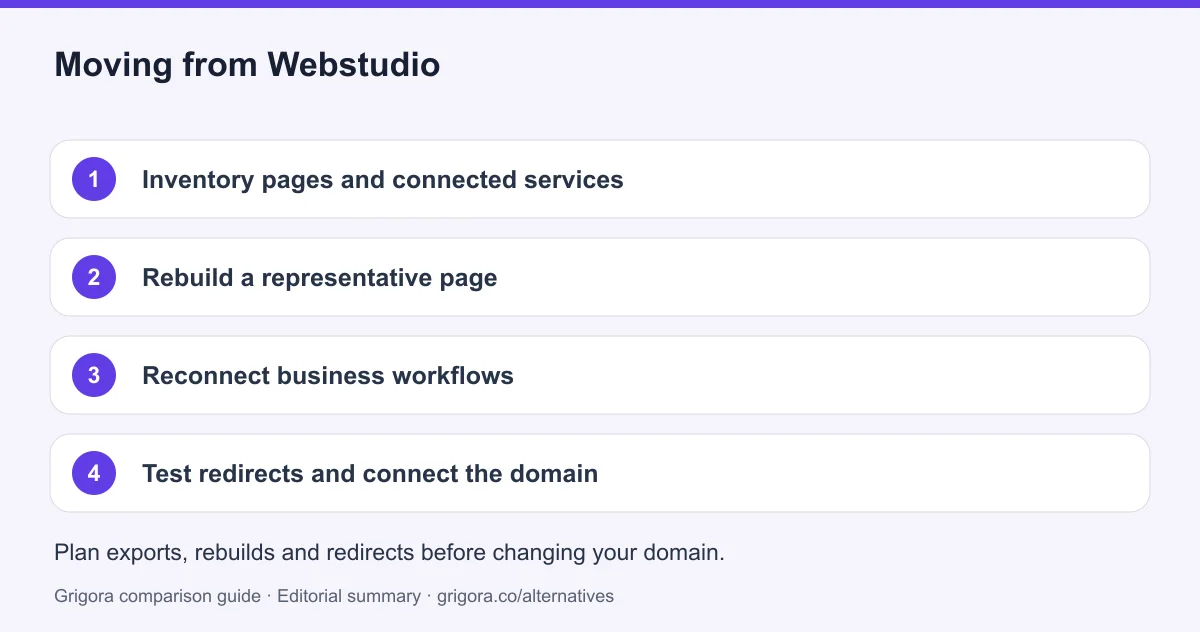
- 1
Inventory pages and connected services
Record URLs, layouts, CMS fields, Resources, dynamic routes, forms, scripts and integrations. Export available files and back up content from each source system.
- 2
Rebuild a representative page
Create the main layout in Grigora, then map a sample of posts or records. Check images, rich text, field relationships and mobile behavior before moving the rest.
- 3
Reconnect business workflows
Test forms, newsletter consent, analytics and any commerce setup. Preserve the original subscriber and order records; do not assume a page migration transfers them.
- 4
Test redirects and connect the domain
Keep important URL paths or add redirects. Check metadata, sitemap entries and key journeys before switching DNS, preserving existing email records.
Frequently asked questions
When your goal is to run publishing, newsletters and commerce from the same workspace. If your priority is precise CSS control or retaining an established headless CMS, test Webstudio against those requirements before deciding to switch.
Yes. Its CMS approach connects external content sources and binds that data to pages. Grigora includes a built-in CMS. The choice is between keeping your existing content stack and moving content administration into Grigora.
Yes. Webstudio offers Inception for exploring design ideas and supports agent-based workflows. Grigora also offers AI website and content tools. Compare the actual editing task, output and usage costs rather than treating AI as a yes-or-no feature.
Yes. Webstudio supports static and dynamic exports. Choose an export and hosting setup that supports the features your site uses. Self-hosting a published site is distinct from hosting the visual builder and its commercial features.
A complete automatic Webstudio import is not confirmed. Plan to rebuild layouts, map content and reconnect integrations. Start with a small sample and validate it before changing the live domain.
Compare client editing, the number of sites, backend requirements and handover responsibilities. Webstudio’s account-wide plans deserve consideration for many sites; Grigora suits clients who want to manage content, audiences and products together.
Sources and comparison method
Published by Grigora, one of the products compared here. This is a comparison of public product documentation and published plans. Recommendations reflect the use cases described; they are not independent performance benchmarks. Homepage screenshots show how each product presents itself and do not establish feature availability.
Check the billing term, currency, regional availability, usage limits and add-ons before purchasing. A content export does not necessarily include the design, integrations or a working store. Migration steps need testing on your own site.
- Webstudio official product
Visual editor, agent workflows and Cloud or self-hosted publishing. Reviewed 27 October 2026.
- Webstudio Cloud pricing
Monthly and yearly billing views checked, including account-wide site coverage, production CMS access and pageview overages.
- Webstudio features
CSS controls, reusable styling, forms, SEO and export capabilities.
- Webstudio CMS
External content sources, Resources, bindings and dynamic routes.
- Webstudio Inception
Creative AI design exploration and iteration.
- Webstudio open-core model
Distinguishes the open-source visual builder core from commercial features.
- Grigora pricing and allowances
Current website plan prices, site counts, AI allowances, CMS, newsletters, commerce and export. Product descriptions are not performance benchmarks.
Grigora references: plans and limits, commerce, MCP access, and help documentation.
Compare Grigora with other platforms



Try your next publishing workflow in Grigora
Build a page, publish content and explore your newsletter or store setup during a 14-day trial. No card required.
14-day free trial • No credit card required • Cancel anytime