Sometimes you’re not sure how formal to be. Other times, you spend way too long phrasing a simple message without sounding awkward or unclear. And in many cases, a poorly written email can lead to confusion, delays, or missed opportunities.
We all send emails every day, but writing a good business email isn’t always as easy as it sounds.
The truth is, most of us were never taught how to write effective professional emails. We just figure it out along the way.
That’s exactly why having a few solid examples to refer to can make things much easier.
In this guide, you’ll find 25 real-world business email examples you can actually use, whether you're following up, making a request, applying for a role, or communicating clearly at work.
Introduction: The Power of Professional Business Emails
In 2026, email remains one of the most critical business communication tools. With an estimated 376.4 billion emails (business and consumer) sent and received daily worldwide, the ability to craft professional, clear, and effective emails is essential for career success. Whether you're a manager, sales professional, or HR specialist, the quality of your emails directly impacts your reputation and results.
Studies show that 45% of professionals receive 40–80 emails per day, and a 2015 Adobe survey found US white-collar workers spent 6.3 hours each weekday checking work and personal email. This makes efficiency and clarity paramount. A well-written business email can accelerate decision-making, build relationships, and close deals, while poorly written emails can damage credibility and create misunderstandings.
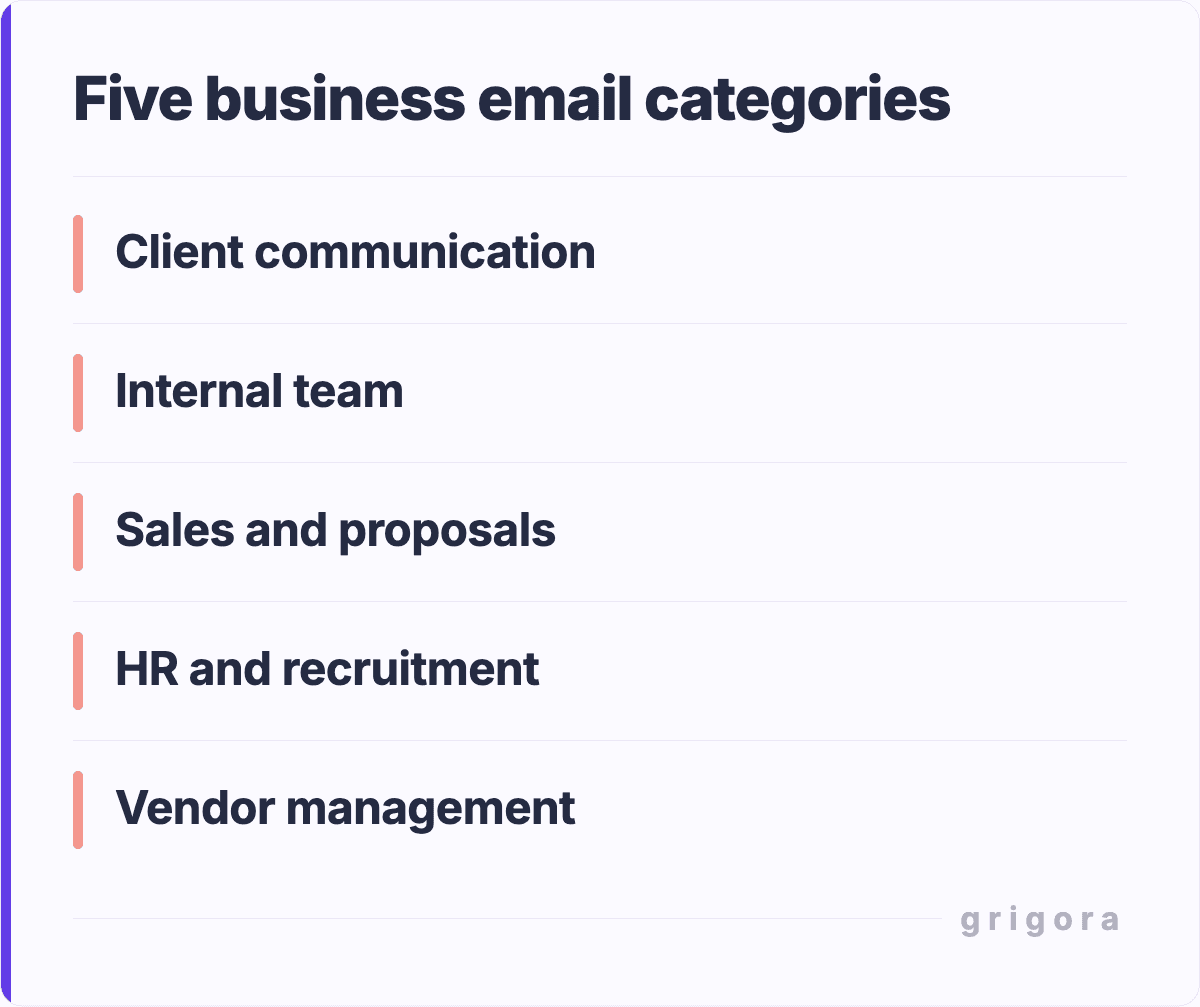
This comprehensive guide provides 25 ready-to-use business email templates across five key categories: client communication, internal team communication, sales and proposals, HR and recruitment, and vendor and partner relations. Each template is fully customizable and follows best practices in professional communication.
What Makes a Business Email Professional?
The Business Email Format: The Foundation of Professionalism
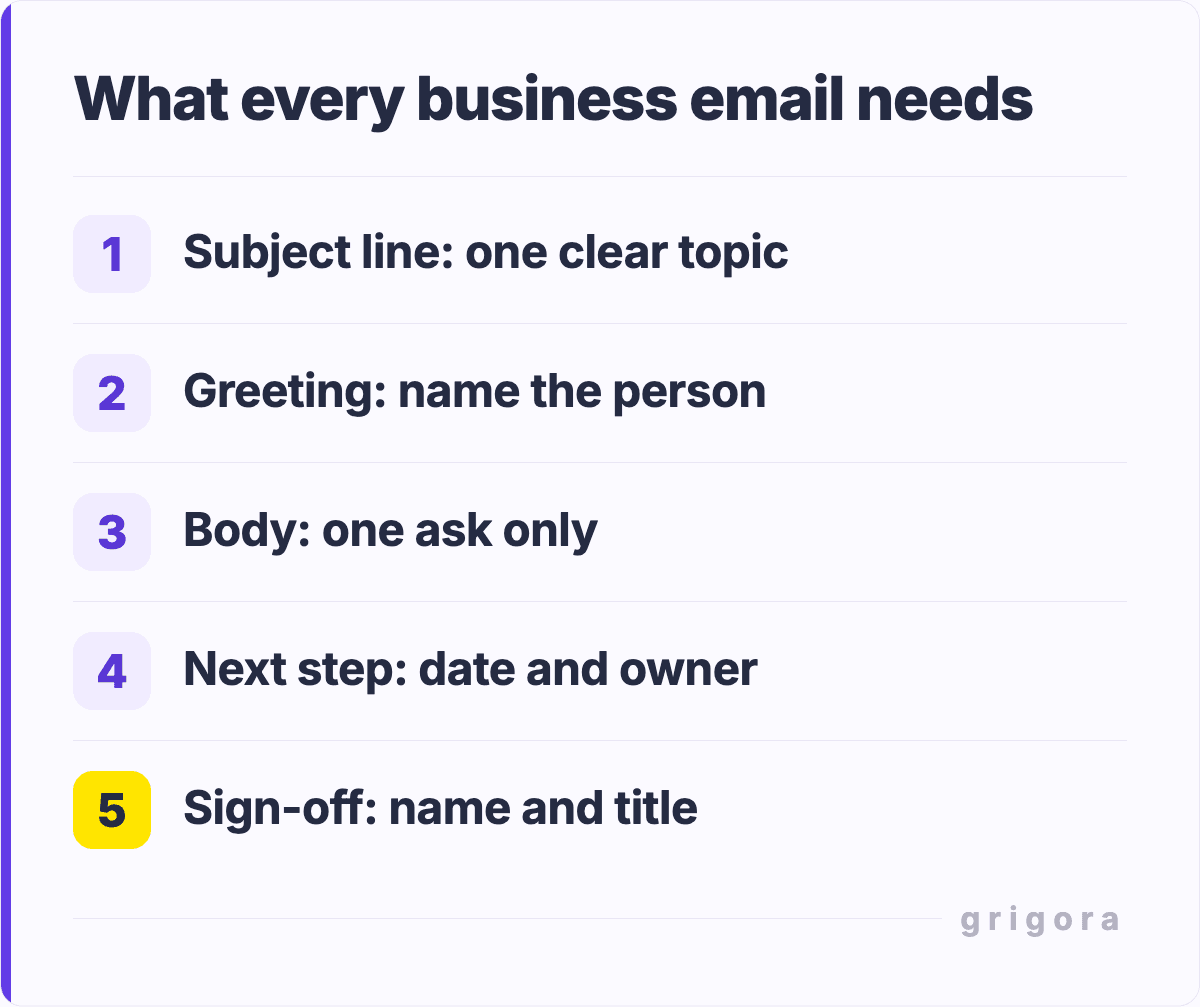
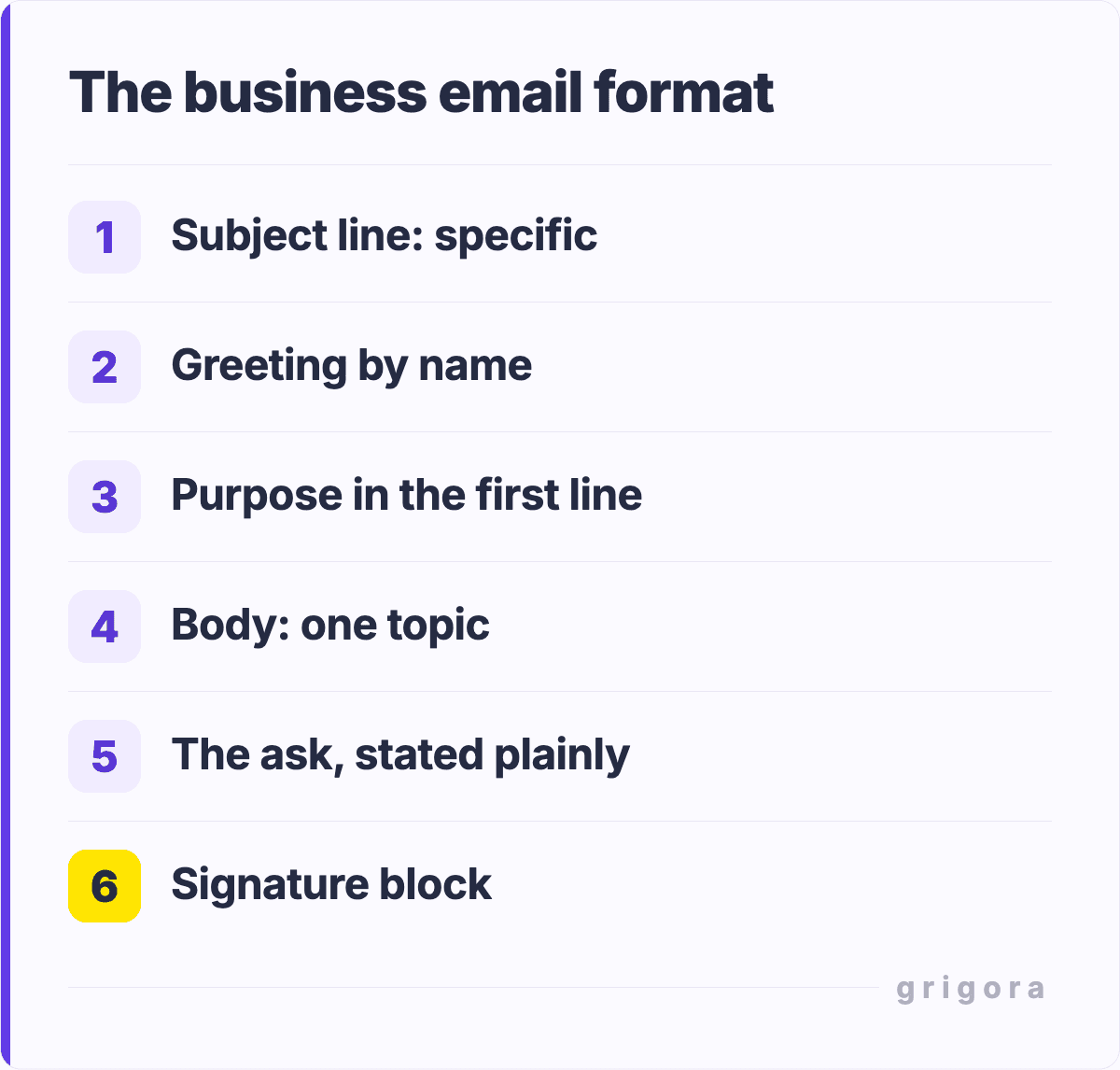
Every professional business email follows a consistent structure that ensures clarity and professionalism. Understanding this format is crucial for crafting emails that are both effective and appropriate.
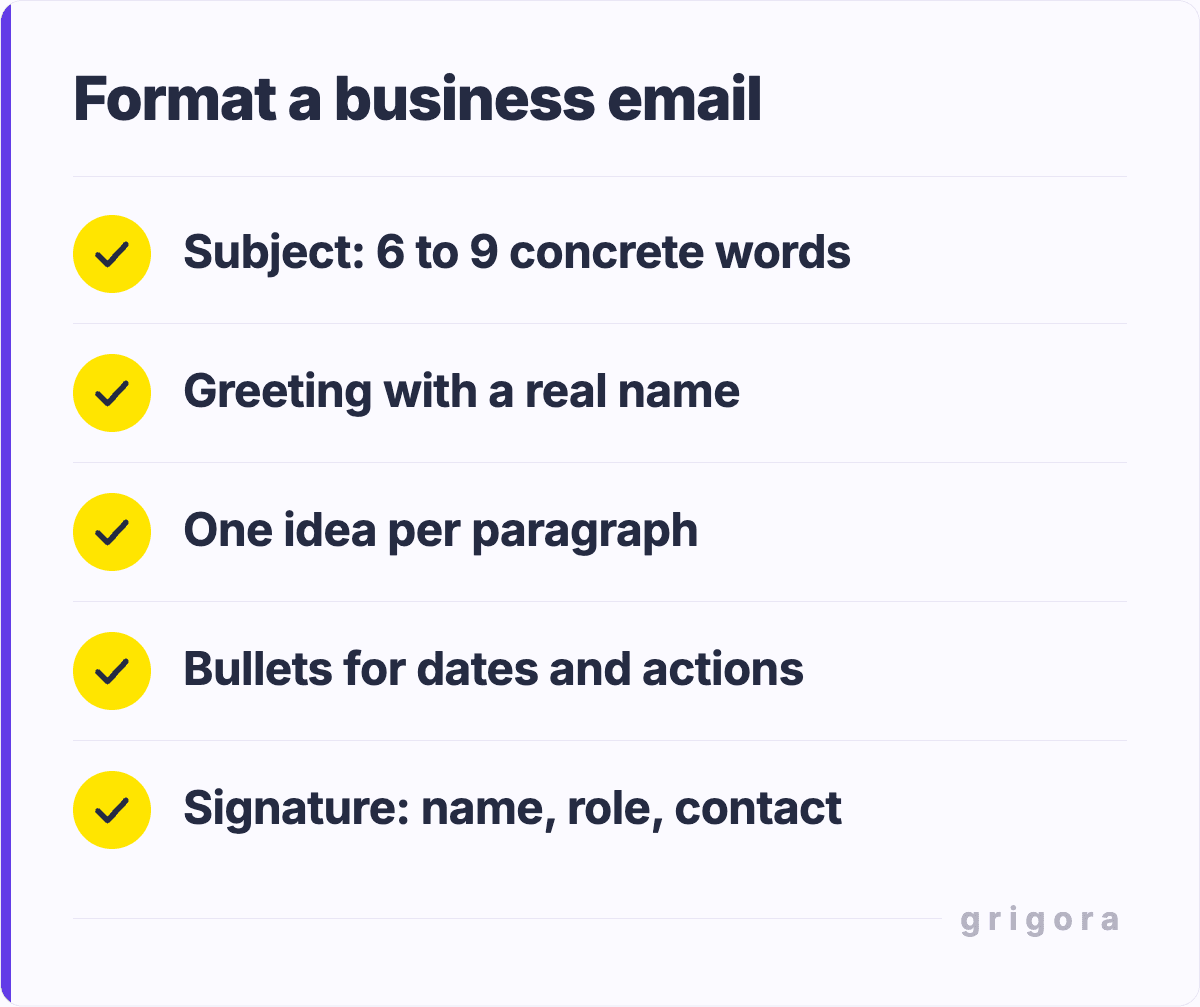
The header should include a clear, specific subject line that accurately reflects the content. A strong subject line is concise and action-oriented. For example, "Q2 Budget Review Meeting: Tuesday, March 5th" is far more effective than a vague "Meeting."
The greeting sets the tone. In formal communication, use "Dear [Name]" or "Good morning/afternoon [Name]". In semi-formal settings, "Hi [Name]" works well. Avoid generic greetings like "To Whom It May Concern" unless absolutely necessary.
The body should be well-organized, concise, and focused. Use short paragraphs (2–3 sentences), clear language, and action-oriented phrasing. Include specific details, avoid unnecessary jargon, and always consider the recipient’s perspective.
The closing reinforces your message and sets next steps. Options range from formal ("Sincerely," "Best regards,") to semi-formal ("Best," "Thank you,") to casual ("Cheers," "Talk soon,") depending on context.
Your signature should include your full name, title, company, phone number, and often a website or LinkedIn profile. This ensures professionalism and gives recipients multiple ways to contact you.
Tone and Formality Levels: Matching Your Audience
Business communication isn’t one-size-fits-all. Different situations require different tones, and knowing how to adjust your tone is essential for professional effectiveness.
Formal tone is used when communicating with senior executives, during first-time client interactions, when handling sensitive matters, or in regulated industries. It uses structured language and complete sentences. Example: "I am writing to formally request approval for the Q2 marketing budget expansion proposal."
Semi-formal tone is appropriate for day-to-day business communication, including colleagues, ongoing client relationships, and team updates. It balances professionalism with approachability. Example: "I wanted to follow up on our discussion regarding the project timeline and get your thoughts on our proposed approach."
Friendly tone works best for internal communication, informal updates, or well-established relationships. It is warm yet still professional.
Example:"Great news! The client loved our proposal and we're moving forward with the project kickoff."
25 Business Email Templates by Category
Category 1: Client Communication (5 Templates)
Template 1.1: New Client Welcome Email
Subject: Welcome to [Company Name]: Let's Build Something Great Together
Dear [Client Name],
Thank you for choosing [Company Name] as your [service/product] partner. We are excited to work with you and committed to delivering exceptional value and results.
Over the next few weeks, you'll be working with our dedicated team, including [Team Member Names and Titles].
We specialize in [specific service area], and we'll be leveraging our expertise to ensure your [specific goal] is achieved ahead of schedule.
To get started, I'd like to schedule a brief 30-minute call to understand your specific needs, timeline, and success metrics.
This will help us tailor our approach to your exact requirements. You'll receive a calendar invite shortly from [calendar coordinator].
In the meantime, please review the attached onboarding guide, which outlines our process, communication protocols, and key milestones we'll achieve together.
I'm personally invested in your success, and I'm here to answer any questions or address any concerns. Please don't hesitate to reach out.
Thank you for the opportunity to propose our approach for [project description].
I've attached our detailed proposal, which outlines our strategy, deliverables, timeline, and investment.
Here’s a quick overview of what we're recommending:
Project Duration: [X weeks/months]
Key Deliverables: [list 3–4 main deliverables]
Expected Outcomes: [specific, measurable results]
Investment: [amount or range]
Our approach is based on [years] of experience in this space and proven methodologies that have delivered [specific results] for similar clients.
We've specifically tailored this proposal to address [client's stated needs] and align with your [stated goal/timeline].
I'd like to schedule a call this week to walk you through the proposal, answer any questions, and discuss next steps.
Are you available for a 45-minute call on [specific dates]?
Looking forward to partnering with you on this exciting project.
Best regards,
[Your Name]
Template 1.3: Project Status Update Email
Subject: [Project Name] Status Update: All On Track for [Milestone Date]
Hi [Client Name],
I wanted to provide you with a quick update on the progress of [Project Name].
Everything is moving forward on schedule, and I'm pleased with the progress our team has made.
Progress Summary:
Phase 1 (Design & Strategy): 100% Complete
Phase 2 (Development/Implementation): 65% Complete, on track for [date]
Phase 3 (Testing & Refinement): Scheduled to begin [date]
Key Accomplishments This Week:
Completed [specific deliverable] with all stakeholder feedback incorporated
Finalized [another deliverable] and received approval
Initiated [next phase] with kick-off meeting scheduled for [date]
Next Steps:
We're moving into Phase 3 next week. I'll have a detailed report and review session scheduled for [date].
This is a great time to address any adjustments or concerns before finalization.
Everything is tracking toward our target completion date of [date].
If you have any questions or need to discuss anything in detail, let me know and I'll set up a call immediately.
Thanks for your continued partnership!
Best regards,
[Your Name]
Template 1.4: Invoice Follow-Up Email
Subject: Invoice [Invoice Number]: Due [Due Date]
Dear [Client Name],
I hope this email finds you well.
I wanted to follow up on Invoice [Invoice Number], dated [date], in the amount of [amount], which is due on [due date].
Invoice Details:
For payment, you can:
Pay online via [payment portal/link] (takes 2 minutes)
Send a wire transfer to [banking details]
Mail a check to [address]
Pay via ACH transfer: [instructions]
If you have any questions about the invoice, the services rendered, or need payment arrangements, please let me know. I'm happy to discuss any concerns.
Thank you for your prompt attention to this. Looking forward to continuing our partnership!
Best regards,
[Your Name]
Template 1.5: Client Check-In Email
Subject: Just Checking In: How Can We Support You Further?
Hi [Client Name],
It's been [timeframe] since we launched [project/completed work], and I wanted to reach out to see how things are going on your end.
Specifically, I'd love to know:
Are you seeing the results we projected?
Have you encountered any challenges or issues?
Are there any additional services or adjustments that would better serve your goals?
Would it be helpful to schedule a strategy session to discuss next steps?
Your success is our success, and I want to ensure we're delivering maximum value.
Please schedule a quick call using [calendar link], or simply reply to this email with your thoughts.
I look forward to connecting soon!
Best regards,
[Your Name]
Category 2: Internal Team Communication (5 Templates)
Template 2.1: Team Announcement Email
Subject: Important Announcement: [Brief Description] (Action May Be Required)
Hi Team,
I'm reaching out to share an important update that affects our department/company:
[announcement content].
What’s Changing:
[Key change 1], effective [date]
[Key change 2], affects [who/what]
[Key change 3], requires [action/adjustment]
Why We’re Making This Change:
[Business rationale, benefits, or reasons behind the change], helping everyone understand the “why” behind this decision.
What You Need to Do:
[Required action 1] by [deadline]
[Required action 2] by [deadline]
Training/resources available at [link or contact]
Questions?
I know this may raise questions or concerns. I'm available for a team Q&A call on [date/time], or feel free to reach out directly.
[Department Lead Name] and I are here to support this transition.
Thank you for your flexibility and continued commitment to our team’s success.
Best regards,
[Your Name]
[Your Title]
Template 2.2: Meeting Follow-Up Email
Subject: Follow-Up: [Meeting Topic] (Action Items & Next Steps)
Hi Team,
Thank you for the excellent discussion in today's [meeting name] meeting.
I wanted to document the key outcomes and ensure everyone has clarity on next steps.
I've been impressed with what you've built at [Company Name], particularly [specific achievement/initiative].
I think there's a real opportunity to partner and deliver something powerful to our mutual customers.
Partnership Concept:
[Your company] specializes in [your core value], while [their company] excels at [their core value]. Together, we could offer [combined benefit] to customers who need both capabilities.
Potential Benefits:
For [Their Company]: Access to [benefit], new revenue stream, enhanced offering
For Our Customers: Integrated solution, better results, improved ROI
For Both: [Shared benefit]
This could take several forms:
Integration partnership: our solution connects with theirs
Revenue share: we recommend you, and you recommend us
Co-marketing: joint case studies, webinars, and thought leadership
I'd love to explore this further. Are you open to a 30-minute conversation to see if this aligns with your strategic direction?
I'm available [suggest times].
Best regards,
[Your Name]
Category 4: HR and Recruitment (5 Templates)
Subject: Congratulations! Job Offer for [Position Title] at [Company Name]
Dear [Candidate Name],
Congratulations! The entire team loved meeting you, and we're thrilled to extend an offer for the [Position Title] role in our [Department Name] team.
Job Offer Details:
Position: [Position Title]
Department: [Department]
Reports To: [Manager Name, Title]
Salary: [Amount] annually
Benefits: [Brief overview: health insurance, retirement, PTO, etc.]
Start Date: [Proposed date]
What We Love About You:
[Specific comment about their experience, skills, or qualities that made them stand out]
Next Steps:
Please review the attached offer letter and let me know if you accept. Once confirmed, I'll send you additional materials including:
Detailed benefits guide
Employee handbook
Onboarding schedule
Information about your first day
If you have any questions about the offer, please don't hesitate to reach out. We're excited to have you on the team!
Looking forward to welcoming you!
Best regards,
[HR Manager Name]
[Company Name]
Template 4.2: Interview Invitation Email
Subject: Interview Invitation: [Position Title] at [Company Name]
Hi [Candidate Name],
Thank you for applying for the [Position Title] position at [Company Name].
We've reviewed your resume and background, and we're impressed with your qualifications. We'd like to invite you to interview with our team.
Interview Details:
Date: [Date]
Time: [Time to Time] [Timezone]
Format: [Phone/Video/In-person]
Duration: Approximately [length]
Link/Location: [Provide meeting link or address]
What to Expect:
[Brief overview: you'll speak with [who], discuss [topics], and have time for questions]
Please confirm your availability by replying to this email or clicking the calendar link below:
[calendar link]
If you have any questions about the position, our company, or the interview process, I'm happy to help.
Looking forward to connecting!
Best regards,
[Hiring Manager/HR Name]
[Company Name]
Template 4.3: Onboarding Welcome Email
Subject: Welcome to [Company Name]! Your Onboarding Journey Starts Now
Hello [New Employee Name],
Welcome to [Company Name]! We're thrilled to have you joining us.
Your start date is [date], and we're committed to making your transition smooth and successful.
Here's What You Need to Know:
First Day Schedule: [Overview of first day activities, meetings, and what to expect]
Reporting Location: [Address or virtual meeting link]
What to Bring: [List items needed for first day]
Your Manager: [Manager name and contact information]
Before Your First Day:
Sign attached employee agreement and return it by [date]
Complete I-9 verification: [link to process]
Review our employee handbook: [link]
Confirm your direct deposit information: [link or instructions]
Questions?
If you have any questions before your start date, please don't hesitate to reach out.
[HR Contact Name] is your go-to person for onboarding questions: [email/phone].
We can't wait to meet you and watch you make an impact on our team!
Business Email Formatting Tips: Professional Polish
The way your email looks matters as much as what it says. Professional formatting builds credibility and ensures your message is taken seriously.
Signature Best Practices: Your email signature is your professional calling card. Include your full name, title, company name, phone number, and ideally a professional email address. A short tagline or company description can also be effective. Keep signatures consistent across all business emails. Consider adding your company website, LinkedIn profile, or social media links, but don't overcrowd the signature.
CC and BCC Etiquette: CC (Carbon Copy) others only when necessary. People on the CC line should genuinely need to see the conversation. Avoid excessive CC'ing, which clutters inboxes and wastes time. BCC (Blind Carbon Copy) is appropriate when you need to notify someone without other recipients seeing they've been copied, such as forwarding feedback to an HR contact. Never BCC someone in a conversation where they should see who else is involved.
Attachment Guidelines: When attaching files, always mention them in the email body ("I've attached the proposal for your review"). Keep file sizes reasonable (under 10MB). Use clear file names. Avoid generic names like "Document1.pdf." Follow formats like "ProjectName_Date_Version.pdf." Scan or convert documents appropriately to ensure compatibility with recipient's systems.
Reply Timing: Aim to respond to business emails within 24 hours. If you need more time, send a quick acknowledgment ("I received your email and will follow up by end of day Thursday"). This prevents the sender from wondering if you got their message. After-hours emails don't require immediate response, and weekend emails can typically wait until Monday.
Subject Line Evolution: When replying to a thread, use "RE:" appropriately, but if the conversation has shifted topics, start a new thread with a new subject line. After several exchanges, subject lines can become cumbersome (RE: RE: RE: RE:), making new subjects clearer.
Email Length and Readability: Keep emails concise (under 200 words). Use short paragraphs (2–3 sentences), bullet points for lists, and bold text for emphasis. Use white space effectively. People scan emails rather than reading every word, so structure content for easy scanning.
Business Email Etiquette Rules: The Professional Standard
Beyond formatting, business email etiquette is about respect, clarity, and professionalism.
Response Time Expectations: Business culture varies, but generally: urgent matters warrant same-day response, standard inquiries within 24–48 hours, and non-urgent messages within one week. If you'll miss a deadline, send an interim response explaining when they can expect a full reply.
Thread Management: Keep email threads organized by not deleting earlier messages. This provides context for everyone reading later. When replying all, ensure everyone actually needs to see your response. If someone should be removed, do so respectfully. Summarize relevant points if your email might be forwarded.
Tone Matching: Match the tone of the initial email. If someone writes casually, you can loosen formality slightly. If they're formal, maintain formality. Be careful with humor and sarcasm, as tone is easily misinterpreted. When in doubt, err on the side of professionalism.
Spelling and Grammar: Always proofread before sending. Errors damage credibility. Use spell-check, read your email aloud, and have complex emails reviewed by colleagues if possible. This is especially important in client-facing communications.
Confidentiality and Privacy: Don't include sensitive information (passwords, credit card numbers, etc.) in emails. Use encrypted or secure methods if needed. Be cautious about forwarding emails without consent. Remember, email is not private, so assume anything can be forwarded.
Respect for Time: Respect recipients' time by being concise and clear. Avoid sending multiple emails when one well-structured email will suffice. Use the right communication channel: some matters are better handled via a quick call or team chat.
Common Business Email Mistakes: What Not to Do
Even experienced professionals make email mistakes. Being aware of these common pitfalls helps you avoid them:
1. Vague Subject Lines: "Update" or "Question" don’t convey information. Use specific subject lines that summarize the content and help recipients prioritize emails.
2. Hitting Reply All Unnecessarily: Before clicking "Reply All," ask if everyone needs your response. Unnecessary replies frustrate colleagues and clutter inboxes.
3. Unclear Calls to Action: Avoid ambiguity. Clearly state next steps like "Please respond by Friday" or "Confirm your attendance." Don’t leave recipients guessing.
4. Not Proofreading: Typos and grammar mistakes signal carelessness. A quick 30-second proofread protects your professional reputation.
5. Writing When Angry: Don’t send emails in the heat of the moment. Wait, review later, and respond calmly to avoid damaging relationships.
6. Email Instead of Conversation: Some issues are better handled via a call or face-to-face conversation, especially if they are complex or sensitive.
7. Over-Forwarding: Avoid forwarding every email. This creates unnecessary noise and reduces decision-making clarity.
8. Assumptions and Poor Context: Don’t assume recipients know the context. Provide clear background information so your email stands alone.
9. Inconsistent Formatting: Use consistent fonts, sizes, and styles. Poor formatting makes emails hard to read and unprofessional.
10. Inappropriate Tone: Maintain professionalism. Avoid slang, emojis, and overly casual language unless appropriate for your company culture.
How Grigora Mail Helps You Master Business Email
Managing business email effectively is critical to professional success, and the right tools make all the difference. Grigora Mail is a comprehensive email platform designed specifically to help professionals send more effective, professional emails and manage their inbox intelligently.
Professional Email Templates: Access a library of pre-written, customizable email templates for every business situation. Instead of starting from scratch, use proven templates that have been tested and optimized for response rates.
Grammar and Tone Checking: Before you send, Grigora Mail checks your email for grammatical errors, spelling mistakes, and tone appropriateness. It suggests improvements to make your message more professional and clear.
Send Time Optimization: Grigora Mail analyzes when your recipients are most likely to open and engage with emails, suggesting optimal send times. Send emails when they're most likely to be read and acted upon.
Email Scheduling: Compose emails now and schedule them to send at the perfect time. This is perfect for emails you want to go out during business hours or when you've written something outside normal working hours.
Smart Follow-Up Reminders: Never forget to follow up again. Grigora Mail reminds you automatically if an important email hasn't received a response, helping you stay on top of critical conversations.
Inbox Organization: Intelligent categorization and filtering help you focus on the most important emails. Separate promotional emails, newsletters, and notifications from critical business communications.
Signature Management: Create and manage multiple professional signatures for different contexts. Automatically apply the right signature based on who you're emailing or what account you're using.
Visit https://mail.grigora.co to learn more about how Grigora Mail can transform your business email communication and save you hours every week.
Frequently Asked Questions About Business Email Examples
How formal should my business email be?
It depends on your audience and relationship. First-time communications with external contacts or executives should be formal. Once a relationship is established, you can typically relax formality based on the other person's tone. When in doubt, err on the side of professionalism. You can always loosen up later.
What's the ideal business email length?
Most business emails should be under 200 words. People are busy and scan rather than carefully read. If your message requires more explanation, consider having a phone call or scheduling a meeting instead. Use bullet points, white space, and short paragraphs to make emails more scannable.
How many times should I follow up on an email?
A good rule is: initial email, one follow-up after 3-5 business days, and a final follow-up after another week. If you don't hear back after three attempts, it's usually best to move on or try a different communication method. However, context matters: sales situations might warrant more follow-ups than internal communications.
Should I use "Reply All" or "Reply"?
Use "Reply All" only if your message is relevant to everyone on the email chain. If your response only pertains to the original sender, use "Reply." Over-use of "Reply All" clogs inboxes and frustrates colleagues. A good test: if your message would cause someone on the chain to think "why did I need to see this?" then it should be a "Reply" instead.
What's the best subject line format?
Subject lines should be specific and descriptive. Good examples: "Q2 Budget Review: Scheduled for March 15th" or "Proposal Review: XYZ Project Timeline & Cost." Avoid vague subjects like "Update" or "Question." Include relevant dates or actions when helpful. Keep subject lines under 50 characters when possible, as longer lines get cut off on mobile devices.
Is it unprofessional to use email templates?
Not at all. Using templates is smart, professional, and efficient. Professional templates help ensure consistency, save time, and guarantee you're hitting all necessary points. Always customize templates to your specific situation, and never send a generic template without personalizing it.
How should I handle typos I discover after sending?
For minor typos that don't affect comprehension, let it go. Sending a follow-up email to correct a single typo draws more attention to the mistake. For significant errors that change meaning or impact credibility, send a brief follow-up: "I apologize, but I sent that with a typo in the second paragraph. Please see the corrected version below."
Should I email or call for sensitive feedback?
Complex or sensitive feedback is almost always better delivered in a real-time conversation (phone or in-person). Email can feel cold, and the recipient might misinterpret tone. However, following up in writing with the key points discussed is good practice to ensure clarity and create a record.
Get the next guide by email
Practical writing on building a site, growing an audience and sending email people open. No more than one a week.