Your email can be perfectly written, beautifully designed, and deeply relevant to your audience. But if it lands in spam instead of the inbox, none of that matters.
Email deliverability is the silent infrastructure behind email communication. It's a technical discipline that ensures your messages reach the inbox instead of the spam folder. In 2026, as spam filters become more sophisticated and authentication requirements become stricter, understanding email deliverability isn't optional—it's essential.
This guide covers everything you need to know about email deliverability: what it is, how it works, the technical requirements that matter, common problems and how to fix them, and how to monitor your email performance.
Email deliverability is the ability of a marketing email to successfully reach the recipient's inbox. It's different from email delivery. You can deliver an email to a mail server, but that email might still land in spam. Deliverability is about reaching the inbox.
Think of it like this: delivery is getting a package to the address. Deliverability is getting it to the person's front door. The distinction matters because you can technically "deliver" millions of emails without any of them actually reaching people who will read them.
Email deliverability is determined by multiple factors: sender reputation, email authentication, content quality, engagement rates, recipient expectations, and infrastructure. All of these work together to determine where your email ends up.
Organizations like InterstellarMail Foundation and Return Path have spent years studying what separates emails that reach the inbox from those that land in spam. The answer isn't simple—there's no single magic factor. Instead, ISPs (Internet Service Providers) like Gmail, Outlook, and Yahoo evaluate dozens of factors in real time.
How Email Delivery Works – The Technical Journey
To understand deliverability, it helps to understand the technical journey an email takes:
Step 1: Sending
When you hit send, your email goes from your email client or email service provider through an SMTP (Simple Mail Transfer Protocol) server. This server is responsible for getting your email to the recipient's server.
Step 2: DNS Lookup
Your SMTP server performs a DNS lookup of the recipient's domain to find their mail server. It looks for MX (Mail Exchange) records that point to the correct mail server.
Step 3: Connection & Transmission
Your server connects to the recipient's mail server and begins transmitting your email. This is where authentication happens—the receiving server checks if your sending server is legitimate.
Step 4: Filtering & Scanning
The receiving mail server scans your email for viruses, malware, and spam indicators. It checks your sender reputation, examines links in your email, analyzes the content, and evaluates authentication records.
Step 5: Placement Decision
Based on hundreds of signals, the ISP decides: inbox, spam, or quarantine. Modern ISPs use machine learning to make these decisions, evaluating patterns from millions of emails.
Step 6: Delivery
If approved, your email is placed in the recipient's mailbox. The recipient can now see and read it.
If rejected, you might receive a bounce notification. If filtered to spam, the recipient won't see it (though they can retrieve it if they check their spam folder).
SPF (Sender Policy Framework) Explained
What SPF Does
SPF (Sender Policy Framework) is a DNS-based authentication method that helps prevent email spoofing. It allows domain owners to specify which mail servers are authorized to send emails on behalf of their domain.
How SPF Works
When you send an email, the receiving server looks up your domain's SPF record in DNS. The SPF record is a text file in your domain's DNS settings that says: "Only these IP addresses are allowed to send email from my domain."
For example, your SPF record might say: "The mail server at 192.0.2.1 is authorized to send emails from example.com." If someone tries to send an email pretending to be from example.com from a different IP address, the SPF check fails.
Why SPF Matters for Deliverability
ISPs use SPF as one signal of legitimacy. A passing SPF check indicates you're not spoofing the domain. Without SPF, your emails are more likely to be flagged as suspicious.
SPF Best Practices
Publish an SPF record for your domain
Include all services you use to send email (marketing platforms, customer service tools, etc.)
Use the "~all" (soft fail) at first, then move to "-all" (hard fail)
Keep SPF records under 255 characters (use SPF flattening if needed)
Monitor SPF records and update them when you add new sending services
Common SPF Problems
SPF flattening: If you have too many "include:" statements in your SPF record, it can exceed DNS limits.
Solution: use CNAME flattening or consolidate sending services.
Multiple SPF records:Each domain can only have one SPF record. If you add multiple, only the first is used.
Solution: consolidate all SPF information into a single record.
Missing SPF record: Your emails lack an important authentication signal.
Solution: implement SPF immediately.
DKIM (DomainKeys Identified Mail) Explained
DKIM (DomainKeys Identified Mail) adds a digital signature to your email. It allows the receiving server to verify that your email hasn't been altered in transit and actually came from you.
How DKIM Works
DKIM works through cryptographic signing. Your email service provider signs outgoing emails with a private key. The receiving server uses the corresponding public key (published in your DNS) to verify the signature.
Think of it like a tamper-evident envelope. The signature proves that:
The email came from your domain
The email content hasn't been modified in transit
The email is legitimate
Why DKIM Matters for Deliverability
DKIM is more important than SPF for inbox placement. Email providers heavily weight DKIM validation in their filtering decisions. A passing DKIM check significantly improves deliverability.
DKIM Best Practices
Enable DKIM for all sending services
Use a specific DKIM selector (e.g., "selector1") rather than the default
Rotate DKIM keys periodically (yearly or when sending services change)
Verify DKIM implementation using a DKIM checker tool to confirm proper setup
Monitor DKIM failures and investigate causes
Common DKIM Problems
DKIM failure: Your emails don't have valid DKIM signatures, usually caused by misconfiguration during setup.
Multiple DKIM selectors: If you have multiple DKIM records for the same domain, mail servers might get confused. Solution: use one selector per sending service.
Headers being modified: Some email services modify email headers, breaking DKIM signatures. Solution: configure your service to preserve headers or use relaxed header canonicalization.
DMARC (Domain-based Message Authentication Reporting and Conformance)
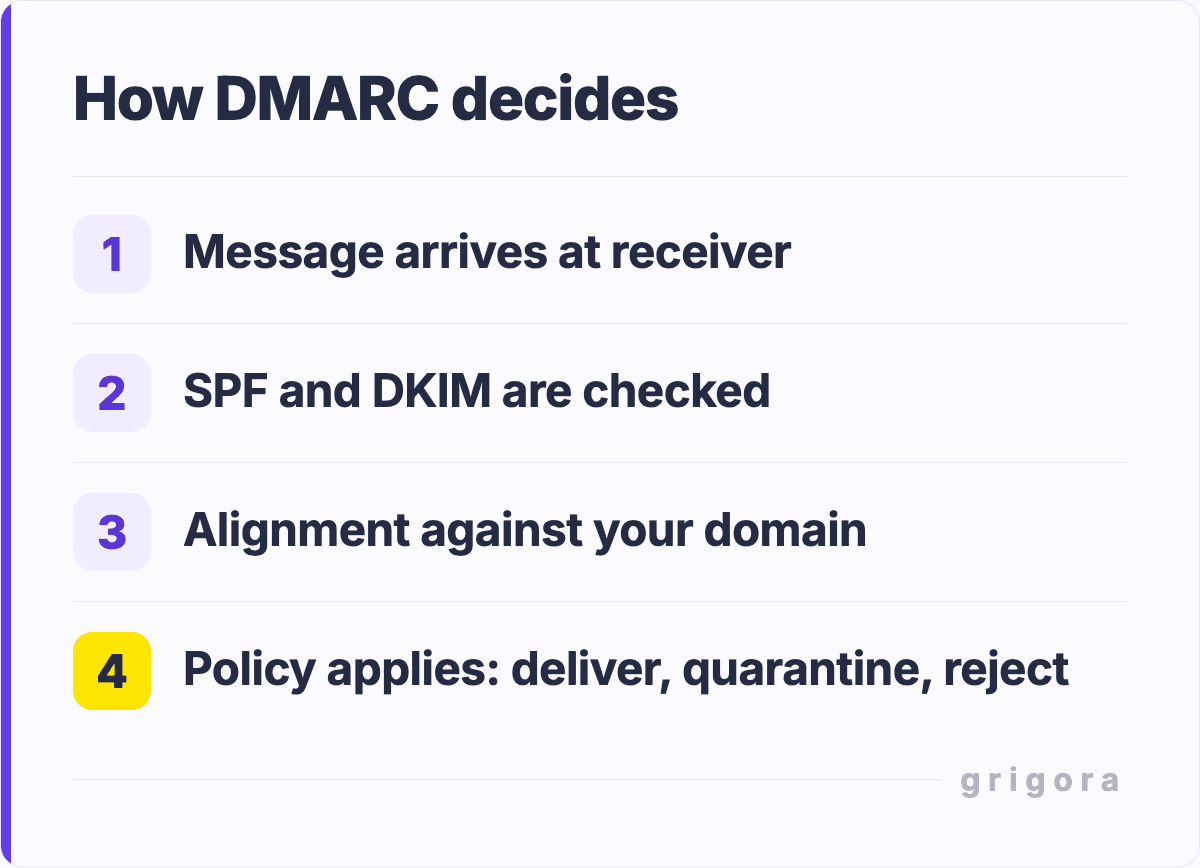
DMARC (Domain-based Message Authentication Reporting and Conformance)is the policy layer on top of SPF and DKIM. It tells receiving mail servers what to do with emails that fail SPF or DKIM checks.
How DMARC Works
DMARC policies tell mail servers three possible actions:
None: Accept the email even if authentication fails
Quarantine: Flag the email as suspicious or send it to spam
Reject: Don't deliver the email at all
DMARC also generates reports showing which emails passed or failed authentication. These reports help you monitor your sending reputation.
Why DMARC Matters
DMARC is increasingly important for two reasons:
First, ISPs are becoming stricter about DMARC requirements. Gmail and other major providers now prefer strict DMARC policies.
Second, DMARC protects your brand by preventing spoofing. Criminals can't impersonate your domain and send emails that look legitimate.
DMARC Best Practices
Start with p=none to monitor authentication failures
After 5–7 days of monitoring, move to p=quarantine
After another week with minimal failures, move to p=reject
Set rua (aggregate report) and ruf (forensic report) email addresses
Review DMARC reports weekly to identify authentication problems
Use 10% subdomain testing (p=reject for subdomains) before applying to primary domain
Common DMARC Problems
Too aggressive too fast: Moving from none to reject without testing causes legitimate emails to bounce.
Solution: move gradually through none → quarantine → reject.
Missing alignment: Your SPF/DKIM domain doesn't match your From header domain.
Solution: ensure all sending services authenticate using your primary domain.
No reporting: You set DMARC but never check reports.
Solution: set up DMARC aggregate and forensic reporting.
Your sender reputation is the most critical factor in deliverability. ISPs maintain a reputation score for each sending IP address and domain. This score is based on:
Bounce rates: How many emails get rejected
Complaint rates: How many recipients mark you as spam
Engagement: How many recipients open and click your emails
List quality: How many invalid addresses you have
Email volume: Sudden spikes in sending can hurt reputation
A good sender reputation comes from sending email people want to receive. This is the foundation of everything else.
2. Email Content & Structure
ISPs analyze your email content to detect spam characteristics:
Suspicious links: URLs shortened, redirected, or pointing to known spam sites
Suspicious attachments: Executable files or macro-enabled documents
Text-to-image ratio: Too much content in images (common spam tactic)
HTML quality: broken or malformed HTML
Professional, well-formatted emails with genuine content are much more likely to reach the inbox.
3. List Quality & Validation
ISPs pay close attention to bounce rates. If you're sending to invalid addresses:
Your reputation drops quickly
ISPs might start filtering all your mail
You might get IP-blocked entirely
Best practices:
Validate email addresses before adding to your list
Remove hard bounces immediately
Monitor soft bounce patterns
Clean your list quarterly
Use double opt-in for new subscribers
4. Engagement & Interaction
Engagement is a signal of legitimacy.
ISPs reason: "If recipients are opening and clicking these emails, they probably want them."
Engagement metrics include:
Open rate: Percentage of recipients who open your email
Click rate: Percentage who click links
Reply rate: Percentage who respond to you
Forwarding: Whether recipients forward your email to others
Time to action: How quickly recipients engage
Low engagement is a red flag. If 90% of recipients ignore your email, ISPs assume it's spam.
5. Infrastructure & Best Practices
Technical setup matters:
Dedicated IP vs. shared IP: Dedicated IPs give you more control (usually reserved for high-volume senders)
Reverse DNS (PTR records): Help receiving servers verify your IP
Proper headers: Include authentication headers and correct From/To information
Mail server configuration: Ensure proper SMTP settings and timeouts
Rate limiting: Don't send too many emails too fast from one IP
6. Recipient Expectations & Behavior
ISPs are increasingly focused on what recipients actually want:
Are they expecting your email (opted in)?
Have they interacted with you recently?
Do they usually delete your emails quickly (negative signal)?
Have they complained about you before?
Do others like you send from similar addresses (IP neighborhood reputation)?
Gmail uses machine learning on individual recipient behavior to determine inbox placement. Your emails might be in one person's inbox but another's spam folder.
Common Deliverability Issues & How to Fix Them
Issue 1: Emails Going to Spam
Problem: Your emails are reaching the mail server but landing in spam instead of inbox.
Causes:
Low sender reputation
Poor engagement rates
Authentication failures
Spam-triggering content
Solutions:
Check sender reputation at Return Path or Sender Score
Review recent email content for spam characteristics
Verify SPF, DKIM, DMARC are correctly configured
Segment your list and send to engaged recipients more frequently
Remove inactive subscribers
Improve email content quality and relevance
Issue 2: Hard Bounces
Problem: Email addresses don't exist or are invalid.
Causes:
Typos in email addresses
People providing fake email addresses
Old list with invalid addresses
Solutions:
Validate email addresses during signup
Remove hard bounces immediately
Re-validate existing lists quarterly
Send confirmation emails (double opt-in)
Issue 3: Soft Bounces
Problem: Email ser
Common reasons:
Mailbox is full
Server temporarily unavailable
Message exceeds size limit
Rate limit exceeded
Solutions:
Reduce email file size
Space out emails to high-volume recipients
Retry bounced emails after 24–48 hours
If soft bounces persist on one address, treat as hard bounce
Issue 4: Complaint/Spam Reports
Problem: Recipients are marking your emails as spam.
Causes:
Recipients don't remember signing up
Email frequency too high
Content not matching expectations
Unclear unsubscribe process
Solutions:
Make unsubscribe easy (single click, no confirmation)
Match subject line to content
Let subscribers control frequency
Send to opted-in addresses only
Review complaint rates and suspend senders with >0.3% complaints
Issue 5: Authentication Failures
Problem: SPF, DKIM, or DMARC checks are failing.
Causes:
SPF record not configured
DKIM selector not published in DNS
Domain alignment issues
Forwarding or third-party services modifying emails
Solutions:
Publish SPF record with all sending services
Configure DKIM for all sending services
Set up DMARC policy
Verify authentication using DMARC reports
Contact sending services if authentication is failing
Email Deliverability Testing & Monitoring Tools
Authentication Testing Tools
MXToolbox: Test SPF, DKIM, DMARC records
250ok: Detailed email testing
DMARC Inspector: Monitor DMARC reports
List Validation Tools
NeverBounce: Real-time email validation
ZeroBounce: Comprehensive list cleaning
BriteVerify:Email verification service
Reputation Monitoring
Return Path Sender Score: Check your IP reputation
Google Postmaster Tools: Monitor Gmail delivery
Microsoft Smart Network Data Services (SNDS): Check Microsoft deliverability
Email Service Providers with Built-in Monitoring
Most email service providers now include deliverability monitoring. Grigora Mail, for example, provides email analytics that show delivery rates, bounce rates, and complaint rates—giving you visibility into your email health.
The Complete Email Deliverability Checklist
Use this checklist to ensure your email infrastructure is optimized:
SPF record published and includes all sending services
DKIM configured with public key in DNS
DMARC policy set to p=reject (after gradual roll-out)
Sender address matches DMARC policy domain
List validated and hard bounces removed
Unsubscribe link included in every email
Email addresses collected with confirmed opt-in
Reply-to address monitored and responses handled
Bounce notifications configured and monitored
Complaint rates below 0.3%
Engagement rates tracked and segmented by behavior
Inactive subscribers identified and removed
Email content reviewed for spam characteristics
HTML emails tested for rendering across clients
Links tested and verified to work
Send rate appropriate for IP reputation
Reverse DNS configured for sending IP
Deliverability monitoring tool in place
Weekly review of bounce and complaint metrics
Reputation score monitored monthly
How Grigora Mail Handles Email Deliverability Automatically
Understanding email deliverability is important, but implementing all these technical requirements is complex. Modern email platforms like Grigora Mail handle much of this automatically.
Automatic Authentication Configuration
Grigora Mail automatically configures SPF, DKIM, and DMARC for your domain. When you add a domain, the platform:
Generates SPF records that include all Grigora Mail servers
Creates DKIM records with secure cryptographic keys
Grigora Mail continuously monitors your sender reputation by:
Tracking bounce rates
Monitoring complaint rates
Analyzing engagement metrics
Alerting you to reputation issues
Suggesting optimizations based on your sending patterns
List Health Management
Automatic hard bounce removal
Soft bounce tracking and re-attempt logic
List validation recommendations
Infrastructure & Best Practices
Grigora Mail invests in proper email infrastructure:
Multiple sending IPs to distribute reputation
Proper reverse DNS configuration
Industry-leading compliance with CAN-SPAM, GDPR, CASL
Rate limiting and delivery optimization
By using a reputable email platform, you inherit years of deliverability expertise rather than having to implement it yourself.
Industry Best Practices for 2026
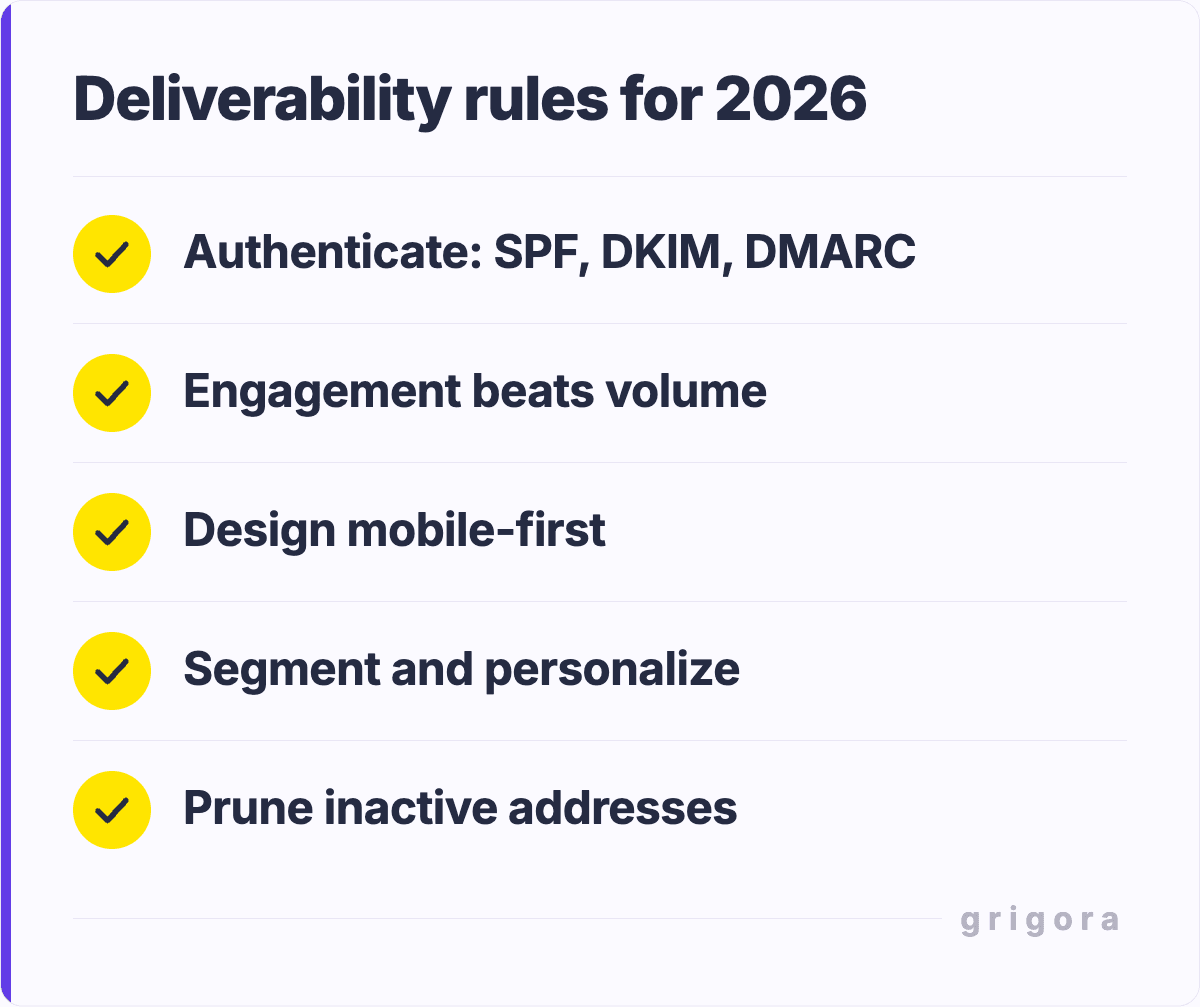
1. Authentication is Non-Negotiable
In 2026, major ISPs are increasingly requiring strict DMARC policies. Gmail in particular is pushing for p=reject. If you're not authenticating your emails, you're losing deliverability.
2. Engagement Matters More Than Volume
ISPs have shifted from volume-based filtering to engagement-based filtering. Sending fewer emails to highly engaged recipients is more effective than blasting millions.
3. Mobile-First Design
Over 60% of emails are opened on mobile. Emails not optimized for mobile are more likely to be deleted immediately, damaging engagement metrics.
4. Privacy-First Approach
New privacy regulations mean more subscribers use privacy tools that block tracking pixels. Focus on quality content rather than relying on open rates alone.
5. Segmentation and Personalization
Mass-blasting generic emails is dead. Segmented, personalized email campaigns see 5x higher engagement.
6. Regular List Maintenance
Even quarterly list cleaning isn't enough anymore. Best-in-class senders validate lists monthly or continuously.
Frequently Asked Questions
What's a good email deliverability rate?
95%+ is good, 98%+ is excellent. Anything below 95% indicates a problem that needs investigation.
How long does it take to fix deliverability problems?
Simple fixes (authentication setup) take 24-48 hours. Reputation recovery takes weeks to months depending on severity.
Can I improve deliverability without changing sending volume?
Yes, absolutely. List cleaning, authentication setup, and engagement improvement all help without reducing volume.
Should I use a dedicated IP or shared IP?
For volumes under 100K/month, shared IP is fine. For higher volumes, dedicated IP gives more control over reputation. When in doubt, start with shared.
How often should I clean my email list?
At minimum quarterly. Best practice is monthly or even continuous validation.
What's the acceptable complaint rate?
Below 0.1% is excellent, 0.1-0.3% is acceptable, above 0.3% requires investigation and action.
Can I recover from being blacklisted?
Yes, but it takes time. You must identify the root cause, fix it, and request removal from the blacklist. Recovery typically takes 1-3 months.
How does Gmail decide to send my emails to spam?
Gmail uses machine learning trained on billions of emails. It considers authentication, sender reputation, engagement, and individual recipient behavior.
Should I worry about DMARC spoofing if I don't set it to reject?
Yes. Even p=none or p=quarantine provides some protection. p=reject provides maximum protection but requires careful rollout.
How can I improve engagement if my emails are already in spam?
First fix the deliverability issue (authentication, list cleaning). Once emails reach the inbox, engagement will naturally improve.
Final Thoughts on Email Deliverability
Email deliverability isn't a one-time setup. It's an ongoing discipline. The ISPs, spammers, and regulations are constantly evolving. Your job is to maintain good sender practices and stay current with industry standards.
The good news: if you follow these guidelines, your emails will reach inboxes. Focus on sending relevant email to opted-in recipients who want to hear from you. Maintain proper authentication. Monitor your reputation. Clean your lists. And your deliverability will take care of itself.
Remember: email isn't dead. In 2026, email remains the highest ROI marketing channel—but only if your emails actually reach the inbox. Use this guide as your foundation for email deliverability success.
Get the next guide by email
Practical writing on building a site, growing an audience and sending email people open. No more than one a week.