Free Image Filename SEO Checker
Type any image filename. Get a 0-100 score, Pass/Fail, plus issues, warnings, and rewrite suggestions. Free, instant, no signup.
How to use the Image Filename SEO Checker, step by step
Real screenshots of the tool, taken while running it with the Check Filename button.
- 1
Add your input
Paste or type into the field Image Filename SEO Checker works from.


- 2
Sample text in place
With sample text entered, Image Filename SEO Checker is ready to run.


- 3
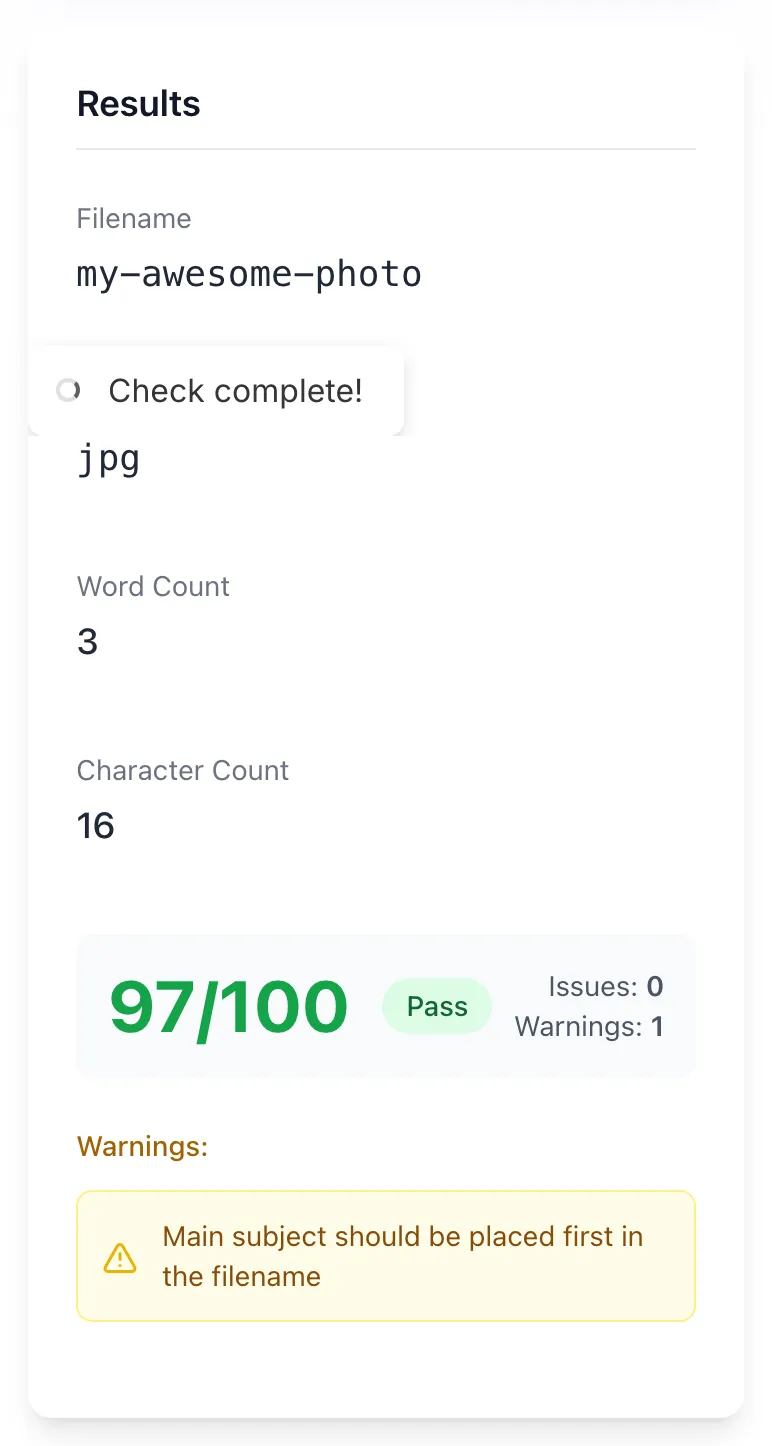
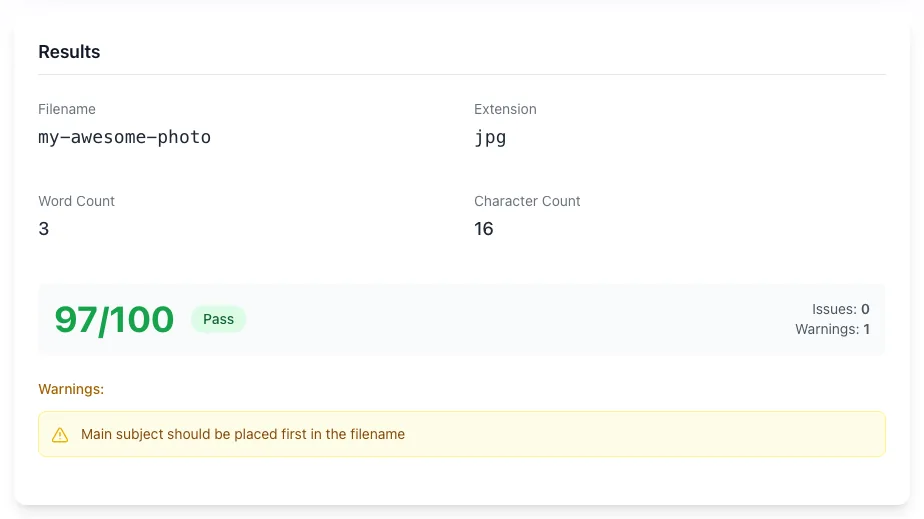
See what Check Filename produces
Clicking Check Filename runs the check and shows the result right below.
What the Filename SEO Checker does
Image filenames are a small but real ranking signal. "DSC_0042.jpg" tells Google nothing; "blue-leather-handbag.jpg" tells Google what the image shows. The checker validates against best practices and gives a 0-100 score plus actionable issues.
Use it pre-upload (validate before publishing) or to audit existing image libraries (rename the worst offenders if their pages drive traffic).
How to check a filename
Five steps from name to optimized.
Type or paste filename
Include the extension (e.g., my-photo.jpg).
Click Check Filename
The checker validates against SEO best practices.
Read the score
See your 0-100 score, Pass/Fail, and any issues, warnings, or suggestions.
Apply the fixes
Rename the file before upload, or rename in your CMS if already uploaded.
Re-check after rename
Validate the new name to confirm Pass status.
When SEOs and developers use it
Six common workflows.
Pre-upload validation
Run every image filename through the checker before uploading to your CMS. Catch issues before they get baked into URLs.
Image library audit
Audit existing image filenames; rename the worst offenders if their pages drive traffic.
CMS migration cleanup
Migrating to a new CMS is the perfect time to rename images systematically. Run candidates through the checker before importing.
E-commerce product photos
Product images are high-volume. Naming conventions matter for Google Shopping and Image Search.
Stock photo asset library
Downloaded stock photos come with random filenames. Rename before adding to your asset library.
SEO audit deliverable
Audit image filenames as part of a client SEO audit; the score gives you concrete recommendations.
Platform-specific setup guides
How to enforce naming conventions on the platforms most teams use.
WordPress
- Use a plugin like Phoenix Media Rename to rename existing images.
- Set CMS rules to enforce kebab-case on new uploads.
- For new images, rename before upload, the URL is set at upload time.
Webflow
- Asset Manager allows renaming on upload.
- For CMS-bound images, use the Collection field name (auto-generates from item name).
- Audit periodically by inspecting served URLs.
Shopify
- Product image filenames are auto-generated from upload. Rename source files before upload.
- Theme images are set in liquid templates.
- Audit a sample of product URLs to catch naming issues.
Next.js
- For static images in /public/, use kebab-case filenames.
- For CMS-fetched images, rename at the source.
- Run a build-time check to enforce naming conventions in CI.
Bulk rename via script
- For large libraries, use a bash one-liner: for f in *.jpg; do mv "$f" "$(echo "$f" | tr "_ " "--" | tr "[:upper:]" "[:lower:]")"; done
- Test on a sample first.
- For CMS-managed assets, the rename should happen via the CMS API to preserve URL mappings.
Grigora vs. other filename checkers
Side-by-side feature comparison.
| Capability | Grigora | Screaming Frog | SEMrush | Free generators | Manual |
|---|---|---|---|---|---|
| Free + unlimited | Yes | Yes | Free trial | Yes | Manual |
| Score + Pass/Fail | Yes | No | Yes | No | No |
| Issues, warnings, suggestions | All three | Issues only | Yes | No | Manual |
| Detects all common errors | Yes | Partial | Yes | No | Manual |
| No signup | Yes | Yes | Account required | Yes | Yes |
| Multi-language | Yes | English only | Yes | English only | N/A |
| Result speed | <1 sec | <1 sec | <3 sec | <1 sec | Manual |
| Privacy: no file retention | Yes | N/A | Stored | N/A | Yes |
Common errors and how to fix them
Eight issues teams hit when naming image files.
Filename has spaces
Cause: Default camera or design-tool exports include spaces.
Fix: Replace spaces with hyphens. "My Photo.jpg" becomes "my-photo.jpg".
Filename has UPPERCASE letters
Cause: Operating system case-preservation.
Fix: Convert to lowercase before upload.
Filename has special chars (commas, parens)
Cause: Common in CMS-uploaded files.
Fix: Strip special chars; use only a-z, 0-9, and hyphens.
Filename is "DSC_0042.jpg"
Cause: Default camera or phone naming.
Fix: Rename descriptively before upload: "sunset-beach-california.jpg".
Filename is too long (50+ chars)
Cause: Trying to stuff too many keywords.
Fix: Cut to 3-5 descriptive words.
Filename is too short ("a.jpg")
Cause: Lazy naming.
Fix: Use at least 2-3 descriptive words.
Filename uses underscores
Cause: snake_case habit from code.
Fix: Convert underscores to hyphens for SEO.
Filename has the wrong extension
Cause: PNG saved as .jpg or vice versa.
Fix: Re-export with the correct format and matching extension.
Original data from our 2026 filename audit
Across 3,000 random image URLs.
Frequently asked questions
Twelve answers about image filename SEO.
Related free tools
Other utilities that pair with the Filename SEO Checker.
Image Alt Text Checker
Audit alt text alongside filename SEO.
Try itImage Alt Text Generator
Generate descriptive alt text for any image.
Try itImage Compression Rating Tool
Score image compression for page speed.
Try itImage Compressor
Reduce image file sizes for faster pages.
Try itImage to WebP Converter
Convert images to WebP for size wins.
Try itImage Metadata Cleaner
Strip EXIF and metadata for smaller files.
Try it