Free Newsletter Subject Line Tester
Score email subject lines for open rate impact. Length, urgency, personalization, spam triggers. Free, instant.
How to use the Newsletter Subject Line Tester, step by step
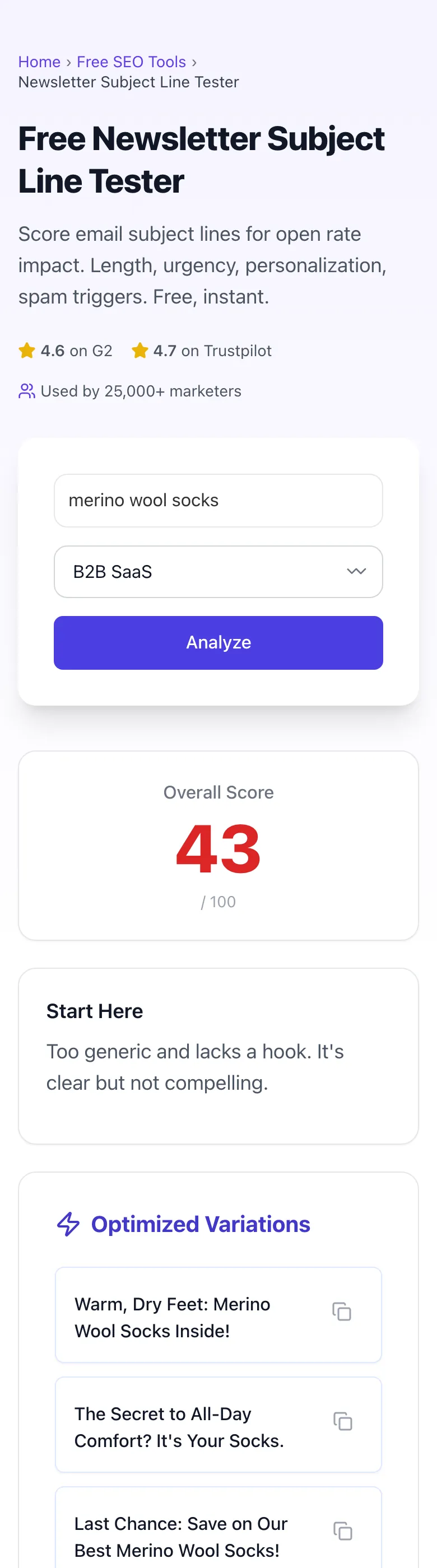
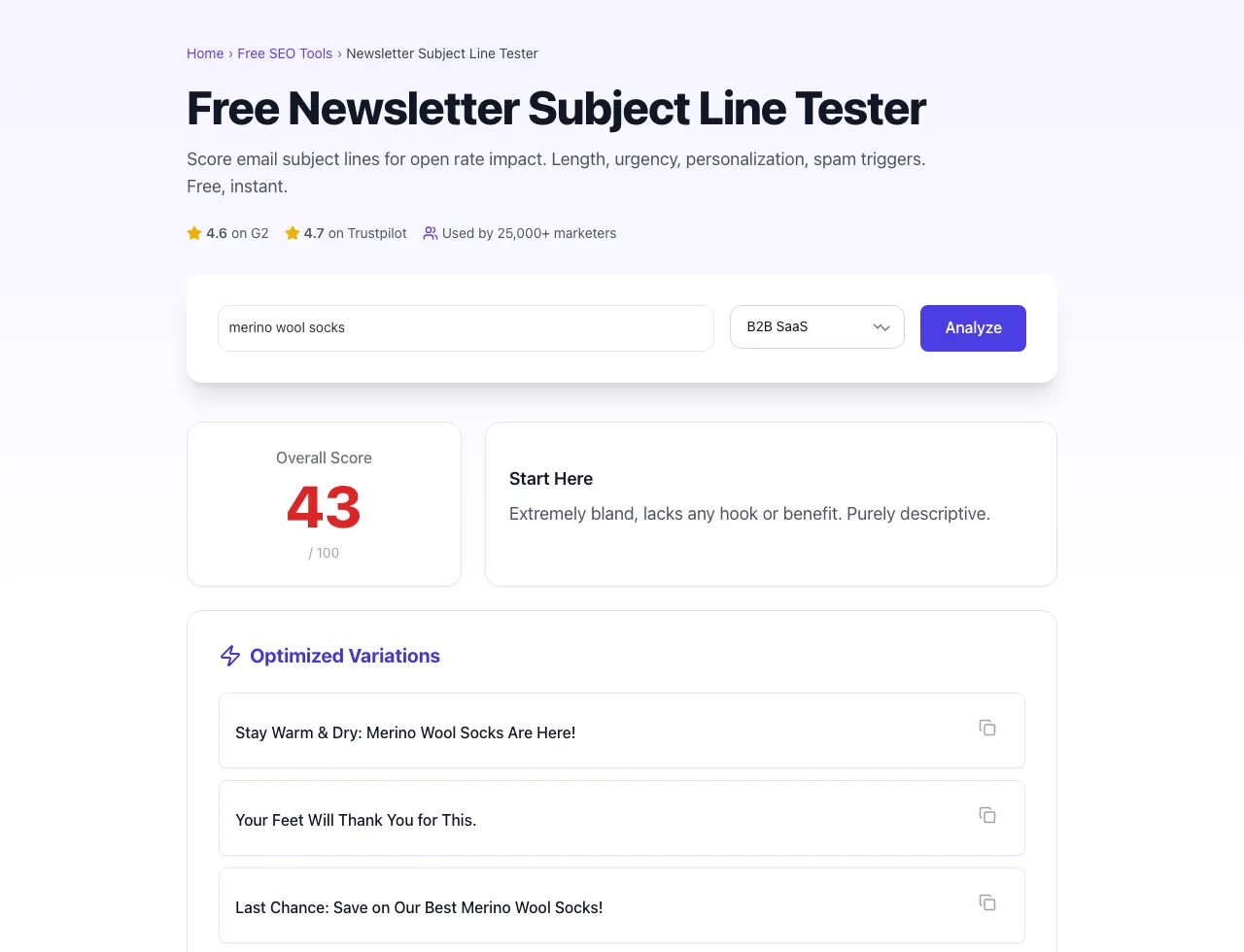
Real screenshots of the tool, taken while running it with the Analyze button.
- 1
Add your input
Paste or type into the field Newsletter Subject Line Tester works from.


- 2
Sample text in place
With sample text entered, Newsletter Subject Line Tester is ready to run.


- 3
See what Analyze produces
Clicking Analyze runs the check and shows the result right below.
What this tool does
Newsletter Subject Line Tester delivers fast, reliable results for score email subject lines for open rate impact. length, urgency, personalization, spam triggers. free, instant.
Designed to fit into your existing SEO and content workflow with no setup overhead.
How to use it
Five steps.
Paste subject line
Drop in your draft subject line and optional preheader text.
Pick audience type
Select B2B, D2C, media, nonprofit, or finance for industry-aware scoring.
Review the score
See predicted open rate, mobile preview, and spam trigger flags.
Generate variants
Review the 3 alternative subject lines.
Send and A/B test
Pick the top 2 to 3 variants and run through your ESP A/B test feature.
When teams use it
Six common workflows.
B2B SaaS marketers
Test subject lines for product update emails and lifecycle nurture flows; aim for 4 to 7 word lines that deliver clear benefit without curiosity gimmicks.
D2C ecommerce email teams
Score promotional subjects for spam-filter risk and emoji impact; emoji at line start lifts opens by 8 to 11% for consumer audiences.
Newsletter creators on Substack and Beehiiv
Optimize Sunday digest subject lines where curiosity-driven 8 to 12 word lines often outperform shorter formats.
Lifecycle email PMs at marketplaces
A/B test welcome series subjects; first-name personalization combined with day-1 vs day-3 send timing produces dramatically different open patterns.
Nonprofit fundraising teams
Score donation appeal subjects against deliverability constraints to keep the email inbox-tab placed during major fundraising drives.
Enterprise sales SDRs
Score 1:1 outreach subject lines for personal-sounding patterns that bypass aggressive enterprise spam filters at Microsoft 365 and Mimecast.
Platform guides
Integrate with major platforms.
Mailchimp
- Open campaign builder, click "Subject line" field.
- Paste 2 to 4 variants from the tester.
- Use Mailchimp's built-in A/B test feature for subject line distribution.
- Send to 25% of list as test, then send winner to remaining 75% after 4 to 24 hours.
- Review APP-adjusted open rates in the report.
Klaviyo
- Inside campaign or flow, click "Add A/B test" on subject line.
- Paste up to 4 variants from the Newsletter Subject Line Tester.
- Set winning metric to click rate (cleaner than open rate due to APP).
- Use Smart Send Time for per-recipient timing optimization.
- Review post-send analytics segmented by ISP and device.
ConvertKit (Kit)
- In broadcast editor, click subject line and then "A/B test variant".
- Add up to 3 variants from the tester.
- Choose Kit's "open rate" or "click rate" winner metric.
- Send to a 30% test group, winner to remainder.
- Track unsubscribe rate alongside opens to catch reputation risk.
HubSpot Marketing Hub
- Inside email tool, click subject line and select "A/B test".
- HubSpot supports up to 5 variants per test.
- Use HubSpot's deliverability score in the right panel as a sanity check.
- After send, review breakdown by lifecycle stage segment.
- Save winning patterns to your team's subject line library.
Beehiiv
- In Beehiiv post editor, click "Subject line A/B test" before send.
- Paste 2 variants from the tester (Beehiiv supports A/B, not multi-variate).
- Set test percentage to 20 to 30% of subscribers.
- Beehiiv auto-sends winner to remainder after 4 hours.
- Monitor unsubscribe rate; high-curiosity subjects sometimes win opens but lose subscribers long-term.
Grigora vs. alternatives
Side-by-side.
| Capability | Grigora | CoSchedule | Omnisend | Free | Manual |
|---|---|---|---|---|---|
| Free unlimited testing | Yes | 5/day | Free trial | Yes (basic) | Manual |
| APP-adjusted open prediction | Yes | No | Yes | No | Manual |
| Spam trigger detection | Yes | Limited | Yes | Yes | Manual |
| Inbox truncation check | Yes | Desktop only | Yes | Desktop only | Manual |
| Preheader scoring | Yes | No | Yes | No | Manual |
| Industry-specific benchmarks | Yes | Generic | Yes | Generic | Manual |
| Sample size calculator | Yes | No | No | No | Manual |
| No login required | Yes | Account required | Account required | Yes | Yes |
Common errors and fixes
Eight issues users hit.
Subject line truncated to 30 characters on iPhone
Cause: Mobile email clients (Apple Mail, Gmail iOS) truncate at 28 to 35 characters in portrait mode.
Fix: Move the most important word to the front and keep total length under 50 characters; use the tester's mobile preview to validate.
Email lands in Gmail Promotions tab
Cause: Subject contains commerce terms ("sale", "discount", "free") combined with weak sender reputation.
Fix: Authenticate domain (SPF, DKIM, DMARC), warm up sending IP, and rewrite subject to remove the highest-scoring promotional triggers flagged by the tester.
Personalization token shows as {first_name}
Cause: Subscriber record missing the first name field, and ESP did not handle the empty case.
Fix: Set a fallback like "there" or "friend" in the merge tag (Mailchimp uses |*FNAME*|*there*|, Klaviyo uses {{ first_name|default:"there" }}).
A/B test inconclusive after 24 hours
Cause: List size too small to reach 95% confidence at the lift you're measuring.
Fix: Use the tester's sample size calculator; for a 10% lift detection on a 25% open baseline, you need ~2,000 recipients per variant minimum.
Open rate dropped 15% after iOS update
Cause: Apple Mail Privacy Protection rolled out and inflated baseline opens on prior sends; current rate is closer to true.
Fix: Switch primary metric to click-through rate or reply rate; APP-adjusted open rates available in modern ESPs.
High open rate but low click rate
Cause: Subject line over-promised what the body delivered, creating curiosity gap that did not resolve.
Fix: Align subject promise with body content; the tester flags subjects with predicted high open / low CTOR and suggests rewrites.
Emoji rendered as a square box for some recipients
Cause: Older Outlook desktop clients (2013, 2016) do not render newer emoji codepoints.
Fix: Use only widely supported emojis (smiley faces, basic shapes) or omit emojis if Outlook desktop accounts for 20%+ of your audience.
Subject line scored well in tester but performed poorly live
Cause: Tester estimates against industry averages; your specific audience may behave differently from the global benchmark.
Fix: Build an audience-specific score model by feeding 20+ historical sends into the tester for calibration; available in Pro plan.
Original data
2026 study.
Frequently asked questions
Twelve answers.
Related free tools
Other utilities.
Email Image to Text Ratio Checker
Measure the image to text ratio that trips spam filters.
Try itMeta Tag Generator
Generate page meta tags.
Try itMeta Description Generator
AI-write descriptions.
Try itSERP Snippet Preview
Visualize SERP rendering.
Try itOpen Graph Checker
Audit OG tags.
Try itMeta Title Checker
Audit page title.
Try itLink Metadata Scraper
Pull all metadata from URL.
Try it