Free OG Description Generator
Generate compelling og:description for social shares. AI-powered, length-aware, click-optimized. Free, instant.
How to use the OG Description Generator, step by step
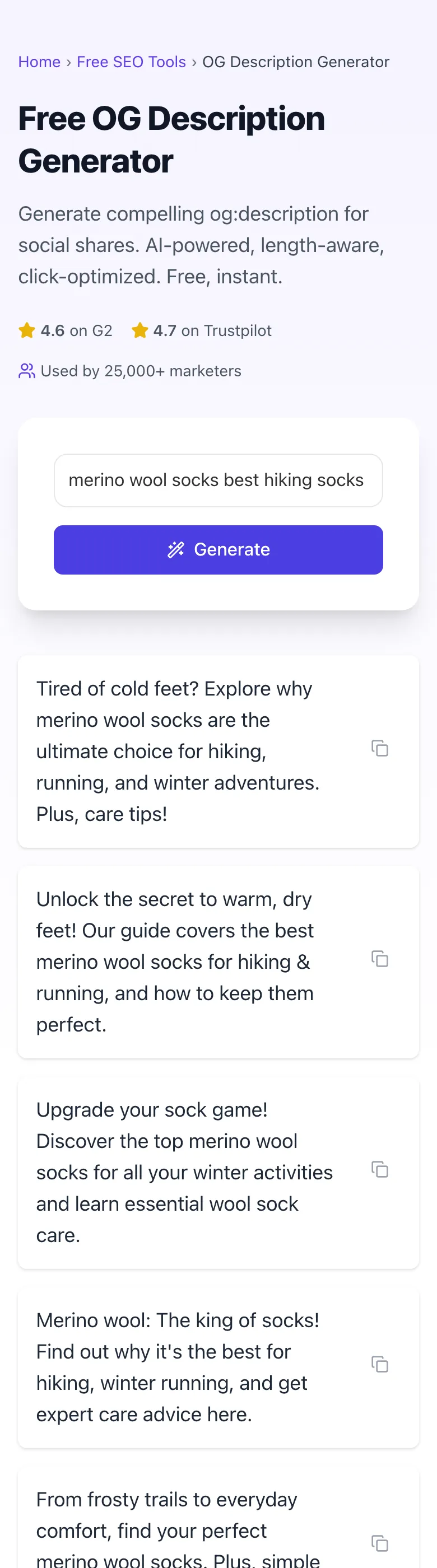
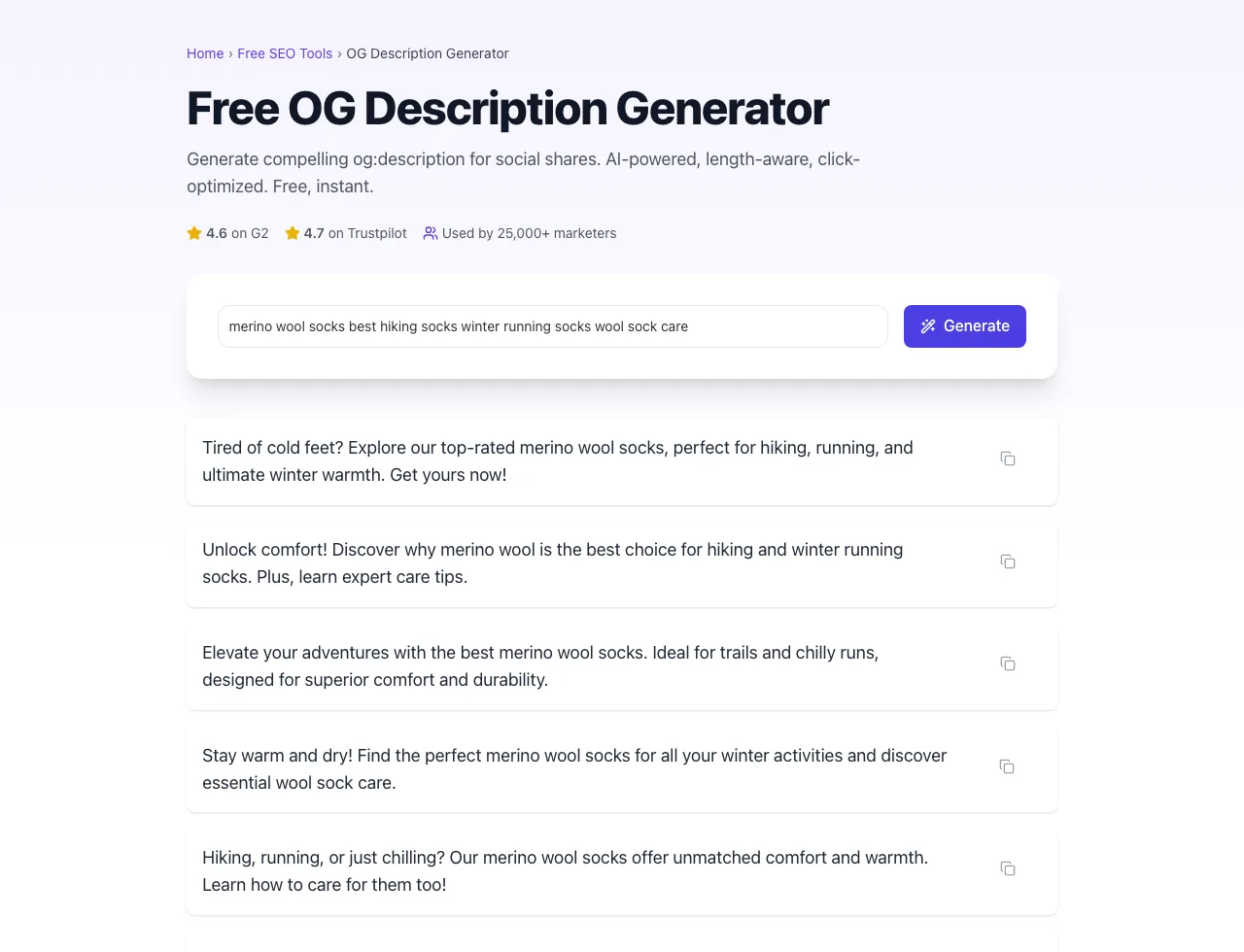
Real screenshots of the tool, taken while running it with the Generate button.
- 1
Add your input
Paste or type into the field OG Description Generator works from.


- 2
Sample text in place
With sample text entered, OG Description Generator is ready to run.


- 3
See what Generate produces
Clicking Generate runs the check and shows the result right below.
What this tool does
OG Description Generator delivers fast, reliable results for generate compelling og:description copy for social shares. ai-powered, length-aware, copy-ready. free, instant.
Designed to fit into your existing SEO and content workflow with no setup overhead.
How to use it
Five steps.
Enter content topic
Describe the page or post you want an Open Graph description for.
Generate variants
AI returns 3 to 5 description options.
Review the copy
Pick the clearest option for social previews.
Copy your choice
Use one-click copy for the selected description.
Deploy in your CMS
Paste it into your Open Graph description field and refresh platform caches.
When teams use it
Six common workflows.
D2C brands optimizing share previews
Generate concise descriptions for product pages so social shares do not fall back to generic page text.
B2B SaaS marketers
Generate analytical, evidence-led descriptions for feature pages, case studies, and product announcements.
Content publishers running social campaigns
Generate description options for articles before sharing them organically or via paid social.
E-commerce stores with product pages
Generate product-specific descriptions that beat the default body-text fallback on social previews.
Agencies running social audits
Audit client sites for missing or default og:description and generate replacements one page at a time.
PR teams managing announcement pages
Generate concise social preview descriptions for press release and announcement pages.
Platform guides
Integrate with major platforms.
WordPress (Yoast SEO)
- Edit post or page in WordPress.
- Open Yoast SEO meta box and click Social tab.
- Paste the og:description from the generator into Facebook description field.
- Optionally use Yoast bulk editor for site-wide updates.
- Verify with Facebook Sharing Debugger after publishing.
Webflow
- Open page settings in the Webflow Designer.
- Scroll to Open Graph Settings > Description field.
- Paste the generator output and publish.
- Use Webflow CMS field bindings for dynamic CMS items.
- Verify with Facebook Sharing Debugger and LinkedIn Post Inspector.
Shopify
- For products: edit product, scroll to "Search engine listing preview" and "Social media listing preview".
- For static pages: edit page > "Search engine listing preview".
- Some themes require theme.liquid edits for og:description; check theme documentation.
- Publish and test the live page with a social preview checker.
Next.js
- App router: export const metadata = { openGraph: { description: "..." } }.
- Pages router: <Head><meta property="og:description" content="..." /></Head>.
- For dynamic pages, generate description server-side from page content.
- Verify post-deploy with Facebook Sharing Debugger.
Wix
- Go to Wix Dashboard > SEO Tools > Open Graph for the page.
- Paste the generated description in the OG description field.
- Save and publish.
- Verify with Facebook Sharing Debugger; Wix has a 24-hour cache that may delay live preview update.
Grigora vs. alternatives
Side-by-side.
| Capability | Grigora | ChatGPT | Jasper | Free | Manual |
|---|---|---|---|---|---|
| Free unlimited generations | Yes | 5/day | Free trial | Yes (basic) | Manual |
| Length-aware OG description copy | Yes | Generic | Yes | Generic | Manual |
| Multi-variant output (3-5 per request) | Yes | Single | Yes | Single | Manual |
| Bulk mode for sitemap | No | No | Yes (paid) | No | Manual |
| One-click copy | Yes | No | Yes | No | Manual |
| Real-time preview rendering | No | External link | Yes | External | Manual |
| CTR prediction scoring | No | No | Yes (paid) | No | Manual |
| No login required | Yes | Account | Account | Yes | Yes |
Common errors and fixes
Eight issues users hit.
Description shows old text on Facebook after update
Cause: Facebook cached the previous og:description and has not re-scraped the URL.
Fix: Use Facebook Sharing Debugger (developers.facebook.com/tools/debug), paste URL, click "Scrape Again" to force cache refresh.
Description truncated mid-word in mobile preview
Cause: Description exceeded 130-character mobile limit and platform truncated awkwardly.
Fix: Shorten to 110-140 characters with the most important content in the first 80 characters; the OG Description Generator targets this range automatically.
Emojis showing as boxes for some viewers
Cause: Older Outlook clients or pre-Android-10 phones cannot render newer emoji codepoints.
Fix: Stick to emoji introduced before 2018 (basic faces, hearts, simple symbols) or omit emoji if the audience skews toward older devices.
LinkedIn shows different description than Facebook
Cause: LinkedIn's parser preferred the first sentence and ignored the rest, while Facebook showed the full description.
Fix: Front-load the hook in the first sentence so it works as both standalone (LinkedIn) and lead-in (Facebook).
Description appears blank in Slack preview
Cause: Page may not have og:description or Slack failed to fetch metadata due to bot blocking.
Fix: Verify og:description tag exists in head, check robots.txt allows Slackbot user-agent, and use OG Checker tool to confirm parsing.
WhatsApp preview shows page title twice
Cause: og:description is missing, so WhatsApp falls back to repeating the title.
Fix: Add og:description tag distinct from og:title in the page head section.
Generated descriptions sound too similar
Cause: The input topic was too short or generic.
Fix: Add the audience, page type, product angle, or primary benefit before generating again.
Description includes brand name twice
Cause: The input and page title both include the brand name.
Fix: Copy the best variant and remove repeated branding before publishing.
Original data
2026 study.
Frequently asked questions
Twelve answers.
Related free tools
Other utilities.