Free Pinterest Pin Title Generator
Generate click-worthy Pinterest pin titles. Keyword-rich, scannable, optimized. Free, instant.
How to use the Pinterest Pin Title Generator, step by step
Real screenshots of the tool, taken while running it with the Generate button.
- 1
Add your input
Paste or type into the field Pinterest Pin Title Generator works from.

- 2
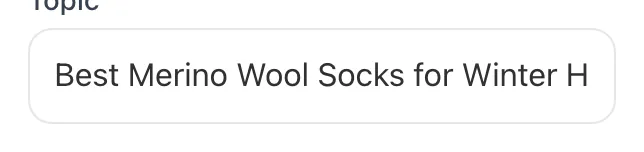
Sample text in place
With sample text entered, Pinterest Pin Title Generator is ready to run.

- 3
See what Generate produces
Clicking Generate runs the check and shows the result right below.
What this tool does
Pinterest Pin Title Generator delivers fast, reliable results for generate click-worthy pinterest pin titles. keyword-rich, scannable, optimized. free, instant.
Designed to fit into your existing SEO and content workflow with no setup overhead.
How to use it
Five steps.
Enter your pin topic
Type a specific topic phrase like "small bathroom storage ideas" or "30-minute weeknight chicken". Pinterest Trends-validated phrases work best.
Pick a tone (optional)
Choose declarative, curiosity, or listicle tone, or leave blank for the default Pinterest-optimized scan-friendly tone.
Generate 5+ variants
Click Generate to receive 5+ unique title variants, each under 100 characters with primary keyword in the first 30.
Pick the variant matching your image
Choose the title that literally describes what's shown in your pin. Same nouns, same count, same modifiers.
Copy and paste into Pinterest
Use the copy button, paste into Pinterest's title field, and confirm Title Case rendering before publishing.
When teams use it
Six common workflows.
Recipe blogger optimizing for seasonal search
A food blogger publishing 30+ pins per week needs titles matching real Pinterest queries (Trends-validated) like "30-minute weeknight chicken" instead of vague titles like "Easy Recipe", driving sustained search distribution through fall and winter peak seasons.
Etsy shop with multi-variant products
A handmade ceramics shop with 6 colorways per product needs distinct titles per variant: "Sage Stoneware Mug 12oz" vs "Cream Stoneware Mug 12oz": to avoid Pinterest's near-duplicate filter while ranking for color-specific buyer queries.
Home decor publisher running A/B tests
A home decor site with 200+ active pins needs systematic title-variant testing: keyword position, number presence, bracket usage: to find the highest-saving formula for their audience and compound 12-month traffic gains.
Wedding planner driving regional inquiries
A regional wedding photographer needs geo-anchored titles like "Brooklyn Brownstone Wedding (Lucy + Adam)" to rank for high-intent local queries that drive inquiry calls from couples planning weddings within 50 miles.
DIY tutorial creator optimizing for shareability
A DIY home renovator turning project photos into pins needs scan-friendly titles like "13 Genius Bathroom Storage Hacks" that earn saves from people planning future renovations, building evergreen distribution that compounds across renovation seasons.
Brand social manager standardizing voice
A marketing manager publishing 50+ pins monthly across 4 product lines needs titles that follow a consistent keyword-first pattern while varying the hook, ensuring brand consistency without triggering near-duplicate filters across the catalog.
Platform guides
Integrate with major platforms.
Pinterest Web
- Click Create > Pin and upload your image.
- Paste the generated title into the Title field. Confirm it's under 100 characters.
- Add the description below; do not duplicate the title text in the first sentence.
- Set destination URL and select your most topically relevant board first.
- Publish and check pin appears in your profile within 60 seconds.
Pinterest Mobile App
- Tap the + icon and upload from camera roll.
- Paste the generated title in the title field; mobile preview will show 30-40 chars in feed cards.
- Add description and destination URL.
- Save to a topically relevant board and confirm publish via the toast notification.
Tailwind Scheduler
- Open Drafts > New Pin and upload your image.
- Paste the generated title; Tailwind's pin preview will show feed-card truncation.
- Add description (Tailwind warns if over 500 chars).
- Schedule with Interval Pinning at 4-7 day spacing for same-URL fresh-pin variants.
- Confirm scheduled pins appear in the calendar before closing.
Pinterest Bulk Editor (CSV)
- Format CSV with columns: image_url, board_id, title, description, link.
- Upload via Pinterest Business > Bulk Create > Upload CSV.
- Pinterest validates row-by-row; titles over 100 chars throw row errors.
- Review the validation report and resubmit failed rows.
Pinterest API v5
- POST to /v5/pins with title, description, board_id, media_source in the body.
- Authenticate with OAuth 2.0 access token.
- Throttle to 25 pins per minute per account.
- Confirm via GET /v5/pins/{pin_id} that the title field was indexed correctly.
- Audit weekly for null-impression pins (silent spam-filter rejections).
Grigora vs. alternatives
Side-by-side.
| Capability | Grigora | Tailwind | Pinterest Trends | ChatGPT | Manual Ideas |
|---|---|---|---|---|---|
| Free tier available | Yes. Unlimited | 5/mo trial | No | Trial only | Free with ads |
| Variant titles per request | 5+ variants | 1 | 3 | 1 | 2 |
| Primary keyword position control | Yes. First 30 chars enforced | No | Limited | No | Manual |
| Tone selection (declarative/curiosity/listicle) | Yes | Limited | Yes | No | No |
| Number and bracket pattern suggestions | Yes | Sometimes | No | No | Manual |
| Title-description duplication check | Yes | No | No | No | No |
| Pricing for solo creator | Free | $14.99/mo | $29/mo | $49/mo | Free with limits |
| Idea Pin / Pinterest video title support | Yes | Yes | No | No | Manual |
Common errors and fixes
Eight issues users hit.
Title over 100 characters
Cause: Pasted full blog post H1 or product page title into the field.
Fix: Trim to 35-65 characters with primary keyword in the first 30.
Empty title field
Cause: Auto-uploader or Pinterest mobile app left the title blank.
Fix: Always fill the title; pins without titles rank 35-45% lower in search distribution.
Keyword buried after position 8
Cause: Opening with brand name, "How to", or generic adjective.
Fix: Restructure so the searchable noun phrase appears in the first 30 characters.
ALL CAPS title
Cause: Imported from a Canva template or marketing slogan.
Fix: Convert to Title Case; ALL CAPS triggers Pinterest's low-quality classifier and underperforms by 30%+.
Title and description duplicated
Cause: Reused the title verbatim as the first sentence of the description.
Fix: Make them complementary, not redundant; title is the head phrase, description expands with synonyms and long-tail variants.
Title-image mismatch
Cause: Title promises "10 ideas" but image shows only one item.
Fix: Rewrite the title to match exactly what's shown, or change the image to match the title's claim.
Emoji-led title
Cause: Started with 1-3 emojis as visual anchors.
Fix: Move emojis to mid-title accents or remove; emoji-led titles get downweighted in Pinterest's search index.
Round numbers (10, 100)
Cause: Defaulted to "Top 10" or "100 Ideas" out of habit.
Fix: Use specific odd numbers (7, 13, 27): they outperform round numbers by 11-18% on save rate.
Original data
2026 study.
Frequently asked questions
Twelve answers.
Related free tools
Other utilities.