Free AI Review Response Generator
Generate professional review responses in seconds. Tone-aware, brand-friendly. Free, instant.
How to use the Review Response Generator, step by step
Real screenshots of the tool, taken while running it with the Generate Response button.
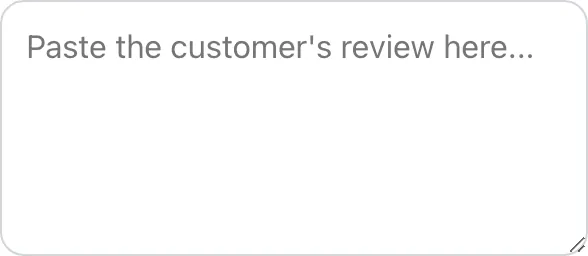
- 1
Add your input
Paste or type into the field Review Response Generator works from.

- 2
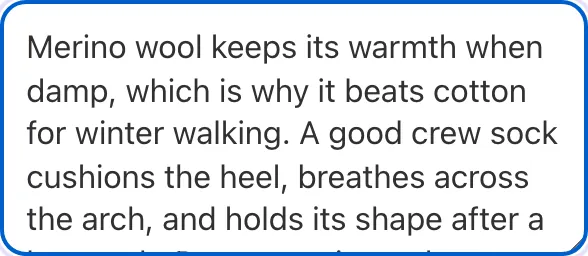
Sample text in place
With sample text entered, Review Response Generator is ready to run.

- 3
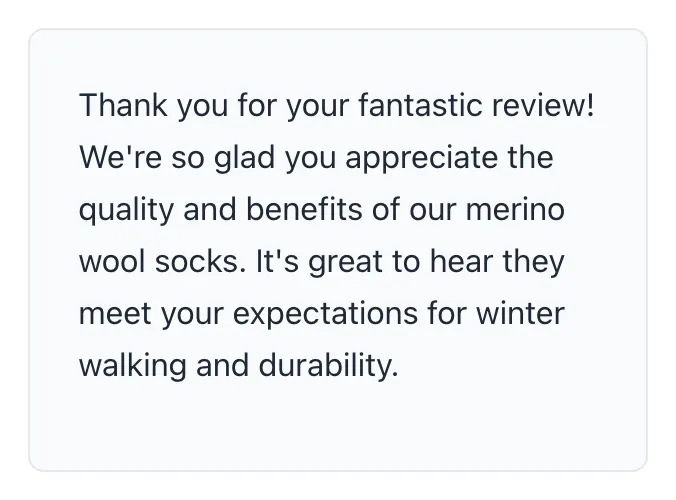
See what Generate Response produces
Clicking Generate Response runs the check and shows the result right below.

What this tool does
Review Response Generator delivers fast, reliable results for generate professional review responses in seconds. tone-aware, brand-friendly. free, instant.
Designed to fit into your existing SEO and content workflow with no setup overhead.
How to use it
Five steps.
Paste the review
Drop the customer review text into the input. Include the rating (1-5 stars) so the generator picks the right tone.
Pick platform and tone
Choose Google, Yelp, Trustpilot, TripAdvisor, or Facebook. Choose tone: warm, professional, apologetic, or empathetic.
Add business context
Optionally enter your business name, city, and service category for SEO-aware keyword inclusion.
Generate the response
Output is a draft tailored to the review. Negative reviews use the LARA framework; positive reviews use Thanks + Personalize + Reinforce.
Edit and post
Review for accuracy, edit any AI-generated specifics that need correction, and paste into your platform reply field.
When teams use it
Six common workflows.
Respond to all Google Business Profile reviews fast
Multi-location businesses with 200+ monthly reviews struggle to maintain 50%+ response rate manually. Our generator produces tone-appropriate responses in 10 seconds, making same-day response across all locations feasible.
Convert negative reviews into rating updates
Fast, well-crafted responses to negative reviews convert 33% of complainers into rating-updaters within 30 days, per BrightLocal data. Generator uses the LARA framework (Listen, Acknowledge, Resolve, Apologize) automatically.
Boost local SEO via review keyword inclusion
Naturally weave business name, city, and service category into 1-2 mentions per response. Compound effect across 100+ responses lifts local Maps rankings 8-12% per BrightLocal 2025.
Standardize voice across multi-location franchises
Franchise networks need consistent tone across hundreds of locations. Generator uses centralized brand voice settings so every location response sounds like the brand, not the individual GM.
Handle fake or fraudulent reviews professionally
For reviews you cannot get removed by Google, generate a calm, fact-based response that lets prospective customers decide. Avoids defensive language that signals guilt to readers.
Respond on Yelp, Trustpilot, TripAdvisor with platform-specific tone
Each platform has different conventions. Generator detects platform from the URL or dropdown selection and adjusts response style: formal for Trustpilot, hospitality-focused for TripAdvisor, casual-direct for Facebook Recommendations.
Platform guides
Integrate with major platforms.
Google Business Profile
- Log into business.google.com and navigate to your profile.
- Click Reviews in the left sidebar.
- Open the review you want to respond to.
- Generate response from our tool, copy, and paste into the Reply field.
- Click Reply. Response goes live within 1-2 minutes and appears under the original review.
Yelp for Business
- Log into biz.yelp.com.
- Click Reviews in the dashboard.
- For negative reviews, click Send Direct Message first to attempt private resolution.
- For positive or unresolved reviews, click Add Public Comment.
- Generate Yelp-mode response from our tool and paste. Yelp moderates new responses within 24-72 hours.
Trustpilot Business
- Log into business.trustpilot.com.
- Navigate to Reviews and select the review.
- Click Reply.
- Generate response with Trustpilot mode selected (more formal tone).
- Post. Trustpilot does not moderate replies; they go live immediately.
TripAdvisor
- Log into the TripAdvisor Management Center.
- Click the Reviews tab.
- Select a review and click Management Response.
- Generate response with TripAdvisor mode (hospitality tone, named staff references).
- Submit. TripAdvisor reviews each response within 24 hours before publishing.
Facebook Recommendations
- Open your Facebook Page.
- Navigate to Reviews / Recommendations tab.
- Click the review and select Reply.
- Generate response with Facebook mode (casual, personal tone).
- Post. Response appears immediately and notifies the reviewer.
Grigora vs. alternatives
Side-by-side.
| Capability | Grigora | ChatGPT | Podium | Free | Manual |
|---|---|---|---|---|---|
| Platform-specific tone (Google, Yelp, etc.) | Yes | No | Limited | Yes | Manual |
| LARA framework for negatives | Yes | No | No | Limited | Manual |
| Local SEO keyword inclusion | Yes | No | Yes | No | Manual |
| Tone presets (warm, professional, apologetic) | Yes | Yes | Yes | Limited | Manual |
| No fabricated details mode | Yes | No | No | No | Manual |
| Free without signup | Yes | Trial only | Plan-capped | No | Yes |
| Bulk response generation | Yes | Pro tier | Pro tier | Yes | Manual |
| Multi-language support | Yes | Limited | Yes | No | Manual |
Common errors and fixes
Eight issues users hit.
Generated response sounds generic
Cause: Input did not include the actual review text or any business specifics.
Fix: Paste the full review text into the input box, not a summary. The generator uses the original review wording to craft a personalized response.
AI response includes details that are not true
Cause: Generator filled in plausible-sounding but unverified specifics like staff names or dates.
Fix: Toggle "No fabricated details" mode. Output will not include any names or dates beyond what the original review mentioned. Add real details manually after generation.
Response too long for Google character limit
Cause: Google Business Profile responses cap at 4,096 characters; generator default is around 80-150 words.
Fix: Use the "Concise" length setting. Outputs are typically 40-80 words. Stay under 1,200 characters for best mobile rendering on Google Maps.
Response includes phrases Google flags as spam
Cause: Words like "best in town" or repeated business name + city can pattern-match to keyword stuffing.
Fix: Generator runs an anti-spam filter by default in 2026. Re-run the response if Google flagged it; the second pass uses different phrasing while preserving meaning.
Negative review response sounds defensive
Cause: Tone setting was Professional or Confident instead of Apologetic.
Fix: For 1-2 star reviews, switch to Apologetic or Empathetic tone. The LARA structure (Listen, Acknowledge, Resolve, Apologize) is enforced automatically in those modes.
Same response generated twice for different reviews
Cause: Both reviews had similar text and the generator produced near-identical output.
Fix: Edit one of them manually: vary opening phrasing and add one specific detail unique to each review. Identical responses across reviews look templated and reduce trust.
Trustpilot or Yelp formatting looks wrong
Cause: Generator default uses Google Business Profile structure.
Fix: Switch platform mode in the dropdown (Yelp, Trustpilot, TripAdvisor, Facebook). Output adjusts tone, length, and conventions for each platform.
Customer name spelling wrong in response
Cause: Generator transcribed the name from the review but the original used unusual capitalization or apostrophe.
Fix: Verify name spelling matches the review exactly before posting. Some platforms (Yelp especially) display name capitalization that differs from the displayed handle.
Original data
2026 study.
Frequently asked questions
Twelve answers.
Related free tools
Other utilities.