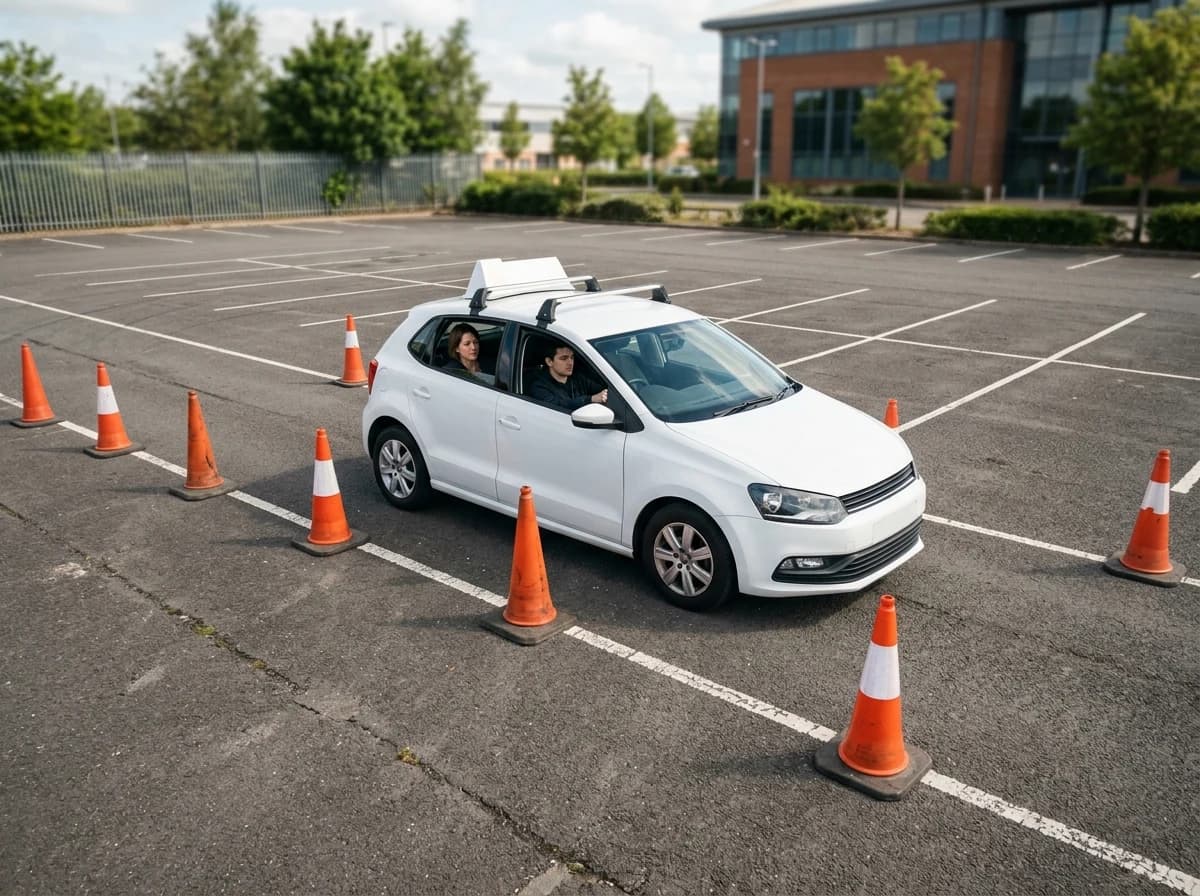
Lessons and courses
Describe beginner lessons, refresher courses and test preparation separately. Explain who each course suits and what it covers.
AI website builder for driving school
Show lesson options, instructor credentials and practical enrolment enquiry information.
A first draft, with room to make it yours
Start with an idea or a relevant template. Refine it around your driving school audience and the information they need.
Tell the AI who you serve, what you offer and the style you want. Include lessons and courses and instructors in your brief, or choose a relevant template.
Name your audience and the next action you want visitors to take.Edit your draft visually. Add your own photographs and review lessons and courses, instructors, lesson prices before sharing your website.
Confirm every claim and replace sample content with your actual details.Check the website on phones, tablets and desktop screens. Publish with hosting and SSL, and connect a domain you own when your plan includes custom domains.
Test your contact form and every external service link after publishing.The details that help visitors choose
Grigora helps you build a driving school website for adult learners comparing instructors, lesson formats and pickup areas. Start by describing lesson types, instructor profiles, practice areas and learner requirements, along with the style you want.
Describe beginner lessons, refresher courses and test preparation separately. Explain who each course suits and what it covers.
Give instructors individual profiles with their teaching approach and verified qualifications. Show authentic instructor photographs.
Explain lesson duration, package contents and cancellation terms together. Make clear which costs are included.
 First Lessons
A clear first impression
Describe beginner lessons, refresher courses and test preparation separately. Explain who each course suits and what it covers.
Your work, clearly presentedInteractive design inspiration. Illustrative photography and sample copy.
Plan the pages your visitors will use
A practical driving school website content guide. Choose the pages that fit what you do and keep the important answers close.
Describe beginner lessons, refresher courses and test preparation separately. Explain who each course suits and what it covers.
Give instructors individual profiles with their teaching approach and verified qualifications. Show authentic instructor photographs.
Explain lesson duration, package contents and cancellation terms together. Make clear which costs are included.
List the neighborhoods and meeting points you serve, with practical arrival instructions for learners.
Explain what learners should bring and how to prepare for a first lesson. Keep official requirements linked to the relevant authority.
Ask for contact details, experience level and preferred area. Let learners know your team will confirm the lesson time separately.
Review site analytics to understand which pages people visit. Keep lessons and courses and contact information easy to reach, and update them when your work changes.
Explore the tools behind your websiteMake the next step obvious
Choose how visitors to your driving school website reach you. Make each action fit the services and processes you already use.
Help visitors ask about lessons and courses. Use a contact form that collects the details your team needs, and explain what happens after an enquiry.
Your team reviews requests and confirms the next step.
Keep specialist workflows for your driving school website in the services you already use. Add clear links and explain their process before visitors leave your site.
Your chosen provider handles its own availability, confirmations and account access.
If you sell products or agreed services, add Grigora Commerce product pages, a cart and checkout with your connected Stripe or Razorpay account. Explain prices, terms and fulfillment before accepting payment.
Your team manages orders and fulfillment; payment provider fees and terms apply.
SEO for driving school websites
Good driving school website SEO starts with useful pages. Make lessons and courses, your contact details and your story easy to find.
Your website
https://driving-school.example/Explore lessons and courses and instructors, learn about our approach and find out how to contact us.
Fictional example. Search engines choose the final title and snippet.
Give pages for lessons and courses and instructors clear titles. Write descriptions that match their actual content.
Explain lessons and courses with original copy and relevant photographs. Keep contact details and any locations you serve accurate.
Publish with hosting, HTTPS and a sitemap. Use clear navigation so visitors and search engines can reach your pages. Custom domains are available on paid plans.
Room to start. Room to grow.
Try the AI builder and review your first driving school website draft. Check the pricing page for current features and usage limits.
Compare plans for your domain and the content your driving school website needs. Paid plans add custom domains and Directory Maker for structured content.
Check current plan limits and feature eligibility before choosing. Connected payment providers have their own terms and processing fees.
The last check before going online
Walk through your driving school website as a visitor would. Review these details before publishing, and again whenever your content changes.
0 of 5 items reviewed
Before you go online
Clear answers about creating a driving school website, its content and the tools you can use.
Describe your audience and the information you want to share, including lesson types, instructor profiles, practice areas and learner requirements. Grigora creates a draft you can edit visually. Review the copy, replace illustrative images with your own photographs where appropriate, connect your domain and publish.
Start with lessons and courses, instructors, lesson prices. Add areas and pickup points, learner guidance and a clear contact route. The page guide explains what visitors need from each section.
Link to your chosen lesson scheduling service or add an inquiry form for preferred times. Your scheduling provider or team handles instructor availability and confirms the lesson.
Yes. Use the visual editor to change layouts, photographs and text. Keep lesson types, instructor profiles, practice areas and learner requirements current, and preview your changes on phone and desktop layouts before publishing.
Yes. Create separate pages or sections for beginner lessons, refresher sessions and test preparation. Explain the duration, intended learner and cancellation terms so people can compare the options.
Describe your driving school website. Get a first draft you can edit and make your own.
Start building free