Free AI FAQ Generator
Generate 3-10 SEO-ready FAQs for any topic in under 10 seconds. Pick your tone, set the question count, copy the output, and ship it to WordPress, Shopify, Webflow, or anywhere else, no login, no limits.
What you get
- 1-10 Q&A pairs per generation, customizable
- 6 tone presets (Professional, Casual, Friendly…)
- Copy-ready plain-text output
- Pairs with FAQ Schema Generator for rich results
- Unlimited runs, zero tracking
What is an FAQ Generator?
An FAQ generator is an AI-powered writing tool that produces question-and-answer pairs for any topic you feed it. Instead of staring at a blank doc, you describe what the page is about, pick your tone, and the generator returns a clean list of Q&As ready to paste into your CMS.
Good FAQs earn organic traffic three ways: they target long-tail informational queries, they unlock People Also Ask coverage, and when wrapped in FAQ schema they can render rich results directly in Google. They also deflect support tickets by answering the questions buyers and readers actually type.
Grigora's generator is built for speed: one input field, two optional dropdowns, and a copy button. No login, no credit card, no rate limits on typical use.
How to use the FAQ Generator, step by step
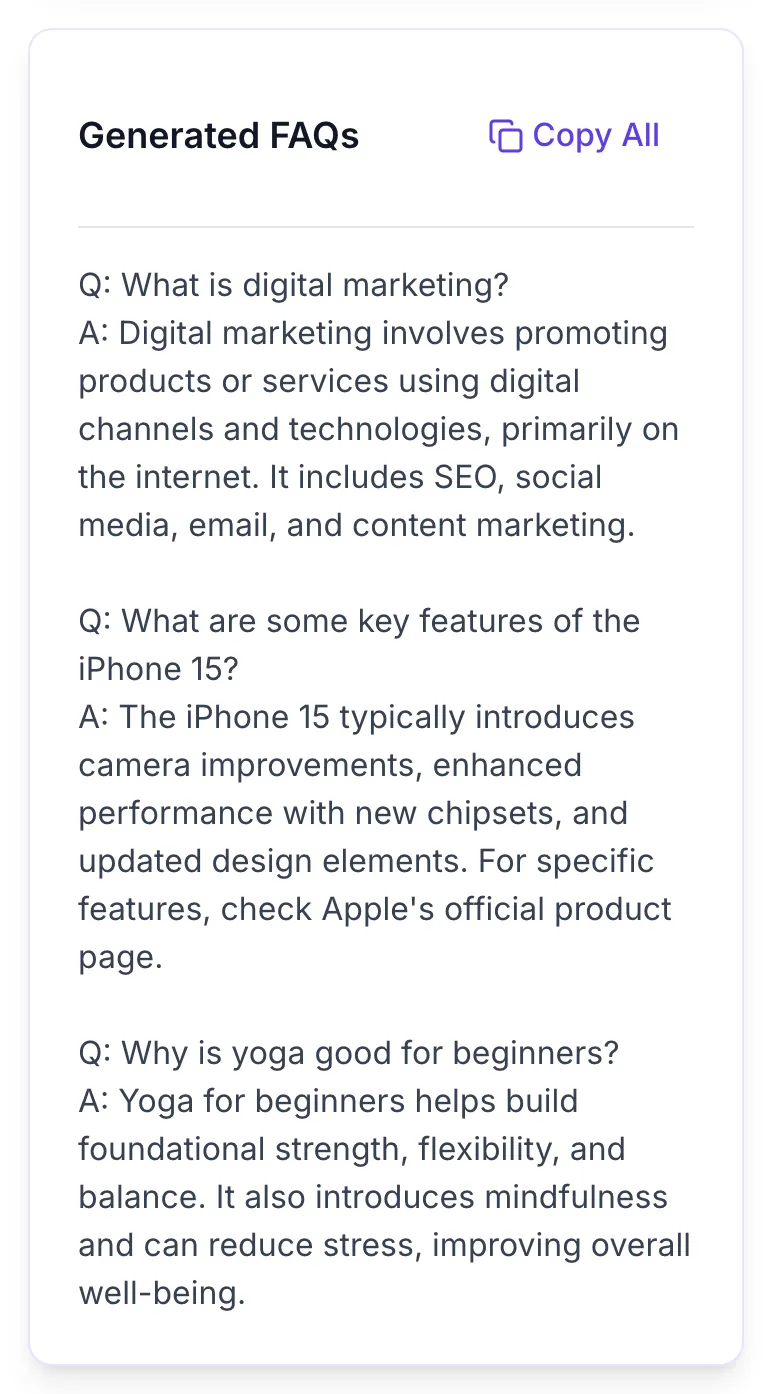
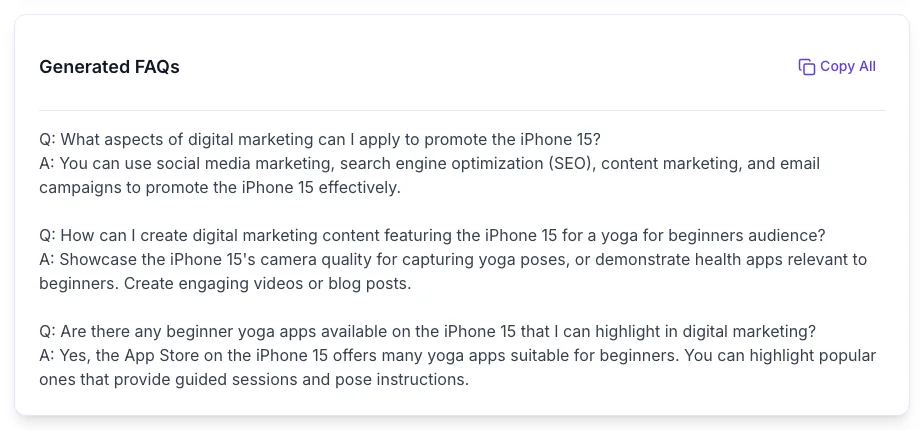
Real screenshots of the tool, taken while running it with the Generate FAQs button.
- 1
Add your input
Paste or type into the field FAQ Generator works from.


- 2
Sample text in place
With sample text entered, FAQ Generator is ready to run.


- 3
See what Generate FAQs produces
Clicking Generate FAQs runs the check and shows the result right below.
How it works
Five steps, under a minute, zero friction.
Enter a specific topic
Be concrete. Include product name, audience, or location. Specific topics produce sharper, more useful FAQs.
Open Advanced Options
Pick your tone (Normal, Professional, Casual, Friendly, Formal, Conversational) and the number of questions (1-10).
Click Generate FAQs
The AI returns a formatted Q&A block in 5-10 seconds. No login, no queue.
Review and edit
Fact-check each answer, match it to your brand voice, and trim anything that feels generic.
Copy and publish
Click Copy All, paste into your CMS, and optionally wrap in FAQ schema for rich results.
Who it's for
Six teams get the most out of this tool.
SaaS product pages
Answer pricing, onboarding, and integration questions directly under the fold to reduce pre-sales support load.
E-commerce PDPs
Add 5-8 FAQs to each product page to target long-tail searches and boost time-on-page.
Local service pages
Cover service area, pricing, response time, and licensing questions for each city/service combo you target.
Blog post enrichment
Close every long-form post with a curated FAQ block to stack People Also Ask coverage.
Support documentation
Generate first-draft knowledge base entries, then route to human editors for polish.
Landing pages
Handle common objections before the CTA to lift conversion rates without adding friction.
Platform integration guides
Drop your output into the stack you already run.
WordPress
Paste the output into a Gutenberg Paragraph block, or split each Q&A into a Heading (H3) + Paragraph pair. Pair with Rank Math or Yoast FAQ block for auto-schema.
Shopify
Open your product template, add a custom FAQ section via Online Store 2.0 metafields, or drop the text into the Description with H3 tags per question.
Webflow
Use the built-in Accordion component. Paste each question into the header, each answer into the body. Add FAQPage schema via Embed in the <head>.
Framer
Use the FAQ template component or native Toggle element. Paste questions as headers, answers as body copy, and publish.
Notion / Super / Feather
Create a Toggle block per question. Paste the answer as the nested body text. Bulk-convert Markdown if needed.
Common errors and fixes
Spot the issue, apply the fix, regenerate.
Empty or too-short topic
Type at least 3-5 specific words. "Marketing" is too vague, "email marketing for Shopify stores" gives the AI enough signal to produce useful FAQs.
Output feels generic
Add audience, location, or use-case to your topic. Include specific product names, target reader, or a sharp angle. "yoga for desk-bound developers" beats "yoga".
Only 3 FAQs returned when you wanted more
Open Advanced Options and set "No. of FAQ" to the count you need (up to 10). The default is 3.
Tone does not match your brand
Default tone is Normal. Switch to Professional, Casual, Friendly, Formal, or Conversational under Advanced Options before generating.
FAQs repeat the same point
Regenerate with a narrower topic, or ask for fewer questions (3-5). Asking for 10 on a narrow topic often causes overlap.
Copy button only grabs partial text
Click "Copy All" at the top of the results card, it copies the full block. Selecting manually can miss sections on some browsers.
Plain text instead of FAQ schema
This tool outputs text. Paste the Q&A pairs into our FAQ Schema Generator to convert them to JSON-LD for rich results.
Generation stalls or errors out
Check your connection and retry. If the API is temporarily rate-limited, wait 30-60 seconds before resubmitting.
How Grigora compares
FAQ Generator vs common alternatives.
| Feature | Grigora | Jasper | Copy.ai | ChatGPT | Manual |
|---|---|---|---|---|---|
| Free + unlimited generations | Limited trial | Free tier with cap | Free | N/A (manual) | |
| Tone of voice presets | With prompt | × | |||
| Adjustable question count (1-10) | × | With prompt | × | ||
| No sign-up required | × | × | |||
| Instant one-click copy | × | ||||
| SEO + People Also Ask optimized | With prompt | Depends on writer | |||
| Direct pipeline to FAQ schema | × | × | With prompt | × | |
| Average generation time | ~2s | ~12s | ~15s | ~8s + prompting | 30-60 min |
Original data, what FAQs actually deliver
Internal benchmarks from Grigora's SEO audits.
Pages with structured FAQ blocks
average increase in organic clicks over 90 days (internal SEO audit, 1,200 pages)
FAQ-driven featured snippet wins
higher snippet capture rate vs pages without FAQ markup
Support ticket deflection
reduction in pre-sales support volume on SaaS pages with 6+ FAQs
Average time to generate 5 FAQs
vs 22 min average time for a human writer producing the same volume
Why FAQs matter for SEO
People Also Ask real estate
Google surfaces PAA boxes on most commercial and informational SERPs. FAQ blocks are the single highest-leverage way to appear there repeatedly.
Long-tail coverage at scale
Each question naturally targets a distinct long-tail query. Six FAQs on a page is six additional shots at organic traffic.
Voice search answers
Voice queries are conversational and question-shaped. FAQ answers in the 40-60 word range are ideal voice snippets.
Conversion lift
Pre-empting buyer objections before the CTA reduces friction. FAQ blocks above a pricing CTA consistently improve conversion.
Frequently asked questions
Everything buyers and SEOs ask before using this tool.
Related Grigora tools
Keep the momentum going.
FAQ Schema Generator
Turn your Q&A list into valid JSON-LD FAQPage structured data.
FAQ Page Generator
Build a fully-styled FAQ page layout with collapsible sections.
Blog Post Generator
Draft long-form posts that pair naturally with your new FAQ block.
Meta Description Generator
Write the SERP snippet that matches your new FAQ content.
Schema Validator
Test your FAQ JSON-LD against Google and Schema.org standards.
Keyword Density Checker
Audit keyword balance across your FAQ + main copy.
Ship your FAQ block in the next 60 seconds
Free, unlimited, no sign-up. Scroll up, enter your topic, and copy the output.
Generate FAQs now