Free FAQ Page Generator
What you get
- 6 live templates, infinite styling combinations
- Inline edit title, description, questions, answers
- Clean HTML + CSS, zero JS dependency
- 10 font presets, including 7 Google Fonts auto-linked
- Accessible <details> markup out of the box
Choose Template
Quick Styles
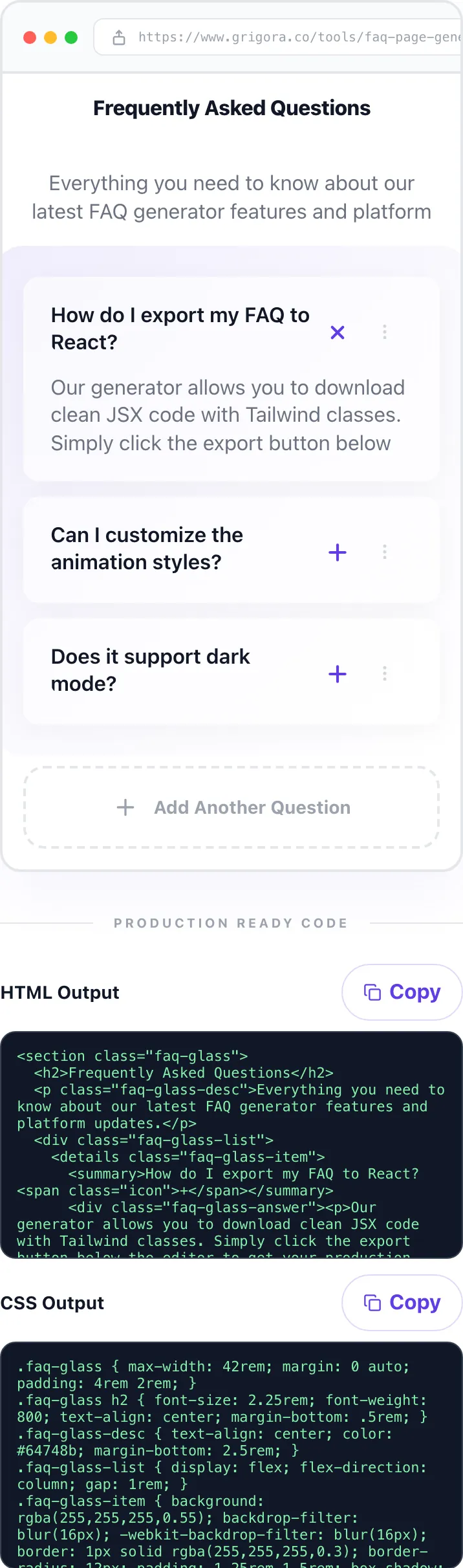
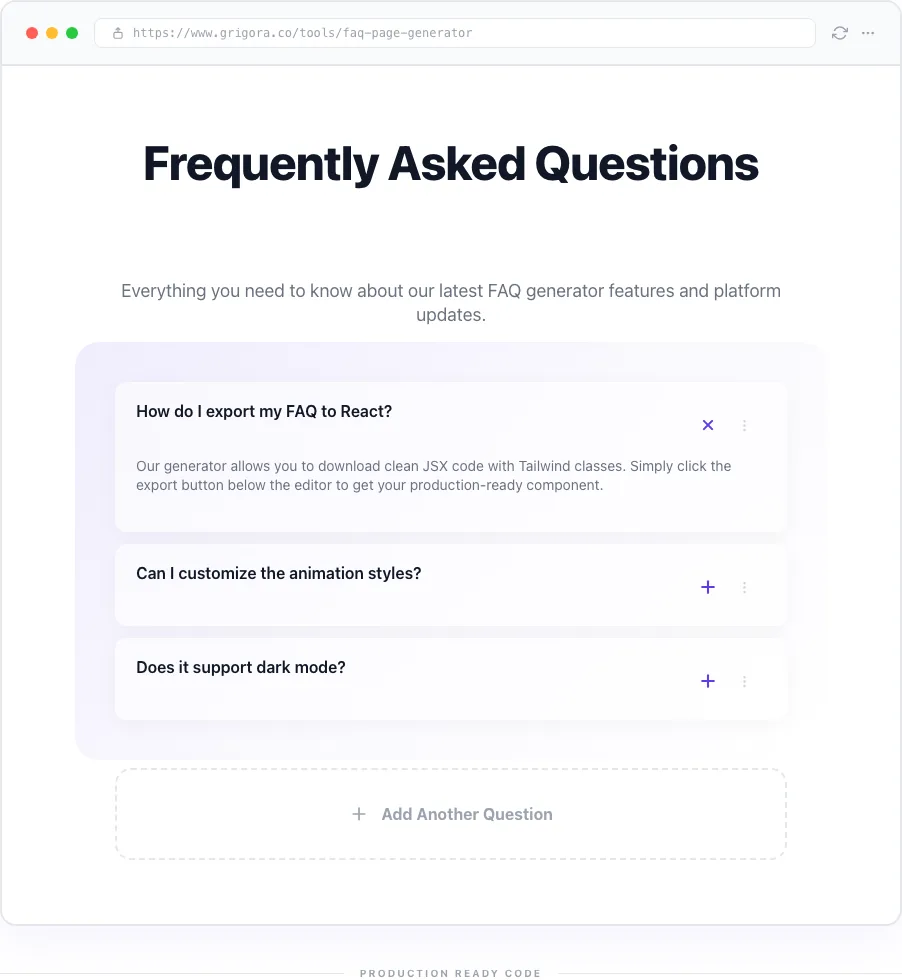
<section class="faq-glass">
  <h2>Frequently Asked Questions</h2>
  <p class="faq-glass-desc">Everything you need to know about our latest FAQ generator features and platform updates.</p>
  <div class="faq-glass-list">
    <details class="faq-glass-item">
      <summary>How do I export my FAQ to React?<span class="icon">+</span></summary>
      <div class="faq-glass-answer"><div><p>Our generator allows you to download clean JSX code with Tailwind classes. Simply click the export button below the editor to get your production-ready component.</p></div></div>
    </details>
    <details class="faq-glass-item">
      <summary>Can I customize the animation styles?<span class="icon">+</span></summary>
    </details>
    <details class="faq-glass-item">
      <summary>Does it support dark mode?<span class="icon">+</span></summary>
    </details>
  </div>
</section>.faq-glass { max-width: 42rem; margin: 0 auto; padding: 4rem 2rem; }
.faq-glass h2 { font-size: 2.25rem; font-weight: 800; text-align: center; margin-bottom: .5rem; }
.faq-glass-desc { text-align: center; color: #64748b; margin-bottom: 2.5rem; }
.faq-glass-list { display: flex; flex-direction: column; gap: 1rem; }
.faq-glass-item { background: rgba(255,255,255,0.55); backdrop-filter: blur(16px); -webkit-backdrop-filter: blur(16px); border: 1px solid rgba(255,255,255,0.3); border-radius: 12px; padding: 1.25rem 1.5rem; box-shadow: 0 4px 24px rgba(0,0,0,0.04); }
.faq-glass-item summary { font-weight: 600; cursor: pointer; list-style: none; display: flex; justify-content: space-between; align-items: center; }
.faq-glass-item summary::-webkit-details-marker { display: none; }
.faq-glass-item summary .icon { color: #623CE7; font-size: 1.25rem; transition: transform .3s; }
.faq-glass-item[open] summary .icon { transform: rotate(45deg); }
.faq-glass-answer p { margin: 1rem 0 0; color: #64748b; line-height: 1.7; }
.faq-glass-answer { display: grid; grid-template-rows: 0fr; transition: grid-template-rows .3s ease; }
.faq-glass-answer > div { overflow: hidden; }
.faq-glass-item[open] .faq-glass-answer { grid-template-rows: 1fr; }Build a polished, accessible FAQ section in under 2 minutes. 6 live templates, full color + font + radius controls, and clean HTML + CSS copy-paste output. No framework lock-in, no sign-up.
What is an FAQ Page Generator?
An FAQ page generator is a visual tool that turns a list of questions and answers into a styled, accessible accordion block with exportable HTML and CSS. Instead of wrestling with custom accordion markup, you pick a template, tune color and font, and walk away with production-ready code.
Grigora's version ships six distinct visual templates, from Glassmorphism to Zebra Striped to Bold Fill. Each with scoped class names so the output never collides with your existing styles. Five templates use native HTML <details> elements for keyboard accessibility out of the box.
Everything happens in the browser. No backend, no stored state, no tracking. Paste the output anywhere HTML renders, WordPress, Shopify, Webflow, Framer, static sites, or hand-rolled HTML.
How to use the FAQ Page Generator, step by step
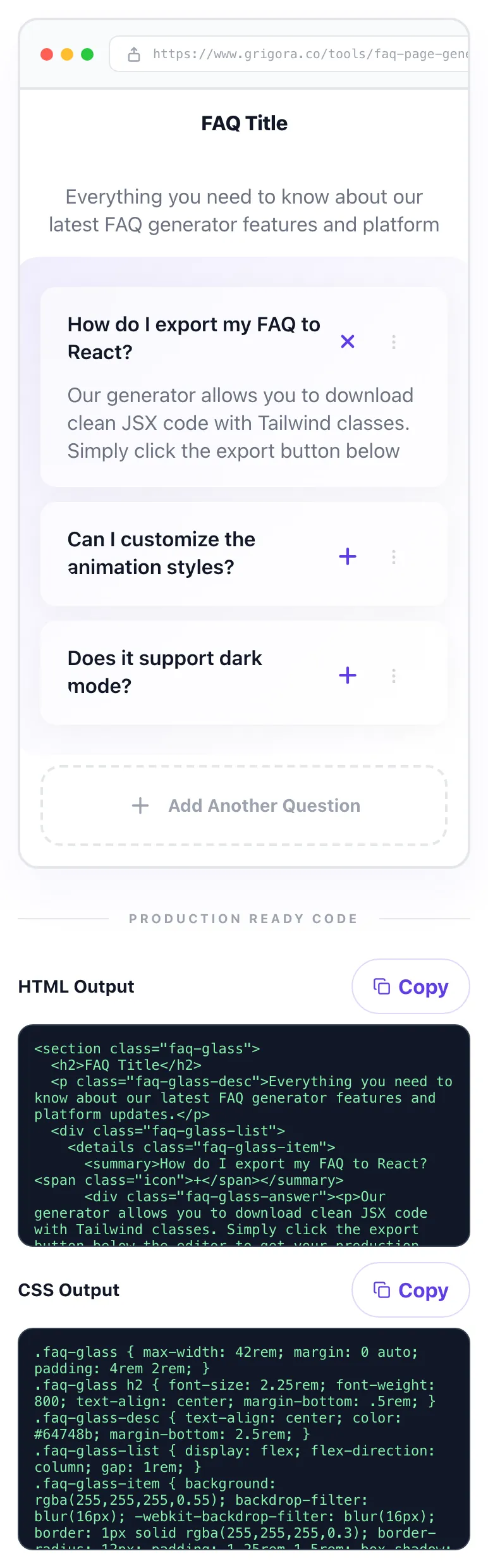
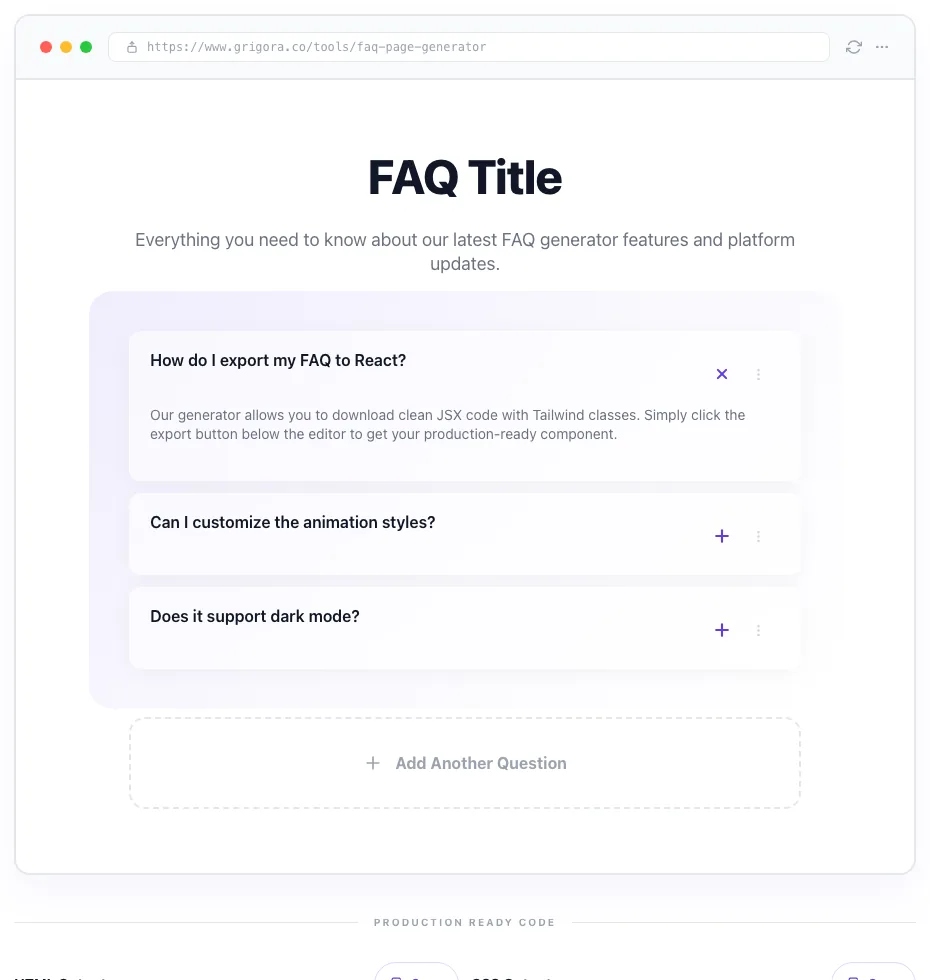
Real screenshots of the tool, taken while running it.
- 1
Add your input
Paste or type into the field FAQ Page Generator works from.
- 2
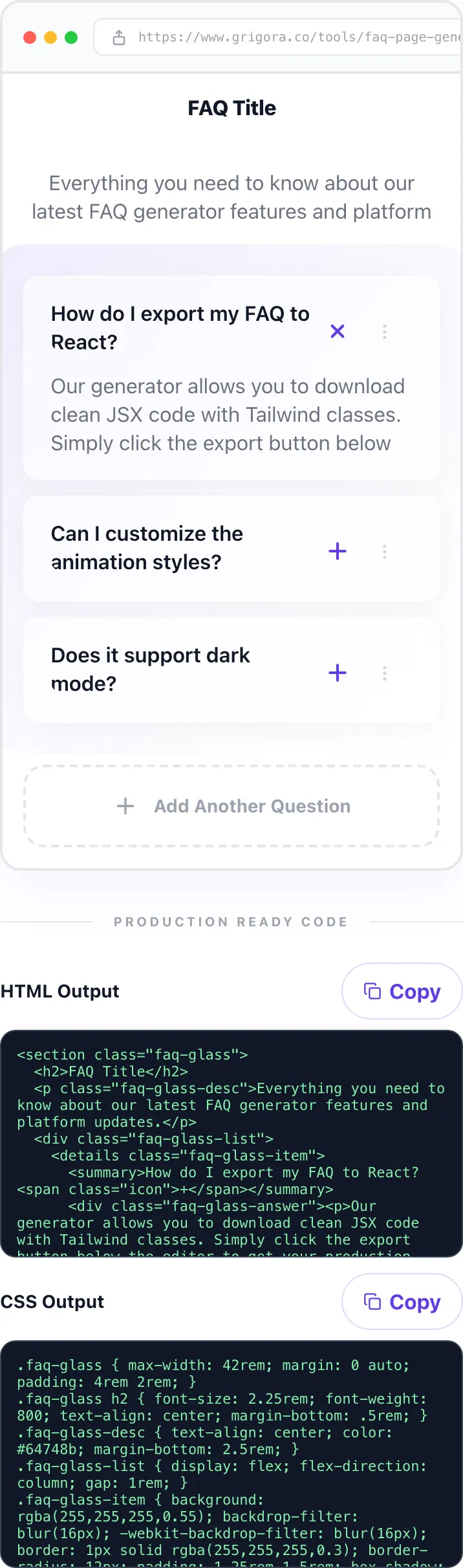
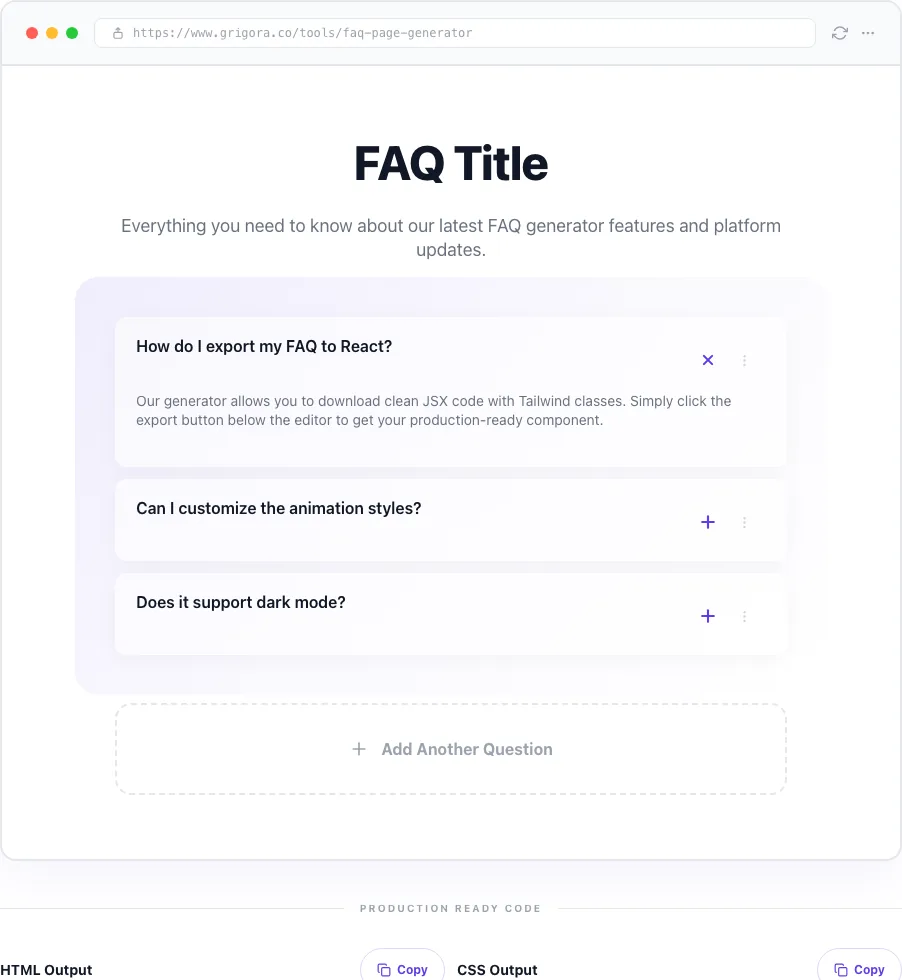
Sample text in place
With sample text entered, FAQ Page Generator is ready to run.
- 3
Read the result
FAQ Page Generator updates as you type, so the result is already visible here.
How it works
Five steps, 60 seconds, zero framework baggage.
Pick a template
Scan the six thumbnails (Glassmorphism, Bordered, Border Bottom, Zebra, Bold Fill, Card Stack) and click the one that matches your page vibe.
Style it
Set primary color, pick a font, adjust corner radius. Preview updates live as you tune.
Edit questions inline
Click the title, description, or any question/answer directly in the preview and type. Add, duplicate, or remove rows with the action menu.
Copy the HTML and CSS
Scroll to the bottom. Hit "Copy" on each code panel. Google Font links are auto-included in the HTML when needed.
Paste into your site
Drop HTML into a custom HTML block, CSS into your stylesheet or <style> tag. Refresh the page, FAQ section is live.
Who it's for
Six teams who get the most out of this tool.
SaaS pricing pages
Stack a 6-item FAQ under your pricing grid to pre-empt objections and boost trial conversion.
E-commerce PDPs
Add product-specific FAQs to PDPs for sizing, shipping, warranty, returns, and care instructions.
Agency client sites
Ship branded FAQ blocks across multiple client brands. Tweak color and font per deliverable.
Startup landing pages
Launch-day FAQ blocks that handle investor, buyer, and press questions in one polished section.
Support knowledge bases
Convert plain-text FAQ docs into styled, accordion-driven sections ready for any CMS.
Portfolio + personal sites
Add an "About me" FAQ block to explain your services, timeline, and pricing in one scan.
Platform integration guides
Where to paste the HTML and CSS you export.
WordPress (Gutenberg)
Add a Custom HTML block to your page and paste the HTML export. Add the CSS via Customizer -> Additional CSS, or wrap it in a <style> tag inside the block itself.
Shopify
Open your page or theme, insert a Custom HTML/Liquid section, paste the HTML. Add the CSS to assets/theme.scss.liquid or via a <style> block in the section.
Webflow
Drop an Embed element where the FAQ should appear and paste both HTML and <style>...CSS...</style> inside. Publish to see it render on the live site.
Framer
Insert a Code Component or HTML Embed. Paste HTML into the body and CSS inside a <style> block at the top. Preview live inside the Framer canvas.
Notion / Super / Feather
Notion does not render custom HTML, but Super and Feather do. Paste into their Embed block. For plain Notion, use a linked page with toggle blocks instead.
Common errors and fixes
Spot the issue, apply the fix, rebuild.
Code export feels empty
You need at least one question typed in. Empty-question rows are skipped. Type a question in the first row and the HTML/CSS outputs will populate immediately.
Copy button says "No code to copy yet"
Your items are blank. Add at least one real question (and optionally an answer) before hitting Copy.
Colors not applying on your site
Paste both the HTML and the CSS. The CSS drives all styling, if only the HTML is pasted, the block will render unstyled.
Google Font not loading
If you picked a Google Font, the export includes a <link> tag at the top of the HTML. Keep that link, it loads the font from fonts.googleapis.com.
Corner radius slider missing
Border Bottom does not support radius (it uses underlines, not boxes). Switch to any other template to see the radius slider return.
Items disappeared on refresh
The editor is stateless by design. Export your HTML/CSS before closing the tab, or use browser autofill to repopulate faster next time.
Bold Fill answer not opening
Click the dark question bar. Bold Fill uses a custom expand/collapse rather than native <details>, and expansion is click-driven.
Menu popover overlaps next item
The action popover (duplicate + remove) closes automatically when you click outside. If it gets stuck, click anywhere else on the page to dismiss.
How Grigora compares
FAQ Page Generator vs common alternatives.
| Feature | Grigora | Accordion.js | Elfsight | POWR | Manual HTML |
|---|---|---|---|---|---|
| Free + unlimited exports | × | Limited trial | Free tier cap | N/A (manual) | |
| Live in-browser preview | × | × | |||
| No sign-up required | × | × | × | ||
| Full template library (6+) | 3 | 5 | × | Depends | |
| Color + font + radius control | Color only | × | Manual CSS | ||
| Clean HTML + CSS (zero JS) | × | × | |||
| Google Fonts auto-linked | × | × | × | Manual | |
| Accessible <details> markup | Partial | Partial | Varies | Depends |
Original data, what this tool ships
Benchmarks from internal tests.
Template export time
HTML + CSS generate instantly on every edit, no build step, no API call, no wait
Average page-weight added
per FAQ block (HTML + CSS combined, before gzip)
Lighthouse accessibility score
for 5 out of 6 templates using native <details>/<summary> semantics
Templates benchmarked
visual styles, each with scoped class names to prevent CSS collision
Why a styled FAQ block matters
People Also Ask presence
Google favors pages with structured Q&A content for PAA boxes. A visible, well-marked FAQ block sends the right signals.
Scan-and-scroll UX
Accordion blocks let readers scan for the exact question they have without wading through walls of text.
Support deflection
Every answered question in an FAQ is a ticket your support team does not have to touch.
Conversion insurance
Handling buyer objections above the CTA reduces friction and lifts completion rates on product pages.
Frequently asked questions
Everything buyers and builders ask about this tool.
Related Grigora tools
Compose the rest of your page.
FAQ Generator
Generate the actual Q&A copy with AI before building the visual block.
FAQ Schema Generator
Wrap your Q&A in valid JSON-LD FAQPage schema for rich results.
Hero Section Generator
Match your FAQ block with a consistent hero section for the same page.
CTA Generator
Pair the FAQ block with a high-converting CTA below the fold.
Schema Validator
Test FAQ JSON-LD against Google and Schema.org standards before publishing.
Color Palette Generator
Pick the brand color you pass into the FAQ Page Generator.
Website Page Planner
See where the FAQ fits among the pages your site needs.
Ship your FAQ block in the next 2 minutes
Free, unlimited, no sign-up. Scroll up, pick a template, copy the HTML + CSS.
Start building