Free Internal Link Finder
Extract every internal link from any URL with anchor text and href. Export CSV for SEO audits. Free, no signup, instant.
How to use the Internal Link Finder, step by step
Real screenshots of the tool, taken while running it with the Find Links button.
- 1
Add your input
Paste or type into the field Internal Link Finder works from.

- 2
A page URL in place
With a page URL entered, Internal Link Finder is ready to run.

- 3
See what Find Links produces
Clicking Find Links runs the check and shows the result right below.
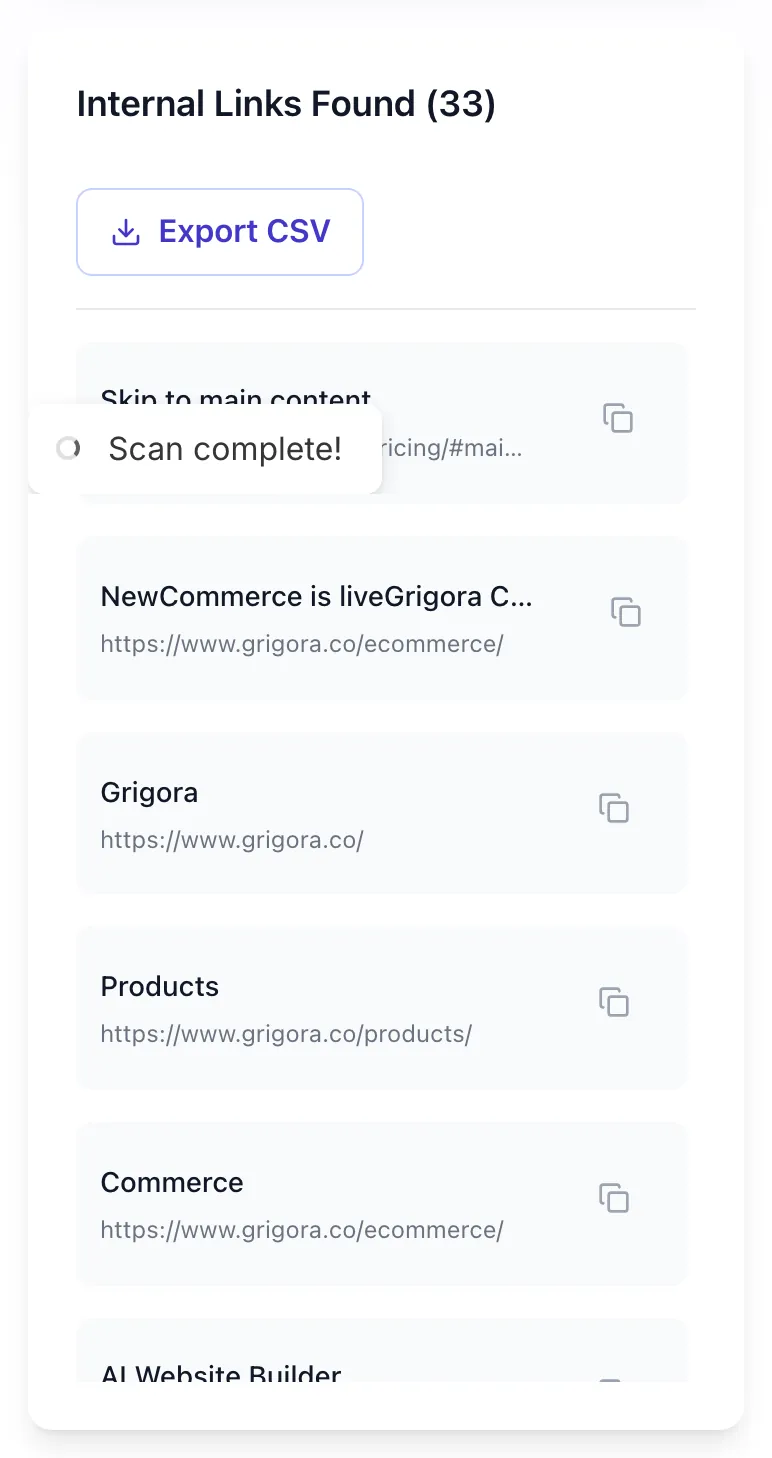
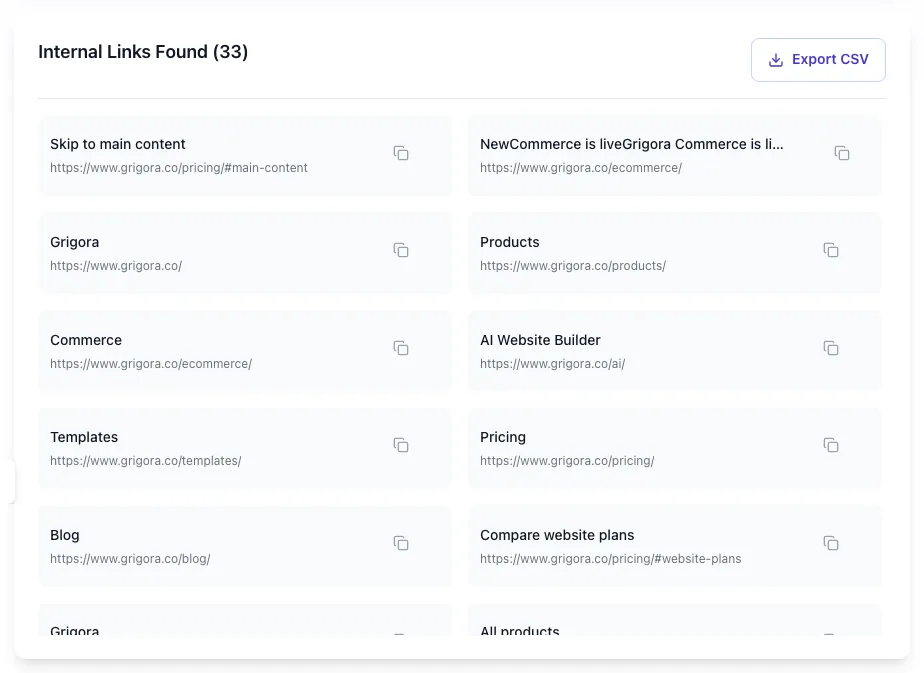
What the Internal Link Finder does
Inventory every internal link on a page in one click. The Finder shows URL, anchor text, and nofollow status for each link. Use it as the foundation for any internal linking audit.
Pair with the Anchor Text Checker for quality analysis. The Finder is the comprehensive list; the Checker is the quality verdict.
How to find internal links
Five steps from URL to CSV.
Paste any URL
Public URL only.
Click Find Links
The tool fetches the page and parses every internal link.
Review the list
See URLs, anchor text, and nofollow status side by side.
Export to CSV
Open in Excel/Sheets for further analysis.
Audit and improve
Identify orphan or under-linked pages; add internal links.
When SEO teams use it
Six common workflows.
Site-wide internal linking audit
Run top 30 organic pages through the tool. Build a spreadsheet of internal links and identify under-linked or orphan pages.
Topic cluster validation
For pillar pages, verify they link to all subtopic pages with descriptive anchors.
Competitor research
Run competitor URLs to map their internal link strategy. Mirror what works.
Pre-launch site audit
Verify all critical pages have at least one internal link before launch.
Link equity flow analysis
See which pages are most-linked internally. These are your most-prioritized pages by link equity.
Migration validation
After CMS migration, verify internal links did not break or change unexpectedly.
Platform-specific setup guides
How to manage internal links on the platforms most teams use.
WordPress
- Yoast and Rank Math show internal linking suggestions per post.
- Use a plugin like Internal Link Juicer to auto-link by keyword.
- Audit periodically with this tool.
Webflow
- Use rich-text fields in CMS for internal links.
- For sitewide links, edit the symbol or template once.
- Audit production URLs with this tool.
Ghost
- Edit posts directly to add internal links.
- For automated linking, use a Ghost integration like Disqus or custom JS.
- Run the audit quarterly.
Next.js
- Use <Link href> for internal links to leverage SSR and prefetch.
- Avoid <a href> for internal, you lose Next.js routing benefits.
- Audit each route post-deploy.
Static sites
- Markdown files use [text](url) for links; verify each is internal vs. absolute.
- Use a build-time check to validate all internal hrefs resolve.
- Audit generated HTML with this tool.
Grigora vs. other link finders
Side-by-side feature comparison.
| Capability | Grigora | Screaming Frog | Ahrefs | Free generators | Manual |
|---|---|---|---|---|---|
| Free + unlimited | Yes | Yes | Free trial | Yes | Manual |
| All internal links per page | Yes | Yes | Yes | Partial | Manual |
| CSV export | Yes | Paid only | Yes | No | Manual |
| Anchor text + href | Both | Both | Both | Anchor only | Manual |
| Nofollow detection | Yes | Yes | Yes | No | Manual |
| Single URL audit | Yes | Site-wide only | Yes | Yes | Manual |
| No signup | Yes | Account required | Account required | Yes | Yes |
| Result speed | <5 sec | <10 sec | <5 sec | <5 sec | Manual |
Common errors and how to fix them
Eight issues teams hit when extracting internal links.
Page returns 0 internal links
Cause: JS-rendered SPA without SSR.
Fix: Server-render the navigation and content for crawlable links.
Footer links dominate the list
Cause: Site has heavy footer (50+ links).
Fix: This is normal but dilutes link equity. Consider trimming the footer to essential links only.
Some links missing anchor text
Cause: Image-only links without alt attribute.
Fix: Add alt text to image links; alt functions as anchor for image links.
Tool times out on large page
Cause: Page has 1000+ links.
Fix: Such pages are unusual; expect slower response. For full-site audits, use Screaming Frog.
Returns external links unexpectedly
Cause: Site uses subdomain that may or may not count as "internal" depending on context.
Fix: Manually filter the export to your strict internal definition.
Same URL appears 50 times
Cause: Page links to one target many times.
Fix: Expected. The tool is comprehensive; deduplicate in your spreadsheet if needed.
Returns 403 or "blocked"
Cause: Site WAF blocks our crawler.
Fix: Manually inspect via View Source.
Hash anchors (#section) included
Cause: Page has many internal anchor jumps.
Fix: Filter out URLs with # in the export if irrelevant.
Original data from our 2026 link audit
Across 3,000 random URLs.
Frequently asked questions
Twelve answers about internal link extraction.
Related free tools
Other utilities that pair with the Link Finder.
Internal Anchor Text Checker
Audit anchor text quality on internal links.
Try itInternal Link Suggestions
AI-suggest where to add internal links.
Try itInternal Link Text Suggestions
AI-suggest anchor text for new internal links.
Try itInternal Link Map Creator
Visualize site internal link structure.
Try itHeading Structure Checker
Audit heading hierarchy alongside links.
Try itMeta Description Generator
Pair good links with strong meta descriptions.
Try itAudit a URL right now
Inventory every internal link in one click. Free, unlimited, no signup.
Try the Link Finder