Free Internal Link Map Creator
Visualize internal link structure as an interactive tree. Spot orphans, link clusters, and hierarchy issues. Free, no signup.
Visualize your site's internal connections.
How to use the Internal Link Map Creator, step by step
Real screenshots of the tool, taken while running it with the Create Map button.
- 1
Add your input
Paste or type into the field Internal Link Map Creator works from.


- 2
A page URL in place
With a page URL entered, Internal Link Map Creator is ready to run.


- 3
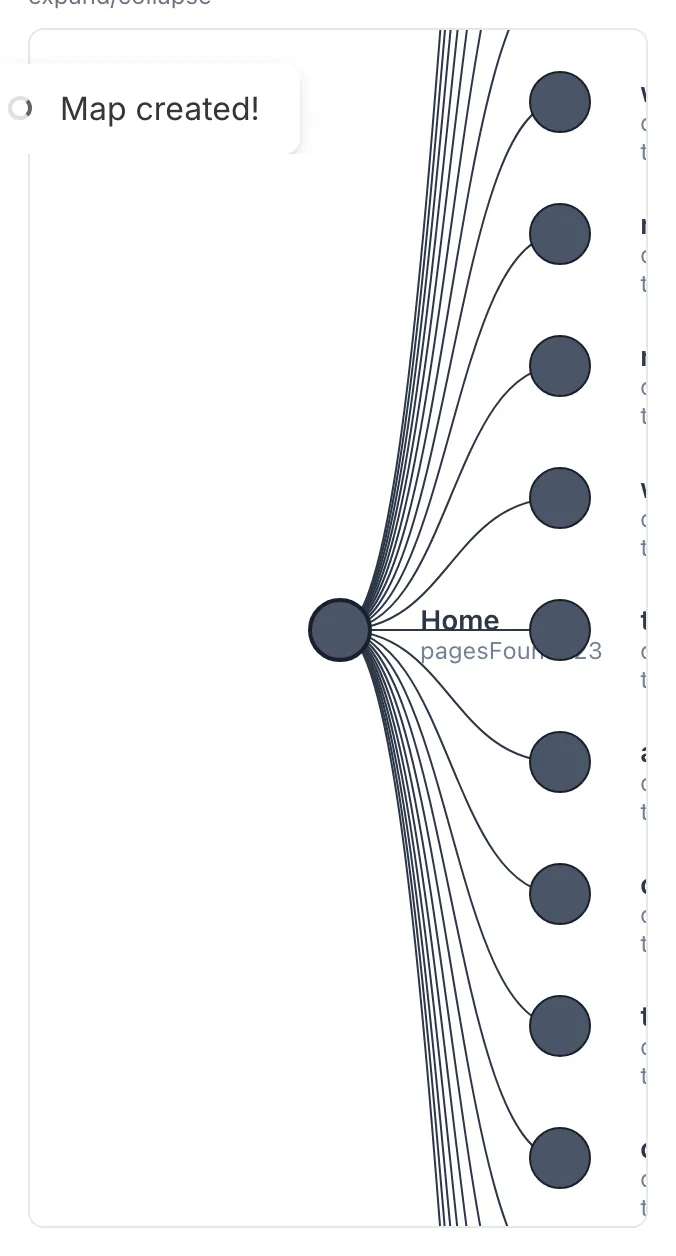
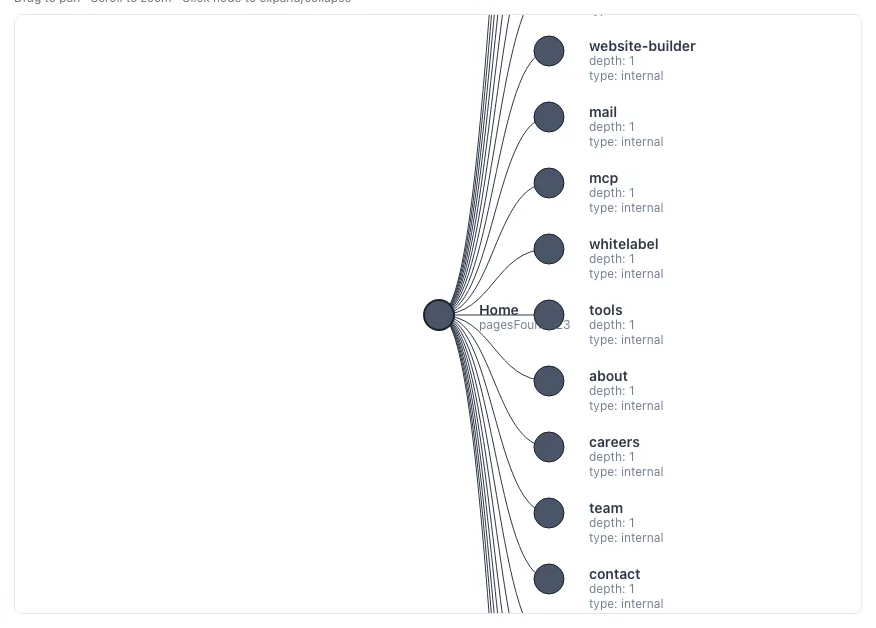
See what Create Map produces
Clicking Create Map runs the check and shows the result right below.
What the Link Map Creator does
Internal linking is one of the strongest SEO signals you control, but spreadsheets hide patterns that visualizations make obvious. The Link Map turns your internal link graph into an interactive tree.
Spot orphan pages, weak clusters, and missing pillar-cluster relationships in seconds. The visualization is the audit; the spreadsheet is the receipt.
How to map internal links
Five steps from URL to visualization.
Paste your seed URL
Usually homepage or a key pillar page.
Click Generate Map
The crawler fetches links 2-3 levels deep and builds the tree.
Explore the visualization
Pan and zoom. Hover any node for URL and link count.
Spot orphans and weak clusters
Pages with no incoming arrows are orphans; sparsely-connected clusters need more linking.
Add internal links
In your CMS, add links to fix the gaps. Re-audit to verify.
When SEO teams use it
Six common workflows.
Site architecture audit
Visualize how content connects. Spot weak links between pillars and subtopics.
Orphan page detection
Identify pages with no incoming internal links and add links from related content.
Topic cluster validation
Confirm pillar-cluster structure: pillar at top, subtopics radiating outward, links flowing back to pillar.
Pre-launch site QA
Verify all critical pages are linked from at least one other page before launch.
Migration validation
After CMS migration, compare link maps before and after to verify structure preserved.
Competitor architecture analysis
Map competitor sites to understand their content hierarchy and topic clustering.
Platform-specific setup guides
How to use the link map across the platforms most teams ship from.
WordPress
- Audit your site map periodically.
- Use Yoast or Rank Math's internal linking suggestions to fill gaps.
- Re-audit after content updates.
Webflow
- Use the visual link map to verify Collection page linking.
- Add cross-Collection links via rich-text fields.
- Re-audit after Collection changes.
Ghost
- Map your tag-and-category structure.
- Add internal links between related posts.
- Re-audit periodically.
Next.js
- For app router sites, map link graph to validate <Link> usage.
- Identify orphan routes; add to navigation or related-link components.
- Re-audit each major release.
Static sites
- Use a build-time graph generator (e.g., gatsby-plugin-page-tree).
- Compare to this tool's output for consistency.
- Audit each release.
Grigora vs. other map tools
Side-by-side feature comparison.
| Capability | Grigora | Screaming Frog | Sitebulb | Free generators | Manual |
|---|---|---|---|---|---|
| Free + unlimited | Yes | Yes | Free trial | Yes | Manual |
| Visual tree map | Yes | Yes | Yes | No | Manual |
| Multi-level crawl | 2-3 levels | Full site | Full site | 1 level | Manual |
| Orphan detection | Yes | Yes | Yes | No | Manual |
| No signup | Yes | Account required | Account required | Yes | Yes |
| Result speed | <60 sec | <5 min | <5 min | <5 sec | Manual |
| Export to image/PDF | Screenshot | Yes | Yes | No | Manual |
| Highlights nofollow | Yes | Yes | Yes | No | Manual |
Common errors and how to fix them
Eight issues teams hit when mapping internal links.
Map shows only 1-2 nodes
Cause: Page has very few internal links, or JS-rendered.
Fix: Verify the page has internal links in source HTML. For SPAs, server-render.
Tree is too dense to read
Cause: Page has many links and links link to many.
Fix: Reduce crawl depth. Or focus the audit on specific clusters.
Crawl times out
Cause: Target site is slow.
Fix: Retry. Or audit smaller URL clusters.
Some pages missing from the map
Cause: Crawl depth limit or rate limiting.
Fix: Increase depth (with patience) or use a full-site crawler.
Visualization breaks on mobile
Cause: Tree visualizations need horizontal space.
Fix: Use desktop for the visualization step.
Returns 403 or "blocked"
Cause: Site blocks our crawler.
Fix: Manually inspect via Screaming Frog with a custom user agent.
Same page appears twice
Cause: Different paths to same page (with/without trailing slash).
Fix: Normalize URLs in your CMS.
Sitemap and crawl differ
Cause: Sitemap includes pages not internally linked: orphans.
Fix: Add internal links to the orphan pages from related content.
Original data from our 2026 link audit
Across 200 site maps generated.
Frequently asked questions
Twelve answers about internal link mapping.
Related free tools
Other utilities that pair with the Link Map Creator.
Internal Link Finder
Inventory every internal link on any URL.
Try itInternal Anchor Text Checker
Audit anchor text quality on internal links.
Try itInternal Link Suggestions
AI-suggest where to add internal links.
Try itInternal Link Text Suggestions
AI-suggest anchor text for new internal links.
Try itHeading Structure Checker
Audit heading hierarchy alongside links.
Try itSitemap Checker
Validate sitemap.xml against your link graph.
Try itMap your site right now
See your link graph as a tree. Free, unlimited, no signup.
Try the Map Creator