NoIndex Checker
Check URLs for a noindex meta tag, an X-Robots-Tag header or a robots.txt block. Paste a list or upload a CSV, then export the results. Free.
How to use the Noindex Checker, step by step
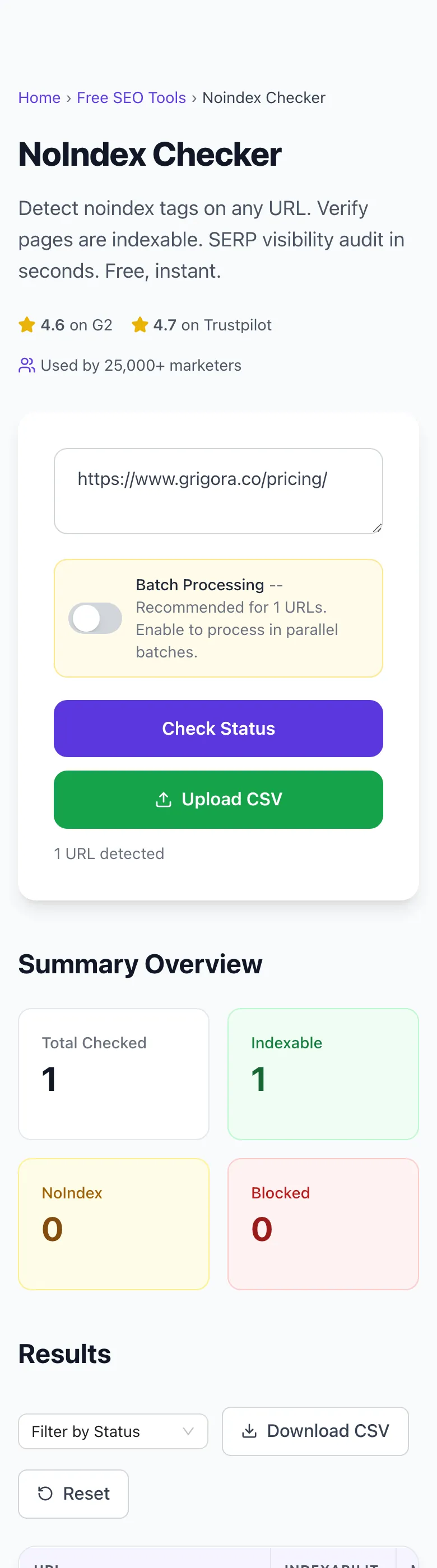
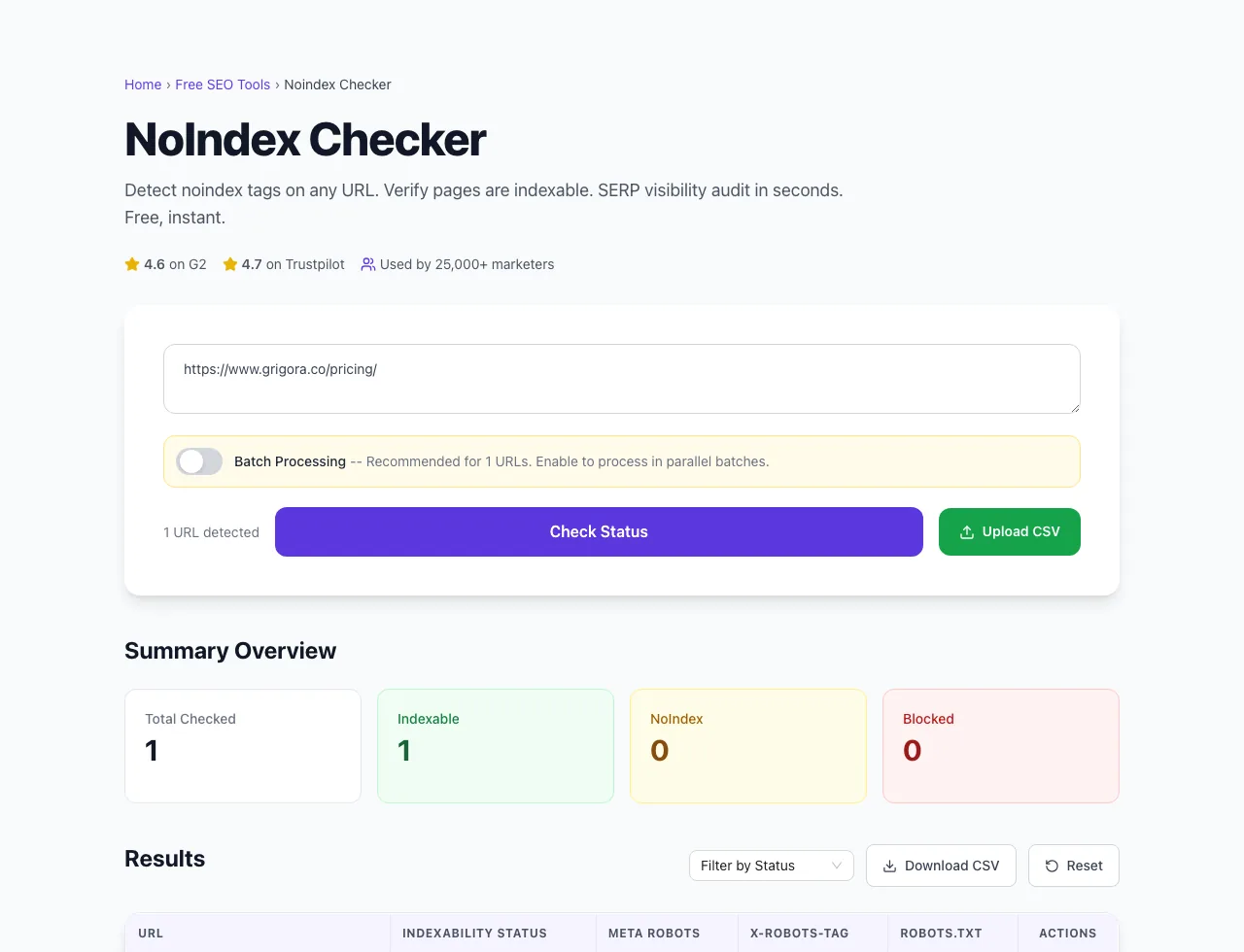
Real screenshots of the tool, taken while running it with the Check Status button.
- 1
Paste your URLs
Enter one URL per line, or upload a CSV. Without Batch Processing, up to 20 URLs are checked per run.


- 2
Three URLs in place
The counter under the box shows how many URLs it found.


- 3
Read the summary and the table
Each URL gets a status, with the meta robots tag, X-Robots-Tag header and robots.txt rule behind it. Two of these pages are indexable; the third answered 404, so it is marked Error.
What this tool does
Noindex Checker fetches each URL you give it, reads the robots and googlebot meta tags in the HTML and the X-Robots-Tag response header, and checks the site's robots.txt for rules that block Googlebot. Each URL is marked Indexable, NoIndex, Blocked or Error, and every row opens to show why.
A URL that returns an HTTP error, or cannot be fetched at all, is marked Error. The checker reads the HTML the server sends and does not run JavaScript, so a noindex tag added by a script will not show up here.
Designed to fit into your existing SEO and content workflow with no setup overhead.
How to use it
Five steps.
Enter URLs
Paste URLs one per line, or upload a CSV or TXT file of URLs.
Choose batch mode
Turn on Batch Processing for more than 20 URLs. Without it, only the first 20 are checked.
Run the check
The tool fetches each page, reads its robots meta tags and X-Robots-Tag header, and checks robots.txt.
Review the report
Each URL is marked Indexable, NoIndex, Blocked or Error. Open a row to see the reason.
Export and remediate
Download a CSV of every URL with its status, meta robots, X-Robots-Tag and robots.txt result.
When teams use it
Six common workflows.
Site owners auditing accidental deindexing
Paste your key URLs, or upload them as a CSV, to find any production page tagged noindex by a CMS template change or plugin update.
Migration project managers
After domain or CMS migration, audit the new site to catch noindex tags inherited from staging that should have been removed.
SEO agencies running monthly health checks
Re-run the same URL list for each client every month and compare the exported CSVs to catch indexing regressions.
Content publishers with paginated archives
Check /page/2/ and deeper archive URLs to confirm a template rule has not noindexed them.
Privacy-sensitive page operators
Confirm thank-you pages, internal admin, and gated downloads are properly noindexed before exposure to organic search.
Technical SEO consultants
Pair a live noindex check with Search Console's Page indexing report to see both the current directives and Google's view.
Platform guides
Integrate with major platforms.
WordPress (Yoast SEO)
- In WordPress, open Settings > Reading and make sure "Discourage search engines from indexing this site" is unchecked.
- Per-post: edit page > Yoast meta box > Advanced tab > "Allow search engines to show this Post in search results?" set to Yes.
- Verify with the Noindex Checker on the live URL.
- For accidental sitewide noindex, that Reading setting is the first place to check.
Webflow
- Open the Pages panel, click the gear icon next to the page, and scroll to SEO Settings.
- Turn off Sitemap indexing. Webflow then adds a robots noindex meta tag and removes the page from the sitemap.
- The toggle needs the auto-generated sitemap turned on in your site settings.
- Publish, then verify with the Noindex Checker on the live URL.
Next.js
- App router: export const metadata = { robots: { index: false } }.
- Pages router: <Head><meta name="robots" content="noindex" /></Head>.
- For dynamic noindex by route pattern, use middleware to set X-Robots-Tag header.
- Verify post-deploy with the Noindex Checker on production URL.
Apache
- In .htaccess or the server config: <FilesMatch "\.(pdf|zip)$"> Header set X-Robots-Tag "noindex" </FilesMatch> for non-HTML files.
- For URL patterns, in the server or virtual host config (not .htaccess): <LocationMatch "/preview/"> Header set X-Robots-Tag "noindex" </LocationMatch>.
- Reload Apache after a config change: sudo apachectl graceful.
- Verify with curl -I or the Noindex Checker.
Cloudflare Workers
- Edit the Worker that proxies your traffic.
- Copy the response so its headers can be changed: const res = new Response(response.body, response);
- Then call res.headers.set("X-Robots-Tag", "noindex") for matched routes and return res.
- Deploy, then verify with the Noindex Checker on the proxied URL.
Grigora vs. alternatives
Side-by-side.
| Capability | Grigora | Search Console | Desktop crawlers | By hand |
|---|---|---|---|---|
| Checks a list of URLs in one run | Yes, paste or upload a CSV | One URL at a time | Yes, in list mode | One URL at a time |
| Reads meta robots and X-Robots-Tag | Both, in separate columns | Both | Both | View source, plus curl -I for headers |
| Checks robots.txt rules for Googlebot | Yes | Yes | Yes | Read the file yourself |
| Works on sites you do not own | Yes | No, verified sites only | Yes | Yes |
| Runs JavaScript before reading tags | No, reads the server HTML | Yes, in the live test | Varies by product | Only if you inspect the live DOM |
| Signup or install | Neither | Google account and a verified site | Install on your computer | Neither |
Common errors and fixes
Eight issues users hit.
Page noindexed but still appears in Google after 30 days
Cause: Google has not recrawled the page since the noindex was added.
Fix: Confirm the tag is live with this checker, then use the Removals tool in Search Console to hide the URL for about six months while Google recrawls it.
Noindex tag added but robots.txt blocks crawl
Cause: Disallow rule prevents Google from reading the page where the noindex directive lives.
Fix: Remove the Disallow rule for the URL; allow crawling so Google can detect and honor the noindex tag.
Sitewide noindex deployed by accident
Cause: WordPress "Discourage search engines" toggle, staging robots config, or global rule applied without scope.
Fix: Turn off the setting or rule straight away, then request indexing for your most important URLs in Search Console.
Meta robots tag and X-Robots-Tag header conflict
Cause: Two layers say different things; Google honors the more restrictive directive.
Fix: Audit both layers and choose one as the source of truth; remove the conflicting directive from the other layer.
Noindex on paginated category pages
Cause: A noindex rule meant for other pages also matches /page/2/, /page/3/ and beyond.
Fix: Remove noindex from paginated pages and give each page its own canonical URL, as Google's pagination guidance recommends. Google no longer uses rel="next" and rel="prev".
Tool reports no noindex but page is missing from Google
Cause: Page may be canonicalized to another URL, blocked by robots.txt, or marked as duplicate without indexing.
Fix: Use Search Console URL Inspection to see the actual indexing status reason; typical causes besides noindex include canonicalization and duplicate clustering.
Noindex tag inside a JavaScript-rendered fragment
Cause: The tag is added by client-side JavaScript, so it is missing from the HTML the server sends.
Fix: Put the noindex in the HTML the server sends. A script-added tag is only seen when Google renders the page, and this checker does not run JavaScript, so it will not see one at all.
Wrong noindex syntax silently ignored
Cause: Typos like "no-index", "no index" or "no_index" are not valid values.
Fix: Use noindex (case does not matter). The checker shows the meta robots value in its own column, so a typo shows up there while the status stays Indexable.
The numbers behind a check
Limits built into the tool.
Frequently asked questions
Twelve answers.
Related free tools
Other utilities.
Robots.txt Tester
Test whether a URL is allowed or blocked, and by which rule.
Try itMixed Content Checker
Find http assets loading on an https page.
Try itMeta Tag Generator
Generate page meta tags.
Try itMeta Description Generator
AI-write descriptions.
Try itSERP Snippet Preview
Visualize SERP rendering.
Try itOpen Graph Checker
Audit OG tags.
Try itMeta Title Checker
Audit page title.
Try itLink Metadata Scraper
Pull all metadata from URL.
Try it