Free Review Schema Generator
Item Reviewed
Review
Rating
Authorship
JSON-LD Schema
{
  "@context": "https://schema.org",
  "@type": "Review",
  "itemReviewed": {
    "@type": "Product"
  },
  "reviewRating": {
    "@type": "Rating",
    "ratingValue": "4.5",
    "bestRating": "5",
    "worstRating": "1"
  },
  "author": {
    "@type": "Person"
  }
}
Generate Review/AggregateRating JSON-LD for SERP star ratings. Free, instant, copy-paste ready.
How to use the Review Schema Generator, step by step
Real screenshots of the tool, taken while running it.
- 1
Add your input
Paste or type into the field Review Schema Generator works from.
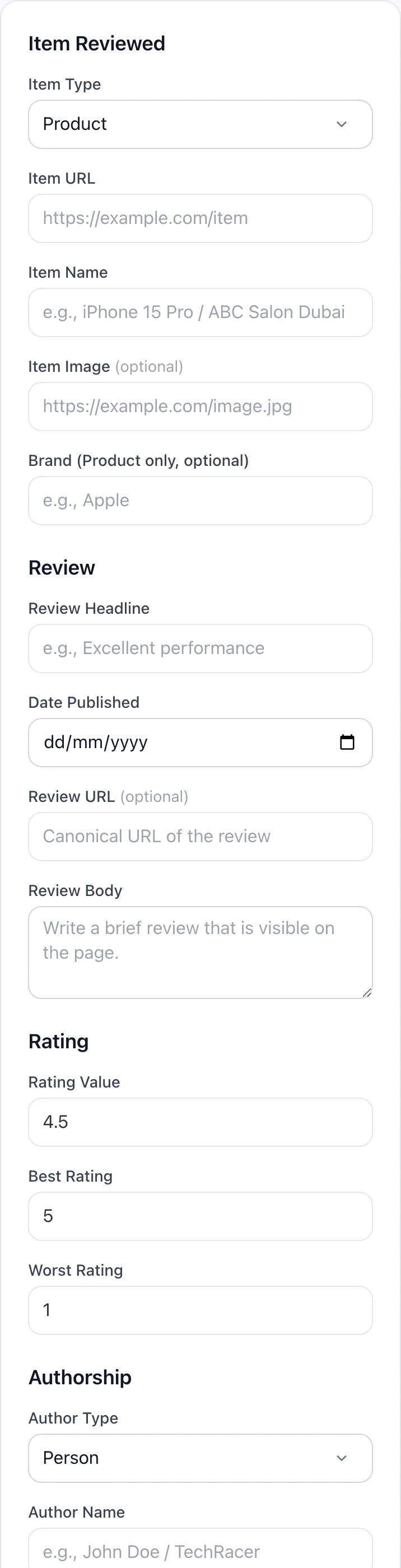
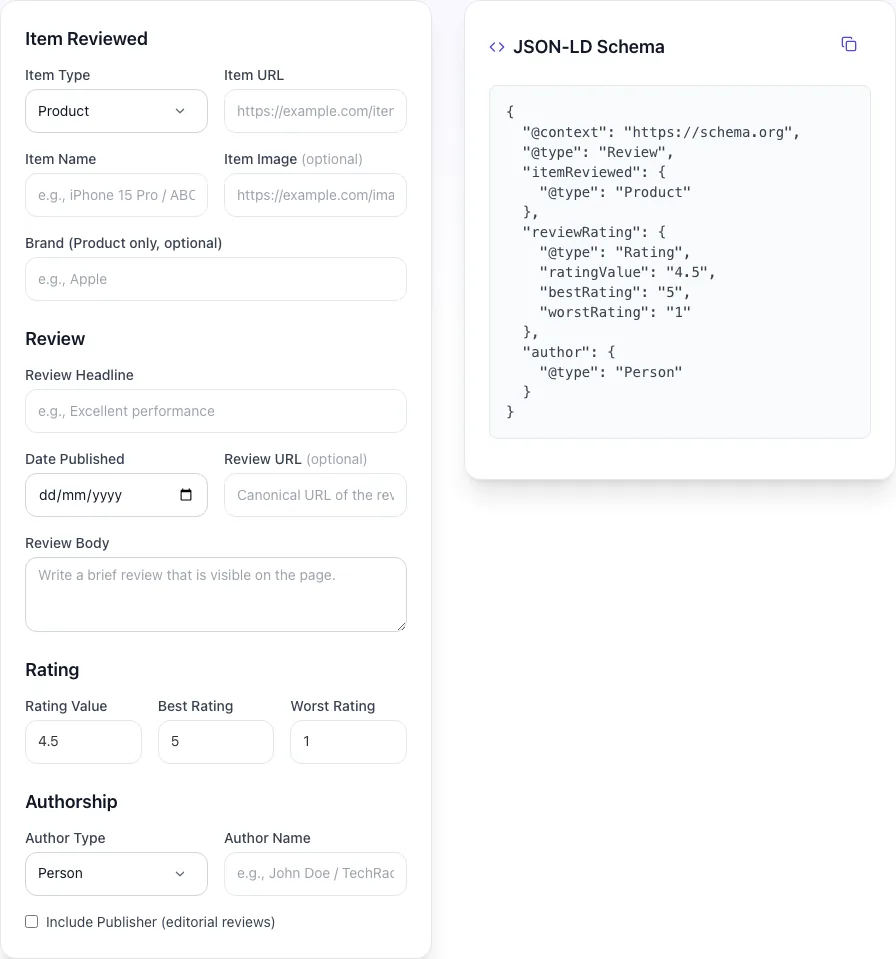
- 2
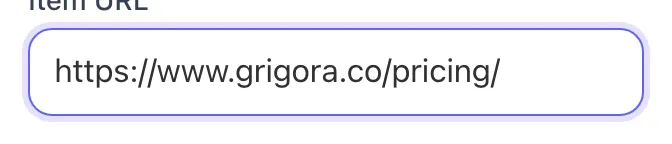
A page URL in place
With a page URL entered, Review Schema Generator is ready to run.
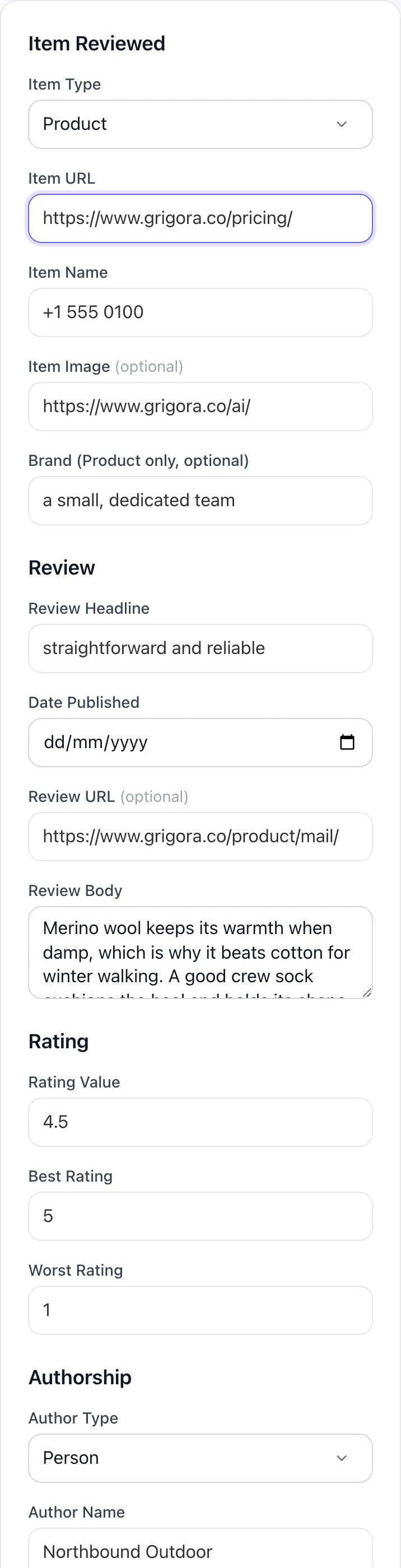
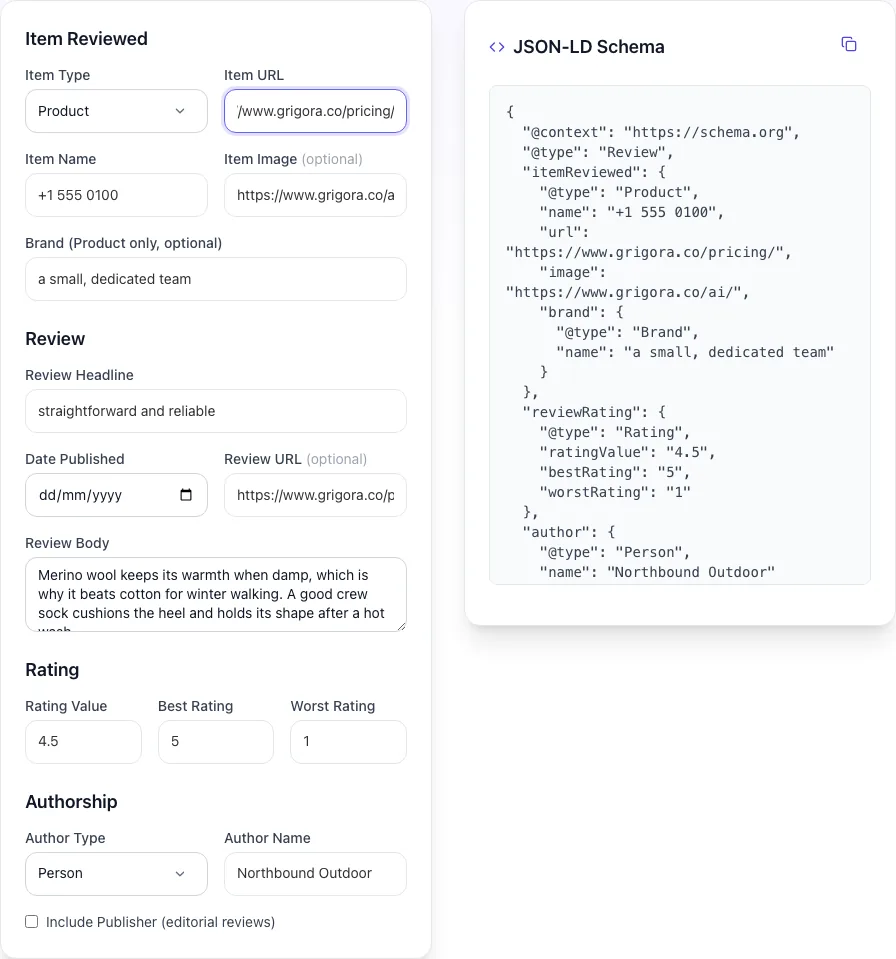
- 3
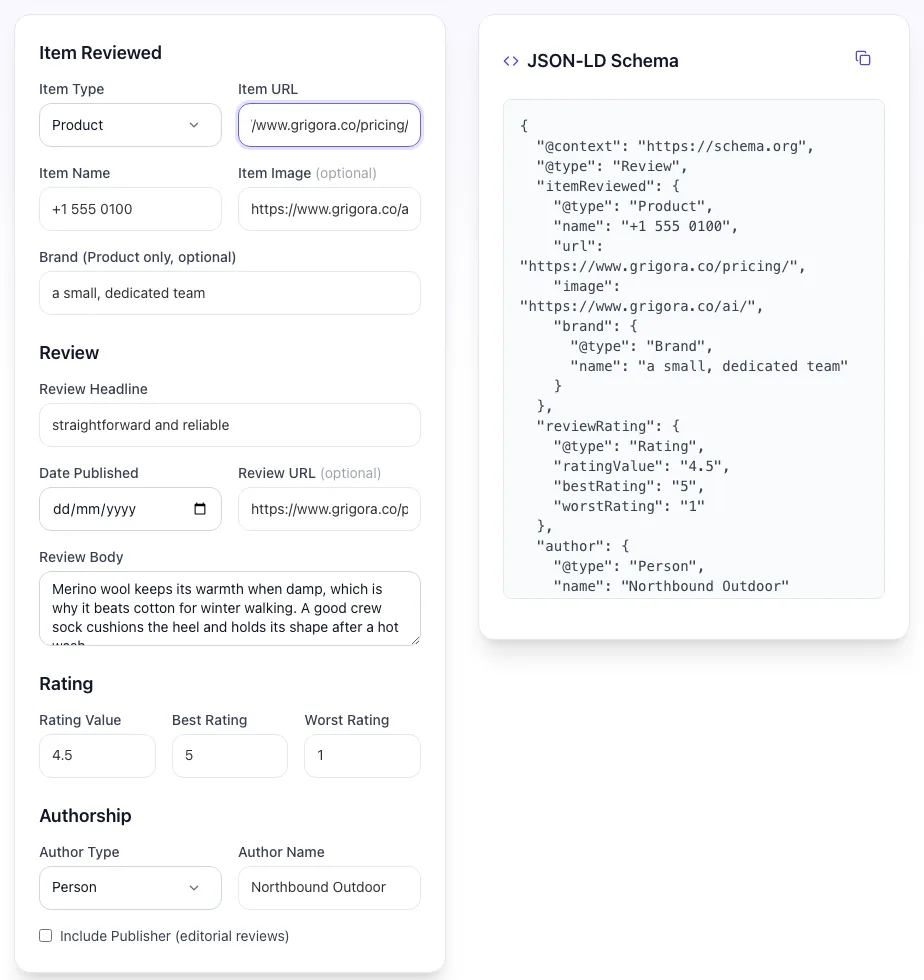
Read the result
Review Schema Generator updates as you type, so the result is already visible here.
What this tool does
Review Schema Generator delivers fast, reliable results for generate review/aggregaterating json-ld for serp star ratings. free, instant, copy-paste ready.
Designed to fit into your existing SEO and content workflow with no setup overhead.
How to use it
Five steps.
Choose parent type
Select the page type. Product, LocalBusiness, SoftwareApplication, Recipe, Book, Course, or Event. Only these types are eligible for SERP star snippets.
Enter rating data
Provide ratingValue (e.g., 4.7), reviewCount, bestRating, and worstRating. Or connect to Trustpilot, G2, or Capterra for live data.
Add individual reviews (optional)
Paste in 5-10 individual customer reviews to mark up alongside AggregateRating. Improves on-page schema density and trust signals.
Generate JSON-LD
Output is copy-paste-ready JSON-LD wrapped in a script tag. Embed in your page head or body before closing </body>.
Validate and deploy
Test through Google Rich Results Test. Once green, deploy to production. SERP stars typically appear within 7-14 days as Google recrawls.
When teams use it
Six common workflows.
Add review stars to Shopify product pages
Generate JSON-LD with aggregateRating nested in Product schema. Drop into theme.liquid head section. Validates through Google Rich Results Test and starts rendering stars in SERP within 7-14 days.
Mark up local business reviews
Generate LocalBusiness + AggregateRating schema for your dentist, restaurant, or service-area business. Lifts Maps CTR 30-40% and complements Google Business Profile reviews.
Aggregate Trustpilot ratings into your site
Pull AggregateRating from Trustpilot API with proper sameAs attribution. SaaS marketing pages get review schema that Google trusts because the source is third-party verified.
Mark up recipe reviews on food blogs
Recipe schema is one of the few page types where Review schema reliably triggers SERP stars even on blog-style content. Generator includes Recipe parent type with all required fields.
Add software reviews to SaaS landing pages
SoftwareApplication schema with aggregateRating from G2 and Capterra. Generator pulls from G2 API directly when you provide your G2 product URL.
Validate existing review schema before audit
Schema deployed years ago may have aged out of Google requirements. Run our generator validation on existing pages and catch errors before they trigger algorithmic suppression.
Platform guides
Integrate with major platforms.
WordPress (Yoast)
- Install Yoast SEO Premium or Schema Pro plugin.
- Enable Review schema for the relevant page type.
- Generate base schema from our tool for fields Yoast does not handle automatically.
- Verify in Yoast settings that the AggregateRating is being injected.
- Test the deployed page through Google Rich Results Test.
Shopify
- Generate JSON-LD from our tool with Product as parent type.
- In Shopify admin, navigate to Online Store > Themes > Edit code.
- Open theme.liquid and paste the JSON-LD script in the head section, wrapped in {% if product %} ... {% endif %}.
- Preview a product page and view source to confirm the script is rendered.
- Run the page through Google Rich Results Test.
Webflow
- Generate the schema with Product or relevant parent type.
- In Webflow Designer, open Page Settings for the product or relevant template page.
- Paste the script tag into Custom Code > Inside <head> tag.
- Publish the site to staging.
- Run the staging URL through Google Rich Results Test before pushing to production.
Next.js
- Generate the schema and copy the JSON object.
- In your page component, add a <script type="application/ld+json"> tag with dangerouslySetInnerHTML containing JSON.stringify(schemaObj).
- For dynamic ratings, populate ratingValue and reviewCount from your data source.
- Deploy and validate on production URL.
- Set up Search Console > Enhancements monitoring to catch any regressions.
Trustpilot TrustBox
- Sign up for Trustpilot Business and verify your domain.
- Navigate to TrustBox library and select a widget that includes schema (e.g., Mini, Slider).
- Customize and copy the embed code.
- Paste into your page where you want the widget visible.
- Trustpilot auto-injects AggregateRating schema in the page head with proper sameAs attribution.
Grigora vs. alternatives
Side-by-side.
| Capability | Grigora | Schema App | Yoast SEO | Merkle Schema | Manual |
|---|---|---|---|---|---|
| JSON-LD output (recommended format) | Yes | Yes | Microdata only | Yes | Manual |
| AggregateRating + individual Review nesting | Yes | Aggregate only | Yes | Limited | Manual |
| Trustpilot / G2 / Capterra API integration | Yes | No | Trustpilot only | No | Manual |
| Compliance check for Google fake-review rules | Yes | No | No | Limited | No |
| All eligible parent types (Product, LB, etc.) | Yes | Product only | Yes | Limited | Manual |
| Free without signup | Yes | Trial only | No | Plan-capped | Yes |
| Validates against Google Rich Results spec | Yes | Yes | Yes | No | Manual |
| Multi-language review markup | Yes | No | Yes | No | Manual |
Common errors and fixes
Eight issues users hit.
Google Rich Results Test reports "Missing field reviewCount"
Cause: AggregateRating included ratingValue but not reviewCount or ratingCount.
Fix: Add reviewCount (count of reviews with text) or ratingCount (count of star-only ratings). Google requires at least one of these for eligibility.
Schema validates but stars do not appear in SERP
Cause: Page type is not eligible for review snippets (e.g., generic blog page or homepage).
Fix: Verify your parent type is Product, LocalBusiness, SoftwareApplication, Recipe, Book, Course, MovieRated, or Event. Generic blog or service pages will not render stars regardless of valid schema.
Trustpilot ratings differ from on-page schema
Cause: Schema was hardcoded with old rating values that drifted from current Trustpilot reality.
Fix: Use a dynamic integration (Trustpilot TrustBox widget, our generator with API mode) that auto-updates schema when ratings change. Static schema needs quarterly manual updates.
Manual penalty for fake review schema
Cause: Google detected that on-page reviews did not exist or did not match the schema.
Fix: Remove all review schema from the affected pages. Wait 30-60 days. Submit reconsideration request via Google Search Console > Manual Actions. Re-add schema only for pages with genuine visible reviews.
Schema appears on every page including homepage
Cause: Theme or template injected schema globally instead of conditionally on product pages.
Fix: Modify the theme to inject Review schema only on product pages. Most modern themes have a conditional check (e.g., {% if product %} in Shopify Liquid) that gates schema to the right contexts.
Multiple Review schemas on same page conflict
Cause: Both individual Review schemas and AggregateRating present without proper itemReviewed nesting.
Fix: Nest individual Reviews inside the parent Product or LocalBusiness, alongside AggregateRating. Google handles multiple Reviews of the same item correctly when properly nested.
Best rating and worst rating wrong
Cause: AggregateRating rated on 1-10 scale but bestRating omitted, so Google assumed 5-point scale.
Fix: Always specify bestRating and worstRating explicitly when not using a 1-5 scale. Google may render stars correctly on a 10-point scale if bestRating: "10" is set.
Review schema breaks after CMS update
Cause: WordPress or Shopify theme update overwrote the custom schema injection in functions.php or theme.liquid.
Fix: Use a child theme for WordPress or duplicate theme for Shopify. Schema lives in your custom layer and survives parent theme updates.
Original data
2026 study.
Frequently asked questions
Twelve answers.
Related free tools
Other utilities.
Product Schema Checker
Check Product JSON-LD against Google rich result rules.
Try itMeta Tag Generator
Generate page meta tags.
Try itMeta Description Generator
AI-write descriptions.
Try itSERP Snippet Preview
Visualize SERP rendering.
Try itOpen Graph Checker
Audit OG tags.
Try itMeta Title Checker
Audit page title.
Try itLink Metadata Scraper
Pull all metadata from URL.
Try it