SEO Friendly URL Maker
Convert page titles into clean, readable, SEO-friendly URL slugs. Removes stop words, special chars, and formats for search engines.
How to use the SEO Friendly URL Maker, step by step
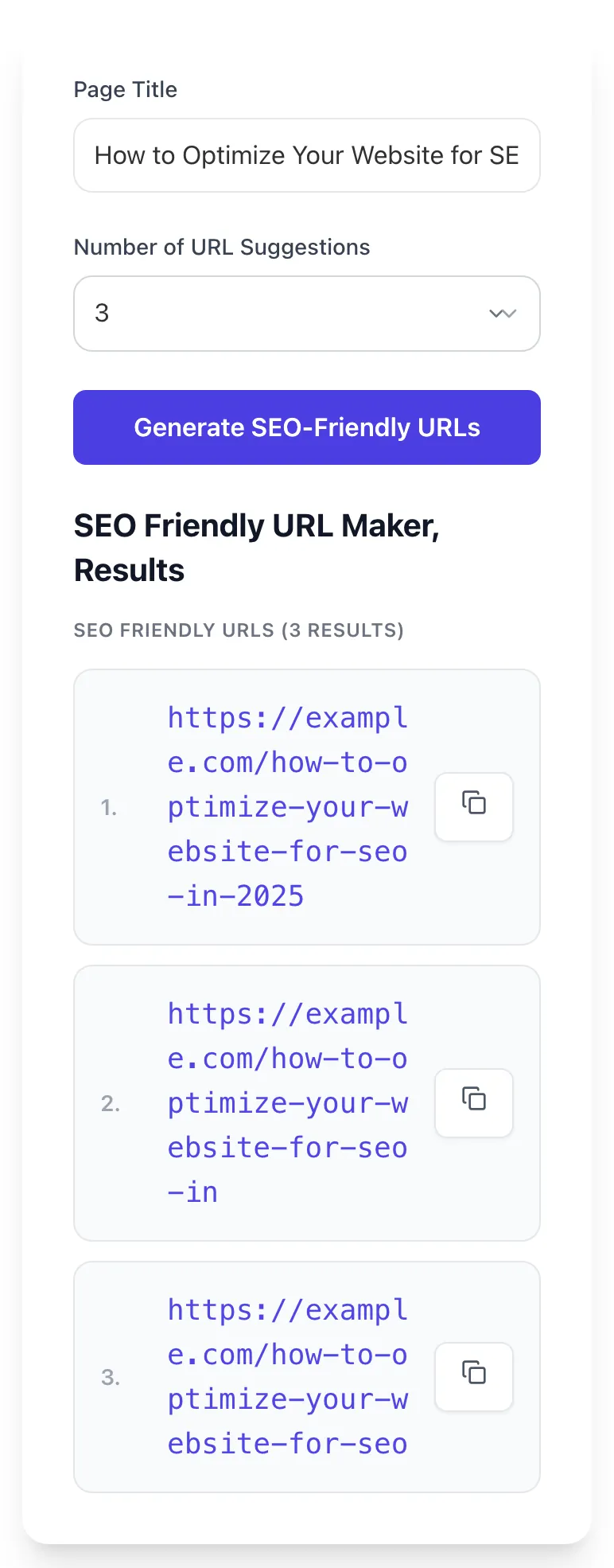
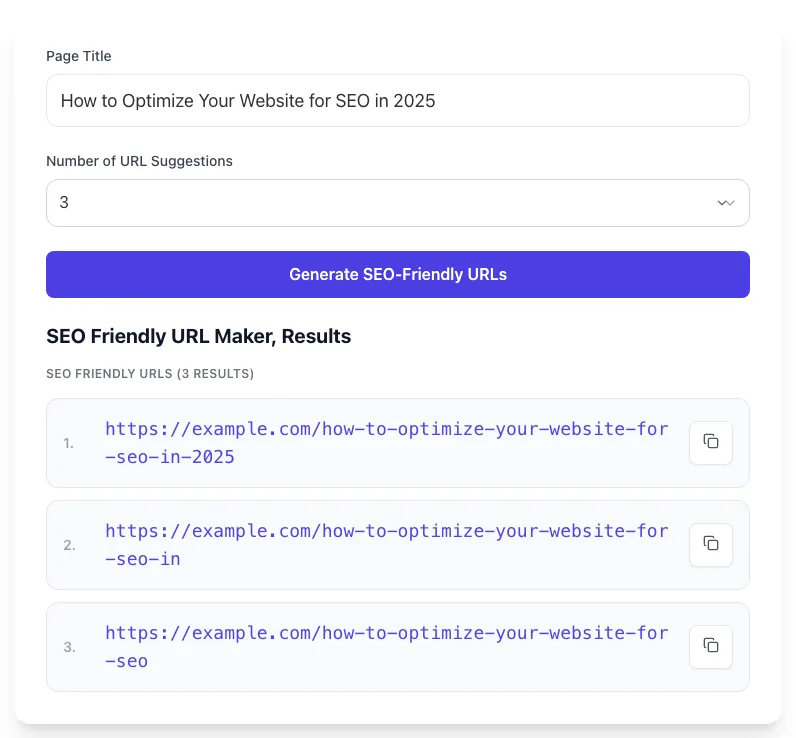
Real screenshots of the tool, taken while running it with the Generate SEO-Friendly URLs button.
- 1
Add your input
Paste or type into the field SEO Friendly URL Maker works from.

- 2
Sample text in place
With sample text entered, SEO Friendly URL Maker is ready to run.

- 3
See what Generate SEO-Friendly URLs produces
Clicking Generate SEO-Friendly URLs runs the check and shows the result right below.
What this tool does
SEO Friendly URL Maker delivers fast, reliable results for convert page titles into clean, readable, seo-friendly url slugs. removes stop words, special chars, and formats for search engines.
Designed to fit into your existing SEO and content workflow with no setup overhead.
How to use it
Five steps.
Paste your title or phrase
Enter the page title, blog headline, product name, or any phrase you want to convert into a URL slug.
Choose suggestion count
Pick how many slug ideas to generate. The tool handles cleanup automatically, including lowercase formatting, special-character removal, and hyphenated output.
Generate the slug
Click Generate. The tool transliterates accents, strips special characters, removes stop words, and outputs an optimized slug.
Preview the full URL
See the slug paired with your domain (e.g., yoursite.com/your-slug-here) for a real preview of how it appears in SERPs.
Copy and paste into your CMS
Use the slug in WordPress, Shopify, Webflow, or any CMS's URL/permalink/handle field. For migrations, deploy 301 redirects from old to new URL.
When teams use it
Six common workflows.
Blog post slug optimization
Convert blog post titles into SEO-clean slugs before publishing. Strips stop words, hyphenates correctly, enforces length limits. Saves 5-10 minutes per post and prevents the "we forgot to fix the slug" mistakes that compound across 100+ articles.
Product page URLs for ecommerce
Generate product URLs from product names with consistent patterns across the catalog. /products/[clean-slug] beats /products/SKU-12345 for SEO and shareability. Bulk-process existing inventory with consistent rules.
Landing page URL planning
Plan campaign and landing page URLs in advance using the generator. /campaign-name-2024 → /campaign-name (year-free, evergreen). Maintain a URL pattern register for future-proofing.
Site migration planning
Audit existing URLs against SEO best practices before a migration or redesign. Generate the corresponding clean URL for each old URL, build the redirect map, and execute migration with confidence.
Multilingual URL transliteration
Convert international content URLs (Spanish, French, German, Japanese, etc.) from accented or non-ASCII strings to clean transliterated slugs that work in all browsers and email clients without percent-encoding.
Content audit and slug standardization
For sites with inconsistent legacy URLs (some camelCase, some underscored, some too long), batch-process the existing structure into a standardized format. Plan the migration carefully with 301 redirects.
Platform guides
Integrate with major platforms.
WordPress
- Go to Settings > Permalinks and select "Post name" structure
- When editing a post, edit the auto-generated slug under the title field
- Paste the optimized slug from this generator
- For bulk URL changes on existing posts, use the Redirection plugin to map old URLs to new
Shopify
- Edit any product, collection, or page and find the URL handle field
- Replace the auto-generated handle with the optimized slug from this generator
- Shopify auto-creates a 301 redirect when you change a handle on an existing product
- For bulk changes, use Matrixify or Excelify to import URL handle changes via CSV
Webflow
- In Designer, click on a page or CMS Item and edit the Slug field
- Paste the optimized slug
- Webflow auto-redirects old URLs to new when you change the slug on a published page
- For CMS Collections, set up a rich-text-to-slug auto-generation rule using Webflow Logic
Next.js
- Use slugify or similar library at content authoring time to generate slugs
- In dynamic routes [slug].js, ensure slugs match the optimized format
- For headless CMS (Sanity, Contentful), generate slugs in the CMS UI from titles using a slug field with this generator pattern
- Implement redirects in next.config.js for any URL structure migration
Ghost / Sanity / Strapi
- Most headless CMSes have a slug field with auto-generation from title
- Override the auto-generated slug with the optimized version from this generator
- Set permalink structure in CMS settings to /[slug] (flat) rather than /blog/[category]/[slug]
- For migrations, export old URLs, generate new slugs in batch, deploy redirects via your hosting provider
Grigora vs. alternatives
Side-by-side.
| Capability | Grigora | Slugify | Yoast | Free | Manual |
|---|---|---|---|---|---|
| Stop word removal (configurable) | Yes | Limited | No | Yes | Manual |
| Accent transliteration to ASCII | Yes | Yes | Partial | Limited | Manual |
| Length limit warning (60 chars) | Yes | No | No | No | Manual |
| Hyphen vs underscore enforcement | Yes | Yes | Yes | Yes | Manual |
| Special character stripping | Yes | Yes | Yes | Yes | Manual |
| Live URL preview with domain | Yes | No | No | Limited | Manual |
| Free with no signup | Yes | Yes | Yes | Yes | N/A |
| Bulk URL processing | No | Limited | No | No | Manual |
Common errors and fixes
Eight issues users hit.
URL contains uppercase letters
Cause: CMS permalink generated /Best-SEO-Tools instead of /best-seo-tools: server may treat as different URL or cause case-sensitivity issues.
Fix: Convert all URLs to lowercase. Configure CMS to enforce lowercase. Add server rule (Apache RewriteRule, Nginx rewrite) to redirect uppercase URLs to lowercase canonical.
Underscores instead of hyphens
Cause: Slug uses /seo_friendly_urls: Googlebot reads as one token "seo_friendly_urls" instead of three keywords.
Fix: Replace underscores with hyphens. For existing pages, deploy 301 redirects from /old_url to /old-url. Update internal links sitewide. Submit fresh sitemap.
URL too long (over 100 characters)
Cause: Slug auto-generated from a 20-word headline: /how-to-write-the-best-seo-friendly-url-slugs-for-your-blog-content-in-2024-and-beyond.
Fix: Manually edit slug to 4-6 keyword-rich words. Aim for under 60 chars. Use the page title for full context; reserve slug for primary keyword + modifier.
Stop words bloating the URL
Cause: Slug includes "the", "of", "for", "and" without changing meaning: /the-best-tools-for-seo-and-marketing.
Fix: Drop low-value stop words: /best-seo-marketing-tools. Keep stop words only when removing them changes meaning.
Special characters causing percent encoding
Cause: Slug includes accents, ampersands, or punctuation: /café&pastries encodes to /caf%C3%A9%26pastries which looks broken in shares.
Fix: Transliterate accents to ASCII (café → cafe), replace ampersands with "and" or remove (cafe-pastries), strip all punctuation except hyphens.
Date in permalink (year/month/day)
Cause: WordPress default permalink structure uses /2024/03/15/post-title: content appears dated and locks slug into date pattern.
Fix: Change permalink structure to /%postname%/ in WordPress Settings > Permalinks. Implement 301 redirects from old date-stamped URLs to new flat URLs.
Session IDs or query parameters in indexed URLs
Cause: Page indexed as /products/widget?session=abc123 instead of /products/widget, splitting ranking signals across many session-specific URLs.
Fix: Set rel=canonical to the parameter-free URL on every page. Use Google Search Console URL Parameters tool (deprecated but Google handles automatically) and noindex parameter URLs.
URL depth over 4 levels
Cause: Page nested under multiple categories: /shop/electronics/computers/laptops/gaming/specific-model: receives diluted internal link equity.
Fix: Flatten URL structure to /shop/[product-slug] for products, /shop/[category-slug] for categories. Use breadcrumbs with BreadcrumbList schema for hierarchy display, not URL depth.
Original data
2026 study.
Frequently asked questions
Twelve answers.
Related free tools
Other utilities.
Meta Tag Generator
Generate page meta tags.
Try itMeta Description Generator
AI-write descriptions.
Try itSERP Snippet Preview
Visualize SERP rendering.
Try itOpen Graph Checker
Audit OG tags.
Try itMeta Title Checker
Audit page title.
Try itLink Metadata Scraper
Pull all metadata from URL.
Try itURL Encoder
Percent encode text so a URL survives being clicked.
Try it