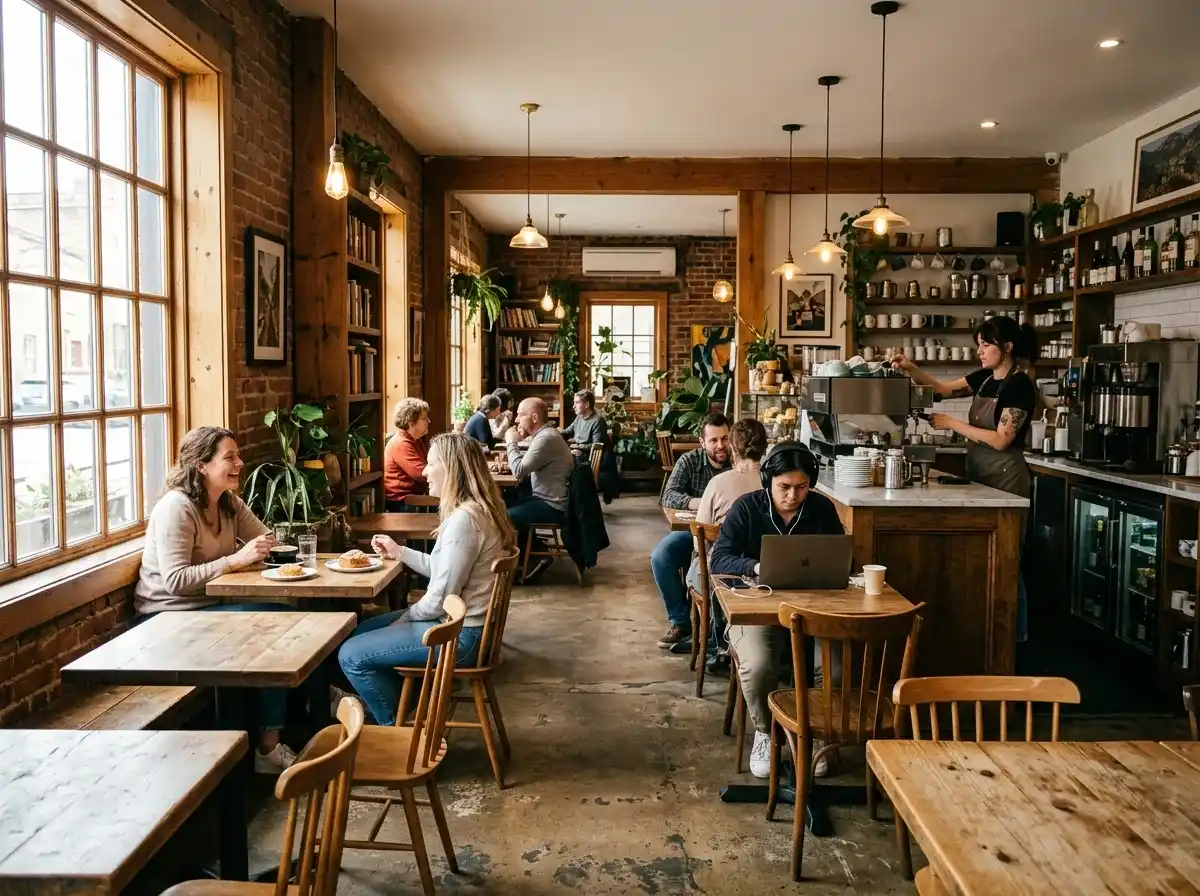
Full Food & Drink Menu with Prices
Clearly display your entire menu, from coffee and pastries to sandwiches and daily specials. Use inviting descriptions and high-quality photos. Ensure it's easily viewable on all devices, not just a PDF.
AI website builder for cafe
Show your coffee, food and atmosphere, and make opening hours and directions easy to find.
Your work deserves a good first impression
Explore templates for cafe websites. Preview a design, then make the content, photographs and colours your own.
A first draft, with room to make it yours
Start with an idea or a relevant template. Refine it around your cafe audience and the information they need.
Tell the AI who you serve, what you offer and the style you want. Include full food & drink menu with prices and location, hours & contact info in your brief, or choose a relevant template.
Name your audience and the next action you want visitors to take.Edit your draft visually. Add your own photographs and review full food & drink menu with prices, location, hours & contact info, about our story & coffee sourcing before sharing your website.
Confirm every claim and replace sample content with your actual details.Check the website on phones, tablets and desktop screens. Publish with hosting and SSL, and connect a domain you own when your plan includes custom domains.
Test your contact form and every external service link after publishing.The details that help visitors choose
A cafe website is the page people check for your menu, your hours, and whether they can order ahead, and Grigora builds one for your coffee shop from a sentence or two about it. The AI drafts the layout, copy, and imagery, then you edit visually with drag and drop.
Clearly display your entire menu, from coffee and pastries to sandwiches and daily specials. Use inviting descriptions and high-quality photos. Ensure it's easily viewable on all devices, not just a PDF.
Provide a clear address with a map, current operating hours, and multiple ways to contact you. This is crucial for customers planning a visit or needing quick information.
Share what makes your cafe special – your passion for coffee, local sourcing, community involvement, or unique origin story. This helps build a connection with customers and establishes your brand's values.
 Rustic Mountain Cafe
A clear first impression
Clearly display your entire menu, from coffee and pastries to sandwiches and daily specials. Use inviting descriptions and high-quality photos. Ensure it's easily viewable on all devices, not just a PDF.
Your work, clearly presentedInteractive design inspiration. Illustrative photography and sample copy.
Plan the pages your visitors will use
A practical cafe website content guide. Choose the pages that fit what you do and keep the important answers close.
Clearly display your entire menu, from coffee and pastries to sandwiches and daily specials. Use inviting descriptions and high-quality photos. Ensure it's easily viewable on all devices, not just a PDF.
Provide a clear address with a map, current operating hours, and multiple ways to contact you. This is crucial for customers planning a visit or needing quick information.
Share what makes your cafe special – your passion for coffee, local sourcing, community involvement, or unique origin story. This helps build a connection with customers and establishes your brand's values.
Use high-quality photos to showcase your cafe's ambiance. Highlight cozy seating, unique decor, and the overall vibe. This helps potential customers decide if your cafe is the right fit for their mood or work needs.
If you offer online ordering for pickup, integrate a seamless system directly on your site. This convenience is a huge draw for busy customers and significantly boosts sales.
Dedicate a section to daily specials, seasonal drinks, promotions, or any upcoming events like open mic nights or art shows. Regularly updating this keeps your site fresh and gives regulars a reason to return.
Review site analytics to understand which pages people visit. Keep full food & drink menu with prices and contact information easy to reach, and update them when your work changes.
Explore the tools behind your websiteMake the next step obvious
Choose how visitors to your cafe website reach you. Make each action fit the services and processes you already use.
Help visitors ask about full food & drink menu with prices. Use a contact form that collects the details your team needs, and explain what happens after an enquiry.
Your team reviews requests and confirms the next step.
Keep specialist workflows for your cafe website in the services you already use. Add clear links and explain their process before visitors leave your site.
Your chosen provider handles its own availability, confirmations and account access.
If you sell products or agreed services, add Grigora Commerce product pages, a cart and checkout with your connected Stripe or Razorpay account. Explain prices, terms and fulfillment before accepting payment.
Your team manages orders and fulfillment; payment provider fees and terms apply.
SEO for cafe websites
Good cafe website SEO starts with useful pages. Make full food & drink menu with prices, your contact details and your story easy to find.
Your website
https://cafe.example/Explore full food & drink menu with prices and location, hours & contact info, learn about our approach and find out how to contact us.
Fictional example. Search engines choose the final title and snippet.
Give pages for full food & drink menu with prices and location, hours & contact info clear titles. Write descriptions that match their actual content.
Explain full food & drink menu with prices with original copy and relevant photographs. Keep contact details and any locations you serve accurate.
Publish with hosting, HTTPS and a sitemap. Use clear navigation so visitors and search engines can reach your pages. Custom domains are available on paid plans.
Room to start. Room to grow.
Try the AI builder and review your first cafe website draft. Check the pricing page for current features and usage limits.
Compare plans for your domain and the content your cafe website needs. Paid plans add custom domains and Directory Maker for structured content.
Check current plan limits and feature eligibility before choosing. Connected payment providers have their own terms and processing fees.
The last check before going online
Walk through your cafe website as a visitor would. Review these details before publishing, and again whenever your content changes.
0 of 5 items reviewed
Before you go online
Clear answers about creating a cafe website, its content and the tools you can use.
Yes, Grigora is an excellent platform for creating a charming website for your café. You can use the drag-and-drop editor with 50+ customizable blocks to showcase your menu, daily specials, and the unique ambiance of your space. The built-in blogging platform is perfect for sharing news, special events, or stories about your coffee beans. The AI website generator can help you quickly launch a stylish design, and you get free SSL, CDN, and hosting.
The 'directory maker' feature is ideal for this. You can create listings for your coffee drinks, food items, and other menu offerings, complete with appealing images and descriptions. The built-in blogging platform can be used for daily specials, seasonal menus, or behind-the-scenes content. The responsive design ensures your menu looks great and is easily accessible on any device, especially for customers on their phones.
Grigora provides robust SEO features to help local customers find you. You'll benefit from built-in on-page SEO suggestions, a keyword research tool to target local searches like 'best cafe near me,' and meta tag customization. The interactive form builder allows for catering inquiries or feedback. The newsletter system can help you build an email list for sharing promotions and updates.
Absolutely! Grigora's AI tools are perfect for generating engaging content. You can use the AI paragraph rephraser to craft delicious descriptions for your food and beverages. The AI blog writer and outline generator can help you create exciting content about your café's story, coffee sourcing, or upcoming events, saving you time and ensuring your content is compelling.
Yes, Grigora includes a powerful built-in newsletter system. You can easily create and embed newsletter subscription forms and popups on your website. This allows you to capture email addresses from visitors interested in receiving updates on special offers, new menu items, or upcoming events. You can then manage your subscribers and send targeted email campaigns directly from Grigora.
Grigora offers a built-in privacy-friendly analytics dashboard where you can track traffic, engagement, and performance insights for your website. You can see which menu items or blog posts are most popular, helping you understand customer interests and refine your offerings. Integration with Google Analytics is also available for more detailed reporting on your audience and their interactions.
Yes. Grigora Commerce gives each product its own page with inventory, variants (roast, grind, bag size), and SKUs, plus Stripe or Razorpay checkout. You can run discounts for regulars, issue invoices for wholesale accounts, and fulfill orders manually, so counter pickup works the same as shipping a bag out.
Build the menu as a directory rather than a static page. A directory is a structured content collection with typed fields, so each drink or dish can have a price, image, category (option field), and an availability switch. Update one item and it updates everywhere that item is shown, no page editing required.
Yes, Grigora Commerce supports Stripe subscriptions alongside one-time purchases, so a monthly bean subscription can sit right next to single-bag orders in the same product setup.
Yes. Orders go through manual fulfillment, so you decide how each one is completed, whether that means packing it for counter pickup or shipping it out. Shipping and tax settings are configurable rather than shipping-only.
Yes, Grigora Mail runs on your own domain starting at $5/month with up to 10 aliases, so orders@, catering@, and events@ can all land in one Gmail-like inbox, with scheduled sending and a built-in AI assistant for quick replies.
Build the menu as a directory collection with fields for name, description, price, and tags like vegan or decaf, then add each drink and dish as an item. The page renders them in consistent sections. Photos are optional per item, and you can keep a separate group for seasonal specials.
Yes. The menu is content you display, and the shop is a separate catalog with real inventory, so a sourdough loaf available for pickup can have stock counts and a price while your espresso list stays a simple display menu. Both live on one site under one domain.
There is no Wix importer, so you rebuild rather than import. Describe your cafe, let the AI draft the site, then bring across your menu text and photos and place them where you want. Add redirects for your old page URLs, then point your domain at the new site.
Paid plans start at $15 a month for Starter billed annually, or $144 for the year, and Pro is $25 a month. There is a free trial rather than a permanently free plan. Add Grigora Mail at $5 a month per address, and pay Stripe or Razorpay separately for card processing.
Describe your cafe website. Get a first draft you can edit and make your own.
Start building free